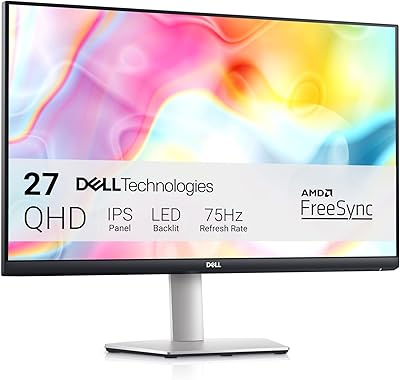
Dell P2721Q 27-inch 4K Monitor

Overview
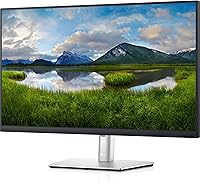
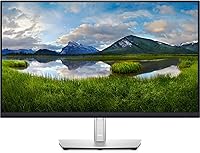
The Dell P2721Q 27-inch 4K Monitor sits squarely in the professional productivity space — a display built for people who spend their days working with text, data, code, or detailed visuals. The IPS panel technology is the core reason it earns serious attention: it delivers consistent, accurate color across wide viewing angles, so what you see from the side doesn't shift or wash out. Ultra-thin bezels make it a natural fit for side-by-side configurations. That said, this is not a gaming monitor — no meaningful high refresh rate, no HDR certification worth noting. At its price point, it competes with capable alternatives from LG, BenQ, and others, which is worth considering before committing.
Features & Benefits
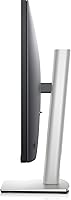
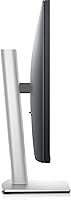
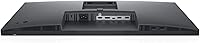
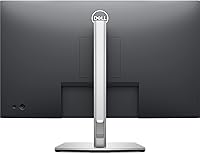
At 27 inches, 4K pixel density is genuinely noticeable — text is sharp and fine details in design work or photography read clearly without zooming in. The single USB-C cable is arguably the most practical thing this Dell 4K display offers: one cable handles video, power delivery, and data for compatible laptops, cutting desk clutter instantly. HDMI and DisplayPort inputs cover multi-device flexibility. The built-in USB hub adds two USB 2.0 ports and one USB 3.0 port, handy for mice, keyboards, or a flash drive. The stand adjusts for height, tilt, and swivel, and VESA compatibility means you can swap it for a monitor arm without any fuss.
Best For
The P2721Q makes the most sense for creative professionals — photographers, designers, and video editors who need accurate, consistent color without investing in a full calibration-grade setup. Remote workers using a MacBook or any USB-C laptop will find the single-cable workflow genuinely practical day-to-day. If you run a dual-monitor arrangement, the slim bezels keep the visual gap between screens tight and clean. It's also a compelling upgrade for anyone moving from a 1080p panel — the sharpness difference at 27 inches is immediately obvious. Where it falls short is competitive gaming, where high refresh rates matter far more than pixel count, and this display simply isn't designed for that.
User Feedback
Buyers of this 27-inch IPS monitor generally land at a positive verdict, with most praise directed at image clarity and the convenience of USB-C cable management. Those using it for photos and documents consistently note how sharp text and fine detail appear. The criticisms, though, are worth taking seriously. A noticeable share of buyers feel the plastic stand doesn't match the price — it wobbles slightly and feels less substantial than the screen above it. Others mention brightness feeling underwhelming in rooms with strong natural light. A smaller subset has flagged backlight uniformity problems out of the box, pointing to some unit-to-unit variation in quality control. Solid overall, but not without real caveats.
Pros
- 4K resolution at 27 inches makes text and fine image detail noticeably sharper than 1080p panels of the same size.
- The IPS panel delivers reliable color accuracy across wide angles — useful for side-by-side collaboration or reference work.
- USB-C single-cable connectivity handles power, video, and data simultaneously, cutting down cable clutter for laptop users.
- Ultra-thin bezels make the P2721Q a natural fit for tight dual-monitor arrangements.
- VESA compatibility gives you the freedom to ditch the stand and mount it on an ergonomic arm.
- The adjustable stand covers height, tilt, and swivel, which covers most all-day comfort needs without extra accessories.
- HDMI and DisplayPort inputs make it easy to connect multiple devices and switch between them.
- The built-in USB hub, while modest, keeps a keyboard, mouse, or USB drive accessible without reaching behind the monitor.
- Dell's brand reputation for panel reliability and driver support is a genuine long-term consideration.
- At 4.2 stars across verified buyers, real-world satisfaction is consistently strong for productivity-focused users.
Cons
- The plastic stand feels flimsy relative to the price — some buyers notice wobble and a cheap finish at this tier.
- Maximum brightness falls short in sunlit rooms, making the display harder to use near windows during the day.
- A small but notable number of units have shipped with backlight uniformity issues, suggesting inconsistent quality control.
- No high refresh rate means this 27-inch IPS monitor is a poor choice for anyone wanting a capable dual-use gaming setup.
- HDR support is absent in any meaningful sense — content mastered for HDR will look flat compared to true HDR panels.
- The USB hub provides only three ports total, which can feel limited once a full desk peripheral setup is connected.
- At its price point, rival brands offer panels with better peak brightness or factory calibration reports included.
- Color coverage, while solid for general professional work, does not reach wide gamut territory needed for high-end print production.
Ratings
The scores below are generated by AI after analyzing thousands of verified global buyer reviews for the Dell P2721Q 27-inch 4K Monitor, with spam, bot activity, and incentivized feedback actively filtered out. Each category reflects the honest spread of real user experiences — not just the highlights — so both consistent strengths and recurring pain points are represented with equal weight. The result is a transparent picture of where this display genuinely delivers and where it falls short for specific types of buyers.
Image Sharpness
Color Accuracy
USB-C Connectivity
Build Quality
Ergonomics & Adjustability
Brightness
Backlight Uniformity
Refresh Rate & Responsiveness
Port Selection
VESA & Mount Compatibility
Value for Money
Setup & Ease of Use
Multi-Monitor Suitability
Long-Term Reliability
Suitable for:
The Dell P2721Q 27-inch 4K Monitor is built for people who spend serious hours in front of a screen doing work that demands accuracy and clarity. Photographers and graphic designers will appreciate the IPS panel's consistent color reproduction — it holds up across wide viewing angles, which matters when you're color-grading or reviewing detailed visuals. Developers and remote workers running a USB-C laptop will find the single-cable setup genuinely useful: one cable connects everything, reducing desk clutter and the need for a separate dock. It also suits home office professionals who prioritize a sharp, comfortable display over entertainment-oriented specs. If you're upgrading from a 1080p screen and want to feel that jump immediately, 4K at 27 inches is a noticeable and practical resolution increase for daily productivity.
Not suitable for:
Buyers hoping the Dell P2721Q 27-inch 4K Monitor will double as a capable gaming display will be disappointed. There is no high refresh rate on offer, and the display lacks any meaningful HDR support, so fast-paced games and cinematic HDR content simply won't look their best here. Professionals working in environments flooded with natural light may also find the brightness ceiling frustrating — this panel struggles to stay vivid in very bright rooms. Budget-conscious shoppers should know that competitors in this price range, including options from LG and BenQ, occasionally offer more value-added features for a similar or lower outlay. Those who inspect hardware quality closely may also feel the plastic stand construction doesn't match what the screen itself costs. Finally, if you need four or more USB ports on the monitor itself, this hub arrangement is relatively limited.
Specifications
- Screen Size: The display measures 27 inches diagonally, offering substantial screen real estate without requiring an oversized desk footprint.
- Resolution: Native resolution is 3840x2160 pixels (4K UHD), delivering over 8 million pixels for sharp, detailed visuals across the full panel.
- Panel Type: Uses an IPS (In-Plane Switching) panel, which provides accurate color reproduction and consistent image quality at wide viewing angles.
- Aspect Ratio: The display uses a standard 16:9 widescreen aspect ratio, compatible with virtually all modern content and productivity workflows.
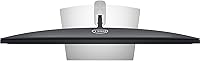
- Bezel Design: Ultra-thin bezels on three sides minimize visual interruption, making this panel well-suited for multi-monitor configurations.
- Backlight: LED backlighting is used throughout, contributing to energy efficiency and consistent brightness distribution across the panel.
- Connectivity: Input options include one USB-C port, one DisplayPort, and one HDMI port, supporting a range of devices and signal types.
- USB Hub: A built-in USB hub provides two USB 2.0 downstream ports and one USB 3.0 downstream port for peripheral connectivity.
- USB-C Power: The USB-C port supports power delivery, enabling compatible laptops to be charged and connected via a single cable.
- VESA Support: The monitor is VESA-certified and compatible with standard monitor arms and wall mounts, offering flexible installation beyond the included stand.
- Stand Adjustments: The included stand supports height adjustment, tilt, and swivel, allowing users to dial in an ergonomic viewing position.
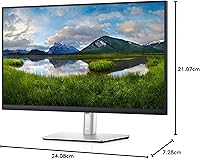
- Dimensions: With the stand, the monitor measures approximately 24.08″ wide, 21.07″ tall, and 7.28″ deep.
- Weight: The full unit including the stand weighs 16 pounds, which is typical for a monitor of this size and build quality.
- Color Finish: The monitor ships in a black and gray finish, consistent with Dell's professional product aesthetic.
- Voltage: The unit operates at 240V AC, and a compatible power adapter is included in the box.
- Release Date: The P2721Q was first made available in September 2020, placing it in a mature product cycle with a well-documented user base.
Related Reviews

Dell S2725QC 27-inch 4K USB-C Monitor
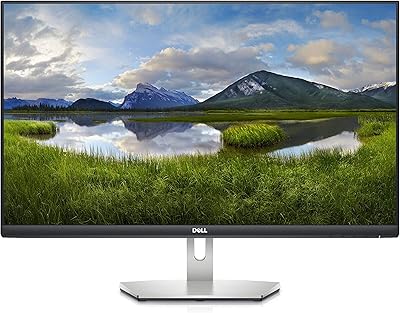
Dell S2721Q 27-inch 4K IPS Monitor
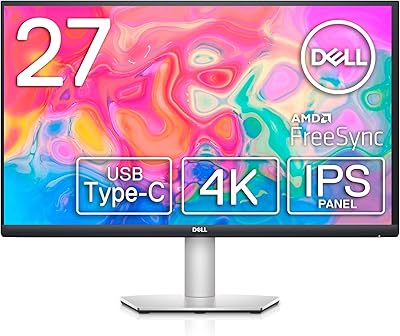
Dell S2722QC 27-inch 4K USB-C Monitor

ViewSonic VP2768a-4K 27-Inch 4K Monitor

ViewSonic VG2756-4K 27-Inch 4K Docking Monitor

ViewSonic VA2756-4K-MHD 27-inch 4K Monitor

ViewSonic VX2776-4K-MHDU 27-inch 4K IPS Monitor
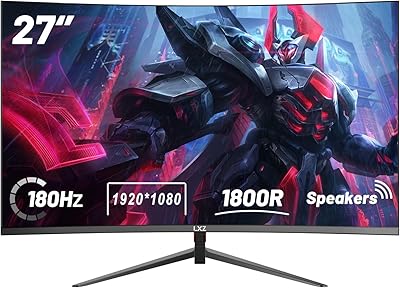
LXZ LX270ZC 27-inch Curved Gaming Monitor
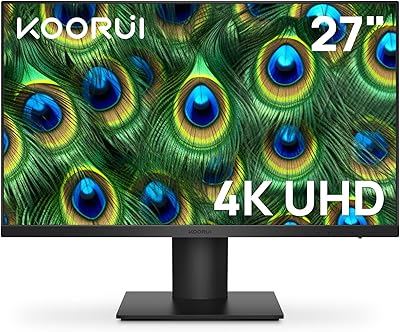
KOORUI N07 27-inch 4K IPS Monitor