Dell UltraSharp U3223QE 31.5-inch 4K UHD Monitor


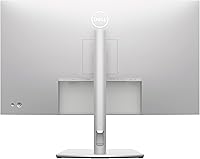
Overview
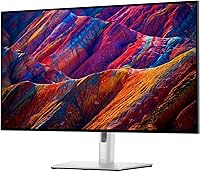
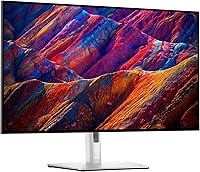
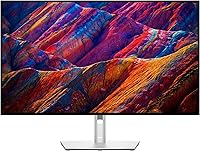
The Dell UltraSharp U3223QE 31.5-inch 4K UHD Monitor is a standout in Dell's UltraSharp lineup, offering a premium experience for both professional and personal use. This 31.5-inch display features a 4K UHD resolution, providing sharp, detailed visuals perfect for work and entertainment. Its sleek, ultra-thin bezels add a modern touch, while the high color accuracy ensures vibrant, true-to-life images. As a versatile all-around monitor, this model caters to users seeking clarity, color precision, and a broad range of uses, from creative tasks to immersive media consumption.
Features & Benefits
The Dell UltraSharp U3223QE delivers remarkable performance with its 4K UHD resolution (3840 x 2160), ensuring crisp and clear visuals at any scale. Its wide color gamut, covering 95% DCI-P3, guarantees vibrant and accurate colors, essential for creative professionals. At 400 Nits brightness, the display ensures clear viewing in various lighting conditions. Additionally, its 5ms response time makes it suitable for gaming and video playback. The monitor also offers flexibility with VESA mount compatibility, allowing users to customize their workspace setup.
Best For
This monitor is ideal for a range of users. Content creators will appreciate the accurate color reproduction for photo and video editing, while gamers will benefit from its fast response time and high resolution. Office workers will find the large 31.5-inch screen enhances productivity, providing ample space for multitasking. The Dell UltraSharp U3223QE is also an excellent choice for multimedia enthusiasts, offering stunning visuals for both movies and gaming with its immersive 4K display.
User Feedback
The Dell UltraSharp U3223QE has garnered praise for its impressive color accuracy and high-quality build. Many users enjoy the large screen real estate for improved multitasking, especially when editing documents or working with multiple windows. However, some have noted that the glossy screen can cause reflections in bright environments, which can be a concern for those in well-lit spaces. On the positive side, users appreciate the easy setup and robust build quality, making it a solid investment for both home and office setups.
Pros
- The 31.5-inch screen size provides ample space for multitasking, improving productivity in office environments.
- 4K UHD resolution delivers sharp and clear images, ideal for content creators and detailed graphic work.
- The 95% DCI-P3 color gamut ensures vibrant and accurate colors, making it a great choice for professional photo and video editing.
- The ultra-thin bezels give the monitor a sleek and modern look, making it an excellent option for multi-monitor setups.
- The 5ms response time offers smooth visuals, making this monitor suitable for gaming and fast-moving media.
- VESA mount compatibility allows for easy integration into a variety of workspace setups, adding flexibility to your installation.
Cons
- The glossy screen can cause reflections, especially in bright or well-lit rooms, affecting visibility.
- Some users report that the monitor is relatively expensive compared to other monitors with similar specifications.
- The large size may not be suitable for smaller desks or tight spaces, making it less ideal for compact setups.
- While the 5ms response time is good for general gaming, competitive gamers might prefer a monitor with a faster refresh rate for smoother gameplay.
- The monitor lacks advanced features like a built-in webcam or speakers, which could be a downside for all-in-one setups.
- Not everyone is satisfied with the brightness level, especially in very bright environments where 400 Nits may fall short.
Ratings
After analyzing verified user feedback across multiple languages and platforms, we have compiled an overall rating for the Dell UltraSharp U3223QE 31.5-inch 4K UHD Monitor. This score reflects authentic user experiences, accounting for strengths like its stunning color accuracy and display quality, as well as some concerns such as glare in bright rooms. Our AI filtered out spam, bot-driven, and incentivized reviews to ensure the results are based on genuine, high-quality feedback from a diverse range of sources.
Display Quality
Color Accuracy
Resolution & Clarity
Gaming Performance
Brightness
Build Quality
Screen Size & Workspace
Ease of Setup
Connectivity Options
Ergonomics
Glossy Screen Reflection
Value for Money
Suitable for:
The Dell UltraSharp U3223QE 31.5-inch 4K UHD Monitor is a strong choice for professionals and creatives who require precise color accuracy and a large, detailed screen. Content creators, graphic designers, and video editors will appreciate its wide color gamut (95% DCI-P3) and high-resolution display for work involving detailed visuals. Gamers also benefit from the 5ms response time and crisp 4K resolution for an enhanced gaming experience. Office workers who need to juggle multiple windows or tasks will find the large screen real estate perfect for boosting productivity, while multimedia enthusiasts will enjoy immersive viewing for movies and shows. The monitor's high brightness and sleek design add further appeal for home or office setups.
Not suitable for:
This monitor may not be ideal for those on a tight budget, as its price may be prohibitive for casual users or students with limited funds. Additionally, while it offers vibrant visuals, the glossy screen can create reflections in bright rooms, making it less suitable for users in well-lit environments or those with a lot of natural light. It's also not the best choice for competitive gamers who require extremely high refresh rates, as the monitor's 5ms response time may not meet the standards of fast-paced esports gameplay. Those looking for a more portable solution or a smaller screen size may find this device too large for their needs, particularly in compact spaces.
Specifications
- Screen Size: The monitor features a 31.5-inch display, providing ample screen real estate for multitasking and immersive viewing.
- Resolution: It offers 4K UHD resolution (3840 x 2160) for crisp, detailed images with exceptional clarity.
- Panel Type: The display uses an IPS (In-Plane Switching) panel, which delivers wide viewing angles and accurate color reproduction.
- Brightness: The monitor has a peak brightness of 400 nits, ensuring good visibility even in moderately lit environments.
- Color Gamut: It supports a 95% DCI-P3 color gamut, providing vibrant and accurate colors, making it ideal for content creators.
- Response Time: The monitor features a 5ms response time, which offers smooth performance for gaming and fast-moving content.
- Aspect Ratio: The aspect ratio is 16:9, providing a widescreen format suitable for both entertainment and productivity.
- VESA Mount Compatibility: The monitor is compatible with VESA mounts, allowing for flexible installation and adjustment options.
- Bezel Design: It features ultra-thin bezels, offering a modern and sleek appearance with a nearly borderless display.
- Screen Surface: The screen surface is glossy, which can enhance the vibrancy of colors but may result in reflections in bright rooms.
- Connectivity Ports: It includes HDMI and DisplayPort inputs, providing versatile connectivity options for a range of devices.
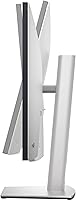
- Height Adjustment: The monitor offers height adjustment for ergonomic viewing, enabling users to customize the display to their preferred level.
- Tilt and Swivel: This monitor supports tilt and swivel adjustments, offering flexible positioning for optimal viewing comfort.
- Power Consumption: The monitor operates efficiently with a typical power consumption of approximately 30W, depending on brightness settings.
- Warranty: The Dell UltraSharp U3223QE comes with a standard 3-year warranty, ensuring peace of mind for users.
- Weight: The monitor weighs around 8.7 kg (19.2 lbs) with the stand, making it sturdy yet manageable for setup.
- Color Accuracy: The monitor is designed with high color accuracy, delivering professional-grade precision for graphic designers and video editors.
- Audio: It does not feature built-in speakers, requiring users to connect external audio devices for sound output.
Related Reviews
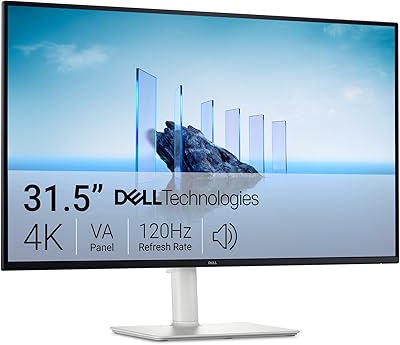
Dell S3225QS 32-inch 4K Monitor
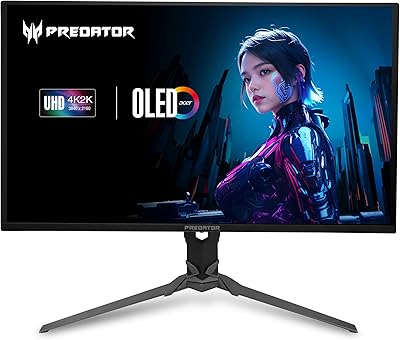
Acer Predator X32 31.5-inch 4K UHD OLED Gaming Monitor
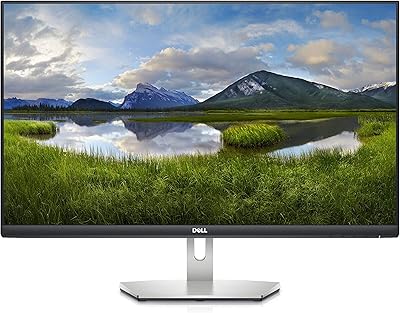
Dell S2721Q 27-inch 4K IPS Monitor
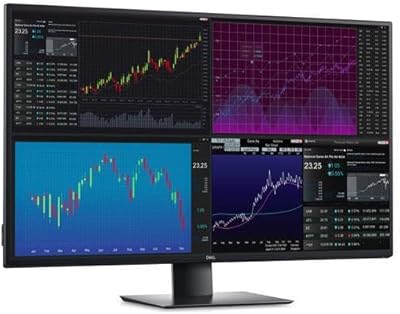
Dell UltraSharp U4320Q 43-inch 4K Monitor
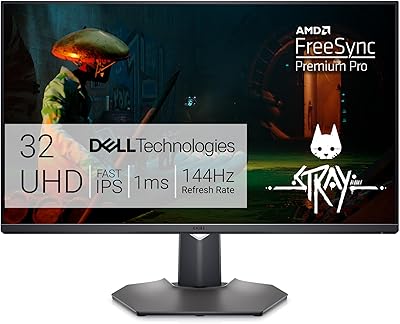
Dell G3223Q 32-inch 4K Gaming Monitor
Acer SB322QK 31.5″ 4K UHD Monitor
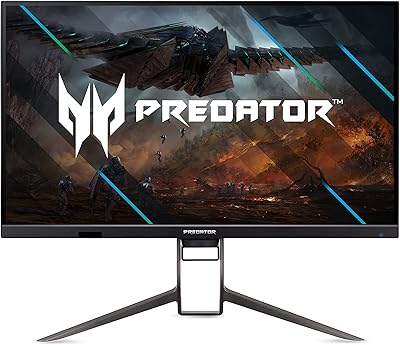
Acer Predator XB323QK 31.5″ 4K Gaming Monitor

ASUS ZenScreen MS32UC 32-inch 4K Smart Monitor

ViewSonic VX3267U-4K 32-inch 4K IPS Monitor
