Overview
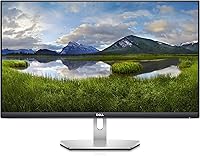
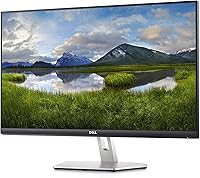
The Dell S2721Q 27-inch 4K IPS Monitor sits comfortably in the mid-range sweet spot — sharp enough for serious work, priced where most home office budgets can realistically reach. Dell's S-series has long carried a reputation for reliable display quality, and this model continues that trend with a design that looks more expensive than it is. The ultra-thin bezel keeps things tidy, especially if you plan to pair two screens side by side. Connectivity covers the basics well — both HDMI and DisplayPort inputs mean you're not stuck hunting for adapters when switching between devices.
Features & Benefits
What makes this 27-inch IPS screen genuinely useful day-to-day is how the 4K UHD resolution translates into real clarity — spreadsheet rows stay crisp, browser text needs no scaling tricks, and photos look detailed without post-processing. The IPS panel handles wide viewing angles well, so colors don't shift when you glance from the side, which matters more than people expect in a shared workspace. AMD FreeSync is included, though this Dell 4K display isn't built for competitive gaming — think smoother video and reduced tearing during casual use. VESA compatibility adds long-term flexibility for ergonomic arm upgrades down the road.
Best For
The S2721Q is a natural fit for remote workers and home office users who need a display large and sharp enough to handle multiple windows without eye strain. Photo editors and designers will appreciate the color accuracy that IPS panels bring at this price tier — it's not a professional-grade reference monitor, but it's noticeably better than most budget alternatives. Students upgrading from a 1080p screen will notice an immediate difference. And if you're planning a dual-monitor setup, the thin bezels help the two screens feel like a single continuous surface rather than two clearly separate panels pushed together.
User Feedback
Among owners who've rated this 27-inch IPS screen, the consensus leans positive — most praise the out-of-the-box color accuracy and sharpness, and the build quality feels solid for the price. That said, two complaints come up consistently: the stand only tilts, with no height adjustment, which pushes some buyers toward an aftermarket arm sooner than expected. The glossy panel is also a sticking point for anyone working near a window, as it picks up reflections readily. A few users note the monitor runs slightly warm over long sessions, and opinions on the OSD menu are split — functional, but not particularly refined.
Pros
- Sharp 4K resolution makes text, spreadsheets, and photos noticeably crisper than a typical 1080p screen.
- IPS panel delivers accurate, consistent colors without the washed-out look of cheaper TN alternatives.
- Ultra-thin bezels make the S2721Q an easy choice for building a clean dual-monitor workspace.
- AMD FreeSync reduces screen tearing during video playback and casual gaming without extra cost.
- VESA mount support means upgrading to an ergonomic arm is straightforward when the time comes.
- Slim silver-and-black design fits naturally into modern home office setups without looking out of place.
- HDMI and DisplayPort inputs cover most connection scenarios without needing a dock or adapter.
- Build quality feels solid and durable relative to what you'd expect at this price point.
- Out-of-the-box color accuracy is good enough for most users without manual calibration.
- At 27 inches, the screen size hits a practical sweet spot for productivity without dominating a standard desk.
Cons
- The stand only tilts — no height adjustment, swivel, or pivot, which limits ergonomic flexibility significantly.
- The glossy screen surface picks up reflections badly in bright rooms or near windows.
- Some users report the monitor runs noticeably warm during extended sessions, which may be a concern in small spaces.
- The OSD menu feels basic and dated compared to controls offered by competing displays at a similar price.
- No USB hub or built-in ports means you lose a convenience feature many buyers expect at this price tier.
- Not suited for high-refresh-rate gaming — frame-rate-focused users will need to look elsewhere.
- The power brick is external, adding cable clutter behind the desk that an internal power supply would avoid.
- Color accuracy, while good, falls short of what dedicated content creators need for truly color-critical work.
Ratings
The scores below reflect AI-synthesized analysis of verified global buyer reviews for the Dell S2721Q 27-inch 4K IPS Monitor, with spam, bot-submitted, and incentivized feedback actively filtered out before scoring. Each category captures what real users consistently praised and complained about over time — nothing is smoothed over or inflated. Strengths and friction points are weighted equally so you get an honest picture before you decide.
Image Clarity
Color Accuracy
Build Quality
Stand & Ergonomics
Glare & Reflections
Value for Money
Connectivity
OSD & Controls
Setup Experience
Performance for Productivity
Performance for Creative Work
Thermal Performance
Multi-Monitor Compatibility
Suitable for:
The Dell S2721Q 27-inch 4K IPS Monitor is a strong match for remote workers and home office users who spend long hours in front of a screen and want noticeably sharper text and imagery without spending professional-grade money. If you're coming from a 1080p display, the jump to 4K on a 27-inch IPS panel is immediately visible — documents look cleaner, photos pop, and you can comfortably fit two side-by-side windows without things feeling cramped. Designers and photo editors working on a tighter budget will appreciate the color accuracy that IPS technology brings at this tier; it won't replace a calibrated studio monitor, but it's a meaningful step above typical budget alternatives. Students who need a capable all-purpose display for studying, creative projects, and casual video streaming will find this Dell 4K display punches above its weight class. Those planning a dual-monitor arrangement will also benefit from the ultra-thin bezels, which make the gap between two screens far less distracting than with chunkier-framed alternatives.
Not suitable for:
The Dell S2721Q 27-inch 4K IPS Monitor has real limitations that certain buyers should weigh carefully before committing. Competitive or performance-focused gamers will likely find it frustrating — the refresh rate is standard, and while FreeSync helps with tearing, this screen was never designed with high-frame-rate gaming in mind. Anyone working in a sun-filled room or near large windows should think twice about the glossy panel, which reflects ambient light aggressively and can make prolonged work genuinely uncomfortable. Ergonomics-minded users who prefer to adjust their screen height throughout the day will hit a wall quickly, since the included stand only tilts — there's no height, swivel, or pivot adjustment built in, meaning a third-party arm becomes a near-necessity rather than an optional upgrade. Video professionals or color-critical creatives who need factory-calibrated, wide color gamut accuracy should look at more specialized (and pricier) options rather than relying on this 27-inch IPS screen for final output decisions.
Specifications
- Screen Size: The display measures 27 inches diagonally, offering ample workspace for multitasking and detailed creative work.
- Resolution: Native resolution is 3840x2160 pixels (4K UHD), delivering approximately 163 pixels per inch for sharp, detailed imagery.
- Panel Type: Uses an IPS (In-Plane Switching) panel, which provides accurate color reproduction and consistent image quality across wide viewing angles.
- Aspect Ratio: Standard 16:9 widescreen aspect ratio, compatible with virtually all modern content formats and operating systems.
- Screen Surface: Glossy screen surface enhances color vibrancy and contrast but can produce noticeable reflections in brightly lit environments.
- Refresh Rate: Runs at a standard 60Hz refresh rate, suited to productivity, creative work, and casual video consumption rather than competitive gaming.
- Connectivity: Includes two HDMI ports and one DisplayPort input, allowing connection to multiple source devices without a separate switch.
- AMD FreeSync: FreeSync adaptive sync technology is supported, reducing screen tearing during video playback and light gaming at compatible frame rates.
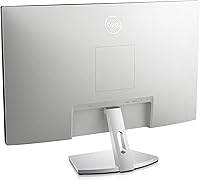
- VESA Compatibility: VESA 100x100mm mount pattern is supported, enabling use with most third-party monitor arms and wall-mount brackets.
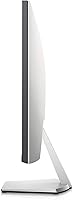
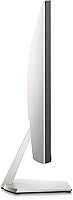
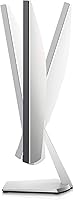
- Stand Adjustment: The included stand supports tilt adjustment only; height, swivel, and pivot adjustments are not available without a third-party arm.
- Bezel Design: Ultra-thin bezels on three sides minimize visual interruption, making this display well-suited for side-by-side multi-monitor configurations.
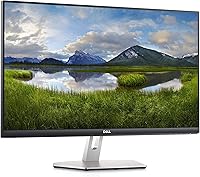
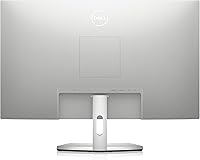
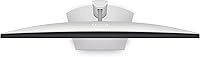
- Color Finish: The chassis features a black front panel with silver accents on the stand and rear, giving it a clean, modern appearance.
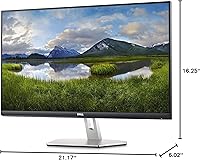
- Dimensions: With the stand attached, the monitor measures approximately 6.02 x 21.17 x 16.25 inches (depth x width x height).
- Weight: The complete unit including stand weighs 10.34 pounds, making it manageable for a single person to position on a desk.
- Power Supply: Uses an external power brick rather than an internal power supply, which adds a small amount of cable management overhead.
- OSD Controls: On-screen display menu is accessible via physical buttons on the rear of the panel and covers brightness, contrast, and input selection.
- Series: Part of Dell's S-series display lineup, which targets home and professional users who prioritize image quality and clean industrial design.
- Release Date: The monitor was first made available in July 2020, making it a well-established model with a broad base of real-world user feedback.
Related Reviews

ViewSonic VG2756-4K 27-Inch 4K Docking Monitor

Dell S2725QC 27-inch 4K USB-C Monitor
Dell P2721Q 27-inch 4K Monitor

Dell P2714H 27-inch IPS Monitor
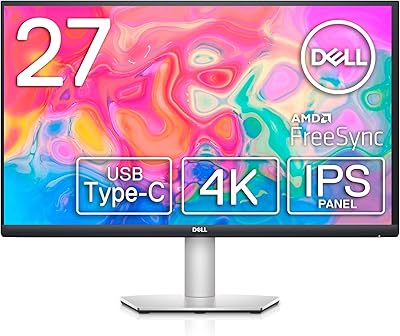
Dell S2722QC 27-inch 4K USB-C Monitor
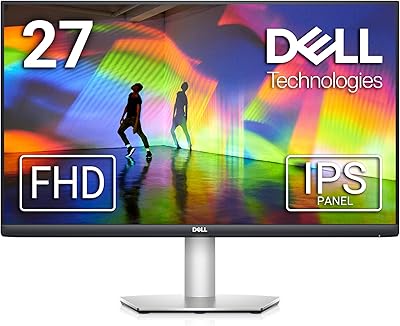
Dell S2721HS 27-inch Full HD IPS Monitor
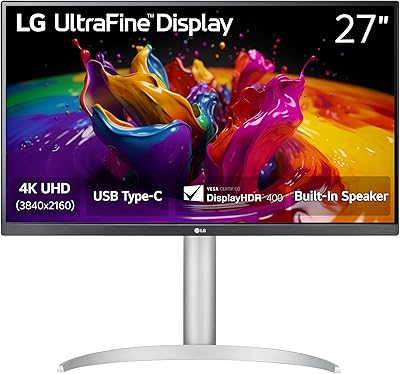
LG 27UP850K-W 27-inch 4K IPS Monitor
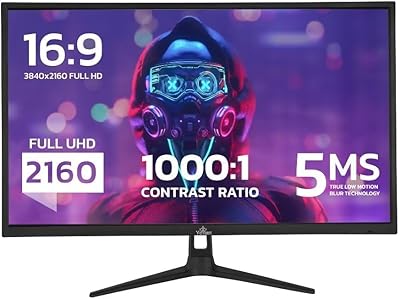
YEYIAN ODRAZ 27″ 4K UHD Gaming Monitor

ViewSonic VP2768a-4K 27-Inch 4K Monitor
