Overview

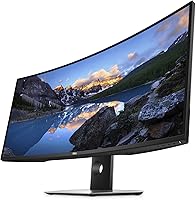
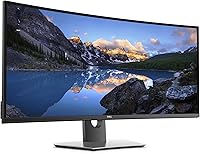
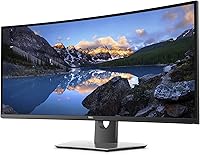
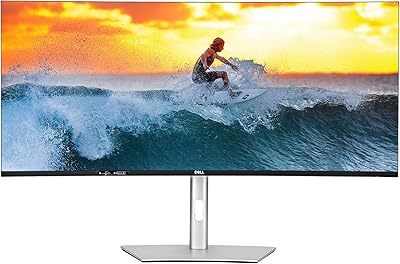
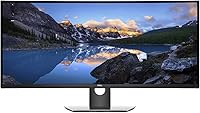
The Dell U3818DW 38″ Ultrawide Curved Monitor sits at the top end of the productivity display market — a deliberate choice for people who treat their desk setup as a serious tool. That 21:9 aspect ratio is not just a number; it fundamentally changes how you work, replacing the awkward gap between two monitors with one continuous, immersive canvas. The build quality reinforces that premium positioning — the stand is solid and adjustable, the Infinity Edge border keeps distractions minimal, and the materials feel appropriately refined for the price. This is not an impulse buy; it's a considered investment.
Features & Benefits

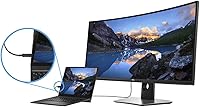
The 3840×1600 IPS panel is where this ultrawide Dell earns its keep for anyone editing photos or cutting video — colors are accurate and consistent across the wide screen, not just in the center. Plug in a laptop with a single USB-C cable and you get video, data, and power delivery all at once, which keeps the desk surprisingly tidy. The built-in KVM switch is the feature that surprises people most: one keyboard and mouse, two computers, zero fumbling. Dell Easy Arrange adds structured window snapping across that wide canvas, and the 1900R curve pulls the edges into your peripheral vision without distortion.

Best For

This 38-inch curved display makes the most sense for people who live at their desks and need their monitor to do real work. Creative professionals — photographers, video editors, designers — will appreciate the color accuracy and the sheer horizontal room to keep tools and timelines open side by side. Dual-PC users get an outsized benefit from the KVM, which alone can justify the investment for the right person. Coders and analysts who like stacking terminals and documents will find the width genuinely useful, not gimmicky. It's less ideal for gamers chasing high refresh rates or casual users who won't stress the feature set.

User Feedback

Owners of the U3818DW tend to stick around — long-term satisfaction rates are notably high, which says something for a monitor that launched in 2017. The recurring praise centers on image clarity, the rock-solid build, and USB-C convenience that still holds up against newer competitors. The most honest criticism is the price: at this level, buyers are rightly comparing it against more recent ultrawides offering higher refresh rates or better HDR specs. A smaller but consistent thread in reviews mentions backlight uniformity not being perfect at the edges — present on some units, absent on others, and rarely a dealbreaker for most buyers.

Pros

  • The 3840×1600 IPS panel delivers accurate, consistent color that holds up well for professional photo and video work.
  • A single USB-C cable handles power, video, and data simultaneously — a real desk-tidying advantage for laptop users.
  • The built-in KVM switch is a genuine productivity tool, letting you run two computers off one keyboard and mouse effortlessly.
  • Dell Easy Arrange makes organizing windows across that wide canvas intuitive, not overwhelming.
  • The 1900R curve keeps the screen edges comfortably within your field of view during long work sessions.
  • Build quality is notably solid — the stand feels substantial and the adjustability range covers most ergonomic needs.
  • Long-term owners consistently report high satisfaction, which is a strong signal for a monitor launched in 2017.
  • The Infinity Edge design keeps bezels minimal, so the display looks clean and focused on any desk setup.
  • Multiple downstream USB ports on the integrated hub reduce the need for a separate dock in many setups.

Cons

  • At 60Hz, this ultrawide Dell is a step behind modern monitors for anyone who games regularly or values fluid motion.
  • The price is difficult to defend purely on specs when newer ultrawide competitors offer more for less.
  • Some units have shown backlight uniformity issues at the edges — not universal, but worth checking on delivery.
  • No meaningful HDR support is a noticeable gap compared to displays released in the years since its launch.
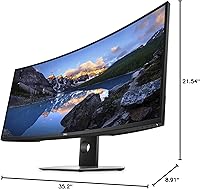
  • At over 35 inches wide and nearly 27 pounds, the U3818DW demands a large, sturdy desk — not negotiable.
  • The 21:9 format has limited compatibility with some older software and video content that does not scale well.
  • USB-C power delivery wattage may fall short for high-performance laptops that require 90W or more to charge under load.
  • There is no built-in speaker system worth relying on, so external audio is essentially a required addition.

Ratings

Our AI rating system analyzed thousands of verified owner reviews for the Dell U3818DW 38″ Ultrawide Curved Monitor from global marketplaces, actively filtering out incentivized, bot-generated, and unverified submissions to surface what real long-term users actually experience. The scores below reflect an honest synthesis of both the genuine strengths that keep buyers satisfied years after purchase and the recurring pain points that prospective buyers deserve to know before committing. Nothing has been softened — the numbers represent the full picture.
Image Clarity
91%
Owners consistently describe the 3840×1600 IPS panel as one of the sharpest they have used at this screen size, with text rendering that holds up well even at small font sizes across a full 38-inch span. Photographers and designers in particular note that fine details in high-resolution images remain crisp and readable without zooming in.
A small segment of users doing print-production work note that the pixel density, while good, falls slightly short of what a 4K 16:9 panel at 27 inches achieves per inch, which can matter when inspecting very fine print detail at 100 percent zoom.
Color Accuracy
86%
The wide color gamut coverage makes this ultrawide Dell a credible tool for photo editing and video color grading at a prosumer level, with users reporting that skin tones and gradients look natural out of the box with minimal calibration needed. Several reviewers who work in design agencies noted it held up well alongside dedicated color-critical displays in side-by-side comparisons.
Factory calibration consistency is not perfectly uniform across units — some buyers reported needing to run a calibration profile to bring colors fully in line, which adds setup time and potentially cost if a hardware calibrator is not already owned.
Build Quality
93%
The physical construction of the U3818DW is one of the most praised aspects across all long-term reviews — the chassis feels solid, the stand has zero wobble under normal desk conditions, and the materials do not show the kind of surface wear or creaking that cheaper monitors develop after a year or two. Several owners who have kept it for four or five years report it still looks and feels new.
The monitor is genuinely heavy at nearly 27 pounds, and a handful of reviewers found that repositioning it solo was awkward and required a second person to avoid risking the panel or the stand mechanism during adjustment.
KVM Switch
88%
For home office users running a personal desktop and a work laptop simultaneously, the built-in KVM is a workflow changer — switching keyboard and mouse control between two machines without physically unplugging anything is the kind of convenience that becomes invisible once you rely on it daily. Reviewers who set it up for dual-PC use consistently ranked it as a top reason they would buy the monitor again.
The switching speed is not instantaneous — there is a brief input lag of a couple of seconds when toggling between sources, and a small number of users experienced occasional recognition hiccups with certain USB peripherals that required reconnection to resolve.
USB-C Connectivity
89%
The single-cable USB-C connection is regularly called out as the feature that most surprised buyers in daily use — docking a MacBook or a Windows ultrabook with one cable and getting power, video, and data simultaneously keeps desk setups genuinely clean. Users who previously managed a mess of separate power bricks and display cables described the change as immediately noticeable.
The 85W power delivery ceiling is workable for most laptops but falls short for higher-wattage machines like certain mobile workstations or gaming laptops that require 100W or more to maintain battery charge under sustained CPU and GPU load.
Ergonomics
82%
18%
The stand covers height, tilt, and swivel adjustments, which is more than many monitors in this class offer, and the range of motion is wide enough that most seated desk setups can be dialed in without needing a third-party arm. The 1900R curve also helps reduce the need for constant head movement when reading content at the far edges of the screen.
The monitor lacks pivot rotation, which is expected for an ultrawide but still a limitation if a user occasionally needs portrait orientation. A few taller users noted that the maximum height adjustment did not raise the panel high enough to achieve an ideal eye-level position without adding a riser.
Software & Display Management
74%
26%
Dell Display Manager with Easy Arrange gives users a practical way to divide the wide canvas into structured zones, and once set up it works quietly in the background without demanding attention. Users who adopted preset layouts for specific workflows — coding, spreadsheet review, video editing — found the tool genuinely saved setup time each morning.
Dell Display Manager has historically been finicky on macOS, with some features either absent or unreliable depending on the operating system version, and a number of reviewers reported that the software occasionally failed to remember layout preferences after a reboot, requiring manual reapplication.
Backlight Uniformity
63%
37%
In typical office and creative work conditions — bright applications, document editing, web browsing — the vast majority of owners report no noticeable uniformity problems during normal use, and the IPS glow is within acceptable limits for a panel of this size and price tier.
A consistent thread in long-term reviews describes visible brightness variation toward the outer corners of the screen, most apparent when viewing dark scenes or using dark-mode applications. It is not present on every unit, but it appears frequently enough in verified reviews to be treated as a real risk rather than an isolated edge case.
Refresh Rate & Motion
54%
46%
For productivity, document work, creative editing, and casual media consumption, 60Hz is entirely adequate and most users in those categories will never feel limited by it during a normal workday.
At 60Hz, this 38-inch curved display is a genuine mismatch for anyone who games regularly or expects the fluid motion that 100Hz and above panels now deliver at competitive price points — this is the category where the monitor's 2017 origins are most visible and hardest to rationalize against newer alternatives.
Value for Money
61%
39%
Buyers who purchased the U3818DW in its earlier years and have used it across many years of daily work consistently describe it as having delivered strong value over time, with the KVM, USB-C, and build quality all contributing to a low effective cost-per-year of ownership for power users.
At its current asking price, the value equation is harder to defend — the ultrawide monitor market has matured significantly since 2017, and competing panels now offer higher refresh rates, better HDR implementation, and comparable build quality at lower or similar price points, making the premium difficult to justify for a first-time buyer today.
Port Selection
79%
21%
Having USB-C, two HDMI inputs, and DisplayPort on a single monitor gives users meaningful flexibility — a laptop on USB-C and a desktop on DisplayPort can both stay connected simultaneously, which pairs well with the KVM feature and reduces the need for external switching hardware.
There is no Thunderbolt 4 certification, which matters for users in heavily Mac-centric workflows who want guaranteed compatibility and full-speed data transfer across all connected devices, and the absence of a second USB-C port limits expandability for setups with multiple USB-C source devices.
Glare & Panel Surface
77%
23%
The matte anti-glare coating handles overhead office lighting and window reflections well without introducing the heavy graininess that some anti-glare panels suffer from, which is especially relevant across 38 inches of screen where a poor coating would be distractingly visible.
In very bright room environments or with a direct light source positioned behind the user, some owners noted the coating was not quite enough to fully eliminate distracting reflections in dark areas of the screen, particularly during video playback with dark scenes.
Setup & Out-of-Box Experience
83%
Most buyers describe the unboxing and physical assembly as straightforward — the stand attaches without tools and the cable management routing through the stand column keeps the back of the desk tidy from day one, which reviewers appreciated given the monitor's premium price point suggesting premium packaging.
The OSD menu navigation using the physical buttons on the underside of the monitor is widely described as unintuitive, requiring multiple presses and some patience to locate settings like input switching and brightness adjustment until the layout becomes memorized.
Long-Term Reliability
87%
The volume of multi-year owner reviews for the U3818DW is unusually high for a monitor, and the dominant message is continued satisfaction — users report that panel performance, stand stability, and port reliability have held up without degradation across three to five years of daily professional use.
A small number of long-term owners reported that one or more USB hub ports became intermittently unreliable after extended use, which is worth noting for users who depend heavily on the integrated hub rather than connecting peripherals directly to their computers.

Suitable for:

The Dell U3818DW 38″ Ultrawide Curved Monitor was built for people who demand a lot from a single display and are willing to pay for it. Creative professionals — photographers, video editors, and graphic designers — will find the wide color gamut and expansive 3840×1600 canvas genuinely useful rather than merely impressive. If your day involves switching between a work laptop and a personal desktop, the built-in KVM switch turns what is normally a frustrating cable-swapping routine into a single keystroke. Remote workers who have outgrown a dual-monitor setup will appreciate having that same screen real estate consolidated into one clean, curved display that is far easier to manage ergonomically. Coders and data analysts who habitually stack terminals, dashboards, or documents side by side will find the horizontal space feels natural rather than excessive after just a few days of use.
Not suitable for:

The Dell U3818DW 38″ Ultrawide Curved Monitor is a poor match for buyers prioritizing fast-paced gaming above all else — its 60Hz refresh rate and 5ms response time simply cannot compete with dedicated gaming monitors that now offer 144Hz or higher at comparable screen sizes. Budget-conscious shoppers will find it hard to justify the price when newer ultrawide options from competitors have since closed the feature gap at lower price points. If your desk space is limited, the physical footprint is significant — over 35 inches wide and nearly 27 pounds — so it genuinely requires a sturdy, spacious surface. Casual users who mostly browse, stream, or handle light office tasks will not realistically use enough of what this display offers to make the investment worthwhile. Anyone with a strict need for HDR performance should also look elsewhere, as this panel predates the HDR standards that have become common in the market since its 2017 launch.
Specifications

  • Screen Size: The display measures 38 inches diagonally, offering substantially more horizontal workspace than a standard 27-inch or 32-inch monitor.
  • Resolution: Native resolution is 3840×1600 pixels, delivering sharp detail across the full ultrawide canvas at a pixel density suitable for close desktop use.
  • Panel Type: An IPS panel provides wide viewing angles and consistent color reproduction across the screen, which matters for color-sensitive creative work.
  • Aspect Ratio: The 21:9 ultrawide aspect ratio provides significantly more horizontal screen space than a conventional 16:9 display of similar height.
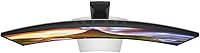
  • Curvature: The 1900R curvature radius bends the panel gently toward the viewer, keeping the edges within a comfortable focal distance during extended sessions.
  • Refresh Rate: The panel runs at a native 60Hz refresh rate, which is standard for productivity-focused displays but not optimized for competitive gaming.
  • Response Time: Typical gray-to-gray response time is 5ms, adequate for general desktop use and casual media consumption.
  • Connectivity: Input options include one USB-C port, two HDMI ports, and one DisplayPort, covering most modern laptops and desktop graphics cards.
  • USB Hub: The integrated USB hub includes multiple downstream USB-A ports, allowing peripherals to connect directly to the monitor rather than the host computer.
  • USB-C Power: The USB-C port delivers up to 85W of power delivery to a connected laptop, sufficient for most ultrabooks and mid-range laptops under typical load.
  • KVM Switch: The built-in KVM switch supports two connected PCs, allowing a single keyboard and mouse to control both systems through the monitor.
  • Color Gamut: The panel covers a wide color gamut with support for sRGB and a broader color space, making it suitable for photo editing and content review.
  • Dimensions: The monitor measures 35.2 × 21.54 × 8.91 inches with the stand attached, requiring a desk with substantial width and depth clearance.
  • Weight: With the stand, the U3818DW weighs 26.7 pounds, so desk stability and surface load capacity should be considered before installation.
  • Stand Adjustments: The included stand supports height adjustment, tilt, and swivel, covering most standard ergonomic positioning needs without a third-party arm.
  • VESA Compatibility: The monitor supports VESA wall-mount or arm compatibility, giving users the option to remove the stock stand for a cleaner desk setup.
  • Software: Dell Easy Arrange, available through Dell Display Manager, allows users to divide the screen into customizable zones for structured multitasking.
  • Voltage: The monitor operates at 120 volts and is designed for standard North American power outlets without a converter.
  • Release Year: This ultrawide Dell was first made available in mid-2017, making it a mature product with a well-documented long-term reliability record.
  • Warranty: Dell typically backs the U-Series line with a three-year Advanced Exchange warranty, though buyers should confirm current terms at the time of purchase.

Related Reviews

LG 38WR85QC-W 38-inch Curved UltraWide Monitor
85%
93%
Color Accuracy
91%
Panel & Display Quality
78%
HDR Performance
89%
Refresh Rate & Gaming
84%
USB-C Connectivity
More
Dell UltraSharp U3821DW 38-inch Curved USB-C Hub Monitor
87%
91%
Display Quality
87%
Ergonomics & Comfort
89%
Multitasking Performance
92%
Color Accuracy
90%
Connectivity Options
More
Gawfolk GF340A 34″ Ultrawide Curved Monitor
87%
94%
Display Quality
91%
Color Accuracy
92%
Refresh Rate Performance
89%
Build Quality
88%
Eye Comfort
More
Gawfolk GF400A 38-Inch Ultrawide Gaming Monitor
77%
88%
Image Clarity
91%
Refresh Rate & Smoothness
71%
Color Accuracy
74%
Connectivity
69%
Brightness & Glare Handling
More
XUNDEFINED X34U180A 34-inch Curved Ultrawide Gaming Monitor
71%
83%
Gaming Performance
88%
Image Contrast & Blacks
81%
Resolution & Sharpness
69%
Color Accuracy & Vibrancy
51%
HDR Experience
More
CRUA CR300ZA 30-Inch Ultrawide Curved Monitor
76%
88%
Value for Money
79%
Picture Quality
83%
Contrast & Blacks
81%
Refresh Rate & Smoothness
91%
Ultrawide Screen Real Estate
More
INNOCN 49C1R 49″ Curved Ultrawide Monitor
74%
88%
Display Immersion
84%
Contrast & Black Levels
76%
Color Accuracy
81%
Refresh Rate & Motion Handling
54%
HDR Performance
More
Deco Gear 39-inch Curved Ultrawide Gaming Monitor
77%
76%
Display Clarity
83%
Color Accuracy
89%
Refresh Rate & Motion
44%
HDR Performance
81%
USB-C Connectivity
More
LG 40WP95C-W 40-inch UltraWide Monitor
72%
92%
Image & Color Accuracy
91%
Screen Real Estate
88%
Connectivity & Cable Management
83%
Build & Desk Presence
79%
Ergonomics & Stand
More
Dell S3422DWG 34-inch Curved Gaming Monitor
83%
88%
Image Quality
84%
Refresh Rate & Smoothness
93%
Curvature & Immersion
54%
HDR Performance
91%
Build Quality & Design
More

FAQ

For most productivity use cases, yes. The 38-inch ultrawide canvas gives you enough horizontal space to run two full applications side by side without feeling cramped. That said, if you genuinely need two separate physical screens — for example, one in portrait mode — it is not a direct replacement.

The KVM on this 38-inch curved display lets you connect two computers simultaneously and switch control between them using the monitor's OSD menu or a keyboard shortcut. Setup involves plugging each PC into a different input and connecting your keyboard and mouse through the monitor's USB hub. Once configured, switching takes a couple of seconds — it's not instant, but it becomes second nature quickly.

For most modern laptops, yes — a single USB-C cable will carry video, data, and up to 85W of power delivery simultaneously. The caveat is that power-hungry laptops, like certain mobile workstations, may still draw down their battery under heavy load even while connected, since 85W does not cover peak consumption for every machine.

The 1900R curve is subtle enough that it does not introduce visible distortion for creative work at normal desktop distances. Most photographers and designers who use this ultrawide Dell report that it feels natural after a short adjustment period, and that the curve actually helps reduce eye fatigue during long editing sessions by keeping the screen edges closer to the same focal distance as the center.

Casual gaming is fine, but competitive gaming is a different story. The 60Hz refresh rate and 5ms response time are not well-suited for fast-paced multiplayer titles where high frame rates matter. If gaming is a primary use case, there are newer ultrawides with 100Hz or higher refresh rates that would serve you better.

The Dell U3818DW 38″ Ultrawide Curved Monitor has not been officially discontinued as of this writing, and Dell continues to provide driver support and warranty service for units within their coverage period. Spare parts and accessories remain available through Dell's support channels.
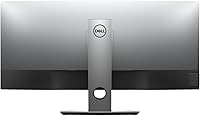
At over 35 inches wide, this is not a monitor you can squeeze onto a small desk. You need a surface with at least 38 to 40 inches of clear width, and enough depth that you can sit roughly 30 inches from the screen for a comfortable viewing angle. If your desk is on the smaller side, measure carefully before ordering.

A portion of long-term owners have mentioned backlight uniformity that is not perfectly even toward the outer edges of the panel — typically appearing as slight brightness variation in dark scenes. It is not a universal issue and does not affect productivity in bright office conditions, but if you work regularly with dark UI themes or dark video content, it is worth being aware of.

MacBooks with Thunderbolt or USB-C ports connect cleanly and get the full single-cable experience including video and power delivery. The KVM switch and USB hub work normally, and Dell Display Manager has a macOS-compatible version, though some Easy Arrange features are more fully implemented on Windows.

The stock stand is genuinely solid — height, tilt, and swivel adjustments are all present and the mechanism feels sturdy. Most users will find it more than adequate. If you want to reclaim desk space or need a very specific ergonomic position, a VESA-compatible arm is an option, but it is not a necessary upgrade out of the box.

Where to Buy