

Overview
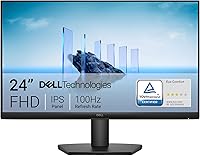
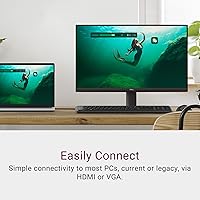
The Dell SE2425HM 24-inch IPS Monitor is one of those rare budget displays that does not feel like a compromise. Built around a 23.8-inch IPS panel running at Full HD resolution and a 100Hz refresh rate, it punches above its price point in the areas that matter most for daily work. The built-in power supply keeps cable clutter minimal, and the compact footprint suits tighter desks without fuss. Dell had this display independently tested and TÜV Rheinland certified at the 3-star level for reduced flicker and eye strain — which carries more weight than most brands' self-reported claims. Just know going in: this is a productivity display, not a gaming or creative powerhouse.
Features & Benefits
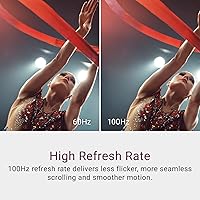
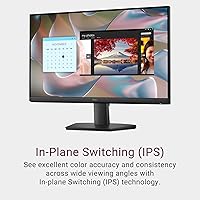
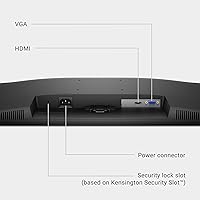
What sets the SE2425HM apart from similarly priced TN alternatives is the IPS panel — colors stay consistent whether you're viewing head-on or from a wide angle, which matters more than you'd think during long collaborative sessions or just repositioning in your chair. The 100Hz refresh rate won't wow competitive gamers, but for scrolling through documents all day, the smoothness is genuinely noticeable and reduces the fatigue that plagues lower-refresh screens. ComfortView Plus is Dell's hardware-level blue light filter — always active, no yellow tint, no toggles required. The anti-glare matte coating handles bright rooms well. One honest caveat: connectivity is slim, with just one HDMI and one VGA port, so multi-device setups may feel constrained.
Best For
This Dell monitor is a natural fit for anyone who spends most of their screen time on documents, video calls, or browser-based work. Home office setups benefit most — the eye comfort features make a real difference when you're clocking eight-hour days. Students will appreciate the affordable entry point; even moving from a 13-inch laptop screen to this 24-inch display is a meaningful quality-of-life shift. It also works well as a secondary monitor for those who already have a primary display and need reliable extra screen space on a budget. If your desk faces a window or sits under harsh overhead lights, that matte coating earns its keep. Competitive gamers and photo editors, though, should look elsewhere.
User Feedback
With over 500 ratings averaging 4.7 out of 5, this 24-inch IPS display has clearly won over a broad range of buyers. The most consistent praise centers on how sharp and clear the image looks straight out of the box, and how comfortable it is to sit in front of all day — several reviewers specifically mention fewer headaches compared to their previous screens. On the flip side, the stand's limited adjustability is a recurring gripe: tilt is available, but there is no height adjustment or swivel, which can matter for precise ergonomic setups. The port selection also draws criticism from users juggling multiple devices. That said, easy setup and solid build quality for this price tier come up again and again.
Pros
- IPS panel delivers consistent, accurate colors and wide viewing angles right out of the box.
- ComfortView Plus filters blue light at the hardware level — no color distortion, no toggling required.
- The 100Hz refresh rate makes all-day scrolling and multitasking noticeably smoother than standard 60Hz screens.
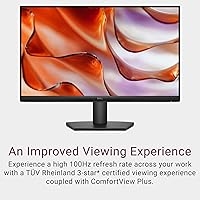
- TÜV Rheinland 3-star certification provides independent validation of eye comfort claims.
- Anti-glare matte coating handles bright rooms and window-facing desks without washing out the image.
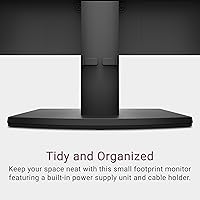
- Built-in power supply and cable holder keep the desk tidier than most monitors at this price.
- VESA mount compatibility gives you flexibility to use an arm or wall mount instead of the stock stand.
- Setup is straightforward — most buyers report being up and running within minutes.
- Dell's brand reliability and after-sales support add peace of mind that off-brand alternatives cannot match.
- Strong buyer satisfaction across a large pool of real-world reviews points to consistent quality control.
Cons
- Only one HDMI and one VGA port — switching between multiple devices is genuinely inconvenient.
- The stand offers tilt only; no height adjustment or swivel makes precise ergonomic positioning difficult.
- Full HD resolution feels adequate today but may show its age sooner than a higher-res alternative.
- No USB hub or USB-C port, which is an increasingly common and useful addition even at this price.
- VGA is an aging connector that many modern laptops and devices have already dropped.
- The 100Hz refresh rate, while smooth for office use, leaves competitive gamers wanting more.
- Color coverage is not wide enough for professional photo or video work requiring accurate color grading.
- No speakers built in, so audio relies entirely on external sources or connected devices.
- The SE2425HM lacks an on-screen display shortcut button layout that some users find more intuitive on rival brands.
- Heavier than some ultra-slim competitors at this size, which matters if you plan to move it frequently.
Ratings
Our AI rating system analyzed verified global buyer reviews for the Dell SE2425HM 24-inch IPS Monitor, actively filtering out incentivized, bot-generated, and low-credibility submissions to surface what real everyday users actually experience. The scores below reflect a balanced synthesis of genuine strengths and recurring pain points — nothing inflated, nothing buried. Whether this display earns a place on your desk depends on how its trade-offs line up with your specific needs, and these ratings are designed to make that call easier.
Image Clarity
Eye Comfort
Refresh Rate Performance
Color Accuracy
Connectivity
Stand & Ergonomics
Build Quality
Anti-Glare Performance
Setup Experience
Value for Money
Cable Management
Gaming Suitability
Viewing Angles
Desk Footprint
Suitable for:
The Dell SE2425HM 24-inch IPS Monitor is purpose-built for people who spend most of their day in front of a screen doing focused, practical work — think remote workers grinding through spreadsheets and video calls, students upgrading from a cramped laptop display, or anyone setting up a clean home office on a sensible budget. The IPS panel and hardware-level blue light filtering make a genuine difference for anyone prone to eye fatigue after long sessions, and the TÜV Rheinland certification gives that claim independent credibility rather than just marketing copy. It also makes a strong case as a secondary display — the compact design and built-in power supply keep desk clutter low, and the VESA mount support means you can wall-mount it or pair it with an aftermarket arm if the default stand does not suit your setup. If you are in a bright room with a lot of ambient light, the anti-glare matte coating is a practical bonus that many similarly priced monitors skip.
Not suitable for:
The Dell SE2425HM 24-inch IPS Monitor is not the right pick for buyers chasing high-performance gaming or professional creative work. The 100Hz refresh rate and Full HD resolution are comfortable for productivity, but competitive gamers expecting fast response times and high refresh rates will find this display limiting, and the 1080p ceiling means it is not suited for tasks that demand pixel-dense detail like photo retouching or 4K video editing. Connectivity is another real limitation — with only one HDMI and one VGA port, anyone who regularly switches between a laptop, desktop, and gaming console will run into friction fast. The stand is also fixed in its adjustability; without height or swivel options, taller users or those with strict ergonomic requirements may find the default positioning uncomfortable. If any of these are non-negotiable for you, this display will likely frustrate more than it satisfies.
Specifications
- Panel Type: This monitor uses an IPS (In-Plane Switching) panel, which provides wide viewing angles and consistent color accuracy compared to TN alternatives.
- Screen Size: The active display area measures 23.8 inches diagonally, commonly marketed as a 24-inch monitor.
- Resolution: Native resolution is 1920x1080 pixels (Full HD), delivered at a 16:9 aspect ratio.
- Refresh Rate: The panel supports a maximum refresh rate of 100Hz, offering smoother motion and reduced flicker compared to standard 60Hz displays.
- Color Support: The display renders up to 16.70 million colors, suitable for everyday productivity, document work, and casual media consumption.
- Screen Surface: An anti-glare matte coating is applied to reduce reflections in bright or mixed-lighting environments.
- Blue Light Filter: ComfortView Plus is a hardware-level, always-on low blue light filter that reduces harmful blue light exposure without altering color accuracy.
- Certification: The monitor holds a TÜV Rheinland 3-star certification, independently verifying reduced flicker and low blue light emission for prolonged viewing comfort.
- Connectivity: Port options include one HDMI port and one VGA port; no DisplayPort, USB-C, or USB hub is included.
- VESA Compatibility: The monitor supports VESA mounting, allowing it to be used with compatible third-party monitor arms or wall mounts.
- Stand Adjustment: The included stand supports tilt adjustment only; height adjustment and swivel are not available with the stock stand.
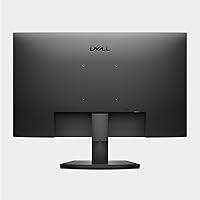
- Power Supply: A power supply unit is built directly into the monitor body, eliminating the need for an external power brick.
- Cable Management: A built-in cable holder is included to help route and organize cables for a tidier desk setup.
- Dimensions: The monitor measures 21.21 x 16.23 x 7.04 inches (W x H x D) with the stand attached.
- Weight: The full unit with stand weighs 7.65 pounds, making it manageable for single-person setup and repositioning.
- Voltage: The monitor operates at up to 240 volts AC, compatible with standard international power supplies.
- Manufacturer: Designed and sold by Dell, a globally established technology brand with broad after-sales support and warranty infrastructure.
Related Reviews

Dell P2419H 24-Inch IPS Monitor

Dell E2420H 24-inch FHD IPS Monitor
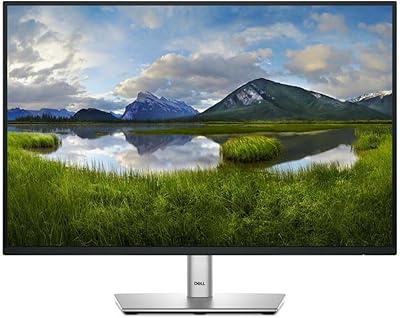
Dell P2425 24″ WUXGA IPS Monitor
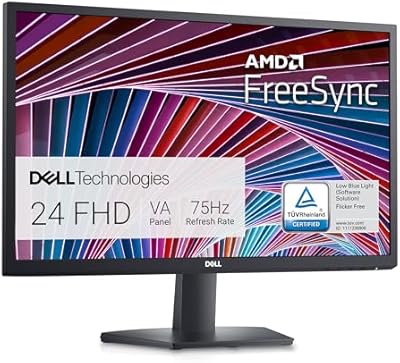
Dell SE2422HX 24-inch Monitor
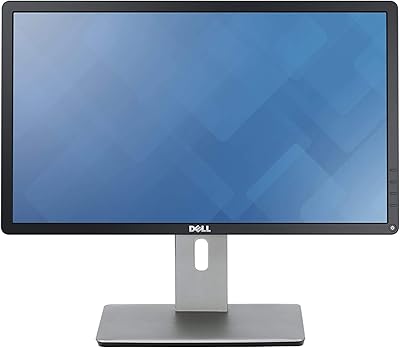
Dell P2214H 22-Inch IPS Monitor

ViewSonic VG2448A 24-inch IPS Monitor
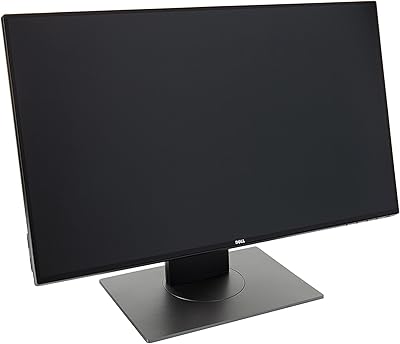
Dell UltraSharp U2417H 24-inch IPS Monitor

Dell P2714H 27-inch IPS Monitor
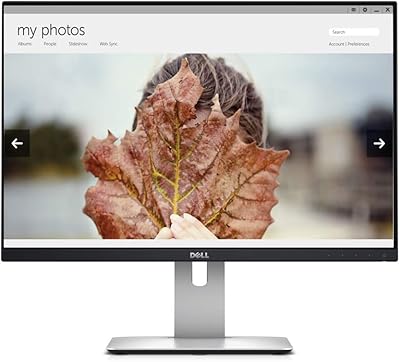
Dell UltraSharp U2415 24-inch Monitor
