ASUS ZenScreen MS32UC 32-inch 4K Smart Monitor




Overview
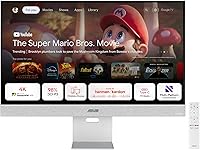
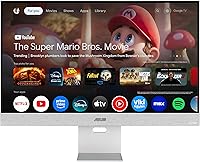
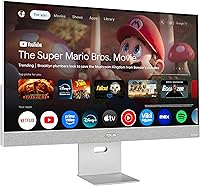
The ASUS ZenScreen MS32UC 32-inch 4K Smart Monitor is one of the more ambitious attempts to merge a serious desktop display with a full smart TV experience in a single unit. This all-in-one display runs Google TV natively, meaning you can switch from editing photos in the afternoon to watching Netflix at night without touching a second device. The 31.5-inch IPS panel with 4K resolution targets users who want genuine color fidelity alongside entertainment flexibility. At its price point, it sits firmly in premium territory, so the question is whether that combination of capabilities actually holds up — and for the right user, it largely does. Just don't approach it as a gaming monitor.
Features & Benefits
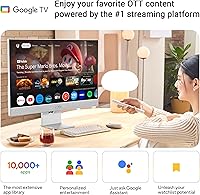
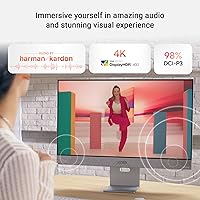
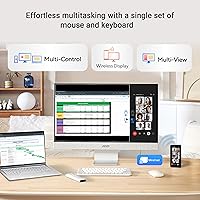
The ZenScreen MS32UC's 31.5-inch IPS panel covers 98% DCI-P3 color space, which is genuinely useful if you work with photos, video, or design — colors appear rich and accurate rather than just vivid. Plug in a MacBook via USB-C and a single cable handles both display output and 90W charging simultaneously, which keeps the desk clean. Google TV brings over 10,000 apps directly to the screen, so Netflix, YouTube, and streaming services load without any external box. The built-in Harman Kardon-certified speakers produce surprisingly decent sound for a monitor, though two 5W drivers won't replace a proper audio setup. Miracast and Chromecast support rounds out the connectivity options nicely.
Best For
This smart monitor works best for people who need their desk to pull double duty. Remote workers and freelancers will appreciate being able to close out their laptop at 6pm and immediately switch the same screen into streaming mode — no HDMI switcher, no second device. Photographers and video editors get a wide color gamut display without paying the premium for a dedicated studio monitor. MacBook and iPad Pro users benefit specifically from the 90W USB-C passthrough, which keeps devices charged through long sessions. If you live in a smaller space and a second TV feels like overkill, this all-in-one display fills that gap practically. Heavy gamers, however, should look elsewhere.
User Feedback
With a 4.3-star average across close to 1,000 ratings for a monitor that only launched in mid-2025, buyer response has been notably positive. Most praise centers on picture quality and color accuracy, with creative users frequently noting the display looks as good as monitors costing considerably more. Google TV convenience gets regular mention too — people genuinely like not needing an extra streaming stick. On the critical side, some buyers flag the stand as less sturdy than expected, and a handful report occasional lag in the Google TV interface. Speaker quality draws mixed reactions — functional, but not outstanding. USB-C compatibility with certain Windows laptops has also come up as an issue worth checking before purchase.
Pros
- The 98% DCI-P3 color coverage is genuinely competitive for photo and video editing work at this price tier.
- Google TV runs natively, so Netflix, YouTube, and other streaming apps load without any extra device.
- A single USB-C cable handles 4K display output and 90W laptop charging simultaneously — real desk clutter reduction.
- The matte screen surface cuts glare effectively in bright room conditions, making it usable throughout the day.
- Miracast and Chromecast support give wireless display options beyond standard wired inputs.
- At nearly 1,000 ratings and a 4.3-star average shortly after launch, early buyer satisfaction is unusually strong.
- The bundled 3-month Adobe Creative Cloud access adds meaningful value for creative professionals.
- A 3-year warranty offers solid coverage that many competing monitors at this tier do not match.
- Switching between desktop monitor mode and smart TV mode is straightforward, making the dual-use workflow practical.
- The included remote keeps the smart TV experience functional without requiring a phone or third-party app.
Cons
- The stand has been flagged by multiple buyers as less rigid than expected for a display at this price.
- Occasional lag in the Google TV interface breaks the otherwise smooth smart TV experience.
- Two 5W speakers are adequate but fall short of what the Harman Kardon branding implies to some buyers.
- USB-C compatibility issues with certain Windows laptops have been reported and are worth verifying before purchase.
- As a mid-2025 release, long-term durability and panel consistency data are still limited.
- The Google TV app library, while large, occasionally lacks niche or regional apps that buyers assume are available.
- At 18.9 pounds, this all-in-one display is heavier than typical monitors, making repositioning more cumbersome.
- No high refresh rate option means any buyer with gaming ambitions will need a separate display entirely.
- Buyers who already own a smart TV may find the hybrid feature set adds cost without meaningful personal benefit.
- HDR performance, while supported, may not satisfy users accustomed to dedicated HDR-focused displays.
Ratings
The scores below reflect an AI-driven analysis of verified global buyer reviews for the ASUS ZenScreen MS32UC 32-inch 4K Smart Monitor, with spam, bot-generated, and incentivized feedback actively filtered out before scoring. Each category captures both the genuine enthusiasm and the real frustrations that repeat across thousands of independent purchases worldwide. Nothing has been softened — where buyers struggled, the scores show it.
Display Quality
Smart TV Experience
USB-C Connectivity
Build Quality
Speaker Performance
Value for Money
Wireless Display
Setup & Ease of Use
Color Accuracy
Connectivity Range
Streaming App Library
Ergonomics
Long-term Reliability
Suitable for:
The ASUS ZenScreen MS32UC 32-inch 4K Smart Monitor was built for a specific kind of buyer, and when it lands with the right person, it genuinely earns its price. Remote workers and freelancers who resent the clutter of multiple devices will find real value in a single screen that handles demanding work during the day and streams entertainment at night — no external stick, no second TV. Photographers, colorists, and video editors who need accurate color reproduction without budgeting for a specialized studio display will appreciate the 98% DCI-P3 IPS panel, which punches above its category. MacBook and iPad Pro users in particular get an unusually practical setup: one USB-C cable delivers 4K output and 90W charging simultaneously, keeping the desk clean and the workflow uninterrupted. Anyone living in a smaller apartment where a second screen doubles as the household TV will also find this all-in-one display a surprisingly practical solution.
Not suitable for:
If your primary use case is competitive gaming, the ZenScreen MS32UC is not the right tool — refresh rate and response time are not its strengths, and dedicated gaming monitors at comparable prices deliver a very different experience in those areas. Buyers who already own a smart TV and a separate, color-accurate monitor will likely find the hybrid approach redundant rather than useful, since they are already covered on both fronts. Users who expect Harman Kardon branding to mean powerful audio should recalibrate: two 5W drivers are functional for casual viewing but will disappoint anyone accustomed to proper desktop speakers or a soundbar. Since this all-in-one display launched in mid-2025, long-term reliability data is still limited, which may give cautious buyers pause. Finally, Windows laptop users should verify USB-C compatibility with their specific machine before purchasing, as a subset of buyers has reported inconsistent behavior on non-Apple hardware.
Specifications
- Panel Size: The IPS display measures 31.5 inches diagonally and is marketed as a 32-inch screen.
- Resolution: Native resolution is 3840 x 2160 pixels, delivering full 4K UHD image clarity across the panel.
- Panel Type: The display uses IPS (In-Plane Switching) technology, which provides wide viewing angles and consistent color reproduction.
- Color Gamut: The panel covers 98% of the DCI-P3 color space, making it suitable for professional photo and video editing workflows.
- HDR Support: HDR is supported, allowing compatible content to display a wider range of brightness and contrast levels.
- Screen Surface: The matte screen coating reduces reflections and glare, improving usability in brightly lit environments.
- Smart OS: Google TV is built into the display, providing access to over 10,000 apps including Netflix, YouTube, and other major streaming platforms.
- USB-C Input: The USB-C port supports up to 90W Power Delivery, allowing a connected laptop to receive both video signal and charging simultaneously through a single cable.
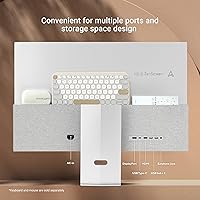
- Video Inputs: Connectivity options include USB-C, HDMI, and DisplayPort for wired source connections.
- USB Hub: Two USB 2.0 ports are included, enabling peripheral devices to be connected directly to the monitor.
- Wireless Display: Miracast and Chromecast are both supported, allowing wireless screen mirroring from compatible phones, tablets, and laptops.
- Speakers: Dual 5W built-in speakers are Harman Kardon certified and provide basic stereo audio without requiring external equipment.
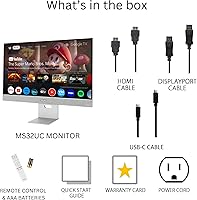
- Wireless Remote: A AAA battery-powered remote control is included in the box for navigating the Google TV interface.
- Dimensions: The monitor measures 28.1 x 22.8 x 6.9 inches (W x H x D) with its stand attached.
- Weight: The unit weighs 18.9 pounds, which is heavier than most standard monitors of similar screen size.
- Aspect Ratio: The display uses a standard 16:9 widescreen aspect ratio suited to most desktop and streaming content.
- Warranty: ASUS provides a 3-year manufacturer warranty covering this monitor from the date of purchase.
- Adobe Bundle: Purchase includes a complimentary 3-month Adobe Creative Cloud subscription, valid through August 31, 2026.
- Availability: The product first became available in May 2025 under model number MS32UC with ASIN B0F237R4C9.
Related Reviews
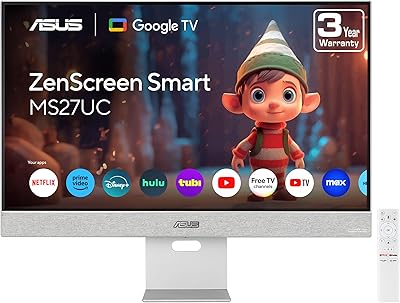
ASUS ZenScreen MS27UC 27-inch 4K Smart Monitor
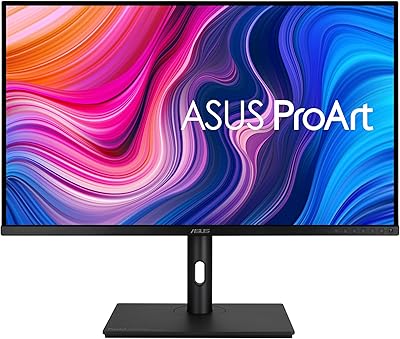
ASUS ProArt PA329CV 32-inch 4K Monitor
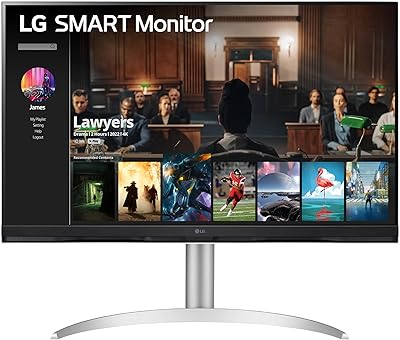
LG 32″ 4K UHD webOS Smart Monitor
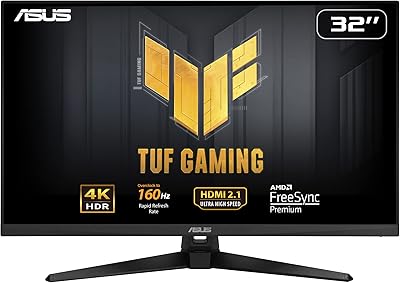
ASUS TUF Gaming VG32UQA1A 32-inch Gaming Monitor
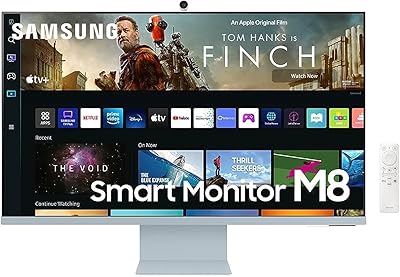
Samsung M8 32-Inch 4K Smart Monitor
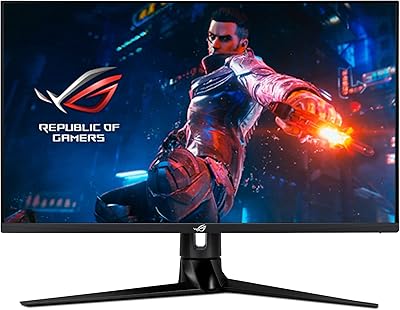
ASUS ROG Swift PG32UQ 32-inch Gaming Monitor
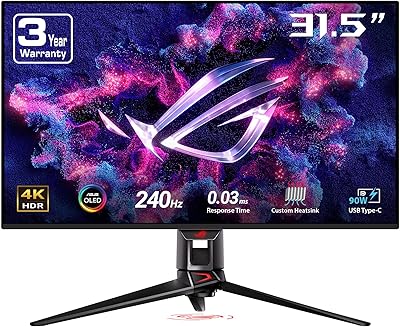
ASUS ROG Swift PG32UCDM 32-inch OLED Monitor

ViewSonic VX3267U-4K 32-inch 4K IPS Monitor

ViewSonic VP3256-4K 32-inch 4K IPS Monitor
