

Overview
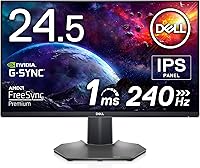
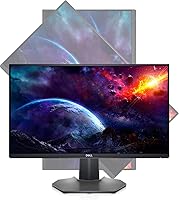
The Dell S2522HG 24.5-inch Gaming Monitor sits squarely in the competitive 1080p 240Hz segment, targeting players who want buttery-smooth motion without spending on a high-resolution display. Dell's S-series has a reputation for solid build quality at mid-range prices, and this monitor fits that pattern well. What sets it apart from most 240Hz options at this price is the IPS panel choice — most rivals use TN technology, which trades color quality for speed. IPS changes that equation meaningfully. That said, it's worth being upfront: at 24.5 inches and 1080p, pixel density is adequate, not impressive. The screen size is a deliberate call, matching the format used most in competitive esports environments.
Features & Benefits
At 240Hz, motion in something like Valorant or CS2 stops feeling like frames and starts feeling closer to reality — tracking targets becomes noticeably easier and the image stays sharp under fast panning. The 1ms GtG response time keeps ghosting controlled without the washed-out colors that typically come with TN panels. That's where the IPS panel earns its keep: colors stay consistent from wide angles, and 99% sRGB coverage means casual photo work or video watching looks genuinely decent. The matte antiglare coating is a practical win in bright rooms, avoiding the washout common on glossy panels. Dell's 3-year warranty, including the Premium Panel Exchange program, adds real peace of mind that few competitors match.
Best For
This 240Hz IPS display is built for competitive FPS players — the kind grinding ranked in Apex Legends or Counter-Strike who genuinely need that motion advantage over opponents. The 24.5-inch format mirrors what you'd find at LAN tournaments, which is no accident. It also works well for dual-purpose desks, since the color accuracy makes streaming or casual photo browsing look better than you'd expect from a gaming-focused screen. You do need a capable GPU to push framerates consistently above 144Hz at 1080p — pairing this with a mid-to-high-end card makes the refresh rate count. Anyone who values manufacturer warranty support will also appreciate Dell's panel exchange policy, which is rare at this tier.
User Feedback
The S2522HG has earned its strong reputation honestly. Buyers consistently highlight out-of-box image quality as a standout — colors arrive accurate without much calibration needed, which is not always the case at this price. Motion smoothness draws consistent praise too, especially from users upgrading from 60Hz or 144Hz screens. The criticisms are real, though. The stand offers limited ergonomic adjustability, which frustrates buyers with specific desk setups. Some report mild backlight bleed near panel edges — not unusual for IPS, but worth knowing going in. Predictably, a portion of owners wish they had gone higher resolution; 1080p on a nearly 25-inch screen can look noticeably soft outside of games. Most would still buy it, but those are the genuine trade-offs.
Pros
- 240Hz refresh rate produces genuinely smoother motion in competitive shooters, not just a spec sheet number.
- IPS panel delivers consistent, accurate colors at wide angles — a real step up from TN panels at this refresh rate.
- Out-of-box color calibration is good enough that most users won't need to adjust anything before playing.
- The matte antiglare coating handles bright room conditions far better than glossy alternatives.
- Dell's Premium Panel Exchange program means a single bright pixel can get you a free replacement during the warranty period.
- The 24.5-inch size is intentional and ideal for players who want a tournament-realistic setup at home.
- 1ms GtG response time keeps ghosting to a minimum without sacrificing color quality.
- 99% sRGB coverage makes this 240Hz IPS display a decent dual-use screen for gaming and light everyday tasks.
- Three-year Advanced Exchange warranty provides solid long-term protection that many competitors skip at this price tier.
Cons
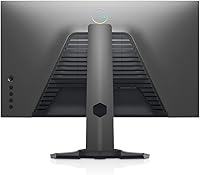
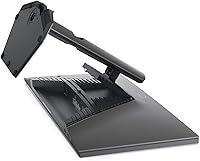
- Stand offers limited ergonomic adjustability, making it harder to dial in a comfortable viewing position.
- 1080p resolution on a 24.5-inch screen can look noticeably soft during non-gaming desktop use.
- Some units show mild backlight bleed near panel edges, a common IPS trade-off buyers should expect.
- The S2522HG requires a capable, modern GPU to actually benefit from the full 240Hz refresh ceiling.
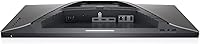
- No built-in USB hub beyond the two ports, which feels lean on a monitor at this price point.
- Color gamut coverage does not extend to DCI-P3 or Adobe RGB, limiting appeal for any serious creative workflow.
- Brightness uniformity can vary slightly across the panel, which becomes more visible on dark or static content.
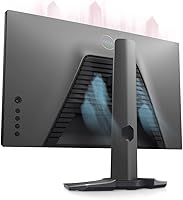
- The design is functional but plain — there is no RGB lighting or premium aesthetic for buyers who care about desk aesthetics.
Ratings
The scores below reflect AI-driven analysis of verified global user reviews for the Dell S2522HG 24.5-inch Gaming Monitor, with spam, incentivized, and bot-flagged submissions actively filtered out before scoring. Each category captures what real buyers actually experienced — not just marketing promises — so both the genuine strengths and the recurring frustrations are represented transparently. Whether you're deciding between this and a TN-based competitor or simply wondering if it holds up long-term, these ratings are designed to give you an honest, data-backed picture.
Motion Performance
Color Accuracy
Refresh Rate Value
Build Quality
Stand & Ergonomics
Image Sharpness
Viewing Angles
Backlight Uniformity
Brightness & HDR
Out-of-Box Setup
Warranty & Support
Value for Money
Connectivity
Anti-Glare Coating
Suitable for:
The Dell S2522HG 24.5-inch Gaming Monitor was built with a specific type of player in mind: someone who competes seriously in fast-paced titles like CS2, Valorant, or Apex Legends, where motion clarity and reaction time matter far more than raw pixel count. At 24.5 inches, it matches the screen size most commonly used in professional and semi-professional esports settings, so players who want to train on tournament-standard hardware will feel right at home. It also works well for PC gamers who have invested in a capable mid-to-high-end GPU that can actually sustain high framerates at 1080p — because if your hardware can feed it, 240Hz is a genuine advantage you will notice. The IPS panel makes this a stronger choice than most TN-based competitors for anyone who uses their monitor for more than just gaming, since colors hold up well for streaming, casual photo viewing, or general productivity. Dell's warranty coverage, particularly the panel exchange program, makes this a smart pick for buyers who want protection against the kind of defects that other brands quietly dismiss.
Not suitable for:
The Dell S2522HG 24.5-inch Gaming Monitor is not the right screen for buyers who prioritize visual richness over competitive speed. If you primarily play story-driven, visually immersive games — open-world RPGs, cinematic adventures, simulation titles — you will likely feel let down by 1080p resolution on a 24.5-inch panel, where individual pixels become noticeable at normal viewing distances. Content creators doing any serious color grading, photo retouching, or video editing should also look elsewhere; this is an entry-to-mid IPS panel, not a professional display, and it does not cover wide color gamuts like DCI-P3 that creative work increasingly demands. Buyers expecting a fully ergonomic stand with extensive height, swivel, and tilt adjustment may be frustrated, as the stand's range is more limited than what premium office or productivity monitors typically offer. If your GPU is an older or budget model that struggles to push frames well above 100Hz at 1080p, you also won't extract meaningful value from the 240Hz ceiling this display provides.
Specifications
- Screen Size: The display measures 24.5 inches diagonally, a format widely used in competitive esports environments.
- Resolution: Native resolution is 1920x1080 pixels (Full HD), delivered at a 16:9 aspect ratio.
- Refresh Rate: The panel supports a maximum refresh rate of 240Hz, enabling significantly smoother motion during fast-paced gameplay.
- Response Time: Gray-to-gray (GtG) response time is rated at 1ms, which minimizes ghosting and trailing during rapid on-screen movement.
- Panel Type: Uses an IPS (In-Plane Switching) panel, providing wider viewing angles and more accurate color reproduction than TN alternatives at this refresh rate.
- Color Coverage: Covers 99% of the sRGB color space, offering accurate and consistent color output suitable for gaming and light everyday content consumption.
- Brightness: Peak brightness is rated at 400 nits, which is sufficient for well-lit office or gaming room conditions.
- Viewing Angle: The IPS panel supports up to 178 degrees of horizontal and vertical viewing angle, maintaining color accuracy even at sharp off-axis positions.
- Screen Surface: The panel uses a matte antiglare coating that reduces reflections in bright ambient lighting conditions.
- USB Ports: The monitor includes 2 USB ports for connecting peripherals directly to the display.
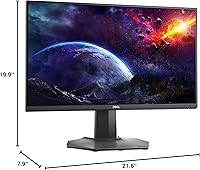
- Dimensions: With the stand attached, the monitor measures 21.6 inches wide, 19.9 inches tall, and 7.9 inches deep.
- Weight: The complete unit with stand weighs approximately 13.51 pounds (6.13 kg).
- Warranty: Covered by a 3-year Advanced Exchange Service warranty, including Dell's Premium Panel Exchange program for bright pixel defects.
- Power Input: The monitor operates on 100 Volts AC input power.
- Brand & Model: Manufactured by Dell; official model designation is S2522HG (item model number: Dell S2522HG - 1J0VT).
- Availability: This monitor was first made available in May 2021 and has not been discontinued by the manufacturer.
Related Reviews
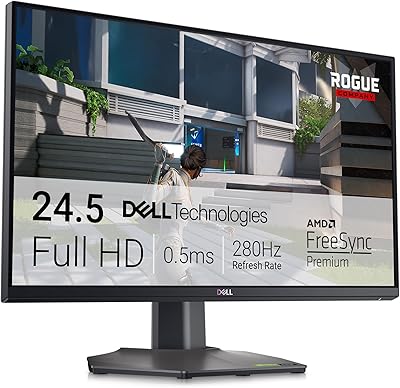
Dell G2524H 24.5-inch Gaming Monitor

CRUA CR245ZB 24.5″ Gaming Monitor

KOORUI G2511E 24.5-Inch 320Hz Gaming Monitor
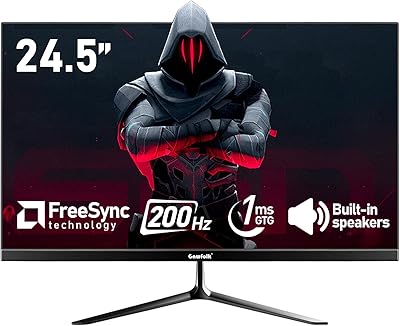
Gawfolk GF240A 24.5-inch 200Hz Gaming Monitor

Gawfolk GF245A 24.5-Inch Curved Gaming Monitor

Acer Nitro KG251Q 24.5-inch Gaming Monitor
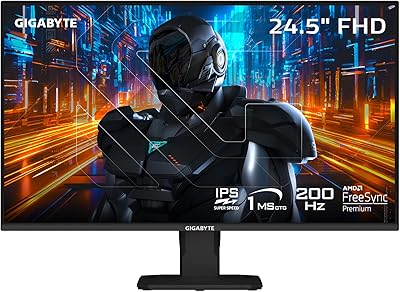
GIGABYTE GS25F2 24.5″ FHD Gaming Monitor

KTC H25X7 24.5-inch 400Hz Gaming Monitor
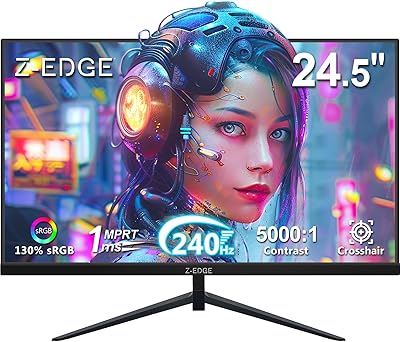
Z-Edge UG25I 24.5-inch 240Hz Gaming Monitor

ASUS ROG Strix XG259QNS 24.5-inch Gaming Monitor