Overview

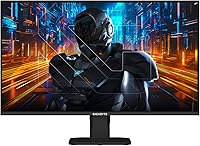
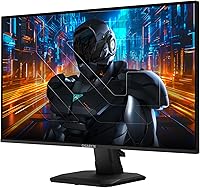
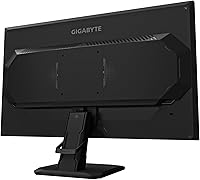
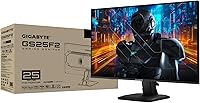
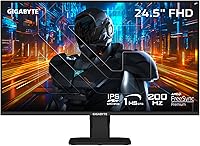
The GIGABYTE GS25F2 24.5″ FHD Gaming Monitor arrived in mid-2025 as GIGABYTE's answer to a crowded entry-level esports market — and it makes a strong first impression. Built around a SuperSpeed IPS panel, the GS25F2 targets competitive players who need fast, fluid visuals without breaking the bank. The 1080p resolution is a deliberate choice here: keeping pixel count manageable means your GPU can push higher frame rates more consistently. The matte screen coating handles ambient light well, which desk setups near windows will appreciate. A 3-year warranty at this price tier is genuinely reassuring and not something every competitor offers.
Features & Benefits

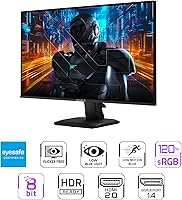
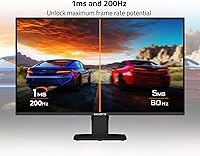
At 200Hz and 1ms GtG, the panel handles fast-paced FPS titles with noticeably less ghosting and blur than what most IPS monitors deliver. AMD FreeSync Premium keeps frames locked to your GPU's output, so screen tearing is rarely an issue whether you're on AMD or a compatible NVIDIA card. The 120% sRGB color gamut produces colors that feel vivid without looking oversaturated, and the 1000:1 contrast ratio holds up well in darker game scenes. The Black Equalizer is one of those features you don't realize you need until you use it — brightening shadowy corners without washing out the rest of the frame. The tilt-only stand is functional but worth noting upfront if ergonomics matter to you.

Best For

This GIGABYTE monitor makes the most sense for competitive FPS players who have a mid-range GPU and want the highest possible frame rate at 1080p. If you're upgrading from a 60Hz or 144Hz panel, the jump to 200Hz will feel immediately noticeable. It's also a solid pick as a secondary display — fast enough to handle gaming on the side while your main screen handles creative work. Students building their first dedicated gaming rig will find the value proposition hard to argue with. One honest caveat: if 1440p is on your radar, this is not the right call. It's optimized purely for speed over sharpness, and that trade-off is worth understanding before you buy.

User Feedback

Early buyers have pushed the GS25F2 to a 4.8-star average across 153 ratings — an encouraging sign, though it's still a relatively young listing with a modest review pool. Most positive comments focus on out-of-box image quality, with many noting that colors look good without manual calibration. A few buyers do mention the stand feels slightly less sturdy than expected, a common theme at this price point. Reviewers upgrading from 144Hz panels consistently describe the difference as immediately apparent in fast-paced games. On the downside, IPS glow and mild backlight bleed get occasional mentions, as they do with most panels in this category. OSD navigation draws mixed reactions — usable, but not exactly intuitive.

Pros

  • 200Hz refresh rate delivers genuinely fluid gameplay that makes a noticeable difference in fast-paced competitive titles.
  • The SuperSpeed IPS panel produces accurate, punchy colors right out of the box with minimal calibration needed.
  • AMD FreeSync Premium works reliably across both AMD and compatible NVIDIA GPUs, keeping screen tearing in check.
  • Black Equalizer gives a real tactical edge by revealing detail in dark areas without overexposing the rest of the scene.
  • The matte screen coating handles glare well, making it comfortable to use in rooms with varied or uncontrolled lighting.
  • A 3-year manufacturer warranty is a standout inclusion at this price and adds real long-term confidence.
  • At 1080p, even mid-range GPUs can hit the frame rates needed to take full advantage of the 200Hz panel.
  • Buyers upgrading from 144Hz panels consistently report the difference in motion clarity feels immediate and worthwhile.
  • Built-in crosshair overlay and game timer are genuinely useful tools for competitive play, not just marketing additions.

Cons

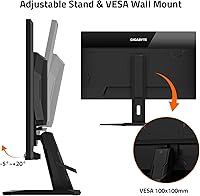
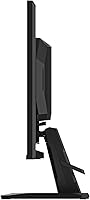
  • The stand only tilts — no height adjustment or swivel means ergonomic flexibility is limited for longer sessions.
  • 1080p resolution on a 24.5-inch screen is not sharp enough for close-up productivity work or content creation.
  • The OSD navigation receives mixed reviews; physical button placement and menu layout are not particularly intuitive.
  • Some units exhibit noticeable IPS glow or backlight bleed, and consistency varies from panel to panel.
  • The review pool, while highly rated, is still relatively small — long-term reliability data is limited at this stage.
  • Stand stability draws occasional complaints, with some users reporting minor wobble on less-than-perfectly-level desks.
  • No USB hub or built-in speakers means extra cables and peripherals if you need those conveniences at your desk.
  • The 1ms GtG figure is achieved through overdrive settings, which can introduce inverse ghosting if pushed too aggressively.

Ratings

The GIGABYTE GS25F2 24.5″ FHD Gaming Monitor earns its scores from our AI-driven analysis of verified global buyer reviews, with spam, bot activity, and incentivized feedback actively filtered out before scoring. The results reflect a genuinely strong reception among competitive gamers, while also surfacing the ergonomic and resolution trade-offs that matter to a meaningful portion of buyers. Both the highlights and the friction points are represented honestly in every category below.
Refresh Rate Performance
93%
Buyers consistently describe the 200Hz experience as immediately noticeable, especially in fast FPS titles where target tracking feels smoother and more responsive than on their previous 144Hz panels. In games like Valorant and CS2, the reduction in perceived motion blur makes a real competitive difference that users appreciate from the first session.
A small number of buyers note that fully utilizing 200Hz requires a GPU capable of sustaining those frame rates at 1080p, and those with older or entry-level cards may not consistently hit that ceiling. The benefit is also less dramatic for players coming from 165Hz or higher refresh rate panels.
Response Time & Motion Clarity
88%
The 1ms GtG rating holds up well in practice for most gaming scenarios, with ghosting being largely absent during normal overdrive settings. Players in high-speed shooters particularly appreciate the clean, sharp image during rapid camera movements where slower panels typically smear.
At the highest overdrive settings, some users report faint inverse ghosting artifacts — a bright halo trailing fast-moving objects — which is a known trade-off when pushing pixel transitions to their limit. Sticking to the medium overdrive preset resolves this for most people, but it requires manual adjustment out of the box.
Color Accuracy & Vibrancy
84%
The 120% sRGB gamut delivers colors that feel noticeably richer and more saturated than standard sRGB monitors, and buyers frequently mention that out-of-box calibration is surprisingly good for a budget panel. Game environments look vibrant and engaging without the artificial oversaturation that cheaper VA panels can produce.
The 8-bit color depth means this panel is not suited for color-critical work like photo editing or video grading, and a few buyers do notice slight banding in gradient-heavy scenes. Those coming from higher-end IPS panels with wider DCI-P3 coverage may find the color depth ceiling limiting.
Value for Money
91%
At its price point, the combination of 200Hz refresh rate, IPS panel quality, FreeSync Premium support, and a 3-year warranty is genuinely difficult to match in the current market. Most buyers describe feeling they got more than expected, and first-time monitor buyers especially report strong satisfaction relative to cost.
While the value proposition is strong, buyers who later discover the stand lacks height adjustment or the resolution is capped at 1080p sometimes feel they should have spent a bit more for a feature-complete option. The value calculus shifts depending on how long you plan to keep the monitor.
Adaptive Sync (FreeSync)
87%
FreeSync Premium works reliably across both AMD and compatible NVIDIA GPUs, and users report that screen tearing is effectively eliminated during typical gaming sessions within the supported frame rate range. The implementation feels polished and requires little configuration once enabled.
A handful of NVIDIA users note they had to manually enable G-Sync Compatible mode in their driver settings, which is a minor but occasionally confusing extra step. FreeSync range details are not prominently advertised, so buyers with very low or very high GPU outputs may not always be in the optimal sync window.
Build Quality & Stability
71%
29%
The overall build feels solid enough for everyday use, and the plastic construction is consistent with what buyers expect at this price tier. The monitor arrived well-packaged in most reported cases, with no shipping damage complaints being a recurring theme.
Stand wobble is a recurring complaint, with several users noting the display sways noticeably when bumped or when typing on a nearby keyboard. The all-plastic construction, while acceptable, gives an impression of fragility that can feel mismatched with the otherwise capable internals.
Ergonomics & Adjustability
58%
42%
The tilt adjustment covers a reasonable range and is smooth enough for basic desk positioning, which satisfies buyers who sit at a standard desk-and-chair height. For casual setups where no fine-tuning is needed, the stand is perfectly serviceable.
The absence of height adjustment, swivel, or pivot is a genuine limitation that frustrates buyers who spend long hours at their desk or share the monitor between users of different heights. Several reviewers note they ended up buying a third-party VESA arm within weeks, adding unexpected cost to what appeared to be a budget-friendly purchase.
OSD & Controls
66%
34%
The on-screen display covers all the important settings including Black Equalizer, overdrive, and FreeSync toggles, and most buyers figure out navigation within a few minutes. Game Assist features like the crosshair overlay and timer are easy to locate once you know the menu structure.
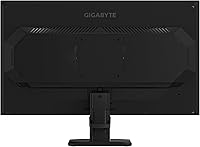
The physical button layout on the rear of the panel is awkward to reach and not intuitively labeled, which makes initial setup more frustrating than it needs to be. Buyers accustomed to monitors with a central joystick control consistently rate the button-based interface as a step backward in usability.
Black Equalizer & Dark Scene Visibility
83%
Black Equalizer proves genuinely useful in competitive gaming, lifting shadow detail in dark corridors and unlit areas without making the overall image look artificially brightened. FPS players especially mention it as a feature they actively rely on rather than a gimmick.
At higher Black Equalizer settings, the image can take on a slightly flat, low-contrast look that undermines the visual quality in well-lit game scenes. Finding the right balance requires experimentation, and new users may not realize the default setting is not always the best starting point.
Matte Screen & Glare Resistance
82%
18%
The matte anti-glare coating performs well in typical home and office environments, keeping reflections from windows and overhead lights from becoming a distraction. Buyers in brightly lit rooms specifically call this out as a reason they chose this panel over glossy alternatives.
The matte finish does introduce a subtle texture that can slightly soften fine detail compared to a glossy panel — a trade-off most gamers accept, but one that graphic designers or detail-focused users may find mildly frustrating. In very dark rooms, the coating can also contribute to a slight hazy appearance.
IPS Glow & Backlight Uniformity
67%
33%
The majority of buyers report acceptable backlight uniformity for gaming use, and IPS glow remains unobtrusive during typical gameplay in moderately lit rooms. Most users watching content at normal brightness levels do not raise it as a concern in their reviews.
Unit-to-unit variance is noticeable in this category, with a meaningful subset of buyers reporting IPS glow that becomes distracting in dark rooms or during dark cinematic scenes. Backlight bleed in screen corners is mentioned often enough to suggest it is not a rare outlier, and some buyers went through an exchange to get a better unit.
Connectivity
78%
22%
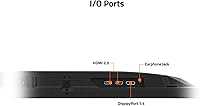
Having both HDMI and DisplayPort covered by the GS25F2 means most buyers can connect directly without adapters, and switching between a PC and a console is straightforward. The port placement is reasonably accessible for initial cable management.
The total of just two input ports means users wanting to connect three or more sources simultaneously are out of luck without an external switch. There is no USB hub functionality, which is a notable omission for buyers who expect modern monitors to handle peripheral connectivity.
Setup & Out-of-Box Experience
81%
19%
Physical assembly is quick and tool-free, with most buyers reporting the monitor was ready to use within minutes of opening the box. Out-of-box image settings are well-regarded, with color and brightness requiring minimal tweaking for gaming use.
Cable inclusion is inconsistent depending on the retailer, and some buyers find they need to source a DisplayPort cable separately. The quick-start documentation is minimal, which leaves users less familiar with monitor settings to explore the OSD blind.
Warranty & Long-Term Support
89%
A 3-year warranty from GIGABYTE stands out as one of the strongest coverage periods available at this monitor's price level, and buyers consistently mention it as a meaningful factor in their purchase decision. The peace of mind it provides is particularly valued by first-time monitor buyers.
GIGABYTE's warranty service experience varies by region, and a few buyers report slower-than-expected response times when initiating a claim. The warranty terms should be verified locally, as coverage conditions and service timelines are not uniform across all markets.

Suitable for:

The GIGABYTE GS25F2 24.5″ FHD Gaming Monitor is purpose-built for competitive PC gamers who want every frame advantage they can get without spending heavily on hardware. If you play fast-paced FPS titles like CS2, Valorant, or Apex Legends and your GPU can reliably push north of 144fps at 1080p, the 200Hz refresh rate will feel like a tangible upgrade over what most budget monitors offer. Students and first-time PC builders will find the value proposition particularly compelling — the combination of IPS panel quality, FreeSync Premium support, and a 3-year warranty at this price tier is genuinely hard to fault. It also makes strong sense as a dedicated secondary monitor in a multi-display setup, where you want a fast screen for gaming alongside a higher-resolution panel for creative or productivity work. Anyone upgrading from a 60Hz or 144Hz display will notice the difference immediately in how responsive and fluid gameplay feels.
Not suitable for:

Buyers who prioritize image sharpness and visual fidelity over raw speed should look elsewhere before committing to the GS25F2. At 1080p on a 24.5-inch panel, pixel density is adequate but not impressive — if you sit close to your screen or do any photo editing, graphic design, or video work alongside gaming, the lack of 1440p or higher resolution will become a daily frustration. The stand only tilts, with no height adjustment or swivel, which means anyone with specific ergonomic needs or a setup that demands flexible positioning may find it limiting over long sessions. Console players should also note that 200Hz is largely irrelevant on current-generation hardware that caps out at 120fps. And if you are sensitive to IPS glow or backlight bleed, keep in mind that panel-to-panel variance at this price point means you may need to exchange a unit to get one that meets your standards.

Specifications

  • Screen Size: The panel measures 24.5 inches diagonally, offering a comfortable footprint for standard desk setups without overwhelming smaller spaces.
  • Resolution: Native resolution is 1920x1080 (FHD), delivering sharp enough visuals for competitive gaming while keeping GPU demands manageable.
  • Panel Type: Uses a SuperSpeed IPS panel, which combines the color accuracy and wide viewing angles typical of IPS technology with faster pixel response.
  • Refresh Rate: Supports a maximum refresh rate of 200Hz, allowing up to 200 frames per second to be displayed for noticeably fluid motion in fast games.
  • Response Time: Rated at 1ms GtG (gray-to-gray), reducing ghosting and motion blur during high-speed gameplay when overdrive is appropriately configured.
  • Aspect Ratio: Standard 16:9 widescreen aspect ratio, compatible with all modern gaming resolutions and content formats without letterboxing.
  • Color Gamut: Covers 120% of the sRGB color space, producing vivid, punchy colors that exceed standard sRGB coverage for a more dynamic visual experience.
  • Contrast Ratio: Static contrast ratio of 1000:1 provides a solid distinction between dark and bright areas, which is typical for quality IPS panels.
  • Color Depth: Supports 8-bit color depth, rendering over 16 million colors for smooth gradients and accurate color representation across content types.
  • Adaptive Sync: Certified AMD FreeSync Premium, which reduces screen tearing and stuttering by synchronizing the monitor's refresh rate to the GPU's output frame rate.
  • Connectivity: Equipped with one HDMI port and one DisplayPort input, covering the two most common connection types for modern PCs and graphics cards.
  • Screen Surface: Matte anti-glare coating reduces reflections from ambient light sources, making the display more comfortable in brightly lit environments.
  • Ergonomics: The stand supports tilt adjustment only; height adjustment, swivel, and pivot are not available on the included stand.
  • Dimensions: With the stand attached, the monitor measures 21.82 inches wide, 15.82 inches tall, and 7.06 inches deep.
  • Weight: Complete unit including stand weighs 6.85 pounds, making it easy to reposition or transport without assistance.
  • Warranty: GIGABYTE provides a 3-year manufacturer warranty covering defects, which is notably generous for a monitor at this price tier.
  • Brand & Model: Manufactured by GIGABYTE under the GS25F2 model designation, released to market in June 2025.

Related Reviews
KTC 24.5″ Gaming Monitor 180Hz FHD

87%
89%
Display Quality
91%
Response Time
92%
Refresh Rate
88%
Color Accuracy
85%
Build Quality
More
CRUA CR245ZB 24.5″ Gaming Monitor
78%
83%
Gaming Performance
86%
Refresh Rate & Smoothness
74%
Color Accuracy & Vibrancy
91%
Ergonomics & Adjustability
68%
Build Quality & Materials
More
Viewedge USC2412FDA-P 24-inch FHD 144Hz Gaming Monitor

71%
83%
Value for Money
79%
Gaming Performance
76%
Image Quality
81%
Eye Comfort
63%
Build Quality
More
Dell G2524H Gaming Monitor 24.5-inch
87%
92%
Performance
96%
Refresh Rate
88%
Build Quality
91%
Ergonomics
93%
Display Quality
More
GIGABYTE GS32Q 32″ 1440p Gaming Monitor
76%
86%
Panel & Image Quality
91%
Refresh Rate Performance
74%
Response Time & Motion Clarity
52%
HDR Performance
88%
FreeSync & Sync Technology
More
Acer KB252Q G0bi 24.5″ IPS Monitor
73%
83%
Image Quality
86%
Color Accuracy
78%
Refresh Rate & Gaming
61%
Response Time
54%
Brightness
More
Alienware 25 Gaming Monitor AW2523HF 24.5″
88%
95%
Display Performance
92%
Color Accuracy
88%
Ergonomics/Adjustability
90%
Ease of Setup
89%
Build Quality
More
ASUS TUF Gaming VG259QM 24.5″ Gaming Monitor
76%
93%
Refresh Rate Performance
88%
Response Time & Motion Clarity
81%
Color Accuracy & Image Quality
86%
Adaptive Sync & Compatibility
52%
Stand & Ergonomics
More
KOORUI G2511E 24.5-Inch 320Hz Gaming Monitor
78%
93%
Refresh Rate Performance
88%
Response Time
84%
Color Accuracy
51%
HDR Quality
67%
Panel Uniformity
More
ReHisk 241KV2 24-inch Gaming Monitor
73%
91%
Refresh Rate Performance
88%
Adaptive Sync
79%
Panel & Color Quality
54%
Brightness & HDR
67%
Build Quality
More

FAQ

FreeSync Premium is AMD's technology, but NVIDIA has supported it on their cards since the GTX 10 series through a feature called G-Sync Compatible. Most modern NVIDIA GPUs will work with this monitor's adaptive sync without issues, though you may need to enable it manually in the NVIDIA control panel.

Yes, you can connect a current-generation console via HDMI. Keep in mind that consoles currently cap output at 120fps, so you won't be using the full 200Hz capability — but 120Hz is still a meaningful upgrade over a standard 60Hz display, and the image quality will be solid.

It depends entirely on your priorities. If you play competitive FPS games and your GPU can push high frame rates, 1080p at 200Hz is a legitimate choice because fluidity often matters more than pixel count in fast-paced play. If you do any content creation, watch a lot of video, or sit close to your screen, 1440p will look noticeably sharper and may be worth the extra spend.

Black Equalizer is essentially a gamma adjustment targeted at the darker end of the tonal range. It lifts shadow detail so you can see into dark corners of a game scene without making the rest of the image look washed out. It's genuinely useful in games with dark environments, though you may want to dial it to taste rather than running it at maximum.

GIGABYTE typically includes a basic cable with their monitors, but the contents can vary by region and retailer. It's worth confirming with the seller before purchase, and keeping a spare DisplayPort cable on hand is never a bad idea regardless.

Honestly, it depends on your desk height and chair setup. If you already sit at a comfortable height relative to your monitor, tilt adjustment alone may be enough. But if you need to raise or lower the screen, you would need a third-party VESA arm, since the stand has no height adjustment. Check if the monitor is VESA mount compatible if ergonomics are a priority for you.

IPS glow is a characteristic of the panel technology rather than a defect, and it tends to show up in dark rooms when displaying very dark content — typically as a faint glow near screen corners. Most buyers won't find it distracting during gameplay, but if you watch a lot of movies in a dark room or are particularly sensitive to this, it is worth being aware of. Severity does vary between individual units.

At 1080p, hitting 200fps consistently in competitive titles like Valorant or CS2 is achievable with a mid-range GPU like an RX 6600 or RTX 3060 or better, depending on the game and graphics settings. For graphically demanding AAA titles, you may run lower than 200fps, but FreeSync will keep the experience smooth within its supported range.

The OSD gets mixed feedback from users — the menu itself is functional and covers all the essentials, but the physical button layout is not the most intuitive at first. Most people figure it out within a few minutes, but if you are used to monitors with joystick navigation, the button-based controls here may feel slightly clunky by comparison.

Most buyers who upgrade from 144Hz to 200Hz do report a perceptible difference, particularly in games with very fast movement or when tracking targets. It is not as dramatic as going from 60Hz to 144Hz, but it is real. Whether it justifies the purchase depends on how competitive your gaming is and how sensitive you are to motion clarity.

Where to Buy