Dell G2524H 24.5-inch Gaming Monitor



Overview
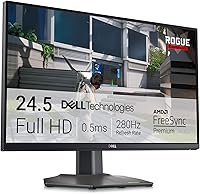
The Dell G2524H 24.5-inch Gaming Monitor doesn't try to be a flagship; it's built for one job, and it does that job well. This is a mid-range Fast IPS panel aimed squarely at fast-paced gaming rather than color-critical work or sprawling desktop real estate. The headline pairing here is an FHD 1920x1080 resolution running at an overclocked 280Hz, which sits firmly in the budget-to-mid-tier bracket for high-refresh esports displays rather than the premium end of the market. Pull it out of the box and the matte black finish feels understated, almost utilitarian, with a compact footprint that fits comfortably on a standard desk without dominating the space around your keyboard and speakers.
Features & Benefits
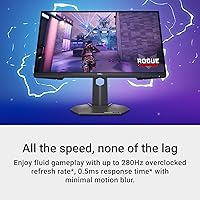
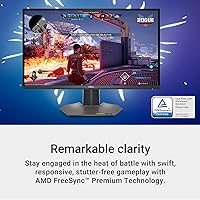
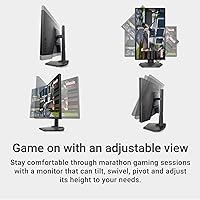
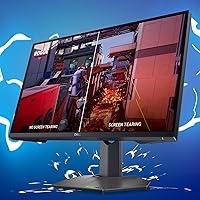
Spend an evening gaming on this gaming monitor and the 280Hz refresh rate paired with a 0.5ms gray-to-gray response time becomes obvious within the first few rounds; fast camera pans and quick flicks feel noticeably smoother than on a standard 144Hz screen. Dual adaptive sync support, covering both AMD FreeSync Premium and NVIDIA G-SYNC Compatible, means it plays nicely regardless of which graphics card is installed, which removes a common headache for mixed-hardware households. A 99% sRGB gamut combined with ComfortView Plus keeps colors reasonably accurate during long sessions while easing eye strain. The fully adjustable stand, with height, tilt, swivel, and pivot, makes dialing in a comfortable position simple, and three customizable gaming profiles plus three USB 3.0 ports round out a genuinely practical feature set.
Best For
This 280Hz monitor makes the most sense for competitive or esports-leaning players who care more about frame smoothness than pixel density, and for anyone stepping up from an aging 60-75Hz screen looking for an affordable, noticeable speed jump. It's also a sensible pick for mixed AMD and NVIDIA setups, since the dual adaptive sync support means you're not locked into one ecosystem. Budget-conscious gamers who want genuinely high refresh rates without paying 1440p prices will find real value here. That said, it's a poor match for color-critical creative work, photo editing, or anyone who has their heart set on a larger, sharper, higher-resolution panel; the G2524H display simply isn't built with that audience in mind.
User Feedback
Buyer sentiment sits at a strong 4.6 out of 5 across 60 reviews, and the recurring praise lines up with what you'd expect: people consistently single out the refresh rate smoothness in fast-paced titles and the flexibility of the adjustable stand for getting their setup just right. On the other side, some reviewers weigh the FHD resolution against pricier 1440p alternatives and wonder whether they're leaving image sharpness on the table for the sake of speed. A handful of buyers also note that hitting the full 280Hz ceiling depends on using the correct cable and dialing in GPU settings properly, so it's worth double-checking your own setup before assuming you'll get the advertised number out of the box.
Pros
- Hits a genuinely smooth 280Hz with 0.5ms response time, making fast motion look noticeably cleaner.
- Works with both AMD FreeSync Premium and NVIDIA G-SYNC Compatible, so it fits either GPU brand.
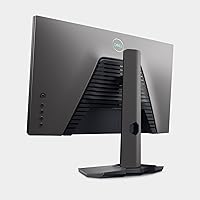
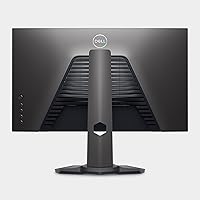
- Fully adjustable stand with height, tilt, swivel, and pivot makes ergonomic positioning easy.
- 99% sRGB coverage plus ComfortView Plus keeps colors decent while easing eye strain on long sessions.
- Three customizable gaming profiles let you switch quickly between different game types.
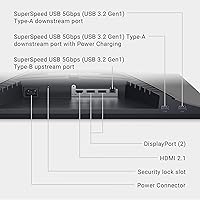
- Three USB 3.0 ports add genuine hub convenience for keyboards, mice, or storage drives.
- Strong 4.6 out of 5 rating across 60 reviews reflects solid real-world satisfaction.
- Delivers genuinely high refresh-rate gaming without the premium pricing of 1440p alternatives.
- This 280Hz monitor pairs sensible, budget-friendly pricing with genuinely useful gaming-focused extras.
Cons
- FHD resolution looks noticeably softer than 1440p rivals at a similar price point.
- 24.5-inch screen feels cramped for buyers used to larger 27-inch-plus displays.
- Hitting the full 280Hz refresh rate requires the right cable and properly configured GPU settings.
- Not suited for color-critical work like photo editing or professional design despite decent sRGB coverage.
- Older or budget GPUs may struggle to push frame rates high enough to fully exploit 280Hz.
- Matte anti-glare coating can mute color richness slightly compared to glossy panels in bright rooms.
- Some buyers comparing against pricier 1440p monitors questioned whether the resolution trade-off was worth it.
- Only a modest sample of 60 reviews means long-term reliability data is still fairly limited.
Ratings
Our AI-generated ratings for the Dell G2524H 24.5-inch Gaming Monitor are built from a wide pool of verified buyer reviews from around the world, with spam, bot activity, and incentivized feedback filtered out before scoring. Each category below reflects both the genuine strengths reviewers keep mentioning and the specific trade-offs that come up again and again, so you can see the full picture rather than just a single average rating.
Refresh Rate Performance
Response Time and Motion Clarity
Adaptive Sync Compatibility
Resolution and Sharpness
Value for Money
Color Accuracy
Eye Comfort
Build Quality and Design
Ergonomics and Stand Adjustability
Connectivity and Ports
Customization Features
Warranty and Support
Setup Experience
Productivity and Multi-tasking
Suitable for:
The Dell G2524H 24.5-inch Gaming Monitor is a strong match for competitive and esports-leaning players who care more about frame smoothness than pixel count. Anyone still gaming on a 60-75Hz monitor will feel an immediate, tangible difference in fast-paced shooters and racing titles, even without changing anything else in their setup. It also works well for households juggling both AMD and NVIDIA graphics cards, since the dual adaptive sync support means nobody has to compromise. Buyers on a tighter budget who want a genuine 280Hz experience without stretching into 1440p pricing will find this a sensible, well-targeted purchase. Long gaming sessions are made more comfortable thanks to the fully adjustable stand, which suits desks where height and viewing angle matter. For straightforward, speed-focused gaming setups, it checks the right boxes without overcomplicating things.
Not suitable for:
This 280Hz monitor isn't the right call for anyone who needs sharp detail for photo editing, design work, or general productivity, since FHD resolution simply can't match the clarity of 1440p or 4K panels. Buyers fixated on screen real estate should also look elsewhere, as the 24.5-inch size will feel cramped compared to larger ultrawide or 27-inch-plus alternatives. If color accuracy at a professional level is the priority, the 99% sRGB coverage here is decent but not enough to satisfy demanding creative workflows. The Dell G2524H 24.5-inch Gaming Monitor also assumes a reasonably capable GPU and the correct cable to actually reach its top refresh rate, so anyone with older hardware may not see the full benefit. Casual users who mostly browse, stream video, or do light office work won't gain much from paying for specs they'll rarely push to their limit.
Specifications
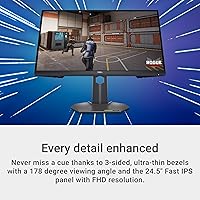
- Panel Type: The monitor uses a 24.5-inch Fast IPS panel built for quick, low-latency gaming.
- Resolution: Native resolution is 1920x1080 (FHD).
- Refresh Rate: The panel can be overclocked to a maximum refresh rate of 280Hz.
- Response Time: Gray-to-gray response time is rated at 0.5ms.
- Adaptive Sync: It supports AMD FreeSync Premium, NVIDIA G-SYNC Compatible, and VESA AdaptiveSync standards.
- Color Gamut: Color coverage reaches 99% of the sRGB color space.
- Eye Comfort: ComfortView Plus is built in to reduce blue light emission during extended use.
- Stand Adjustability: The stand supports height, tilt, swivel, and pivot adjustments for ergonomic setup.
- USB Ports: The display includes 3 USB 3.0 ports for peripherals or storage devices.
- Screen Surface: The screen surface uses a matte, anti-glare coating.
- Gaming Profiles: Three customizable gaming profiles and quick-access preset modes are included.
- Warranty: Dell includes a 3-Year Advanced Exchange Service as part of the limited hardware warranty.
- Weight: The display weighs 11.3 lbs (about 5.1 kg).
- Dimensions: Listed product dimensions are 7.89 x 21.87 x 14.79 inches.
- Aspect Ratio: The screen has a standard 16:9 aspect ratio.
- Finish: The exterior finish is matte black.
Related Reviews

CRUA CR245ZB 24.5″ Gaming Monitor

KOORUI G2511E 24.5-Inch 320Hz Gaming Monitor
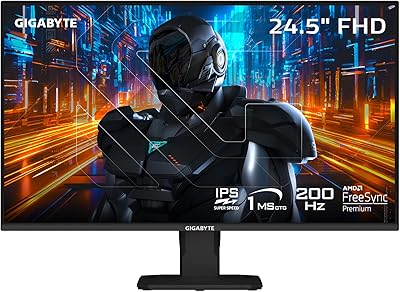
GIGABYTE GS25F2 24.5″ FHD Gaming Monitor

Gawfolk GF245A 24.5-Inch Curved Gaming Monitor
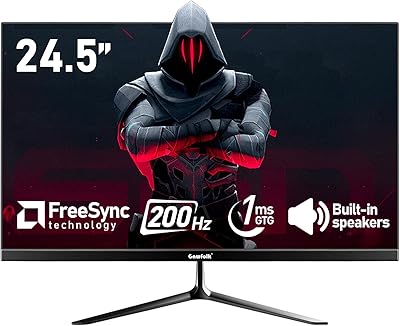
Gawfolk GF240A 24.5-inch 200Hz Gaming Monitor

Acer Nitro KG251Q 24.5-inch Gaming Monitor
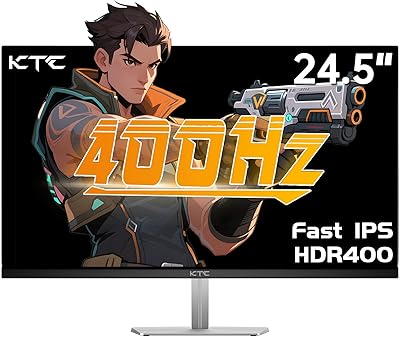
KTC H25X7 24.5-inch 400Hz Gaming Monitor

ASUS ROG Strix XG259QNS 24.5-inch Gaming Monitor
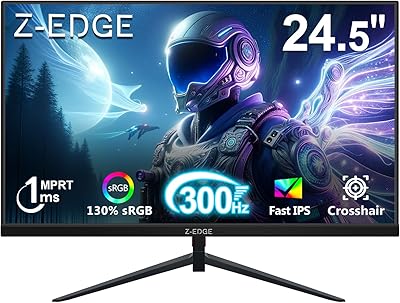
Z-Edge UG25S 24.5″ 300Hz Gaming Monitor