Overview

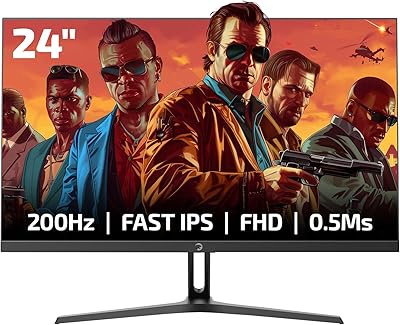
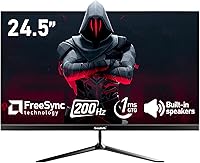
The Gawfolk GF240A 24.5-inch 200Hz Gaming Monitor is a budget-conscious entry into a crowded market, coming from a Chinese manufacturer that most buyers will be encountering for the first time. That unfamiliarity is worth acknowledging upfront — trust has to be earned, and a 12-month warranty is notably shorter than what established brands typically offer at this tier. That said, this gaming monitor climbed to #156 in Computer Monitors not long after its late 2024 launch, which signals genuine buyer interest. The bezel-less design and built-in dual speakers add real convenience without inflating the cost, making it an appealing starting point for shoppers on a tight budget.
Features & Benefits

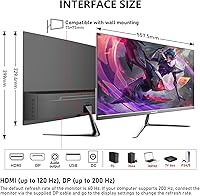
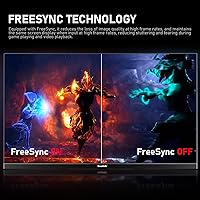
One thing to clarify upfront: the 200Hz refresh rate only applies when connecting via DisplayPort. Use HDMI and you are capped at 120Hz — still respectable, but not what the headline suggests, and that distinction matters in fast-paced competitive play. The VA panel holds its own with stronger contrast and deeper blacks than a typical IPS screen at this price tier, which benefits both gaming and casual media watching. A 1ms GTG response time keeps motion blur minimal, and AMD FreeSync support eliminates tearing for compatible GPU users. Color coverage is listed as either 98% or 99% sRGB depending on which part of the listing you read — a small inconsistency, but worth noting.

Best For

This budget 200Hz display is a natural fit for gamers making their first real jump from a 60Hz or 75Hz screen. If you spend serious time in competitive shooters — fast reflexes, constant movement, split-second calls — the high refresh rate and low response time combination will feel like a meaningful step up. AMD GPU owners get the added advantage of FreeSync, while Nvidia-only users miss out on any adaptive sync benefit. The built-in speakers are a genuine convenience for keeping a clean desk, though treat them as a practical bonus rather than a reason to skip a proper headset or dedicated audio setup entirely.

User Feedback

Buyers consistently highlight how smooth gameplay feels compared to their previous lower-refresh displays, and value-for-money praise shows up repeatedly across reviews. On the other side, stand stability draws some criticism — the build feels less rigid than buyers accustomed to name-brand monitors might expect. A recurring complaint involves the HDMI refresh rate cap, with users surprised to find they were not getting full 200Hz without DisplayPort. Out-of-box color accuracy occasionally falls short of expectations, requiring manual calibration before some buyers felt satisfied. Packaging quality and overall build consistency get mixed reactions, which is fairly common for a newer brand still working to establish credibility in a competitive category.

Pros

  • 200Hz refresh rate via DisplayPort delivers genuinely smooth, fluid gameplay in fast-paced titles.
  • The VA panel produces deeper blacks and better contrast than most IPS monitors at this price tier.
  • FreeSync support keeps screen tearing fully in check for AMD GPU users.
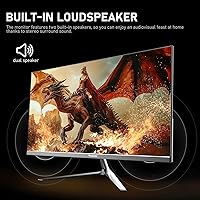
  • Built-in dual speakers remove the need for a separate audio purchase in a basic setup.
  • 1ms GTG response time keeps motion blur minimal during high-action gaming sessions.
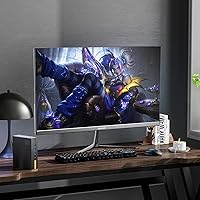
  • The bezel-less design looks clean and works well in tight desk spaces.
  • 75x75mm VESA mount compatibility gives buyers flexibility to wall-mount or use a third-party arm.
  • DC dimming and a low blue light mode make long gaming sessions noticeably easier on the eyes.
  • At its price point, this budget 200Hz display punches above its weight for entry-level gaming performance.

Cons

  • HDMI users are capped at 120Hz, not the advertised 200Hz — a real gotcha if you do not read the fine print.
  • The stand feels flimsy and lacks the rigidity buyers expect even at the budget tier.
  • Color accuracy straight out of the box often requires manual adjustment before it looks right.
  • The brand is largely unknown, which makes long-term reliability and customer support harder to predict.
  • Only a 12-month warranty leaves buyers with limited recourse if problems arise after the first year.
  • The sRGB coverage figure is listed inconsistently across the product listing, raising minor trust concerns.
  • Built-in speakers are thin and low-powered — fine for background audio, not for anything you actually want to hear clearly.
  • No G-Sync support means Nvidia GPU users get no adaptive sync benefit whatsoever.
  • Brightness at 240 cd/m² is on the lower end and may struggle in brightly lit rooms.

Ratings

The scores below reflect AI-powered analysis of verified global buyer reviews for the Gawfolk GF240A 24.5-inch 200Hz Gaming Monitor, with spam, bot-generated, and incentivized feedback actively filtered out to keep results honest. Ratings span both what users genuinely appreciated and where real frustrations surfaced, so you get a transparent picture rather than a polished highlight reel. Strengths and pain points carry equal weight in every category score.

Refresh Rate Performance
83%
Buyers upgrading from 60Hz or 75Hz screens consistently describe the jump to 200Hz as immediately noticeable, especially in fast-paced shooters where on-screen motion feels significantly crisper. Via DisplayPort, the high refresh rate holds up well during extended gaming sessions without obvious frame inconsistencies.
The HDMI connection caps out at 120Hz, which catches many buyers off guard after purchasing based on the headline spec. Users who connected via HDMI and did not investigate beforehand felt the listing was misleading, and some never realized they were not getting the full refresh rate.
Response Time & Motion Clarity
79%
21%
The 1ms GTG rating translates to genuinely reduced ghosting in high-movement gameplay, and competitive shooter players in particular noted that fast-moving targets stay sharp and readable. For an entry-level VA panel, motion handling impressed buyers who had previously used slower displays.
Some users observed residual smearing in very dark scenes — a known characteristic of VA panels under fast motion — which the 1ms rating does not fully eliminate. It is not a dealbreaker for most, but buyers coming from IPS screens may notice it in darker game environments.
Image & Color Quality
71%
29%
The VA panel delivers noticeably deeper blacks and stronger contrast than IPS alternatives at this price tier, which many buyers found made games and movies look richer and more immersive. The matte coating keeps reflections controlled, making colors easier to appreciate in normally lit rooms.
Out-of-box color accuracy was a recurring complaint, with several users noting that the default settings skew warm or oversaturated and require manual OSD adjustments. The sRGB figure is also listed inconsistently across the product page — 98% in one place and 99% in another — which does not inspire confidence in precision.
Value for Money
88%
At this price point, the combination of a 24.5-inch screen, 200Hz capability, FreeSync, and built-in speakers is difficult to match from established brands, and many buyers explicitly called it the best deal they found in this category. First-time monitor upgraders especially felt they were getting premium-tier specs without the premium-tier cost.
The value equation softens slightly when you factor in the short 12-month warranty and build quality concerns, since a monitor that needs early replacement would eliminate the savings. A handful of buyers felt the price was fair only if the unit lasted, and brand uncertainty made some hesitant to recommend it without caveats.
Build Quality & Stand
57%
43%
The overall chassis looks clean on a desk, and the bezel-less design gives it a more modern appearance than budget monitors of a few years ago. Several buyers were pleasantly surprised by how presentable the unit looked once assembled.
The stand is a consistent weak point — buyers described it as wobbly, lightweight, and prone to flexing when the desk is bumped. Compared to similarly priced monitors from established brands, the physical build feels noticeably less substantial, and the plastics have a hollow feel that some found underwhelming.
FreeSync & Adaptive Sync
76%
24%
AMD GPU users found FreeSync worked reliably without needing to dig into driver settings, and screen tearing in supported titles was effectively eliminated during normal gameplay. For the intended audience pairing this monitor with a budget AMD build, it performs its core job well.
Nvidia GPU owners get no adaptive sync benefit whatsoever, since G-Sync compatibility is absent. Buyers who switched GPU brands after purchasing or who were unaware of the limitation before buying expressed frustration at the reduced experience compared to what they expected.
Built-in Speakers
52%
48%
For a monitor in this category, having any built-in audio at all is a practical convenience, and buyers appreciated not needing a separate speaker for video calls, casual YouTube watching, or desktop alerts. In quiet environments, they handle basic audio duties adequately.
Volume is low and audio quality is thin, with almost no bass and limited mid-range clarity that makes music or game soundscapes feel hollow. Most buyers treat them as a last-resort option rather than a genuine audio solution, and several noted they switched to headphones almost immediately.
Eye Comfort & Flicker
78%
22%
The DC dimming implementation and low blue light mode earned genuine praise from buyers who use the monitor for several hours daily, noting less eye fatigue compared to their previous displays. Long gaming or work sessions felt more sustainable with these modes active.
At lower brightness levels, some users noticed the DC dimming caused abrupt rather than smooth transitions, which a few found distracting in dark room conditions. The low blue light mode also shifts the white balance noticeably warm, which not every user preferred aesthetically.
Setup & Connectivity
73%
27%
Most buyers reported a straightforward unboxing and assembly process, with the stand clicking into place without tools and the OSD menu being navigable without consulting a manual. The inclusion of both HDMI and DisplayPort inputs gives flexibility for different PC configurations.
Only one USB port is available for peripheral passthrough, which limits desk utility for users with multiple devices. Some buyers also noted that included cables varied between units — not everyone received the same accessories in the box, which created minor frustration during initial setup.
Compatibility & Versatility
69%
31%
The 75x75mm VESA mount support is a genuine plus, giving buyers the freedom to ditch the stock stand and use a monitor arm for better ergonomic positioning. The monitor also works as a functional secondary display for productivity tasks beyond gaming.
The lack of height or tilt range adjustment beyond basic tilt on the stock stand limits ergonomic flexibility for taller users or multi-monitor arrangements. Buyers who expected the kind of swivel and height adjustment found on pricier monitors were disappointed by the fixed nature of the base.
Brightness & HDR
54%
46%
In a moderately lit room or at night, 240 cd/m² is adequate for comfortable viewing, and most gaming scenarios in dim environments are well-covered. The matte coating helps compensate for the modest brightness ceiling by reducing wash-out from ambient light.
In bright rooms or near windows, 240 cd/m² falls noticeably short, and the image can appear dim or washed out without manual brightness cranked to maximum. There is no HDR support, which buyers comparing against competing budget monitors that claim HDR certification — however nominal — may view as a gap.
Brand Trust & Warranty
44%
56%
The manufacturer does provide a stated 12-month warranty and encourages direct communication for after-sales support, which at least signals some accountability. A subset of buyers reported positive experiences resolving issues through direct contact with the seller.
Gawfolk is an unknown brand with no established service track record, and 12 months is significantly less coverage than the 2-to-3-year warranties standard from brands like LG, ASUS, or AOC. Buyers who encountered defects after the warranty window had limited recourse and expressed that the brand uncertainty was their biggest regret.
Packaging & Unboxing
63%
37%
Most units arrived without physical damage, and buyers generally felt the packaging offered reasonable protection for transit. The unboxing experience was described as functional if not particularly impressive for a display purchase.
A minority of buyers reported inconsistent accessory inclusion — some received a DisplayPort cable while others did not — which suggests quality control in the packing process is not fully standardized. A few units also arrived with minor cosmetic scuffs, which eroded first impressions for buyers expecting pristine packaging.

Suitable for:

The Gawfolk GF240A 24.5-inch 200Hz Gaming Monitor is built for budget-conscious PC gamers who want a meaningful performance upgrade without spending a lot of money. If you are currently gaming on a 60Hz or 75Hz screen and feel like you are missing out on the smoothness that higher refresh rates deliver, this display makes that jump accessible. Competitive shooter players in particular will appreciate the 1ms response time and 200Hz ceiling via DisplayPort, where every frame counts and input lag is a real factor. AMD GPU owners get the bonus of FreeSync support, which keeps tearing out of the picture without requiring any additional investment. The built-in speakers and bezel-less design make it a tidy, low-clutter setup for anyone working with a small desk or a tight budget for peripherals.

Not suitable for:

The Gawfolk GF240A 24.5-inch 200Hz Gaming Monitor is not the right call for buyers who prioritize brand reliability, long-term support, or a robust warranty — 12 months is simply less peace of mind than what established names offer. Nvidia GPU users will also find less value here since there is no G-Sync compatibility, meaning adaptive sync benefits are off the table for that crowd. If you are a content creator, graphic designer, or anyone who needs precise, calibrated color right out of the box, this display's inconsistently documented sRGB figure and VA panel limitations may disappoint you. Buyers expecting a sturdy, well-built stand comparable to mid-range monitors from established brands should temper expectations. Anyone wanting more screen real estate or a higher resolution for productivity work should also look elsewhere.
Specifications

  • Screen Size: The display measures 24.5 inches diagonally, offering a comfortable viewing area suited to typical desktop gaming distances.
  • Panel Type: Uses a VA (Vertical Alignment) panel, which provides stronger contrast ratios and deeper blacks compared to IPS panels in the same price range.
  • Resolution: Native resolution is 1920x1080 pixels (Full HD), delivering a sharp image at this screen size without demanding excessive GPU power.
  • Refresh Rate: Supports up to 200Hz via DisplayPort and up to 120Hz via HDMI, with the higher rate requiring a DisplayPort connection to achieve.
  • Response Time: Rated at 1ms GTG (grey-to-grey), which minimizes motion blur and ghosting during fast-moving gameplay sequences.
  • Color Coverage: Color gamut is listed as 98–99% sRGB (figures vary across the product listing), suitable for gaming and casual content consumption.
  • Color Depth: Supports 8-bit color depth, enabling display of up to 16.7 million colors for natural-looking gradients and imagery.
  • Brightness: Peak brightness is rated at 240 cd/m², which is adequate for indoor use but may appear dim in very bright ambient environments.
  • Aspect Ratio: Standard 16:9 widescreen aspect ratio, compatible with virtually all modern games, videos, and desktop applications.
  • Screen Surface: Matte anti-glare coating reduces reflections from ambient light sources, making it easier to use without window or lamp glare interference.
  • Sync Technology: Supports AMD FreeSync for adaptive sync, eliminating screen tearing during gameplay; no G-Sync compatibility is stated for Nvidia GPU users.
  • Connectivity: Includes one HDMI port, one DisplayPort, and one USB port for peripheral connectivity.
  • Built-in Audio: Equipped with dual built-in speakers for basic audio output without requiring a separate sound device.
  • VESA Mount: Compatible with standard 75x75mm VESA wall mounts, allowing use with third-party monitor arms or wall-mounting solutions.
  • Dimensions: The monitor measures 24.21 x 15.55 x 3.93 inches with its stand attached.
  • Weight: Total weight with stand is 7.39 pounds, making it relatively easy to move and position on a desk.
  • Eye Care: DC global dimming technology and a dedicated low blue light mode are included to reduce eye strain during extended use sessions.
  • Warranty: Covered by a 12-month manufacturer warranty, which is shorter than the 2–3 year coverage commonly offered by established monitor brands.
  • Manufacturer: Made by Shenzhen Qinghong Zhuoyue Technology, a Chinese electronics manufacturer operating under the Gawfolk brand name.
  • Model Number: Official model number is GF240A, which can be used to identify the exact variant when searching for support or accessories.

Related Reviews

Gawfolk GF245A 24.5-Inch Curved Gaming Monitor
72%
88%
Value for Money
79%
Image Quality
83%
Refresh Rate Performance
81%
Response Time
63%
Build Quality
More
GIGABYTE GS25F2 24.5″ FHD Gaming Monitor

80%
93%
Refresh Rate Performance
88%
Response Time & Motion Clarity
84%
Color Accuracy & Vibrancy
91%
Value for Money
87%
Adaptive Sync (FreeSync)
More
CRUA CR245ZB 24.5″ Gaming Monitor

78%
83%
Gaming Performance
86%
Refresh Rate & Smoothness
74%
Color Accuracy & Vibrancy
91%
Ergonomics & Adjustability
68%
Build Quality & Materials
More
Dell G2524H Gaming Monitor 24.5-inch
87%
92%
Performance
96%
Refresh Rate
88%
Build Quality
91%
Ergonomics
93%
Display Quality
More
KOORUI G2511E 24.5-Inch 320Hz Gaming Monitor
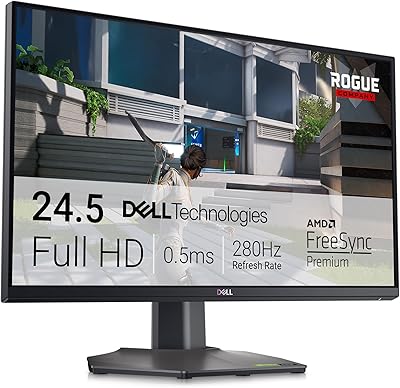
78%
93%
Refresh Rate Performance
88%
Response Time
84%
Color Accuracy
51%
HDR Quality
67%
Panel Uniformity
More
GamePower Bull T10 24-inch Gaming Monitor

68%
83%
Value for Money
79%
Panel & Image Quality
77%
Refresh Rate & Smoothness
74%
Response Time
81%
Adaptive Sync Performance
More
Acer Nitro KG251Q 24.5-inch Gaming Monitor
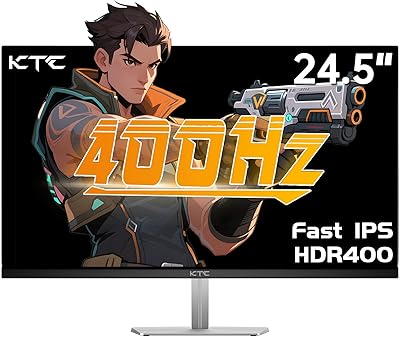
77%
93%
Refresh Rate Performance
91%
Value for Money
86%
Motion Clarity
82%
Image Contrast & Blacks
61%
Color Accuracy
More
KTC H25X7 24.5-inch 400Hz Gaming Monitor
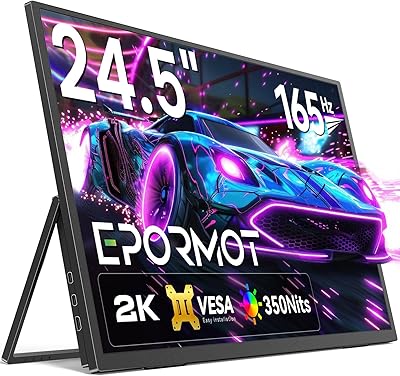
75%
92%
Refresh Rate Performance
84%
Panel Color Quality
91%
Value for Money
88%
Input Lag & Responsiveness
86%
Connectivity Options
More
Pixio PX248 Wave Pink 24-inch 200Hz Gaming Monitor
83%
91%
Gaming Performance
88%
Display Quality
84%
Build Quality
86%
Ease of Setup
83%
Connectivity
More
ASUS ROG Strix XG259QNS 24.5-inch Gaming Monitor
80%
93%
Motion Clarity
91%
Input Responsiveness
78%
Refresh Rate Value
67%
Image Quality
88%
Build Quality
More

FAQ

There is a catch worth knowing upfront. The full 200Hz refresh rate is only available when you connect via DisplayPort. If you use an HDMI cable, the monitor tops out at 120Hz. That is still a solid refresh rate, but if you specifically want 200Hz, make sure your PC has a DisplayPort output and that you use that connection.

It will work as a display with any GPU, Nvidia included. However, the adaptive sync technology on this gaming monitor is AMD FreeSync only. Nvidia’s G-Sync is not supported, so if you have an Nvidia card, you will not benefit from any variable refresh rate features to reduce tearing.

For budget-tier competitive gaming, it holds up reasonably well. The 200Hz refresh rate and 1ms response time are the right ingredients for fast-paced shooters where smoothness and reaction time matter. Just make sure you connect via DisplayPort to hit that top refresh rate, and ensure your PC can actually push enough frames to take advantage of it.

The built-in speakers are functional for background audio or video calls, but they are not something you would want to rely on for a real gaming or music experience. Think of them as a convenience for occasional use — if audio quality matters to you at all, a headset or separate speakers would be a much better choice.

Some buyers have noted that the stand is on the lighter and less rigid side, which can cause minor wobbling if you bump your desk. It is not unusable by any means, but if stand stability is important to you, the 75x75mm VESA compatibility means you can swap it out for a third-party monitor arm fairly easily.

Not always. Several buyers have mentioned that the default color settings feel a bit off and benefit from manual calibration through the OSD menu. The VA panel does produce strong contrast and deep blacks, but getting accurate color out of the box may require some tinkering. It is a common trade-off at this price point.

Yes, this budget 200Hz display supports standard 75x75mm VESA mounting, so you can attach it to any compatible wall mount or monitor arm. Just make sure you have the right hardware on hand, as it may not be included in the box.

The matte anti-glare coating does a reasonable job of cutting down reflections, making it more comfortable to use near a window than a glossy panel would be. At 240 cd/m² of brightness, it may still look a little dim in a very brightly lit space, so ideally position it away from direct sunlight.

The low blue light mode, paired with DC dimming for flicker reduction, is a genuinely useful feature for long sessions. It will not replace good habits like taking breaks, but reducing blue light output does tend to make extended screen time feel less fatiguing on the eyes. It is worth turning on if you game for several hours at a stretch.

The Gawfolk GF240A comes with a 12-month warranty, which is shorter than the 2 to 3 years you typically get from brands like LG, ASUS, or BenQ. As a newer brand, the after-sales experience is harder to predict based on track record. The manufacturer does encourage buyers to reach out directly for issues, but if long-term support and brand reliability are priorities for you, that is a genuine consideration before purchasing.