Overview

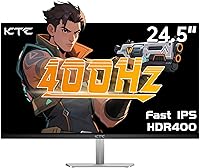
The KTC H25X7 24.5-inch 400Hz Gaming Monitor is one of the few displays in its price range that actually delivers a 400Hz experience without asking you to compromise on panel quality. KTC is a Chinese brand that has been quietly building a following among budget-conscious PC gamers, and this 400Hz panel is arguably their most compelling release yet. Unlike cheaper TN alternatives that sacrifice color and viewing angles for speed, the Fast IPS panel here offers noticeably richer visuals and wider sightlines. That said, keep expectations realistic — this KTC monitor is built for esports and competitive gaming, not photo editing or color-critical work.

Features & Benefits

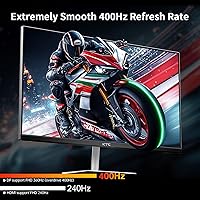
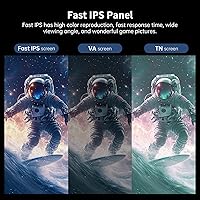
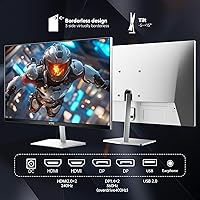
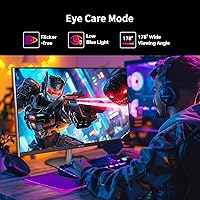
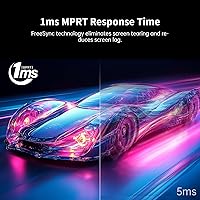
Running at 400Hz through DisplayPort 1.4 gives the H25X7 a real competitive advantage in titles where split-second reactions matter — Counter-Strike, Valorant, and similar games genuinely feel more fluid at that frame rate. The Fast IPS technology means you get a full 178-degree viewing angle and decent color reproduction, a step up from TN panels that dominate this speed tier. Response time is listed at 1ms MPRT — worth noting that MPRT measures motion blur reduction, not actual pixel transition speed, so keep that in mind. Connectivity is a strong point, with dual HDMI and dual DisplayPort inputs covering most multi-device setups, and adaptive sync works across both AMD and Nvidia cards.

Best For

This KTC monitor makes the most sense for competitive FPS players — the kind who would rather have a buttery-smooth 400Hz experience at 1080p than a higher-resolution panel that struggles to push consistent frame rates. It also suits gamers running both a console and a PC, since the multi-input layout keeps everything connected without constant cable swapping. Anyone upgrading from 144Hz or 240Hz will notice a real perceptual difference, particularly in fast-paced scenes. The VESA mounting support and tilt adjustment are practical for ergonomic desk setups, and for value-focused buyers, this 400Hz panel delivers an experience that typically costs significantly more at other brands.

User Feedback

Buyers consistently praise the color accuracy on the H25X7 straight out of the box, which surprises people expecting washed-out visuals from a budget panel — the Fast IPS coating does legitimate work here. Input lag improvements are a common talking point, with several competitive players reporting a noticeable feel difference versus their previous 240Hz setups. On the downside, some users flag concerns about KTC's after-sales support, since the brand is still building its Western service infrastructure. A few buyers also note the stand feels lightweight for its size. The HDR400 mode gets mixed reviews — it adds a brightness bump but falls well short of enthusiast HDR displays, so treat it as a minor bonus rather than a headline feature.

Pros

  • One of the very few monitors at this price level to offer a genuine 400Hz refresh rate via DisplayPort.
  • Fast IPS technology delivers noticeably better color and viewing angles compared to TN panels at similar speeds.
  • Adaptive sync works across both AMD and Nvidia GPUs, so you are not locked into one platform.
  • Dual HDMI plus dual DisplayPort inputs make multi-device setups straightforward without constant cable juggling.
  • Out-of-box color accuracy impresses buyers who expect more calibration effort from a budget panel.
  • Competitive FPS players consistently report a perceptible feel improvement over their previous 240Hz displays.
  • VESA 100x100mm mounting support gives you real flexibility for monitor arm or wall mount setups.
  • At 1080p on a 24.5-inch screen, even mid-range GPUs can realistically push frame rates that take advantage of the high refresh rate.

Cons

  • KTC brand support and warranty service are inconsistent and less reliable than established monitor manufacturers.
  • The stand lacks height adjustment, limiting ergonomic flexibility for taller users or multi-monitor arrangements.
  • HDR400 mode provides only a minor real-world visual improvement and is not worth factoring into a buying decision.
  • HDMI connections cap out at 240Hz, so reaching the full 400Hz requires using a DisplayPort cable, which is not always included.
  • The 1ms spec is an MPRT figure, not a GtG pixel transition time, which can mislead buyers comparing response time specs across brands.
  • Build quality on the stand feels noticeably lightweight for the panel size, raising some durability concerns.
  • No USB-C input limits connectivity options for users working with modern laptops or compact PCs.
  • At 1080p, the display is not a good fit for anyone also wanting to use the monitor for content creation or productivity tasks that benefit from sharper resolution.

Ratings

The KTC H25X7 24.5-inch 400Hz Gaming Monitor has been evaluated by our AI rating system after processing verified buyer reviews from global markets, with spam, bot-generated, and incentivized submissions actively filtered out. Scores reflect the honest consensus of real owners — competitive gamers, budget upgraders, and multi-device users alike — capturing both what this 400Hz panel genuinely delivers and where it falls short. Strengths and frustrations are weighted equally so you get a clear picture before committing.

Refresh Rate Performance
92%
Buyers who made the switch from 240Hz setups consistently describe gameplay in fast-paced shooters as feeling visibly smoother and more responsive, particularly during high-action firefights. The 400Hz ceiling via DisplayPort is real and functional, not a marketing figure, which earns strong credibility among competitive players.
Reaching the full 400Hz requires a DisplayPort 1.4 connection specifically, and some buyers were caught off guard when their HDMI cable capped them at 240Hz. Users without a GPU capable of sustaining very high frame rates in demanding titles will not get meaningful value from the top refresh tier.
Panel Color Quality
84%
For a monitor at this price point, the Fast IPS panel surprises a lot of buyers with how good colors look straight out of the box — warmer, more saturated, and noticeably more lifelike than TN alternatives they previously used. Wide viewing angles mean colors hold up even when sitting slightly off-center, which matters in shared viewing setups.
Buyers coming from higher-end IPS or OLED panels will notice the color depth has its ceiling, and some report mild color uniformity inconsistencies toward the edges of the display. It is not a panel for color-critical work like photo editing, where accuracy at a professional level is required.
Value for Money
91%
The fact that 400Hz at this price tier is genuinely rare makes this KTC monitor one of the stronger value propositions in the budget gaming display segment right now. Most buyers feel they are getting a feature set that would cost meaningfully more from an established brand, and that perception holds up when you compare competing options.
The value equation depends heavily on whether you can actually push enough frames to justify 400Hz — buyers with mid-range or older GPUs may find that a well-tuned 240Hz panel at a lower price would have served them just as well. Brand uncertainty also adds an invisible risk premium that some buyers only realize when they need support.
Input Lag & Responsiveness
88%
Competitive FPS players report a tangible reduction in perceived input lag compared to their previous monitors, with mouse movements and reactions feeling tighter and more immediate during ranked matches. Several buyers specifically credit this panel with improving their in-game performance in titles where split-second timing is the difference between winning and losing.
It is worth being clear that the 1ms specification refers to MPRT, not GtG pixel transition time, which can create inflated expectations for buyers comparing specs across brands. In practice the responsiveness is strong for the price, but it is not at the level of premium esports monitors from top-tier manufacturers.
Connectivity Options
86%
Having two HDMI and two DisplayPort inputs on a single monitor is a genuine convenience for users running a gaming PC alongside a console, letting them keep everything plugged in and switch inputs without touching cables. Buyers with hybrid setups specifically call out this flexibility as one of the reasons they chose the H25X7 over single-input alternatives.
The USB port included on this monitor is limited to firmware upgrades only and cannot be used as a USB hub, which some buyers assumed was a standard feature and found frustrating after setup. There is also no USB-C input, which limits native connectivity for users with modern ultrabooks or compact mini-PCs.
HDR Experience
47%
53%
For buyers who mainly game in SDR and treat HDR as an occasional bonus, the HDR400 mode adds a visible punch in brightness during bright outdoor scenes in open-world games. It functions reliably and does not introduce the halo artifacts or tone-mapping issues sometimes found on poorly implemented budget HDR panels.
HDR400 is the lowest tier of HDR certification and most buyers who enable it expecting a cinematic experience come away underwhelmed — the contrast improvement is marginal and deep blacks remain firmly in IPS territory. Anyone who has used a proper HDR display with local dimming will find this mode more of a placeholder than a feature.
Build Quality
63%
37%
The panel bezel is reasonably slim and the overall aesthetic is clean and understated, fitting into most gaming desk setups without looking cheap or plasticky from a distance. At this price point, the physical construction clears a reasonable bar for a monitor that will mostly stay stationary on a desk.
The stand in particular draws criticism for feeling lightweight and slightly wobbly when nudged, which is noticeable on desks with keyboards that cause vibration during intense gaming sessions. Several buyers describe a general sense that the build materials are functional but not confidence-inspiring, especially compared to monitors from more established brands.
Ergonomics & Adjustability
54%
46%
Tilt adjustment works smoothly and covers enough range to get a comfortable viewing angle for most seated positions, and the VESA compatibility means monitor arm users are fully catered for. Buyers who already own a monitor arm reported a straightforward mounting experience.
The stand offers tilt only — no height adjustment, no swivel, and no pivot — which is a real limitation for taller users or anyone who cannot position their chair and desk to compensate. Buyers who did not read the spec sheet carefully and expected a fully adjustable stand were notably disappointed after unboxing.
Out-of-Box Setup
81%
19%
Most buyers describe assembly as quick and intuitive, with the stand snapping into place without tools and the monitor being ready to use within minutes of unboxing. Default picture settings are usable immediately without requiring extensive calibration, which is a practical advantage for buyers who do not want to dig into display menus.
Some users report needing to fine-tune brightness and contrast settings to get the best out of the panel, as the factory defaults lean slightly bright for darker room environments. A few buyers also note that documentation and on-screen menu navigation could be more clearly laid out for first-time monitor buyers.
Brand Trust & Support
51%
49%
KTC monitors have been gaining traction in the budget gaming market and the brand appears to be actively developing its product line, which gives some confidence that it is not a fly-by-night operation. Buyers who had straightforward experiences report satisfactory initial quality without obvious defects.
Warranty service and after-sales support remain the most cited concern among buyers, with some reporting slow response times or difficulty reaching support when issues arise. KTC does not yet have the same service infrastructure in Western markets as brands like LG, Asus, or AOC, and that gap is reflected in buyer confidence scores.
Motion Clarity
83%
Fast-paced games like battle royales and tactical shooters display with minimal ghosting and good motion clarity, which is the primary use case this 400Hz panel was designed around. Buyers upgrading from older or slower panels describe a clean, sharp motion presentation that holds up well during rapid camera movements.
Backlight strobing used to achieve the MPRT figure can cause subtle brightness fluctuations that sensitive users may notice in darker scenes. In slower-paced games or desktop use, the motion clarity advantages are largely irrelevant and the panel performs like any other mid-range IPS display.
Glare & Visibility
77%
23%
The matte anti-glare coating handles reflections from windows and overhead lighting reasonably well, making the H25X7 usable in rooms with moderate ambient light without the display becoming a mirror. Buyers in home office setups with daylight coming from the side report manageable glare levels for a display in this class.
In very bright rooms or with direct sunlight nearby, the anti-glare coating can create a slight haze that softens fine text and image detail, a common trade-off with matte finishes. Buyers accustomed to glossy panels may find the matte coating slightly dull in darker environments where glare would not be an issue anyway.
1080p Sharpness
72%
28%
At 24.5 inches, 1080p resolution hits a comfortable pixel density for gaming where the priority is frame rate over pixel count, and text readability in games and menus is clean enough for extended sessions. For dedicated gaming use this resolution-size pairing is a deliberate and well-understood trade-off that the target audience generally accepts.
Buyers who also use their monitor for desktop productivity, web browsing, or reading find that 1080p on a 24.5-inch screen shows visible pixel structure up close, making it noticeably less sharp than QHD or 4K alternatives. Anyone hoping to use this as a dual-purpose productivity and gaming monitor may find the resolution underwhelming outside of gaming contexts.

Suitable for:

The KTC H25X7 24.5-inch 400Hz Gaming Monitor is a strong pick for competitive gamers who live and breathe fast-paced titles like Valorant, CS2, or Apex Legends, where a higher frame rate translates directly into a tangible gameplay edge. If you're someone who has been gaming on a 144Hz or 240Hz display and wants a meaningful performance step up without spending flagship money, this is one of the few panels that actually delivers 400Hz at an accessible price point. The Fast IPS panel makes it a better all-around choice than TN-based alternatives in the same speed range, giving you decent color and wide viewing angles alongside the raw refresh rate. Gamers running a mixed setup — say, a gaming PC alongside a console — will also appreciate having dual HDMI and dual DisplayPort inputs on a single monitor, keeping everything plugged in and ready to switch. Those who prefer wall mounting or need flexible tilt adjustment for long sessions will find the ergonomic options genuinely practical rather than an afterthought.

Not suitable for:

The KTC H25X7 24.5-inch 400Hz Gaming Monitor is not the right tool for anyone who needs accurate color reproduction for creative work, video editing, or photo retouching — the panel prioritizes speed over color precision, and 1080p resolution on a 24.5-inch screen lacks the pixel density that design professionals typically need. If you are hoping for a meaningful HDR experience, this monitor will disappoint; the HDR400 certification sits at the very bottom of the HDR tier and delivers a modest brightness bump at best, nothing close to what a proper HDR display offers. Buyers who demand rock-solid brand support, local warranty service, and a proven track record should also pause — KTC is still building its reputation in Western markets and its after-sales infrastructure is not as established as brands like LG, Asus, or Dell. The stand construction, while functional, is on the lighter side and lacks height adjustment, which can be a real frustration for ergonomics-focused users who spend many hours at their desk. And if you are running older hardware that cannot consistently push very high frame rates in demanding titles, the premium of a 400Hz panel over a well-tuned 240Hz option may not be justifiable for your specific setup.

Specifications

  • Panel Type: This monitor uses a Fast IPS panel, which offers wider viewing angles and better color reproduction than TN panels at comparable refresh rates.
  • Screen Size: The display measures 24.5 inches diagonally, a common competitive gaming size that balances field of view with pixel density at 1080p.
  • Resolution: Native resolution is 1920x1080 Full HD, well-suited for high-frame-rate gaming where GPU headroom matters more than pixel count.
  • Refresh Rate: Maximum refresh rate reaches 400Hz when connected via DisplayPort 1.4, while HDMI 2.0 connections support up to 240Hz.
  • Response Time: Rated at 1ms MPRT, which measures motion blur reduction rather than raw pixel transition speed — actual GtG response time may differ.
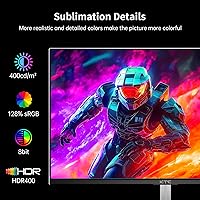
  • Brightness: Peak brightness is rated at 400 cd/m², providing adequate visibility in moderately lit rooms under typical gaming conditions.
  • HDR Support: Certified to HDR400 standard, the entry-level HDR tier that offers a modest brightness improvement over standard dynamic range content.
  • Color Gamut: Covers 128% of the sRGB color space, delivering visibly richer and more saturated colors than monitors with narrower gamut coverage.
  • Contrast Ratio: Static contrast ratio is 1000:1, which is standard for IPS-type panels and adequate for gaming though not suited for deep blacks.
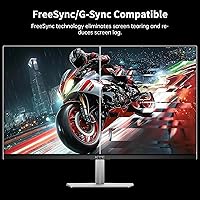
  • Adaptive Sync: Compatible with both AMD FreeSync and Nvidia G-Sync, enabling tear-free gameplay across a wide range of graphics cards.
  • Inputs: Connectivity includes two HDMI 2.0 ports, two DisplayPort 1.4 ports, and one USB 2.0 port reserved for firmware upgrades only.
  • VESA Mount: Supports standard 100x100mm VESA wall mounting, allowing use with most third-party monitor arms and wall brackets.
  • Tilt Adjustment: The stand allows tilt adjustment from approximately -5 degrees to +15 degrees, with no height or swivel adjustment included.
  • Display Colors: Outputs 16.7 million colors via 8-bit color depth, which is the standard for accurate and smooth color gradients in gaming visuals.
  • Power Draw: Maximum power consumption is rated at 60W, making it relatively energy-efficient for a high-refresh-rate gaming display.
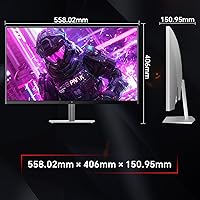
  • Dimensions: The monitor measures approximately 24 inches wide, 18 inches tall, and 4 inches deep with the stand attached.
  • Weight: Total weight with stand is 9.75 pounds, which is typical for this screen size class and manageable for solo desk setup.
  • Aspect Ratio: Standard 16:9 widescreen aspect ratio, compatible with all modern game engines and video formats without letterboxing.
  • Surface Finish: The screen uses a matte anti-glare coating, which reduces reflections from ambient light sources during extended gaming sessions.
  • Power Input: Operates on DC 12V at 5A via an external power adapter, which is standard for this monitor size and power tier.

Related Reviews
CRUA CR245ZB 24.5″ Gaming Monitor

78%
83%
Gaming Performance
86%
Refresh Rate & Smoothness
74%
Color Accuracy & Vibrancy
91%
Ergonomics & Adjustability
68%
Build Quality & Materials
More
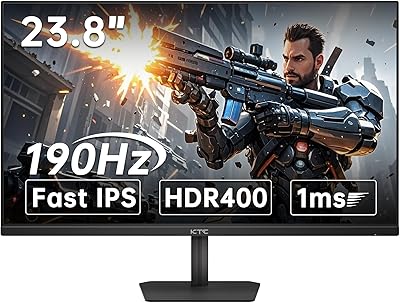
KTC 24-inch 190Hz Gaming Monitor
76%
88%
Refresh Rate Performance
76%
Color Accuracy
83%
Motion Clarity
54%
HDR Quality
91%
Value for Money
More
KTC 24.5″ Gaming Monitor 180Hz FHD
87%
89%
Display Quality
91%
Response Time
92%
Refresh Rate
88%
Color Accuracy
85%
Build Quality
More
KOORUI G2511E 24.5-Inch 320Hz Gaming Monitor
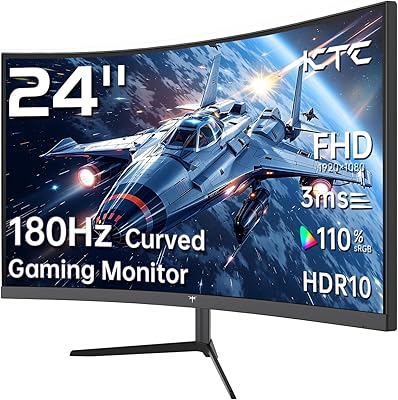
78%
93%
Refresh Rate Performance
88%
Response Time
84%
Color Accuracy
51%
HDR Quality
67%
Panel Uniformity
More
Dell G2524H Gaming Monitor 24.5-inch
87%
92%
Performance
96%
Refresh Rate
88%
Build Quality
91%
Ergonomics
93%
Display Quality
More
KTC 24-inch 1500R Curved Gaming Monitor
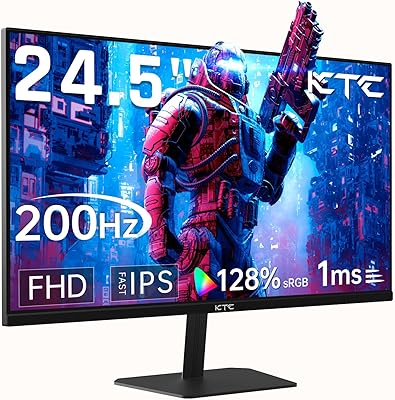
86%
94%
Gaming Performance
89%
Display Quality
92%
Value for Money
87%
Build Quality
83%
Ergonomics
More
KTC H24T7 24-inch QHD Gaming Monitor
78%
88%
Image Sharpness & Clarity
86%
Refresh Rate & Responsiveness
83%
Color Accuracy
47%
HDR Performance
81%
Build Quality & Stand
More
Gawfolk GF240A 24.5-inch 200Hz Gaming Monitor

68%
83%
Refresh Rate Performance
79%
Response Time & Motion Clarity
71%
Image & Color Quality
88%
Value for Money
57%
Build Quality & Stand
More
Gawfolk GF245A 24.5-Inch Curved Gaming Monitor
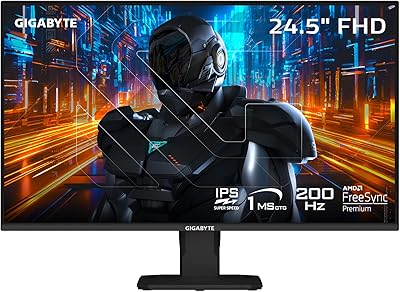
72%
88%
Value for Money
79%
Image Quality
83%
Refresh Rate Performance
81%
Response Time
63%
Build Quality
More
Acer Nitro KG251Q 24.5-inch Gaming Monitor
77%
93%
Refresh Rate Performance
91%
Value for Money
86%
Motion Clarity
82%
Image Contrast & Blacks
61%
Color Accuracy
More

FAQ

You do need DisplayPort to reach the full 400Hz — HDMI 2.0 on this monitor tops out at 240Hz. Make sure you have a DisplayPort 1.4 cable handy, as one may not be included in the box depending on the shipment.

Yes, the dual HDMI ports make connecting a console straightforward. Keep in mind that consoles currently output at 120Hz maximum, so you will not be using the panel's full refresh rate potential from a console — but it works perfectly fine for that use case.

For most people, the difference is subtle compared to the jump from 144Hz to 240Hz. Competitive players with well-trained reflexes — especially in games like CS2 or Valorant — do report a smoother feel, but casual gamers may not notice much. Your GPU also needs to consistently push frame rates above 240fps to make full use of it.

Honestly, not dramatically. HDR400 is the lowest tier of HDR certification and mainly delivers a bump in peak brightness rather than the deep contrast and wide color volume you get from higher-end HDR displays. It is a nice-to-have feature, but it should not be a deciding factor in your purchase.

Not exactly. MPRT stands for Moving Picture Response Time, which measures how long a pixel appears to blur in motion — it is controlled by backlight strobing rather than actual pixel switching speed. Many monitors advertise GtG (gray-to-gray) response times instead, so comparing the two directly can be misleading. In practice, the H25X7 handles motion well for its price range.

In lighter esports titles like CS2, Valorant, or Fortnite at 1080p, a mid-range card like an RTX 4060 or RX 7600 can realistically hit or exceed 400fps with settings adjusted. In more demanding titles, you will likely hover lower, but FreeSync and G-Sync support keep things smooth even when you are not maxing the refresh rate.

Yes, the 100x100mm VESA mounting pattern on the back is compatible with virtually all standard monitor arms. You will need to remove the included stand first, which is usually just a matter of unscrewing a few bolts on the back.

KTC is a legitimate manufacturer with growing presence in the budget gaming monitor market, but they are not as established in Western markets as brands like LG or Asus. Their warranty and support infrastructure can be inconsistent, so it is worth checking the specific warranty terms before buying and keeping your purchase receipts and documentation.

Only tilt adjustment is available on the included stand, ranging roughly from slightly negative to about 15 degrees upward. There is no height, swivel, or pivot adjustment built in. If ergonomics are a priority for you, pairing it with a compatible VESA monitor arm is a practical workaround.

The matte anti-glare coating does a decent job reducing reflections from windows and overhead lighting, which makes it more usable in brighter environments than glossy panels. It will not eliminate all glare in extremely bright spaces, but for a typical gaming setup it handles ambient light reasonably well.