Overview

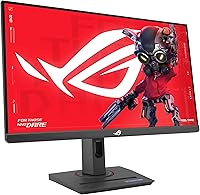
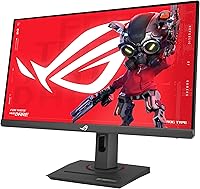
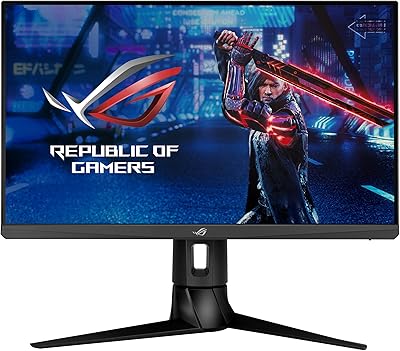
The ASUS ROG Strix XG259QNS 24.5-inch Gaming Monitor is built with one audience in mind: competitive players who need every possible edge over their opponents. The 24.5-inch size is no accident — it matches the standard used at most professional esports events, keeping the full screen within your field of view without forcing uncomfortable eye movement. Underneath, a Fast IPS panel delivers a noticeable step up in color accuracy compared to older TN displays, while still meeting the speed demands of high-frame-rate play. That said, this ROG esports monitor runs at Full HD resolution, which is a deliberate trade-off — frame rate comes first, pixel density second.
Features & Benefits

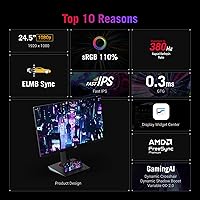
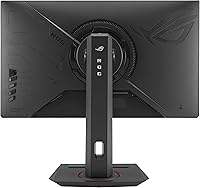
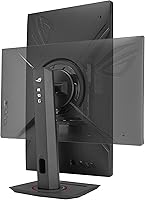
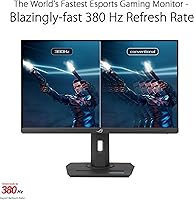
The headline spec here is the 380Hz refresh rate — achieved via overclocking — paired with a 0.3ms minimum response time. In practice, the difference between 380Hz and 240Hz is subtle; you are unlikely to consciously register the jump, but fast-twitch motions in games like Valorant feel noticeably crisper. What actually sets the XG259QNS apart is ELMB Sync, which lets motion blur reduction and variable refresh rate run simultaneously — a combination most monitors still cannot manage. AMD GPU users benefit from FreeSync Premium support, which keeps tearing in check without a hard frame rate cap. The DisplayWidget Center software lets you adjust OSD settings from your desktop, and the stand handles tilt, swivel, pivot, and height adjustments comfortably.

Best For

This high-refresh gaming display is an obvious fit for competitive FPS players — CS2, Valorant, Apex Legends — where reaction time and motion clarity matter more than pixel density. If you are running a capable GPU that can push well beyond 144 frames per second at 1080p, this monitor will actually put that hardware to use. It also suits anyone moving up from a 144Hz or 240Hz panel who wants a meaningful step forward without switching to ultrawide or 4K. The matte screen surface is a practical bonus for setups with overhead lighting. One caveat: if cinematic single-player games are your focus, 1080p at this screen size may leave you wanting sharper detail.

User Feedback

With 27 ratings and a 4.4-star average, early impressions of this ROG esports monitor lean positive — though the pool is still too small to treat as settled consensus. Buyers consistently praise motion clarity, low input lag, and a stand that feels stable under daily use. On the critical side, a handful of users flag that 1080p can feel underwhelming at close viewing distances, a fair concern given that 1440p alternatives exist at a similar price. The question of whether 380Hz is a perceptible upgrade over 360Hz also surfaces in feedback; most feel the difference is real but modest in practice. Cable management gets functional marks, nothing more.

Pros

  • Motion clarity at high frame rates is exceptional — fast targets stay sharp without ghosting or smearing.
  • ELMB Sync running alongside variable refresh rate is a rare combination that most competing monitors still lack.
  • The Fast IPS panel strikes a strong balance between response speed and color quality compared to older TN options.
  • A fully adjustable ergonomic stand makes it easy to dial in a comfortable position for long sessions.
  • FreeSync Premium support is a genuine practical benefit for AMD GPU users who want tear-free performance.
  • The matte screen surface handles overhead lighting well, reducing distracting reflections during play.
  • DisplayWidget Center saves time by letting you adjust OSD settings from your desktop rather than hunting for buttons.
  • Built-in USB hub with both 2.0 and 3.0 ports adds convenient peripheral connectivity without extra clutter.
  • A three-year warranty from ASUS provides solid long-term peace of mind for a monitor at this tier.
  • Early buyers rate this high-refresh gaming display at 4.4 stars, with consistent praise for low input lag and build quality.

Cons

  • Full HD resolution at 24.5 inches can look noticeably soft when sitting close to the screen.
  • The 380Hz boost is achieved through overclocking, which some buyers may prefer to avoid for long-term reliability.
  • Perceptible gains over 360Hz panels are debated among users — the upgrade is real but not dramatic.
  • Only 27 ratings at the time of writing makes it difficult to assess long-term reliability with confidence.
  • No support for Nvidia G-Sync, which limits adaptive sync options for users on green team hardware.
  • Cable management solutions on the stand are basic and may frustrate users with busy desk setups.
  • 1080p resolution makes this a poor fit for productivity tasks or content creation alongside gaming use.
  • Buyers comparing at this price point will find 1440p alternatives that offer a sharper image for non-competitive use.

Ratings

The scores below reflect an AI-driven analysis of verified buyer reviews for the ASUS ROG Strix XG259QNS 24.5-inch Gaming Monitor, drawn from global sources with spam, incentivized, and bot-generated feedback actively filtered out. Each category is scored on real-world performance as reported by actual users — competitive players, upgrade seekers, and daily desk warriors alike. Both the genuine strengths and the honest frustrations are reflected here without softening either side.

Motion Clarity
93%
This is the area where the XG259QNS earns its keep most convincingly. Players in fast-paced titles like Valorant and CS2 consistently report that enemy movement stays sharp and readable even during rapid flicks and tracking, something noticeably harder to achieve on 144Hz or 240Hz panels. ELMB Sync running alongside adaptive sync keeps ghosting tightly controlled in real sessions.
A small number of users note that the motion clarity advantage over top 360Hz competitors is harder to appreciate unless you are already at a high skill level where split-second reads matter. Casual players upgrading from 144Hz may attribute the improvement to the refresh rate alone rather than the combined feature set.
Input Responsiveness
91%
Low input lag is one of the most consistently praised aspects across early buyer feedback. In competitive play, the gap between registering a movement and seeing it on screen feels tighter than on previous monitors users traded in, with several buyers specifically calling out improved feel in close-range gunfights where timing precision is critical.
The practical gains in input latency over a well-calibrated 240Hz panel are real but incremental rather than transformative. Users who are not competing at a high level or who play at lower in-game frame rates will not extract the full benefit, making the responsiveness advantage partly dependent on hardware outside the monitor itself.
Refresh Rate Value
78%
22%
For players already sustaining high frame rates at 1080p, the 380Hz ceiling provides a meaningful buffer over 240Hz displays, and buyers coming from older panels appreciate having headroom above their typical in-game averages. The overclocked 380Hz mode has proven stable for most users in day-to-day competitive play without visible instability.
The jump from 360Hz to 380Hz is the weakest refresh rate upgrade case in the current monitor market, and several buyers acknowledge it openly. Unless you are specifically replacing a 360Hz panel, the number itself matters less than the broader package — and users upgrading from 144Hz or 240Hz may find themselves not needing to think about the ceiling at all.
Image Quality
67%
33%
The Fast IPS panel produces colors that hold up well compared to TN-based competitors at this refresh rate, and buyers who care about image quality beyond pure speed find the trade-off acceptable. Brightness levels are adequate for typical indoor gaming environments, and the matte surface keeps glare from becoming a distraction.
Full HD resolution on a 24.5-inch screen is the most recurring point of friction in user feedback. Sitting close to the desk — as most competitive players do — makes individual pixels noticeable, and users who transition between this monitor and a 1440p display on another machine often feel the sharpness gap immediately. This is the single biggest compromise in the package.
Build Quality
88%
Physical construction gets consistently solid marks from buyers. The chassis feels rigid, the stand does not introduce unwanted flex during normal desk use, and the overall fit and finish matches what you would expect from a ROG-branded product. Several users noted that the monitor feels premium to the touch and not hollow or plasticky in the way some competing panels do.
A handful of buyers flagged minor cosmetic issues out of the box, and cable management through the stand — while functional — is not as refined as the premium price point might lead you to expect. Nothing structural, but the finishing details on cable routing feel like a lower-budget afterthought on an otherwise well-assembled product.
Ergonomics & Stand
86%
The full range of stand adjustability — tilt, swivel, pivot, and height — is genuinely appreciated by users who spend multiple hours daily at their setup. Being able to dial in exact monitor height and angle without aftermarket tools or third-party arms makes initial setup quick and encourages proper posture habits for extended sessions.
While the stand functions well, it is not the most compact footprint, and users with smaller desks have noted that it takes up more real estate than expected. Pivot to portrait mode is available but rarely relevant for a gaming-focused display, so it is more a specification checkbox than a feature most buyers will use.
Software Experience
74%
26%
DisplayWidget Center earns appreciation from users who want to adjust picture settings mid-session without fumbling for physical buttons. The ability to control brightness, refresh rate capping, and OSD options from the desktop is a practical quality-of-life improvement that users of older ROG monitors quickly come to rely on.
The software requires a separate download and does not always install without friction, with a subset of users reporting compatibility hiccups on certain Windows configurations. The application itself is functional rather than polished, and a few buyers found the interface layout less intuitive than expected for a flagship product.
FreeSync Performance
84%
AMD GPU users report a smooth, tear-free experience when FreeSync Premium is active, with frame rate fluctuations handled cleanly across typical gaming scenarios. The technology works consistently within the supported range and does not introduce the brightness flickering that some implementations of similar tech produce at the low end of the frame rate window.
Nvidia GPU owners are left without certified G-Sync compatibility, which narrows the adaptive sync audience to AMD users only. Those running RTX cards may still achieve a stable experience, but without official certification there is no guarantee of consistent behavior, and some users have reported minor tearing outside the FreeSync range on green-team hardware.
Matte Coating Quality
81%
19%
The anti-glare matte coating handles typical room lighting — overhead LEDs, desk lamps, nearby windows — without turning the image into a washed-out mess. Players who game during daylight hours or in brightly lit rooms specifically called out the coating as a reason they preferred this display over glossy alternatives they had previously tested.
As with most matte coatings, there is a degree of texture visible on plain backgrounds or very bright content at close range. It does not heavily impact gaming use, but users who occasionally switch to photo viewing or video editing will notice the coating introduces a light grain that glossy panels avoid.
Connectivity
72%
28%
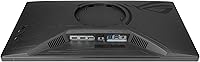
The built-in USB hub — offering both a USB 2.0 and a USB 3.0 port — is a convenient addition for connecting peripherals without reaching behind the PC. Buyers with wired keyboards, mice, or headset receivers appreciate having a hub at desk level as a secondary option for low-bandwidth accessories.
The port selection is minimal for a monitor in this category. Only two USB ports and basic display inputs means users with more complex desk setups — multiple peripherals, stream capture cards, or dedicated DACs — will quickly exhaust the connectivity options and need a separate hub regardless.
Value for Money
69%
31%
For strictly competitive FPS gamers who have the GPU to support it, the XG259QNS delivers a well-rounded package of speed-oriented features that justifies its position in the market. The three-year warranty adds tangible long-term value that is easy to overlook when comparing spec sheets alone.
At this price point, 1440p monitors with strong refresh rates are a genuine alternative, and buyers who did not weigh that comparison before purchasing have expressed some regret. The resolution compromise is a harder pill to swallow at this tier than it would be at a lower price, and buyers who are not committed competitive players may feel the value equation does not land in their favor.
Out-of-Box Setup
83%
Assembly is quick and tool-free — the stand clicks into place without needing a screwdriver, and the monitor is ready to use within minutes. Buyers who are not technically inclined found the process manageable, and the included documentation is clear enough to avoid confusion during first-time setup.
Getting the full feature set operational requires downloading DisplayWidget Center separately, which adds a step that feels unnecessary for a product at this price. A small number of users also found that the default out-of-box picture settings needed calibration before the image looked its best, adding minor friction to the first impression.
Long-Term Reliability
77%
23%
The three-year ASUS warranty provides a meaningful safety net, and the ROG product line has a reasonable track record among long-term users in the esports community. Buyers who have owned previous ROG monitors tend to express confidence in the hardware durability based on prior experience with the brand.
With only 27 verified ratings at the time of analysis, there is simply not enough longitudinal feedback to assess long-term panel degradation, backlight consistency, or firmware stability with confidence. Any reliability score at this stage should be treated as an informed estimate rather than a settled verdict.

Suitable for:

The ASUS ROG Strix XG259QNS 24.5-inch Gaming Monitor is purpose-built for players who treat winning as the priority and are willing to sacrifice pixel density to get there. If your game library revolves around fast-paced titles like CS2, Valorant, or Apex Legends, the combination of a 380Hz refresh rate, 0.3ms response time, and ELMB Sync technology gives you a genuinely competition-ready setup. The 24.5-inch screen size mirrors what you would find at most professional LAN events, so players training for that environment will feel right at home. Gamers running mid-to-high-end GPUs — particularly AMD cards benefiting from FreeSync Premium — will be able to consistently push the frame rates needed to actually use this display to its full potential. Anyone upgrading from a 144Hz or 240Hz panel and wanting a real, tangible step forward in motion clarity will find this ROG esports monitor a worthwhile destination.
Not suitable for:

Buyers who want a single monitor that handles both competitive gaming and visually rich single-player experiences should think carefully before committing to the XG259QNS. At 24.5 inches, Full HD resolution is functional but not sharp enough to make open-world games or cinematic titles look their best, especially at close desk distances where individual pixels become noticeable. Content creators, graphic designers, or anyone working with color-critical material will also find this display lacking, since it is optimized for speed rather than wide color coverage or high resolution output. If your GPU struggles to sustain very high frame rates at 1080p, you will not be extracting meaningful value from a 380Hz panel and a mid-range 165Hz or 240Hz monitor would serve you better for less. Budget-conscious buyers should also weigh whether the incremental gains over a solid 360Hz alternative justify the asking price, since honest user feedback suggests the difference is real but modest in everyday play.

Specifications

  • Panel Type: The display uses a Fast IPS panel, which delivers faster pixel response than standard IPS while retaining better color accuracy than traditional TN panels.
  • Screen Size: The viewable screen area measures 24.5 inches diagonally, a size commonly used at professional esports tournaments.
  • Resolution: Native resolution is 1920x1080 (Full HD), with a 16:9 aspect ratio optimized for high frame rate output rather than pixel density.
  • Refresh Rate: The panel runs at 380Hz when overclocked, with a native high-refresh baseline designed for competitive gaming use.
  • Response Time: Minimum response time is rated at 0.3ms, helping reduce trailing or ghosting artifacts during fast in-game movement.
  • Motion Blur Tech: ELMB Sync technology allows motion blur reduction and variable refresh rate to operate simultaneously, a combination not widely available on competing panels.
  • Adaptive Sync: FreeSync Premium support provides tear-free, low-latency adaptive sync for compatible AMD Radeon GPU users.
  • Screen Surface: The matte screen coating reduces ambient light reflections, making it practical for setups with overhead or side lighting.
  • Connectivity: The monitor includes one USB 2.0 port and one USB 3.0 port for peripheral connectivity, alongside standard display inputs.
  • Stand Adjustments: The included ergonomic stand supports tilt, swivel, pivot, and height adjustment, covering the full range of positioning needs for extended sessions.
  • OSD Software: DisplayWidget Center software allows users to access and adjust on-screen display settings directly from their desktop without using physical monitor buttons.
  • Weight: The monitor weighs 12.3 pounds including the stand, which is typical for a display of this size and build quality.
  • Dimensions: Product dimensions are listed as 21 x 38 x 49 inches including the stand assembly at its default configuration.
  • Warranty: ASUS covers this monitor with a three-year warranty, which is above the two-year standard common among competing brands in this category.
  • Brand Line: The XG259QNS sits within the ASUS ROG Strix product family, which is ASUS's dedicated esports-focused hardware line.

Related Reviews
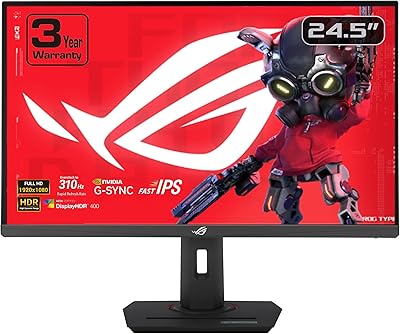
ASUS ROG Strix XG259CMS 24.5-inch 310Hz Gaming Monitor
87%
94%
Gaming Performance
98%
Refresh Rate
91%
Color Accuracy
86%
Build Quality
85%
Ergonomics
More
ASUS ROG Strix XG249CM 24” 1080P Gaming Monitor
86%
96%
Refresh Rate & Response Time
90%
Visual Quality & Clarity
88%
Build Quality & Durability
85%
Ergonomics & Adjustability
91%
Color Accuracy
More
ASUS ROG Swift PG259QN 24.5” 360Hz Gaming Monitor
88%
93%
Performance
91%
Visual Quality
88%
Build Quality
87%
Ergonomics & Adjustability
89%
Connectivity Options
More
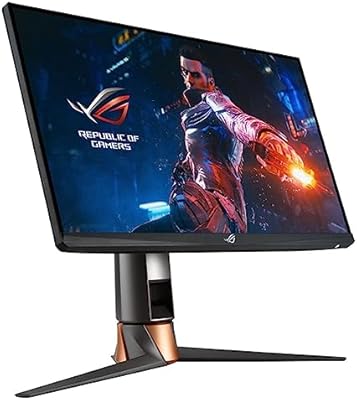
ASUS ROG Strix XG27ACS 27-inch Gaming Monitor
79%
91%
Image Clarity & Sharpness
89%
Motion Performance & Refresh Rate
86%
Color Accuracy & Vibrancy
47%
HDR Performance
88%
Adaptive Sync & G-Sync Compatibility
More
ASUS ROG Strix XG27ACDNG 26.5-inch QD-OLED Gaming Monitor
82%
96%
Motion Clarity
94%
Color & Vibrancy
78%
Burn-in Protection
93%
Refresh Rate & Smoothness
88%
Anti-Flicker Performance
More
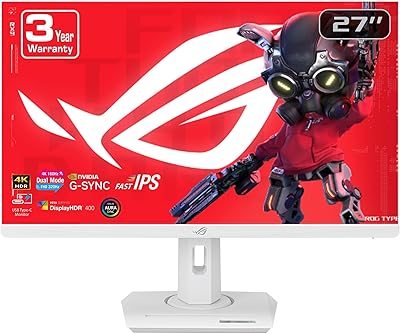
ASUS ROG Strix XG27UCG-W 27-inch Gaming Monitor

79%
91%
Display Clarity
88%
Dual Mode Versatility
89%
Response Time & Motion
87%
Color Accuracy
61%
HDR Performance
More
CRUA 24.5-Inch Gaming Monitor
84%
92%
Display Quality
89%
Gaming Performance
88%
Color Accuracy
84%
Ergonomics/Adjustability
90%
Setup Ease
More
ASUS VP228HE 21.5-inch Gaming Monitor
84%
91%
Display Quality
89%
Gaming Performance
92%
Value for Money
85%
Build Quality
88%
Response Time
More
ASUS TUF Gaming VG259QM 24.5″ Monitor
87%
93%
Gaming Performance
88%
Display Quality
90%
Response Time
85%
Ergonomics/Comfort
81%
Color Accuracy
More
KOORUI G2511E 24.5-inch Gaming Monitor
83%
92%
Display Quality
94%
Gaming Performance
88%
Color Accuracy
75%
Build Quality
84%
Ergonomics
More

FAQ

The XG259QNS works with any GPU via standard DisplayPort or HDMI connections. However, the adaptive sync feature (FreeSync Premium) officially supports AMD Radeon cards. Nvidia users can still use the monitor at full refresh rate, but they will not benefit from certified G-Sync compatibility, so check your GPU before assuming tear-free performance.

Honestly, the gap between 360Hz and 380Hz is the hardest to perceive of any refresh rate jump. Most people coming from 240Hz will notice improved motion clarity, but the step from 360Hz to 380Hz is subtle — some users feel it in very fast flick movements, others do not. If you are already on a 360Hz panel, the upgrade case is weak. Coming from 144Hz or 240Hz, the difference is more meaningful.

You can, but it is not optimized for that use case. Full HD resolution on a 24.5-inch screen is fine for web browsing and documents, but anyone working with detailed spreadsheets, design files, or photo editing will likely find the pixel density limiting at close distances. A 1440p monitor would serve a dual-purpose setup better.

The monitor includes DisplayPort and HDMI inputs. For the full 380Hz refresh rate, you will need to use DisplayPort, as HDMI has bandwidth limitations that prevent it from hitting the maximum refresh rate on this panel. Always check your GPU output and cable quality if you are chasing peak performance.

ELMB Sync is one of the more genuinely useful features on this display. Most monitors force you to choose between motion blur reduction (strobing backlight) and adaptive sync — ELMB Sync runs both at the same time. In fast FPS games, this translates to sharper image during quick camera movements without the tearing you would normally see. It does work as advertised.

Early user feedback on the stand is generally positive. It feels solid during normal use and does not wobble noticeably when adjusting position or accidentally nudging the desk. The full range of tilt, swivel, pivot, and height adjustment is also genuinely useful rather than stiff and reluctant, which is a common complaint with cheaper stands.

No, the XG259QNS does not include built-in speakers. This is common for monitors aimed at competitive gaming, where most users already use headsets. You will need external speakers or a headset for audio output.

The matte coating on this ROG esports monitor is well-implemented — it handles reflections effectively without introducing excessive graininess. Some matte panels produce a noticeable milky or crystalline texture, but the Fast IPS panel here keeps image clarity in good shape. Competitive gamers generally prefer matte over glossy for practical reasons, and this one delivers without a major visual trade-off.

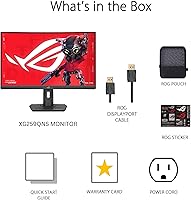
Setup is straightforward. The stand clips onto the monitor without tools, and the cable routing through the stand arm is simple enough. DisplayWidget Center software requires a separate download to get the desktop OSD control working, but the install process is quick. Most users should be up and running within 15 minutes of unboxing.

ASUS ROG products generally have a reliable warranty process, including a dead pixel policy and standard defect coverage. That said, warranty experiences can vary by region and the nature of the issue. Three years of coverage is above average for monitors in this segment, and it adds meaningful reassurance for a display at this price point. Keep your proof of purchase accessible just in case.

Where to Buy