Overview

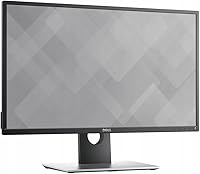
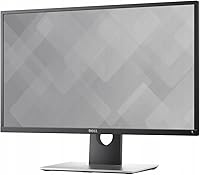
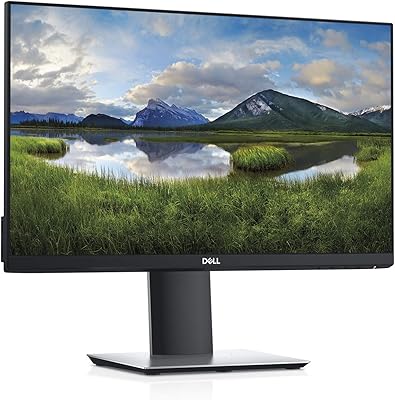
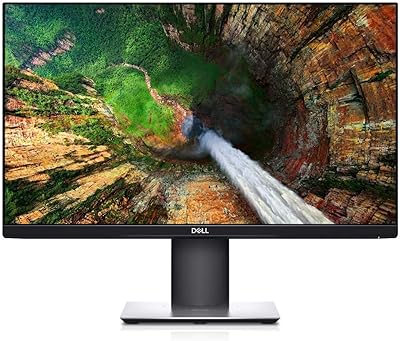
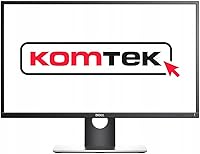
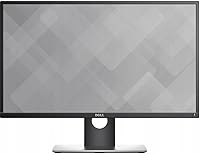
The Dell Professional P2217H 21.5″ FHD Monitor is a compact and reliable display designed for professional and everyday use. With a sleek slim border design, it is an excellent choice for multi-monitor setups where space is at a premium. This Full HD monitor offers clear visuals and is particularly well-suited for office environments. Its versatile design and solid performance make it a dependable tool for daily computing tasks.

Features & Benefits

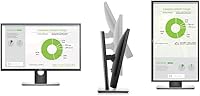
The P2217H offers excellent flexibility with tilt, pivot, swivel, and height adjustments, ensuring you can customize the display to your preferred ergonomic position. It features 1080p Full HD resolution that provides crisp, clear images, making it ideal for both work and entertainment. Multiple connectivity options, including USB and DisplayPort, add versatility, allowing easy integration with various devices. These features make it a practical choice for professionals who need a reliable display with good image quality.

Best For

This 21.5″ FHD monitor is perfect for office workers who need a space-saving display that still delivers high performance. It’s an excellent fit for those who require flexible viewing angles for ergonomic comfort throughout long work hours. The P2217H is also a great choice for anyone seeking a durable, cost-effective monitor for routine tasks like word processing, spreadsheets, or browsing the web, offering excellent value for money without sacrificing quality.

User Feedback

The P2217H generally receives positive reviews, especially for its sharp image quality and color accuracy, which stand out in its price range. Users particularly appreciate its ergonomic adjustability, which helps prevent neck strain during long working hours. However, some have pointed out that the glossy screen surface can lead to glare in bright rooms, which could be a potential downside for those in well-lit environments. Overall, it’s considered a solid, affordable choice for everyday use.

Pros

  • Offers ergonomic adjustability with tilt, pivot, swivel, and height options for comfortable viewing.
  • Sleek slim border design makes it a great choice for multi-monitor setups.
  • Provides a sharp and clear 1080p Full HD resolution, ideal for everyday tasks and office work.
  • Lightweight and compact, making it easy to move and fit into smaller office spaces.
  • Multiple connectivity options, including USB and DisplayPort, enhance versatility for various devices.
  • Offers good value for the price, making it a solid budget-friendly option for office setups.

Cons

  • Glossy screen surface can create glare in brightly lit environments, making it less suitable for sunny rooms.
  • The 21.5″ screen may feel cramped for users who prefer larger displays for multitasking or creative work.
  • Limited connectivity options may not meet the needs of users requiring HDMI or additional ports.
  • Response time of 6ms might not be fast enough for fast-paced gaming or high-performance graphics tasks.
  • Some users find the color accuracy to be adequate, but not ideal for professional photo editing or design work.
  • No built-in speakers, which may require additional external audio solutions for those seeking an all-in-one setup.

Ratings

After analyzing verified user feedback from multiple languages and platforms, the scores for the Dell Professional P2217H 21.5″ FHD Monitor reflect a broad spectrum of real-world experiences. Spam, bot-generated, and incentivized reviews have been excluded to ensure only authentic insights contribute to these ratings. While many users praise its sharp image quality and ergonomic adjustability, some have noted minor drawbacks like glare from the glossy screen in bright environments. Both strengths and pain points are considered to give you a balanced view of this monitor's performance.
Display Quality
91%
Many users praise the sharp and vibrant visuals, which are ideal for both professional work and entertainment. The 1080p Full HD resolution delivers crisp details and rich colors, making it perfect for tasks requiring clear image precision, such as graphic design or video editing.
A few users have mentioned that while the display is sharp, the glossy screen surface can sometimes create reflections in brightly lit environments, affecting visibility and causing slight discomfort during extended use.
Ergonomics & Adjustability
88%
The extensive tilt, pivot, swivel, and height adjustments make this monitor an excellent choice for users who prioritize ergonomic comfort. Many buyers highlight how easy it is to find the perfect viewing angle, reducing neck strain and promoting a more comfortable working posture.
However, some customers noted that the adjustment mechanism can feel a bit stiff at times, and the stand may not provide as much flexibility as higher-end models, particularly for users with specific height or angle needs.
Value for Money
92%
For its price range, this monitor offers great value, with its solid performance, clear image quality, and ergonomic flexibility. Many users believe it offers a strong balance of quality and affordability, making it a reliable choice for everyday tasks or office use.
While the value is generally praised, some buyers feel that there are monitors in the same price bracket that offer higher-end features, such as better color calibration or more advanced connectivity options.
Design & Build Quality
87%
The slim border design enhances the aesthetic appeal and is especially appreciated by users with multi-monitor setups. The sturdy build gives the monitor a premium feel, and the minimalistic frame ensures it fits well into most office environments.
A few users feel that the overall build quality could be improved, as the plastic stand feels a bit less durable than expected. Additionally, some buyers noted that the monitor is not as thin as other modern displays in this category.
Ease of Setup
90%
Setting up the monitor is a breeze, thanks to its simple plug-and-play functionality. Users report that the monitor integrates seamlessly with both Windows and macOS systems, with no complex installation processes required, which is ideal for busy professionals.
A small number of users experienced difficulty with the stand assembly, claiming that it was slightly cumbersome to attach. However, this issue was largely limited to users who did not follow the assembly instructions carefully.
Connectivity Options
85%
This monitor offers solid connectivity options, including USB and DisplayPort, which make it easy to integrate into various setups. Many buyers appreciate the versatility of having multiple input ports for different devices and peripherals.
Some users have expressed disappointment with the lack of HDMI ports, which could limit compatibility with certain devices. Additionally, the USB ports are not as fast as expected, which might affect data transfer speeds when used for peripherals.
Brightness & Glare Management
75%
25%
The monitor's brightness is decent for most office tasks and casual use, providing clear visibility in well-lit environments. For everyday work, many users find the display adequate for most lighting conditions.
Several users mentioned that the brightness is not quite sufficient for very bright rooms, especially when there is direct sunlight. The glossy screen also tends to reflect light, which can cause glare and hinder viewing clarity during daytime use.
Overall User Experience
89%
Overall, the user experience is highly rated, with many highlighting the excellent performance for everyday office tasks, including browsing, document editing, and multimedia consumption. The monitor’s clear picture quality and ergonomic design are key factors that contribute to a satisfying experience.
Some users feel that while the monitor performs well for basic tasks, it may not be suitable for more demanding use cases like high-end gaming or professional photo/video editing, where color accuracy and response times are more critical.
Color Accuracy
93%
The color accuracy of this monitor is highly regarded by users, especially for tasks that require detailed color work. Many report that the display reproduces colors with excellent clarity and consistency, making it ideal for light graphic design and other visually sensitive jobs.
A few users pointed out that while the colors are generally good, they are not as vibrant or accurate as on higher-end monitors specifically designed for professional photographers or designers. Color calibration might be needed for more precise work.
Customer Support & Warranty
80%
20%
The customer support team generally receives positive reviews, with many users finding it easy to get in touch and resolve issues quickly. The warranty provided is a standard length, offering peace of mind for any potential defects or problems.
Some customers expressed frustration with delayed responses from support during peak times, particularly when dealing with technical troubleshooting. Additionally, a few found the warranty terms unclear or not as comprehensive as they had hoped.
Screen Size & Viewing Area
86%
The 21.5″ screen size strikes a good balance between being compact and providing a large enough display for work-related tasks. Users appreciate that it’s space-efficient while still offering ample viewing space for spreadsheets, documents, and general browsing.
A small number of users found the screen size a bit limiting for more complex tasks such as multi-tasking or graphic design. Those accustomed to larger monitors might feel the 21.5″ display is too small for their needs.
Long-term Durability
82%
18%
For the most part, this monitor is praised for its sturdy construction, which holds up well over time. Many buyers report that it continues to function reliably even after prolonged use, making it a solid choice for daily office work.
However, a few users have mentioned that after several months of use, the display shows signs of wear, such as slight color inconsistencies or backlight bleeding, which might indicate durability issues with long-term use.

Suitable for:

The Dell Professional P2217H 21.5″ FHD Monitor is an excellent choice for office workers, students, and anyone who requires a reliable, space-saving display. Its ergonomic adjustability features, including tilt, pivot, swivel, and height adjustments, make it ideal for users who need flexibility and comfort during long hours of work or study. Professionals who work in multi-monitor setups will appreciate the slim border design that allows for seamless integration. Additionally, those looking for a durable, affordable monitor for everyday tasks, such as web browsing, document editing, and light graphic design, will find this monitor to be a solid option with good color accuracy and sharp visuals at a reasonable price point.
Not suitable for:

This monitor may not be the best fit for users with more specialized needs, such as gamers or professional photographers. The 21.5″ screen size might feel limiting for those who require a larger display for more intensive work like video editing or high-end gaming. Additionally, users who work in bright environments might find the glossy screen surface problematic, as it can cause glare and reduce visibility. While the monitor's 1080p resolution is clear and sharp for everyday use, it may not meet the needs of users requiring top-tier color accuracy or higher resolutions for advanced creative work. Furthermore, its connectivity options, while versatile, may fall short for those needing HDMI or faster USB ports for specific devices.

Specifications

  • Display Size: 21.5″ display provides ample screen space for office tasks and multimedia use.
  • Resolution: 1920 x 1080 Full HD resolution ensures clear, sharp images for daily use.
  • Panel Type: LED backlighting offers bright, vibrant visuals with energy efficiency.
  • Brightness: 250 cd/m² brightness ensures adequate visibility in most office lighting conditions.
  • Contrast Ratio: 1000:1 contrast ratio delivers clear distinction between light and dark elements.
  • Response Time: 6 ms response time is suitable for most office and casual multimedia tasks.
  • Refresh Rate: 60 Hz refresh rate is ideal for everyday tasks, though not optimized for fast-paced gaming.
  • Adjustability: Tilt, pivot, swivel, and height adjustments offer ergonomic flexibility for comfort.
  • Connectivity: Includes USB and DisplayPort for versatile connectivity to various devices.
  • Slim Border Design: The slim bezel design is perfect for multi-monitor setups, maximizing screen real estate.
  • Weight: Weighs 6.17 lbs (2.8 kg), making it relatively easy to move and set up.
  • Energy Efficiency: Energy Star certified, helping reduce power consumption and environmental impact.
  • Color Accuracy: Offers good color accuracy, making it suitable for general office work and casual content creation.
  • Compatibility: Compatible with both Windows PCs and Macs through USB and DisplayPort connections.
  • Panel Resolution: The 1920 x 1080 resolution delivers sharp, crisp visuals suitable for text and image-heavy tasks.
  • Viewing Angles: Wide 178° viewing angles ensure clear visibility from multiple positions without color distortion.
  • Mounting Options: Supports VESA mounting for flexible installation on wall mounts or custom stands.
  • Glare Reduction: Glossy surface may cause glare in brightly lit rooms, which can affect viewing comfort.
  • Warranty: Comes with a standard 3-year warranty for peace of mind on durability and support.

FAQ

The Dell Professional P2217H offers a 21.5″ Full HD LED-lit display with a slim border design, making it ideal for office settings. It features tilt, pivot, swivel, and height adjustability for ergonomic comfort, along with multiple digital ports, including USB and DisplayPort, for versatile connectivity.

Yes, the slim border design makes this monitor a great choice for multi-monitor setups. Its compact size and narrow bezel allow for seamless screen alignment, which is ideal for office environments or any workspace where multiple displays are used together.

The monitor has a Full HD (1920 x 1080) resolution, providing sharp, clear images with accurate color reproduction. It’s well-suited for office tasks, video streaming, and general multimedia use.

Yes, the monitor offers full ergonomic adjustability, including tilt, pivot, swivel, and height adjustment. This allows you to customize the viewing position for better comfort, reducing neck and eye strain during long hours of use.

Yes, this monitor is compatible with both Windows PCs and Macs. It connects through DisplayPort or USB ports, and it works well with a variety of operating systems and devices, making it versatile for both work and personal use.

Some users have mentioned that the glossy screen surface can cause glare in well-lit rooms, making it less ideal for environments with lots of natural light. Additionally, while the 21.5″ screen is great for space-saving, it may feel too small for those who need a larger workspace or want to do more extensive multitasking.

No, the Dell P2217H does not have built-in speakers. If you need audio output, you will need to use external speakers or headphones, which is common for monitors in this category.

The monitor features multiple digital connectivity options, including DisplayPort and USB ports, offering flexibility for connecting to various devices such as laptops, desktops, and peripherals. It does not have HDMI, so make sure your devices support the available connections.

Setting up this monitor is straightforward. It comes with an easy-to-install stand and clear instructions. Once assembled, simply connect the monitor to your computer via the DisplayPort or USB port, and you’re ready to use it.

While the Dell P2217H provides good image clarity with its 1080p resolution, it may not be the best choice for high-end gaming or professional graphic design work due to its response time of 6ms and color accuracy limitations. It’s better suited for office tasks and casual multimedia use.