Overview

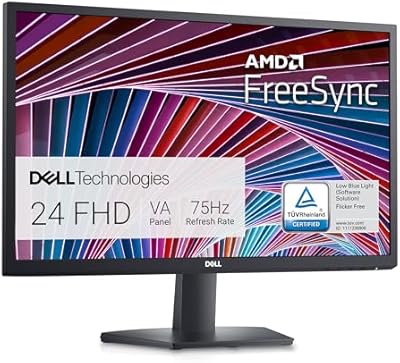
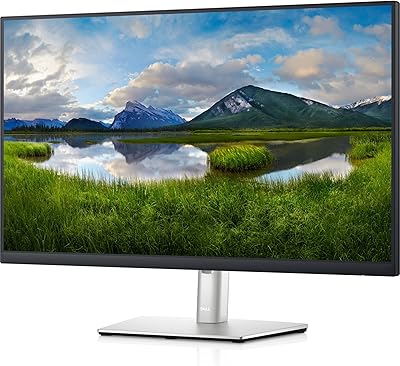
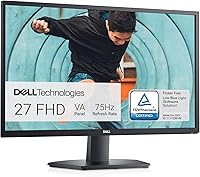
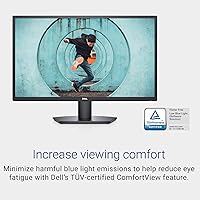
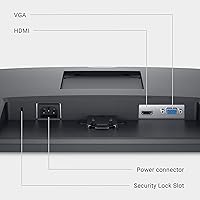
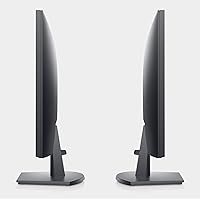
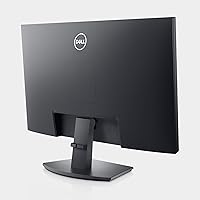
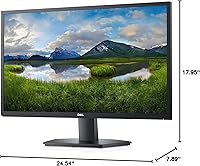
The Dell SE2722HX 27-inch FHD Monitor is a reliable, cost-effective display designed to enhance your workspace. With its sleek, space-saving design, this 27-inch screen delivers vibrant Full HD visuals, perfect for both home office and everyday use. The matte anti-glare screen helps reduce reflections, while the TUV-certified ComfortView feature ensures reduced eye strain during long hours of use. The monitor supports both HDMI and VGA inputs, offering versatile connectivity options for a variety of devices, making it a practical choice for multiple setups.

Features & Benefits

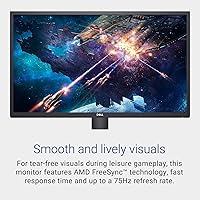
This Dell monitor offers a solid performance with a 75Hz refresh rate, providing smoother visuals compared to standard displays. The 4ms response time ensures clearer motion, making it ideal for general office tasks and light multimedia. Its wide 178° viewing angle ensures consistent image quality, even from the sides. Additionally, the built-in cable management system helps keep your workspace neat and organized, while its ergonomic tilt adjustment feature offers added comfort during extended use. For users seeking a budget-friendly yet capable display, this monitor provides a balanced mix of functionality and convenience.

Best For

This 27-inch Full HD display is best suited for home office setups where reliability and space efficiency are key. It’s also an excellent option for business users who need a secondary monitor for enhanced productivity. Those seeking a versatile screen for general use, from browsing to office tasks, will appreciate its simplicity and ease of use. Additionally, it caters to users who are looking for a combination of affordability and performance without compromising on essential features like connectivity and eye comfort.

User Feedback

Overall, users appreciate the sharp, clear image quality this Dell monitor offers for both work and leisure activities. Many have highlighted the adjustable tilt feature as a great addition for ergonomic comfort. However, some reviewers noted that while the screen performs well for everyday tasks, the color accuracy might not meet the needs of professionals engaged in photo or video editing. That said, most agree that it provides excellent value as a second monitor, praised for its affordability and reliable performance in everyday use.

Pros

  • This 27-inch monitor provides a large, clear display for multitasking and productivity.
  • ComfortView technology reduces eye strain, making it suitable for long hours of use.
  • The adjustable tilt feature ensures ergonomic comfort, which is appreciated by users.
  • The 178° wide viewing angle offers consistent image quality from various positions.
  • With HDMI and VGA inputs, this monitor is versatile and compatible with a range of devices.
  • Its matte anti-glare screen minimizes reflections, improving visibility in bright rooms.

Cons

  • Some users report that the color accuracy is not suitable for professional photo or video editing.
  • The 75Hz refresh rate may feel too low for fast-paced gaming or intensive video work.
  • The build quality feels somewhat basic, lacking the sturdiness of higher-end monitors.
  • The monitor may not be durable enough for heavy use in demanding environments.
  • The cable management system is basic and doesn’t fully eliminate clutter for some users.
  • While good for general tasks, the monitor’s resolution may be insufficient for detailed design work.

Ratings

After analyzing verified user feedback from multiple platforms and countries, the overall satisfaction with the Dell SE2722HX 27-inch FHD Monitor reflects a balanced mix of strengths and minor pain points. Authentic reviews from a wide range of users were considered, ensuring that only quality, genuine opinions were included. Both the positives and drawbacks of this product have been thoughtfully captured in the following ratings, offering a comprehensive view of its performance and value.

Value for Money
91%
Many users highlight that this device provides a strong balance of performance and affordability. The screen size, Full HD resolution, and reliable functionality make it an excellent choice for users who need a cost-effective monitor for general office tasks or light entertainment.
Some buyers feel that the lower refresh rate of 75Hz may not satisfy users who need a monitor for fast-paced gaming or high-performance applications. Additionally, there are occasional concerns about the overall build quality being a bit too basic for those seeking a premium feel.
Display Quality
87%
The display offers clear, sharp visuals with a wide viewing angle, making it perfect for both work and casual use. The matte anti-glare finish ensures that reflections are minimized, which is appreciated by many working in bright environments or at multiple angles.
While the resolution and clarity are good for everyday use, some users find the color reproduction lacking, especially in tasks that require high color accuracy like photo editing. It’s not ideal for professionals who rely on precise color matching in their work.
Build Quality
83%
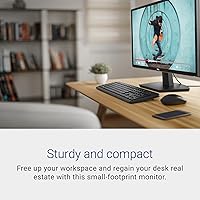
The monitor’s design is sleek and space-saving, making it a good fit for compact desk setups. It’s lightweight yet sturdy, which is appreciated by users who need a monitor that’s both practical and easy to move around when necessary.
A few buyers have expressed concerns about the plastic build, which feels somewhat cheap compared to higher-end monitors. The stand, while functional, lacks advanced adjustability features beyond basic tilt, limiting its flexibility for some users.
Ease of Setup
88%
Setup is straightforward and quick, with clear instructions. Users appreciate that it doesn’t require any complex software installation, making it a hassle-free addition to any workspace. Both HDMI and VGA inputs ensure versatility with various devices.
Although setup is easy, a small number of users report issues with the stand being slightly difficult to assemble or align properly. There are also occasional complaints about the monitor’s settings not being intuitive enough, requiring adjustments for optimal display quality.
Ergonomics & Comfort
85%
The adjustable tilt feature is a big plus for users who want to customize their viewing angles for comfort. Additionally, the TUV-certified ComfortView feature helps reduce eye strain, making it suitable for long hours of use, whether working or watching videos.
While the tilt feature is useful, the monitor lacks height and swivel adjustments, which could be a drawback for users who need more flexible ergonomic options. Some people also note that the screen's positioning can’t be adjusted enough to suit very specific seating arrangements.
Connectivity
89%
The Dell monitor’s range of connectivity options, including both HDMI and VGA ports, ensures that users can easily connect it to various devices, from laptops to older desktop PCs. The flexibility in input options is a significant advantage for mixed-use environments.
Despite its versatile connectivity, a few users have mentioned that it lacks newer ports like DisplayPort or USB-C, which may be limiting for those with more advanced hardware setups. Additionally, the VGA port may not appeal to users looking for the best image quality from modern devices.
Eye Comfort (ComfortView)
90%
The ComfortView feature is one of the standout advantages for this model. It effectively reduces blue light emissions, which helps prevent eye strain during extended use. This makes it a great choice for users who spend long hours working or browsing.
While ComfortView is an excellent addition, it may not be as effective for users who are extremely sensitive to screen glare or brightness. Some users feel that the feature doesn't completely eliminate all discomfort during prolonged sessions, especially when used without additional lighting adjustments.
Performance in Office Use
85%
For everyday office tasks such as document editing, browsing, and video conferencing, this monitor performs well. It provides crisp visuals that make text and images easy to view, contributing to a pleasant working experience without any noticeable lag or distractions.
Some users find that the screen could benefit from a higher refresh rate for smoother performance during more demanding tasks, such as multitasking with multiple apps or large spreadsheets. It may not be the best choice for users who need ultra-fast response times for specific professional applications.
Color Accuracy
70%
30%
The screen is fine for general use, and many users appreciate the clarity and sharpness it offers for everyday tasks. Its decent contrast and color vibrancy can be sufficient for casual viewing of videos and images.
For professional work involving color-sensitive tasks like photo or video editing, the color accuracy falls short. Many users report that the colors appear washed out or inconsistent across different content, which limits the monitor’s usability for creative professionals.
Versatility for Multitasking
82%
18%
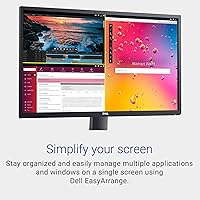
The 27-inch screen size provides ample real estate for multitasking, allowing users to comfortably manage multiple windows side-by-side. The Full HD resolution ensures that content remains clear even when several applications are open at once.
While the screen is large enough for multitasking, some users feel that the 75Hz refresh rate holds it back in more demanding scenarios, such as heavy multitasking or high-speed video editing. Additionally, the lack of advanced display features like picture-in-picture limits its overall versatility.
Tilt Adjustment Feature
80%
20%
The tilt adjustment feature is simple but effective for most users, allowing for quick changes to the viewing angle. It helps users find a comfortable position during long hours of use, reducing strain on the neck and eyes.
The tilt adjustment is limited compared to more premium monitors with height and swivel adjustments. Some users feel that it’s not enough for achieving the perfect ergonomic setup, especially in workspaces where users need more flexibility in positioning.
Durability
78%
22%
The monitor is generally sturdy and well-suited for regular use, with a design that is simple but functional. Most users find it durable enough for long-term use in home or office environments.
While the monitor holds up well for everyday use, some buyers report issues with the stand wobbling or the screen becoming slightly unsteady when adjusted. Others feel that the overall build quality doesn’t match the higher-end models in terms of long-term durability.

Suitable for:

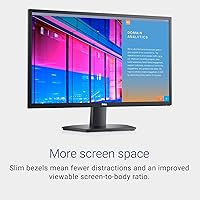
The Dell SE2722HX 27-inch FHD Monitor is ideal for users looking for an affordable, reliable option for general office use, home office setups, and light multimedia tasks. Its 27-inch size and Full HD resolution offer ample screen space for multitasking, making it perfect for productivity-focused individuals such as business professionals, students with limited budgets, or casual users who need a secondary display. The adjustable tilt and TUV-certified ComfortView also make it a great choice for those who work for extended hours, reducing eye strain and providing ergonomic comfort.

Not suitable for:

However, this monitor may not be the best choice for professionals who require precise color accuracy, such as those involved in photo or video editing. The color reproduction falls short for tasks that demand high fidelity, and the 75Hz refresh rate may also be limiting for users who need smoother motion, particularly in fast-paced gaming or video production. Additionally, those who require more advanced ergonomic adjustments or premium build quality might find this monitor's features insufficient for their needs.

Specifications

  • Screen Size: 27 inches, providing ample screen space for work and entertainment.
  • Resolution: 1920x1080 (Full HD) for clear and sharp visuals.
  • Display Type: Matte anti-glare screen to reduce reflections and improve visibility.
  • Refresh Rate: 75Hz, offering smoother visuals for general tasks and casual gaming.
  • Response Time: 4ms, ensuring quick transitions and minimal motion blur.
  • Viewing Angle: 178° wide viewing angle for consistent image quality from various positions.
  • Connectivity: Supports HDMI and VGA inputs for versatile connection options.
  • Tilt Adjustment: Allows adjustable tilt for improved ergonomic comfort.
  • ComfortView: TUV-certified technology to reduce blue light and minimize eye strain.
  • Cable Management: Built-in cable management system to keep wires organized and reduce clutter.
  • Color: Black, providing a sleek and modern look that fits well in most setups.
  • Power Consumption: Energy-efficient design for lower power usage during operation.
  • Dimensions: Measures 24.2 inches x 17.1 inches x 7.3 inches with the stand.
  • Weight: Weighs approximately 6.2 kg, making it easy to place or move.
  • Compatibility: Works with most PCs, laptops, and devices that support HDMI or VGA.
  • Mounting: Supports VESA mounting for flexible mounting options (75mm x 75mm).
  • Stand Type: Includes a tilt-adjustable stand for ergonomic flexibility.
  • Warranty: Comes with a 3-year limited hardware warranty for peace of mind.
  • Certification: Meets various environmental standards, including TCO certification for sustainability.

FAQ

The Dell SE2722HX is a 27-inch Full HD monitor with a sleek, space-saving design, featuring a matte anti-glare screen. It supports HDMI and VGA inputs for flexible connectivity, and includes TUV-certified ComfortView technology to reduce eye strain during prolonged use.

You can easily adjust the tilt of this monitor to find your ideal viewing angle. The stand allows for tilt adjustments within a range of -5° to 21°, providing ergonomic comfort for long hours of work or leisure.

The Dell SE2722HX has a 75Hz refresh rate, which is adequate for casual gaming and general use. However, for competitive gaming or high-speed action, a monitor with a higher refresh rate (120Hz or more) might be preferable.

Yes, the Dell SE2722HX is compatible with most gaming consoles that support HDMI, such as PlayStation and Xbox. The 75Hz refresh rate and 1920x1080 resolution provide a solid experience for casual gaming, although it's not designed for high-end, fast-paced gaming.

This monitor supports both HDMI and VGA inputs, making it versatile for connecting to a wide range of devices, including computers, laptops, and older equipment that might require VGA.

While the Dell SE2722HX offers good general image quality, its color accuracy may not meet the requirements for professional photo or video editing. If you require precise color reproduction for editing, a higher-end monitor with factory-calibrated colors might be a better choice.

ComfortView is a TUV-certified technology that reduces blue light emissions from the screen, which can help alleviate eye strain during prolonged use. It’s particularly useful for users who spend long hours working or gaming in front of the monitor.

The Dell SE2722HX supports a maximum resolution of 1920x1080 (Full HD), which is ideal for general tasks like office work, web browsing, and watching videos. It’s a solid option for users who don't need ultra-high resolutions.

Setting up the Dell SE2722HX is straightforward. Simply attach the stand to the monitor using the provided screws, connect it to your device via HDMI or VGA, and you’re good to go. The monitor is plug-and-play with most systems, requiring minimal configuration.

No, the Dell SE2722HX does not have built-in speakers. You will need to connect external speakers or headphones to your device for audio output. However, this monitor focuses on visual quality and performance rather than sound.