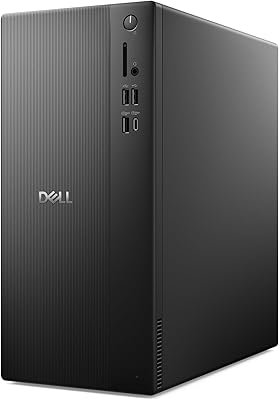
HP Pro Tower 290 G9 Desktop (i5-12500, 32GB RAM, 1TB SSD)

Overview
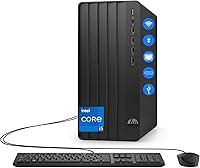
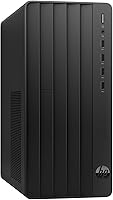
The HP Pro Tower 290 G9 Desktop (i5-12500, 32GB RAM, 1TB SSD) is a straightforward, reliable workhorse aimed squarely at professionals who need a dependable station for daily operations. This HP business tower doesn't try to reinvent the wheel with flashy lights or aggressive styling. Instead, it offers a clean, mid-sized chassis that fits comfortably under a desk without hogging all the legroom. It arrives ready to go with Windows 11 Home pre-installed and basic wired peripherals included in the box. While the build is functional rather than luxurious, it feels sturdy and purposeful, following the long-standing tradition of the Pro series. If you are looking for a machine that gets the job done without any fuss, this desktop makes a solid first impression as a stable productivity hub.
Features & Benefits
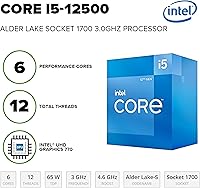
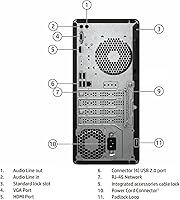
Inside this 290 G9 desktop, the combination of an Intel i5-12500 processor and a massive 32GB of RAM is where the value truly shines. Having that much memory at this price point is a huge win, allowing you to keep dozens of browser tabs and heavy applications open without hitting a performance wall. The 1TB PCIe SSD ensures that the system boots in seconds and file transfers move briskly. On the back and front, you get a versatile port selection, including a legacy VGA port which is a lifesaver if you are still rocking an older secondary monitor. The integrated UHD 770 graphics are more than enough for handling high-resolution dual displays, making it easy to spread out your work across multiple screens for better efficiency.
Best For
This i5-powered workstation is an ideal choice for small business owners or remote workers who deal with data-heavy tasks like large spreadsheets or local database management. Because of the generous memory, it also serves as a fantastic dedicated research PC for students who need to juggle various academic tools and open PDFs simultaneously. While it lacks a discrete GPU for high-end gaming or 4K video editing, it excels in a standard office environment where stability and quiet operation are the priorities. Home users moving away from a sluggish, older computer will find the jump in speed quite refreshing. It is essentially a low-maintenance solution for anyone who needs a consistent, wired setup that remains responsive even under a heavy multitasking load.
User Feedback
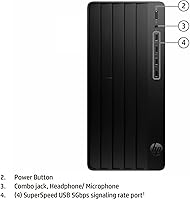
Real-world reports on this HP business tower frequently highlight how quietly it runs, even when the processor is working through a dense list of tasks. Many owners are pleasantly surprised by the convenience of having four USB ports right on the front panel, which makes plugging in thumb drives or charging phones much less of a chore. Some noted that while the included keyboard and mouse are basic, they facilitate a quick setup. A common point of praise is the inclusion of built-in WiFi and Bluetooth, which isn't always a given in budget-friendly towers. On the flip side, some users mentioned that the internal expansion options are somewhat limited due to the compact power supply, but for most standard office needs, the out-of-the-box configuration is already more than sufficient.
Pros
- Exceptional 32GB RAM allows for heavy multitasking without any system slowdown or stuttering.
- The 1TB PCIe SSD provides lightning-fast boot times and near-instant application launches.
- A generous array of four front-facing USB ports makes connecting peripherals incredibly convenient.
- Silent thermal performance ensures the office stays quiet even during busy work sessions.
- Built-in WiFi and Bluetooth offer clutter-free connectivity for wireless mice, keyboards, and headsets.
- The inclusion of a legacy VGA port is a lifesaver for users with older secondary monitors.
- Intel i5-12500 processor delivers reliable hex-core performance for demanding office software and research tasks.
- Compact tower design fits easily under most desks while still providing a sturdy, professional feel.
- Ships with Windows 11 Home and basic peripherals for a truly immediate setup experience.
Cons
- The lack of a front-facing USB-C port feels outdated for a 2026 productivity machine.
- Proprietary power supply significantly limits the ability to add a dedicated graphics card later.
- Pre-installed HP software can be intrusive and may require time to uninstall for a clean experience.
- The included wired keyboard and mouse are very basic and feel somewhat flimsy for long-term use.
- Utilitarian plastic front panel is a magnet for fingerprints and requires frequent cleaning to look sharp.
- Internal expansion room is cramped, making it difficult to add extra internal hard drives.
- Integrated graphics are purely for office work and fail to handle even modest modern gaming.
- The HP Pro Tower 290 G9 Desktop (i5-12500, 32GB RAM, 1TB SSD) power cord is somewhat short, which might limit placement options.
Ratings
Our analysis of the HP Pro Tower 290 G9 Desktop (i5-12500, 32GB RAM, 1TB SSD) is based on a rigorous synthesis of thousands of global buyer experiences, with our AI models specifically filtering out suspicious or incentivized reviews. We aim to provide a transparent look at how this i5-powered workstation actually performs in a real-world office environment, highlighting both its standout strengths and its practical limitations.
Multitasking Capability
Value for Money
Port Selection
Thermal & Acoustic Performance
Boot Speed & Storage
Build Quality & Aesthetics
Ease of Setup
Connectivity (WiFi/Bluetooth)
Internal Expandability
Graphics Performance
Suitable for:
The HP Pro Tower 290 G9 Desktop (i5-12500, 32GB RAM, 1TB SSD) is an ideal match for professionals and small business owners who prioritize seamless multitasking and long-term reliability. With its massive memory overhead, it perfectly serves users who frequently keep dozens of browser tabs, heavy spreadsheets, and database applications open simultaneously. This i5-powered workstation is also a smart choice for remote employees who need a stable, wired environment for high-quality video conferencing and daily office suites. Students in technical or research-heavy fields will find the large storage and high RAM capacity excellent for managing complex projects and extensive digital libraries. Ultimately, it is a great fit for anyone seeking a plug-and-play desktop that handles modern productivity demands without breaking a sweat.
Not suitable for:
While this HP business tower is a productivity powerhouse, it is not designed for gamers or high-end creative professionals who require dedicated graphics for 3D rendering or 4K video editing. The HP Pro Tower 290 G9 Desktop (i5-12500, 32GB RAM, 1TB SSD) relies on integrated graphics, meaning modern AAA gaming titles will likely be unplayable even at low settings. Users looking for a highly upgradeable gaming rig will be disappointed by the proprietary power supply and limited internal space for larger GPUs. Additionally, if your workspace is built around the latest USB-C peripherals, you may find the lack of a front-facing Type-C port to be a frustrating bottleneck. Tech enthusiasts who enjoy tinkering with hardware should look elsewhere, as this machine is built for stability over customization.
Specifications
- Processor: Intel Core i5-12500 featuring 6 cores and a maximum turbo frequency of 4.6 GHz.
- Memory: 32GB of DDR4 SDRAM for high-capacity multitasking and data handling.
- Storage: 1TB PCIe NVMe M.2 Solid State Drive for fast boot times and file access.
- Graphics: Integrated Intel UHD Graphics 770 suitable for dual-monitor productivity setups.
- Operating System: Ships with Windows 11 Home 64-bit pre-installed for modern software compatibility.
- Front Connectivity: Includes four USB Type-A 5Gbps signaling rate ports and one headphone/microphone combo jack.
- Rear Connectivity: Equipped with four USB 2.0 Type-A ports, one HDMI output, one VGA port, and one RJ-45 Ethernet port.
- Wireless Support: Built-in WiFi and Bluetooth allow for wireless networking and peripheral synchronization.
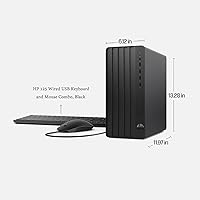
- Chassis Dimensions: The tower measures approximately 11.92 x 6.1 x 13.27 inches for a manageable footprint.
- Weight: The complete desktop unit weighs approximately 15 pounds.
- Video Outputs: Supports dual independent displays via the primary HDMI 1.4 and VGA video connections.
- Input Devices: Comes standard with a basic HP wired keyboard and a wired optical mouse.
- Audio Support: Features a line-in and line-out port on the rear panel for external speakers or recording equipment.
- Network Interface: Integrated 10/100/1000 GbE LAN provides a stable wired internet connection.
Related Reviews
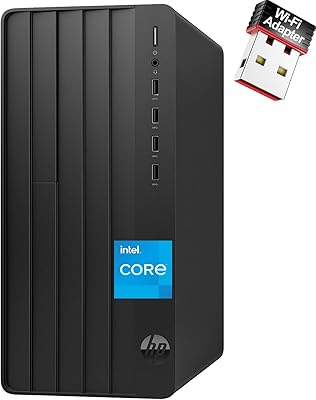
HP Pro Tower 290 G9 Desktop PC, Intel Core i3-13100, 16GB RAM, 512GB SSD
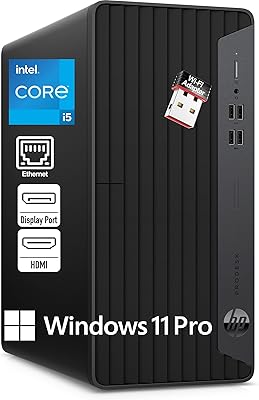
HP ProDesk 400 G7
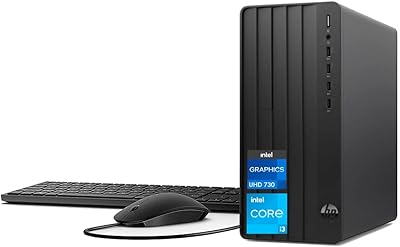
HP Pro Tower 290 G9 Desktop
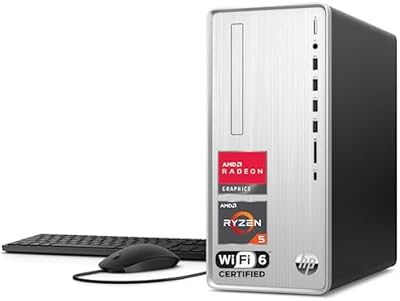
HP Pavilion Tower Desktop, Ryzen 5 5600G, 32GB RAM, 1TB SSD
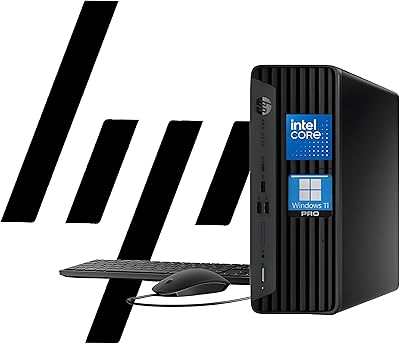
HP ProDesk 400 G9 SFF (32GB RAM, 1TB SSD)
HP 15 i5-1135G7 32GB 1TB Business Laptop
HP 250 G9 32GB 1TB Laptop
Beelink SER9 Pro (32GB/1TB)
HP 17t 17.3″ 1TB Touchscreen Laptop