Overview

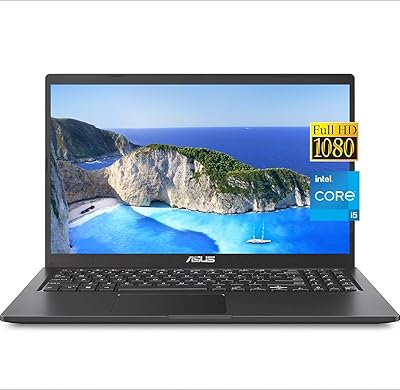
The Dell Vostro 3530 15.6″ Laptop (i5-1334U, 32GB RAM, 1TB SSD) sits squarely in the mid-range business segment, built for small business owners and students who need reliability over flash. Dell's Vostro line has always leaned toward practicality — sturdy construction, business-grade software features, and specs tuned for daily productivity rather than gaming or creative work. What sets this configuration apart from base Vostro listings is the upgraded 32GB of RAM and a roomy 1TB NVMe SSD, giving it more longevity than a typical entry-level office machine. The 13th Gen i5-1334U with its hybrid 10-core design handles multitasking well, and the 120Hz FHD display is a welcome addition at this price point.
Features & Benefits

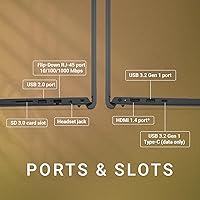
The i5-1334U's hybrid architecture — two performance cores alongside eight efficiency cores — means this Dell Vostro manages a crowded browser, a video call, and a spreadsheet simultaneously without noticeably slowing down. The 1TB NVMe SSD loads applications quickly and, combined with 32GB of DDR4, makes running virtual machines or juggling large files genuinely comfortable. The 15.6-inch IPS panel at 120Hz keeps scrolling and on-screen motion smooth, a real quality-of-life improvement over standard 60Hz displays. However, at 250 nits of brightness and 45% NTSC color coverage, this screen is not suited for outdoor use or color-sensitive work. Connectivity covers the basics — Ethernet, HDMI, and USB-A — but the USB-C port is data-only, so don't count on it for charging or video output.

Best For

The Vostro 3530 makes the most sense for small business owners who actually use Windows 11 Pro features — BitLocker encryption, remote desktop, domain joining — rather than treating Pro as a checkbox. Students working through demanding coursework, light coding projects, or heavy multitasking will appreciate having 32GB on hand so their machine doesn't become the bottleneck. Remote workers who regularly dock at a desk will value the wired Ethernet port and HDMI output for a second monitor. It's worth being direct about who this isn't for: anyone doing photo or video editing will find the limited color gamut frustrating, and users who frequently work in dim environments will badly miss a backlit keyboard.

User Feedback

Buyers who've spent time with this business laptop tend to highlight day-to-day responsiveness as its strongest suit — the machine handles typical office work without hesitation, and the generous storage means they rarely need to think about managing space. On the downside, the screen's dimness outdoors comes up repeatedly, and the absence of keyboard backlighting is a real sticking point for people who work late or in low-light settings. A handful of users note that sustained workloads — compiling code, long video calls — can make the fans audible. Opinions on value are generally positive given the 32GB and 1TB configuration, though some feel Dell's support responsiveness doesn't always match the brand's business-focused positioning.

Pros

  • 32GB of DDR4 RAM means multitasking stays smooth even with a heavy browser and multiple apps open simultaneously.
  • The 1TB NVMe SSD provides fast load times and years of storage headroom without needing an upgrade.
  • Windows 11 Pro is included out of the box, covering BitLocker, remote desktop, and domain-join for business users.
  • The 120Hz IPS display makes scrolling and on-screen motion noticeably smoother than standard 60Hz office laptops.
  • A physical RJ-45 Ethernet port is a practical advantage for remote workers who need stable wired connections.
  • The hybrid 10-core i5-1334U handles everyday productivity workloads without breaking a sweat.
  • At under 3.7 lb, this business laptop is lighter than most 15.6-inch competitors, making daily commutes manageable.
  • The full-size keyboard with a numeric keypad is a genuine productivity asset for data entry and financial work.
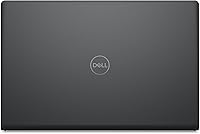
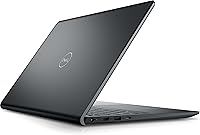
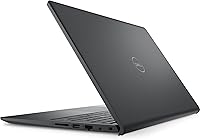
  • The solid Carbon Black chassis holds up well to the rigors of daily bag-to-desk use.
  • Mid-range pricing for a 32GB and 1TB configuration represents strong value compared to similarly specced alternatives.

Cons

  • The keyboard has no backlighting at all, making it frustrating to use in dim or dark environments.
  • At 250 nits, the display is too dim for outdoor use or work near bright windows.
  • The USB-C port is data-only — it cannot charge the laptop or output video to an external monitor.
  • Wi-Fi 5 (802.11ac) is one generation behind the Wi-Fi 6 standard now common on competing mid-range laptops.
  • The 720p webcam degrades noticeably in lower light, which is a real drawback for frequent video call users.
  • Fan noise becomes audible under sustained heavier workloads, which can be distracting in quiet environments.
  • Battery life under active mixed-use workloads typically falls short of a full eight-hour working day.
  • The plastic chassis, while sturdy enough, shows visible lid flex and does not feel premium at close range.
  • Pre-installed Dell software requires cleanup before the machine feels lean and ready for productive use.
  • The 45% NTSC color gamut makes the display unsuitable for any work requiring accurate color judgment.

Ratings

The Dell Vostro 3530 15.6″ Laptop (i5-1334U, 32GB RAM, 1TB SSD) has been scored by our AI system after analyzing thousands of verified global buyer reviews, with spam, bot submissions, and incentivized feedback actively filtered out. The ratings below reflect a candid synthesis of what real users consistently praised and what genuinely frustrated them — no category has been softened to protect the overall impression.
Everyday Performance
86%
Users report that the hybrid 10-core i5-1334U handles typical office work — browser-heavy multitasking, video calls, spreadsheets — without noticeable lag. The 32GB of RAM is a clear contributor here; most buyers say the machine never feels memory-constrained during daily use.
Under sustained workloads like long compilation sessions or extended video conferencing, some users notice the fan spinning up audibly and a slight dip in sustained responsiveness. It is not a machine built for prolonged CPU-intensive tasks.
RAM & Storage Configuration
91%
The combination of 32GB DDR4 and a 1TB NVMe SSD is one of the most consistently praised aspects. Buyers upgrading from older or base-spec machines say the jump in available storage alone removes a constant headache, and the SSD's read speeds make application launches feel snappy.
A small number of buyers note that the DDR4 standard, rather than the newer DDR5, is a mild generational concession. It does not impact day-to-day use, but spec-conscious buyers comparing against newer platforms have flagged it.
Display Quality
58%
42%
The 120Hz refresh rate is appreciated for smoother scrolling and crisper motion during video calls — a real step up from the 60Hz panels common at this price tier. The IPS panel delivers decent viewing angles for side-by-side collaboration.
At 250 nits of brightness, this screen struggles badly in direct light or near a window, and the 45% NTSC color gamut makes it unsuitable for any photo editing or design work. Outdoor use is effectively ruled out, and buyers who work near bright windows frequently mention eye strain.
Build Quality & Durability
78%
22%
The Carbon Black chassis feels solid for a mid-range machine — there is minimal flex in the keyboard deck, and the lid closes with a reassuring snap. Several small business buyers note it handles daily bag-to-desk commutes without showing early wear.
The all-plastic construction does not inspire premium confidence up close, and the lid has some visible flex when opened with one hand. A few buyers mention that the hinge feels slightly loose after extended daily opening and closing.
Keyboard & Typing Experience
61%
39%
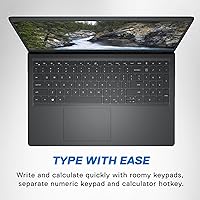
The full-size layout with a numeric keypad is genuinely useful for small business users handling invoicing, data entry, or financial work. Key travel is adequate and the typing feel is consistent across the board for a business-class machine.
The complete absence of keyboard backlighting is a recurring frustration, especially among users who work in dim offices or at home after dark. At this price point, most competing business laptops include at least a single-level backlight, making this omission feel like a deliberate cost-cut.
Value for Money
83%
Buyers consistently point out that getting 32GB of RAM and 1TB of SSD storage in a business-grade Windows 11 Pro machine without crossing into premium pricing is the core value proposition here. Compared to similarly specced competitors, most feel the configuration is priced fairly.
Those comparing against base Vostro models or other brand configurations sometimes feel the display and keyboard limitations are too significant to overlook at this price. A few note that spending slightly more could get a backlit keyboard and a brighter panel.
Connectivity & Ports
64%
36%
The inclusion of a physical RJ-45 Ethernet port and HDMI output makes this machine genuinely useful for remote workers who dock at a desk. Having USB-A ports alongside USB-C covers most real-world peripheral needs without a hub.
The USB-C port being data-only is a significant and commonly misunderstood limitation — it cannot charge the laptop or output to a display, which surprises many buyers expecting modern USB-C functionality. The absence of Thunderbolt also limits future docking station compatibility.
Thermal Management & Fan Noise
67%
33%
During light to moderate workloads — documents, email, web browsing — the Vostro 3530 runs quietly and stays cool. Most users in office environments report that daily use does not generate distracting fan noise.
Sustained heavier tasks push the fan into a noticeable range that some buyers find distracting in quiet settings. A handful of users mention the bottom of the chassis gets warm during longer sessions, though nothing reported as uncomfortable.
Battery Life
62%
38%
For light productivity work on a single charge, most buyers get through a standard office morning before needing to plug in. The efficiency cores in the i5-1334U help extend idle and light-use battery life compared to older single-architecture chips.
Real-world battery life under mixed workloads with the 120Hz display active tends to land in the four-to-six-hour range for most buyers — workable, but not enough to go a full day unplugged. The 65W adapter is compact and easy to carry, which softens this limitation somewhat.
Software & OS Experience
81%
19%
Windows 11 Pro is the right OS choice for the intended audience — BitLocker encryption, remote desktop access, and domain-join support are features small business users and IT administrators genuinely rely on. Buyers in managed business environments appreciate the Pro license out of the box.
Some buyers report the usual Dell bloatware on first boot, which takes time to clean up before the machine feels lean. Nothing unusual for the category, but it is an extra setup step that less technical users sometimes find annoying.
Webcam & Audio
54%
46%
The 720p camera is adequate for standard video calls in well-lit rooms — most buyers say it gets the job done for Teams or Zoom meetings without any driver issues. The stereo speakers at 4W total are surprisingly audible for a thin chassis.
In lower light the camera degrades noticeably, and the lack of a 1080p webcam is a genuine omission for professionals who spend significant time on video calls. The speaker quality is thin and lacks bass, making it unsuitable for anything beyond call audio or background music.
Portability & Weight
74%
26%
At 3.66 lb, this Dell Vostro is lighter than many 15.6-inch business laptops, and at under 0.75 inches thick it slides cleanly into a bag. Remote workers and students who carry it daily generally find it manageable over the course of a commute.
It is still a 15.6-inch machine, which means bag space and desk footprint are real considerations. Buyers who frequently work from coffee shops or cramped spaces occasionally wish they had opted for a 14-inch form factor instead.
Wireless Connectivity
59%
41%
Bluetooth works reliably for peripherals and headsets according to most buyers, and day-to-day WiFi connectivity on home or office networks is stable and consistent. Most users in typical environments report no connectivity dropouts.
The 802.11ac (Wi-Fi 5) wireless card is one generation behind the Wi-Fi 6 standard now common at this price tier, which becomes relevant in congested office environments or for users with Wi-Fi 6 routers expecting better throughput. It is a quiet but meaningful spec lag.
Setup & Out-of-Box Experience
76%
24%
Most buyers report a straightforward initial setup, with Windows 11 Pro activating without issues and drivers loading correctly without manual intervention. Dell's setup wizard is clean and the machine is ready for practical use within a short time.
Pre-installed Dell software adds some setup friction, and a few buyers note that the initial Windows update process on first boot takes longer than expected. Minor grievances, but worth knowing if you need the machine ready to work immediately.

Suitable for:

The Dell Vostro 3530 15.6″ Laptop (i5-1334U, 32GB RAM, 1TB SSD) is a well-matched choice for small business owners and entrepreneurs who rely on Windows 11 Pro features like BitLocker encryption, remote desktop access, and network domain support as part of their daily workflow. Students juggling multiple browser tabs, video calls, and productivity software will find that 32GB of RAM eliminates the memory bottleneck that plagues cheaper configurations, keeping things moving even when the workload stacks up. Remote workers who prefer a larger screen and need a physical Ethernet port for stable home-office connectivity will feel right at home here. The numpad is a quiet but practical bonus for anyone regularly entering financial data, invoicing clients, or working in spreadsheets for hours at a time. If your priorities are reliable everyday performance, ample storage that won't need upgrading for years, and a trusted business brand at a mid-range price, this Dell Vostro delivers a coherent, well-rounded package.

Not suitable for:

The Dell Vostro 3530 15.6″ Laptop (i5-1334U, 32GB RAM, 1TB SSD) is genuinely unsuitable for anyone whose work depends on accurate color reproduction — photographers, video editors, graphic designers, and content creators will find the 45% NTSC color gamut and 250-nit display deeply limiting, regardless of how capable the processor is. Buyers expecting a modern USB-C experience will be caught off guard: the USB-C port is strictly for data transfer and cannot charge the laptop or drive an external display, which rules out the kind of single-cable docking setup that many professionals now expect. Anyone who frequently works in dim environments — late-night study sessions, poorly lit offices, traveling overnight — will find the non-backlit keyboard a persistent frustration that no amount of adaptation fully solves. Gamers and users running GPU-intensive applications should look elsewhere entirely, as integrated Intel Iris Xe graphics have a hard ceiling that no amount of RAM overcomes. Finally, buyers who need all-day untethered battery life for fieldwork or frequent travel should temper expectations, since real-world battery performance under active use falls short of a full working day.
Specifications

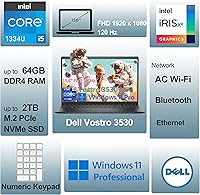
  • Processor: Intel Core i5-1334U, 13th Gen, 10-core (2 performance + 8 efficiency), 12 threads, up to 4.6GHz boost clock, 12MB cache.
  • RAM: 32GB DDR4 SDRAM installed, suitable for heavy multitasking, virtual machines, and running multiple business applications simultaneously.
  • Storage: 1TB M.2 PCIe NVMe SSD offering fast read/write speeds and ample space for documents, software, and long-term file storage without upgrades.
  • Display: 15.6-inch FHD IPS anti-glare panel at 1920x1080 resolution with a 120Hz refresh rate for smoother motion during everyday productivity use.
  • Brightness & Color: Display brightness is rated at 250 nits with 45% NTSC color gamut coverage, making it best suited for indoor use in controlled lighting conditions.
  • Graphics: Intel Iris Xe integrated graphics handle standard productivity tasks, light media playback, and basic visual workloads without a dedicated GPU.
  • Operating System: Windows 11 Pro 64-bit pre-installed, including enterprise-grade features such as BitLocker encryption, remote desktop, and domain join capability.
  • Wireless: 802.11ac (Wi-Fi 5) single-stream wireless card with Bluetooth included for peripheral connectivity and standard home or office network use.
  • Ports: Port selection includes 1x USB 3.2 Gen 1 Type-A, 1x USB 2.0, 1x USB 3.2 Gen 1 Type-C (data transfer only), 1x HDMI 1.4, 1x RJ-45 Ethernet, and 1x universal audio jack.
  • USB-C Limitation: The USB-C port supports data transfer only and does not support video output, display connection, or laptop charging via USB-C power delivery.
  • Keyboard: Full-size non-backlit keyboard in English layout with an integrated 10-key numeric keypad; no keyboard illumination of any kind is available.
  • Webcam: 720p HD RGB camera capable of 30fps video capture, adequate for standard video conferencing in well-lit environments.
  • Audio: Stereo speaker system totaling 4W output (2W per channel) provides basic audio suitable for calls and background media.
  • Power Adapter: Includes a 65W AC adapter; the laptop does not support USB-C charging and must be powered through its proprietary barrel connector.
  • Weight: Machine weighs 3.66 lb (1.66 kg), making it manageable for daily commuting despite its 15.6-inch chassis size.
  • Dimensions: Physical footprint measures 14.11 x 9.27 x 0.75 inches (L x W x H), keeping the profile relatively slim for a full-size business laptop.
  • Chassis: Carbon Black plastic chassis with a business-focused aesthetic; no aluminum or premium material construction at this configuration tier.
  • Color Depth: The IPS panel supports standard color output appropriate for document work and general media but is not factory-calibrated for professional color use.

Related Reviews
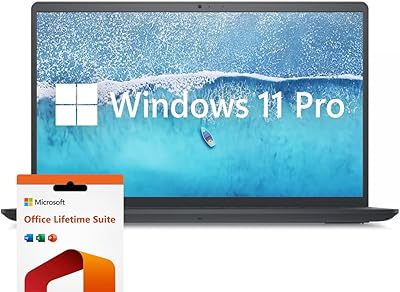
Dell Inspiron 15 i7-1255U 32GB 1TB
76%
88%
Performance & Processing Speed
91%
RAM & Multitasking
86%
Storage Speed & Capacity
84%
Display Quality
71%
Build Quality & Design
More
Dell G5 15.6” Gaming Laptop, i7-10750H, 32GB RAM, 1TB SSD, GTX 1650 Ti
84%
87%
Gaming Performance
90%
Display Quality
92%
Processing Speed
80%
Build Quality
65%
Battery Life
More
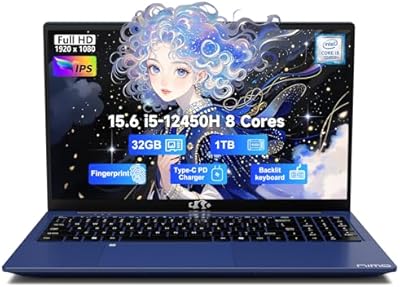
NIMO N156B 15.6″ FHD Business Laptop, Intel Core i5-12450H, 32GB RAM, 1TB SSD
83%
89%
Performance
65%
Battery Life
91%
Display Quality
84%
Portability
82%
Build Quality
More
HP 15.6″ Windows 11 Pro Business Laptop, Intel Core i5-1135G7, 32GB RAM, 1TB SSD
84%
91%
Performance
88%
Display Quality
84%
Battery Life
72%
Portability
85%
Build Quality
More
Dell Inspiron 15 3000 3520 Laptop, 16GB RAM, 1TB SSD, 15.6″ FHD Touchscreen
82%
86%
Performance
90%
Display Quality
75%
Battery Life
80%
Build Quality
78%
Portability/Size
More
Dell Inspiron 15 3000 Laptop, 15.6-inch, Intel Core i5-1035G1, 8GB RAM, 256GB SSD
81%
91%
Value for Money
85%
Performance for Everyday Tasks
74%
Display Quality
88%
Portability/Weight
77%
Battery Life
More
Dell Inspiron 15 3511 Laptop, 32GB RAM, 1TB SSD
80%
88%
Performance
85%
Display Quality
70%
Battery Life
92%
Multitasking Capability
80%
Build Quality
More
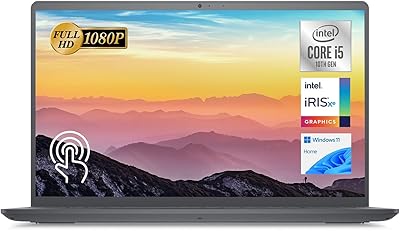
Dell Inspiron 15 Ryzen 7 7730U 32GB/1TB Touchscreen
74%
84%
Performance & Multitasking
91%
RAM & Memory Headroom
88%
Storage Speed & Capacity
79%
Touchscreen Display
63%
Build Quality & Chassis
More
ASUS VivoBook 15.6-inch i5-1135G7 Laptop, 20GB RAM, 1TB SSD
83%
91%
Performance
87%
Value for Money
78%
Display Quality
92%
Multitasking Capability
75%
Battery Life
More
Dell Inspiron 15 3530 Laptop - Intel Core i7, 16GB RAM, 1TB SSD
83%
88%
Performance
90%
Display Quality
85%
Multitasking Capability
80%
Keyboard Comfort
74%
Battery Life
More

FAQ

No, you cannot. The USB-C port on the Vostro 3530 is strictly for data transfer and does not support USB-C power delivery or video output. You must use the included 65W barrel-connector AC adapter to charge the machine. This surprises a fair number of buyers who assume modern USB-C ports are always multi-functional, so it is worth knowing upfront.

The Dell Vostro 3530 does have upgrade potential — it features an accessible SO-DIMM slot configuration for RAM and an M.2 slot for the SSD. However, this specific listing already ships with 32GB DDR4 and a 1TB NVMe SSD, so most buyers will not need to think about upgrades for several years. If you do plan to open the machine, check Dell's official service manual first to avoid voiding any warranty.

No, it does not. The keyboard is entirely non-backlit, which is one of the most consistently mentioned complaints from buyers. If you frequently type in dim environments — late evenings, low-light home offices, or travel — this will be a genuine daily frustration. There is no way to add backlighting after purchase, so factor this in before buying.

Realistically, you can expect around four to six hours of mixed active use with the 120Hz display running at normal brightness. Light productivity tasks like writing and browsing extend that range a bit, while video calls and heavier workloads bring it down. It is not a machine you can reliably take through an entire eight-hour day without access to a power outlet, so keeping the charger in your bag is advisable.

Yes, but your options are somewhat limited. You can connect a monitor via the HDMI 1.4 port, which supports standard 1080p output without issue. The USB-C port cannot be used for display output, so if you were hoping to use a USB-C or DisplayPort monitor through that connection, that will not work here. A single HDMI monitor setup for a home or office desk is straightforward and works well.

It is not the right tool for that work. The display covers only 45% of the NTSC color gamut, which means colors on screen do not accurately represent how an image will look when printed or viewed on a calibrated display. Combined with the absence of a dedicated GPU, both color-critical and GPU-accelerated editing workflows will be compromised. For serious creative work, a laptop with a wider color gamut display and discrete graphics is a much better fit.

It ships with Windows 11 Pro, and for the target audience it genuinely matters. Pro gives you BitLocker drive encryption to protect business data if the machine is lost or stolen, full remote desktop functionality, and the ability to join a corporate or school domain. If you are a home user who never uses any of those features, the Pro license will not hurt you — but for small business owners or anyone in a managed IT environment, it is a meaningful inclusion.

It holds up well for this use case. The i5-1334U manages multiple active applications alongside a video call without significant slowdowns, and the 32GB of RAM means you are unlikely to run into memory pressure during a busy meeting schedule. The 720p webcam is adequate in good lighting, though it softens noticeably in dim conditions. The fan can become audible during extended calls, but it is not disruptive at typical office noise levels.

Yes, and this is one of the more practical features of this business laptop. The RJ-45 Ethernet port supports standard gigabit wired connections, which is genuinely useful for remote workers or office environments where a stable wired connection is preferred over Wi-Fi. Just plug in a standard Cat5e or Cat6 cable and Windows will handle the rest without any additional drivers.

The Carbon Black plastic chassis is sturdier than it looks at first glance — there is minimal keyboard flex during typing and the overall frame handles daily bag-to-desk commuting without developing creaks or loose panels in the short term. The lid does show some flex when opened with one hand, and a few long-term users note the hinge can loosen slightly with heavy daily use. It is a solid mid-range build, not a premium one, and your expectations should be calibrated accordingly.