Overview

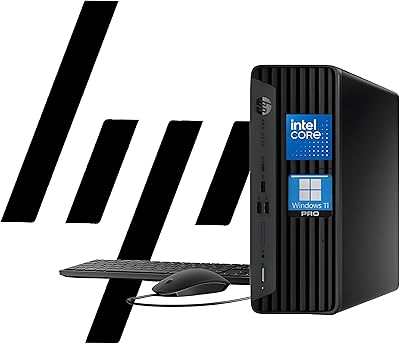
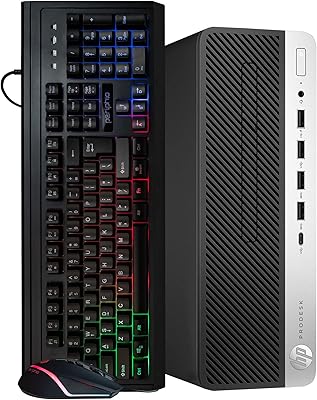
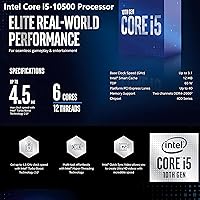
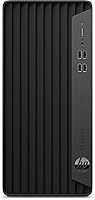
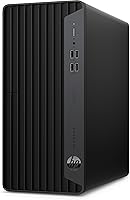
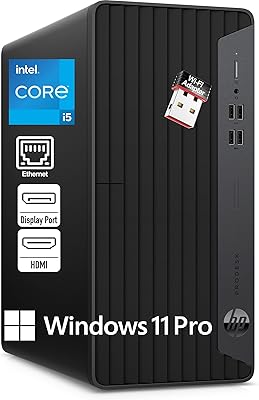
The HP ProDesk 400 G7 is a refurbished business tower that punches above its weight for home offices and small businesses wanting a ready-to-run machine without the hassle of building one. It arrives with Windows 11 Pro pre-installed, a wired keyboard and mouse, and a USB WiFi adapter, so you are not immediately hunting for peripherals. The processor is Intel's 6-core i5-10500, capable of reaching 4.5GHz under load, handling everyday productivity tasks with room to spare. At roughly 10.6 inches tall and under 4 inches wide, this HP tower fits comfortably on most desks. Being refurbished, expect minor cosmetic marks — but functionally, it is built to perform.

Features & Benefits

Where this refurbished business desktop stands out is memory. 32GB of DDR4 RAM is genuinely uncommon at this price point — it means you can run a dozen browser tabs, a spreadsheet, a video call, and a PDF editor simultaneously without things grinding to a halt. The 1TB PCIe SSD keeps boot times short and applications snappy, a clear step up from older HDD setups. Port variety is solid too: HDMI 1.4 and DisplayPort 1.4 on the rear support 4K display output, while the front panel offers fast USB-A connections. Just know the Intel UHD 630 graphics are strictly office-grade — gaming and GPU-intensive rendering are firmly off the table.

Best For

The ProDesk 400 G7 makes the most sense for remote workers and freelancers who want a dependable daily machine that handles video calls, document work, and light multitasking without drama. Small business owners will appreciate the Windows 11 Pro license, which opens up BitLocker encryption, Remote Desktop, and network domain features that consumer Windows editions simply do not offer. Students and educators managing browser-heavy workflows will find the RAM headroom particularly useful. It also makes a reasonable pick for IT teams filling out a small fleet cost-effectively. If you need a discrete GPU for any reason, though, look elsewhere — this is a productivity-first box.

User Feedback

Buyers who have picked up this HP tower tend to highlight two things right away: how quickly it boots and how capable it feels for everyday tasks given the generous RAM. Those are genuine, consistent strengths. The recurring frustration, though, is the included USB WiFi adapter — it works, but it is noticeably less stable than a machine with built-in wireless. On the refurbished side, most owners report units arrive in solid functional shape, though cosmetic scuffs are common and should be expected upfront. A handful of users also flagged activation difficulties with Windows 11 Pro on first setup, so keeping Microsoft support contact details handy is a sensible precaution.

Pros

  • 32GB of DDR4 RAM is unusually generous for a refurbished machine at this price, handling heavy multitasking with ease.
  • The 1TB PCIe SSD delivers noticeably fast boot times and snappy application launches compared to SATA or HDD alternatives.
  • Windows 11 Pro comes pre-installed and licensed, with BitLocker and Remote Desktop ready to use out of the box.
  • Both HDMI 1.4 and DisplayPort 1.4 on the rear support dual 4K monitor setups without needing an adapter.
  • The tower form factor makes internal upgrades — adding storage, swapping a WiFi card — accessible without specialist tools.
  • Front-panel USB-A ports running at 10Gbps make connecting external drives fast and convenient.
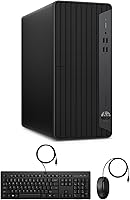
  • Ships with a wired keyboard and mouse included, so the machine is genuinely usable from day one.
  • Compact chassis fits comfortably under a desk or beside a monitor without consuming the workspace.
  • The 6-core i5-10500 handles everyday productivity and video conferencing workloads with consistent, unhesitant performance.
  • Wired RJ-45 ethernet provides a stable connectivity fallback for users who prefer a cable over wireless.

Cons

  • The included USB WiFi adapter is prone to signal drops and feels like an afterthought rather than a built-in solution.
  • The 10th-gen CPU architecture is aging, which limits how long this machine will feel current-generation capable.
  • Some refurbished units arrive with Windows 11 Pro activation issues that require a call to Microsoft support to resolve.
  • Cosmetic wear — scuffs, scratches, dusty interiors — is common and not always clearly disclosed by sellers.
  • Fan noise becomes noticeable under sustained CPU load, which can be distracting in quiet home-office environments.
  • No USB-C ports anywhere on the machine, which is a real inconvenience for users with modern peripherals.
  • Warranty coverage on refurbished units is typically short and varies significantly between sellers.
  • A small number of buyers have reported driver issues out of the box, particularly with front-panel audio.
  • Power supply headroom is limited, making discrete GPU upgrades more complicated than the open tower suggests.
  • Refurbished condition variability means the experience can differ meaningfully from unit to unit.

Ratings

The HP ProDesk 400 G7 has been put through its paces by verified buyers across home offices, small businesses, and educational settings worldwide — and our AI has combed through that feedback, actively filtering out incentivized reviews and bot patterns, to surface what real users actually experience day to day. The scores below reflect genuine strengths as well as the friction points that come up repeatedly, so you get an honest picture before committing.

Value for Money
88%
For a refurbished business desktop, the combination of 32GB RAM and a PCIe SSD at this price tier is genuinely hard to beat. Most buyers coming from older machines or comparing against new entry-level towers feel they got noticeably more hardware per dollar spent.
The value calculation shifts a little once you factor in that the CPU is a 10th-gen chip — buyers who do their research realize they are paying for a capable but aging architecture. If longevity is a top concern, the price-to-future-proofing ratio feels less compelling.
Performance & Speed
82%
18%
Day-to-day tasks — spreadsheets, video calls, browser-heavy research sessions, document editing — feel responsive and unhesitant. The PCIe SSD means the machine is usable within seconds of pressing the power button, which real users notice and consistently praise.
Push the machine into more demanding territory, like video rendering or running multiple virtual machines simultaneously, and the aging i5-10500 starts to show its limits. It is not a bottleneck for most office work, but power users will feel the ceiling sooner than they would with a current-gen chip.
RAM & Multitasking
91%
32GB of DDR4 is the standout spec here and real users notice it. People running Zoom, Chrome with 20-plus tabs, a cloud storage client, and Office simultaneously report zero sluggishness — the kind of multitasking that would choke a 8GB or 16GB machine.
There are no meaningful complaints about the RAM itself. The only minor gripe from technically inclined buyers is that it runs in a configuration that may not fully maximize dual-channel bandwidth, though this has negligible real-world impact for typical office workflows.
Storage Performance
86%
The 1TB PCIe SSD makes a tangible difference compared to the SATA SSDs or HDDs that often ship in competing refurbished units at similar prices. Application launches and file transfers feel snappy, and users moving from an older HDD-based machine describe it as a dramatic improvement.
A small number of users have flagged that storage speeds, while solid, do not quite match the peak figures of newer NVMe drives. For most tasks this is invisible, but buyers doing frequent large file transfers may eventually wish for more headroom.
Graphics & Display Output
58%
42%
The integrated Intel UHD 630 handles everything a standard office or productivity user needs — 4K display output via DisplayPort 1.4, crisp video conferencing visuals, and smooth playback of streaming content. Having both HDMI and DisplayPort on the rear is genuinely useful for dual-monitor setups.
This is the category where the machine draws a hard line. Gaming, 3D rendering, video editing with effects-heavy timelines — none of these are realistic use cases. Users who bought this without reading the specs carefully and expected any gaming capability were disappointed quickly, and rightfully so.
Wireless Connectivity
54%
46%
The included USB WiFi adapter gets the job done for basic connectivity and means you are not running ethernet cables across the room on day one. For light browsing and standard video calls in close proximity to a router, most users find it acceptable.
This is one of the most commonly cited frustrations. The external USB adapter is prone to signal drops, adds a dongle to the front or rear of the machine, and feels like a workaround rather than a proper solution. Several buyers replaced it with a dedicated PCIe WiFi card shortly after purchase.
Refurbished Condition
71%
29%
The majority of buyers report units that arrive fully functional, with Windows 11 Pro activated and hardware performing as described. For those who prioritize function over aesthetics, the refurbished quality generally meets or exceeds expectations for the price.
Cosmetic blemishes — scuffs on the chassis, minor scratches — are common and expected with any refurbished unit, but some buyers still expressed surprise. A smaller subset reported units with dusty interiors or worn port labels, which is worth knowing going in.
Port Selection & Expandability
83%
The port layout is practical for a business tower. Front-panel fast USB-A ports handle external drives and peripherals without forcing you to reach behind the machine, and the rear offers a solid mix including audio-out and RJ-45 for wired ethernet.
The absence of USB-C is noticeable for users whose peripheral ecosystem has moved in that direction. A few buyers also flagged that the front audio combo jack occasionally required driver adjustments to function correctly out of the box on refurbished units.
Software & OS Experience
77%
23%
Windows 11 Pro is a legitimate asset here — BitLocker encryption, Remote Desktop, and domain-join capabilities matter to small business buyers in a way that the Home edition simply cannot satisfy. Most users found the OS activated and ready without any intervention needed.
A recurring issue in user feedback involves Windows 11 Pro activation hiccups on some refurbished units, where the license key does not register cleanly on first boot. It is not a universal problem, but it is common enough that buyers should have Microsoft support details ready just in case.
Build Quality & Form Factor
79%
21%
The ProDesk chassis is sturdy in the way HP business towers typically are — solid panels, minimal flex, and a compact footprint that fits under a desk or alongside a monitor without crowding the workspace. At 15 pounds it feels substantial without being cumbersome to reposition.
The design is strictly utilitarian. There is nothing wrong with the build, but users expecting any modern aesthetic refinement will find it dated. Thermal management also gets mixed feedback — it runs quietly under light load but audible fan noise appears under sustained CPU stress.
Setup & Out-of-Box Experience
81%
19%
Buyers consistently appreciate that this refurbished business desktop ships ready to use — keyboard, mouse, WiFi adapter, and a licensed OS included. For non-technical users or small offices without IT support, that out-of-box completeness is a genuine time-saver.
Driver installation on a handful of units required manual intervention, particularly for audio and USB peripherals. The included keyboard and mouse are functional but unremarkable — most productivity-focused users upgrade them fairly quickly.
Upgradeability
76%
24%
The tower form factor means upgrades are accessible without specialist tools. Real owners have confirmed that adding a PCIe WiFi card, swapping in an additional SSD, or adjusting RAM is straightforward — a notable advantage over small-form-factor alternatives.
The 10th-gen platform does place an eventual ceiling on how far you can push the machine. PCIe slots are limited, and users hoping to drop in a capable discrete GPU should verify power supply headroom carefully before purchasing a card.
Noise & Thermals
68%
32%
During typical office workloads — document work, video calls, light browsing — the machine stays quiet enough to sit comfortably on a desk in a quiet room. Thermal management is adequate for the workloads this machine is genuinely designed for.
Under sustained CPU load the fan ramps up noticeably, and a few users described it as distracting in quiet home-office environments. Some refurbished units also arrived with dusty heatsinks that contributed to higher-than-expected idle temperatures until cleaned.
Long-Term Reliability
73%
27%
HP ProDesk units have a strong track record in business environments for lasting through years of daily use, and that reputation carries over here. Buyers treating this as a three-to-four-year workhorse rather than a cutting-edge platform are generally satisfied with the durability.
The refurbished nature does introduce some unpredictability — warranty coverage varies by seller and is often shorter than a new purchase. A few buyers experienced component failures within the first year, which underscores the importance of verifying the return policy before buying.

Suitable for:

The HP ProDesk 400 G7 is a smart pick for anyone who needs a dependable, ready-to-run productivity machine without the overhead of building or sourcing parts separately. Remote workers who spend their days in video calls, spreadsheets, and browser-heavy workflows will find the 32GB of RAM a genuine comfort — it means the machine keeps pace without hesitation even when a dozen tabs and a cloud sync client are running at once. Small business owners will appreciate the Windows 11 Pro license, which unlocks BitLocker, Remote Desktop, and domain-join capabilities that matter in a real work environment. Students and educators on a tighter budget who need something that just works for online classes and productivity suites will feel well-served by the fast SSD and capable processor. IT managers looking to fill out a small fleet cost-effectively should also take note — this is a machine that can be managed, reimaged, and deployed without the headaches that cheaper, less business-oriented hardware tends to bring.

Not suitable for:

Buyers expecting a modern, future-proof platform should think carefully before committing to this refurbished business desktop, because the i5-10500 is a 10th-gen chip and the platform age will start to show if you plan to keep the machine for five or more years. Anyone who needs capable graphics — whether for casual gaming, video editing with effects-heavy timelines, or 3D work of any kind — will hit a hard wall with the integrated Intel UHD 630, and no amount of RAM will change that. The HP ProDesk 400 G7 is also a poor fit for users who rely heavily on wireless connectivity and expect it to be rock-solid; the included USB WiFi adapter is a functional workaround, not a proper solution, and its limitations become obvious in larger spaces or environments with signal interference. Creative professionals, content creators, or anyone running GPU-accelerated applications should look at machines with a dedicated graphics card. Finally, buyers who are particular about cosmetic condition and expect a pristine, new-looking unit should recalibrate their expectations — refurbished means refurbished, and minor scuffs or wear marks are part of the deal.

Specifications

  • Processor: Intel Core i5-10500 with 6 cores and 12 threads, running at a 3.1GHz base clock and boosting up to 4.5GHz via Intel Turbo Boost Technology.
  • Cache: 12MB Intel Smart Cache shared across all six cores for faster repeated data access during multitasking workloads.
  • RAM: 32GB DDR4 SDRAM provides substantial headroom for running multiple productivity applications, video calls, and browser-heavy sessions simultaneously.
  • Storage: 1TB PCIe SSD connected via PCIe x4 interface delivers fast read and write speeds well above what traditional SATA or spinning-disk drives offer.
  • Graphics: Intel UHD Graphics 630 integrated GPU supports display output up to 3840x2160 resolution and handles standard office and video conferencing tasks without a discrete card.
  • Display Outputs: Rear panel includes one HDMI 1.4 port and one DisplayPort 1.4 port, enabling connection to one or two external monitors at up to 4K resolution.
  • Front Ports: Front panel provides two USB-A ports at 10Gbps (SuperSpeed), two USB-A ports at 480Mbps, and one combination headphone and microphone 3.5mm jack.
  • Rear Ports: Rear panel includes three USB-A ports at 5Gbps, two USB-A ports at 480Mbps, one audio-out jack, one RJ-45 ethernet port, and one power connector.
  • Wireless: Wireless connectivity is provided via an included external USB WiFi adapter rather than a built-in wireless card soldered to the motherboard.
  • Wired Network: One RJ-45 gigabit ethernet port on the rear panel provides stable wired network connectivity as a more reliable alternative to the USB WiFi adapter.
  • Operating System: Ships with Windows 11 Professional 64-bit, pre-installed and licensed, with enterprise features including BitLocker, Remote Desktop, and Active Directory domain join.
  • Form Factor: Standard tower chassis measuring 10.63 x 3.74 x 11.93 inches, designed to sit upright on a desk surface or on the floor beside a workstation.
  • Weight: Unit weighs approximately 15 pounds, making it manageable for repositioning or transport without requiring additional lifting equipment.
  • Color & Finish: Matte black chassis with HP ProDesk series styling — utilitarian and professional in appearance, without decorative lighting or consumer-oriented aesthetics.
  • Included Accessories: Package includes a wired USB keyboard, a wired USB mouse, and a USB WiFi adapter, all in black to match the tower chassis.
  • Optical Drive: No optical drive is included or installed, so reading or writing CDs, DVDs, or Blu-ray discs requires a separately purchased external USB drive.
  • Condition: Unit is sold as refurbished, meaning it has been previously used, inspected, and reimaged — cosmetic wear such as scuffs or scratches should be expected.
  • USB Total Count: The machine provides a combined total of nine USB-A ports across the front and rear panels, with no USB-C ports included in the configuration.
  • Max Display Res: Both the HDMI and DisplayPort outputs support a maximum resolution of 3840x2160 (4K UHD) at standard refresh rates suitable for productivity use.
  • Platform Generation: Built on Intel's 10th-generation Comet Lake platform, which while capable for current productivity tasks, represents an aging architecture relative to 12th and 13th-gen alternatives.

Related Reviews
HP ProDesk 400 G7 Tower Desktop, Intel Core i5-10500, 64GB RAM, 2TB SSD
85%
88%
Performance
90%
Reliability
93%
Storage Capacity
85%
Build Quality
87%
Design & Compactness
More
HP ProDesk 400 G9 SFF (32GB RAM, 1TB SSD)
79%
74%
Value for Money
53%
Processing Performance
88%
Storage Speed
82%
RAM & Upgradeability
81%
Build Quality & Design
More
HP 400 Backlit Wired Keyboard
86%
89%
Backlighting Performance
87%
Typing Comfort
82%
Ergonomics
91%
Build Quality
85%
Portability
More
HP ProDesk 600 G4 Desktop Computer | Intel Core i5 | 16GB RAM | 500GB SSD

84%
89%
Performance for Everyday Tasks
92%
Boot Time and SSD Performance
63%
Graphics Performance
87%
Build Quality
84%
Reliability
More
Raspberry Pi 400
Raspberry Pi 400
84%
89%
Performance for DIY Projects
91%
Value for Money
85%
Build Quality
84%
Ease of Setup
88%
Connectivity Options
More
HP Chromebook 11A-NB0013DX
81%
92%
Value for Money
89%
Battery Life
85%
Performance for Basic Tasks
93%
Portability & Size
78%
Display Quality
More
HP 15-EF0023dx Laptop
78%
88%
Performance
70%
Display Quality
85%
Portability
75%
Build Quality
72%
Battery Life
More
HP Chromebook 11-v010nr
82%
91%
Value for Money
93%
Battery Life
89%
Portability & Weight
80%
Display Quality
85%
Performance for Basic Tasks
More
HP Chromebook 14-ca020nr
81%
91%
Value for Money
94%
Portability/Weight
89%
Battery Life
83%
Performance for Basic Tasks
78%
Build Quality
More
HP 14 Inch Laptop
HP 14 Inch Laptop
83%
92%
Value for Money
89%
Portability & Weight
90%
Battery Life
80%
Performance
84%
Build Quality
More

FAQ

In most cases, yes — the HP ProDesk 400 G7 typically ships with a legitimate Windows 11 Pro license tied to the hardware. That said, a notable number of buyers have reported activation issues on first boot where the license does not register automatically. If that happens, contacting Microsoft support directly with the machine details usually resolves it, but it is worth being prepared for that possibility.

Absolutely, and many users do exactly that. The tower has an open PCIe slot, so installing a dedicated PCIe WiFi card — which provides far more stable and faster wireless performance than the included USB adapter — is a straightforward upgrade. It usually requires removing one side panel, inserting the card, and installing the accompanying driver.

The rear panel has both an HDMI 1.4 and a DisplayPort 1.4 output, so you can run two monitors simultaneously without any adapters. Both outputs support up to 4K resolution, which is more than sufficient for productivity and content viewing. Just keep in mind that the integrated Intel UHD 630 GPU is driving those displays, so GPU-intensive tasks across dual 4K screens may feel sluggish.

It varies. Most buyers describe units that arrive with minor scuffs on the chassis, worn port labels, or small scratches — nothing that affects function, but not pristine either. Occasionally units arrive with dusty interiors from their previous deployment. If you are putting this on a desk where appearance matters, manage expectations; if it is going under a desk or in a server closet, it is largely irrelevant.

Yes, and this is one of the practical advantages of the tower form factor. The ProDesk chassis gives you access to RAM slots and storage bays without needing specialist tools. Real owners have confirmed successful RAM upgrades and additional SSD installs. Just verify the maximum supported RAM for the specific motherboard revision before purchasing additional sticks.

It handles them very comfortably. The six-core processor and 32GB of RAM mean you can run a video call alongside a screen share, a spreadsheet, and a browser with multiple tabs open without the machine skipping a beat. Video conferencing is genuinely one of the strongest use cases for this refurbished business desktop.

No, and it is worth being direct about that. The Intel UHD 630 is integrated graphics — it can play very old or extremely lightweight browser-based games, but anything released in the last several years at meaningful settings will either refuse to run or perform poorly. There is no discrete GPU, and adding one is constrained by the power supply. If gaming is on your list at all, this is the wrong machine.

During typical office tasks — documents, email, video calls — the machine stays pretty quiet and mostly fades into the background. Under sustained load, like a prolonged software installation or a CPU-intensive task running for several minutes, the fan ramps up and becomes noticeable. It is not obnoxious, but in a very quiet home office it can be a mild distraction.

For most users, yes — it ships with a keyboard, mouse, USB WiFi adapter, and Windows 11 Pro already installed. You will need to supply your own monitor and any USB-C peripherals you rely on, since there are no USB-C ports. If you are planning to use wireless connectivity heavily, budgeting for a PCIe WiFi card early on is a smart move given the limitations of the included USB adapter.

Both are HP and Dell business-grade towers with comparable build quality and enterprise OS support, so the decision often comes down to specific configuration and price at the time you are shopping. The main differentiator here is the 32GB of RAM, which tends to be above average for refurbished units in this tier regardless of brand. Dell OptiPlex units often have the edge on parts availability and IT familiarity in larger enterprise environments, but for a home office or small business buyer, the two are closely matched in day-to-day reliability.