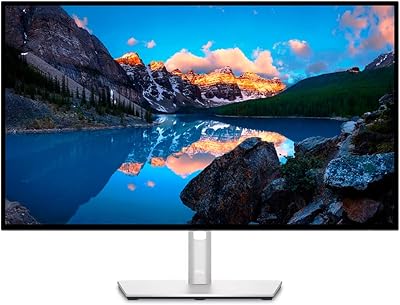
Dell P4317Q 43″ 4K Multi-Client Monitor
Overview
The Dell P4317Q 43″ 4K Multi-Client Monitor is Dell's answer to a cluttered multi-screen desk — one large panel doing the work of four. It belongs to Dell's P-series professional line, which has a long track record of solid build quality and reliable performance in demanding office environments. The price puts it firmly in premium territory, so this isn't an impulse buy; it's a deliberate investment for professionals who genuinely need the real estate. The matte anti-glare finish is a quiet but important detail — in bright offices with overhead lighting or windows behind you, it makes sustained daily use significantly more comfortable.
Features & Benefits
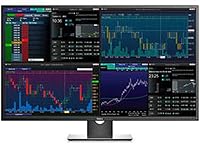
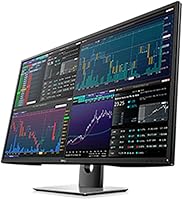
At 3840×2160 resolution spread across 43 inches, text renders at 104 pixels per inch — spreadsheets and code are genuinely sharp without relying on scaling tricks. The real standout is the multi-client functionality: using picture-by-picture or picture-in-picture modes, you can connect multiple computers simultaneously and view them side by side on one screen, no input-switching required. The matte screen surface holds up well under office lighting, and the wide viewing angles keep colors consistent whether you're sitting dead-center or slightly off to one side. Cable management is tidier too — one monitor means one cable run instead of four.
Best For
This large-format Dell display is purpose-built for productivity-heavy workflows. Finance professionals and data analysts benefit most — having live dashboards, terminals, and spreadsheets open simultaneously without constant alt-tabbing is a real time saver. Software developers will appreciate running a code editor, documentation browser, and terminal window all visible at once on one uninterrupted canvas. It also suits small trading desks or control room setups where a multi-monitor rig would otherwise be the default solution. Home office power users upgrading from a dual-monitor arrangement will notice the difference quickly. One clear caveat: if gaming is anywhere in your plans, this single-screen workstation monitor is not the right fit.
User Feedback
Owners of the 43″ multi-client panel consistently praise the sheer screen real estate and text clarity — most report that after a week of use, returning to a smaller setup feels genuinely limiting. Build quality earns solid marks, as expected from Dell's P-series heritage. On the critical side, the USB 2.0 ports feel dated at this price point, and some buyers find the stand's height adjustment range restrictive at taller desks. Input lag and a modest refresh rate generate complaints from anyone who attempted casual gaming — it is simply not built for that use case. Deployment and initial setup get broadly positive notes, though a handful of users mention that Dell's support response times can be inconsistent.
Pros
- Massive 43″ 4K canvas delivers exceptional screen real estate for multi-tasking without a single bezel break.
- Text and fine detail are genuinely sharp at 104 PPI — spreadsheets and code are easy on the eyes all day.
- Picture-by-picture mode lets you connect and view two computers simultaneously on one screen.
- The matte anti-glare surface handles bright office environments well during extended sessions.
- Wide viewing angles keep colors consistent even when colleagues are viewing from the side.
- Replaces a four-monitor setup with a single panel, dramatically simplifying cables and desk organization.
- Dell P-series build quality is durable and dependable, with a finish that feels professional rather than consumer-grade.
- IT teams benefit from simplified procurement, deployment, and long-term maintenance across workstations.
- Supports both Full HD and Ultra HD inputs, giving flexibility when connecting older hardware.
Cons
- Refresh rate and response time make the 43″ multi-client panel a poor choice for gaming or fast video.
- USB 2.0 ports feel noticeably outdated and underpowered given the premium price point.
- At 54 pounds, this large-format Dell display is heavy and awkward to reposition or mount without help.
- The stand's height and tilt adjustment range is limited, which frustrates taller users or non-standard desk setups.
- The size demands a genuinely large desk — smaller home office setups may find it physically overwhelming.
- Some buyers report inconsistent experiences reaching Dell support when issues arise post-purchase.
- The price is hard to justify unless the multi-client workflow is a genuine daily need, not an occasional convenience.
- No built-in USB-C or modern hub functionality means extra adapters are often needed for newer laptops.
Ratings
The Dell P4317Q 43″ 4K Multi-Client Monitor earns its scores from AI-driven analysis of verified global buyer reviews, with spam, bot-generated, and incentivized submissions actively filtered out before any scoring is applied. The result is an honest picture of this large-format Dell display across the categories that actually drive purchase decisions — covering everything from display clarity and multi-client performance to build quality, ergonomics, and long-term value. Both the genuine strengths and the recurring frustrations are reflected transparently in every score below.
Screen Real Estate
4K Image Clarity
Multi-Client Functionality
Matte Anti-Glare Performance
Build Quality
Stand & Ergonomics
Connectivity & Ports
Color Accuracy
Response Time & Refresh Rate
Setup & Deployment
Value for Money
Eye Comfort Over Time
Dell Support Experience
Suitable for:
The Dell P4317Q 43″ 4K Multi-Client Monitor was built for professionals whose work demands constant visibility across multiple data streams or applications. Finance analysts, quantitative researchers, and traders who need live dashboards, spreadsheets, and news feeds open simultaneously will find this large-format Dell display genuinely transformative compared to juggling windows on smaller screens. Software developers benefit from having a code editor, terminal, documentation, and browser all visible at once — no virtual desktop switching, no lost context. IT departments and procurement managers will also appreciate the operational simplicity: deploying one large panel per workstation instead of four separate monitors reduces purchasing complexity, support overhead, and cable chaos significantly. Creative professionals who dislike bezel breaks across a multi-monitor array will value the single uninterrupted canvas, especially for reference work or side-by-side document comparison.
Not suitable for:
The Dell P4317Q 43″ 4K Multi-Client Monitor is a poor match for anyone who primarily wants a display for gaming, multimedia consumption, or fast-paced visual work requiring high refresh rates. The panel's refresh rate and response time are tuned for office productivity, not for competitive gaming or action-heavy video — buyers expecting smooth motion will be disappointed. At 54 pounds with a bulky stand footprint, this single-screen workstation monitor also demands a large, sturdy desk; compact or cluttered workspaces simply won't accommodate it comfortably. Budget-conscious buyers should think carefully before purchasing — the premium price is only justifiable if the multi-client functionality or sheer screen size directly solves a real workflow problem. Finally, users who rely heavily on USB connectivity for peripherals will find the two USB 2.0 ports limiting, especially given how dated that specification feels at this price tier.
Specifications
- Screen Size: The panel measures 43 inches diagonally, providing an expansive single-screen workspace equivalent in area to four 21-inch monitors combined.
- Resolution: Native resolution is 3840×2160 (4K UHD), delivering four times the pixel density of a standard 1080p display.
- Pixel Density: At 104 pixels per inch, text and fine graphical detail appear crisp and well-defined at typical desktop viewing distances.
- Aspect Ratio: The display uses a standard 16:9 widescreen aspect ratio, compatible with the vast majority of video signals and desktop environments.
- Screen Surface: The matte anti-glare coating diffuses ambient light, reducing distracting reflections during extended use in brightly lit office settings.
- Multi-Client Modes: The monitor supports both picture-by-picture and picture-in-picture modes, allowing two independent video sources to be displayed simultaneously on one screen.
- Input Support: The panel accepts both Full HD and Ultra HD input signals, maintaining compatibility with older workstations alongside modern 4K-capable systems.
- USB Ports: Two USB 2.0 ports are integrated into the monitor chassis for basic peripheral connectivity without additional hubs.
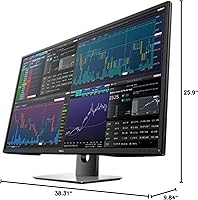
- Dimensions (Stand): With the stand attached, the monitor measures 25.90″ high, 38.31″ wide, and 9.84″ deep.
- Dimensions (Panel): Without the stand, the panel itself measures 22.29″ high, 38.31″ wide, and 3.27″ deep.
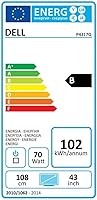
- Weight: The fully assembled unit with stand weighs 54 pounds, requiring a sturdy, large-surface desk for safe placement.
- Viewing Angles: Wide horizontal and vertical viewing angles ensure consistent color reproduction when viewed from off-center positions.
- Brand Series: This display belongs to Dell's P-series professional monitor line, designed for business and enterprise workstation environments.
- Model Number: The official model designation is P4317Q, used across Dell support, warranty, and driver documentation.
- Manufacturer: The monitor is manufactured and supported by Dell Marketing USA, LP.
- Voltage: The unit is rated for 240 volts, and buyers in regions with different standards should verify compatibility before purchase.
- Release Date: The P4317Q was first made available in May 2016, establishing it as a mature, well-documented product in the professional monitor segment.
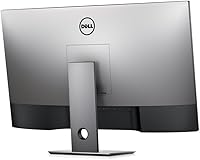
- Color Finish: The monitor is finished in a black and silver combination consistent with Dell's standard professional workstation aesthetic.
Related Reviews
Dell UltraSharp U4320Q 43-inch 4K Monitor
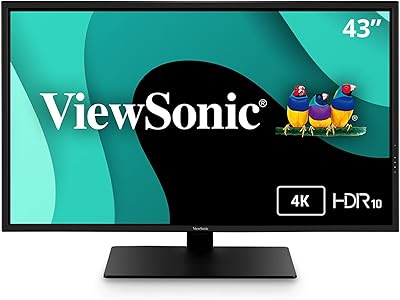
ViewSonic VX4381-4K 43-inch 4K Monitor
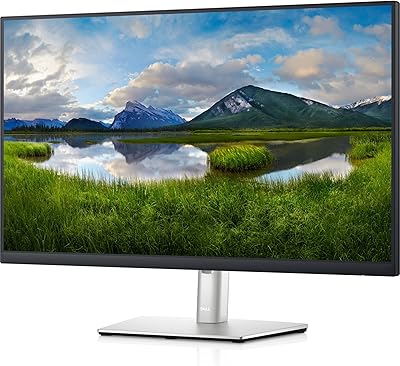
Dell P2721Q 27-inch 4K Monitor
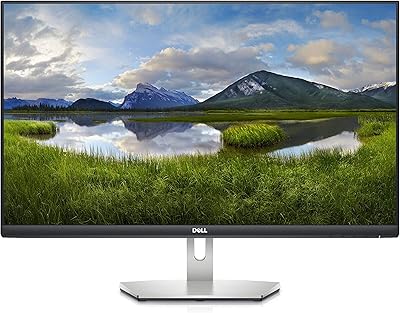
Dell S2721Q 27-inch 4K IPS Monitor
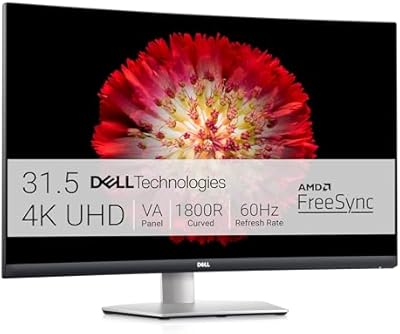
Dell S3221QS 32″ 4K UHD Curved Monitor
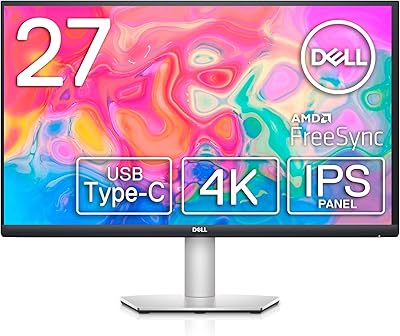
Dell S2722QC 27-inch 4K USB-C Monitor

Samsung 43″ Odyssey Neo G7 Gaming Monitor
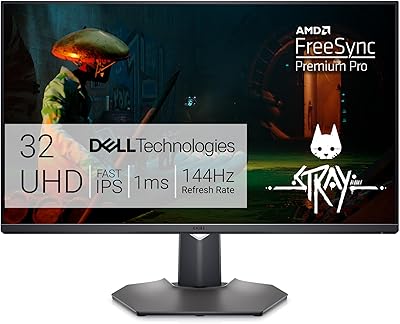
Dell G3223Q 32-inch 4K Gaming Monitor

Samsung 43-Inch M7 4K UHD Smart Monitor