


Overview
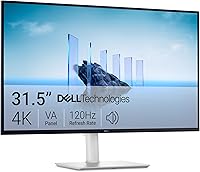
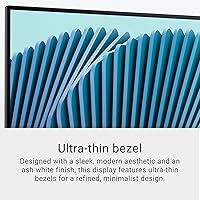
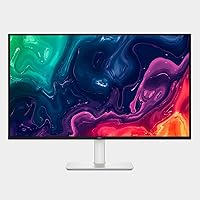
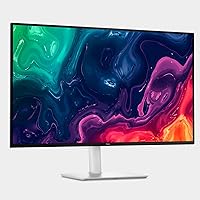
The Dell S3225QS 32-inch 4K Monitor arrived in early 2025 and quickly climbed to the top of Amazon's monitor rankings — which tells you something. It's a 31.5-inch VA panel built for people who spend serious hours at a desk, but it doesn't ignore casual gamers either. The ash white finish and ultra-thin bezels make it stand out visually from the sea of black rectangles that dominate this category. To be clear about expectations: this is a well-rounded mid-range display, not a high-end enthusiast panel chasing bleeding-edge specs. It's the kind of monitor that quietly does most things right.
Features & Benefits
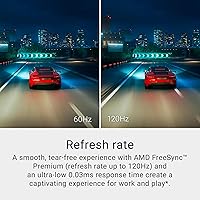
The VA panel is the real story here. Unlike IPS alternatives at similar prices, the S3225QS delivers noticeably deeper blacks and a contrast ratio that makes dark scenes in films and games look genuinely rich. At 31.5 inches and 4K resolution, text is crisp at normal viewing distances without needing aggressive scaling — a practical win for productivity. The 120Hz refresh rate with AMD FreeSync Premium adds fluidity to everyday desktop use and holds up reasonably for less demanding games. Dell's ComfortView Plus limits harmful blue light without shifting colors toward yellow — a real advantage for long sessions. For hobbyist photo or video work, the near-complete DCI-P3 color coverage means skin tones and saturated hues land close to what professionals would expect.
Best For
The S3225QS makes the most sense for home office workers who need a large, accurate screen for eight or more hours a day. The combination of eye comfort technology and a generous screen size genuinely reduces fatigue during long writing or coding sessions. Prosumer content creators — photographers and video editors who aren't ready to invest in a professional-grade display — will appreciate the color accuracy for the price. It's also a solid first 4K upgrade for anyone still on a 1080p or 1440p panel. Gamers can enjoy it too, but should understand the 120Hz capability is a bonus feature, not a competitive edge. This display rewards patience and immersion over raw reaction speed.
User Feedback
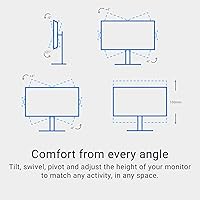
Across nearly a thousand ratings, this Dell 4K display sits comfortably at 4.4 stars — strong for a monitor launched just months ago. Buyers regularly highlight out-of-the-box color accuracy and build quality as standout positives, and the ash white design draws consistent praise for looking polished in a home setup. The main criticism worth noting is backlight uniformity: some units show slight brightness variation across the panel, which is a known characteristic of VA technology and not unique to this model. A few users have also flagged the stand's limited ergonomic range. Worth knowing: the advertised 0.03ms response time reflects MPRT measurement, not the more standard GtG figure — a distinction that matters to competitive gamers evaluating input lag.
Pros
- VA panel contrast produces genuinely deep blacks that most same-priced IPS monitors simply cannot match.
- 4K resolution at 31.5 inches delivers sharp, detailed images without requiring heavy display scaling on most operating systems.
- ComfortView Plus cuts harmful blue light without shifting the screen toward an unpleasant yellow tint.
- Color coverage is wide enough for hobbyist photo and video editing without needing a costly color-managed display.
- The ash white design and ultra-thin bezels look noticeably more refined than typical black office monitors.
- 120Hz refresh rate adds smooth fluidity to everyday desktop work, not just games.
- Strong out-of-the-box color accuracy means most users will not need to calibrate before getting to work.
- Built-in speakers are a practical bonus, offering better output depth than the bare-minimum audio found on most monitors in this class.
- The S3225QS launched to strong sales rankings and solid early user ratings, suggesting quality control is generally reliable.
Cons
- Backlight uniformity can vary between units — some buyers have reported noticeable brightness inconsistencies across the panel.
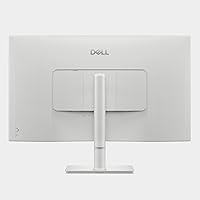
- The stand offers limited ergonomic range, which may force buyers to purchase a separate monitor arm.
- The 0.03ms response time is an MPRT figure, not a GtG measurement, making direct comparisons with competing monitors misleading.
- VA panels can exhibit color shifting when viewed from wide angles, which matters in multi-viewer setups.
- At nearly 20 pounds, this 32-inch VA monitor is heavy enough that repositioning it on a desk is a two-hand job.
- HDR support is listed as readiness rather than a certified standard, so HDR performance is modest compared to dedicated HDR displays.
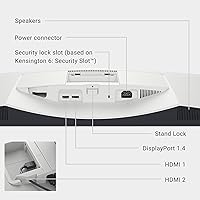
- No mention of USB-C or Thunderbolt connectivity, which may frustrate users with modern laptops seeking a single-cable setup.
- The ash white color, while attractive, may show dust and smudges more visibly than traditional matte black finishes.
Ratings
The Dell S3225QS 32-inch 4K Monitor earns a strong overall position in its category based on AI analysis of verified global buyer reviews, with spam, bot activity, and incentivized feedback actively filtered out before scoring. The results reflect a genuinely well-regarded display with clear strengths in contrast, color accuracy, and design — alongside honest weaknesses in ergonomics and panel uniformity consistency. Both the highs and the friction points are represented transparently in the scores below.
Image Quality
Color Accuracy
Contrast & Black Levels
Refresh Rate & Smoothness
Eye Comfort
Design & Aesthetics
Stand & Ergonomics
Value for Money
Backlight Uniformity
Built-in Audio
Gaming Performance
Setup & Connectivity
Out-of-Box Experience
Suitable for:
The Dell S3225QS 32-inch 4K Monitor is an excellent fit for home office professionals who spend long hours in front of a screen and want a display that is both large and genuinely easy on the eyes. The blue light filtering works without distorting color, which matters if you are doing any design, photography, or video work alongside your regular tasks. Prosumer content creators who want accurate, wide color coverage for editing photos or short-form video will find the S3225QS punches well above its price tier. Students, writers, and developers who prioritize screen real estate and reading comfort over raw gaming performance will feel right at home here. It is also a smart first step into 4K for anyone upgrading from a 1080p or 1440p setup, since the pixel density at this screen size feels immediately impactful without requiring aggressive display scaling.
Not suitable for:
The Dell S3225QS 32-inch 4K Monitor is not the right choice for competitive gamers who rely on fast response times and need a true low-latency panel. The advertised response time reflects a motion blur reduction measurement rather than the pixel-transition speed most gamers use to compare monitors, so do not let that number set false expectations. Buyers who frequently work in a dark room and are sensitive to backlight consistency should be cautious, as VA panels at this price point sometimes show uneven brightness across the panel — and the S3225QS is not immune to that. If you need extensive ergonomic adjustment — particularly height raise or full pivot — the included stand may leave you wanting more, and a third-party arm would add to your total cost. Finally, professional colorists or print production specialists who require hardware calibration support and stricter factory tolerances would be better served by a purpose-built professional display.
Specifications
- Panel Type: Uses a VA (Vertical Alignment) panel, which provides stronger contrast and deeper blacks compared to IPS panels at a similar price point.
- Screen Size: The viewable display area measures 31.5 inches diagonally, offering generous desktop real estate for multitasking and creative work.
- Resolution: Renders at 3840 x 2160 pixels (4K UHD), delivering sharp detail and high pixel density suitable for both productivity and media consumption.
- Refresh Rate: Supports a maximum refresh rate of 120Hz, providing smooth motion for everyday desktop use and light gaming workloads.
- Response Time: Rated at 0.03ms using MPRT (Moving Picture Response Time) measurement, which reflects motion blur reduction rather than the pixel-transition GtG figure.
- Adaptive Sync: Compatible with AMD FreeSync Premium, which reduces screen tearing and stuttering when paired with a supported AMD graphics card.
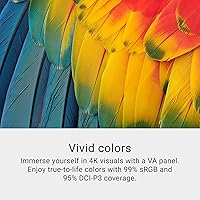
- Color Gamut: Covers approximately 99% of the sRGB color space and around 95% of the DCI-P3 wide color gamut, making it practical for hobbyist photo and video editing.
- Contrast Ratio: Rated at 1500:1 native contrast ratio, which is notably higher than typical IPS panels and results in visibly richer dark tones.
- HDR Support: Listed as HDR ready, meaning it can accept HDR signals, though it does not carry a certified HDR standard such as VESA DisplayHDR 400 or above.
- Blue Light Filter: Dell's ComfortView Plus technology keeps harmful blue light emissions at or below 35% without introducing a color-distorting yellow tint.
- Aspect Ratio: Features a standard 16:9 widescreen aspect ratio, compatible with virtually all modern video content and operating system layouts.
- Screen Finish: Equipped with a matte anti-glare coating that reduces reflections from ambient light sources in typical office and home environments.
- Bezel Design: Designed with ultra-thin bezels on three sides, reducing visual distraction and making it easier to pair in a dual-monitor configuration.
- Built-in Audio: Includes integrated speakers that Dell describes as re-engineered relative to the prior generation, with improved bass response and a wider decibel output range.
- Dimensions: The monitor measures approximately 28.05″ wide, 17.55″ tall, and 8.73″ deep with the stand attached.
- Weight: Complete unit with stand weighs 19.33 pounds, which is typical for a 32-inch display but worth noting for desk setup and wall-mount planning.
- Color Finish: Available in Ash White, a neutral warm-white tone that distinguishes it from the standard black monitors that dominate the market.
- Power Input: Rated for 240V AC input, and like most modern monitors it is compatible with standard voltage ranges used across North America and Europe.
Related Reviews
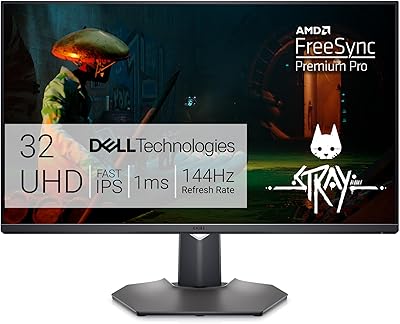
Dell G3223Q 32-inch 4K Gaming Monitor

ViewSonic VX3267U-4K 32-inch 4K IPS Monitor

ViewSonic VP3256-4K 32-inch 4K IPS Monitor

ViewSonic VX3276-4K-MHD 32-inch 4K Monitor

ViewSonic VP3268A-4K 32-inch 4K Monitor
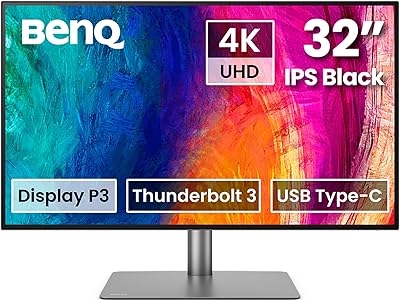
BenQ PD3225U 32-Inch 4K IPS Black Monitor
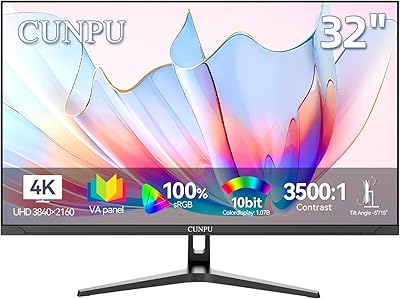
CUNPU 32-inch 4K UHD Computer Monitor
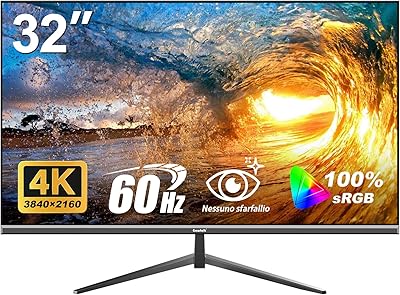
Gawfolk GF320F 32-Inch 4K UHD Monitor
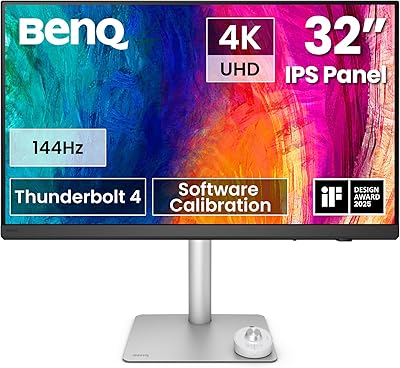
BenQ PD3226G 32-inch 4K Designer Monitor