
Overview

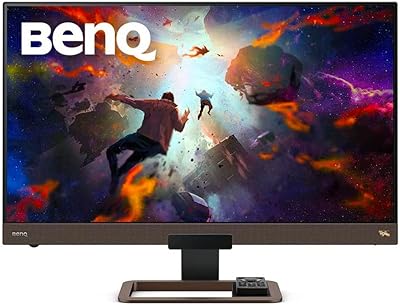
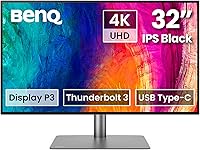
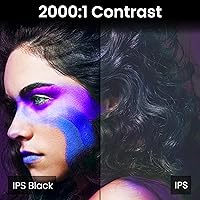
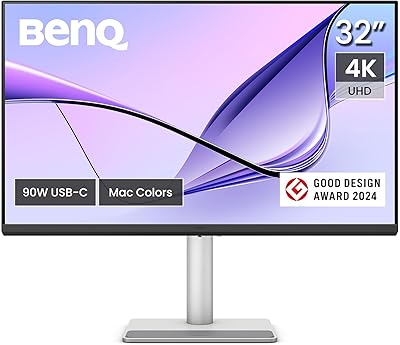
The BenQ PD3225U 32-Inch 4K IPS Black Monitor arrived in early 2024 as BenQ's answer to a specific kind of creative professional: the Mac user who needs a large, color-accurate display without a cluttered desk full of cables and adapters. What sets it apart from the crowded IPS monitor market is the IPS Black panel technology, which achieves a contrast ratio roughly double what standard IPS panels manage — a meaningful difference when evaluating shadow detail in photographs or grading dark cinematic footage. This is not built for gaming or high-refresh-rate tasks. It is a color-first workstation display, and BenQ makes that positioning clear from the start.

Features & Benefits

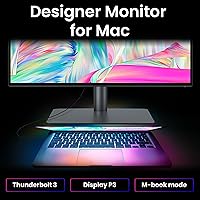
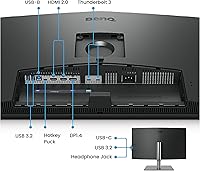
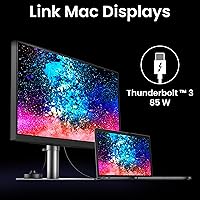
The single-cable Thunderbolt 3 connection is probably the first thing you notice when setting up the PD3225U — plug in one cable and your MacBook receives a 4K display, access to a six-port USB hub, and up to 85W of charging power simultaneously. Factory calibration means color is dialed in before you even open a settings menu, with Delta E values under two and coverage spanning the full sRGB and Rec.709 spaces plus most of the P3 gamut. Daisy-chaining a second monitor is straightforward, and the built-in KVM switch lets you control two computers from one keyboard and mouse — a practical feature that rarely gets the credit it deserves.

Best For

This 32-inch 4K display makes the most sense for Mac-based creative professionals — photographers, graphic designers, and video editors who need color they can trust without sending the monitor out for third-party calibration. M-series MacBook owners get the most out of it specifically: M-Book mode adjusts color handling to match macOS native behavior, and Display Pilot 2 adds genuinely useful tools like auto-pivot detection and desktop partitioning that actually change how you work day to day. The built-in hub also eliminates the need for a separate docking station. If high refresh rates for gaming or motion work are the priority, this BenQ designer monitor is not the right fit.

User Feedback

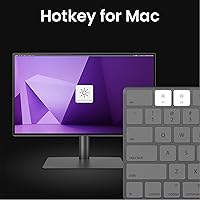
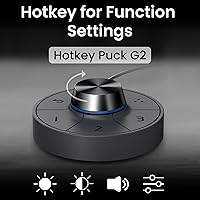
Across its 545 ratings, the PD3225U holds a solid 4.3-star average, and the praise patterns are consistent: buyers repeatedly highlight how accurate colors look straight out of the box with no manual tuning required. The Thunderbolt cable setup draws frequent positive comments from MacBook owners relieved to retire their dongles for good. The Hotkey Puck — a small physical dial for brightness and input switching — gets mentioned more than you might expect, and almost always favorably. The recurring criticism is the absence of a high refresh rate, which limits appeal for anyone whose work overlaps with motion graphics or casual gaming. The price comes up often, though most buyers ultimately conclude it was justified.

Pros

  • Factory calibration means colors are accurate right out of the box — no setup headaches.
  • The IPS Black panel produces noticeably deeper blacks than standard IPS displays at this size.
  • One Thunderbolt cable handles display, data transfer, and up to 85W of laptop charging simultaneously.
  • Daisy-chaining a second monitor is straightforward and requires no extra ports on your MacBook.
  • The built-in KVM switch lets you run two computers from one keyboard and mouse without a separate device.
  • Pantone Validated and Calman Verified certifications give professionals real confidence in color deliverables.
  • The Hotkey Puck is a well-made physical control that makes brightness and input switching genuinely faster.
  • Wide color gamut coverage across sRGB, Rec.709, and most of P3 makes it versatile across different workflows.
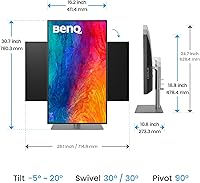
  • Ergonomic stand offers tilt, swivel, pivot, and generous height adjustment for long work sessions.
  • Display Pilot 2 software adds useful productivity features like desktop partitioning and auto-pivot detection.

Cons

  • No high refresh rate option makes it a poor fit for gaming or smooth motion work.
  • At this price, the investment requires a clear professional use case to feel justified.
  • Windows users miss out on M-Book mode and the deeper Mac-specific software integration.
  • The monitor is heavy and has a large physical footprint, which can be limiting in smaller workspaces.
  • USB-C power delivery may not be sufficient for high-performance laptops with greater charging demands.
  • No OLED panel means contrast, while strong for IPS, still does not match true black levels of OLED displays.
  • Hotkey Puck adds a small accessory to manage on the desk, which some minimalists may find unnecessary.
  • Limited appeal outside creative color work — general office users are paying for features they will rarely use.

Ratings

The BenQ PD3225U 32-Inch 4K IPS Black Monitor earns strong marks from creative professionals worldwide, and the scores below reflect what real buyers actually experienced — not marketing claims. Our AI rating system analyzed verified purchase reviews globally, actively filtering out incentivized, bot-generated, and duplicate submissions to surface genuine sentiment. Both the standout strengths and the recurring frustrations are weighted transparently in every category score.

Color Accuracy
94%
Photographers and designers consistently report that colors look trustworthy straight out of the box, with no manual calibration rituals before client work. The factory calibration process, backed by Pantone and Calman verification, gives professionals real confidence that what they see on screen will translate accurately to print or digital delivery.
A small number of users note that achieving the absolute peak accuracy requires selecting the correct color mode for the task — sRGB for web work, P3 for video — which adds a minor learning curve for those unfamiliar with color space management.
Panel Contrast & Blacks
88%
The IPS Black panel produces noticeably richer dark tones than conventional IPS displays, which matters when reviewing shadow detail in portrait photography or checking dark scenes in video edits. Users who previously owned standard IPS monitors frequently comment that the difference in perceived depth is visible immediately.
While the contrast improvement over standard IPS is real and appreciated, it still falls short of what an OLED panel delivers. Users coming from OLED laptops or reference monitors may find the blacks acceptable rather than truly impressive.
Connectivity & Cable Management
92%
MacBook users repeatedly describe the single-cable Thunderbolt setup as one of the most practically satisfying aspects of owning this display — one plug handles charging, 4K output, and USB hub access simultaneously. For anyone tired of managing a tangle of adapters and docks, this alone justifies serious consideration.
The Thunderbolt 3 connection is excellent for Mac users but requires a compatible host device to unlock its full potential. Windows users with USB-C-only laptops may find the charging wattage insufficient for power-hungry machines, and older PCs without Thunderbolt support are effectively excluded from the single-cable benefit.
Value for Money
71%
29%
Buyers who use this 32-inch 4K display for professional color work — and factor in the cost of a separate dock, USB hub, and calibration service — generally conclude the price is defensible. The all-in-one nature of the setup genuinely reduces ancillary hardware spending for Mac-based creatives.
For anyone whose work does not depend on verified color accuracy, the price is difficult to justify against competitors offering comparable screen real estate at significantly lower cost. General office users and casual creatives will likely feel they are paying a premium for features they rarely use.
Build Quality & Design
86%
The anodized metal stand feels solid and purposeful, and the overall aesthetic fits naturally into a professional Mac workspace without looking out of place. Reviewers consistently note that the physical quality matches the price expectation — nothing feels plasticky or cheap.
At nearly 30 pounds, the monitor is heavier than many alternatives, which makes repositioning awkward and limits compatibility with lighter third-party monitor arms that may not meet the weight rating. A few users also note the stand's footprint is larger than they anticipated.
Ergonomics
83%
The range of physical adjustments — tilt, swivel, portrait pivot, and 150mm of height travel — is broad enough to cover most sitting and standing desk configurations without compromise. Users who alternate between sitting and standing setups appreciate not having to fight the stand to find a comfortable position.
The pivot to portrait mode, while smooth mechanically, requires manually switching the display orientation in macOS, which is a minor but repetitive friction point. The stand also cannot be removed without a VESA adapter, which adds a small cost for users who prefer arm mounting.
Software & Controls
81%
19%
Display Pilot 2 goes beyond basic brightness control — desktop partitioning and auto-pivot detection are features that genuinely change daily workflow habits once you start using them. The Hotkey Puck is praised almost universally as a tactile, well-made control that beats navigating on-screen display menus by a wide margin.
Display Pilot 2 is meaningfully better on Mac than on Windows, which limits its appeal for cross-platform users. Some reviewers also note the software installation process is less intuitive than expected, requiring a manual download rather than a plug-and-play experience.
KVM Switch
78%
22%
The built-in KVM is a practical feature for professionals who run a personal and work computer side by side, allowing keyboard and mouse sharing without a separate switch box. Users who discovered this feature after purchase frequently mention wishing they had known about it sooner.
Switching between KVM inputs requires using the Hotkey Puck, which some users find slightly slower than dedicated hardware KVM switches. The feature also requires compatible USB connections on both source computers, which limits its utility for users with older hardware.
USB Hub Utility
82%
18%
Having six USB 3.0 ports built into the monitor body is genuinely useful for professionals with multiple peripherals — external drives, SD card readers, drawing tablets — without reaching behind a desk or adding a separate hub to the setup. The port count is higher than most competing monitors at this tier.
All six ports are USB-A, so users with USB-C peripherals will still need adapters or a separate hub. Additionally, the hub's data speeds are adequate for typical peripherals but will not satisfy users who regularly transfer large video files from high-speed storage.
Daisy Chain Support
79%
21%
The ability to extend to a second Thunderbolt monitor through the PD3225U without using a second laptop port is a meaningful feature for users who want a multi-monitor setup while keeping cable clutter minimal. Creative professionals with dual-display workflows find this particularly useful.
Running two 4K monitors through a single Thunderbolt connection places a real GPU load on the host laptop, and not all M-series MacBooks handle this equally well at full resolution on both screens. Users should verify their specific MacBook model supports dual 4K output before relying on this feature.
Glare & Viewing Conditions
77%
23%
The anti-glare coating handles reflections in moderately bright office environments without introducing the washed-out look that heavy matte coatings sometimes produce. Designers working near windows report that the coating strikes a reasonable balance for daytime use.
In very bright rooms or with direct sunlight behind the user, reflections can still be noticeable enough to distract from color-sensitive work. Users expecting performance comparable to a glossy reference display in a darkened studio may find the coating a compromise rather than a solution.
Refresh Rate
51%
49%
For static professional work — photo editing, graphic design, document review — the standard refresh rate is entirely adequate and presents no perceptible issues during normal use. The display handles typical productivity tasks and video playback without any visible motion problems.
The absence of a high refresh rate option is the most cited limitation by buyers who expected more versatility from a monitor at this price. Anyone who splits time between creative work and gaming, or who works with motion graphics where smooth on-screen movement matters, will find this a real and non-negotiable drawback.
Setup Experience
84%
Most Mac users report that initial setup is straightforward — connect the Thunderbolt cable, install Display Pilot 2, and the monitor is ready for professional use within minutes. The factory calibration means there is no intimidating setup process before the display is trustworthy.
Windows users face a slightly more manual setup process to extract the full feature set, and the Display Pilot 2 software requires a separate download that is not prominently communicated in the box. A handful of reviewers also noted firmware update prompts appearing early in the ownership experience.

Suitable for:

The BenQ PD3225U 32-Inch 4K IPS Black Monitor is purpose-built for creative professionals who work on a Mac and refuse to compromise on color accuracy. Photographers editing client galleries, graphic designers preparing print-ready files, and video editors mastering in DCI-P3 or Rec.709 will immediately appreciate a display that arrives calibrated and trustworthy — no third-party colorimeter required on day one. M-series MacBook owners in particular get an unusually clean setup: one Thunderbolt cable handles the display connection, laptop charging, and access to a multi-port USB hub all at once, effectively replacing a separate docking station. The built-in KVM switch is a quiet but practical bonus for anyone who switches between a personal and work computer at the same desk. If your livelihood depends on what colors look like on screen, this is the kind of monitor that pays for itself in confidence.

Not suitable for:

Buyers who need a high refresh rate for gaming, motion graphics rendering, or any work where smooth on-screen movement matters should look elsewhere — the PD3225U is not designed with that use case in mind, and no software setting changes that. Windows-primary users will find the monitor functional but will miss out on the M-Book color mode and tighter Display Pilot 2 integration that make the Mac experience notably better. The price point is also a genuine barrier: this is a considered, deliberate purchase, not something to buy speculatively or for general office productivity where color precision is irrelevant. Anyone expecting a dual-purpose creative-and-gaming monitor will find the trade-offs frustrating. And if desk space or portability is a concern, the unit is substantial in both footprint and weight.

Specifications

  • Panel Type: Uses an IPS Black panel, which achieves a contrast ratio of 2000:1 — roughly double what conventional IPS technology delivers.
  • Screen Size: The display measures 32 inches diagonally, providing ample canvas for detailed creative work without requiring a dual-monitor setup.
  • Resolution: Native resolution is 3840x2160 (4K UHD), delivering sharp detail at standard viewing distances typical of a desk workstation.
  • Color Gamut: Covers 98% of the DCI-P3 color space, along with full coverage of sRGB and Rec.709, making it versatile across photography, video, and print workflows.
  • Color Accuracy: Factory calibrated to Delta E under 2, and independently verified through both Pantone Validation and Calman Verification processes.
  • Connectivity: Features a Thunderbolt 3 port running at 40Gb/s bandwidth, supporting simultaneous display output, high-speed data transfer, and laptop charging.
  • Power Delivery: Delivers up to 85W of charging power through the Thunderbolt 3 USB-C connection, sufficient for most MacBook Pro and MacBook Air models.
  • USB Hub: Includes six USB 3.0 ports built into the monitor body, eliminating the need for a separate hub on most single-computer setups.
  • Daisy Chain: Supports daisy-chain connectivity via Thunderbolt, allowing a second monitor to be connected through the PD3225U without using an additional port on the host computer.
  • KVM Switch: Built-in KVM switch allows one keyboard and mouse to control two connected computers, with input switching handled via the Hotkey Puck.
  • Ergonomic Range: Stand supports tilt from -5° to 20°, swivel of 30° in each direction, full 90° pivot for portrait orientation, and 150mm of height adjustment.
  • Screen Coating: Anti-glare surface treatment reduces reflections in bright environments without introducing the haze common to matte-finish panels.
  • Aspect Ratio: Standard 16:9 widescreen aspect ratio, compatible with virtually all professional applications and video formats.
  • Dimensions: The assembled monitor with stand measures approximately 32.28″ wide, 26.6″ tall, and 7.36″ deep.
  • Weight: Complete unit with stand weighs 29.5 pounds, which is worth accounting for if the monitor needs to be moved or mounted on a third-party arm.
  • Included Accessory: Ships with the Hotkey Puck, a small physical dial that provides direct hardware control over brightness, input selection, and other display settings.
  • Software: Compatible with Display Pilot 2, BenQ's Mac-optimized display management application offering desktop partitioning, auto-pivot detection, and easy input switching.
  • Mac Compatibility: Includes M-Book mode, which aligns the monitor's color output with macOS native color handling for more consistent results on Apple silicon machines.

Related Reviews
ViewSonic VP3268A-4K 32-inch 4K Monitor
79%
93%
Color Accuracy
91%
Out-of-Box Calibration
88%
Build Quality
86%
Ergonomics & Stand
89%
Connectivity
More
BenQ PD3226G 32-inch 4K Designer Monitor
81%
93%
Color Accuracy
91%
Connectivity
88%
Anti-Glare Performance
79%
Refresh Rate Utility
82%
KVM Switch
More
BenQ MA320U 32-inch 4K Monitor
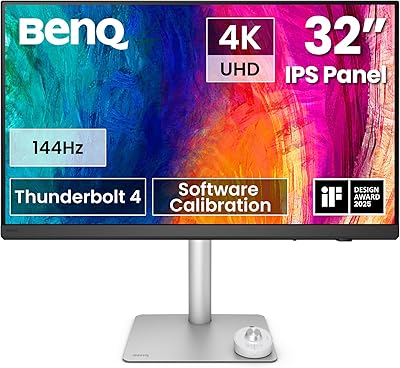
81%
94%
Mac Ecosystem Integration
91%
Color Accuracy
88%
Connectivity & USB Hub
83%
Stand Ergonomics
92%
Display Sharpness
More
BenQ EW3280U 32-inch 4K UHD Monitor
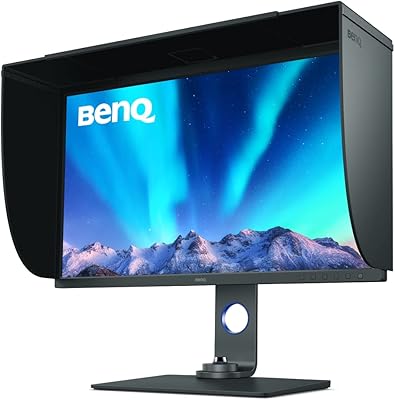
80%
93%
Image Quality
89%
Color Accuracy
91%
USB-C Connectivity
88%
Eye-Care Performance
74%
HDRi Technology
More
BenQ SW321C 32-inch Photo Editing Monitor
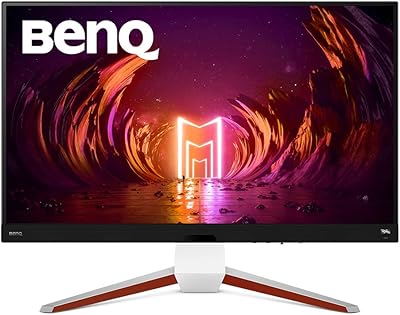
82%
94%
Color Accuracy
91%
Factory Calibration
93%
Color Gamut Coverage
88%
Build Quality
86%
Ergonomics
More
BenQ EX3210U 32-inch 4K Gaming Monitor
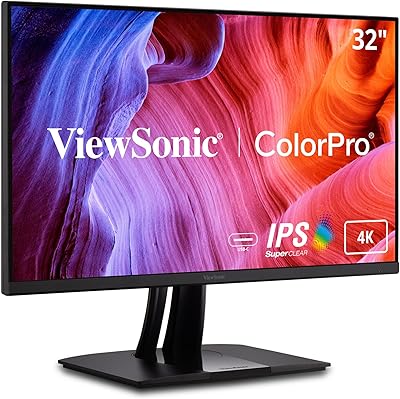
78%
93%
Image Quality
89%
Color Accuracy
88%
Gaming Performance
67%
HDR Performance
86%
Build Quality
More
ViewSonic VP3256-4K 32-inch 4K IPS Monitor
80%
93%
Color Accuracy
89%
Panel Clarity & Sharpness
88%
Build Quality & Stand
79%
USB-C Connectivity
86%
Ergonomics & Comfort
More
ViewSonic VG2756-4K 27-Inch 4K Docking Monitor
80%
91%
USB-C Docking Performance
88%
Display Clarity
74%
Connectivity & Port Selection
86%
Ergonomics & Stand Quality
71%
Color Accuracy
More
ViewSonic VX3267U-4K 32-inch 4K IPS Monitor
74%
91%
Image Sharpness
83%
USB-C Functionality
76%
Color Accuracy
54%
HDR Performance
47%
Stand & Ergonomics
More
ViewSonic VX3276-4K-MHD 32-inch 4K Monitor
76%
91%
Image Clarity & Sharpness
74%
Color Accuracy
86%
Contrast & Black Levels
61%
HDR Performance
58%
Refresh Rate & Motion Handling
More

FAQ

Yes, and that is genuinely one of its strongest practical features. One Thunderbolt cable connects your MacBook to the display, charges the laptop at up to 85W, and gives you access to the built-in USB hub — all simultaneously. For M-series MacBook owners especially, it is a very clean setup.

No manual calibration is needed out of the box. The PD3225U ships factory-calibrated with Delta E values under 2, and comes with Pantone and Calman verification. Most photographers and designers find the color accuracy ready to trust from the moment they plug it in.

Not really. The BenQ PD3225U 32-Inch 4K IPS Black Monitor is built around color accuracy and professional workflow features, not high refresh rates. If gaming is a priority — even occasional gaming — you will likely find the experience underwhelming compared to displays designed with that use case in mind.

Absolutely. The display works with Windows machines and the Thunderbolt 3 port will handle connectivity. You will miss out on M-Book mode and the tighter Display Pilot 2 Mac integration, but the core display performance and USB hub functionality work just fine with a compatible Windows laptop or desktop.

It is a small physical dial that ships with the monitor and sits on your desk. You use it to quickly adjust brightness, switch between inputs, or change display modes without diving into on-screen menus. Reviewers consistently find it more useful than expected — it is especially handy when you are switching inputs frequently using the KVM feature.

You can daisy-chain a second Thunderbolt-compatible monitor from the PD3225U, meaning your laptop only needs one Thunderbolt port to drive a dual-monitor setup. Keep in mind that daisy-chaining two 4K displays does place demands on your laptop's GPU, so results will vary depending on your machine.

Standard IPS panels typically deliver contrast ratios around 1000:1, which means blacks can look more like a dark grey in a dim room. The IPS Black panel in this 32-inch 4K display doubles that contrast, producing noticeably richer blacks. It still does not match OLED, but for an IPS monitor it is a meaningful visual improvement, particularly for dark-themed UI work or cinematic footage review.

M-Book mode adjusts the monitor's color profile to better align with the native color rendering of macOS. Without it, you can sometimes notice a slight shift between what you see on your MacBook screen and what appears on an external display. If you are doing color-sensitive work on a Mac, enabling M-Book mode helps keep things consistent across both screens.

Yes, the stand is quite flexible. You get height adjustment of 150mm, tilt, left-and-right swivel, and the ability to rotate the panel fully into portrait orientation. The range of adjustment is broad enough to accommodate most sitting and standing desk configurations without much compromise.

BenQ typically includes a Thunderbolt cable in the box with this monitor, but it is worth confirming when you purchase as retail bundles can vary. The Hotkey Puck and its cable are included. For most MacBook users, the single Thunderbolt connection handles everything, so you should be up and running quickly without hunting for additional cables.