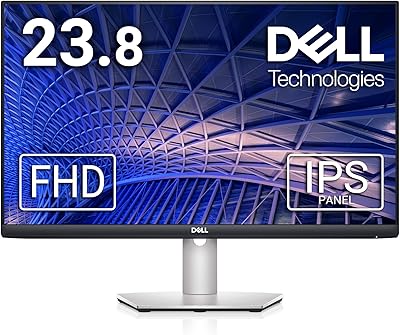
Dell P2422H 24-inch IPS Monitor
Overview
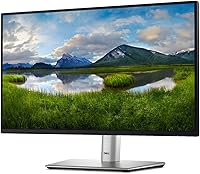
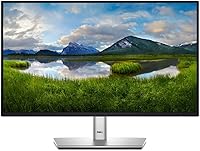
The Dell P2422H 24-inch IPS Monitor sits comfortably in the mid-range office display category, built for people who need reliability and comfort over long workdays rather than flashy specs. Dell's P-series line has a long track record with business buyers, and that heritage shows in the thoughtful ergonomics and build quality you get here. This is a 23.8-inch IPS panel running at Full HD — practical, proven, and honest about what it is. At this price point, the market is crowded, so going in with clear expectations matters. This is a workhorse display, not a multimedia centerpiece.
Features & Benefits
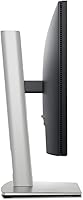
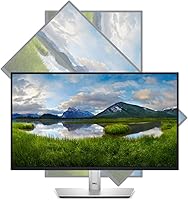
The IPS panel is the standout here — colors stay consistent no matter the angle, which makes a real difference if you're sharing your screen or working across a wider desk. ComfortView Plus is Dell's hardware-level blue light filter, meaning it reduces eye strain without the color shift you often get from software filters. The ergonomic stand offers height, tilt, swivel, and pivot adjustments, so finding a comfortable position actually takes minutes, not guesswork. A matte screen surface handles office lighting well, cutting reflections without washing out the image. Five USB 3.0 ports built into the display also make managing cables and peripherals noticeably tidier.
Best For
This Dell office monitor is a natural fit for anyone who spends the bulk of their day in documents, spreadsheets, and video calls. Remote workers and office professionals benefit most from the combination of eye comfort features and the adjustable stand — it genuinely helps reduce fatigue during long sessions. Students will appreciate the clean, sharp image for reading and writing without strain. Dual-monitor users will find the slim bezels and consistent IPS color reproduction useful for building a cohesive setup. And if you need VESA mount compatibility for a monitor arm or wall bracket, the P2422H supports that without issue.
User Feedback
With over 1,300 ratings and a 4.6-star average, the P2422H has clearly earned trust among a wide range of buyers. Image clarity and stand flexibility come up repeatedly in positive reviews, alongside praise for how straightforward the setup process is out of the box. On the critical side, some users — particularly those pushing it toward creative or gaming tasks — find Full HD limiting at this screen size, and the absence of USB-C connectivity is a recurring note. These are genuine trade-offs, though they tend to reflect use-case mismatches rather than product shortcomings. Long-term reliability reports look solid overall.
Pros
- ComfortView Plus hardware blue light filtering reduces real eye strain without distorting colors the way software filters do.
- The fully adjustable stand — height, tilt, swivel, and pivot — means a comfortable setup without buying a separate arm.
- IPS panel technology delivers consistent colors from wide angles, useful for shared screens or off-center desk arrangements.
- The matte anti-glare coating handles bright office and home environments without constant reflections interrupting your workflow.
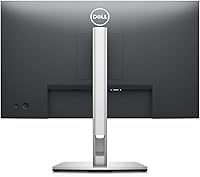
- Five USB 3.0 ports built into the display keep peripheral clutter off the desk and away from the back of your PC.
- Slim bezels on three sides make dual-monitor configurations look clean and feel cohesive during extended use.
- VESA mount compatibility gives business users the flexibility to wall-mount or use a monitor arm right out of the box.
- Out-of-box color accuracy is solid for productivity tasks — most users report no need for manual calibration.
- Long-term reliability reports from multi-year owners are consistently positive, backed by Dell P-series build standards.
- Setup is quick and tool-free, with most buyers reporting the monitor fully running within fifteen minutes of unboxing.
Cons
- No USB-C input is a real inconvenience for users with modern laptops that rely on it for video output.
- At 1080p on a 23.8-inch screen, pixel density is adequate but noticeable to anyone coming from a higher-resolution display.
- Maximum brightness is limited, which can feel insufficient in very sunny or brightly lit workspaces near large windows.
- The bottom bezel is noticeably thicker than the other three sides, which breaks the symmetry some buyers expect.
- The stand has minor wobble on the height column — not a dealbreaker, but perceptible during typing on a shared desk surface.
- No high refresh rate or adaptive sync means this display is a poor fit as a secondary gaming monitor.
- The included cable kit is minimal, and some connection types required for specific setups will need to be purchased separately.
- A small percentage of long-term owners report inconsistent experiences with Dell warranty and customer support resolution times.
Ratings
The Dell P2422H 24-inch IPS Monitor has been evaluated using AI-driven analysis of verified global user reviews, with spam, bot-generated, and incentivized feedback actively filtered out to ensure the scores reflect genuine buyer experiences. Across thousands of real-world assessments — from home office setups to corporate workstations — both the strengths and the recurring frustrations are transparently represented in the scorecards below. What you see here is an honest, balanced picture of where this IPS display genuinely excels and where it asks for compromise.
Image Clarity
Eye Comfort
Ergonomics & Stand
Build Quality
Matte Screen Surface
Color Accuracy
Connectivity & USB Hub
Setup & Out-of-Box Experience
Viewing Angles
Value for Money
Slim Bezel & Multi-Monitor Usability
Brightness & Glare Handling
Longevity & Reliability
Suitable for:
The Dell P2422H 24-inch IPS Monitor is built for people whose work lives happen in front of a screen — and who need that screen to hold up comfortably for eight hours straight. Office professionals and remote workers benefit most from the combination of hardware-level blue light filtering, a fully adjustable ergonomic stand, and a matte panel that handles real-world lighting conditions without constant repositioning. Students will find it a dependable daily driver for reading, writing, and video calls, with image quality that holds up across a wide range of tasks. Dual-monitor users will appreciate the slim bezels and consistent IPS color reproduction, which makes side-by-side setups look cohesive rather than mismatched. Business users who prefer a monitor arm or wall mount will also be well-served, since VESA compatibility is built in and the stand can be swapped out without compromise. If you are upgrading from an older TN panel or a budget display without ergonomic adjustments, the jump in everyday comfort and image consistency is immediate and meaningful.
Not suitable for:
The Dell P2422H 24-inch IPS Monitor is not the right fit for buyers who need more from their display than productivity-focused specs can offer. Graphic designers, photo editors, or video producers will find the color gamut and calibration accuracy fall short of what dedicated creative monitors provide — this is a strong office display, not a color-critical workstation tool. Gamers will quickly notice the absence of a high refresh rate and adaptive sync technology, which are standard expectations in gaming-oriented displays at a comparable price. Power users and developers who have grown accustomed to 1440p or higher resolution will find 1080p at 23.8 inches limiting for dense code views or multi-window workflows. Anyone whose laptop or desktop setup relies primarily on USB-C for video output will face an immediate compatibility gap, as this IPS display does not offer that connection. Finally, buyers looking for the thinnest possible bezels on all four sides may find the thicker bottom bezel slightly inconsistent with a premium aesthetic.
Specifications
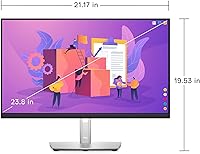
- Screen Size: The active display area measures 23.8 inches diagonally, making it a practical fit for standard single or dual-monitor desk setups.
- Resolution: Native resolution is 1920x1080 Full HD, delivering clear, sharp text and images for everyday office and productivity use.
- Panel Type: The display uses IPS (In-Plane Switching) technology, which provides wider viewing angles and more consistent color reproduction than TN alternatives.
- Aspect Ratio: The screen uses a standard 16:9 widescreen aspect ratio, compatible with virtually all modern video, conferencing, and productivity software.
- Screen Surface: A matte anti-glare coating is applied to the panel surface to reduce reflections in bright office and home environments.
- Refresh Rate: The monitor operates at a standard 60Hz refresh rate, suited for office work and general use rather than fast-paced gaming.
- Brightness: Typical brightness output is rated at 250 cd/m², which is adequate for standard indoor lighting conditions.
- Contrast Ratio: Static contrast ratio is rated at 1000:1, delivering reasonable depth between light and dark content for a productivity display.
- Response Time: The panel has a 5ms (gray-to-gray) response time, which is standard for IPS office monitors and not optimized for gaming.
- Eye Care: ComfortView Plus is a built-in hardware-level blue light filter that reduces harmful blue light emission without requiring software overlays or color distortion.
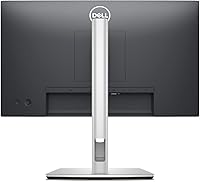
- Connectivity: Input options include one HDMI 1.4 port, one DisplayPort 1.2, and one VGA port for broad compatibility with desktops and older systems.
- USB Hub: The monitor includes a built-in USB 3.0 hub with one upstream port and four downstream ports for connecting peripherals directly through the display.
- Ergonomic Stand: The included stand supports height adjustment (up to 130mm), tilt (-5° to 21°), swivel (±45°), and 90° pivot rotation for portrait mode.
- VESA Compatibility: The display is VESA mount compatible (100x100mm pattern), allowing use with third-party monitor arms or wall mount brackets.
- Bezel Design: Three-sided slim bezels on the top and both sides keep the frame minimal and make multi-monitor configurations look cohesive.
- Color Gamut: The panel covers 99% of the sRGB color space, making it well-suited for standard office and web content but not professional color-grading workflows.
- Dimensions: With the stand attached, the monitor measures 7.05 x 21.17 x 19.53 inches (LxWxH) and weighs 12.28 pounds.
- Power: The monitor operates on AC input voltage up to 240V and carries standard energy efficiency certifications appropriate for office environments.
- Color: The monitor is finished in black and follows the understated, professional aesthetic consistent with Dell's P-series business line.
- Warranty: Dell typically backs the P-series line with a three-year Advanced Exchange Service warranty, covering panel defects including dead pixels under their policy terms.
Related Reviews

Dell E2420H 24-inch FHD IPS Monitor

Dell P2419H 24-Inch IPS Monitor
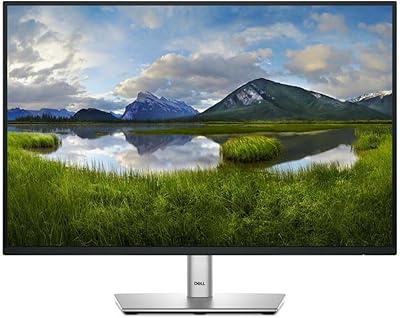
Dell P2425 24″ WUXGA IPS Monitor

ViewSonic VG2448A 24-inch IPS Monitor
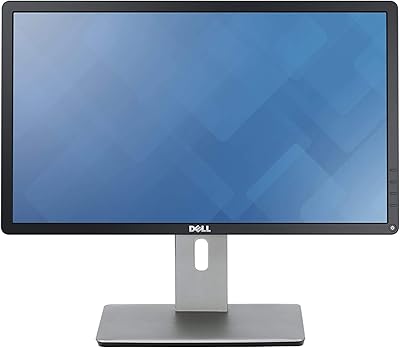
Dell P2214H 22-Inch IPS Monitor

Dell P2714H 27-inch IPS Monitor
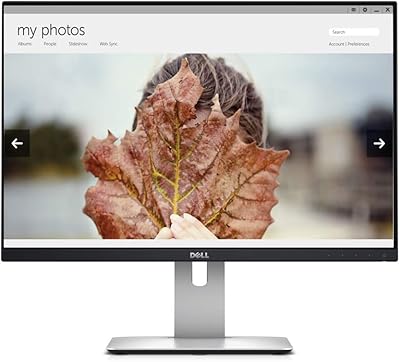
Dell UltraSharp U2415 24-inch Monitor
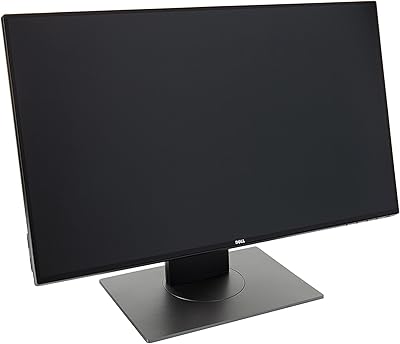
Dell UltraSharp U2417H 24-inch IPS Monitor
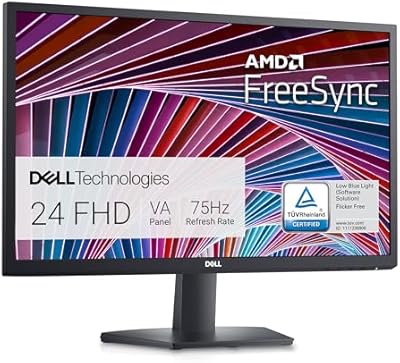
Dell SE2422HX 24-inch Monitor