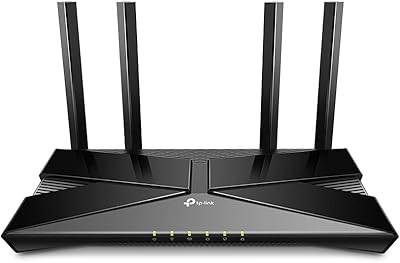
D-Link G530 5G WiFi 6 Cellular Router








Overview
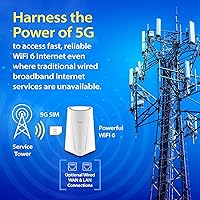
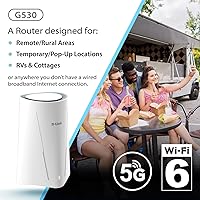
The D-Link G530 5G WiFi 6 Cellular Router is built for people who can't rely on a cable running to their door — think rural homeowners, RV dwellers, and small businesses operating out of temporary locations. It functions as a true cellular gateway, pulling internet from a 5G SIM slot while also accepting a wired broadband connection as a second WAN input. Carrier certifications from AT&T, T-Mobile, and Verizon mean you're not gambling on compatibility. That said, this is a considered purchase, not a budget grab, and the specs deserve an honest look before you commit.
Features & Benefits
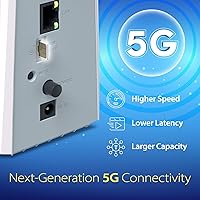
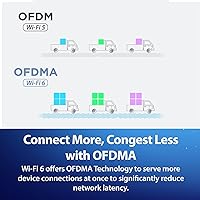
The G530 supports 5G NR in both NSA and SA modes, with theoretical downlink speeds up to 3.4 Gbps — though real-world throughput depends heavily on tower distance and signal conditions, so expect something more modest in daily use. WiFi 6 dual-band coverage (574 Mbps on 2.4 GHz, 2402 Mbps on 5 GHz) helps in homes with many connected devices, where MU-MIMO and OFDMA reduce congestion noticeably. The Dual-WAN Auto-Failover is genuinely useful for remote workers — it switches connections without dropping active sessions. Four internal antennas keep the design clean, though they limit customization compared to rivals with external antenna ports. The FALCON app handles setup, parental controls, guest networks, and usage caps reasonably well.
Best For
This cellular gateway hits its stride for rural and semi-rural households where fiber simply isn't an option, and for mobile operators like RV travelers or food truck owners who need portable, high-performance connectivity on certified carrier networks. Small offices or pop-up sites that need reliable uptime — with automatic failover as a safety net — will find it practical. It also suits home users who want one box managing both their 5G SIM and their existing wired ISP, with no manual switching required. If you're already on Verizon, T-Mobile, or AT&T, the PTCRB certification removes a real source of frustration from the equation.
User Feedback
Buyers consistently praise how approachable the initial setup is through the app, and 5G signal reception gets strong marks in areas with decent tower coverage. Failover behavior also draws positive comments — most users report it switches connections without any obvious interruption. On the critical side, the internal antennas are a sticking point for those who expected broader range, and a handful of users flag occasional app glitches that required a restart to resolve. Pricing draws mixed reactions; some feel the value is justified, others point to competing routers offering more advanced configuration at a similar cost. In low-coverage areas, expect the device to fall back to LTE more often than the 5G branding might suggest.
Pros
- Certified by AT&T, T-Mobile, and Verizon, so carrier compatibility is not a guessing game.
- Dual-WAN failover switches between 5G and wired broadband automatically, keeping connections alive without manual steps.
- WiFi 6 with MU-MIMO and OFDMA handles multiple devices at once noticeably better than older router standards.
- Setup through the FALCON app is approachable even for non-technical users, typically taking under 15 minutes.
- Supports 5G NR in both NSA and SA modes, plus LTE and 3G fallback for broader network coverage.
- Compact and light enough to relocate between a home, RV, or temporary worksite without hassle.
- Includes a test SIM card in the box, letting you verify connectivity before committing to a data plan.
- Four internal high-gain antennas deliver consistent signal distribution in small-to-medium spaces.
- Guest network, parental controls, and usage caps are all manageable remotely through the app.
Cons
- Internal antennas cannot be swapped or upgraded, limiting range extension options for large or obstructed spaces.
- Real-world 5G throughput falls well short of the theoretical maximum in most household environments.
- The FALCON app has reported stability issues that occasionally require a restart to resolve.
- Buyers in low 5G coverage areas may spend more time on LTE than the device branding implies.
- Pricing puts this in a category where competing routers offer more advanced configuration options for similar money.
- App feature depth is thinner than what dedicated router management interfaces typically provide for power users.
- No external antenna ports mean you cannot point a directional antenna toward a distant 5G tower to improve signal.
- Carrier-specific performance varies; some users on certain networks report less consistent throughput than others.
Ratings
The scores below reflect an AI-driven analysis of verified global user reviews for the D-Link G530 5G WiFi 6 Cellular Router, with spam, bot-generated, and incentivized feedback actively filtered out before scoring. Each category is weighted against real-world usage patterns reported by buyers across rural homes, RVs, small offices, and temporary worksites. Both the genuine strengths and the recurring pain points are reflected honestly — nothing has been softened to protect the rating.
5G Signal Reception
Dual-WAN Failover
WiFi Coverage & Range
Setup Experience
FALCON App Quality
Carrier Compatibility
Real-World Speed Performance
LTE Fallback Performance
Build Quality & Design
Value for Money
Remote Management
Multi-Device Handling
Portability
Parental Controls
Suitable for:
The D-Link G530 5G WiFi 6 Cellular Router is a strong fit for anyone whose location makes traditional wired broadband impractical or unreliable. Rural and semi-rural households that sit outside fiber or cable coverage zones are the most obvious beneficiaries — this cellular gateway gives them a path to genuinely fast internet without waiting on an ISP to expand infrastructure. RV owners, food truck operators, and pop-up retailers will appreciate that it's compact enough to move between locations while still connecting to certified AT&T, T-Mobile, and Verizon networks without fuss. Small offices or construction sites that need dependable uptime will find the automatic Dual-WAN failover particularly reassuring, since it keeps the connection alive even when one source drops. It also works well for home users who already have a wired ISP but want 5G cellular as a live backup — the G530 handles that switching automatically, with no manual intervention required.
Not suitable for:
The D-Link G530 5G WiFi 6 Cellular Router is a harder sell for buyers who already have reliable fiber or cable broadband and simply want faster in-home Wi-Fi coverage — a conventional Wi-Fi 6 router would serve that need at a lower cost. Power users who want granular network configuration, VLAN support, or advanced QoS controls may find the feature set limiting compared to prosumer-grade alternatives at a similar price. The internal antenna design, while clean, restricts the ability to attach external directional antennas for boosting range in large properties or challenging signal environments — a real drawback if you are in a fringe coverage area. Users in regions with weak or no 5G tower presence should also temper expectations; the device will fall back to LTE when 5G isn't available, which defeats part of the value proposition. Finally, buyers looking for a mature, fully polished companion app may encounter occasional rough edges with the FALCON platform as it continues to develop.
Specifications
- Brand: Manufactured by D-Link, a networking hardware company with broad consumer and business router experience.
- Model: The G530 is the specific model identifier for this 5G cellular gateway within D-Link's product lineup.
- 5G Standard: Supports 5G NR in both Non-Standalone (NSA) and Standalone (SA) modes for broader network compatibility.
- Max 5G Downlink: Theoretical peak downlink speed reaches up to 3.4 Gbps via the SIM card slot under ideal signal conditions.
- WiFi Standard: Operates on WiFi 6 (802.11ax), also backward compatible with 802.11ac, 802.11n, 802.11g, and 802.11b devices.
- Frequency Bands: Dual-band operation covers both 2.4 GHz (up to 574 Mbps) and 5 GHz (up to 2402 Mbps) simultaneously.
- Antenna Design: Four internal high-gain antennas are pre-positioned inside the unit; no external antenna ports are available.
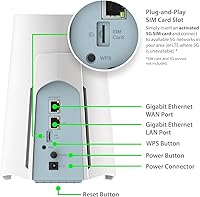
- WAN Inputs: Accepts two WAN sources: a physical SIM card slot for 5G cellular and a wired Ethernet broadband connection.
- Failover: Dual-WAN Auto-Failover automatically switches between the primary and secondary WAN connection when one drops.
- LTE Fallback: Falls back to 4G LTE or 3G networks when 5G coverage is unavailable, maintaining connectivity in weaker signal areas.
- Certifications: Certified by PTCRB and officially approved for use on AT&T, T-Mobile, and Verizon cellular networks.
- Management App: The FALCON app (available for iOS and Android) handles setup, guest networks, parental controls, usage caps, and remote management.
- Included SIM: Comes with a 1 GB test SIM card in the box to verify cellular connectivity before purchasing a data plan.
- Ethernet Ports: Wired connectivity follows IEEE 802.3u and IEEE 802.3ab standards, supporting Fast Ethernet and Gigabit Ethernet.
- Dimensions: The unit measures 5.82 x 5.03 x 7.71 inches, making it compact enough for desks, RV shelves, or small office spaces.
- Weight: Weighs 1.42 pounds, light enough to relocate between sites without difficulty.
- Color: Available in white, with a clean, compact enclosure designed to blend into home and office environments.
- In the Box: Package includes the G530 router, power adapter, Ethernet cable, 1 GB test SIM card, and a quick install guide.
Related Reviews
D-Link AX3000 M30 WiFi 6 Mesh Router
D-Link M60 AX6000 Wi-Fi 6 Mesh Router
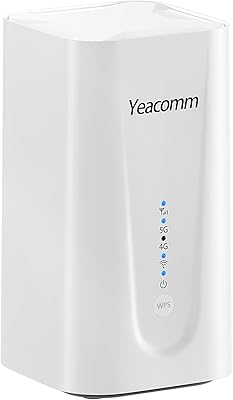
Yeacomm NR330 AX3600 5G WiFi 6 Router

TP-Link Archer AX6000 WiFi 6 Router

TP-Link Archer AX73
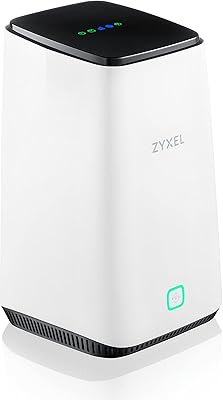
Zyxel FWA510 5G NR WiFi 6 Router
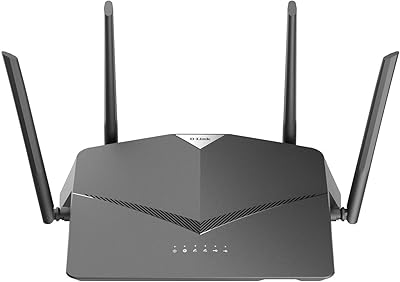
D-Link DIR-2640 AC2600 Mesh Router
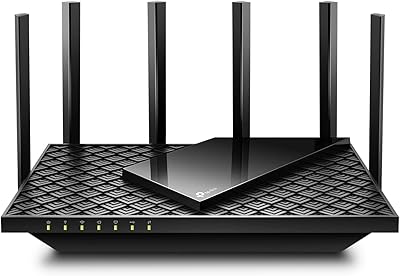
TP-Link Archer AX72 Pro WiFi 6 Router
Wiflyer Z8102AX-T-RM520NGL 5G WiFi 6 Router