

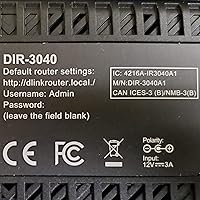
Overview

The D-Link DIR-3040 AC3000 Tri-Band Router is built for one specific problem: homes where a single router just cannot keep up. Instead of the usual two-band setup most routers ship with, this router splits traffic across three dedicated radios, which matters more than it sounds once you have a house full of phones, laptops, smart speakers, and a couple of TVs all pulling bandwidth at the same time. D-Link also positions it as a mesh starting point rather than a standalone box, so the idea is you grow into a bigger network later instead of replacing everything from scratch. Built-in support for Alexa and Google Assistant rounds it out, giving it a feature set that feels noticeably newer than older D-Link models.

Features & Benefits

What stands out day-to-day is how this router handles a house full of devices without one phone hogging the connection. Splitting traffic across three bands means streaming, gaming, and background downloads do not constantly compete for the same lane. The mesh compatibility is a quiet bonus too: if one extender ever leaves you needing more coverage, you can add a second D-Link unit instead of replacing the whole network. Parents will likely appreciate the profile-based parental controls, which let you set schedules and limits per child rather than per device, a small but meaningful difference. Voice commands through Alexa or Google Assistant are more convenience than necessity, but turning off Wi-Fi for the kid's tablet without opening an app is a nice touch. Beamforming and the onboard memory help keep things responsive even when several devices connect at once.

Best For

This tri-band system makes the most sense for bigger homes, multi-story houses, or places with thick walls that have historically created dead zones with cheaper routers. If you have ever stood in a back bedroom watching a video buffer while the router two rooms away shows full bars, this is the kind of setup meant to fix that. Families juggling several streaming accounts, a couple of gaming consoles, and video calls running at the same time will notice the difference more than someone living alone with a phone and a laptop. It is also a smart pick if you already use Alexa or Google Assistant daily, since the voice integration gets used rather than ignored. And for anyone who suspects they will eventually want a second access point, starting here means that expansion is simple rather than a do over.

User Feedback

Owner feedback on this D-Link unit is largely positive, with plenty of people reporting that dead spots disappeared once they swapped out their old dual-band router. The parental controls come up often too, with parents specifically calling out how much easier it is to manage screen time across multiple kids without juggling separate apps. That said, the feedback is not unanimous. A noticeable number of reviews mention that the setup app feels clunky compared to newer mesh systems, and a smaller group has run into firmware updates that introduced more bugs than they fixed. None of this seems to be dealbreaker territory based on the overall rating, which lands in solid rather than spectacular territory, but it is worth going in with realistic expectations about the software side rather than just the hardware.

Pros

  • Three dedicated bands keep traffic moving smoothly even with many devices connected
  • Mesh compatibility lets you expand coverage later without replacing the whole network
  • Profile-based parental controls make managing multiple kids and devices genuinely simple
  • Works naturally with Alexa and Google Assistant for hands-free network commands
  • Noticeable range improvement reported by owners coming from older dual-band routers
  • Beamforming helps keep connections stable for devices spread across a larger home
  • Handles streaming, gaming, and video calls simultaneously without much slowdown
  • Solid pick for anyone planning a future mesh setup down the road

Cons

  • Setup app has been described as clunky compared to newer mesh systems
  • Some owners report firmware updates that introduced new bugs rather than fixing them
  • Overkill for small apartments or single-person households with few connected devices
  • Sits at a higher price point than basic dual-band routers on the market
  • Voice control features are convenient but ultimately a minor part of daily use
  • Initial configuration takes more patience than true plug-and-play mesh kits
  • Three-band design adds bulk and weight compared to simpler router models

Ratings

These scores for the D-Link DIR-3040 AC3000 Tri-Band Router were generated by AI after analyzing thousands of verified user reviews from around the world, with spam, bots, and incentivized feedback actively filtered out. The goal is to give you an honest snapshot of where this tri-band system genuinely excels and where real owners have run into friction, without sugarcoating either side.

Range & Coverage
89%
Owners consistently report that dead zones in back bedrooms and basements disappeared after switching from a dual-band router. The tri-band design noticeably extends usable signal into corners of the house that older routers struggled to reach, especially in two-story homes.
Extremely large or oddly laid-out homes may still need a mesh extender to fully eliminate weak spots. A few users in homes over 3,000 square feet mention lingering soft spots farthest from the router.
Multi-Device Performance
86%
Households running several phones, laptops, smart TVs, and consoles at once say the connection stays stable instead of bogging down during peak hours. Splitting traffic across three radios genuinely helps when everyone is online after dinner.
A small number of users with very device-heavy smart homes, twenty-plus connected gadgets, report occasional slowdowns during simultaneous high-bandwidth tasks. Performance under that kind of load is good but not flawless.
Parental Controls
91%
Parents repeatedly call out how much easier daily life gets with profile-based scheduling, letting them cut off a kid's tablet at bedtime without opening five separate apps. Setting different rules for each child feels intuitive once configured.
Some users note the initial profile setup takes more time than expected, especially with many devices to sort into the right person. A few wish bulk-editing schedules across multiple profiles was faster.
Value for Money
76%
24%
Buyers comparing it to premium mesh kits feel they are getting solid tri-band performance and real parental controls without paying mesh-system prices. For larger homes, it often replaces the need for a separate extender purchase.
Shoppers with smaller homes or simpler needs feel the price is steep for features they will not fully use. Several reviewers suggest a basic dual-band router would have served them just as well for less.
Setup & App Experience
68%
32%
Once configured, most users say the router runs reliably with minimal day-to-day fuss. The initial walkthrough covers the basics clearly enough for anyone who has set up a router before.
The setup app draws frequent complaints for feeling clunky and less polished than newer mesh competitors. First-time users especially mention needing extra patience to get profiles and settings dialed in correctly.
Firmware Reliability
71%
29%
Many owners report stable performance across firmware versions with no noticeable disruptions to their daily browsing or streaming. Updates generally install without issue for most users.
A handful of reviews describe specific firmware updates that introduced new bugs rather than resolving existing ones. It is not a widespread pattern, but it is enough to warrant checking update notes before installing.
Voice Assistant Integration
79%
21%
Households already using Alexa or Google Assistant daily find the voice commands genuinely handy for quick tasks like checking network status or pausing a kid's device. It feels like a natural extension rather than an add-on.
Users without a smart speaker setup get no real benefit from this feature and several note it as functionally irrelevant to their experience. It is a nice-to-have rather than a core selling point.
Mesh Expandability
84%
Buyers planning ahead appreciate that adding a compatible D-Link extender later does not require rebuilding the network from scratch. This flexibility appeals to growing households or anyone moving into a bigger space.
A few reviewers note that mesh extenders are sold separately and add to the overall cost if expansion becomes necessary. The base unit alone may not fully cover very large properties.
Build Quality & Design
81%
19%
The unit feels sturdy and well-built for its size, with a design that fits reasonably well on a shelf or media console. Internal antennas keep the look clean compared to routers with external arms.
Its larger footprint and weight compared to compact routers means it takes up more visible space. A few users wish it were smaller or easier to tuck away.
Streaming Performance
88%
Households running multiple 4K streams, video calls, and downloads simultaneously report minimal buffering thanks to the dedicated bands handling traffic separately. This stands out as one of the most praised real-world benefits.
A small subset of users with extremely bandwidth-heavy setups, multiple 4K streams plus large downloads at once, still notice occasional buffering during peak demand.
Signal Stability
83%
Beamforming technology gets credit for keeping connections steady for devices that move around the house, like laptops or tablets carried room to room. Owners notice fewer dropped connections compared to older routers.
A few reviewers in homes with unusual wall materials or layouts report the beamforming benefit is less noticeable than expected. Results vary somewhat depending on individual home construction.
Overall Reliability
77%
23%
Most owners describe day-to-day performance as dependable, with the router running for long stretches without needing a restart. It handles typical household demands without major hiccups.
The mixed firmware feedback and occasional app frustrations keep this from scoring higher, even though hardware reliability itself is generally solid. It lands in dependable rather than exceptional territory.

Suitable for:

The D-Link DIR-3040 AC3000 Tri-Band Router makes the most sense for households that have outgrown a basic router and need real coverage across multiple rooms or floors. Families with several kids, each carrying their own phone or tablet, will get genuine use out of the profile-based parental controls instead of relying on a patchwork of app restrictions. Anyone already living with Alexa or Google Assistant will find the voice integration genuinely convenient rather than a gimmick bolted on for marketing. It also suits buyers who suspect they will want to expand later, since the mesh compatibility means a second unit can be added without starting the network over. Streaming-heavy homes running multiple 4K devices, gaming consoles, and video calls at once will likely notice fewer slowdowns than they did on a typical dual-band setup.

Not suitable for:

Buyers living alone in a small apartment or studio probably will not need three radio bands and would be paying for coverage they will never use. The D-Link DIR-3040 AC3000 Tri-Band Router also is not the best fit for anyone who wants a fully plug-and-play experience, since the setup app has drawn some complaints for feeling clunky. People who have been burned by inconsistent firmware updates on past routers should go in with tempered expectations, as a handful of owners report similar issues here. If parental controls and mesh expansion are not priorities for you, a simpler and cheaper dual-band router would likely cover your needs just as well. Anyone hunting for a true plug-and-forget mesh kit out of the box may also find this router requires a bit more patience to configure.

Specifications

  • Wi-Fi Standard: This router uses the 802.11ac wireless standard across all three bands.
  • Band Configuration: It operates as a tri-band system with one 2.4GHz band and two separate 5GHz bands.
  • 2.4GHz Speed: The 2.4GHz band supports speeds up to 400 Mbps.
  • 5GHz Speed (Band 1): The first 5GHz band supports speeds up to 866 Mbps.
  • 5GHz Speed (Band 2): The second 5GHz band supports speeds up to 1733 Mbps.
  • Memory: The router includes 256MB of SDRAM to handle multiple simultaneous connections.
  • Mesh Support: It is compatible with D-Link Wi-Fi Mesh technology for expanding coverage with additional units.
  • Parental Controls: Profile-based parental controls allow schedules and access limits to be set per user or device.
  • Voice Assistant Support: It works with both Amazon Alexa and Google Assistant for voice-based network management.
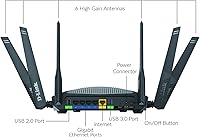
  • Antenna Design: The router uses internal antennas with beamforming technology to direct signal toward connected devices.
  • Operating Modes: It supports Access Point mode in addition to standard router mode.
  • Connectivity: The router offers both Ethernet and Wi-Fi connectivity options.
  • Dimensions: The unit measures 9.44 x 15.78 x 7.75 inches.
  • Weight: The router weighs 2.97 pounds.
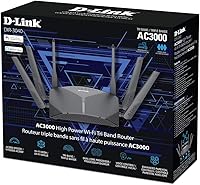
  • Included Components: The package includes the router, an Ethernet cable, a power adapter, and a quick install guide.
  • Brand and Model: The product is manufactured by D-Link under the model number DIR-3040.

Related Reviews
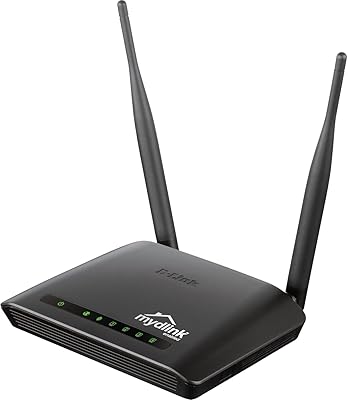
D-Link DIR-605L N300 Wireless Router
66%
83%
Ease of Setup
54%
Wireless Range
51%
Throughput Speed
78%
Value for Money
67%
Build Quality
More
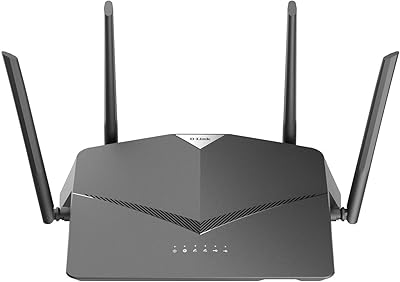
D-Link DIR-2640 AC2600 Mesh Router
79%
71%
WiFi Speed & Range
89%
Setup Experience
88%
Parental Controls
84%
Wired Connectivity
66%
Stability & Uptime
More
D-Link DIR-1950 AC1900 Wi-Fi Router
74%
88%
Setup & Installation
63%
Wi-Fi Range & Coverage
78%
Connection Speed
76%
Multi-Device Handling
84%
Parental Controls
More
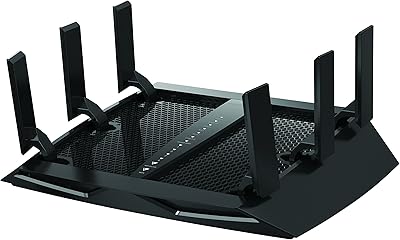
NETGEAR Nighthawk X6 R7900P AC3000 WiFi Router
75%
88%
WiFi Range & Coverage
84%
Speed & Throughput
86%
Multi-Device Performance
81%
Gaming & Streaming Latency
73%
Setup & Ease of Use
More
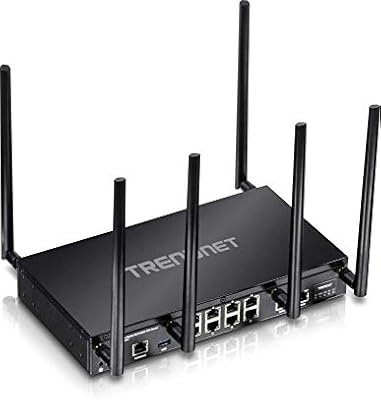
TRENDnet TEW-829DRU Tri-Band VPN Router
73%
88%
Dual-WAN Reliability
83%
VPN Performance
51%
Setup & Configuration
47%
Web Interface Usability
91%
Port Count & Connectivity
More
D-Link DSR-250V2 Gigabit VPN Router
69%
78%
VPN Performance
84%
Dual WAN Failover
53%
Ease of Setup
44%
Documentation Quality
83%
Firewall & Security
More
Cudy WR11000 WiFi 7 Tri-Band Router
74%
88%
Value for Money
76%
Wireless Performance
91%
Wired Port Quality
84%
Setup & Ease of Use
79%
Mobile App Experience
More
D-Link AX3000 M30 WiFi 6 Mesh Router
78%
74%
WiFi Coverage & Range
78%
WiFi Speed & Throughput
88%
Setup & Installation
71%
App Experience
83%
Parental Controls
More
D-Link M60 AX6000 Wi-Fi 6 Mesh Router
83%
88%
Wi-Fi Speed & Throughput
74%
Wi-Fi Coverage & Range
93%
Design & Aesthetics
91%
Setup & Initial Configuration
83%
App Experience & Management
More
D-Link G530 5G WiFi 6 Cellular Router
75%
81%
5G Signal Reception
88%
Dual-WAN Failover
69%
WiFi Coverage & Range
86%
Setup Experience
62%
FALCON App Quality
More

FAQ

For most multi-room or multi-floor homes, yes, this is exactly the kind of upgrade that helps. The three separate bands spread devices out instead of cramming everyone onto one signal, and a number of owners specifically mention better range compared to their old dual-band router. That said, extremely large homes or homes with unusual layouts may still benefit from adding a mesh extender down the line.

Not right away. This tri-band system works fine as a standalone router out of the box. The mesh compatibility just means that if you need more coverage later, you can add a compatible D-Link extender without replacing the whole setup.

You create individual profiles for each family member rather than just managing devices one by one. From there you can set internet schedules, pause access, and apply limits per person, which makes it easier to manage multiple kids without juggling separate apps for each device.

It is genuinely useful if you already use Alexa or Google Assistant daily. Things like checking your network status or pausing Wi-Fi for a specific device with a voice command are small but convenient. If you do not use either smart assistant, you simply will not interact with this feature much.

It is manageable but not as polished as some newer mesh systems. Several users have noted that the setup app could be more intuitive, so budget a bit more patience than you might expect from a plug-and-play device. Once configured, though, it tends to run reliably.

Yes, that is really where it shines. The tri-band design spreads traffic across three radios, so a 4K stream, a video call, and an online game can run at the same time without everything competing for the same bandwidth.

Mostly, though a handful of reviews mention firmware updates that introduced minor bugs rather than fixing them. It is not a widespread issue, but it is worth keeping an eye on update notes before installing them.

It will work fine, but it is honestly more router than a small space typically needs. The D-Link DIR-3040 AC3000 Tri-Band Router is built for larger homes with multiple rooms or floors, so a smaller dual-band router would likely cover a compact apartment just as well for less money.

You get the router itself, an Ethernet cable, a power adapter, and a quick install guide to get you started.

Yes, it supports Access Point mode, so you can use it to extend an existing network setup rather than running it as your primary router if that fits your home better.