CUNPU S027 27-inch QHD Gaming Monitor

Overview
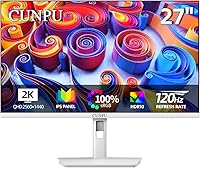
The CUNPU S027 27-inch QHD Gaming Monitor is one of the more interesting budget options to land in the 27-inch space lately — mainly because it comes in white. In a category dominated by matte black panels, that alone makes it stand out on a desk. CUNPU isn't a household name, so going in with calibrated expectations matters. What they're offering here is a 1440p IPS panel running at 120Hz for a price that undercuts most established brands significantly. That combination has real appeal for students, remote workers, and casual gamers who want a meaningful upgrade from 1080p without spending serious money.
Features & Benefits
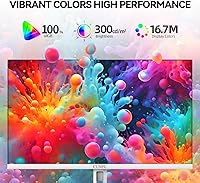
The jump from 1080p to 2560x1440 resolution is immediately obvious — text is noticeably crisper, spreadsheets are easier to scan, and games simply look better. At 108 PPI on a 27-inch IPS panel, fine detail holds up well, and the 99% sRGB coverage means colors land in a realistic, balanced range rather than oversaturated territory. The 120Hz refresh rate, paired with both FreeSync and G-Sync support, keeps motion smooth without requiring a high-end GPU to unlock it. Having two HDMI 2.0 ports alongside DisplayPort 1.4 is genuinely useful — plug in a console on one and a laptop on the other. The anti-blue light and flicker-free setup is a practical plus for long days in front of the screen.
Best For
This white QHD monitor hits a sweet spot for anyone building a clean, modern desk setup where aesthetics matter as much as performance. The slim bezels and white finish make it a natural fit for minimalist workstations. Students juggling lectures, research, and the occasional gaming session will find the extra screen real estate genuinely useful for multitasking. It also works well as a PS5 or Xbox secondary display, with two HDMI ports making input switching straightforward. Light photo editors can lean on the solid sRGB accuracy without paying for a professional-grade color panel. Just don't expect height or swivel adjustments — the stand is tilt-only, which may not suit everyone.
User Feedback
Buyers tend to respond well to this budget 1440p screen's out-of-box picture quality, particularly the color balance and sharpness relative to its price point. A few users note that a quick manual calibration gets the most out of the panel, which is fairly standard at this tier. Stand stability draws some criticism — at nearly 14 pounds, the monitor can feel slightly wobbly, and the lack of height adjustment frustrates taller setups. The white finish looks sharp but does attract fingerprints. No significant complaints surface around input lag for casual gaming, though competitive players should look elsewhere. On balance, most buyers feel the value-to-quality ratio is hard to argue with.
Pros
- Sharp 1440p resolution makes a visible difference over 1080p for both text clarity and fine image detail.
- The white finish and thin bezels genuinely stand out on a modern desk — aesthetic matters, and this delivers.
- Dual HDMI 2.0 ports make switching between a PC and a console straightforward without unplugging cables.
- FreeSync and G-Sync compatibility means smooth gameplay is accessible without requiring a top-tier graphics card.
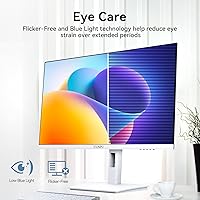
- Anti-blue light and flicker-free performance hold up well during long work or gaming sessions.
- Matte screen surface handles ambient light well, reducing glare in bright office environments.
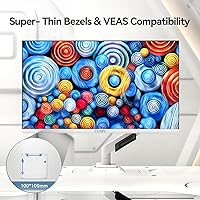
- VESA 100x100mm support gives buyers the option to ditch the stand and mount it on an arm.
- 99% sRGB coverage is solid for casual creative work and looks accurate enough out of the box.
- At this price tier, the IPS panel quality and 120Hz refresh rate combination is genuinely hard to beat.
Cons
- The stand offers tilt only — no height, swivel, or pivot adjustment limits ergonomic customization.
- CUNPU is a relatively unknown brand, and long-term after-sales support remains an open question.
- At nearly 14 pounds, the monitor feels heavier than expected, and the stand can exhibit slight wobble.
- No built-in USB hub, speakers, or audio output means more cables and peripherals cluttering your desk.
- The white finish, while attractive, is a fingerprint magnet and may show scuffs over time with regular handling.
- Manual calibration is recommended to get the most accurate colors — the factory preset is not optimized out of the box.
- 300 nits peak brightness is adequate indoors but falls short for HDR content or very bright environments.
- Buyers used to established monitor brands may find the sparse documentation and software support underwhelming.
Ratings
The CUNPU S027 27-inch QHD Gaming Monitor has been evaluated by our AI rating system after processing verified global buyer reviews, with spam, bot activity, and incentivized feedback actively filtered out. The scores below reflect a balanced picture — genuine strengths are recognized, but recurring frustrations and trade-offs are weighted just as honestly. Whether this display earns a place on your desk depends heavily on your priorities, and these ratings are designed to help you figure that out quickly.
Image Clarity
Color Accuracy
Gaming Performance
Build Quality
Stand & Ergonomics
Value for Money
Connectivity
Setup Experience
Eye Comfort
Finish Durability
Brightness & Glare
Brand Confidence
Suitable for:
The CUNPU S027 27-inch QHD Gaming Monitor is a strong fit for anyone who wants a noticeable visual upgrade from 1080p without committing to a high-end budget. Students working across multiple applications will appreciate the extra screen real estate and sharper text that 1440p delivers at this size. Remote workers who care about desk aesthetics will find the white finish and slim bezels a genuine breath of fresh air compared to the typical all-black alternatives cluttering the market. Casual gamers jumping between a PC and a PS5 or Xbox will benefit from the dual HDMI ports and Adaptive Sync support, which keeps things smooth without demanding a powerful GPU. Light photo editors and content creators who need reasonably accurate color reproduction — but not professional-grade precision — will find the 99% sRGB coverage more than adequate for everyday creative work.
Not suitable for:
Buyers who prioritize ergonomic flexibility should think carefully before purchasing this white QHD monitor, as the stand only tilts and offers no height or swivel adjustment — a real limitation for anyone with a non-standard desk setup or specific posture needs. Competitive gamers chasing the lowest possible input lag or high refresh rates beyond 120Hz will find this Cunpu 27-inch display underwhelming compared to purpose-built gaming panels from established brands. Professional photographers, video editors, or designers who require factory-calibrated color accuracy, wide color gamut coverage beyond sRGB, or high brightness for HDR work should look elsewhere. Anyone uncomfortable purchasing from a newer, less-established brand — where long-term warranty support and customer service are still unproven — may prefer the peace of mind that comes with a more recognized name. Users who want built-in USB hubs, speakers, or KVM switching features will also need to budget separately, as this monitor keeps its feature set deliberately lean.
Specifications
- Screen Size: The display measures 27 inches diagonally, offering a comfortable viewing area well-suited for both desk work and casual gaming at typical sitting distances.
- Resolution: Native resolution is 2560x1440 (QHD), delivering noticeably sharper detail than a standard 1080p panel at this screen size.
- Panel Type: Uses an IPS (In-Plane Switching) panel, which provides consistent color accuracy and wide viewing angles compared to TN alternatives.
- Refresh Rate: Supports up to 120Hz, enabling smoother motion during fast-paced gameplay and fluid scrolling during everyday work tasks.
- Pixel Density: At 108 PPI, individual pixels are not discernible at normal viewing distances, resulting in crisp text and fine image detail.
- Color Coverage: Covers 99% of the sRGB color space with 16.7 million colors, making it suitable for accurate color reproduction in everyday creative and productivity work.
- Brightness: Peak brightness is rated at 300 nits, which performs adequately in controlled indoor lighting conditions.
- Contrast Ratio: Static contrast ratio is 1000:1, a standard figure for IPS panels that delivers decent distinction between light and dark areas.
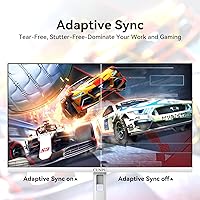
- Sync Technology: Compatible with both AMD FreeSync and NVIDIA G-Sync, reducing screen tearing and stuttering across a wide range of graphics cards.
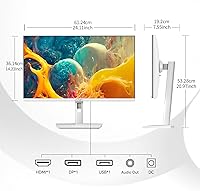
- Connectivity: Includes two HDMI 2.0 ports and one DisplayPort 1.4, supporting QHD resolution at up to 120Hz across all inputs.
- Eye Care: Incorporates anti-blue light filtering and flicker-free backlight technology to reduce eye strain during extended use.
- Screen Surface: Features a matte anti-glare coating that diffuses reflections, improving visibility in brighter ambient lighting conditions.
- Ergonomics: The included stand supports tilt adjustment only; height, swivel, and pivot adjustments are not available with the factory stand.
- VESA Compatibility: Supports standard VESA 100x100mm wall and arm mounting, allowing buyers to replace the included stand with a third-party monitor arm.
- Dimensions: Assembled with stand, the monitor measures approximately 24.11 inches wide, 20.97 inches tall, and 7.5 inches deep.
- Weight: Total weight with stand is 13.9 pounds, which is on the heavier side for a 27-inch panel and worth noting for arm-mount load ratings.
- Finish: The outer casing features a white finish with ultra-thin bezels on three sides, designed to complement minimalist and modern desk setups.
- Aspect Ratio: Standard 16:9 widescreen aspect ratio, compatible with virtually all video content, games, and operating system interfaces.
Related Reviews

memzuoix 27-inch QHD 165Hz Gaming Monitor
FYHXele 27-inch 300Hz QHD Gaming Monitor
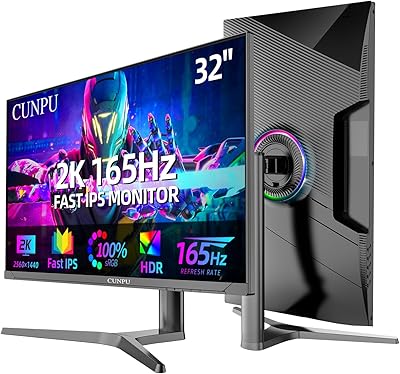
CUNPU 32-Inch Gaming Monitor QHD 165Hz
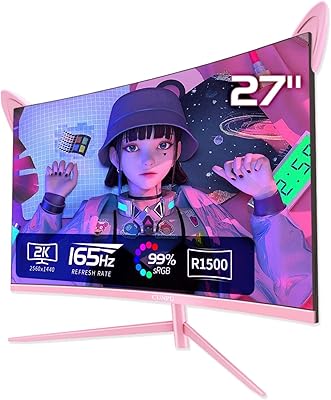
CUNPU RDF1DD 27-inch Curved Gaming Monitor
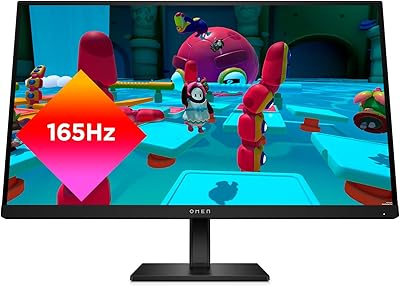
HP OMEN 27q QHD Gaming Monitor
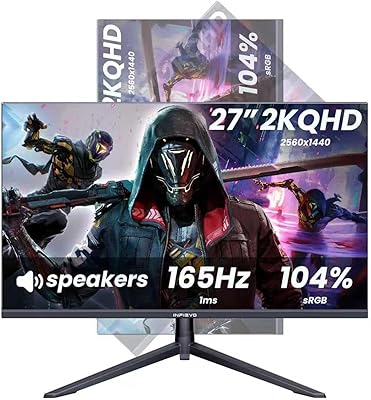
INFIEVO 27-Inch QHD 165Hz Gaming Monitor
Gawfolk GF270L 27-inch QHD Gaming Monitor
Dell S2721DGF 27-inch QHD Gaming Monitor

Samsung Odyssey G50D 27-Inch Gaming Monitor
Dell S2722DGM 27-inch Curved Gaming Monitor