Overview

The CRUA CR270QW 27-inch 360Hz 1440P Gaming Monitor sits in an interesting spot — it pairs specs that until recently belonged to much pricier displays with a price tag that actually competes. CRUA is not a household name, and that is worth saying upfront. There are no decades of brand reputation backing this panel, so build quality and panel consistency deserve honest scrutiny rather than a pass. What makes this CRUA monitor worth a closer look is the combination of a high-refresh IPS display, a genuinely versatile ergonomic stand, and dual-input connectivity — a feature set that feels more complete than you might expect at this tier.
Features & Benefits

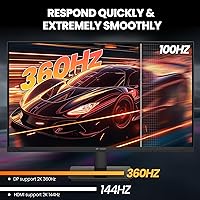
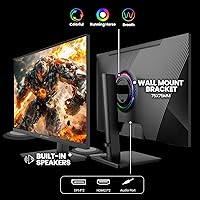
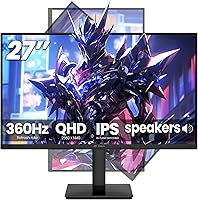
Running at 360Hz via DisplayPort 1.4, the CR270QW delivers notably smooth motion in fast-paced games — though hitting that ceiling requires a capable GPU, and users connecting via HDMI 2.1 will top out at 144Hz instead. The IPS panel resolves at 2560x1440 with 120% sRGB coverage, producing colors accurate enough for streaming and casual creative work, not just gaming. The ergonomic stand handles height, tilt, swivel, and a full 90-degree portrait rotation, all via a tool-free snap-on bracket. PIP and PBP modes let you pull feeds from two devices at once — genuinely useful if you regularly switch between a work machine and a gaming rig.

Best For

This 360Hz IPS panel suits a wider range of buyers than its gaming-focused branding suggests. Competitive players chasing high frame rates in shooters or racing titles will find the 360Hz headroom worthwhile — provided their GPU can actually sustain it. Developers and remote workers benefit from the portrait mode pivot, which makes long documents and vertical code layouts far more comfortable than a fixed landscape screen ever could. Console and PC hybrid users get real flexibility from the HDMI 2.1 and DisplayPort 1.4 pairing, and VESA wall-mount support helps anyone working with limited desk space. Casual content creators also find the above-average color coverage a genuine step up from typical budget panels.

User Feedback

Early impressions indicate the out-of-box color accuracy is respectable, though some users have flagged mild backlight bleed in dark corner areas — a known risk with IPS panels at this price point. Stand stability draws mostly positive remarks, with occasional notes about minor wobble at maximum height extension. The 360Hz headline attracts buyers, but many end up running the panel at 165Hz or 240Hz due to GPU requirements, and most report being satisfied at those rates. The built-in speakers handle basic desktop use and little else — treat them as a convenience, not a feature. CRUA's customer support responsiveness earns consistent positive mentions, which carries real weight when buying from a lesser-known brand.

Pros

  • 360Hz via DisplayPort 1.4 gives competitive gamers real high-refresh headroom at 1440P resolution.
  • The IPS panel delivers wide 178-degree viewing angles and accurate color that holds up for creative work too.
  • Portrait-mode rotation with a tool-free snap-on bracket is a genuinely practical feature for developers and productivity users.
  • PIP and PBP support lets you display two input sources at once without swapping cables constantly.
  • HDMI 2.1 and DisplayPort 1.4 together cover both modern consoles and high-end PCs in a single monitor.
  • AMD FreeSync support reduces tearing across a wide range of GPU configurations.
  • The ergonomic stand handles height, tilt, swivel, and pivot — covering adjustments that many budget stands skip entirely.
  • VESA 75x75mm compatibility makes it easy to replace the stand with a monitor arm if needed.
  • Low Blue Light mode is a small but welcome addition for users who spend long hours in front of the screen.
  • At this price tier, the overall feature density is genuinely difficult to match from better-known brands.

Cons

  • CRUA is a lesser-known brand with limited long-term reliability data, which adds purchase risk compared to established names.
  • Panel consistency is not guaranteed — some units may show backlight bleed or uneven brightness, as is common with challenger-brand IPS monitors.
  • The 360Hz maximum refresh rate is only accessible via DisplayPort 1.4; HDMI users are capped at 144Hz regardless of source.
  • Achieving 360Hz in practice demands a powerful and modern GPU, which many buyers in this price bracket may not already own.
  • Built-in speakers are thin and low-volume — barely adequate for system alerts, not for music or media.
  • The stand can exhibit minor wobble at maximum height extension, which may frustrate users who want a rock-solid desk setup.
  • At 300 cd/m² brightness, the panel may struggle in rooms with strong ambient or direct sunlight.
  • Customer service quality, while reportedly responsive, remains an unknown quantity over the long term for a young brand.
  • No USB hub is included on the monitor, which is a common omission that adds cable management inconvenience.
  • Factory color calibration quality can vary between units, meaning some buyers may need to manually calibrate out of the box.

Ratings

The scores below reflect AI-driven analysis of verified global user reviews for the CRUA CR270QW 27-inch 360Hz 1440P Gaming Monitor, with spam, bot activity, and incentivized feedback actively filtered out to ensure the ratings represent genuine buyer experiences. Both the standout strengths and the recurring frustrations are reflected honestly here — nothing has been smoothed over to make the product look better than it is. If you are trying to decide whether this 360Hz IPS panel is worth your money, these scorecards are designed to give you a clear, unbiased starting point.

Refresh Rate Performance
83%
For buyers who connect via DisplayPort 1.4, the 360Hz ceiling delivers a genuinely fluid experience in fast-paced shooters and racing titles — motion blur is minimal and input responsiveness feels tight. Users with capable GPUs consistently report that the high refresh rate is one of the most noticeable real-world upgrades they have made to their setup.
The 360Hz maximum is only achievable via DisplayPort; HDMI users are capped at 144Hz, which frustrates buyers who assumed the headline spec applied universally. Additionally, most mid-range GPUs cannot sustain the frame rates needed to take full advantage, so many users effectively pay for a capability they rarely unlock.
Image & Color Quality
79%
21%
The IPS panel produces wide, well-saturated colors that hold up noticeably better than VA or TN alternatives at this price point, and the 120% sRGB coverage gives content creators a workable color space for streaming and casual editing. Out-of-box color balance receives positive marks from the majority of buyers who are not doing precision color work.
Factory calibration consistency varies between units — some buyers find the colors slightly warm or oversaturated straight out of the box and need to manually adjust settings. At 300 cd/m² brightness, the panel can also look washed out in rooms with strong natural light coming from behind or beside the desk.
Panel Consistency
61%
39%
Most units that buyers receive display reasonably uniform brightness across the center of the panel, and IPS glow is considered acceptable for the price tier. For gaming and general desktop use in a normally lit room, panel uniformity is not a frequent complaint among satisfied owners.
Backlight bleed at screen corners is reported by a meaningful portion of buyers, particularly noticeable during dark movie scenes or late-night gaming sessions. Dead pixel incidents, while not widespread, appear at a higher-than-average rate compared to panels from established manufacturers — a real risk when buying from a challenger brand without a strong quality-control reputation.
Ergonomics & Stand
86%
The full-range stand — covering height, tilt, swivel, and 90-degree portrait pivot — is a genuine highlight that many buyers highlight as exceeding expectations for the price. The tool-free snap-on bracket means setup takes a few minutes at most, and developers who rotate to portrait mode for vertical code views consistently praise how quick the switch is.
At maximum height extension, the stand exhibits noticeable wobble when the desk is bumped or during firm typing, which bothers users who share a desk surface with peripherals. The stand base footprint is relatively wide for smaller desks, and a few buyers note the plastic construction feels less premium than the spec sheet implies.
Connectivity & Compatibility
88%
Having both HDMI 2.1 and DisplayPort 1.4 on a single monitor at this price gives buyers genuine flexibility — you can run a high-end PC at 360Hz and a PS5 or Xbox at 144Hz without swapping cables. PIP and PBP support for simultaneous dual-input display adds practical multi-device workflow value that buyers switching between work laptops and gaming rigs genuinely appreciate.
The absence of a USB hub on the monitor body is a consistent minor frustration, forcing users to run cables directly to their PC or use a separate hub. There is also no USB-C input, which limits compatibility with modern laptops that rely on a single cable for video and power delivery.
Value for Money
82%
18%
The combination of 360Hz, 1440P, IPS panel technology, full ergonomic stand, and dual modern inputs at this price tier is difficult to match from established brands, making the CR270QW feel like a strong value proposition on paper and in most day-to-day use cases. Buyers who research the spec sheet carefully before purchasing consistently report feeling they received more than they paid for.
The value equation depends heavily on not encountering a defective unit — if your panel has backlight bleed or dead pixels, the return and replacement process with a lesser-known brand adds friction that erodes the perceived savings. Buyers who factor in the brand uncertainty tend to rate value more modestly than those who received a solid unit first time.
Gaming Experience
81%
19%
In competitive titles like first-person shooters, the combination of 360Hz headroom, AMD FreeSync, and a responsive IPS panel creates a noticeably smooth gaming experience that holds its own against pricier alternatives. The low blue light mode is a practical addition for extended late-night gaming sessions where eye fatigue becomes a real issue.
Achieving the top-end gaming experience the monitor is capable of requires a GPU investment that many buyers in this price range have not yet made, which creates a gap between the advertised experience and everyday reality for a significant portion of owners. Response time in very fast motion scenarios, while competitive, does not fully match the best-in-class panels available at higher price points.
Build Quality
67%
33%
The overall construction is adequate for daily home use, and most buyers report the monitor feels stable and functional once assembled and placed on a desk. The matte screen coating is well-applied and does a reasonable job of reducing glare without significantly degrading image sharpness.
The plastic casing and stand materials feel noticeably cost-cut compared to monitors from brands like LG or ASUS at similar price points, and the rear housing shows minor flex under pressure. Several buyers mention that the build quality is the clearest indicator that cost was trimmed somewhere to hit the price target.
Setup & Assembly
89%
The snap-on stand bracket requires no tools and clicks into place confidently, making the unboxing-to-desk-use process one of the fastest among monitors in this category. The included cable kit covers the basics, and the on-screen display menu is logically laid out with minimal hunting required to adjust settings.
The on-screen display button placement on the rear of the monitor can be awkward to navigate by feel alone, especially when fine-tuning settings in a dark room without looking behind the panel. A small number of buyers report that the snap-on bracket, while convenient, does not feel as mechanically secure as a traditional screw-mounted stand.
Audio Quality
38%
62%
The built-in speakers are present and functional, which eliminates the need for external audio in an absolute pinch — useful for a quick video call or system notification sounds when headphones are not nearby. The 3.5mm audio passthrough means connecting a decent headset remains straightforward.
Speaker output is thin, low in volume, and lacking in any meaningful bass or midrange clarity — they are effectively a convenience feature rather than a usable audio solution for gaming or media. Buyers who expected even modest audio quality from the built-in speakers report disappointment, and virtually all end up using external audio within the first week.
Portrait Mode Usability
84%
Rotating to portrait orientation is smooth and quick, and the monitor handles the transition without requiring driver changes or manual resolution adjustments on most modern operating systems. Developers and writers who use portrait mode daily consistently describe it as one of the most productive workflow changes they have made.
At maximum portrait height, the monitor sits tall enough that shorter users may find the top of the display uncomfortably high without a raised desk or arm mount. The stand's pivot mechanism, while functional, has slightly more rotational resistance than premium monitor pivots, making single-handed rotation a two-handed job in practice.
Eye Comfort Features
73%
27%
The Low Blue Light mode reduces visible color warmth shift compared to aggressive implementations on other monitors, making it usable during the day without the strong yellow tint that bothers many buyers. The matte panel surface also reduces direct reflection fatigue during long sessions in mixed lighting.
The 300 cd/m² peak brightness limits how effectively the monitor can maintain comfortable visibility in bright environments even with eye-care modes active. Buyers sensitive to IPS glow note it becomes a minor distraction during extended dark-scene gaming or movie watching in dim rooms.
Multi-Input & PBP Usability
76%
24%
PBP mode works reliably for displaying two full inputs side by side, and buyers who regularly monitor a secondary device — a work laptop alongside a gaming PC, for example — appreciate having the feature built in without needing a KVM switch or secondary monitor. PIP mode is equally responsive for quick reference tasks.
Switching between PIP and PBP configurations requires navigating the on-screen display menu each time, as there is no dedicated hardware shortcut button for multi-input mode toggling. The PBP layout splits the screen into two equal halves, which at 2560x1440 gives each source a narrow 1280x1440 window — workable, but not spacious.
Brand Trust & Support
58%
42%
CRUA has accumulated genuine positive feedback for responsive customer support interactions, with buyers reporting that warranty inquiries and return requests are handled without excessive friction compared to some other budget-tier brands. The willingness to engage post-purchase carries real weight when buying from a relatively unknown manufacturer.
CRUA lacks the long-term service infrastructure and established track record of brands like Dell, LG, or ASUS, making it difficult to predict how warranty support will hold up over two to three years of ownership. Buyers who factor brand reliability into purchasing decisions will reasonably feel less confident here than with a mainstream alternative.

Suitable for:

The CRUA CR270QW 27-inch 360Hz 1440P Gaming Monitor is a strong fit for competitive PC gamers who want high refresh rates at 1440P resolution without stretching their budget to flagship territory. If you play fast-paced shooters or racing titles and have a modern GPU capable of pushing high frame counts, the 360Hz ceiling via DisplayPort 1.4 gives you genuine headroom that most monitors at this price simply do not offer. Developers and remote workers who want the flexibility of portrait-mode rotation will also find this panel surprisingly practical — flipping to vertical orientation is tool-free and takes seconds. Console and PC hybrid users benefit from the HDMI 2.1 and DisplayPort 1.4 pairing, making it easy to toggle between a gaming rig and a PS5 or Xbox without a switch box. Anyone working in a tight space will appreciate the VESA wall-mount compatibility and the well-rounded ergonomic stand that handles height, tilt, and swivel without requiring a separate arm purchase.
Not suitable for:

Buyers who prioritize brand reliability and long-term peace of mind above all else should think carefully before committing to this CRUA monitor, as CRUA does not carry the track record of established display manufacturers. Professional photographers, video editors, or colorists who depend on factory-calibrated, consistent color output will find 120% sRGB and 300 cd/m² brightness underwhelming compared to purpose-built creative displays. If you are connecting primarily via HDMI — say, from a console — you will be locked to 144Hz, not 360Hz, so the headline refresh rate becomes largely irrelevant for that use case. Buyers with older or mid-range GPUs who cannot consistently push frame rates above 200fps in their games will pay for a capability they may rarely access. Those expecting meaningful audio from a monitor should look elsewhere; the built-in speakers are a last-resort convenience, not a listening experience.

Specifications

  • Screen Size: The display measures 27 inches diagonally, offering a comfortable viewing area well-suited to both desktop gaming and productivity use.
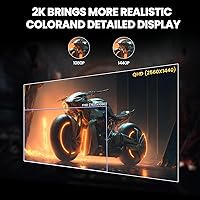
  • Resolution: Native resolution is 2560x1440 pixels (QHD), delivering noticeably sharper detail than 1080p at this screen size.
  • Panel Type: An IPS panel is used, providing consistent color and wide 178-degree viewing angles both horizontally and vertically.
  • Refresh Rate: Maximum refresh rate is 360Hz when connected via DisplayPort 1.4, and 144Hz when connected via HDMI 2.1.
  • Response Time: The panel is designed for fast-paced gaming, with a rated response time consistent with competitive IPS displays in this category.
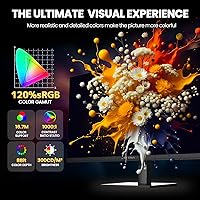
  • Color Gamut: Color coverage is rated at 120% sRGB with 8-bit depth, rendering approximately 16.7 million colors for vivid and accurate visuals.
  • Brightness: Peak brightness is rated at 300 cd/m², which is adequate for indoor use but may be limiting in very bright ambient environments.
  • Connectivity: Inputs include one HDMI 2.1 port, one DisplayPort 1.4 port, and a 3.5mm audio jack for headphones or external speakers.
  • Audio: Two built-in speakers are included for basic desktop audio output, supplemented by a 3.5mm analog audio passthrough port.
  • Ergonomic Range: The stand supports height adjustment up to 105mm, tilt from -5° to 20°, swivel of ±45°, and a full 90-degree portrait pivot.
  • VESA Mount: The monitor is compatible with standard 75x75mm VESA wall-mount brackets, enabling flexible installation without the included stand.
  • Multi-Input Modes: Picture-in-Picture (PIP) and Picture-by-Picture (PBP) modes allow simultaneous display of content from two separate input sources.
  • Adaptive Sync: AMD FreeSync is supported, reducing screen tearing and stuttering across compatible AMD and select other GPU configurations.
  • Aspect Ratio: The display uses a standard 16:9 widescreen aspect ratio, compatible with all common gaming and productivity content formats.
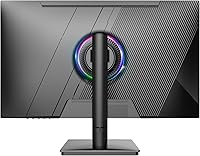
  • RGB Lighting: Ambient RGB lighting is built into the rear of the monitor, allowing basic lighting customization to match a gaming setup aesthetic.
  • Eye Care: A Low Blue Light mode is available to reduce high-frequency blue light emission during extended work or viewing sessions.
  • Dimensions: With the stand attached, the monitor measures approximately 21.14 inches wide, 24.2 inches tall, and 2.12 inches deep.
  • Weight: The complete unit including stand weighs 9.1 pounds, making it manageable for solo desk setup or repositioning.
  • Model Number: The official model number for this unit is CR270QW, manufactured and sold under the CRUA brand.
  • Stand Installation: The stand uses a tool-free snap-on bracket design, requiring no screwdriver or loose hardware for standard assembly.

Related Reviews
CRUA CR270C 27″ Curved Gaming Monitor
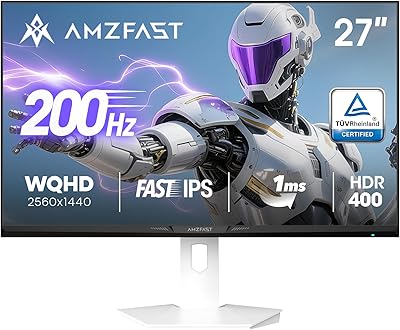
71%
83%
Value for Money
78%
Image Quality
81%
Refresh Rate Performance
86%
Panel Contrast & Blacks
67%
Build Quality
More
Amzfast AMZG27F6Q 27-inch 1440P Gaming Monitor
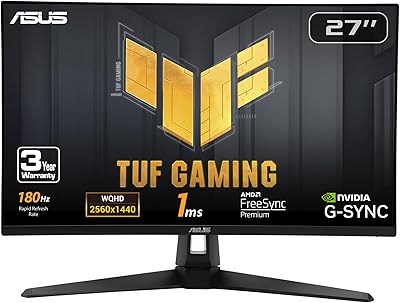
75%
88%
Value for Money
84%
Gaming Performance
86%
Image Clarity
79%
Color Accuracy
53%
HDR Quality
More
INFIEVO 27-Inch QHD 165Hz Gaming Monitor
76%
88%
Image Clarity
91%
Refresh Rate & Smoothness
93%
Ergonomic Stand
94%
Value for Money
52%
HDR Performance
More
CUNPU RDF1DD 27-inch Curved Gaming Monitor
67%
82%
Picture Quality
91%
Design & Aesthetics
74%
Gaming Performance
78%
Value for Money
43%
Ergonomics
More
Viewedge CS27QK 27-inch 1440p 165Hz Gaming Monitor
84%
89%
Gaming Performance
91%
Visual Quality (Color Accuracy)
78%
Build Quality
85%
Ease of Setup
80%
HDR Performance
More
ASUS VG27AQ3A 27-inch QHD Gaming Monitor
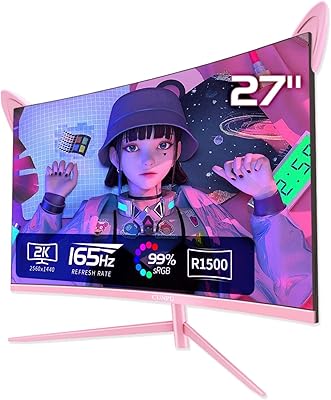
76%
91%
Image Sharpness & Clarity
88%
Refresh Rate Performance
86%
Motion Clarity & ELMB Sync
83%
Color Accuracy & Coverage
54%
HDR Performance
More
ASUS TUF Gaming VG27WQ3B 27-inch Gaming Monitor
80%
88%
Image Quality
93%
Refresh Rate & Smoothness
91%
Response Time & Motion Clarity
84%
Curved Panel Experience
82%
Color Accuracy & Vibrancy
More
ASUS TUF Gaming VG27AQM1A 27-inch Gaming Monitor
78%
93%
Motion Clarity
89%
Refresh Rate Performance
91%
Image Sharpness
78%
Color Accuracy & Vibrancy
52%
HDR Quality
More
ASUS ROG Swift PG279QM 27-inch 1440p Gaming Monitor
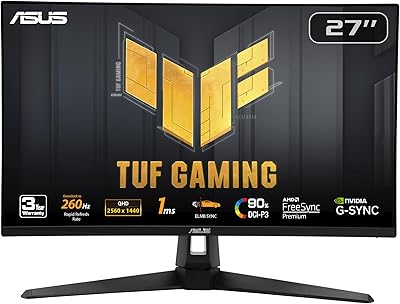
86%
93%
Display Quality
95%
Performance for Gaming
89%
Build Quality
91%
Color Accuracy
72%
Ease of Setup
More
Skytech Gaming Moonshadow 27-inch Curved Gaming Monitor
83%
88%
Image Quality
91%
Refresh Rate Performance
86%
Adaptive-Sync
83%
VA Panel Contrast
84%
Stand & Ergonomics
More

FAQ

Yes, and this is worth being realistic about before buying. Reaching 360Hz requires a DisplayPort 1.4 connection and a GPU powerful enough to push your game above 300 frames per second — which typically means a current-generation high-end card. Most buyers end up running this panel at 165Hz or 240Hz, which is still a noticeable improvement over a standard 144Hz display, and the monitor handles those rates perfectly well.

No. The HDMI 2.1 port on the CR270QW is capped at 144Hz for QHD output, not 360Hz. That said, 144Hz is still a solid experience for console gaming, and the HDMI 2.1 connection supports the bandwidth needed for 1440P at that refresh rate without issue.

Yes, and it works well for that. The stand supports a full 90-degree rotation into portrait orientation and the whole process is tool-free — you just lift and pivot. Developers who work with long vertical code files or anyone reading lengthy documents will find this genuinely useful rather than just a checkbox feature.

They are functional but not impressive. The built-in speakers are adequate for system sounds, a video call, or background music at low volume. If you do any serious listening — gaming audio, music, or watching films — a basic desktop speaker or headset will make a significant difference. Treat the built-in speakers as a convenience, not a feature.

As with most IPS monitors at this price point, some units do show mild backlight bleed, particularly visible in dark scenes or when the display is viewed at an angle in a dark room. It is not universal, but it is a reported occurrence with enough frequency that buyers who are sensitive to it should be aware of the risk before purchasing.

It officially supports AMD FreeSync, not NVIDIA G-Sync. However, many FreeSync monitors work in NVIDIA G-Sync Compatible mode, which requires the monitor to pass NVIDIA validation. CRUA has not published G-Sync Compatible certification for this model, so NVIDIA GPU users should verify compatibility with their specific card and driver version before assuming full adaptive sync support.

Most users report the stand feels solid at mid-range heights. At the maximum 105mm extension, some people notice a slight wobble when the desk is bumped or if they type firmly. It is not a major issue for most setups, but if absolute rigidity matters to you, pairing this monitor with a third-party VESA arm via the 75x75mm mount is straightforward and eliminates the concern entirely.

For general gaming and everyday use, the out-of-box calibration is adequate for most people. The IPS panel with 120% sRGB coverage looks punchy and well-saturated by default. If you do color-sensitive creative work like photo editing or video grading, running a basic calibration with a colorimeter will get you closer to accurate results — but that applies to nearly any monitor in this price range.

The monitor has two inputs — one HDMI 2.1 and one DisplayPort 1.4 — so PIP and PBP modes let you display content from both simultaneously. A practical example is running a gaming PC through DisplayPort while keeping a laptop or console connected via HDMI, and viewing both feeds on screen at the same time without switching cables.

CRUA has generally received positive remarks for customer responsiveness, with buyers reporting that support inquiries are addressed in a reasonable timeframe. That said, CRUA is a young challenger brand without the established service infrastructure of major manufacturers, so long-term warranty support is harder to predict with confidence. Keeping your purchase documentation and correspondence records is a sensible precaution.