Overview

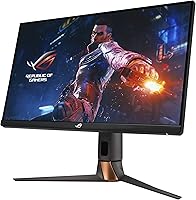
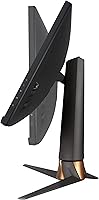
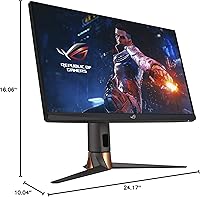
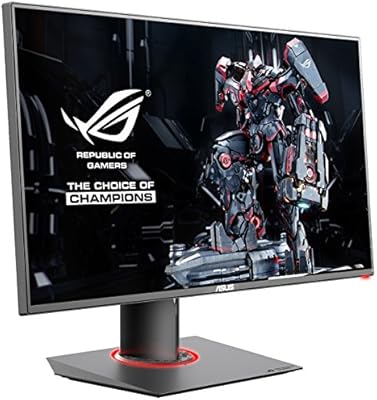
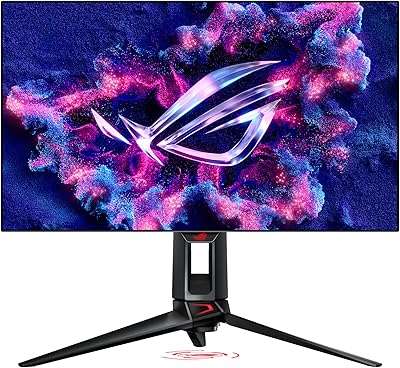
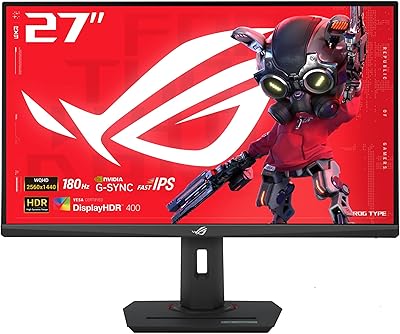
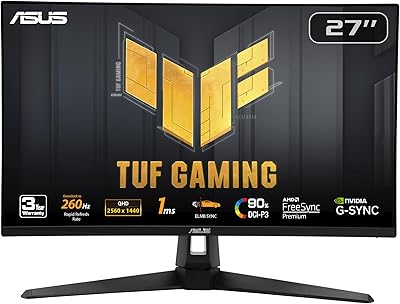
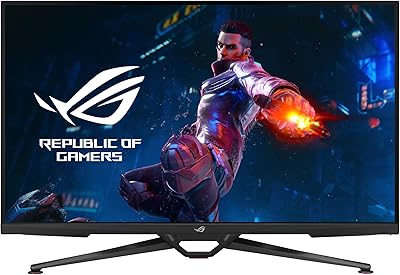
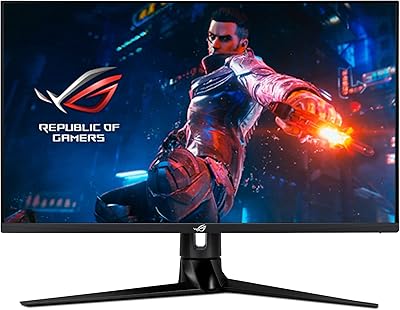
The ASUS ROG Swift PG279QM 27-inch 1440p Gaming Monitor is designed to deliver exceptional performance for gamers who demand speed and clarity. With its 27-inch WQHD resolution (2560 x 1440), this gaming monitor offers a sharp and immersive visual experience. Featuring a 240Hz refresh rate and a lightning-fast 1ms response time, it ensures smooth gameplay with minimal motion blur. Equipped with NVIDIA G-SYNC technology, it eliminates screen tearing for a seamless gaming experience. Whether you're in the midst of a competitive battle or casual gaming, this monitor offers the high-level performance needed by professional players.
Features & Benefits

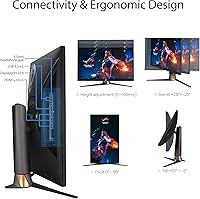
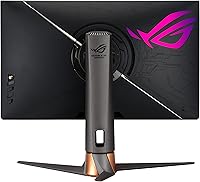
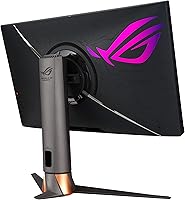
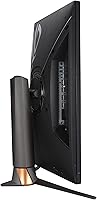
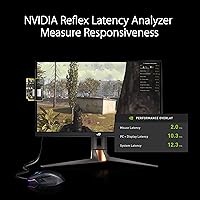
This gaming monitor boasts cutting-edge features designed to elevate your gaming experience. With Fast IPS technology, the ASUS ROG Swift PG279QM delivers sharp visuals even at high frame rates, while the DisplayHDR 400 certification enhances contrast and color accuracy. The inclusion of NVIDIA Reflex Latency Analyzer allows gamers to measure system latency with precision, helping to fine-tune performance. Connectivity options include multiple HDMI, DisplayPort, and USB 3.0 ports, ensuring compatibility with a wide range of devices. Additionally, the height-adjustable stand ensures ergonomic comfort during long gaming sessions.

Best For

The ASUS ROG Swift PG279QM is ideal for competitive gamers who demand speed, responsiveness, and top-tier visuals. Its 240Hz refresh rate and 1ms response time make it a perfect choice for gamers who require precision and fluidity. It also suits those looking for a versatile monitor for both gaming and content creation, offering excellent color accuracy and HDR support. Additionally, this monitor is well-suited for users who need a reliable and durable display with modern features, making it an excellent all-around option for gamers and professionals alike.

User Feedback

Users generally praise the ASUS ROG Swift PG279QM for its smooth performance and vibrant color accuracy, with many highlighting the HDR support for enhanced contrast. Its 240Hz refresh rate and G-SYNC technology have earned positive reviews from competitive gamers, appreciating the responsiveness. However, some users have reported challenges during setup, citing confusion with the monitor's settings. Additionally, the monitor's limited USB ports and higher price point have been areas of concern for a few buyers. Despite these drawbacks, it has received a strong overall rating for build quality and gaming performance.

Pros

  • The 240Hz refresh rate delivers ultra-smooth gameplay, making it ideal for competitive gaming.
  • NVIDIA G-SYNC technology ensures tear-free visuals for a more immersive experience.
  • Fast IPS panel provides sharp, vibrant colors even during fast-moving scenes.
  • DisplayHDR 400 certification enhances contrast and color accuracy, improving visual quality.
  • Height-adjustable stand allows for an ergonomic setup, catering to different user preferences.
  • Responsive 1ms response time minimizes input lag, enhancing the gaming experience for fast-paced titles.

Cons

  • Some users find the setup process to be complex, particularly with adjusting the stand and cables.
  • Limited USB ports can be inconvenient for those needing more connectivity options.
  • The price point may be a concern for gamers on a tighter budget.
  • The monitor's size and weight make it less suitable for users with limited desk space.
  • While HDR support is appreciated, it may not meet the expectations of professional content creators for color accuracy.
  • Some users have noted that the monitor can be too large for smaller setups or spaces.

Ratings

The scores for the ASUS ROG Swift PG279QM 27-inch 1440p Gaming Monitor were derived from global user reviews across various languages and platforms. After filtering out spam, incentivized, and off-topic feedback, only genuine and high-quality insights informed these results. Both strengths and areas for improvement are reflected in the ratings, providing an accurate snapshot of what users appreciate and where the monitor could be enhanced.
Display Quality
93%
Many users praise the sharpness and vibrant colors of the display, especially the high resolution and DisplayHDR 400 support. The combination of a 27-inch WQHD panel with fast IPS technology ensures clear visuals even at high frame rates, making it ideal for both gaming and content creation.
A few users noted that while the display quality is great, some experienced minor color shift when viewing from certain angles. Additionally, HDR performance didn’t meet the expectations of users who were hoping for a more noticeable improvement in contrast and brightness.
Performance for Gaming
95%
The gaming performance of this display is highly praised, especially the smoothness of gameplay. With a 240Hz refresh rate and 1ms response time, users report that fast-paced games feel incredibly responsive and fluid, thanks to G-SYNC technology eliminating screen tearing.
A small group of users mentioned that some games didn't feel as responsive as expected when using lower-end hardware, suggesting that full performance benefits are more noticeable with high-end systems. Additionally, a few players reported occasional stuttering when switching between different video sources.
Build Quality
89%
The monitor's build quality is generally well-received, with users commenting on its solid construction and premium feel. The adjustable stand adds value for those who require ergonomic flexibility, and the overall design matches the high-end gaming aesthetic.
A few buyers raised concerns about the weight of the monitor, particularly when moving it. There were also reports of some wobbling on the stand when adjusting the height, though it was not universally experienced.
Color Accuracy
91%
Users consistently highlight the excellent color accuracy, particularly when paired with professional creative work. The monitor covers a wide DCI-P3 color gamut, ensuring vibrant and true-to-life colors, which is ideal for both gaming and content creation tasks like video editing and photo manipulation.
While color accuracy is generally praised, a few users mentioned that out-of-the-box settings were slightly off, requiring calibration for optimal results. Some reviewers also pointed out that it may not be sufficient for those with extreme color precision needs for high-end professional work.
Ease of Setup
72%
28%
For many users, the monitor setup was straightforward, especially for those familiar with gaming equipment. The OSD (on-screen display) is simple to navigate, and connectivity options are ample, allowing for easy connection to gaming rigs or workstations.
Several users reported difficulty with initial setup, particularly in configuring the stand and managing cable routing. The monitor’s heavy build may also complicate wall-mounting or adjustments for some users, and some found the user manual to be unclear on certain aspects.
Ergonomics and Adjustability
87%
The ergonomic features, including a height-adjustable stand and tilt options, are appreciated by users who spend long hours gaming or working. The stand provides flexibility to find the perfect viewing angle, which can help reduce neck strain during extended sessions.
A few users felt that the range of adjustment was not sufficient for very specific ergonomic needs. The monitor’s large size and weight also make it less flexible for those with limited desk space or those needing to make frequent adjustments.
HDR Performance
83%
The DisplayHDR 400 certification adds a noticeable improvement to visual quality, providing more vibrant highlights and deeper blacks in supported content. Many gamers appreciated the enhanced experience in HDR-capable games, making scenes more immersive.
Some users were disappointed with the HDR performance, stating that the difference was not as dramatic as they had hoped. The peak brightness and contrast levels were found to be somewhat limited compared to higher-end displays, especially for those used to premium HDR standards.
USB Ports Availability
65%
35%
The monitor's connectivity options, including USB 3.0 ports, are generally seen as convenient for plugging in peripherals like keyboards, mice, or external storage devices. The additional ports help reduce cable clutter on the desk.
The limited number of USB ports (only two USB 3.0 ports) was a common complaint, with some users wishing for more connectivity options, especially for users with multiple devices. This limitation could be frustrating for those looking to connect more accessories simultaneously.
Connectivity Options
91%
With HDMI x3, DisplayPort 1.4, and USB 3.0, the monitor offers excellent connectivity for a range of devices. Users appreciated the flexibility to connect consoles, PCs, and external media sources simultaneously, making it a versatile choice for multi-device setups.
A few users experienced compatibility issues when connecting older devices via HDMI or struggled with the lack of USB-C support. While the variety of ports is generally a positive, some felt that a more modern port setup (like USB-C or Thunderbolt) would have been a better fit for future-proofing.
Price and Value for Money
88%
For the features and performance it delivers, many users felt this monitor offers excellent value for money. The combination of a fast refresh rate, high resolution, G-SYNC, and ergonomic design makes it a solid investment for competitive gamers and content creators alike.
While most buyers considered it worth the price, some expressed that the monitor’s high cost could be a barrier, especially when compared to similar displays from other brands. Users who were on a budget or just needed a basic gaming monitor felt the price was not justified.
Response Time and Refresh Rate
96%
With a lightning-fast 1ms response time and 240Hz refresh rate, users rave about how smooth and responsive their gaming experience is. These features provide a competitive edge, particularly in fast-paced titles, ensuring that players can react instantly without any noticeable lag.
While most users are pleased with the performance, some noted that the benefits of the high refresh rate and low response time are only fully realized when paired with high-end gaming setups. Those with mid-range systems might not experience the same level of performance.
Customer Support
80%
20%
Many users reported positive interactions with customer support, especially when troubleshooting minor issues or seeking setup guidance. ASUS support is generally seen as helpful, responsive, and available when needed.
A few users expressed frustration with slow response times or unclear solutions when reaching out for assistance. Some felt that the support could be more proactive in addressing common setup issues or providing detailed guidance on advanced features.

Suitable for:

The ASUS ROG Swift PG279QM 27-inch 1440p Gaming Monitor is an excellent choice for competitive gamers and content creators who demand top-tier performance. Its 240Hz refresh rate and 1ms response time provide a seamless, ultra-responsive experience that enhances gaming precision and speed. Gamers involved in fast-paced, competitive titles will particularly benefit from the smooth visuals and G-SYNC technology that eliminate screen tearing. Additionally, those working with graphics and video editing will appreciate the sharp color accuracy and HDR support. Professionals seeking a reliable, high-performance display for both gaming and content creation will find this device highly suitable for demanding tasks like photo or video editing, where color precision is crucial.

Not suitable for:

However, this monitor may not be the best fit for users on a budget or those who need a more basic display. Its premium features come at a higher price point, which could be a deterrent for casual gamers or those who only require a simple monitor for everyday tasks. Additionally, users who do not have a powerful gaming system may not fully experience the benefits of the high refresh rate and low response time, as these features are most beneficial when paired with high-end hardware. Some users also noted that the monitor’s setup can be a bit complex, especially with its weight and stand adjustments, making it less ideal for those with limited desk space or those who require a plug-and-play solution.

Specifications

  • Display Size: 27-inch screen for an expansive viewing experience, ideal for both gaming and productivity.
  • Resolution: WQHD (2560 x 1440) resolution offers sharp, clear images for gaming and multimedia.
  • Refresh Rate: 240Hz refresh rate ensures smooth, tear-free visuals, ideal for fast-paced gaming.
  • Response Time: 1ms response time minimizes motion blur and ghosting for a smoother gaming experience.
  • Panel Type: Fast IPS panel provides vibrant colors and high contrast, even at high frame rates.
  • G-SYNC Technology: NVIDIA G-SYNC eliminates screen tearing and stuttering for a fluid gaming experience.
  • HDR Certification: DisplayHDR 400 certification enhances contrast and color accuracy for more vivid visuals.
  • Color Gamut: Supports DCI-P3 color space for rich and accurate color reproduction.
  • Connectivity: Includes 3 HDMI ports, 1 DisplayPort 1.4, and 2 USB 3.0 ports for versatile device connections.
  • Adjustable Stand: Height-adjustable stand allows for ergonomic positioning and comfortable viewing.
  • Weight: Weighs 17.86 pounds, providing a solid and stable base for gaming setups.
  • NVIDIA Reflex Latency Analyzer: Built-in tool for measuring and minimizing system latency for competitive gaming.
  • Stand Tilt: Tilt-adjustable stand lets users customize the angle for optimal comfort.
  • VESA Compatibility: Supports VESA mounting for flexible setup options in custom gaming or workstations.
  • Power Consumption: Typically consumes 45W of power during use, with energy-saving modes available.
  • Aspect Ratio: 16:9 aspect ratio delivers a wide, immersive viewing experience.
  • Brightness: Up to 400 nits of peak brightness for vibrant visuals in both dark and bright environments.
  • Pixel Density: High pixel density ensures sharp detail and clarity in text and images.
  • Warranty: Comes with a standard 3-year warranty for peace of mind.

FAQ

The ASUS ROG Swift PG279QM features a 27-inch WQHD resolution (2560 x 1440), a 240Hz refresh rate, 1ms response time, and NVIDIA G-SYNC technology for tear-free gaming. It’s designed for competitive gamers who prioritize smooth performance and fast responsiveness, with vibrant colors and sharp visuals provided by its Fast IPS technology and DisplayHDR 400 certification.

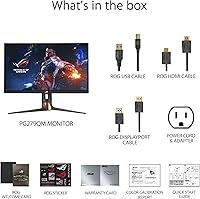
Setting up this monitor is generally straightforward. It comes with all necessary cables, and the stand is adjustable for height, making it easy to find an ergonomic setup. Some users have reported that cable management and fine-tuning settings, such as configuring G-SYNC, may require a bit more effort, especially if you're new to gaming monitors.

This monitor offers a variety of connectivity options, including three HDMI ports, a DisplayPort 1.4, and two USB 3.0 ports. This makes it easy to connect multiple devices such as gaming consoles, PCs, and peripherals, giving you flexibility for different setups.

Yes, this monitor is great for content creators who need accurate color representation. Its DisplayHDR 400 certification and DCI-P3 color gamut ensure vibrant and accurate visuals. While it’s primarily designed for gaming, it also handles content creation tasks like photo editing and video work well, especially for those who prioritize smooth performance and high color accuracy.

Yes, the PG279QM is compatible with most gaming PCs, as long as your system supports DisplayPort 1.4 or HDMI 2.0 for the best performance. To fully take advantage of its 240Hz refresh rate and G-SYNC technology, ensure your graphics card is capable of delivering high frame rates at 1440p resolution.

Compared to standard 1080p monitors or those with lower refresh rates, the PG279QM offers superior smoothness with its 240Hz refresh rate and 1ms response time. Its Fast IPS panel also provides sharper and more vibrant visuals, making it a better option for competitive gamers. The inclusion of NVIDIA G-SYNC technology ensures that the gameplay is tear-free and more fluid, which is crucial for high-level gaming.

No, the ASUS ROG Swift PG279QM does not include built-in speakers. Users will need to connect external speakers or a headset for audio output. This is typical for high-performance gaming monitors, as the focus is primarily on display quality.

While the PG279QM is excellent for gaming and entertainment, it’s also suitable for general office work due to its large screen size, high resolution, and sharp visuals. However, for prolonged office work, some may find it overkill, as it’s designed with fast motion and gaming in mind. If you're using it for tasks like word processing, it might feel like a bit much in terms of gaming-centric features.

Users generally praise the build quality of this monitor. It feels sturdy, with a high-quality, durable frame and an adjustable stand that allows for easy ergonomic positioning. The premium feel adds to its overall appeal, although some users note that it is relatively heavy, which may make it less convenient for users with limited desk space.

Some users have reported issues with the setup process, including difficulty managing cables or adjusting the monitor’s settings. Additionally, there are complaints about the limited number of USB ports, which can be inconvenient for users who need to connect multiple peripherals. The higher price point is also a concern for some buyers, especially for those on a budget.