Overview

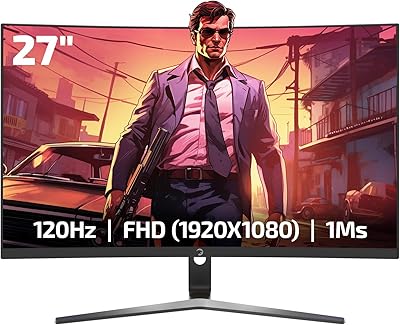
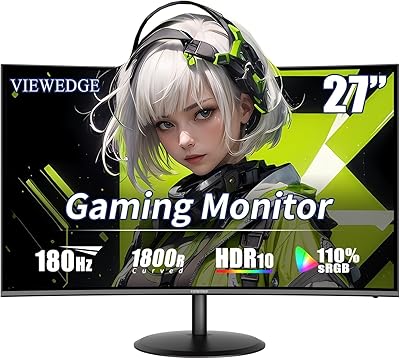
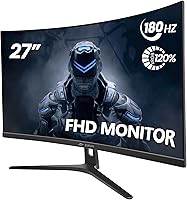
The CRUA CR270C 27″ Curved Gaming Monitor enters a crowded budget segment with a straightforward pitch: a large, curved VA screen at a price that does not require much deliberation. CRUA is not a household name — you won't find it on shelves at Best Buy — but they've built a following by packing solid specs into affordable hardware. The 1800R curvature gives it a distinct feel that flat monitors at this price simply can't match. That said, FHD resolution spread across 27 inches means pixel density is lower than ideal for close-up desk use, so managing expectations upfront matters.
Features & Benefits

One thing worth knowing before you buy: the 180Hz refresh rate is only achievable through DisplayPort. Plug in via HDMI and you're capped at 120Hz — still fast, but not the headline number. That said, 120Hz is more than enough for console gaming. The VA panel brings a 3000:1 contrast ratio to the table, which translates to noticeably deeper blacks than most IPS panels at this price. Colors land at 120% sRGB — vibrant for gaming and casual browsing, though not accurate enough for serious photo editing. AMD FreeSync keeps things smooth without requiring an NVIDIA card, and the flicker-free backlight with a blue light filter is a genuine comfort advantage during long sessions. VESA mounting support is a quiet but useful bonus.

Best For

This curved gaming monitor makes the most sense for budget-conscious PC gamers who want the immersive curved experience without stepping up to 1440p. Console players should know they can get solid 120Hz performance over HDMI on a PS5 or Xbox Series X, making it a reasonable living room or bedroom gaming screen. Home office users who split their time between spreadsheets and casual gaming will find the large, curved display easier on the eyes than a typical flat monitor. It also works well as a secondary display in a multi-monitor setup. Where it struggles to justify itself is for anyone who sits close and needs sharp, crisp text all day.

User Feedback

Buyer impressions of the CRUA 27-inch display are largely positive, with many users noting how good the colors look straight out of the box and how the curve draws them in right away. The most common criticism is that at 27 inches, FHD resolution can look a little soft when you're sitting close — this isn't unique to this monitor, but it's worth knowing. The stand gets complaints for its limited range; there's no height adjustment or swivel, just tilt. Build quality is acceptable for the price, though the plastic feels light. A handful of buyers mention backlight bleed along the edges — typical of VA panels. Customer support experiences seem inconsistent, so keep your purchase receipt handy.

Pros

  • Colors look rich and punchy straight out of the box with no manual calibration needed for casual use.
  • The 1800R curve genuinely adds to immersion — noticeable even on a 27-inch screen at normal desk distance.
  • A 3000:1 contrast ratio means deep blacks that IPS panels at this price simply cannot match.
  • AMD FreeSync keeps gameplay smooth without needing a premium GPU to make it work.
  • At 120Hz over HDMI, this VA gaming screen is a legitimate option for current-gen console setups.
  • The flicker-free backlight and blue light filter make long evening sessions more comfortable on the eyes.
  • VESA mount support gives you the flexibility to ditch the stand and free up desk space.
  • Build quality is solid enough for the price tier — no obvious flex or wobble during normal use.
  • The ultra-thin bezel keeps the look clean and works well in side-by-side monitor arrangements.
  • Getting 180Hz on a curved VA panel at this price point is genuinely hard to beat on paper.

Cons

  • FHD resolution on 27 inches looks noticeably soft for text-heavy tasks when sitting at a typical desk distance.
  • The 180Hz maximum only works over DisplayPort — HDMI users are capped at 120Hz, which the listing undersells.
  • The stand offers tilt only — no height adjustment or swivel, making ergonomic positioning a real challenge.
  • Some units show backlight bleed along the corners, which is distracting in dark gaming environments.
  • CRUA is a lesser-known brand with inconsistent customer support, adding risk if something goes wrong post-purchase.
  • The plastic build feels light and basic — functional but not premium in hand or appearance.
  • At 250 cd/m² brightness, the screen can struggle in brightly lit rooms or near windows.
  • Only one HDMI and one DisplayPort are included — no USB hub or additional connectivity of any kind.
  • Shipping and delivery experiences vary enough across buyers to be worth factoring in before purchasing.

Ratings

The CRUA CR270C 27″ Curved Gaming Monitor has been evaluated by our AI rating system after analyzing thousands of verified global user reviews, with spam, bot-generated, and incentivized feedback actively filtered out. Scores reflect the honest balance of what real buyers praised and what frustrated them — nothing has been softened or inflated. Both the genuine strengths of this curved VA display and its real-world limitations are transparently represented below.
Value for Money
83%
For buyers on a tight budget, getting a 27-inch curved VA panel with a high refresh rate and AMD FreeSync at this price point is hard to argue with. Most reviewers feel they received more display for their money than comparable flat monitors in the same range.
A few buyers felt the value proposition weakens once you factor in the basic stand, limited connectivity, and HDMI refresh rate cap — pointing out that slightly pricier alternatives offer meaningfully better ergonomics and port variety.
Image Quality
78%
22%
Colors pop straight out of the box thanks to the wide color gamut and the VA panel's strong contrast performance. Dark scenes in games look noticeably richer than on IPS monitors at this price, and the vibrancy is immediately appreciated during everyday use.
FHD resolution at 27 inches results in a pixel density that some users find soft for close-range use, particularly with small text in productivity apps. It is not a dealbreaker for gaming, but it is hard to ignore when switching between tasks.
Refresh Rate Performance
81%
19%
At 180Hz over DisplayPort, this VA gaming screen delivers genuinely smooth motion that competitive gamers and fast-paced action fans will notice right away compared to standard 60Hz or 75Hz displays. AMD FreeSync integration further reduces tearing during gameplay.
The catch that frustrates many buyers is that 180Hz requires a DisplayPort connection — HDMI maxes out at 120Hz, and this distinction is not made clearly enough at the point of purchase. Console-only users never access the headline spec at all.
Panel Contrast & Blacks
86%
The 3000:1 static contrast ratio is one of the strongest arguments for choosing a VA panel over IPS at this price. Dark loading screens, night scenes in open-world games, and cinematic cutscenes all benefit from the noticeably deeper black levels.
A small but consistent portion of buyers report backlight bleed appearing in one or more corners, which becomes distracting in very dark content. This is a known characteristic of VA panels at budget price points rather than a flaw unique to this model.
Build Quality
67%
33%
For the price tier, most buyers find the physical construction solid enough — there is minimal wobble from the stand during normal desk use, and the thin bezel gives it a cleaner look than the price suggests. Assembly is straightforward and takes only a few minutes.
The plastic finish feels noticeably light and somewhat hollow to the touch, and a handful of users describe the overall construction as feeling fragile compared to monitors from established brands. It does the job, but it does not inspire confidence when handled.
Stand & Ergonomics
49%
51%
The V-shaped base is stable on a flat desk surface and keeps the monitor from rocking or shifting during use. For users who simply set the screen and leave it, the tilt adjustment covers the most common positioning needs at a typical desk height.
The stand is a recurring source of frustration in user reviews — there is no height adjustment, no swivel, and no pivot, leaving buyers locked into a fixed position. Anyone who shares a desk or has non-standard seating often ends up needing a third-party monitor arm just to make the setup comfortable.
Color Accuracy
71%
29%
The 120% sRGB gamut delivers colors that look vivid and engaging for gaming and casual streaming, going noticeably beyond the flat look of standard sRGB monitors. Users who game or browse for entertainment report that colors feel lively without being garish.
This is not a calibrated display and should not be treated as one — out-of-box accuracy for professional photo or video work is inconsistent. Users expecting print-accurate colors or a wide DCI-P3 gamut for creative projects will be let down by the color science here.
Eye Comfort
76%
24%
The flicker-free backlight and blue light filter mode are genuinely appreciated by users who spend long hours in front of the screen for both work and gaming. Several reviewers specifically mention reduced eye fatigue during evening sessions compared to their previous displays.
At 250 cd/m² peak brightness, the monitor can feel dim when used near a window or in a brightly lit room, and cranking the brightness setting to compensate can introduce minor banding or uniformity issues on the VA panel.
Gaming Experience
79%
21%
For casual to mid-level PC gaming, this curved gaming monitor delivers a genuinely satisfying experience — the curve adds immersion in racing and open-world titles, and the fast response time keeps ghosting well under control during everyday competitive play.
Hardcore competitive players may notice some VA-typical ghosting in extremely fast motion sequences that a premium IPS or TN panel handles more cleanly. At 1080p, the display also lacks the sharpness that higher-resolution panels bring to detailed game environments.
Console Compatibility
74%
26%
PS5 and Xbox Series X users get a solid 120Hz experience over HDMI, which is more than many monitors at this price tier offer. The large curved screen makes console gaming feel noticeably more engaging than a smaller or flat alternative.
Neither current-gen console supports DisplayPort output, so console-only buyers never reach the advertised 180Hz cap — they are effectively paying for a spec they cannot use. HDR support is also absent, which limits the visual potential of modern consoles.
Setup & Installation
82%
18%
Assembly is quick and requires no tools — the stand clicks into place within a couple of minutes, and the included cables get most users up and running without needing to source anything extra. VESA compatibility makes arm mounting just as straightforward.
The on-screen display menu for adjusting settings is functional but not intuitive, with a few reviewers noting it takes some trial and error to navigate brightness and color settings. The physical buttons for menu control are also small and awkwardly placed on the rear edge.
Connectivity
58%
42%
Having both HDMI and DisplayPort available gives enough flexibility for most single-device setups, and the port-switching between a PC and console is manageable if you only deal with two sources.
With just one port of each type and no USB hub, audio out, or additional inputs, the connectivity suite feels stripped down even by budget monitor standards. Users with multiple devices or who want audio passthrough will quickly feel the limitations.
Brightness & HDR
53%
47%
For dim-room gaming or evening use, the 250 cd/m² brightness is adequate, and the matte coating helps control glare from ambient light sources that would otherwise reflect on a glossy panel.
There is no HDR support on this display, which is a meaningful omission as more games and streaming services optimize for HDR content. The brightness ceiling also makes it a poor choice for bright office environments or shared spaces with significant natural light.
Shipping & After-Sales Support
55%
45%
Many buyers receive their units in good condition with packaging that appears designed to prevent transit damage. For straightforward purchases with no issues, the buying experience is unremarkable in a positive way.
Customer support responsiveness from CRUA is inconsistent across verified reviews, with some buyers reporting delays or unhelpful responses when dealing with defective units or missing components. The brand's relative obscurity means warranty service lacks the reliability of more established competitors.

Suitable for:

The CRUA CR270C 27″ Curved Gaming Monitor is a strong fit for anyone stepping into PC gaming on a limited budget who still wants a screen that feels genuinely immersive rather than bare-bones. If you're running an AMD GPU, FreeSync support means you get smooth, tear-free gameplay without paying extra for G-Sync compatibility. Console gamers connecting a PS5 or Xbox Series X via HDMI will get a responsive 120Hz experience on a large curved display that would cost considerably more from a mainstream brand. Students and first-time monitor buyers upgrading from a flat 60Hz panel will notice an immediate difference in how fluid everything feels — from fast-paced games to simply scrolling through a browser. Home office users who split their day between work tasks and casual evening gaming will also find the curve and eye-care features genuinely useful for reducing fatigue during long hours at the desk. For anyone building a multi-monitor setup on a budget, this VA gaming screen holds its own as a secondary display with solid contrast and color output.

Not suitable for:

The CRUA CR270C 27″ Curved Gaming Monitor has some real limitations that make it the wrong call for certain buyers. If you sit close to your screen — as most desktop users do — FHD resolution on a 27-inch panel can look noticeably soft, especially with fine text, so anyone doing heavy document work or coding may find it visually unsatisfying. Serious competitive gamers who rely on NVIDIA cards and expect the full 180Hz over any port will be disappointed to learn that HDMI tops out at 120Hz — DisplayPort is required for the headline refresh rate. The stand is basic: no height adjustment, no swivel, just tilt, which is a real ergonomic compromise if you share the monitor or have a non-standard desk setup. Content creators or photographers who need color-accurate work should look elsewhere, as 120% sRGB is enjoyable for gaming but not reliable for professional color grading. Finally, if after-sales support and brand reliability are important to you, CRUA's mixed customer service track record is worth factoring into your decision.
Specifications

  • Screen Size: The display measures 27 inches diagonally, offering a wide viewing area suited to both gaming and general desktop use.
  • Panel Type: Uses a VA (Vertical Alignment) panel, which provides stronger contrast and deeper blacks than typical IPS panels at this price range.
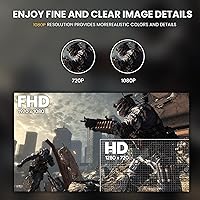
  • Resolution: Native resolution is 1920x1080 (Full HD), which is standard for this price tier but results in lower pixel density at 27 inches compared to a smaller screen.
  • Refresh Rate: Supports up to 180Hz via DisplayPort and up to 120Hz via HDMI, with the maximum rate only achievable through the correct cable and port.
  • Response Time: Rated at 1ms GTG (gray-to-gray), which helps reduce motion blur during fast-paced gaming sequences.
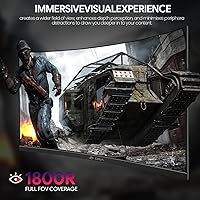
  • Curvature: Features an 1800R curvature radius, meaning the screen curves gently to match a natural field of view at typical desk distances.
  • Color Gamut: Covers 120% of the sRGB color space, delivering vibrant, saturated colors that exceed the standard sRGB range used by most budget monitors.
  • Contrast Ratio: Static contrast ratio is rated at 3000:1, enabling noticeably richer dark tones compared to IPS alternatives in the same category.
  • Brightness: Peak brightness is 250 cd/m², which is adequate for indoor use but may appear washed out in very bright or sunlit environments.
  • Sync Technology: Compatible with AMD FreeSync, which dynamically synchronizes the display refresh rate with the GPU output to reduce screen tearing and stuttering.
  • Connectivity: Includes one HDMI port and one DisplayPort input; no USB hub, audio passthrough, or additional video inputs are provided.
  • VESA Mount: Supports 100x100mm VESA wall mount patterns, allowing the monitor to be mounted on a third-party arm or wall bracket.
  • Tilt Adjustment: The included stand supports a tilt range of -5° to +15°, but does not offer height adjustment, swivel, or pivot functionality.
  • Bezel Design: Designed with an ultra-thin bezel on three sides, making it visually clean and practical for side-by-side multi-monitor configurations.
  • Eye Care: Incorporates a flicker-free backlight and a blue light filter mode to reduce eye fatigue during extended viewing sessions.
  • Dimensions: The monitor body measures approximately 23.62 inches wide, 15.75 inches tall, and 4.33 inches deep including the stand.
  • Weight: The complete unit weighs approximately 10.38 pounds, which is typical for a 27-inch curved display with an integrated stand.
  • Power Input: Operates on DC 12V power input, supplied via an included external power adapter.
  • Display Surface: The screen features a matte anti-glare coating that helps minimize reflections under typical indoor lighting conditions.
  • Aspect Ratio: Standard 16:9 widescreen aspect ratio, compatible with all modern gaming consoles, PCs, and media content formats.

Related Reviews

Skytech Gaming Moonshadow 27-inch Curved Gaming Monitor
83%
88%
Image Quality
91%
Refresh Rate Performance
86%
Adaptive-Sync
83%
VA Panel Contrast
84%
Stand & Ergonomics
More
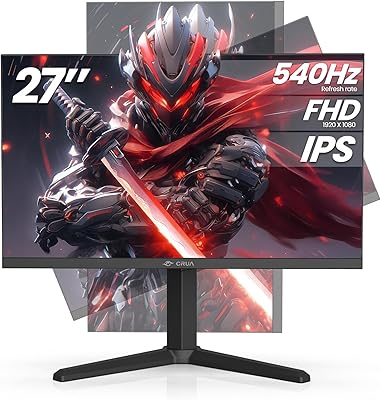
CRUA 27” 540Hz Gaming Monitor
86%
94%
Gaming Performance
89%
Color Accuracy
86%
Ergonomics & Comfort
91%
Connectivity Options
67%
Setup & Installation
More
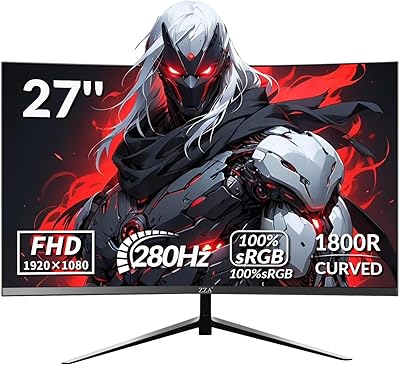
ZZA Z27H1K280HZ 27″ Curved Gaming Monitor
70%
88%
Refresh Rate Performance
84%
Value for Money
76%
Image Quality & Color Accuracy
67%
Motion Clarity & Response
89%
Contrast & Black Levels
More
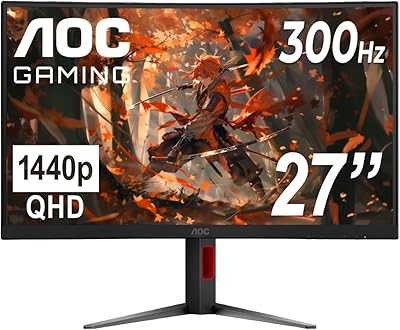
AOC C27G4H 27″ Curved Gaming Monitor
89%
93%
Performance
95%
Display Quality
87%
Ergonomics/Adjustability
91%
Value for Money
89%
Compatibility (Console)
More
AOC C27G2Z 27″ Curved Gaming Monitor
80%
93%
Refresh Rate Performance
88%
Response Time & Motion Clarity
79%
Color Accuracy & Vibrancy
86%
Contrast & Black Levels
62%
Resolution & Pixel Density
More
Sealan 27-inch Curved Gaming Monitor
82%
85%
Display Quality
90%
Ease of Setup
91%
Value for Money
87%
Performance in Gaming
83%
Color Accuracy
More
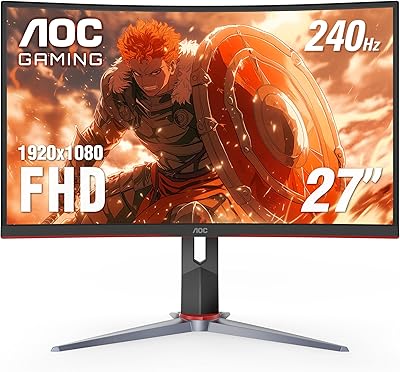
AOC CQ27G4ZH 27″ Curved Gaming Monitor
87%
95%
Gaming Performance
90%
Display Quality
85%
Build Quality
87%
Ergonomics
92%
Value for Money
More
Gawfolk GF270C 27-Inch Curved Gaming Monitor
86%
91%
Performance
88%
Display Quality
92%
Value for Money
90%
Response Time
89%
Color Accuracy
More
GAMEPOWER T50 27-Inch Curved Gaming Monitor
66%
83%
Value for Money
79%
Gaming Performance
74%
Display Quality
61%
Pixel Density & Sharpness
62%
Build Quality
More
ArcticPro 27-inch 240Hz Curved Gaming Monitor
87%
94%
Performance in Gaming
90%
Display Quality
85%
Setup and Installation
88%
Visual Comfort (Low Blue Light)
91%
Design and Aesthetics
More

FAQ

You can reach 180Hz, but only when connected via DisplayPort. If you plug in using an HDMI cable, the monitor caps out at 120Hz. It is a detail buried in the specs that catches a lot of buyers off guard, so make sure your PC has a DisplayPort output if the top refresh rate matters to you.

Yes, it works well with both consoles over HDMI. You will get up to 120Hz at 1080p, which is smooth and responsive for console gaming. Just keep in mind that neither console outputs over DisplayPort, so 180Hz is off the table in a console setup.

It depends on how close you sit. At a typical arm's-length desk distance, most people find it acceptable, especially during gaming when you are focused on motion rather than fine detail. For heavy text work or coding at close range, the lower pixel density can make fonts look a bit soft compared to a 1440p display of the same size.

It works with NVIDIA cards for video output, but AMD FreeSync is not natively supported on most NVIDIA GPUs unless your card supports G-Sync Compatible mode. Many mid-range and newer NVIDIA cards do support FreeSync displays with variable refresh enabled in the NVIDIA control panel, but it is worth checking your specific GPU model before assuming it will work.

Not much, honestly. You get tilt adjustment between -5° and +15°, and that is it. There is no height adjustment, no swivel, and no pivot. If ergonomics are important to your setup, you would be better off using the VESA mount and pairing this VA gaming screen with a quality monitor arm.

A small number of buyers have reported backlight bleed in the corners, which is fairly common with VA panels at this price point. It tends to be most visible on dark or fully black screens. Not every unit seems affected, but if you are particularly sensitive to it, that is a risk worth knowing about before purchasing.

Yes, the monitor supports standard 100x100mm VESA mounting, so you can attach it to any compatible wall mount or monitor arm. Removing the stand does reduce the overall footprint significantly, which is a nice option for tight desk setups.

No, the CRUA 27-inch display does not include built-in speakers. You will need external speakers or headphones for audio output.

For most people, the 1800R curve is subtle enough that it does not feel distracting during normal use. Videos and general browsing look perfectly fine, and some people actually prefer the slight wrap for reducing peripheral glare. It is not as aggressive a curve as some ultrawide monitors, so the transition from a flat screen feels natural within a day or two.

It can handle home office work reasonably well, particularly if your tasks involve web browsing, video calls, spreadsheets, or general productivity. The large screen and eye-care features help during long work sessions. That said, if your work involves detailed image editing or color-sensitive design, the color accuracy falls short of what a proper professional display would offer.