Overview

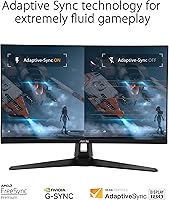
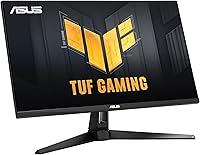
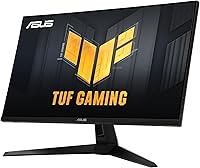
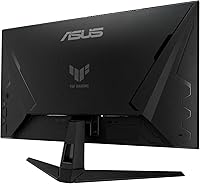
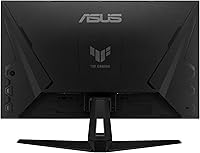
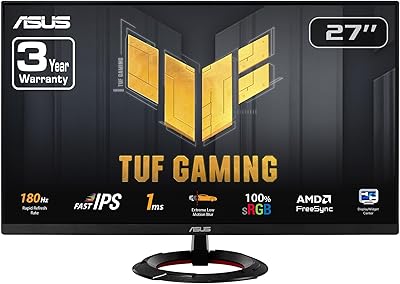
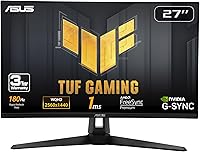
The ASUS VG27AQ3A 27-inch QHD Gaming Monitor sits in a crowded mid-range market, but its Fast IPS panel gives it a real edge over VA and TN competitors at this price point — better viewing angles, more accurate colors, and none of the ghosting that plagues slower panel types. At 180Hz, it is built for modern gaming rigs that can actually push those frame rates, making it a practical pairing for current-gen builds rather than a speculative upgrade. Dual sync support — covering both FreeSync Premium and G-SYNC Compatible devices — means you are not locked into one GPU brand. ASUS's ELMB Sync technology rounds out the motion handling story by letting blur reduction and variable refresh rate run simultaneously.
Features & Benefits

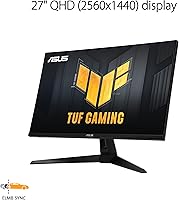
At 27 inches, QHD resolution delivers a noticeably sharper image than 1080p — individual pixels essentially disappear at normal desk distances, which makes a real difference when reading fine in-game text or spotting distant targets. The 180Hz refresh rate feels genuinely smooth if your GPU can sustain high frame rates at 1440p; an RTX 3080 or better is a realistic baseline to unlock its full potential. ELMB Sync is one of the more underrated features here — most monitors force you to choose between blur reduction and adaptive sync, but this 27-inch QHD panel runs both at once. The 130% sRGB coverage benefits anyone who edits photos or video on the side. HDR10 is present, but the brightness ceiling limits its real-world impact. Built-in speakers exist as a convenience fallback, nothing more.

Best For

This ASUS TUF gaming monitor makes the most sense for PC gamers running an RTX 3070-class GPU or higher — anything less may struggle to consistently reach the frame rates where 1440p at 180Hz truly shows its value. Competitive multiplayer players will appreciate the low-latency panel and the motion clarity ELMB Sync provides. Because it supports both AMD and NVIDIA sync protocols natively, it is a safe long-term purchase regardless of which GPU brand you currently own or plan to upgrade to next. Hybrid users who game in the evenings and handle light creative work during the day will find the color accuracy holds up for both. Anyone upgrading from a 1080p or 60Hz display is in for a meaningful visual step up.

User Feedback

With over 3,900 ratings and a 4.5-star average, the VG27AQ3A has built a solid reputation among buyers. The most consistent praise focuses on image sharpness and how smooth fast-paced gameplay feels, with many upgraders describing the jump from their previous setup as substantial. On the critical side, HDR performance draws the most complaints — most buyers agree it adds little in practice at this brightness level. The stand gets flagged occasionally for limited ergonomic range, and the speakers are largely dismissed by the community. A small number of users report backlight bleed concerns, though these appear isolated rather than a widespread pattern. Long-term durability feedback is generally positive, with few mentions of performance degradation after extended daily use.

Pros

  • Fast IPS panel delivers accurate colors and wide viewing angles that VA panels at this price simply cannot match.
  • The high refresh rate makes fast-paced games feel noticeably more fluid and responsive in real everyday play.
  • ELMB Sync lets blur reduction and adaptive sync run simultaneously, a capability many competing monitors lack entirely.
  • Supports both FreeSync Premium and G-SYNC Compatible, so it works well regardless of which GPU brand you own.
  • QHD resolution at 27 inches produces a sharp, detailed image where individual pixels are essentially invisible at desk distances.
  • 130% sRGB color coverage makes the VG27AQ3A a credible option for light photo editing and color-sensitive creative work.
  • Matte screen coating handles ambient light well and reduces glare without washing out the image.
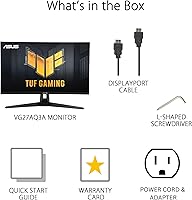
  • DisplayPort cable is included in the box, saving an immediate accessory purchase on setup day.
  • Long-term reliability feedback from buyers is mostly positive, with few reports of panel degradation over time.
  • Broad sync compatibility future-proofs the purchase across GPU upgrades without compatibility concerns.

Cons

  • HDR10 support adds little practical value at this brightness level; most experienced users recommend keeping it off.
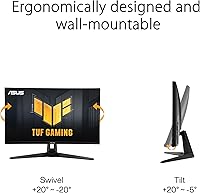
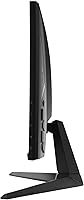
  • The included stand offers minimal height adjustment and no portrait rotation, which frustrates ergonomic desk setups.
  • Reaching the maximum refresh rate at QHD demands a high-end GPU; mid-range hardware often cannot sustain it consistently.
  • Built-in speakers are too thin and quiet for any real use beyond basic system audio alerts.
  • Port selection is limited to two inputs, making multi-device or console-plus-PC setups awkward without additional hardware.
  • Out-of-box color calibration skews slightly oversaturated and benefits from manual adjustment before it looks truly accurate.
  • Navigating the OSD menu to toggle advanced settings like overdrive modes feels clunky compared to higher-end monitor controls.
  • Isolated backlight bleed reports exist in long-term reviews, though not at a frequency that suggests a widespread defect.
  • No USB hub functionality, which buyers accustomed to this convenience in competing monitors will notice immediately.
  • Initial ELMB Sync and overdrive configuration is not intuitive and may require consulting external guides for optimal results.

Ratings

The scores below were generated by our AI system after analyzing thousands of verified global buyer reviews for the ASUS VG27AQ3A 27-inch QHD Gaming Monitor, with automated filtering applied to remove incentivized, bot-generated, and outlier feedback. What remains reflects genuine day-to-day experiences from real users across competitive gaming, creative work, and general desktop use. Both where this monitor earns its reputation and where it falls short are reflected transparently in every category.

Image Sharpness & Clarity
91%
The jump from 1080p to QHD at 27 inches is immediately obvious — in-game environments look noticeably more detailed, text is crisp without any scaling tricks, and fine UI elements that used to blur together now read cleanly at normal desk distances. Users upgrading from older 1080p panels consistently call the clarity difference significant.
A small number of users note that the gains are harder to appreciate if you sit farther than average from your desk, and those pairing it with lower-powered GPUs occasionally report that sustaining sharp, high-frame visuals at this resolution requires more hardware headroom than they expected.
Refresh Rate Performance
88%
At 180Hz, fast-paced games feel noticeably more fluid compared to typical 144Hz panels — cursor tracking, weapon swings, and camera movement all carry less perceived lag. Competitive players in particular praise how the high refresh rate translates to a more responsive feel during twitchy, reaction-based gameplay.
Reaching 180 frames per second at QHD resolution demands a capable GPU; users running mid-range or older cards report they often cannot sustain the frame rates needed to fully exploit the panel. The spec headline can set expectations that the hardware pairing does not always fulfill.
Motion Clarity & ELMB Sync
86%
The ability to run blur reduction and adaptive sync simultaneously — something many competing monitors cannot do — is repeatedly called out as a genuine differentiator. Fast-moving scenes in shooters and racing games show noticeably less smearing compared to monitors where you have to choose one or the other.
ELMB Sync requires specific conditions to activate properly, and a portion of buyers report some confusion during initial setup. A minority also note that at the highest refresh rates, the benefit over standard VRR alone is subtle enough that casual players may not notice the difference.
Color Accuracy & Coverage
83%
The wide color coverage makes this panel pull double duty more convincingly than most gaming monitors at this price tier — photo editing sessions, video color grading, and even casual illustration work benefit from the richer, more accurate palette compared to standard sRGB panels. Hybrid users in particular appreciate not needing a separate work display.
Out of the box, the color calibration is not perfect and benefits from manual tuning in the OSD. Users who need truly precise color work for professional deliverables will likely want to calibrate with a hardware colorimeter rather than relying solely on factory settings.
HDR Performance
54%
46%
HDR10 support is present, and in a handful of scenes with strong contrast — dark dungeons, bright outdoor environments in open-world games — there is a subtle improvement in how highlights render compared to SDR mode. It is a functional implementation rather than a non-existent one.
The brightness ceiling on this panel means HDR rarely delivers the dramatic visual difference buyers might expect after seeing the spec listed. Most experienced users recommend leaving HDR off entirely for gaming and enabling it only selectively; the consensus is that it adds little in everyday real-world use at this brightness level.
Response Time & Input Lag
87%
Competitive players frequently note that the panel feels genuinely fast — button inputs register crisply, and there is no obvious disconnect between mouse movement and on-screen response. For the target audience of reaction-heavy games, the low-latency performance holds up well in practice.
The 1ms figure applies under specific panel settings, and some users report slightly visible trailing in the most demanding fast-motion scenarios when not using the optimal overdrive setting. Finding the right balance in the monitor menu takes a little experimentation before the response time feels truly dialed in.
Build Quality & Materials
77%
23%
The chassis feels sturdy enough for daily desk use — there is no flex in the panel itself, the plastics do not creak under light adjustment, and the matte finish handles fingerprints and ambient reflections well. Most users are satisfied with the physical construction given the price point.
The stand is the most commonly criticized structural element; height adjustment range is limited and there is no pivot to portrait mode. Users who prefer ergonomic flexibility often end up purchasing a third-party VESA arm relatively quickly after unboxing.
Stand & Ergonomics
61%
39%
The included stand does offer tilt adjustment, and for users who sit at a fixed desk height it gets the job done without any instability. Assembly is straightforward and the monitor does not wobble during normal use.
Limited height adjustment and the absence of portrait rotation frustrate users who want precise ergonomic positioning. Several buyers with standing desks or multi-monitor setups specifically flag the stand as a weak point that necessitates an aftermarket solution fairly quickly.
Connectivity & Port Selection
74%
26%
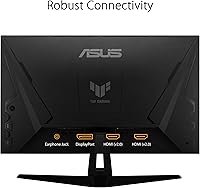
Having both HDMI and DisplayPort covered means most PC and console setups can connect without adapters. The inclusion of a DisplayPort cable in the box is appreciated since many competing monitors ship bare.
The port count is lean — users wanting to connect multiple PCs or a mix of consoles and a computer simultaneously will run out of inputs quickly. There is no USB hub functionality, which some buyers at this price tier expect.
OSD & Software Controls
69%
31%
The on-screen display covers all the important adjustment options — brightness, response time overdrive modes, blue light filter, and sync settings are all accessible. Basic navigation through the menu is manageable once you learn the button layout.
The physical joystick or button controls require a short learning curve and feel slightly imprecise compared to OSD implementations on premium monitors. Several users note that navigating nested menus to toggle ELMB Sync or adjust overdrive during gaming sessions is more cumbersome than it should be.
Speaker Quality
41%
59%
The speakers work as a last-resort audio option — system sounds and low-stakes video calls are intelligible, and having any audio output built in is occasionally useful in minimal desk setups where a separate speaker is not present.
Virtually no buyer recommends relying on the built-in speakers for gaming or media consumption. The sound is thin, lacks bass entirely, and the volume ceiling is low. Almost every review that mentions them does so only to warn others to plan for external audio from day one.
Sync Compatibility
89%
Supporting FreeSync Premium, G-SYNC Compatible, and AdaptiveSync under one panel is a real practical advantage — buyers do not have to worry about this monitor becoming incompatible after a GPU upgrade, whether they move from AMD to NVIDIA or vice versa. It future-proofs the purchase meaningfully.
G-SYNC Compatible certification rather than full G-SYNC hardware means a small subset of NVIDIA users report occasional minor artifacts or inconsistencies that native G-SYNC modules eliminate. For the vast majority, it is imperceptible, but it is worth noting for the most demanding users.
Value for Money
84%
At its price point, the combination of Fast IPS, 180Hz, QHD resolution, and dual sync support is difficult to match without spending noticeably more. Most buyers feel the feature set punches above its class, and the 4.5-star aggregate from thousands of owners backs that up.
A handful of buyers feel that HDR limitations and the basic stand design represent compromises that slightly undercut the overall value argument. If the stand had more range or HDR were more impactful, the price-to-feature ratio would be even harder to argue against.
Setup & Out-of-Box Experience
78%
22%
Physical assembly is quick and cable management around the stand is reasonably clean. The inclusion of both a DisplayPort cable and power adapter in the box means most users can have the monitor up and running without a trip to the accessories aisle.
Out-of-box color and brightness settings lean toward oversaturation for some users, requiring manual calibration before the image feels neutral. First-time monitor buyers may also find the ELMB Sync and overdrive configuration less intuitive than expected without referencing external guides.
Long-Term Reliability
80%
20%
Owners using this panel daily over extended periods generally report stable performance with no significant degradation in brightness or color consistency. The ASUS TUF line has a reasonable reliability track record among the broader user community, and warranty coverage provides additional peace of mind.
Isolated reports of backlight bleed at panel edges appear across long-term reviews, though the frequency does not suggest a systemic manufacturing issue. Dead pixel reports exist but are not statistically dominant; the concern is real but not prevalent enough to be a primary purchasing risk.

Suitable for:

The ASUS VG27AQ3A 27-inch QHD Gaming Monitor is built for PC gamers who have already invested in a capable, current-generation GPU and want a display that can actually keep pace with it. If you are running something in the RTX 3070 tier or higher, the combination of high refresh rate and QHD resolution becomes a genuinely compelling everyday experience rather than a theoretical spec on a box. Competitive multiplayer players — the kind who spend serious time in fast-paced shooters, racing sims, or battle royale titles — will appreciate how the motion handling reduces visual noise during frantic moments. The wide color gamut also makes this a reasonable choice for hybrid users: designers, streamers, or content creators who want one display that handles both work and play without obvious compromises. Anyone upgrading from an aging 1080p or 60Hz panel will find the improvement in both clarity and smoothness hard to ignore from the very first session.
Not suitable for:

The ASUS VG27AQ3A 27-inch QHD Gaming Monitor is a poor fit for buyers who expect meaningful HDR performance — at this brightness level, HDR10 support is largely a checkbox feature rather than a transformative visual experience, and anyone coming from an OLED or high-brightness HDR panel will be underwhelmed. Gamers running older or budget GPUs should also think carefully before purchasing; without the hardware to consistently push high frame rates at QHD, a significant portion of what makes this monitor worth buying simply goes unused. If ergonomic flexibility is important — you use a standing desk, rotate the display, or share it between multiple users at different heights — the limited stand will likely frustrate you enough to require an aftermarket VESA arm almost immediately. Users who rely on built-in audio and have no plans to add external speakers should look elsewhere, as the onboard sound is too thin for comfortable daily use. Finally, those needing dense port selection for multi-device setups will find the connectivity options too lean without an external switch or hub.
Specifications

  • Panel Type: Uses a Fast IPS panel, which delivers better color accuracy and wider viewing angles than VA or TN alternatives at this price tier.
  • Screen Size: 27-inch diagonal display with a 16:9 aspect ratio, sized for comfortable single-monitor desktop setups at standard desk depths.
  • Resolution: Native resolution of 2560x1440 (QHD), providing noticeably sharper pixel density than 1080p on a 27″ screen.
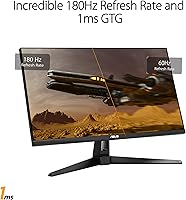
  • Refresh Rate: Supports a maximum refresh rate of 180Hz, enabling smoother motion rendering in fast-paced games compared to standard 144Hz panels.
  • Response Time: Rated at 1ms GtG under optimal overdrive settings, reducing visible pixel transition trails during rapid on-screen movement.
  • Sync Technology: Compatible with FreeSync Premium, G-SYNC Compatible, and AdaptiveSync, covering both major GPU ecosystems without requiring additional hardware.
  • Motion Tech: ASUS ELMB Sync allows backlight strobing and variable refresh rate to operate simultaneously, a feature absent on many competing monitors.
  • HDR Support: Supports HDR10 format for expanded contrast in compatible content, though peak brightness limits the real-world impact of HDR at this tier.
  • Color Gamut: Covers 130% of the sRGB color space, offering richer color reproduction suitable for both gaming and light creative work.
  • Surface Finish: Matte anti-glare coating reduces reflections from ambient light sources without introducing significant haze to the image.
  • Connectivity: Includes one DisplayPort input and one HDMI input, covering the two most common PC and console connection standards.
  • Built-in Audio: Equipped with integrated speakers for basic system audio output; not intended as a primary listening solution for gaming or media.
  • Dimensions: Measures 24.2 x 8.4 x 17.9 inches with the stand attached, fitting most standard single-monitor desk configurations without overhang.
  • Weight: Weighs 10.12 pounds with the stand, which is typical for a 27-inch IPS panel and does not require a reinforced desk surface.
  • VESA Compatibility: The panel is VESA mount compatible, allowing the stock stand to be replaced with a third-party monitor arm for improved ergonomic flexibility.
  • Box Contents: Ships with a DisplayPort cable, HDMI cable, power adapter, power cord, L-shaped screwdriver, quick start guide, and warranty card.
  • Voltage: Operates at up to 240 volts, making it compatible with both North American and international power standards via the included adapter.
  • Availability Date: First made available in September 2023, positioning it as a relatively recent release within the current mid-range gaming monitor generation.

Related Reviews
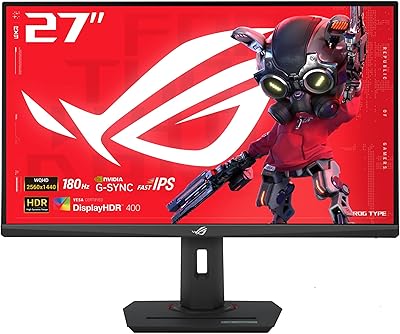
ASUS ROG Strix XG27ACS 27-inch Gaming Monitor

79%
91%
Image Clarity & Sharpness
89%
Motion Performance & Refresh Rate
86%
Color Accuracy & Vibrancy
47%
HDR Performance
88%
Adaptive Sync & G-Sync Compatibility
More
memzuoix 27-inch QHD 165Hz Gaming Monitor
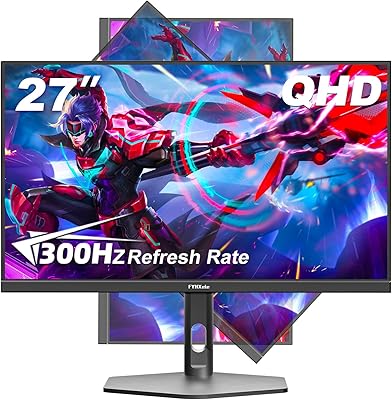
70%
88%
Image Clarity
84%
Refresh Rate Performance
91%
Value for Money
82%
Adaptive Sync (FreeSync/G-Sync)
77%
Color Accuracy
More
ASUS VZ279QG1R 27-inch 1080P Gaming Monitor
83%
88%
Gaming Performance
91%
Smooth Visuals (Motion Blur Reduction)
93%
Value for Money
80%
Build Quality
85%
Display Quality (Color Accuracy, Brightness)
More
FYHXele 27-inch 300Hz QHD Gaming Monitor

88%
94%
Performance for Gaming
91%
Display Quality
88%
Ergonomics and Adjustability
75%
Setup and Installation
85%
Build Quality and Durability
More
Gawfolk GF270L 27-inch 2K QHD Gaming Monitor
86%
91%
Display Quality
88%
Gaming Performance
94%
Color Accuracy
83%
Build Quality
87%
Value for Money
More
ASUS TUF Gaming VG277Q1A 27″ Gaming Monitor
78%
93%
Refresh Rate Performance
88%
Motion Clarity & Response Time
91%
Adaptive Sync & Tear-Free Gaming
74%
Out-of-Box Color Quality
82%
Shadow Boost & Dark Scene Visibility
More
ASUS TUF Gaming VG279Q3R 27-inch 1080p Monitor

84%
91%
Gaming Performance
88%
Visual Quality
83%
Ergonomics & Comfort
87%
Color Accuracy
82%
Build Quality
More
HP OMEN 27q QHD Gaming Monitor
79%
88%
Image Clarity
91%
Refresh Rate Performance
84%
Color Accuracy
61%
Brightness & HDR
57%
Glare & Reflections
More
Samsung Odyssey G50D 27-Inch QHD Gaming Monitor
87%
91%
Display Quality
94%
Performance (Refresh Rate/Response Time)
88%
Ergonomics and Comfort
87%
HDR Support
70%
Color Accuracy
More
ASUS VG27VH1B 27-inch Curved Gaming Monitor

78%
93%
Refresh Rate Performance
88%
Motion Clarity & Response Time
91%
Adaptive Sync & Tear-Free Output
67%
Image Sharpness & Resolution
62%
Color Accuracy & Calibration
More

FAQ

Yes, and it is worth being honest about this upfront. At QHD resolution, you generally need something in the RTX 3070 or RX 6700 XT range or higher to consistently push frame rates where 180Hz becomes meaningful in demanding titles. In lighter or older games, a mid-range card can get there, but for AAA titles at max settings, expect to run at lower frame rates than the panel's ceiling.

It will work with consoles via HDMI, but current-generation consoles top out at 120Hz output, so you will not reach the panel's full 180Hz potential through a console connection. You will still get a sharp QHD image and smooth gameplay, just not the maximum refresh rate the display is capable of.

ELMB Sync is ASUS's way of running backlight strobing — which reduces motion blur — at the same time as adaptive sync, which eliminates screen tearing. Most monitors make you choose one or the other. Whether it is worth enabling depends on your sensitivity to motion blur; competitive players in fast shooters tend to notice the improvement most, while casual gamers may find the difference subtle.

Honestly, no — not in a way that will impress anyone who has seen HDR done well on a higher-end display. HDR10 support is present and functional, but the panel's brightness ceiling means the contrast jump between highlights and shadows is modest at best. Most users who have tried it recommend leaving HDR disabled for gaming and only enabling it selectively for certain media content.

It holds up reasonably well for light to moderate creative work. The wide color coverage means colors render more richly and accurately than on a standard sRGB panel, which is noticeable when editing photos or grading footage. That said, professionals doing color-critical work for print or broadcast will want to hardware-calibrate it, as the factory settings are not perfectly tuned out of the box.

The stand offers tilt adjustment but is fairly limited in height range and does not support portrait rotation. If you use a standing desk, share the monitor between users of different heights, or want to rotate it vertically for coding or document work, you will likely want to pick up a VESA-compatible monitor arm — the panel does support standard VESA mounting.

A small number of long-term owners report some backlight bleed along panel edges, particularly visible in dark scenes or when the monitor displays a fully black screen. It does not appear to be a widespread manufacturing defect, but it is worth inspecting your unit during the return window if uniformity matters to you. If you notice significant bleed early on, most retailers will accept an exchange.

A DisplayPort cable and power adapter are included, so most PC users can set up right out of the box without a trip to the accessories aisle. If you are connecting via HDMI — for a console or a laptop, for example — you will need to supply your own HDMI cable, as one is not included.

They are functional in an emergency but not something you would want to rely on regularly. The sound is thin, bass is essentially absent, and the maximum volume is low for a 27-inch display. If you do not already have external speakers or headphones, factor that cost into your budget — virtually every buyer who mentions the speakers in reviews does so to warn others away from relying on them.

The Fast IPS panel has a clear advantage in viewing angles and color accuracy over VA alternatives at similar prices — colors stay consistent even when you are not sitting perfectly centered, which matters in multi-person setups or when you shift around in your chair. VA panels often have better static contrast and deeper blacks, but the ghosting on fast-moving content and the narrower viewing cone are real trade-offs that many gamers find frustrating. For motion-heavy gaming, most buyers prefer the IPS experience this monitor delivers.

Where to Buy