Overview

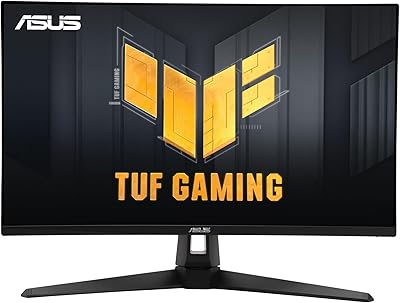
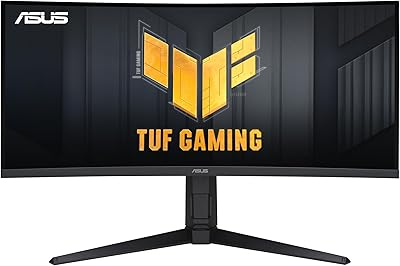
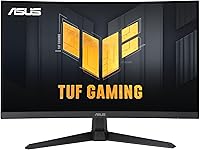
The ASUS TUF Gaming VG27WQ3B 27-inch Gaming Monitor arrived in late 2024 as a genuinely compelling option in the crowded mid-range monitor space. At 27 inches with a QHD 1440p panel, it hits a sweet spot between sharpness and performance that 1080p simply cannot match — without the GPU demands that come with 4K. The 1500R curved screen adds a sense of immersion that flat monitors struggle to replicate at this size, and the matte surface keeps reflections in check during long sessions. It is a relatively new product, but early buyer response has been strong. Toss in a bundled Adobe Creative Cloud trial and you have a monitor punching above its weight class.
Features & Benefits

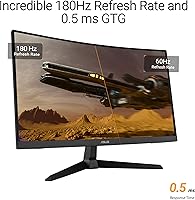
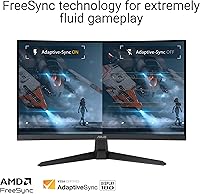
The 180Hz refresh rate is the headline here, and it shows in practice — fast-paced shooters and racing titles feel noticeably smoother compared to standard 144Hz panels. Pair that with a 0.5ms GTG response time and ASUS ELMB technology, and ghosting becomes a non-issue even during chaotic on-screen movement. FreeSync works quietly in the background; if you are running an AMD GPU like the RX 6700, variable refresh rate kicks in automatically and screen tearing effectively disappears. Shadow Boost is one of those features you do not think you need until you are actually using it — darker game environments become readable without washing out highlights. The 90% DCI-P3 color coverage is a genuine surprise, making this ASUS TUF display a credible option for light creative work beyond gaming.

Best For

This curved gaming monitor makes the most sense for players ready to leave 1080p behind but not ready — or willing — to invest in a 4K setup. It pairs naturally with mid-range GPUs like the RTX 3060 or RX 6700, where 1440p at 180Hz is actually achievable in most titles without pushing your hardware to its limit. Competitive players who want fast, fluid motion without sacrificing too much visual detail will find the balance here genuinely comfortable. Streamers and creators who do light editing on the side also benefit from the surprisingly solid color reproduction. And if you are upgrading from a smaller flat panel, the 27-inch curve adds meaningful desk presence that takes no time to get used to.

User Feedback

With over 2,800 ratings and a 4.6-star average, the VG27WQ3B has built a strong reputation quickly for a monitor that only launched in late 2024. Buyers consistently highlight image clarity and the smoothness of high-refresh gameplay as the standout wins, with the value-to-performance ratio coming up repeatedly in positive reviews. On the flip side, some users mention that stand adjustability feels limited — height and tilt options come across as basic compared to pricier alternatives. A handful also note the OSD menu requires some patience to navigate. Long-term durability remains an open question given the product's short track record, but out-of-box setup earns good marks, with the included DisplayPort cable making the initial installation quick and painless.

Pros

  • QHD 1440p resolution delivers a clear, sharp image that makes a real difference coming from 1080p.
  • The 180Hz refresh rate keeps fast-paced gameplay fluid in a way that lower-refresh monitors simply cannot match.
  • ELMB technology keeps motion blur and ghosting under control even during intense, chaotic on-screen action.
  • FreeSync with VRR enabled by default means AMD GPU users get tear-free gameplay with zero manual setup.
  • Shadow Boost genuinely improves visibility in dark game environments without washing out brighter areas.
  • 90% DCI-P3 color coverage makes the VG27WQ3B a capable option for light creative work beyond gaming.
  • The matte screen surface handles ambient light well, reducing eye strain during long desk sessions.
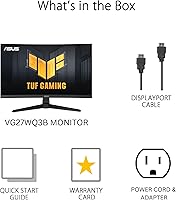
  • Unboxing and setup are quick and painless, with a DisplayPort cable included so you are ready immediately.
  • A three-year warranty provides real peace of mind that budget-tier monitors at this price rarely offer.
  • Strong early buyer ratings across thousands of verified reviews point to consistent quality control.

Cons

  • Stand lacks height adjustment and swivel, forcing many users to buy a separate monitor arm.
  • OSD menu navigation is unintuitive and requires more trial and error than it reasonably should.
  • HDR implementation is entry-level — do not expect cinematic contrast or brightness from HDR content.
  • G-Sync compatibility is not officially certified, leading to inconsistent results on some Nvidia setups.
  • Long-term durability is an open question given the monitor only launched in late 2024.
  • ELMB and FreeSync cannot run simultaneously, requiring users to pick one feature over the other.
  • No HDMI cable is included in the box, which can be an inconvenience for users without a spare.
  • Cable management options on the stand are minimal, leaving visible cable clutter for multi-cable setups.
  • Peak brightness may feel underwhelming in well-lit rooms or when viewing HDR-mastered content.
  • The VA panel trades some color accuracy and viewing angle consistency compared to IPS alternatives.

Ratings

The ASUS TUF Gaming VG27WQ3B 27-inch Gaming Monitor earns its strong reputation through consistent real-world performance across thousands of verified buyer experiences — and our AI-driven scoring reflects exactly that, filtering out incentivized and bot-generated feedback to surface what genuine users actually think. Scores here capture the full picture, from the aspects that genuinely impress to the friction points that show up repeatedly in critical reviews. Both sides are represented honestly, so you can make a confident buying decision.
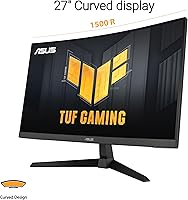
Image Quality
88%
Buyers consistently describe the 1440p picture as a noticeable leap over their previous 1080p setups, with sharper text, cleaner edges in games, and better overall detail during everyday use. The matte coating reduces glare effectively in brighter rooms, which gets specific praise from users with windows near their desk.
A minority of users feel peak brightness falls short in HDR content, leaving some scenes looking flatter than expected. Those coming from OLED or high-end IPS panels may find the contrast depth less punchy under direct comparison.
Refresh Rate & Smoothness
93%
At 180Hz, fast-paced titles like competitive shooters and racing games feel genuinely fluid — multiple buyers note it is the first time their gameplay felt truly responsive after years on 60Hz displays. The step up from 144Hz is subtle but real, especially during rapid camera sweeps.
To actually hit 180Hz in demanding titles, you need a capable GPU, and some buyers with older mid-range cards find themselves capped lower than expected. A handful of users note the difference from 144Hz is harder to appreciate in slower-paced or story-driven games.
Response Time & Motion Clarity
91%
Ghosting is effectively a non-issue for most users during high-speed gameplay, and the ELMB feature draws specific praise from buyers who previously dealt with motion blur on budget panels. Fast-action scenes in games stay readable and clean without obvious trailing artifacts.
A small number of users report that enabling ELMB simultaneously with FreeSync requires choosing one or the other, which is a technical limitation worth knowing upfront. In very controlled comparisons, some enthusiasts still notice faint inverse ghosting at certain refresh rate ranges.
Curved Panel Experience
84%
The 1500R curve gets consistently positive feedback from users who game in close-to-medium viewing distances, with many noting it reduces the need to move their eyes as much across the 27-inch span. Single-monitor setups benefit the most, and the immersion in open-world games is frequently highlighted.
Users who switch between gaming and productivity work — particularly those with spreadsheets or wide documents — occasionally find the curve introduces slight distortion at screen edges. Buyers coming from flat panels sometimes need a short adjustment period before the curve feels completely natural.
Color Accuracy & Vibrancy
82%
18%
The 90% DCI-P3 coverage surprises buyers who expected a purely gaming-focused panel with mediocre color output — several streamers and light video editors mention the colors hold up well enough for casual creative work without dedicated color calibration. Game environments look rich and saturated without crossing into oversaturated territory.
Serious photo or video editors will likely find the color accuracy insufficient compared to purpose-built creative monitors, and out-of-box calibration could be better for color-critical tasks. Some users note a slight warm tint on default settings that requires manual adjustment.
FreeSync & Adaptive Sync
89%
FreeSync enabling VRR by default is a genuine convenience win — AMD GPU users pairing this with an RX 6700 or similar card report that screen tearing simply disappears without any manual configuration. The effective sync range draws positive mentions from buyers who game at variable frame rates.
Users on Nvidia GPUs note that G-Sync compatibility is not officially certified, so results can be inconsistent depending on driver version and system configuration. A few buyers had to troubleshoot sync behavior after driver updates, which added unnecessary friction.
Shadow Boost & Visibility
79%
21%
Darker game maps — the kind where spotting enemies in shadowed corners is genuinely difficult — become noticeably more readable with Shadow Boost active, and buyers who play titles like tactical shooters specifically call it out as useful. It manages the balance between brightening shadows and preserving highlight detail reasonably well.
At higher Shadow Boost intensity settings, some users feel the image takes on an artificially lifted look that breaks the intended visual atmosphere of darker games. It works best at moderate settings, and finding the right level requires some personal experimentation.
Build Quality & Durability
74%
26%
The monitor feels sturdy enough for a desk setup, and buyers generally report no significant flex or wobble in the panel itself during normal use. The matte plastic finish resists fingerprints reasonably well and does not feel cheap to the touch for a monitor at this price tier.
Because this monitor only launched in late 2024, long-term durability data is genuinely limited — early buyers simply have not had it long enough to report on multi-year reliability. Some users note the build materials feel functional rather than premium, which is expected at this price but worth acknowledging.
Stand & Ergonomics
61%
39%
For basic desk setups where the monitor sits at a fixed position, the stand is stable and gets the job done without issue. Users who are happy with a fixed viewing angle rarely mention the stand negatively.
Stand adjustability is a recurring complaint — the options are limited primarily to tilt, with no height adjustment or swivel, which frustrates buyers who need to fine-tune their ergonomic setup. Users with multi-monitor arrangements or non-standard desk heights find the stand particularly limiting and often end up investing in a third-party arm.
OSD & Software Controls
63%
37%
DisplayWidget software gives desktop-level access to monitor settings without diving into the physical OSD, which several users appreciate as a time-saver once it is configured. Basic settings like brightness and contrast are easy to locate and adjust quickly.
The physical OSD menu navigation draws consistent criticism for being unintuitive — button placement and menu logic require more trial and error than comparable monitors. A portion of buyers mention it took multiple attempts to locate specific settings like Shadow Boost or ELMB, which is a minor but persistent annoyance.
Setup & Out-of-Box Experience
86%
Assembly is straightforward according to the majority of buyers, with the stand clicking into place without tools and the included DisplayPort cable meaning most users are up and running within minutes of unboxing. The quick start guide is clear enough that few buyers report needing to consult online resources.
Cable management options on the stand are minimal, which becomes noticeable once multiple cables are connected and sitting loosely at the back. A small number of buyers received units with minor factory calibration inconsistencies, though these cases appear isolated.
Value for Money
92%
At its price point, the combination of QHD resolution, 180Hz refresh rate, and a curved panel is hard to argue with — buyers repeatedly frame it as getting more than they expected for what they paid. The three-year warranty adds meaningful long-term confidence that competitors at similar prices do not always match.
Buyers comparing it to slightly pricier IPS-panel alternatives note the VA panel characteristics (primarily contrast versus color accuracy trade-offs) become a factor depending on use case. Those who need both competitive gaming performance and professional color work may find the compromise slightly frustrating at the edges of both demands.
HDR Performance
58%
42%
HDR mode does produce a visible improvement over SDR in content that properly supports it, and casual buyers who are not comparing it side-by-side to dedicated HDR displays tend to find it satisfactory for everyday gaming.
Buyers with experience on higher-tier HDR monitors consistently note that the HDR implementation here is entry-level at best — peak brightness and local dimming depth are not sufficient to deliver the contrast HDR is capable of on premium panels. It is functional rather than impressive, and managing expectations here is important.
Packaging & Included Accessories
77%
23%
The packaging is protective and well-organized, and including a DisplayPort cable in the box — rather than just HDMI — is a practical choice that buyers specifically appreciate since it supports the full 180Hz out of the gate. The Adobe Creative Cloud trial inclusion adds a minor but tangible bonus for new buyers.
An HDMI cable is absent from the box, which can catch buyers off guard if their setup relies on HDMI connections or if DisplayPort ports on their GPU are already occupied. The quick start guide covers basics only, leaving advanced feature configuration to online resources.

Suitable for:

The ASUS TUF Gaming VG27WQ3B 27-inch Gaming Monitor is a natural fit for PC gamers who have outgrown 1080p but are not ready to commit to the cost and GPU demands of a 4K setup. If you are running a mid-range card like an RTX 3060 or RX 6700, you will find that 1440p at high frame rates is genuinely achievable without pushing your hardware to its limit — which makes the high refresh rate actually usable, not just a marketing number. Competitive players who spend hours in fast-paced shooters or racing titles will appreciate how the combination of rapid response and smooth motion handling holds up during extended sessions. The 1500R curve makes the 27-inch span feel more contained and immersive than a flat panel of the same size, which is a real quality-of-life improvement for single-monitor desk setups. Streamers and casual content creators who need decent color reproduction for light editing work will also get more out of this display than they might expect. Anyone upgrading from an older flat 24-inch or entry-level 1080p monitor will likely find the jump in both resolution and screen real estate immediately noticeable and worthwhile.
Not suitable for:

The ASUS TUF Gaming VG27WQ3B 27-inch Gaming Monitor has clear limitations that make it the wrong choice for certain buyers, and it is worth being direct about them. If you do professional photo editing, color grading, or any work where accurate color representation is non-negotiable, the panel is not up to the task — the 90% DCI-P3 coverage is respectable for gaming but falls short of what dedicated creative monitors deliver. Users who need flexible ergonomics — height adjustment, swivel, or pivot — will likely find the stand frustrating and may need to budget for a separate monitor arm to compensate. Nvidia GPU users who expect full G-Sync compatibility should manage their expectations, as the FreeSync certification does not guarantee a perfectly smooth experience across all Nvidia driver configurations. The HDR performance is entry-level at best, so buyers who prioritize true HDR contrast and brightness from cinematic content will be underwhelmed compared to premium HDR-certified displays. Finally, buyers seeking long-term reliability data should note that this is a late-2024 release with limited multi-year track record — if proven durability history is important to your decision, that is a genuine unknown here.
Specifications

  • Screen Size: The panel measures 27 inches diagonally, offering a comfortable balance between immersive gaming real estate and practical desk footprint.
  • Resolution: Native resolution is 2560 x 1440 (QHD), delivering noticeably sharper visuals than 1080p without the GPU demands of 4K.
  • Refresh Rate: Maximum refresh rate is 180Hz, enabling exceptionally fluid motion in fast-paced games when paired with a capable GPU.
  • Response Time: Rated at 0.5ms GTG (gray-to-gray), minimizing pixel transition delay and reducing visible ghosting during high-speed gameplay.
  • Panel Curve: The screen features a 1500R curve radius, designed to match the natural field of view and reduce edge distortion at typical desktop viewing distances.
  • Aspect Ratio: Standard 16:9 widescreen aspect ratio, compatible with all modern gaming resolutions and video formats without letterboxing.
  • Screen Surface: Matte anti-glare coating reduces reflections from ambient light sources, making the display more comfortable during extended sessions in lit environments.
  • Color Gamut: Covers 90% of the DCI-P3 color space, providing richer, more saturated colors than standard sRGB panels for both gaming and light creative work.
  • Adaptive Sync: AMD FreeSync with variable refresh rate (VRR) is enabled by default, synchronizing frame output between the GPU and display to eliminate screen tearing.
  • HDR Support: The monitor supports HDR content, though peak brightness levels position this as an entry-level HDR implementation rather than a premium HDR experience.
  • Motion Blur Tech: ASUS Extreme Low Motion Blur (ELMB) technology further reduces perceived blur during fast on-screen movement, operating independently from FreeSync.
  • Dark Enhancement: Shadow Boost selectively brightens shadowed areas in games without overexposing highlights, improving visibility in low-light in-game environments.
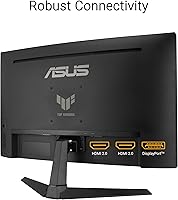
  • Connectivity: Includes a DisplayPort input with a DisplayPort cable provided in the box; HDMI connectivity is also available but no HDMI cable is included.
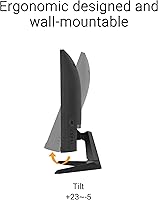
  • Ergonomics: The stand supports tilt adjustment only; height adjustment and swivel are not available without a third-party VESA monitor arm.
  • VESA Compatibility: The monitor supports standard VESA wall or arm mounting, giving users the option to replace the included stand with an aftermarket solution.
  • Software: Compatible with ASUS DisplayWidget software, allowing users to adjust monitor settings directly from their desktop without navigating the physical OSD.
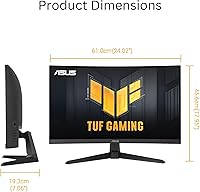
  • Dimensions: Overall dimensions with stand are approximately 21 x 28 x 30 inches (L x W x H), and the monitor weighs 10.8 pounds fully assembled.
  • Warranty: Backed by a 3-year manufacturer warranty from ASUS, covering defects in materials and workmanship from the date of purchase.
  • Release Date: First made available in December 2024, making it a recent addition to the market with limited long-term reliability data available at this time.
  • Included Accessories: Box contents include a DisplayPort cable, power cord, quick start guide, and warranty card, along with a 3-month Adobe Creative Cloud trial offer.

Related Reviews
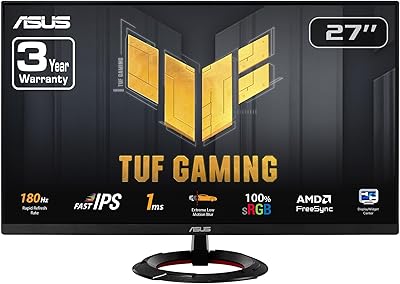
ASUS TUF Gaming VG279Q3R 27-inch 1080p Monitor

84%
91%
Gaming Performance
88%
Visual Quality
83%
Ergonomics & Comfort
87%
Color Accuracy
82%
Build Quality
More
ASUS TUF Gaming VG277Q1A 27″ Gaming Monitor
78%
93%
Refresh Rate Performance
88%
Motion Clarity & Response Time
91%
Adaptive Sync & Tear-Free Gaming
74%
Out-of-Box Color Quality
82%
Shadow Boost & Dark Scene Visibility
More
ASUS VG27VH1B 27-inch Curved Gaming Monitor
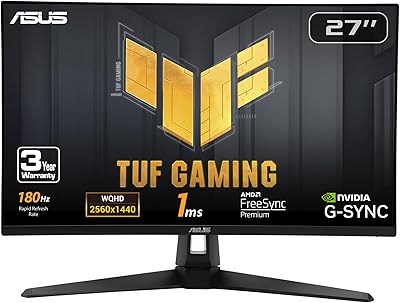
78%
93%
Refresh Rate Performance
88%
Motion Clarity & Response Time
91%
Adaptive Sync & Tear-Free Output
67%
Image Sharpness & Resolution
62%
Color Accuracy & Calibration
More
ASUS VG27AQ3A 27-inch QHD Gaming Monitor
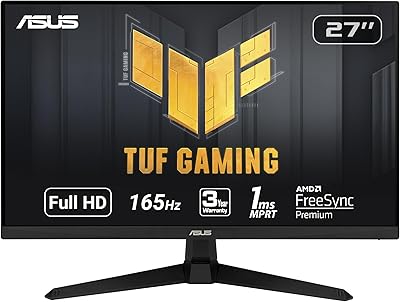
76%
91%
Image Sharpness & Clarity
88%
Refresh Rate Performance
86%
Motion Clarity & ELMB Sync
83%
Color Accuracy & Coverage
54%
HDR Performance
More
ASUS TUF Gaming VG27AQM1A 27-inch Gaming Monitor
78%
93%
Motion Clarity
89%
Refresh Rate Performance
91%
Image Sharpness
78%
Color Accuracy & Vibrancy
52%
HDR Quality
More
ASUS TUF Gaming VG279QM1A 27-inch 1080P HDR Monitor
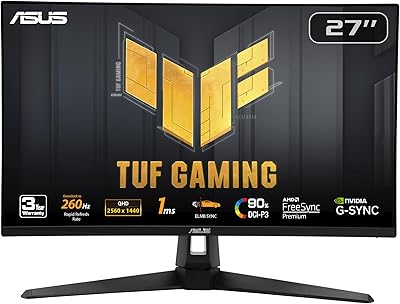
86%
91%
Display Quality
94%
Refresh Rate Performance
89%
Color Accuracy
90%
G-SYNC/FreeSync Compatibility
84%
Build Quality
More
ASUS VZ279QG1R 27-inch 1080P Gaming Monitor
83%
88%
Gaming Performance
91%
Smooth Visuals (Motion Blur Reduction)
93%
Value for Money
80%
Build Quality
85%
Display Quality (Color Accuracy, Brightness)
More
ASUS TUF Gaming 27” 4K HDR Monitor VG27UQ1A
88%
94%
Gaming Performance
92%
Color Accuracy
89%
Build Quality
85%
Ease of Use
93%
Display Quality
More
ASUS TUF Gaming VG28UQL1A 28-inch Gaming Monitor
78%
91%
Image Clarity
88%
Motion Performance
93%
Console Compatibility
83%
Color Accuracy
58%
HDR Performance
More
ASUS TUF Gaming VG32UQA1A 32-inch Gaming Monitor
74%
88%
Image Clarity
83%
Refresh Rate Performance
91%
Console Compatibility
54%
HDR Quality
84%
Motion Handling
More

FAQ

It works with Nvidia GPUs, but keep in mind that FreeSync is officially an AMD technology. G-Sync compatibility is not certified on the VG27WQ3B, so results on Nvidia cards can vary depending on your driver version and GPU model. Many Nvidia users report it working fine, but it is not a guaranteed experience the way it is on AMD hardware.

To reach the full 180Hz refresh rate, you will need to use the DisplayPort connection — HDMI bandwidth limitations on most ports cap the maximum refresh rate at lower speeds for 1440p. The good news is that a DisplayPort cable is included in the box, so you can hit the ground running without buying extra cables.

At 27 inches, the 1500R curve is genuinely noticeable and functional, especially if you sit at a typical arm's-length desk distance. It makes the edges of the screen feel closer to your natural focal point and reduces the sense that you are looking at a flat slab. That said, if you primarily use your monitor for productivity tasks like spreadsheets or document editing, you may find the curve slightly distorting at the extreme edges.

No, these two features are mutually exclusive on this display — you can use one or the other, but not both simultaneously. ELMB works by using a strobing backlight, which conflicts with the variable refresh rate that FreeSync relies on. Most gamers in competitive titles prefer ELMB for its motion clarity, while those playing at variable frame rates tend to prioritize FreeSync.

Unfortunately, the stand only supports tilt adjustment — there is no built-in height adjustment or swivel. If your desk setup requires more flexibility, a VESA-compatible monitor arm is the practical solution, and the monitor does support standard VESA mounting so you have plenty of aftermarket options available.

It works fine with consoles via HDMI, and the 1440p resolution and smooth display will look great with current-gen consoles that support 1440p output. The FreeSync support also works with Xbox consoles that have VRR enabled. PlayStation 5 users will not get VRR through FreeSync specifically, but the monitor will still display PS5 content cleanly at supported resolutions.

Shadow Boost is essentially a targeted gamma adjustment that lifts the brightness of dark image areas — like shadowed corners or dimly lit corridors in games — without affecting the midtones or bright highlights much. It is genuinely useful in games where spotting enemies in dark environments gives a competitive edge. The effect is adjustable, and most users settle on a mid-level setting since the highest intensity can make scenes look unnaturally bright.

It can handle light photo editing reasonably well thanks to the 90% DCI-P3 color coverage, which is better than many gaming monitors at this price. However, if color accuracy is critical to your workflow — for instance, if you are preparing images for professional print or client delivery — you will likely want a dedicated IPS panel with a higher color accuracy rating and factory calibration. For casual editing or personal projects, this curved gaming monitor is a decent dual-purpose option.

Like most VA panels, this ASUS TUF display can show some degree of backlight bleed in very dark scenes, particularly near screen corners. The severity varies unit to unit, which is typical for the technology. Most buyers have not flagged this as a significant issue in day-to-day gaming, but if you watch a lot of dark cinematic content in a pitch-black room, it is worth being aware of.

The included trial gives you access to Adobe Creative Cloud applications — including Photoshop and other Creative Cloud apps — for three months at no additional cost, valid through August 2026 based on current offer terms. It is a nice bonus if you do not already subscribe, particularly for streamers or casual creators who want to try out Adobe tools alongside their gaming setup. After the trial period, a paid subscription would be required to continue using Adobe CC services.