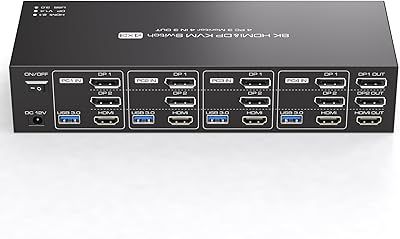
CMSTEDCD Triple Monitor DisplayPort KVM Switch

Overview
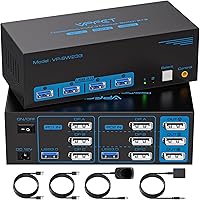
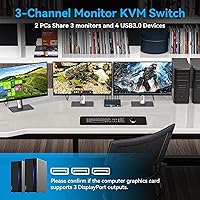
The CMSTEDCD Triple Monitor DisplayPort KVM Switch targets a specific frustration: you have two computers, three monitors, and no desire to swap cables every time you switch tasks. It sits comfortably in the mid-range KVM category — above the budget single-screen options, but not quite prosumer territory. The jump from older HDMI-based switches matters here because DP 1.4 bandwidth is what allows all three displays to run at genuinely high resolutions and refresh rates simultaneously. The included wired controller also stands out — it lets you tuck the actual unit away and switch from the desktop. One hard requirement worth stating early: three native DisplayPort outputs on each PC are non-negotiable.
Features & Benefits
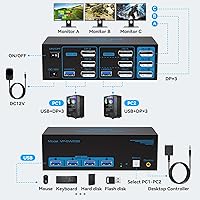
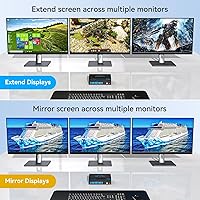
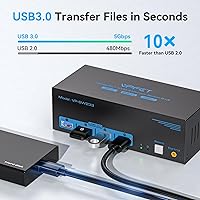
This triple-monitor KVM switch runs three DisplayPort 1.4 connections per computer, with a theoretical ceiling of 8K@60Hz — though realistically, most setups will operate at 4K@120Hz, which is the practical sweet spot here. Running 4K at that refresh rate across three displays is noticeably smoother than the 60Hz cap most HDMI-based KVMs impose; for designers or developers with dense multi-window layouts, the extra clarity and fluidity add up fast. You also get four USB 3.0 ports shared between both PCs, handling peripherals at up to 5Gbps. Both extended and duplicate display modes are supported without touching monitor settings, and the included 12V adapter helps avoid the instability that plagues underpowered KVM devices.
Best For
This dual-PC display switcher is best suited to people who already have — or are building — a proper three-monitor workstation and need to share it between two Windows or Linux machines. Developers toggling between a personal workstation and a company laptop, or designers who run separate machines for client and personal work, will find real value here. Home office users who want to share a printer, scanner, or USB hub alongside their monitors also fit the use case well. macOS is not supported, so Apple users should look elsewhere before buying. And remember: both PCs must have three native DP outputs — adapters are not a reliable workaround.
User Feedback
With a 4.2 out of 5 rating, the CMSTEDCD DP switch earns mostly positive marks — but not unanimously. Users frequently praise how straightforward the switching process is, and the wired controller gets specific mention for keeping desks tidy without sacrificing accessibility. Where things get trickier is at higher resolutions: display flickering is the most cited complaint, and it appears closely tied to cable length. The manufacturer's own troubleshooting guide recommends 3.3ft DP 1.4 cables as the fix — if you're using longer runs, that's likely your culprit. The 12-month replacement warranty comes up regularly as a reassuring safety net, and for a mid-range device, that kind of coverage does build real confidence.
Pros
- Runs three displays at 4K@120Hz simultaneously — a genuine bandwidth upgrade over HDMI-based KVM alternatives.
- The detachable wired controller lets you hide the switch box and keep only a slim controller on the desk.
- Four USB 3.0 ports at up to 5Gbps handle keyboards, mice, drives, and printers without a separate hub.
- Switching between machines is fast and requires no software — one button press or controller tap does it.
- Both extended and duplicate display modes are supported without manually reconfiguring your monitors each time.
- The included 12V power adapter provides stable power delivery, reducing the drop-out issues common in bus-powered KVMs.
- Backward compatible with USB 2.0 and 1.1 devices, so older peripherals work without replacements.
- A 12-month no-charge replacement warranty adds a meaningful safety net for a mid-range purchase.
Cons
- Display flickering at higher resolutions is a recurring complaint, often linked to cable length.
- Short DP 1.4 cables — ideally 3.3ft — are effectively required for stable operation, limiting desk layout flexibility.
- macOS is not supported at all, making this a hard stop for anyone in the Apple ecosystem.
- Each PC must have three native DisplayPort outputs; most laptops and many desktops simply don't meet that requirement.
- True 8K output is theoretical — achieving it requires every cable, monitor, and source to support 8K simultaneously.
- The 12V power adapter adds another brick and cable to an already cable-heavy setup.
- Setup requires careful cable management — six DisplayPort cables minimum (three per PC) before anything else connects.
Ratings
Our editorial AI rating for the CMSTEDCD Triple Monitor DisplayPort KVM Switch was generated by analyzing verified purchase reviews from buyers worldwide, with spam, bot submissions, and incentivized feedback actively filtered out. The scores reflect the full picture — genuine strengths alongside real pain points — so you can make a confident decision grounded in actual user experience. Whether you are evaluating this dual-PC display switcher for a high-refresh workstation setup or comparing it to alternatives in the DisplayPort KVM category, each rating below is directly tied to what real buyers reported.
Switching Performance
Display Signal Quality
Ease of Setup
Wired Controller & Desk Ergonomics
USB Performance
Build Quality
Value for Money
OS & Device Compatibility
Power & Stability
Display Mode Flexibility
Resolution & Bandwidth
Peripheral Sharing
Warranty & After-Sales
Suitable for:
The CMSTEDCD Triple Monitor DisplayPort KVM Switch is built for dual-PC users who maintain a proper three-monitor workstation and need to switch between machines without touching a single cable. Developers who alternate between a personal desktop and a company-issued laptop are an obvious fit, as are designers who keep separate systems for different clients or projects. Home office workers who want their printer, scanner, and USB peripherals shared across both machines — without a separate switch or hub — will appreciate having four USB 3.0 ports built right into the setup. Content creators who depend on 4K at genuinely high refresh rates across all three screens, rather than the bandwidth-limited 60Hz ceiling of most HDMI KVMs, will find the DisplayPort 1.4 spec delivers real, day-to-day value. Windows and Linux users who already have three native DisplayPort outputs on each PC will have the smoothest experience overall.
Not suitable for:
The CMSTEDCD Triple Monitor DisplayPort KVM Switch is a poor fit for anyone whose PCs don't have three native DisplayPort outputs — this is a non-negotiable hardware requirement that adapters cannot reliably replace. Mac users should pass entirely: macOS is not a supported operating system, and there is no documented workaround. If you're running only one or two monitors, this switch is overengineered and overpriced for your situation — simpler, single-display options exist at a fraction of the cost. Buyers banking on true 8K output should also temper expectations: while the spec is listed, every cable, monitor, and source in the chain would need to support 8K, a combination that's rare in most home or office environments. Finally, those who need a minimal-footprint or travel-friendly solution should know this switch requires an external 12V power adapter and up to six DisplayPort cables, which adds up to a substantial desk commitment.
Specifications
- Video Interface: Each connected PC uses three DisplayPort 1.4 inputs; the switch outputs to three DisplayPort 1.4 monitors.
- Max Resolution: Supports up to 8K@60Hz or 4K@120Hz per display when the source, cable, and monitor all meet the DP 1.4 standard.
- Computers Supported: Connects and switches between exactly two computers or laptops.
- Monitors Supported: Drives up to three monitors simultaneously for a full triple-display workspace.
- USB Ports: Provides four USB 3.0 ports with transfer speeds of up to 5Gbps, shared between both connected PCs.
- USB Compatibility: Backward compatible with USB 2.0 and USB 1.1 peripherals, so older devices work without replacement.
- Switching Methods: Supports switching via a front-panel push button or a detachable wired remote controller designed to sit on the desktop.
- Display Modes: Operates in both extended (spanning) and duplicate (mirror) configurations without requiring manual monitor reconfiguration.
- Power Supply: Powered by an included 12V external power adapter for stable, consistent drive of all connected peripherals.
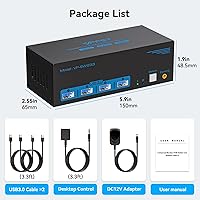
- Dimensions: Measures 5.9 × 2.55 × 1.9 inches (L × W × H).
- Weight: Weighs 8.8 oz, not including cables or power adapter.
- OS Support: Compatible with Windows XP and all later Windows versions, as well as Linux; macOS is not officially supported.
- Warranty: Backed by a 12-month no-charge replacement warranty from the manufacturer.
- Model Number: Carries the manufacturer model number JHS-US-SW233.
- Brand: Produced and sold under the CMSTEDCD brand.
Related Reviews
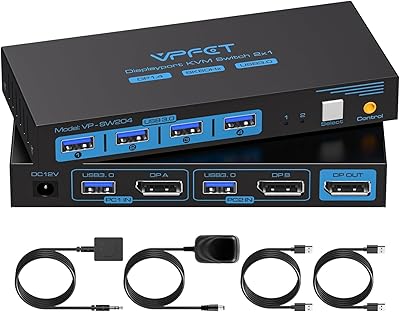
CMSTEDCD SW204N DisplayPort KVM Switch
MLEEDA 201DPA DisplayPort KVM Switch
KCEVE 2-Monitor 4-Computer KVM Switch
CMSTEDCD SW330 Dual Monitor KVM Switch
TRENDnet TK-240DP Dual Monitor DisplayPort KVM Switch
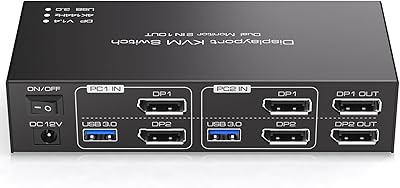
TJCXELE 4K@144Hz Dual-Monitor DisplayPort KVM Switch

TRENDnet TK-440DP 4-Port Dual Monitor DisplayPort KVM Switch
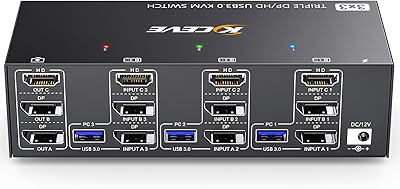
Camgeet KVM Switch 3 Monitors 3 Computers HDMI+2 DisplayPort
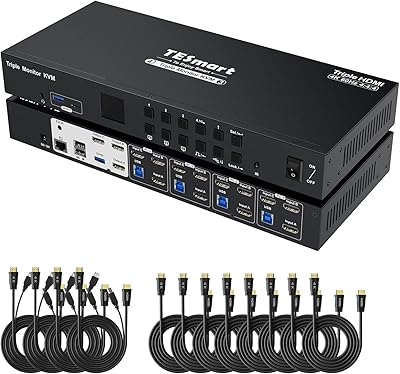
TESmart HKS403-P23 4-Port Triple Monitor KVM Switch