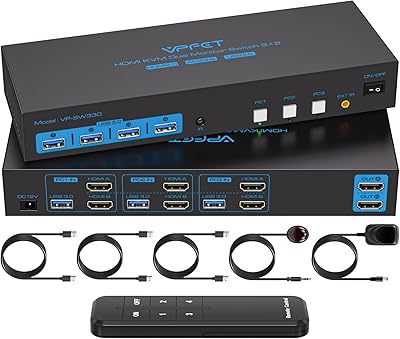
Camgeet KVM Switch 3 Monitors 3 Computers HDMI+2 DisplayPort

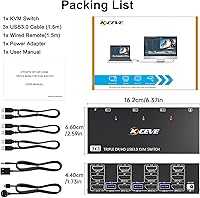
Overview
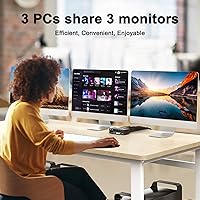
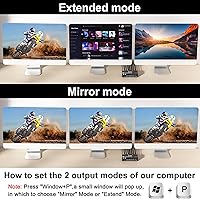
The Camgeet KVM Switch 3 Monitors 3 Computers HDMI+2 DisplayPort provides a versatile solution for managing multiple computers from a single workstation. Designed to connect three PCs to three monitors simultaneously, this KVM switch offers both HDMI and DisplayPort connectivity, ensuring high-resolution support and flexible display options. Its compact footprint makes it suitable for home offices and professional setups, while the included wired remote and 12V adapter simplify operation. Users can easily toggle between extended and mirrored modes, allowing either independent or identical screen output. Overall, it balances convenience and performance, making multi-computer management straightforward without requiring complex configurations.
Features & Benefits
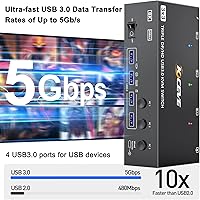
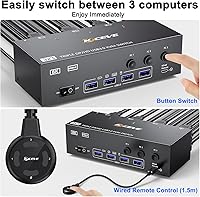
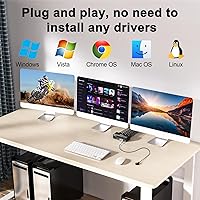
The triple monitor switch supports impressive resolutions, reaching up to 8K@60Hz on HDMI and 8K@30Hz or 4K@144Hz on DisplayPort, which ensures clear visuals across all connected screens. Four USB 3.0 ports enable sharing of keyboards, mice, printers, and other peripherals, enhancing productivity without additional hubs. Compatibility extends across Windows, Mac, Linux, and Unix systems, and no drivers are necessary for installation. LED indicators paired with panel buttons make switching between computers intuitive. Moreover, the device works with a variety of adapters and docking stations, providing flexible setup options for both professional and gaming environments while maintaining stable performance and reliable signal transmission.
Best For
This Camgeet device is ideal for professionals who need to operate multiple PCs from one desk efficiently. Gamers who run triple-monitor setups across several computers can benefit from its high-resolution support and seamless switching. In office or conference room settings, it simplifies sharing displays and input devices between team members or meeting stations. Developers, IT administrators, and content creators who frequently move between systems will appreciate the streamlined workflow it enables. Its compatibility with different operating systems and the inclusion of USB 3.0 connectivity ensures that both productivity and entertainment setups can take advantage of a centralized control solution without cluttering the workspace or compromising performance.
User Feedback
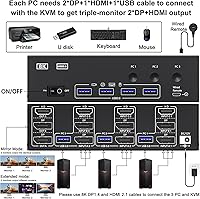
Users often praise the smooth transition between multiple computers, noting that switching feels responsive and reliable. Many highlight the high-resolution support and stable display performance across extended and mirrored modes. Some reviewers point out that correct cabling is essential to fully utilize all three monitors, which can require extra attention during setup. The wired remote and LED indicators receive positive mentions for making navigation simple. A few users note that initial configuration can be tricky for first-time triple-monitor setups. Overall, feedback emphasizes that the device improves workflow efficiency and multitasking capabilities while providing flexibility for both office and gaming use.
Pros
- Supports connecting three computers to three monitors seamlessly.
- Provides both HDMI and DisplayPort connectivity for flexible setups.
- USB 3.0 ports allow sharing keyboards, mice, and peripherals efficiently.
- Extended and mirrored display modes work reliably across multiple systems.
- Wired remote and LED indicators make switching between PCs simple.
- Compatible with Windows, Mac, Linux, and other operating systems.
- Compact size fits easily on crowded desktops or office environments.
- Handles high resolutions smoothly, up to 8K on HDMI and 4K/8K on DisplayPort.
- Supports various adapters and docking stations for added flexibility.
Cons
- Setup can be confusing for users unfamiliar with triple monitor cabling.
- Some users reported that certain high-resolution combinations require specific adapters.
- The device may feel bulky for very small desk spaces.
- Not ideal for portable or travel use due to size and multiple cables.
- Initial configuration requires attention to correct HDMI and DisplayPort assignment.
- LED indicators may be hard to see in bright environments.
- Some buyers experienced minor delays when switching between multiple computers.
- This Camgeet device can be less intuitive for beginners with complex setups.
Ratings
After analyzing verified user reviews from multiple countries and languages, RR-AI has produced these scores for the Camgeet KVM Switch 3 Monitors 3 Computers HDMI+2 DisplayPort. Spam, duplicate, incentivized, off-topic, and exaggerated reviews were carefully filtered, ensuring only authentic, high-quality feedback contributed. The results reflect both strengths and occasional pain points, providing a comprehensive view of user experiences across diverse setups and platforms.
Display Resolution Support
Multi-Computer Switching
USB Connectivity
Setup and Installation
Compatibility Across OS
Build Quality
Cable Management
Remote Control Convenience
Indicator Visibility
Performance Stability
Form Factor / Desk Fit
Support for Adapters & Docking
Triple Monitor Handling
Value for Money
Suitable for:
The Camgeet KVM Switch 3 Monitors 3 Computers HDMI+2 DisplayPort is well-suited for professionals who need to manage multiple PCs from a single workstation, such as software developers, IT administrators, and video editors. Users who require high-resolution displays across three monitors will benefit from this device's stable HDMI and DisplayPort output, as well as its extended and mirrored display modes. Gamers with complex setups or office environments that demand shared input and display will also find it valuable. Its USB 3.0 ports enable convenient peripheral sharing, making it practical for desks with multiple keyboards, mice, and external drives. Additionally, the wired remote and LED indicators streamline switching between systems, improving workflow and efficiency.
Not suitable for:
The Camgeet KVM Switch 3 Monitors 3 Computers HDMI+2 DisplayPort may not be ideal for users with very simple setups or those who only need to switch between one or two computers. Individuals who lack experience with multi-monitor cabling or who rely on non-standard adapters might encounter setup difficulties. Small desks with limited space could find managing all the cables challenging, and users requiring portable solutions for travel may find it cumbersome. Additionally, extremely high-resolution configurations or unconventional monitor combinations could require extra adapters or troubleshooting, which may not suit beginners or casual users seeking a plug-and-play experience.
Specifications
- Brand: Camgeet is the manufacturer of this KVM switch.
- Model: 3 Monitors 3 Computers KVM switch for multi-PC setups.
- Ports: Each computer connects via 1 HDMI and 2 DisplayPort outputs.
- USB: Four USB 3.0 ports allow sharing keyboards, mice, and other peripherals.
- Max HDMI Resolution: Supports up to 8K@60Hz over HDMI connections.
- Max DisplayPort Resolution: Supports up to 8K@30Hz or 4K@144Hz over DisplayPort connections.
- Switching: Computers can be switched via panel buttons or the included wired remote.
- Display Modes: Supports both extended and mirrored monitor setups.
- Compatibility: Works with Windows, Mac, Linux, Unix, and Ubuntu systems without drivers.
- Power: Includes a 12V power adapter for stable operation.
- Dimensions: Measures 6.3 x 2.56 x 1.77 inches, suitable for desktop use.
- Weight: Weighs 12.35 ounces, making it compact and portable on desks.
- Circuit: Features three independent boards for simultaneous multi-PC handling.
- Indicators: Two-color LED lights show the currently active computer.
- Remote: Wired remote allows convenient switching without reaching the device.
- Build: Compact design fits well in office or home workstation setups.
- Adapter Support: Compatible with various adapters and docking stations for flexible setups.
- Setup: Requires correct cabling for triple monitor configurations to ensure full functionality.
- Operating Environment: Designed for desktop and office environments with multiple systems.
Related Reviews
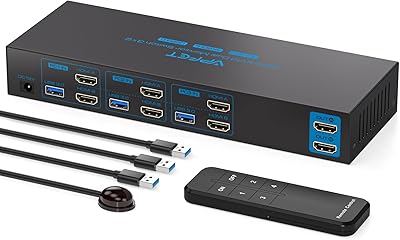
AILVLVNG SW330 Dual Monitor KVM Switch
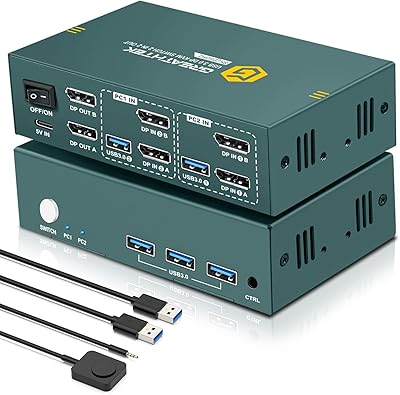
EVATEK 8K DP 2-Monitor 2-PC KVM Switch
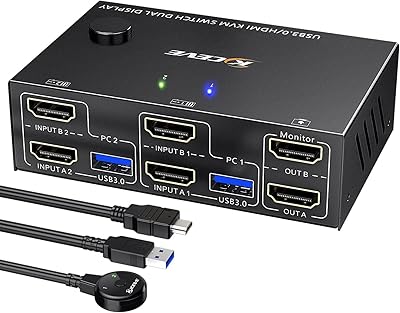
Camgeet KVM202AS Dual Monitor KVM Switch
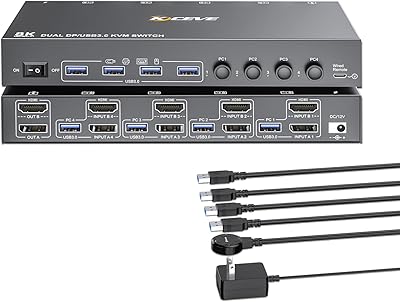
KCEVE 2-Monitor 4-Computer KVM Switch
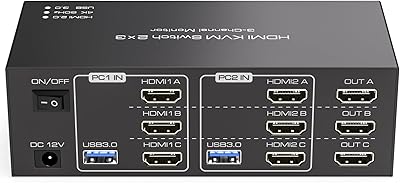
TJCXELE 3-Monitor Dual-Computer HDMI KVM Switch
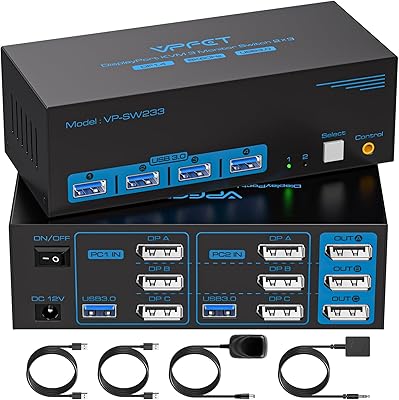
CMSTEDCD Triple Monitor DisplayPort KVM Switch
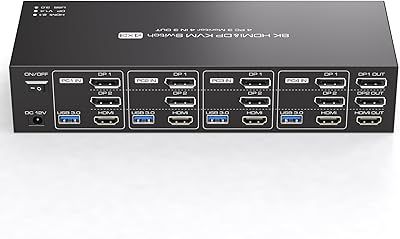
TJCXELE 4K 144Hz HDMI + DisplayPort KVM Switch for 4 Computers, 3 Monitors
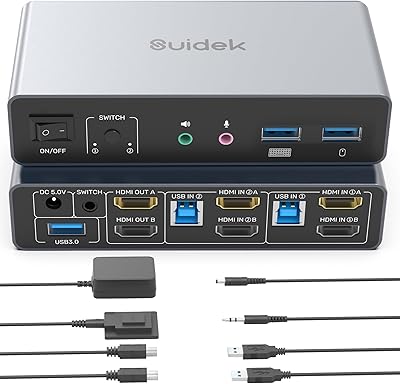
SUIDEK SJW-KM202B Dual Monitor KVM Switch
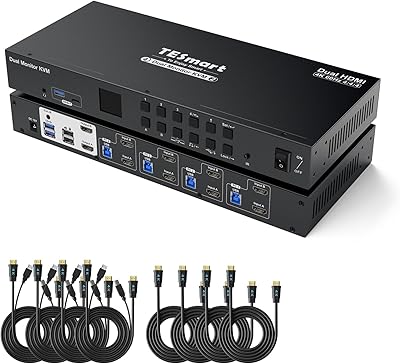
TESmart HKS402-P23 Dual Monitor KVM Switch