Overview

The CenturyLink C1100T VDSL2 Modem Router is a purpose-built combo unit aimed squarely at CenturyLink DSL subscribers who are tired of paying monthly rental fees for ISP-supplied hardware. It handles both VDSL2 and ADSL2+ line types, covering a reasonable range of CenturyLink service tiers — though confirming your specific plan type before purchasing is worth a quick check. The hardware is actually manufactured by Zyxel, sold under CenturyLink and Technicolor branding; that distinction matters if you ever need to track down firmware updates or reach the right support channel. Four Gigabit LAN ports and single-band 2.4 GHz Wi-Fi round out a functional, no-nonsense package for home DSL users.
Features & Benefits

On the technical side, VDSL2 vectoring combined with G.INP noise protection keeps the connection steadier on phone lines prone to interference — something budget modems routinely skip. The four auto-MDI/MDIX Gigabit ports handle wired gear without fuss, whether that is a gaming PC, a NAS drive, or a smart TV. TR-069 provisioning makes activation largely automatic once plugged in, sparing most users the hassle of manually entering PPPoE credentials. The 2x2 MIMO antenna setup covers an average-sized home reasonably well at 2.4 GHz, and IPv6 dual-stack support means the hardware should remain serviceable well beyond a typical ISP equipment refresh cycle.

Best For

This CenturyLink gateway makes the most sense for households already on a CenturyLink DSL plan — specifically VDSL2 or ADSL2+ service — where eliminating rental costs pays off within a matter of months. It suits homes that lean on wired connections or run older 2.4 GHz devices like smart speakers, printers, and budget phones. If your household runs a lot of modern laptops and phones that depend heavily on Wi-Fi, the missing 5 GHz band is a genuine limitation. In that scenario, pairing the C1100T with a standalone access point is a practical solution rather than a dealbreaker, especially given the hardware cost.

User Feedback

Sitting at 4.1 stars across roughly 364 ratings, the C1100T tells a consistent story in the reviews. Buyers who picked it up to replace a CenturyLink rental unit are largely satisfied — quick, hassle-free activation comes up repeatedly, with many reporting they were online within minutes and never needed to call support. The most common frustration is the single-band radio; owners with newer devices find 2.4 GHz crowded, particularly in dense apartment buildings. Coverage in larger homes also draws occasional criticism. On the positive side, long-term reliability earns quiet but steady praise, with several reviewers noting trouble-free operation after two or three years of continuous use.

Pros

  • Eliminates the ISP modem rental fee, recovering the hardware cost within a few months of use.
  • Plug-and-play activation on CenturyLink lines means most users are online without calling support.
  • VDSL2 vectoring and G.INP noise protection keep speeds stable even on older or noisier phone lines.
  • Four Gigabit Ethernet LAN ports handle wired gaming rigs, NAS drives, and smart TVs without compromise.
  • Supports both VDSL2 and ADSL2+ line types, covering a broad range of CenturyLink service tiers.
  • IPv6 dual-stack support keeps the hardware relevant well beyond a typical ISP equipment refresh.
  • Long-term reliability is a recurring theme in reviews, with many units running trouble-free for years.
  • Compact and light at just over a pound, so placement near the phone jack is never awkward.
  • LED status indicators make it easy to spot connection issues at a glance without logging into any interface.
  • One-time cost with no subscription, no recurring charge, and no ISP invoice line item to worry about.

Cons

  • No 5 GHz band means modern phones and laptops cannot escape the congested 2.4 GHz spectrum.
  • Firmware updates are infrequent, and long-term software support from Zyxel under the CenturyLink brand is uncertain.
  • Wireless range struggles in larger homes or multi-floor layouts due to internal antennas.
  • Only one WAN port with no failover option, leaving no redundancy if the DSL line drops.
  • The OEM branding can create confusion when searching for firmware, drivers, or manufacturer support.
  • No USB port rules out basic file-sharing or printer-sharing features found on comparable gateway units.
  • 802.11n tops out well below the throughput that modern streaming and video-call workloads can demand.
  • Advanced routing features like VLANs, QoS controls, or custom DNS are limited compared to third-party alternatives.
  • Buyers outside CenturyLink DSL coverage get zero value from this hardware — it has no broader ISP compatibility.
  • Setup documentation is basic, and users with non-standard CenturyLink configurations may still need ISP assistance.

Ratings

The scores below were generated by our AI engine after analyzing verified buyer reviews for the CenturyLink C1100T VDSL2 Modem Router from multiple global sources, with spam, bot activity, and incentivized feedback actively filtered out. This DSL modem-router earns genuine praise in several key areas while drawing consistent criticism in others — and both sides are reflected honestly in the ratings that follow.
ISP Compatibility
88%
For CenturyLink DSL subscribers on VDSL2 or ADSL2+ lines, the C1100T connects and authenticates without drama. Reviewers repeatedly note that activation happens in the background via TR-069 provisioning, often without a single call to customer support — a real advantage for anyone who has dealt with ISP phone trees before.
That tight ISP focus is also the unit's biggest limitation in scope: it works exclusively on CenturyLink DSL and is useless on any cable, fiber, or alternative provider network. Buyers who move or switch providers cannot repurpose this hardware at all.
Ease of Setup
91%
Setup earns consistently high marks across user reviews. Most buyers report being online within 15 to 20 minutes of unboxing, with LED indicators providing clear visual feedback at each stage of the sync process — no manual credential entry, no guesswork about which light means what.
A subset of users with older or non-standard CenturyLink account configurations hit a wall where automatic provisioning fails and a support call becomes unavoidable. The included documentation does not cover these edge cases well, leaving less technical users stranded.
Wired Performance
86%
The four Gigabit Ethernet LAN ports are a practical highlight, especially for households that keep desktops, NAS drives, and smart TVs on wired connections. Users note noticeably lower latency and more consistent throughput compared to the ISP-supplied rental equipment this unit typically replaces.
There is no link aggregation support, and the single WAN port means there is no failover option if the DSL line drops. For most home users that is a non-issue, but anyone running a small home office setup may find the lack of redundancy a minor frustration.
Wi-Fi Coverage
61%
39%
In apartments and smaller single-floor homes, the 2.4 GHz 802.11n radio covers the space adequately for streaming, browsing, and smart home devices. Users in these settings rarely report dead zones, and the 2x2 MIMO configuration does extract reasonable range from the internal antennas.
In larger homes, multi-floor layouts, or properties with thick concrete or brick walls, the coverage falls off noticeably. Several reviewers placed a dedicated access point or mesh node in a second room specifically because this CenturyLink gateway could not reach the far end of the house reliably.
Wi-Fi Speed & Modernity
47%
53%
For light users with older devices — a tablet for video calls, a laptop for browsing — the 802.11n radio is entirely functional and keeps pace with typical DSL speeds without being a bottleneck. It handles the workload it was originally designed for without issues.
By current standards, 802.11n is two full generations behind Wi-Fi 6, and the absence of a 5 GHz band is a genuine problem for any household running modern smartphones, gaming consoles, or streaming devices that depend on less congested frequencies. This is the most frequently cited frustration in user reviews.
DSL Line Stability
84%
VDSL2 vectoring and G.INP impulse noise protection work quietly in the background, and users on noisy or older phone lines report a meaningful improvement in connection stability versus basic modems. Dropped connections during video calls or streaming sessions are rarely attributed to the hardware itself.
Users on very long copper runs — typical in rural CenturyLink service areas — occasionally report that the VDSL2 sync struggles to hold at advertised speeds. In those cases, the modem falls back gracefully to ADSL2+, but the speed reduction can be frustrating if the buyer expected full VDSL2 throughput.
Long-Term Reliability
83%
A notable portion of reviewers mention using the same unit for two or three years without hardware failure or degraded performance. For a utility device that runs continuously, that kind of quiet durability is exactly what buyers want — and it shows up organically in the long-tail reviews.
A small number of users report the unit requiring a reboot after extended uptime or following power fluctuations, particularly in areas with unstable electrical supply. It is not widespread, but enough of a pattern that running the unit through a basic UPS surge protector is a sensible precaution.
Firmware & Software Support
52%
48%
The installed firmware is stable for day-to-day home use, and the web-based management interface covers the basics — wireless settings, port forwarding, connected devices — without being confusing for non-technical users. For standard residential use, most buyers never need anything beyond what is provided.
Firmware updates are infrequent and not transparently communicated, and the OEM Zyxel base makes it harder to track the update history. Users looking for active security patching or feature additions will be disappointed; this hardware receives minimal post-sale software attention compared to retail-branded routers.
Value for Money
87%
The buy-versus-rent math is compelling for CenturyLink subscribers who have been paying a monthly equipment rental fee. At its price point, the hardware recoups its cost within a matter of months, and every month after that is pure savings — a calculation that resonates clearly in the positive reviews.
Buyers who later discover the 5 GHz limitation and end up purchasing a separate wireless access point find the total spend climbing higher than expected. If that additional hardware purchase is factored in from the start, the value proposition becomes less straightforward.
Build Quality & Design
74%
26%
The chassis feels solid enough for a unit that sits in a closet or on a shelf indefinitely. The horizontal form factor is practical, and the low profile at just over an inch in height means it tucks neatly beside a patch panel or phone jack without taking up much real estate.
The plastic housing is unremarkable and looks dated compared to current consumer networking gear. There are no mounting holes for wall installation, which can be inconvenient for buyers who want to keep cable runs short and the unit off a surface entirely.
Advanced Routing Features
44%
56%
Bridge mode is available and works reliably, which is genuinely useful for buyers who want to pair the DSL modem function with a more capable third-party router. That single feature opens the hardware up to a broader range of home network configurations than a fully locked ISP modem would allow.
Beyond bridge mode, the routing feature set is thin. There is no meaningful QoS control, no VLAN support, no USB port for storage or printer sharing, and no dynamic DNS integration. Power users who compare this to a retail router of similar cost will find it falls well short on configurability.
LED Indicators & Diagnostics
79%
21%
The front-panel LEDs cover power, DSL sync, internet status, Wi-Fi activity, and individual LAN ports — enough information to diagnose most common issues without logging into the interface. Users appreciate being able to walk past and confirm everything is working at a glance.
There is no mobile app or push notification system for connectivity alerts, and the web interface diagnostics are basic. Users who want detailed line statistics — SNR margin, attenuation, error counts — have to dig into the DSL status page, which is not prominently surfaced for less technical owners.
Compatibility with Third-Party Routers
77%
23%
Switching the unit into bridge or IP passthrough mode to use a preferred third-party router behind it is a well-documented process, and users report it works cleanly. This makes it a reasonable choice for buyers who already own a capable Wi-Fi router and just need the DSL modem front end.
Some users report occasional double-NAT issues when setting up passthrough mode for the first time, particularly when using gaming consoles that require strict NAT types. Getting the configuration exactly right can require a bit of trial and error without dedicated guidance from CenturyLink support.
Manufacturer Support & Documentation
56%
44%
CenturyLink does provide phone and chat support for activating and troubleshooting this hardware on their network, which takes some of the burden off the buyer. For the most common activation questions, the QuickStart guide included in the box is sufficient to get online without outside help.
Because the hardware is Zyxel-manufactured but branded for CenturyLink, support responsibilities fall into a gap — CenturyLink handles network issues, but hardware-specific questions can get deflected. Finding accurate firmware documentation or community support forums requires knowing to search for the Zyxel C1100T rather than the CenturyLink version.

Suitable for:

The CenturyLink C1100T VDSL2 Modem Router is the right call for CenturyLink DSL subscribers who are done paying a monthly rental fee for hardware they will never own. If your service runs on a VDSL2 or ADSL2+ line, this unit slots in cleanly without requiring technical know-how — TR-069 provisioning handles most of the activation automatically. It works especially well for households that rely primarily on wired connections: a desktop PC, a NAS, a smart TV, and a streaming box can all plug directly into the four Gigabit LAN ports without touching Wi-Fi at all. Renters and homeowners in smaller spaces will also find the 2.4 GHz radio adequate for everyday wireless tasks like browsing and standard-definition streaming. Anyone who just wants a reliable, ISP-compatible box that works without fuss and starts paying for itself quickly will find this CenturyLink gateway a straightforward, sensible purchase.

Not suitable for:

The CenturyLink C1100T VDSL2 Modem Router is not the right fit for households loaded with modern Wi-Fi devices — laptops, phones, tablets, and smart home gear that all expect a 5 GHz band for faster, less congested connections. The 802.11n radio is a generation or two behind current Wi-Fi standards, and buyers with more than a handful of wireless devices will likely notice the bottleneck. Larger homes present another problem; the internal 2x2 MIMO antennas can leave dead zones in rooms far from the unit. This DSL modem-router is also strictly for CenturyLink DSL service — it will not work on cable, fiber, or any other ISP infrastructure, so confirm your line type before buying. Finally, buyers who want active firmware development, open-source support, or advanced routing features should look elsewhere, since the OEM Zyxel-based platform gets infrequent updates under the CenturyLink branding.

Specifications

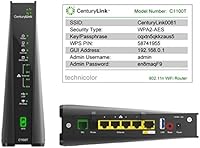
  • Model Number: The unit carries the official model designation C1100T, manufactured by Zyxel and distributed under CenturyLink and Technicolor branding.
  • DSL Standard: Supports VDSL2 with vectoring, ADSL2, and ADSL2+, covering a broad range of CenturyLink DSL service tiers.
  • Wi-Fi Band: Single-band 2.4 GHz radio only; no 5 GHz band is available on this unit.
  • Wi-Fi Standard: Operates on 802.11n using a 2x2 MIMO internal antenna configuration for improved signal coverage.
  • LAN Ports: Includes four auto-MDI/MDIX Gigabit Ethernet LAN ports for wired device connections.
  • WAN Port: One auto-sensing Gigabit Ethernet WAN port handles the DSL line connection from the provider.
  • IP Support: Dual-stack IPv4 and IPv6 support is built in, keeping the hardware compatible with current and future network standards.
  • Noise Protection: G.INP impulse noise protection reduces packet errors caused by electrical interference on the DSL line.
  • Vectoring: G.vector crosstalk cancellation is supported, helping maintain higher speeds on VDSL2 lines shared with neighboring connections.
  • Provisioning: TR-069 remote management and zero-touch provisioning allow CenturyLink to activate and configure the unit automatically at first connection.
  • Special Feature: A WPS button on the device enables quick wireless pairing with compatible client devices without entering a password manually.
  • Antenna Type: All antennas are internal, keeping the exterior profile low-profile and unobtrusive on a shelf or wall.
  • Dimensions: The unit measures 12.13 x 7.6 x 2.6 inches, designed for horizontal placement near a phone jack or patch panel.
  • Item Weight: Weighs 1.12 pounds, making it light enough to mount or reposition without any special hardware.
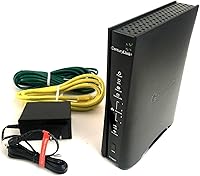
  • Color: Ships in black with LED status indicators on the front face for at-a-glance connection diagnostics.
  • ISP Compatibility: Designed exclusively for CenturyLink DSL network deployments and is not compatible with cable or fiber broadband services.
  • LED Indicators: Dedicated LED indicators display the status of power, DSL sync, internet connection, Wi-Fi activity, and LAN port activity.

Related Reviews
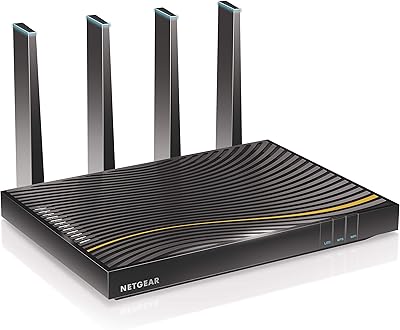
NETGEAR C7500 AC3200 Cable Modem Router Combo
66%
78%
Wi-Fi Performance
71%
Modem Reliability
74%
Setup Experience
55%
ISP Compatibility
63%
Value for Money
More
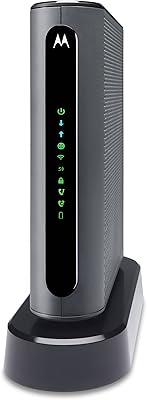
Motorola MT7711 Cable Modem Router with Phone Ports
71%
81%
Ease of Setup
76%
Wi-Fi Performance
84%
Modem Speed & Reliability
69%
Voice Port Functionality
41%
ISP Compatibility
More
ARRIS SBG10 Cable Modem Router Combo
76%
91%
Value for Money
86%
Setup & Activation
83%
Connection Stability
61%
Wi-Fi Coverage & Range
88%
Modem Performance
More
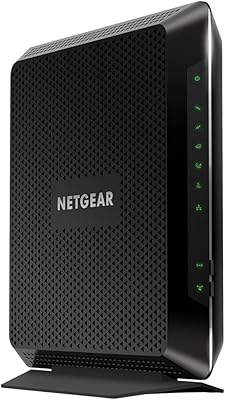
NETGEAR Nighthawk C7000 AC1900 Modem Router Combo
75%
91%
Ease of Setup
78%
Wi-Fi Speed & Performance
71%
Modem Speed & DOCSIS Performance
74%
Wi-Fi Coverage & Range
76%
Build Quality & Design
More
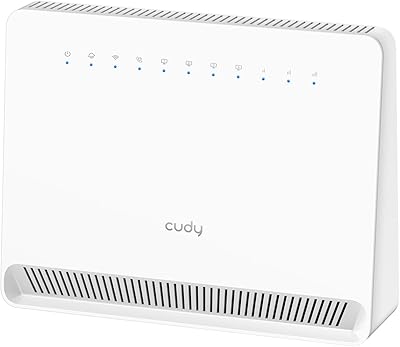
Cudy LT500 4G LTE Modem Router
76%
88%
Ease of Setup
82%
4G LTE Signal Performance
79%
WiFi Coverage & Speed
74%
VPN Functionality
71%
Carrier Compatibility
More
ARRIS G20 Cable Modem Router Combo
85%
89%
Performance
83%
Wi-Fi Coverage
91%
Ease of Setup
85%
Speed Consistency
93%
Compatibility with ISPs
More
Cudy LT700E 4G LTE Modem Router
82%
88%
Performance
85%
Wi-Fi Speed & Range
90%
Ease of Setup
87%
Value for Money
80%
VPN Functionality
More
CenturyLink C4000BG Wi-Fi DSL Router
84%
88%
Performance
90%
Speed/Connectivity
92%
Streaming Quality (4K)
87%
Dual-Band Functionality
74%
Setup/Installation
More
TP-Link TD-W9970 Modem Router
83%
91%
Value for Money
95%
Ease of Setup
76%
Wi-Fi Performance
84%
Build Quality
87%
USB Port Functionality
More
NETGEAR Nighthawk CAX30
79%
88%
Setup & Installation
83%
WiFi Speed & Performance
71%
WiFi Coverage & Range
91%
Modem Reliability & Uptime
78%
Value for Money
More

FAQ

For most CenturyLink DSL accounts, activation is automatic thanks to TR-069 provisioning — you plug it in, it syncs with the line, and CenturyLink pushes your account credentials to the device in the background. That said, a small number of accounts, particularly older ones with non-standard configurations, may still need a quick call to CenturyLink to register the new equipment on your account. It is worth having your account number handy just in case.

It does matter. VDSL2 is the faster standard used on higher-tier CenturyLink plans, typically those advertised at speeds above 25 Mbps, while ADSL2+ covers older or lower-speed tiers. You can usually find your line type by logging into your CenturyLink account online or checking your service agreement. The C1100T supports both, so either way you are covered — but confirming beforehand avoids any surprises.

No. The CenturyLink C1100T VDSL2 Modem Router is built specifically for CenturyLink DSL infrastructure and will not work with cable providers like Xfinity or with fiber services. It requires a standard telephone line delivering DSL service from CenturyLink to function.

Zyxel is the actual manufacturer; the hardware is sold under CenturyLink and Technicolor branding as part of an ISP equipment program. This matters practically if you ever need firmware updates or technical support, since searching for Zyxel C1100T firmware will get you further than searching under the CenturyLink name alone.

For a smaller home or apartment with a modest number of devices, 2.4 GHz coverage is generally adequate for everyday browsing, standard video streaming, and smart home gadgets. Where it falls short is in larger homes with thick walls, or households running multiple modern devices that all compete for the same frequency. If that sounds like your setup, pairing this DSL modem-router with a separate wireless access point is a straightforward fix.

No, the C1100T does not include a USB port. If network-attached storage or printer sharing is important to you, you would need a dedicated NAS device or a router with USB support added alongside this unit.

Most users report being online within 10 to 20 minutes of unboxing. You connect the phone line to the DSL port, plug an Ethernet cable from a LAN port into your computer or switch, power the unit on, and the provisioning process handles the rest. The LED indicators on the front make it easy to confirm when DSL sync and internet connectivity are established without logging into any interface.

Firmware update frequency is one of the more common concerns raised by owners of this CenturyLink gateway. Updates do exist but are infrequent, and because the hardware ships under ISP branding rather than directly under the Zyxel label, the update path is less transparent than it would be with a retail router. For most home users the current firmware is stable and functional, but if active security patching is a priority, this is worth factoring into your decision.

Yes, the C1100T can be configured in bridge or pass-through mode, which hands off routing duties to a separate router of your choice. This is a popular setup among users who want the DSL modem functionality of this unit but prefer a more capable router for Wi-Fi, firewall rules, or advanced networking features. You will need to log into the unit's web interface to make that change.

Based on owner feedback, the hardware holds up well — a number of reviewers report consistent performance after two to three years of continuous use with no issues. DSL modem hardware in general is not heavily stressed, so longevity is rarely a concern under normal residential conditions. The more relevant question over time is whether CenturyLink's network changes require updated modem standards, which is outside the hardware's control.

Where to Buy