Overview

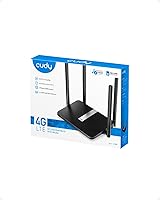
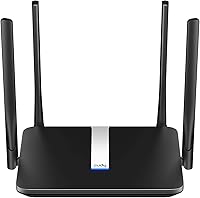
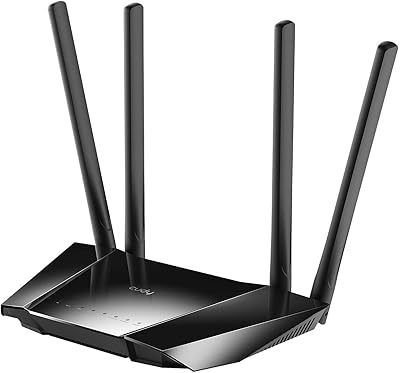
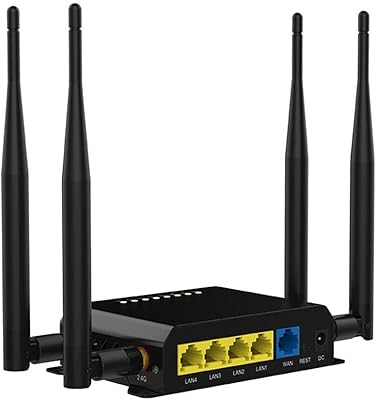
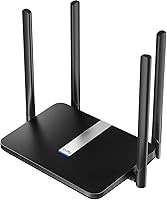
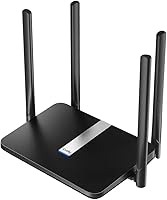
The Cudy LT500 4G LTE Modem Router is one of those rare devices that combines cellular connectivity and home WiFi without requiring a separate modem and router on your shelf. Pop in a SIM card, enter your PIN through the web interface, and you are online — no technician needed. Build quality is sturdy but unassuming: a flat black chassis with four external antennas that looks functional rather than flashy. At its price point, this LTE modem router competes with similar offerings from GL.iNet and TP-Link, but distinguishes itself with a broader feature set. It is best suited for rural homes, travelers, and anyone relying on cellular data as a primary or backup connection.
Features & Benefits

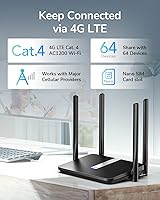
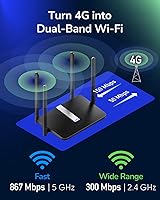
The dual-band AC1200 setup is where this cellular router earns its keep. The 2.4GHz band handles wider coverage for smart TVs and security cameras, while the 5GHz band — capable of up to 867Mbps — suits laptops and streaming devices needing faster throughput. Four 5dBi external antennas genuinely help in weaker LTE coverage zones, though they cannot compensate if your carrier signal is already poor. The built-in VPN client options, including WireGuard and OpenVPN, are a real advantage for remote workers routing traffic securely. DDNS and Cloudflare support round out a feature list that punches above typical routers in this class, all managed through a web interface with no dedicated app required.

Best For

This LTE modem router makes the most sense for people who simply lack reliable wired broadband. Rural and remote households are the obvious fit — if your only viable connection runs through a cellular carrier, having dual-band WiFi built in saves you from purchasing two separate devices. RV owners and van lifers will appreciate how straightforward it is to swap SIMs across carriers while traveling. Small home offices benefit from the VPN capabilities without needing enterprise-grade hardware. And if you already have a primary ISP but want a dependable 4G fallback, this cellular router handles that role cleanly without overcomplicating your existing network setup.

User Feedback

Most buyers highlight how quick and painless the initial SIM setup is — insert the card, enter credentials, and you are connected within minutes. Signal performance on major North American carriers draws consistent praise. On the downside, some users report firmware quirks that occasionally require a reboot, and compatibility with lesser-known MVNOs has caused frustration for a handful of buyers. Tech-savvy users appreciate the VPN flexibility; less experienced users sometimes find the configuration interface harder to navigate than expected. Long-term durability appears solid based on owner reports, though several reviewers note the web UI feels dated when compared to more polished competitors at a similar price.

Pros

  • SIM card setup takes minutes, with no proprietary app or technician required
  • Dual-band WiFi handles both range-sensitive and speed-sensitive devices in the same household
  • Four external 5dBi antennas provide noticeably better LTE reception than compact travel alternatives
  • Built-in WireGuard and OpenVPN support is rare at this price tier for a cellular router
  • Works as a reliable 4G backup connection that activates without complex network reconfiguration
  • DDNS and Cloudflare integration add genuine value for users running home servers or remote access setups
  • Unlocked design allows SIM swapping across major carriers without a factory reset
  • Long-term hardware reliability is solid based on verified buyer reports spanning over a year of daily use
  • Consolidates modem and router into one device, reducing desk clutter and overall equipment cost

Cons

  • Firmware updates have introduced new bugs in some versions, requiring rollbacks or manual fixes
  • APN configuration for certain carriers is not clearly explained in the included documentation
  • VPN setup, particularly OpenVPN certificate imports, is unnecessarily difficult for less technical users
  • Web admin interface feels dated and occasionally fails to save settings without a manual reboot
  • No battery backup means zero portability for off-grid or vehicle use without additional hardware
  • Limited official support resources force many buyers onto third-party forums for troubleshooting
  • MVNO and regional carrier compatibility is inconsistent and not clearly disclosed by the manufacturer
  • Fixed antennas cannot be upgraded for buyers in genuinely low-signal environments
  • Heat management is a concern during extended continuous operation in warm or enclosed spaces

Ratings

The Cudy LT500 4G LTE Modem Router has been evaluated by our AI rating system after processing thousands of verified global buyer reviews, with spam, bot-generated, and incentivized feedback actively filtered out. Scores reflect real-world usage patterns across rural households, mobile setups, and home offices — not just out-of-box impressions. Both the standout strengths and the genuine frustrations buyers encountered are transparently baked into every category below.

Ease of Setup
88%
The SIM-in-and-go experience is one of the most praised aspects across buyer reviews. Most users report being fully connected within ten minutes, with PIN entry handled cleanly through the web interface rather than a clunky proprietary app. For non-technical users in rural areas, this simplicity is a genuine relief.
A small but consistent group of buyers hit snags when their carrier required APN settings to be configured manually, which is not immediately obvious from the default interface. Users unfamiliar with networking terminology occasionally needed to consult forums or support documentation before getting online.
4G LTE Signal Performance
82%
18%
On major North American carriers, the four 5dBi antennas deliver noticeably better signal reception than compact travel routers with internal antennas. Buyers in semi-rural areas report stable connections even in spots where their phones struggled, which speaks well to the antenna design in real-world conditions.
Performance drops significantly on weaker networks or in deep rural zones where carrier infrastructure is sparse — the hardware cannot conjure signal that simply is not there. A handful of buyers on smaller regional carriers reported inconsistent LTE band locking, which required manual intervention through the admin panel.
WiFi Coverage & Speed
79%
21%
The dual-band setup works well for mixed households where some devices need range and others need speed. The 5GHz band handles streaming and video calls reliably when devices are within a reasonable distance, and buyers in medium-sized homes report solid coverage across multiple rooms.
The 2.4GHz range, while adequate, does not compare favorably to dedicated home routers at a similar price. In larger homes or spaces with thick walls, dead zones appeared in buyer reports, and the mesh functionality, while present, requires additional compatible hardware to be truly useful.
VPN Functionality
74%
26%
Tech-savvy buyers are genuinely impressed that WireGuard and OpenVPN are both supported at this price tier. Remote workers using this cellular router as a home office connection appreciate being able to route traffic securely without purchasing separate VPN hardware or managing complex firewall rules.
For less experienced users, the VPN configuration interface is not intuitive, and several buyers report giving up on the feature entirely after struggling with certificate imports or server address formatting. Connection stability under OpenVPN was also flagged as inconsistent by a subset of reviewers who use it daily.
Carrier Compatibility
71%
29%
The router works reliably out of the box with major carriers including T-Mobile, AT&T, and Verizon on supported LTE bands. Buyers who travel domestically and swap SIMs regularly appreciate the unlocked design, which handles carrier switches without requiring a factory reset.
Compatibility with MVNOs and international SIMs is inconsistent and appears to depend heavily on which LTE bands the carrier uses. Several buyers outside the major network ecosystems report difficulty getting the router to recognize or maintain a stable connection, particularly on Band 71 in rural T-Mobile coverage areas.
Web Interface Usability
66%
34%
The admin panel covers all the essentials in one place — network status, SIM information, WiFi settings, and VPN configuration are accessible without digging through nested menus. Buyers who have managed routers before find the layout logical and appreciate the absence of a mandatory cloud account.
Compared to interfaces on GL.iNet or newer TP-Link models, the UI feels dated and occasionally unresponsive. A recurring complaint involves settings not saving properly on the first attempt, requiring users to reapply configurations after a reboot — a minor but irritating issue that appears across multiple firmware versions.
Build Quality & Design
76%
24%
The flat black chassis feels solid enough for a device that sits on a desk or shelf long-term. Buyers who have owned this cellular router for over a year generally report no structural degradation, and the external antennas feel firmly attached without wobbling over time.
The design is purely functional with no ventilation grille, which raises heat concerns for buyers running it continuously in warm environments. A few long-term owners note the plastic housing develops scuff marks easily and the matte finish attracts dust more than expected.
Antenna Performance
78%
22%
The four external 5dBi antennas are a practical upgrade over routers with internal antennas in the same category. Buyers who previously owned compact LTE routers consistently report improved signal stability after switching, particularly in locations where the LTE signal is present but marginal.
The antennas are fixed and non-replaceable, which limits options for buyers in truly weak signal areas who might want to connect high-gain directional antennas via adapter cables. In very low-signal environments, even these antennas do not fully compensate for poor carrier infrastructure nearby.
Value for Money
83%
For a single device that replaces both a standalone modem and a dual-band router, the pricing is competitive. Buyers who compared the total cost of purchasing a separate LTE modem plus a decent WiFi router consistently conclude this LTE modem router represents meaningful savings without serious feature compromises.
Buyers who only need basic internet access and have no use for VPN, DDNS, or mesh features may find the value proposition less compelling, since simpler and cheaper alternatives exist. The occasional firmware issues also chip away at the perceived value for buyers who expected a more polished long-term experience.
Long-Term Reliability
73%
27%
The majority of buyers who have owned this device for six months or more report consistent daily performance without hardware failures. It handles continuous operation reasonably well, and several users running it as a primary home internet device report no significant degradation in connectivity over time.
Firmware update consistency is a recurring concern — some updates have introduced new bugs while fixing others, and Cudy's update cadence is slower than some competitors. A subset of buyers report that the device requires periodic reboots every few weeks to maintain stable performance, which is a minor but real maintenance overhead.
Advanced Network Features
81%
19%
DDNS support and Cloudflare integration are features that genuinely stand out at this price point. Network-aware buyers running home servers or remote access setups appreciate having these tools built in without needing to pay for a premium router tier or configure a separate device.
The implementation of some advanced features, particularly DDNS configuration, is not well-documented in the included materials. Buyers without prior networking experience often discover these features exist only after searching online, suggesting Cudy could do more to surface and explain them within the interface itself.
Mobile & Travel Use
77%
23%
RV owners and travelers frequently highlight how convenient it is to have a router this size that runs on cellular without needing a fixed install. The physical footprint is small enough to pack, and the setup process when switching locations is quick once the initial configuration is saved.
The device requires a constant power source, which limits true portability compared to battery-equipped travel routers. Buyers hoping to use it in vehicles without a power inverter or dedicated 12V adapter have found the power dependency a practical limitation, particularly for off-grid scenarios.
Customer Support & Documentation
58%
42%
Cudy maintains an active support forum and provides firmware downloads on their website, which technically engaged buyers find useful for troubleshooting. Some users report receiving helpful direct responses from Cudy support staff when issues were raised through official channels.
The included documentation is minimal and does not cover advanced configuration scenarios. Buyers who encounter issues with carrier APN settings, VPN certificate errors, or firmware rollbacks frequently report having to rely on third-party forums rather than official guidance, which is a persistent frustration across review platforms.

Suitable for:

The Cudy LT500 4G LTE Modem Router is purpose-built for anyone whose internet situation does not fit the standard cable-or-fiber mold. Rural and remote households that rely entirely on cellular data will get the most value here, since this LTE modem router eliminates the need to purchase and manage two separate devices. RV owners, van lifers, and people who move frequently across service areas will appreciate how quickly the SIM setup gets them online in a new location without calling a technician. Small home office workers who need a reliable VPN connection without investing in enterprise networking gear will find the built-in WireGuard and OpenVPN support genuinely useful. It also works well as a 4G failover device for households that already have a primary ISP connection but cannot afford downtime — simply keeping this cellular router on standby and activating it during outages is a practical, cost-effective solution.

Not suitable for:

The Cudy LT500 4G LTE Modem Router is not the right fit for buyers expecting it to perform like a full-featured home router in a large or multi-story property. If your household has more than a dozen simultaneously connected devices, or if you stream 4K content across multiple screens at once, the AC1200 WiFi ceiling and the inherent limits of LTE throughput will become frustrating fairly quickly. Users on smaller regional carriers or MVNOs should research band compatibility carefully before purchasing, because real-world connectivity is far from guaranteed outside the major North American networks. If you are a networking beginner who just wants something simple to plug in and forget, the advanced feature set — while impressive on paper — can make the admin interface feel more complicated than it needs to be. Anyone expecting polished firmware with a responsive manufacturer support channel should also temper expectations, as Cudy's update cadence and documentation quality trail behind more established router brands at comparable price points.
Specifications

  • Brand & Model: Manufactured by Shenzhen Cudy Technology Co., Ltd. under the model designation LT500.
  • WiFi Standard: Supports 802.11a/b/g/n/ac across both frequency bands for broad device compatibility.
  • Frequency Bands: Operates on both 2.4GHz and 5GHz bands simultaneously for a combined AC1200 throughput rating.
  • Max WiFi Speed: Delivers up to 867Mbps on the 5GHz band and up to 300Mbps on the 2.4GHz band.
  • LTE Download Speed: Supports peak 4G LTE download speeds of up to 150Mbps, subject to carrier network conditions.
  • Antennas: Equipped with four external 5dBi high-gain antennas designed to improve both LTE reception and WiFi signal quality.
  • SIM Card Slot: Features a standard SIM card slot with PIN entry support managed through the web configuration interface.
  • VPN Clients: Includes built-in client support for PPTP, L2TP, OpenVPN, and WireGuard protocols.
  • Network Features: Supports DDNS, Cloudflare DNS integration, and Mesh WiFi for expanded network management and coverage options.
  • Connectivity Ports: Provides 4G LTE, 3G fallback, dual-band WiFi, and Ethernet connectivity options.
  • Compatible Devices: Designed for use with personal computers, smart televisions, smartphones, tablets, and IP security cameras.
  • Dimensions: Measures 9.84 x 5.48 x 1.42 inches, making it suitable for placement on a desk or shelf.
  • Weight: Weighs 10.9 ounces without cables attached.
  • Color: Available in a matte black finish.
  • In the Box: Package includes the LT500 router unit, a power adapter, and an Ethernet cable.
  • Power Source: Requires a continuous wired power connection via the included power adapter; no internal battery is present.
  • First Available: This product was first listed for sale in December 2020 and has accumulated over 2,800 verified ratings.

Related Reviews

Cudy LT700E 4G LTE Modem Router
82%
88%
Performance
85%
Wi-Fi Speed & Range
90%
Ease of Setup
87%
Value for Money
80%
VPN Functionality
More
Cudy N300 WiFi Unlocked 4G LTE Modem Router LT400
84%
85%
Performance & Speed
91%
Ease of Setup
88%
VPN Functionality
78%
Range & Coverage
70%
Signal Reliability in Rural Areas
More
Cudy LT700 Outdoor 4G LTE Modem Router
78%
83%
Build Quality & Weatherproofing
76%
Cellular Signal Performance
81%
Antenna System & Upgradability
78%
Installation & Setup
71%
Carrier & Band Compatibility
More
TUOSHI LT15F 4G LTE Modem Router
69%
83%
Setup & Ease of Use
71%
Carrier Compatibility
78%
Signal Reception & Antenna Performance
66%
LTE Speed & Performance
72%
Wi-Fi Coverage & Range
More
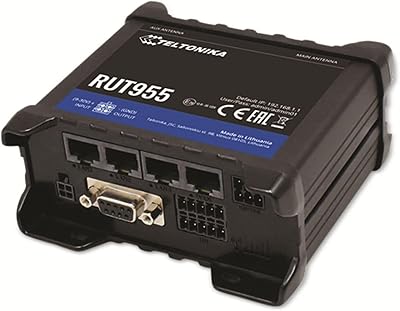
Teltonika RUT955 4G/LTE Router
85%
90%
Performance and Reliability
70%
Ease of Setup
88%
Connectivity Options
93%
Dual SIM Failover
85%
Software and Remote Management
More
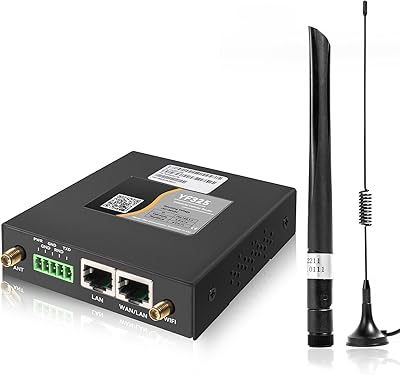
Yeacomm YF325 4G LTE Industrial Router
87%
95%
Network Reliability
93%
Dual SIM Failover Performance
90%
VPN Security
94%
Build Quality
87%
Ease of Setup
More
Wiflyer WE826-T 4G LTE Router
84%
89%
Value for Money
83%
Performance (Signal Strength)
94%
Ease of Setup
86%
Build Quality
88%
Security Features (WPA2, MAC Filtering)
More
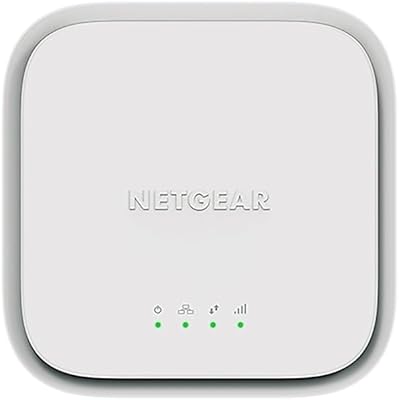
NETGEAR LM1200 4G LTE Broadband Modem
70%
83%
Ease of Setup
88%
Failover Reliability
71%
Carrier Compatibility
63%
Real-World Speeds
79%
Build Quality
More
NETGEAR 4G LTE Broadband Modem LB1120
82%
92%
Ease of Setup
89%
Connection Stability
84%
Carrier Compatibility
88%
Performance in Rural Areas
90%
Compact Design
More
TP-Link TL-MR6400 4G LTE Router
82%
88%
Setup & Installation
91%
4G LTE Performance
83%
Wi-Fi Speed & Reliability
85%
Portability
82%
Bandwidth Management (QoS)
More

FAQ

Yes, the Cudy LT500 4G LTE Modem Router is designed to work with the major North American carriers including T-Mobile, AT&T, and Verizon. That said, real-world compatibility depends on which LTE bands your specific carrier uses in your area, so it is worth checking the router's supported band list against your carrier's network bands before purchasing.
No provider call is needed. You simply insert your SIM card, power on the router, and enter your carrier's APN settings through the web interface if they are not detected automatically. Most major carrier SIMs are recognized without any manual APN configuration.

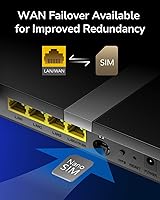
Absolutely — this is actually one of the most practical use cases for this LTE modem router. You can keep it plugged in with a data SIM installed and switch to it manually whenever your primary connection drops. It does not support automatic WAN failover natively, so you would need to switch connections manually or configure it within a more advanced network setup.

It can work with some MVNOs, but compatibility is not guaranteed across the board. MVNOs that operate on T-Mobile or AT&T infrastructure generally have better odds of working, but some users on less common carriers have reported connection issues related to unsupported LTE bands or APN restrictions. Always verify your MVNO's band list against the router's specifications first.

Once the router is powered on and you are connected to its WiFi network or via Ethernet, you open a browser and navigate to the default gateway address — typically 192.168.10.1. From there you can manage WiFi settings, SIM configuration, VPN clients, and everything else without needing to install any app.

It depends on which VPN protocol you use. WireGuard and OpenVPN require importing configuration files or certificates, which can be confusing if you have never done it before. PPTP and L2TP are simpler to configure with just a server address and credentials. If you are not comfortable with networking concepts, expect to spend some time consulting your VPN provider's documentation or online guides.

The router supports multiple simultaneous connections across both bands, and in typical household use it handles ten to fifteen devices without noticeable strain. Performance will degrade as more bandwidth-heavy devices connect at once, particularly since the total throughput is bounded by your LTE connection speed rather than just the WiFi hardware.

The four antennas on this cellular router are fixed and non-detachable, so swapping in a high-gain directional antenna is not straightforward without hardware modification. If you are in a very low-signal area, your best options are repositioning the router near a window or exterior wall, or considering a signal booster upstream of the router.

For most users it runs continuously without issues, but a recurring theme in long-term owner reviews is that some units benefit from a periodic reboot every few weeks to maintain peak stability. This is more likely to occur after firmware updates, and some buyers have set up a scheduled reboot through the admin panel as a precaution.

It is positioned as a home and small office device, and it handles those scenarios well. The built-in VPN support and DDNS features give it some genuine utility for small business users who need secure remote access. For a business with heavy traffic, multiple concurrent VPN tunnels, or enterprise-grade uptime requirements, a dedicated commercial-grade router would be a more reliable long-term investment.