Overview

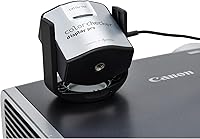
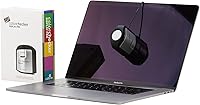
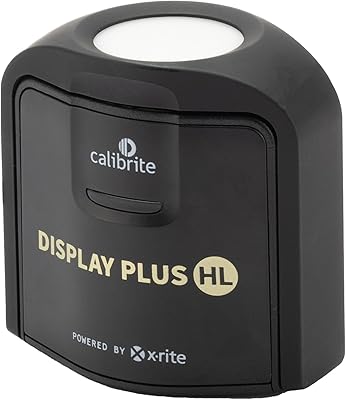
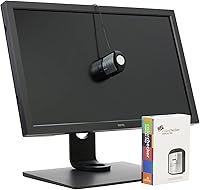
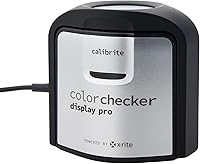
The Calibrite ColorChecker Display Pro Colorimeter sits at the top of Calibrite's consumer-facing display calibration lineup, positioned above the standard Display and Plus models as the choice for color-critical professionals. It ships with ccProfiler software and works with X-Rite's i1Profiler for those already in that ecosystem. Physically, it's surprisingly compact — a cube barely 1.5 inches on each side — with a rotatable diffuser arm that doubles as a lens cover when not in use. The price reflects its professional positioning, making it a realistic investment for working photographers, videographers, and studio creatives rather than casual hobbyists.

Features & Benefits

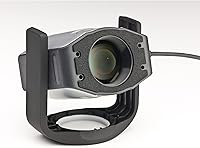
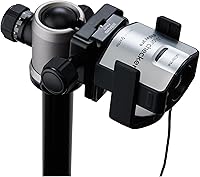
The Display Pro's optical engine is built for consistency — it produces repeatable measurements across IPS, OLED, and VA panels, which matters a lot when you're managing multiple monitors with different native characteristics. The rotatable diffuser arm isn't just a design quirk; flip it out and it becomes a stand for tabletop projector profiling, or leave it positioned to capture ambient light so the software can adjust your display targets to match actual room conditions. There's also an integrated tripod mount for larger projection setups. Bluetooth keeps cable clutter down, and HDR monitor support extends to 1000 nits.

Best For

This colorimeter makes the most sense for photographers and retouchers who print or deliver work to clients — people for whom display accuracy isn't optional. Colorists working in HDR or wide-gamut workflows will appreciate the 1000-nit ceiling and broad panel compatibility. If your studio runs projectors alongside monitors — think presentation spaces, training rooms, or color-review screenings — the projector profiling capability is genuinely practical, not a niche afterthought. Creatives working under variable lighting, where afternoon sun shifts a room's character dramatically, will find ambient light compensation useful day-to-day. It also suits users upgrading within the X-Rite or i1Profiler ecosystem.

User Feedback

Sitting at 4.2 out of 5 stars, the consensus is that this calibration device delivers on its core promise — monitors look noticeably more consistent after profiling, and buyers frequently praise the ccProfiler setup for being approachable. That said, software complexity is a recurring sticking point; the deeper feature set takes time to learn, and documentation is thin. Bluetooth reliability is flagged by multiple reviewers, with occasional disconnections mid-session reported. Build quality earns mostly positive marks, though a handful of users note the diffuser arm hinge feels less solid over time. Those who don't need projector profiling sometimes feel the premium over simpler models is hard to justify.

Pros

  • Delivers highly repeatable calibration results across IPS, OLED, and VA panel types with consistent accuracy.
  • Ambient light measurement lets the software adapt display targets to real room conditions, not just factory presets.
  • Projector profiling capability is genuinely practical for studios running client review screenings or presentation setups.
  • Integrated tripod mount makes large-venue projector calibration straightforward rather than a rigging headache.
  • Compact and light enough to carry between workstations or on location without adding bulk to your bag.
  • ccProfiler software is capable and thorough, covering advanced profiling options that grow with your workflow.
  • Compatible with i1Profiler for professionals already invested in the X-Rite calibration ecosystem.
  • HDR monitor support up to 1000 nits keeps this colorimeter relevant as display technology continues to advance.
  • The rotating diffuser arm serves triple duty as a sensor, a stand, and a protective lens cover.
  • Bluetooth connectivity keeps the desk tidy during calibration sessions without sacrificing measurement quality.

Cons

  • ccProfiler has a meaningful learning curve that can frustrate users expecting immediate, intuitive results.
  • Bluetooth connectivity has been flagged by multiple buyers as occasionally unreliable, with mid-session drops reported.
  • The diffuser arm hinge has drawn some durability concerns from longer-term users, suggesting it may loosen over time.
  • Calibration speed is rated standard, not fast — a noticeable difference if you're profiling multiple displays regularly.
  • The price premium over the standard model is difficult to justify unless you actively use projector profiling or multi-display setups.
  • Software documentation is thin, making advanced features harder to unlock without community research or trial and error.
  • No mention of super-bright HDR monitor support beyond 1000 nits, which may be limiting as newer high-brightness panels emerge.
  • Windows 7 as the minimum OS suggests the software stack has not been aggressively modernized in recent years.

Ratings

The scores below were generated by AI after analyzing verified global user reviews for the Calibrite ColorChecker Display Pro Colorimeter, with spam, bot-submitted, and incentivized feedback actively filtered out before scoring. Each category reflects the full spectrum of buyer experience — from professionals running multi-display studios to solo creatives calibrating a single monitor — so both the strengths and the friction points are represented honestly.

Calibration Accuracy
91%
Users consistently report that display consistency improves noticeably after the first profile, with colors holding up reliably across sessions. Photographers delivering to print labs specifically mention fewer color surprises when comparing screen to final output, which is exactly where this device earns its keep.
A small but vocal group noted occasional drift over several months without recalibration, suggesting the device rewards regular use rather than a set-it-and-forget-it approach. This is partly a workflow expectation issue, but it does mean accuracy maintenance requires active commitment.
Cross-Panel Consistency
88%
The optical engine performs well across IPS, VA, and OLED panels, which is a meaningful advantage for studios managing monitors of different ages and brands. Colorists who need their grading monitor and client-facing display to agree visually find this reliability particularly valuable.
Some users working with very high-brightness OLED panels noted that the 1000-nit ceiling, while sufficient for most HDR work, can feel limiting as newer premium displays push further. It covers today's mainstream HDR range well, but the headroom is not unlimited.
Software Experience
67%
33%
ccProfiler is genuinely capable and covers advanced workflows that simpler calibration tools simply cannot match, including custom white point targeting, tone response curve adjustment, and full projector profiling. For users who invest the time, the software pays off in precise, professional-grade control.
The learning curve is real and frequently flagged by buyers who expected a more guided experience. Documentation is sparse in key areas, and beginners without prior calibration knowledge often spend significant time in community forums before feeling confident with the deeper settings.
Projector Profiling
84%
For studios and presentation environments, the ability to profile both a monitor and a projector using the same device is a practical and cost-effective advantage. The tripod mount works as intended in larger rooms, letting you position the device accurately without improvised rigging.
Tabletop projector profiling with the diffuser arm as a stand works best for short-throw or desktop projectors; it is less ideal for ceiling-mounted setups where a tripod is the only workable option. Buyers who do not have projectors in their workflow receive no benefit from this feature at all.
Ambient Light Measurement
82%
18%
The ability to measure room lighting and let ccProfiler adjust calibration targets accordingly is a genuine advantage for studios with variable natural light or mixed lighting environments. Creatives working near large windows note that morning and afternoon sessions no longer produce inconsistent results.
Ambient light monitoring — the continuous, automatic adjustment mode — is listed as unavailable in the product specs, so the measurement is a snapshot rather than a live feed. Users who expected ongoing automatic compensation may find the static measurement approach requires more manual recalibration than anticipated.
Bluetooth Reliability
61%
39%
When Bluetooth connectivity works without interruption, the wireless experience is genuinely convenient — no cable draped across the display, no awkward positioning constraints, and a cleaner desk during longer calibration sessions. Most users complete calibrations without incident.
Enough buyers have flagged mid-session Bluetooth disconnections to make this a real consideration rather than an isolated complaint. In a calibration workflow, a dropped connection mid-measurement means starting over, which is frustrating in a professional context where time matters.
Build Quality
74%
26%
The main body of the colorimeter feels solid and well-constructed for its size and weight, and the compact form factor makes it easy to store and transport between workstations. Most users report no issues with the primary housing after extended use.
The diffuser arm hinge is the one structural concern that surfaces repeatedly in longer-term reviews, with some users noting it becomes noticeably looser over time with daily use. It does not appear to affect measurement quality in most cases, but it does undermine confidence in the device's long-term durability.
Ease of Setup
79%
21%
Initial hardware setup is quick — the device is recognized reliably by the software on both Mac and Windows, and the physical steps of attaching it to a display and running the first calibration are straightforward even for first-time users. Most buyers are up and running within minutes of installing ccProfiler.
The ease of the hardware setup contrasts with the software's complexity once you move past the basic workflow. Users who want to customize profiles, adjust targets, or set up multi-monitor environments quickly discover that the interface demands more than the initial experience suggests.
HDR Monitor Support
81%
19%
Supporting displays up to 1000 nits puts this colorimeter in range for most current HDR monitors, including many professional reference displays used in video post-production. Colorists working in HDR delivery pipelines find the luminance range relevant and sufficient for today's mainstream HDR standards.
As consumer display technology continues to push brightness ceilings higher — with some panels now exceeding 1600 nits — the 1000-nit limit may become a constraint for buyers who invest in next-generation monitors in the near future. It is not a problem today for most workflows, but it is worth considering as a forward-looking limitation.
Portability
86%
At under 5 oz and barely 1.5 inches on any side, this calibration device is genuinely pocketable for professionals who move between studio locations, client sites, or editing suites. The compact build does not sacrifice sensor quality, which is a meaningful engineering trade-off in this device category.
The small size means the device is easy to misplace, and there is no dedicated carrying case included in the box. Buyers who travel frequently or work in busy shared studio environments may want to source a small protective pouch separately.
Value for Money
63%
37%
For studios that actively use projector profiling, ambient light measurement, and multi-display calibration, the feature set relative to cost is defensible and competitive against alternatives in the professional tier. Professionals who bill client work and depend on color accuracy will find the return on investment tangible.
Buyers who only need basic monitor calibration and do not use projectors or ambient light features are paying a meaningful premium for capabilities they will never use. The standard Display model covers their actual needs at a noticeably lower cost, making the upgrade feel hard to justify in those scenarios.
Measurement Speed
68%
32%
For most single-display calibration sessions, the standard measurement speed is perfectly workable and does not add significant time to a routine profiling workflow. Users calibrating one or two monitors periodically will rarely notice the speed as a limitation.
Studios calibrating five or more displays in sequence — a common scenario in commercial photo or video production environments — find the standard speed a genuine time cost compared to faster devices in the professional tier. It is one area where the Display Pro falls noticeably short of some competing products at a similar price point.
Software Compatibility
83%
Full compatibility with X-Rite i1Profiler gives existing users of that platform a genuinely smooth upgrade path without needing to rebuild workflows or learn a new software environment from scratch. The dual-software support is a practical advantage that competing brands do not always match.
The minimum OS listed is Windows 7, which signals that the software ecosystem has not been aggressively updated in recent years. Users running the latest macOS or Windows releases should verify current compatibility details directly with Calibrite before assuming everything will work out of the box.
Panel Type Range
85%
Reliable support across IPS, OLED, and VA panel technologies means this colorimeter does not become obsolete when a studio upgrades displays or mixes panel types across workstations. This breadth of compatibility is one of the more future-resistant aspects of the device's design.
There is limited publicly available data on performance with mini-LED and QD-OLED panels, which are increasingly common in professional monitor lineups. Users investing in cutting-edge display hardware may want to verify compatibility before committing to this colorimeter as their long-term solution.

Suitable for:

The Calibrite ColorChecker Display Pro Colorimeter is squarely aimed at working professionals for whom color accuracy is a non-negotiable part of their output. Photographers who print fine art or deliver images to print labs will benefit most, since even small display deviations can cause costly mismatches between screen and paper. Colorists and videographers mastering content for HDR delivery will appreciate the 1000-nit support and consistent cross-panel performance. Studios that use projectors for client reviews or presentations get real, practical utility from the projector profiling capability — this isn't a checkbox feature, it's a genuinely useful tool for anyone who needs their projected image to match their calibrated monitor. Creatives working in environments with changing natural light will find ambient light compensation worth the upgrade alone. Those already embedded in the X-Rite or i1Profiler ecosystem will slot this device in with minimal friction.
Not suitable for:

If you're a hobbyist photographer who edits casually and doesn't print or deliver work professionally, the Calibrite ColorChecker Display Pro Colorimeter is likely more device than you need. The standard Display or Plus models will cover basic monitor profiling at a lower cost, and the premium features here — projector profiling, ambient light monitoring, Bluetooth — simply won't get used by someone with a single home monitor and no client deliverables. Beginners may also find ccProfiler's depth frustrating rather than reassuring; the learning curve is real and the documentation doesn't always hold your hand through it. Anyone expecting a plug-and-play experience with zero software friction may be disappointed. If Bluetooth reliability is critical to your workflow and you can't tolerate occasional reconnection issues, the wired alternatives in this category are worth a serious look.
Specifications

  • Brand: Manufactured by Calibrite, a professional color management company built on X-Rite technology and expertise.
  • Model Number: The device carries the official model designation CCDIS3.
  • Dimensions: The unit measures 1.5″ x 1.5″ x 1.5″, making it one of the more compact colorimeters in its class.
  • Weight: At approximately 4.9 oz (140g), it is light enough to carry between workstations without any noticeable added bulk.
  • Optical Sensor: Uses a CCD optical sensor engineered for high repeatability across multiple display panel technologies.
  • Connectivity: Supports both Bluetooth wireless and USB-A wired connections, giving users flexibility depending on their setup.
  • Max Luminance: Capable of measuring displays up to 1000 nits, providing compatibility with a broad range of HDR-capable monitors.
  • Color Depth: Operates at a 24 bpp color depth, consistent with professional-grade display profiling requirements.
  • Software Included: Ships with ccProfiler software and is also fully compatible with X-Rite's i1Profiler for users already in that ecosystem.
  • Diffuser Arm: Features a rotatable diffuser arm that functions as a protective lens cover, an ambient light sensor, and a stand for tabletop projector profiling.
  • Tripod Mount: Includes an integrated tripod mount designed for professional projector profiling in larger spaces such as conference rooms or screening venues.
  • Projector Support: Supports both tabletop and large-venue projector profiling, extending its usefulness beyond standard monitor calibration.
  • Ambient Light: The ambient light measurement function allows ccProfiler to account for room lighting conditions when setting display calibration targets.
  • Measurement Speed: Measurement speed is rated at Standard, which is adequate for most workflows but slower than some competing professional devices.
  • Min. OS Requirement: Requires Windows 7 or later; macOS compatibility is also supported as detailed in Calibrite's official software documentation.
  • Market Ranking: Holds the number 30 position in the Photographic Light Meter and Color Calibration Charts category on Amazon at time of publication.

Related Reviews

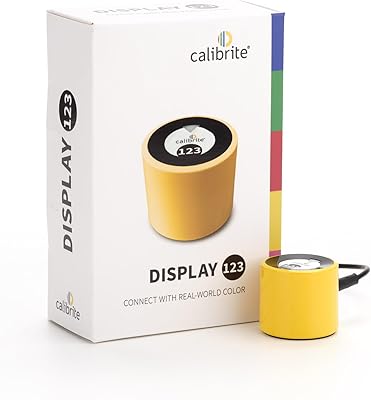
Calibrite Display 123 Colorimeter
74%
88%
Ease of Setup
76%
Color Accuracy Improvement
61%
Software Quality
79%
Dual-Display Support
73%
Value for Money
More
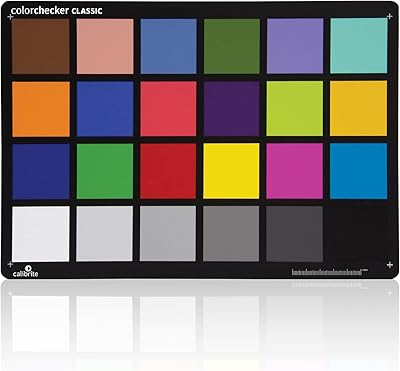
Calibrite ColorChecker Classic Color Calibration Chart
80%
94%
Color Accuracy
83%
Build Quality
78%
Ease of Use
81%
Software Compatibility
74%
Value for Money
More
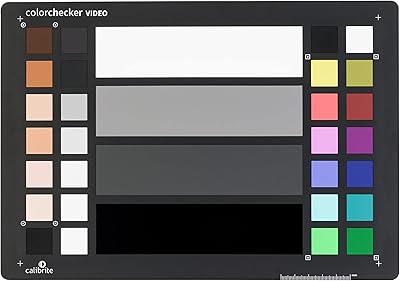
Calibrite ColorChecker Video Color Calibration Chart
78%
93%
Color Accuracy
91%
Gray Scale Precision
89%
White Balance Reliability
67%
Build Quality
84%
Usability On Set
More
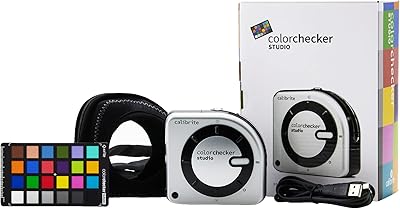
Calibrite ColorChecker Studio Color Calibrator
78%
93%
Display Profiling Accuracy
86%
Printer & Paper Profiling
81%
Camera Calibration Workflow
54%
Software Setup Experience
88%
Ambient Light Measurement
More
Calibrite ColorChecker Classic XL Color Calibration Chart
81%
94%
Color Accuracy
92%
Size & Coverage
78%
Portability
71%
Build & Durability
67%
Value for Money
More
Calibrite Display Plus HL
88%
93%
Calibration Accuracy
89%
Ease of Setup
88%
Software Functionality
91%
Portability & Size
87%
Build Quality
More
Calibrite ColorChecker Digital SG Calibration Chart
72%
94%
Color Accuracy
92%
Patch Range & Variety
78%
Build & Surface Quality
71%
Size & Usability
67%
Software Compatibility
More
Calibrite ColorChecker Classic Nano Color Calibration Chart
80%
96%
Target Size Utility
93%
Color Patch Accuracy
88%
Software Compatibility
61%
Value for Money
94%
Portability
More
Calibrite ColorChecker Passport Video 2 Calibration Chart
80%
94%
Color Accuracy
88%
Build Quality
91%
Portability
67%
Software Usability
82%
Video Target Performance
More
Ubiquiti UniFi Dream Machine Pro Security Gateway
79%
93%
Reliability & Uptime
89%
Management Interface (UniFi App)
54%
Setup & Initial Configuration
91%
Throughput & Network Performance
88%
WAN Redundancy & Failover
More

FAQ

The minimum listed OS is Windows 7, but the device and ccProfiler software are also fully compatible with macOS. Calibrite's official site lists current macOS version support, which is worth checking if you are running a recent release of either operating system.

The Calibrite ColorChecker Display Pro Colorimeter ships with ccProfiler, which covers monitor and projector profiling at a professional level. If you already use X-Rite i1Profiler, the device is fully compatible with that too, so no extra purchase is required in either case.
When you flip out the diffuser arm, it acts as a stand so the device can sit on a table facing a projected image. For larger venues, the integrated tripod mount lets you position it mid-room, pointed at the screen. The software then reads the projector output and builds a profile that corrects color and luminance, helping the projected image match your reference monitor as closely as possible.

Bluetooth works well in most setups, but it is worth noting that some users have reported occasional disconnections during profiling sessions. If stability is critical to your workflow, connecting via USB-A is the safer option and eliminates that variable entirely.

For most professional workflows, recalibrating once a month is a reasonable baseline. If your studio lighting changes significantly, if you move monitors between locations, or if your display is still in its early burn-in phase, recalibrating more frequently — every one to two weeks — will keep your color more consistent.

Generally yes, but a handful of long-term users have noted that the hinge on the diffuser arm can feel slightly looser after extended use. It is not a widespread failure point, but if you are using it daily across multiple calibration sessions, handle the arm with deliberate care rather than snapping it open and shut quickly.

The Display Pro adds projector profiling support, ambient light measurement, and Bluetooth connectivity — features the base models either omit or offer in a more limited form. If you only have one monitor and no projector in your workflow, the standard model will cover your needs at a lower cost.

Yes. The device supports wide-gamut profiling, making it a solid fit for photographers and colorists working in AdobeRGB or DCI-P3 color spaces. ccProfiler allows you to target specific color space standards when building your display profile.

It is more involved than entry-level calibration tools. The basic workflow — connecting the device, running a calibration, saving a profile — is straightforward, but the deeper controls for white point, gamma, tone response curves, and projector profiling take time to understand. There are community forums and video tutorials that help significantly if the official documentation feels sparse.

It handles OLED panels well. The optical engine is specifically designed for repeatability across different display technologies, including IPS, VA, and OLED, so you are not locked into any single panel type. Just be aware that OLED calibration has its own nuances, particularly around black levels and burn-in risk during long measurement sessions.

Where to Buy