Overview

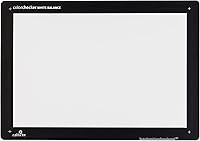
The Calibrite ColorChecker Video Color Calibration Chart is a professional reference tool built from the ground up for video production, not repurposed from still photography. That distinction matters more than it might seem — color chips designed for video are tuned to how cameras capture motion footage, with different saturation and tonal priorities than photo-centric targets. At 8 x 11.5 inches, it has a meaningful physical presence on set without being awkward to handle. The plastic construction is functional rather than luxurious, but holds up well enough for location work. Crucially, no proprietary software is required for its most common use: pulling a custom white balance straight in-camera.
Features & Benefits

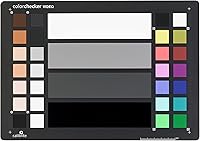
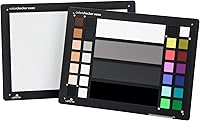
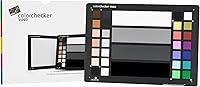
What separates this color chart from general-purpose calibration targets is the specificity of its chip layout. The twelve color chips — six saturated, six de-saturated — are selected with video color science in mind, giving colorists reference points that behave predictably under different lighting conditions. The four-step gray scale, running from white through 40IRE gray and deep gray down to a high-gloss black patch, is particularly useful for setting exposure and catching color casts before they compound in post. The larger format helps enormously when shooting at distance or in wider frames. At 3.5 ounces, it travels easily and doesn't feel like a burden to bring to every shoot.

Best For

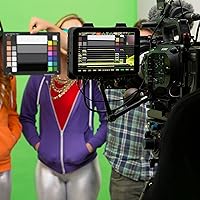
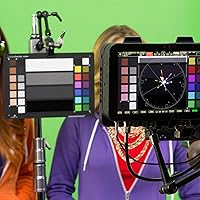
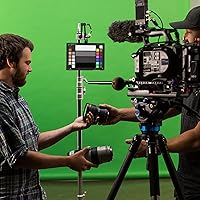
This calibration target is squarely aimed at creators who treat color consistency as a non-negotiable part of their workflow. If you're shooting multi-camera productions — interviews, events, or branded content where two cameras need to look identical in the edit — a proper color chart becomes less of a luxury and more of a practical necessity. Commercial videographers working with clients who have specific brand color requirements will also get clear value here. Post-production colorists benefit too, since having a shot of the chart at the start of a sequence gives them a reliable neutral anchor point. Casual shooters uploading to social media may find the investment harder to justify.

User Feedback

Across verified buyer reviews, this color chart earns consistently strong marks, with most praise directed at gray patch accuracy and how reliably it helps dial in a clean in-camera white balance. Shooters note that pulling a custom white balance against the chart shaves real time off color correction in post. The criticisms worth noting: a few users find the gloss black patch prone to catching reflections in certain lighting setups, and the plastic surface can show glare if the chart is angled incorrectly. Some shooters working in tighter spaces mention the size feels slightly large. Those who have used both versions generally see the standard size as a better fit for on-set work than the smaller Passport variant.

Pros

  • Video-specific color chips give colorists a far more relevant reference than repurposed photography targets.
  • The four-step gray scale makes setting exposure and catching color casts quick and reliable on set.
  • In-camera custom white balance works without any software, keeping the workflow simple and fast.
  • At 3.5 ounces, this color chart is light enough to pack without a second thought on location shoots.
  • The 8 x 11.5-inch size reads clearly even when placed at a distance from a wider-angle camera.
  • Strong verified buyer ratings indicate consistent real-world performance across different camera setups.
  • Compatible with most video cameras and major editing software, making it a versatile addition to any kit.
  • Helps reduce time spent on manual color correction in post by establishing a neutral baseline at capture.

Cons

  • The high-gloss black patch can catch reflections and flare in certain lighting angles, requiring careful placement.
  • Plastic construction feels functional but not particularly durable for shooters who are rough on their gear.
  • No dedicated calibration software is included, which limits its usefulness for advanced ICC profile generation.
  • The chart size may feel unwieldy on tight sets or cramped interview locations with limited floor space.
  • Buyers who want a portable, pocket-friendly option will need to consider the smaller Passport Video variant instead.
  • No protective case or storage sleeve is included, so users need to find their own solution to keep the surface scratch-free.
  • The investment is difficult to rationalize for creators who rarely color grade or work with a single camera only.

Ratings

The scores below reflect AI-driven analysis of verified buyer reviews for the Calibrite ColorChecker Video Color Calibration Chart, collected globally and filtered to remove incentivized, bot-generated, and outlier feedback. Each category is scored based on how consistently users praised or flagged that specific aspect in real production contexts — from solo content creators to multi-camera commercial teams. Both the strengths and the genuine frustrations are represented transparently so you can make a fully informed decision.

Color Accuracy
93%
Users consistently describe the color chips as highly reliable across a wide range of lighting conditions, from tungsten studio setups to mixed natural light. Colorists specifically praise how predictably the saturated and de-saturated chips behave when used as grading anchors in professional NLE timelines.
A small number of advanced users running spectrophotometer comparisons noted minor variance on a few de-saturated chips over time, though this appears to be an edge case rather than a widespread issue.
Gray Scale Precision
91%
The four-step gray scale earns some of the most consistent praise in buyer feedback, particularly the 40IRE gray patch, which shooters find indispensable for setting exposure on cameras that lack built-in waveform monitors. Multiple reviewers credit it with significantly reducing time spent fixing exposure in post.
The high-gloss black patch, while technically correct as a specular reference, frustrates some users who find it difficult to position without catching a reflection from their key light, requiring careful angling on tighter sets.
White Balance Reliability
89%
Setting a custom in-camera white balance against this calibration target is described by most buyers as fast, repeatable, and noticeably cleaner than relying on preset auto white balance modes. Videographers shooting under mixed or inconsistent lighting report the most dramatic improvement in their workflow.
A few users shooting under very complex mixed-source lighting found that even a chart-derived white balance needed further correction in post, which is more a limitation of in-camera white balance as a method than of the chart itself.
Build Quality
67%
33%
For location work, the lightweight plastic construction is genuinely appreciated — at 3.5 ounces it goes anywhere without adding kit weight. Shooters who treat their gear carefully report the surface staying in good condition across many months of regular use.
The plastic body and surface finish feel noticeably less premium than the price point implies, and several buyers noted that the chart picks up scratches and scuffs quickly if stored loose. The absence of any included protective sleeve or case is a recurring complaint.
Usability On Set
84%
The 8 x 11.5-inch format reads clearly even when the chart is placed at a distance from a wider lens, which is something smaller targets struggle with on real productions. Crew members on multi-camera shoots appreciate being able to capture a chart reference shot quickly without repositioning the camera.
On confined sets — tight interview corners, small product studios, or gimbal-heavy run-and-gun work — a number of buyers find the standard size more cumbersome than ideal, and some suggest the Passport Video variant is a better fit for those environments.
Camera Compatibility
88%
The chart functions reliably across a wide ecosystem of cameras without any proprietary lock-in, which buyers working with mixed-brand kits particularly appreciate. Canon, Sony, Blackmagic, Panasonic, and Fujifilm users all report consistent results using the chart for white balance and color reference.
Users hoping for plug-and-play ICC profile generation across all cameras will find that compatibility depends heavily on what third-party software they pair with the chart, and that additional investment may be required to unlock that workflow.
Value for Money
72%
28%
For professional videographers and colorists who use it regularly, the chart earns its price through genuine time savings in post and more consistent deliverables for clients. Those who shoot commercially or for agencies tend to view it as a one-time investment that pays for itself quickly.
Buyers who use it infrequently or who shoot primarily single-camera, controlled-light setups sometimes feel the cost is difficult to justify against simpler or cheaper alternatives. Casual creators trying it out of curiosity tend to rate value lower than professional users.
Software Integration
71%
29%
For the core use cases — custom white balance and visual color reference in an NLE — no software is needed at all, which many buyers appreciate as a frictionless part of the workflow. Users who already own compatible profiling tools report solid results pairing the chart with those applications.
Several buyers arrive expecting bundled software for advanced profiling and are disappointed to find none included. The chart works well as a passive reference tool, but accessing its full potential for ICC profile creation requires purchasing separate software, which is not always clearly communicated upfront.
Portability
82%
18%
At 3.5 ounces and a relatively slim profile, this color chart travels without fuss in most camera bags and roller cases. Location shooters and event videographers mention that the weight is never a factor in deciding whether to bring it along.
The flat rigid format does not fold or collapse, so it occupies a fixed footprint in any bag. Users with very compact or minimalist kits occasionally cite the fixed dimensions as a reason they opt for the Passport Video on smaller jobs.
Glare Management
58%
42%
Under diffused or controlled studio lighting, most users find the chart surface performs cleanly with minimal unwanted reflections across the color chip area. Shooters who understand how to angle a chart relative to their light sources report few issues.
The high-gloss black patch is a persistent source of frustration for users who are newer to working with calibration targets, and even experienced shooters note that it requires deliberate positioning to avoid hotspots. Reflections on the plastic body in uncontrolled lighting environments are also flagged in multiple reviews.
Durability Over Time
63%
37%
Users who store the chart properly and handle it with care report that color accuracy holds up well over extended periods of regular professional use. The chip printing quality appears stable under normal indoor shooting conditions.
Surface scratching and scuffing on the plastic is the most commonly cited long-term concern, with some buyers noting that even minor abrasions in the chip area introduce uncertainty about accuracy. The lack of a protective cover accelerates wear for users who are not meticulous about storage.
Setup Speed
86%
Pulling a white balance shot or capturing a chart reference at the start of a scene takes under a minute in normal shooting conditions, which fits naturally into a professional pre-roll routine without slowing production down. Most buyers describe the on-set workflow as intuitive once they have done it a few times.
First-time users occasionally need to consult their camera manual to locate the custom white balance function, which is a camera-side learning curve rather than a flaw in the chart itself. There is no included quick-start guide to walk new buyers through the process.
Size Versatility
74%
26%
The standard format covers the majority of professional shooting scenarios well, and buyers working in mid-sized studios or on location with predictable setups rarely find themselves wishing for a different size. It scales to different shooting distances better than most compact alternatives.
The fixed single size means buyers have to make a judgment call between the standard chart and the XL variant upfront, with no middle ground available. Those who later discover they needed larger coverage on wider sets must invest in a second product.

Suitable for:

The Calibrite ColorChecker Video Color Calibration Chart is the right tool for anyone who shoots video seriously and wants color consistency to be a solved problem rather than a guessing game. Multi-camera productions benefit the most — whether you are running two bodies on an interview setup or cutting between cameras on a corporate shoot, having a single reliable reference to match against in post saves hours of manual color work. Commercial videographers who deliver footage to clients with strict brand color standards will find real practical value here, since the chart provides a neutral, repeatable starting point every single time. Cinematographers and documentary shooters working in mixed or changing light conditions can use it to lock in a custom white balance before rolling, which keeps the grading stage far less complicated. Post-production colorists also have good reason to request one on set, because a well-exposed shot of this calibration target at the top of a clip sequence removes much of the subjective guesswork from building a grade.
Not suitable for:

The Calibrite ColorChecker Video Color Calibration Chart is not the right purchase for every type of shooter, and being honest about that matters. If your camera work is casual — think family videos, travel vlogs shot on a phone, or YouTube content where color grading is minimal — the investment is hard to justify because you will rarely use it in a way that meaningfully improves your output. Photographers who shoot stills rather than video should look at Calibrite's photography-specific targets instead, since the chip selection here is tuned for video color science and not optimized for still workflows. Shooters who work exclusively in very tight, controlled studio spaces may find the 8 x 11.5-inch format slightly cumbersome compared to the smaller Passport Video variant. Those expecting software-driven color profiling out of the box should also be aware that this chart does not come bundled with dedicated calibration software, so advanced ICC profile generation requires additional tools.
Specifications

  • Brand: Manufactured by Calibrite, a dedicated color management brand with roots in the professional imaging industry.
  • Model: The model designation is CCVWB, representing the standard ColorChecker Video target in white board format.
  • Target Size: The chart measures 8 x 11.5 inches, providing a large enough surface to read cleanly at typical shooting distances.
  • Weight: The chart weighs 3.5 ounces, keeping it light enough for easy transport to location shoots.
  • Material: The chart surface and body are constructed from plastic, chosen for durability and consistent color reproduction over time.
  • Color Chips: The target includes twelve color chips in total: six saturated and six de-saturated, tuned specifically for video color science.
  • Gray Scale: A dedicated four-step neutral gray scale runs from white through 40IRE gray and deep gray to a high-gloss black reference patch.
  • White Balance: The chart supports in-camera custom white balance, allowing shooters to neutralize color at the capture stage before any grading.
  • Camera Matching: The color and gray references are designed to assist with matching footage across multiple camera bodies or shooting sessions.
  • Exposure Setting: The gray scale patches provide clear reference points for setting correct exposure directly on set or in post.
  • Compatibility: The chart is compatible with most video cameras, camcorders, and major video editing software pipelines without requiring proprietary tools.
  • Software Required: No dedicated software is required for basic white balance or exposure use; additional software may be needed for ICC profile creation.
  • Best Sellers Rank: The chart holds a top-15 ranking in the Photographic Light Meter Color Calibration Charts category on Amazon.
  • First Available: This calibration target was first made available to buyers in June 2021.
  • UPC: The product UPC is 850028833070, with a matching Global Trade Identification Number of 00850028833070.

Related Reviews
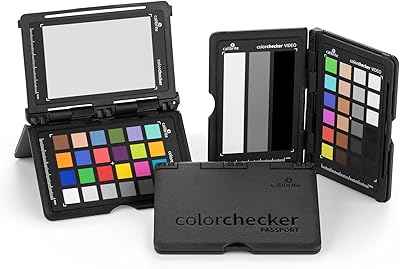
Calibrite ColorChecker Passport Video 2 Calibration Chart
80%
94%
Color Accuracy
88%
Build Quality
91%
Portability
67%
Software Usability
82%
Video Target Performance
More
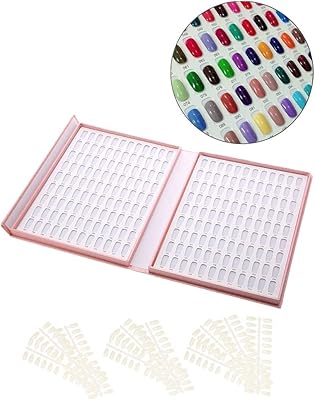
Anself Nail Display Chart, 216 Colors Nail Gel Polish Color Card with 240 Tips
86%
88%
Ease of Use
92%
Organization and Display
90%
Design and Portability
85%
Value for Money
70%
Durability of Nail Tips
More
Calibrite ColorChecker Classic Color Calibration Chart
80%
94%
Color Accuracy
83%
Build Quality
78%
Ease of Use
81%
Software Compatibility
74%
Value for Money
More
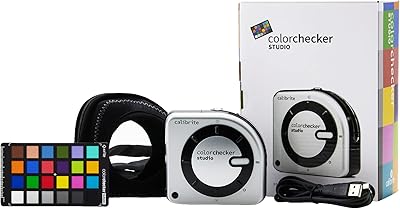
Calibrite ColorChecker Studio Color Calibrator
78%
93%
Display Profiling Accuracy
86%
Printer & Paper Profiling
81%
Camera Calibration Workflow
54%
Software Setup Experience
88%
Ambient Light Measurement
More
Calibrite ColorChecker Digital SG Calibration Chart
72%
94%
Color Accuracy
92%
Patch Range & Variety
78%
Build & Surface Quality
71%
Size & Usability
67%
Software Compatibility
More
Calibrite ColorChecker Classic Nano Color Calibration Chart
80%
96%
Target Size Utility
93%
Color Patch Accuracy
88%
Software Compatibility
61%
Value for Money
94%
Portability
More
Calibrite ColorChecker Classic XL Color Calibration Chart
81%
94%
Color Accuracy
92%
Size & Coverage
78%
Portability
71%
Build & Durability
67%
Value for Money
More
Calibrite ColorChecker Display Pro Colorimeter
78%
91%
Calibration Accuracy
88%
Cross-Panel Consistency
67%
Software Experience
84%
Projector Profiling
82%
Ambient Light Measurement
More
Datacolor Spyder Checkr Color Calibration Tool
86%
93%
Color Accuracy
88%
Ease of Use
90%
Build Quality
85%
Software Integration
92%
Durability
More
Neewer NL480 Bi-Color LED Video Light
86%
92%
Value for Money
89%
Ease of Use
94%
Portability
86%
Adjustability
88%
Build Quality
More

FAQ

It works with virtually any camera that allows custom white balance input, which covers the vast majority of dedicated video cameras, DSLRs, and mirrorless bodies used for video. There is no brand restriction — if your camera can sample a white balance from a target, this chart will work for that purpose.

Not for the most common use cases. Setting a custom in-camera white balance and using the chart as a visual reference in post requires no additional software at all. If you want to build a full ICC color profile or do advanced color space calibration, you would need a compatible profiling application, but that is separate from the chart itself.

The chip selection is the main difference. Photography charts tend to prioritize color rendering under still conditions, while this chart uses a chip set selected specifically for how video cameras capture and encode color. The 40IRE gray step is also a video-specific reference that you would not typically find on a still photography target.

You can technically use it for photography, but it is not optimized for that workflow. The color chips are selected with video color science in mind, so still photographers would generally get better results with a chart designed for their specific use case, like Calibrite's passport or passport photo targets.

Point your camera at the chart under the same lighting you plan to shoot in, filling the frame with the white or neutral gray patch, then use your camera's custom white balance function to sample that reading. The exact button sequence varies by camera model, but the process typically takes under a minute and gives you a clean neutral starting point for all footage shot under that light.

The plastic surface holds up reasonably well for normal professional use, but it is not impervious to scratching if tossed loose in a bag with other gear. Since no protective sleeve is included in the box, most users opt to store it in a padded pocket or sleeve to keep the surface in good condition.

It can, depending on your lighting setup. The high-gloss finish on the black patch is intentional — it serves as a specular black reference — but in certain lighting angles it will catch a hotspot or reflection. Angling the chart slightly relative to your key light usually resolves this.

For most single or dual-camera setups shooting at normal working distances, the standard 8 x 11.5-inch size reads clearly without issue. The XL version makes sense if you are regularly shooting at longer focal lengths or need the chart to read from a greater distance on a larger set. For tight interview setups or run-and-gun work, some shooters actually find the standard size easier to manage.

The Passport Video is smaller and more portable, which makes it convenient for solo shooters and travel-heavy work. This color chart is larger, which gives it a usability advantage on set when you need the target to read at a distance or in a wider frame. The chip layout and function are similar; the choice mostly comes down to your typical shooting environment and how much you prioritize portability versus on-set readability.

A soft, lint-free cloth with minimal pressure is the safest approach for light dust or fingerprints. Avoid harsh chemical cleaners, abrasive cloths, or anything that could alter the surface finish or color accuracy of the chips. Keeping it stored away from direct sunlight and dust when not in use is the best way to extend its useful life.

Where to Buy