Overview

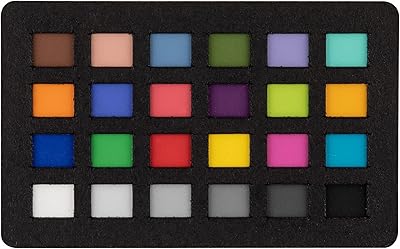
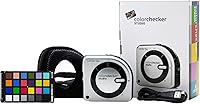
The Calibrite ColorChecker Studio Color Calibrator is one of those rare tools that genuinely consolidates what used to require multiple devices into a single, compact unit — covering display, printer, scanner, projector, and camera profiling. It steps directly into the shoes of the X-Rite i1Studio, carrying forward the same measurement engine that color professionals have relied on for years. The box includes a ColorChecker Classic Mini target for camera work, and the workflow splits across two software packages, both requiring separate downloads. Fair warning: this calibration kit rewards patience. It is not something you unbox and master in an afternoon.
Features & Benefits

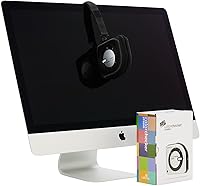
The standout capability here is Intelligent Iterative Profiling, which analyzes your specific display repeatedly until it lands on the most accurate profile it can produce — rather than applying a one-size-fits-all correction. Pair that with the ambient light measurement function, which reads actual lighting conditions in your print-viewing environment and sets display luminance accordingly, and you have a genuinely thoughtful approach to print-to-screen matching. The all-in-one profiler also covers flatbed scanners and projectors, handles both inkjet and laser printers, and connects via USB-A without fuss. The tripod mount is a small but useful touch for repeatable display measurements.

Best For

This calibration kit makes the most sense for working photographers who need color to hold from a raw file all the way through to a finished inkjet print — every device in that chain calibrated by a single tool. Graphic designers and prepress professionals juggling multiple output devices will appreciate not maintaining separate hardware. If your studio has variable ambient lighting, the ambient light measurement feature alone justifies serious consideration. Former X-Rite i1Studio users will find the transition effortless; the hardware is a direct drop-in and the muscle memory transfers. Anyone consolidating a mixed-device workflow will find it hard to argue against.

User Feedback

Among buyers, display profiling accuracy draws consistent praise — photographers in particular note how reliably the iterative engine delivers results across multiple calibration runs. Camera calibration using the included Classic Mini target also earns positive mentions, with users appreciating that the physical target ships in the box rather than sold separately. Where frustration surfaces, it clusters around software setup: the ccStudio application requires a separate download, and first-time users report the initial configuration is less than intuitive. Projector profiling documentation is a specific gap several reviewers flagged. The hardware itself earns few complaints — most who compare it to the i1Studio report identical measurement quality.

Pros

  • Covers display, printer, scanner, projector, and camera profiling in one compact unit — no need for multiple devices.
  • Intelligent Iterative Profiling produces genuinely optimized results tailored to each individual display, not a generic correction.
  • Ambient light measurement links your print-viewing environment directly to display luminance for accurate soft-proofing.
  • The included ColorChecker Classic Mini target means camera calibration hardware is ready out of the box.
  • USB-A connectivity works with virtually any current workstation without hunting for adapters.
  • Tripod mount enables stable, repeatable positioning across multiple calibration sessions.
  • Photographers transitioning from the i1Studio report identical measurement quality with no learning curve on the hardware side.
  • A strong overall user rating reflects consistent satisfaction with core display profiling accuracy.
  • Compact dimensions and modest weight make it practical to use across different rooms or locations.

Cons

  • The ccStudio software must be downloaded separately — there is no offline installer included in the box.
  • Initial software configuration is genuinely confusing for first-time users and lacks clear guided setup.
  • Camera profiling requires a second, separate software download on top of the main ccStudio application.
  • Projector profiling documentation is thin; users frequently report having to piece together steps from community forums.
  • Measurement speed is rated Standard, which is noticeably slower than premium-tier competitors offering faster hardware.
  • The dual-software ecosystem feels fragmented — display and camera workflows live in entirely different applications with no unified interface.
  • A 12V battery is required but the type is easy to overlook; some buyers report discovering this only after unboxing.
  • At its price point, the lack of bundled printed documentation or a quick-start guide is a frustrating omission.

Ratings

Our AI scoring for the Calibrite ColorChecker Studio Color Calibrator was built by analyzing verified purchase reviews from buyers worldwide, with spam, incentivized feedback, and bot activity actively filtered out before any score was calculated. The result is a transparent, category-by-category breakdown that reflects both what this all-in-one profiler does exceptionally well and where real users have run into friction. No category has been softened — the pain points are as visible as the strengths.
Display Profiling Accuracy
93%
Users consistently report that calibrated monitors produce noticeably tighter color consistency after running the iterative profiling engine, with photographers describing a clear improvement in how predictable their screens become across different lighting conditions. The adaptive nature of each calibration run — rather than applying a fixed correction — is something experienced colorists specifically call out as a differentiator.
A small number of users working with very high-brightness HDR panels found the results less definitive than expected, suggesting the 1000-nit ceiling is a real constraint for cutting-edge display hardware. Achieving the best results also requires running multiple profiling passes, which adds time compared to simpler single-pass tools.
Printer & Paper Profiling
86%
Photographers printing fine-art work on specialty papers report that custom ICC profiles generated by this calibration kit bring print output meaningfully closer to what they see on a calibrated screen, reducing costly test print cycles. The ability to profile both inkjet and laser printers from one device is a practical advantage for studios running mixed print workflows.
Building a printer profile requires printing a measurement chart and waiting for it to dry fully before scanning — a process that takes patience and adds at least an hour to the workflow. Users expecting instant results from the printer profiling module are often caught off guard by how deliberate and methodical the process needs to be.
Camera Calibration Workflow
81%
19%
Having the ColorChecker Classic Mini target physically in the box is a genuine convenience — photographers heading into a shoot do not need to source the target separately, and the camera calibration software produces profiles that hold up well under controlled lighting. Studio portrait photographers in particular note more consistent skin tone rendering after applying custom camera profiles.
The camera profiling workflow requires downloading a completely separate application from the ccStudio software, which catches many first-time users off guard mid-setup. The two-software ecosystem is functional but fragmented, and Calibrite's in-app guidance for connecting the two workflows is minimal.
Software Setup Experience
54%
46%
Once the ccStudio software is installed and configured, experienced colorists find the interface familiar and logically laid out, especially those migrating from the X-Rite i1Studio ecosystem where the interface heritage is immediately recognizable. The software itself is stable and does not suffer from frequent crashes in normal use.
The requirement to download software separately — with no offline installer in the box — is a friction point that a notable share of reviewers flag as frustrating, particularly for studio environments with restricted internet access. First-time users frequently report spending significantly longer on initial configuration than the product page implies, and the lack of a proper printed quick-start guide makes early troubleshooting harder than it should be.
Ambient Light Measurement
88%
Photographers who print for clients and review proofs in ambient-lit spaces describe the ambient light measurement as a feature that genuinely changes how they work, allowing them to set display luminance that reflects real viewing conditions rather than guessing. The practical impact on print-to-screen matching is consistently praised as one of the more tangible real-world benefits of the device.
The ambient light measurement only functions at the time of calibration, meaning it does not continuously adapt if your room lighting changes significantly throughout the day. Users in studios with dynamic lighting — such as spaces that shift between natural daylight and artificial evening light — note this limitation requires repeat calibration sessions rather than a single daily setup.
Projector Profiling
61%
39%
The hardware is fully capable of profiling projectors, and users who work in presentation or cinema-grade color environments appreciate having this option without buying separate equipment. Those who have successfully navigated the workflow report that the resulting projector profiles are accurate and stable.
Documentation for projector profiling is sparse enough that multiple reviewers resorted to community forums and third-party tutorials to complete the process, which is a meaningful usability gap for a professional-tier product. The lack of dedicated guided walkthroughs in the software for projector-specific setups is a recurring criticism that Calibrite has yet to fully address.
Scanner Profiling
79%
21%
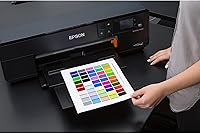
Designers and archivists who scan physical artwork or film regularly report that scanner profiles generated by this all-in-one profiler meaningfully improve color fidelity in digitized images, reducing the time spent correcting scans in post. For users who scan frequently, having scanner profiling consolidated into the same device as display and print calibration simplifies the overall workflow.
Scanner profiling is the least-discussed capability in user reviews, suggesting it meets basic needs without standing out as exceptional. Users with older or less mainstream flatbed scanners occasionally report compatibility uncertainty before purchase, as Calibrite's supported scanner list requires checking separately.
Build Quality & Hardware
84%
The physical device feels appropriately solid for a professional instrument — not plasticky or fragile — and the ergonomics make it easy to handle during positioning on a display. The built-in tripod mount is a practical engineering choice that reflects an understanding of real professional calibration workflows.
At 14.5 ounces, the unit is noticeably heavier than some competing display-only calibrators, which is a minor but real consideration for photographers who travel with their calibration kit frequently. The device requires a 12V battery rather than drawing power from USB, which adds a minor but recurring consumable cost over time.
Value for Money
73%
27%
For professionals who genuinely need all five profiling capabilities, the cost-per-function ratio compares favorably to purchasing separate display, printer, and camera calibration tools individually. Users upgrading from the i1Studio also report that the transition represents a good value given the near-identical measurement performance.
Buyers who primarily need display-only calibration will find that a significant portion of what they are paying for remains unused, making this calibration kit a questionable investment for that narrower use case. At its price tier, some users feel that the standard measurement speed — rather than a faster mode — is a compromise that competitors at a similar price do not make.
Compatibility & Connectivity
89%
USB-A connectivity means the device works without adapters on the vast majority of current workstations, and cross-platform support for both macOS and Windows is confirmed and stable. Users managing mixed operating system environments in their studios report no meaningful compatibility headaches.
There is no USB-C variant, which means users with newer laptops that have eliminated USB-A ports entirely need to use an adapter or hub — a minor inconvenience that is becoming more common as hardware generations move forward. OS version support has a ceiling, and users running older operating systems should verify compatibility before purchasing.
i1Studio Transition Experience
91%
Reviewers migrating from the X-Rite i1Studio are the most consistently satisfied group in the user base, frequently describing the switch as effortless both in terms of hardware handling and software familiarity. The measurement results are considered equivalent to the i1Studio by experienced colorists who have run comparative tests.
Users who hoped the Calibrite transition would come with improved documentation or a modernized software interface are occasionally disappointed to find the experience feels largely unchanged from the i1Studio era. For buyers expecting meaningful innovation rather than continuity, the upgrade rationale is narrower.
Setup Time & Learning Curve
58%
42%
Professionals with prior color management experience — particularly those familiar with X-Rite products — can typically get through the initial setup and produce a usable display profile within a reasonable timeframe. The software, once understood, supports a logical and repeatable calibration workflow.
For buyers new to hardware color calibration, the combination of separate software downloads, a dual-application ecosystem, and limited guided onboarding creates a steeper learning curve than most competing products at this price point. Multiple reviewers report that reaching full operational confidence with all five profiling capabilities took significantly longer than expected.
Portability & Form Factor
82%
18%
The compact 5 x 4 x 2 inch footprint means the device stores easily in a camera bag alongside other studio essentials, and photographers who carry it between locations find it does not add meaningful bulk to a kit. The overall form factor is well-suited to its multi-device profiling mission without being oversized.
The 12V battery dependency means the device is not purely bus-powered, introducing a variable that fully USB-powered competitors avoid. Users who pack their kit quickly before a shoot occasionally find the battery situation — including the non-obvious battery type — adds a small but real organizational burden.

Suitable for:

The Calibrite ColorChecker Studio Color Calibrator is built for professionals who cannot afford color drift anywhere in their workflow — from capture to screen to print. Photographers running their own printing operations will get the most out of it, since this calibration kit addresses every link in that chain with a single device. Graphic designers and prepress specialists who routinely switch between multiple monitors, printers, or scanners will also find real value in consolidating their calibration hardware. Studios where ambient light varies throughout the day — say, a space with large windows facing different orientations — benefit specifically from the ambient light measurement function, which adjusts display luminance to match actual viewing conditions for prints. Former X-Rite i1Studio users looking to upgrade or replace aging hardware will find this all-in-one profiler a natural, friction-free transition with no compromise in measurement quality.
Not suitable for:

The Calibrite ColorChecker Studio Color Calibrator is not the right tool for casual users or hobbyists who primarily want their monitor to look better for everyday photo viewing. If your workflow does not involve printing, scanning, or camera profiling, you are paying for capabilities you will never touch — a simpler display-only calibrator would serve you more efficiently and cost considerably less. The software setup demands a real time investment: the ccStudio application requires a manual download, and navigating the dual-software ecosystem for camera calibration adds another layer of configuration that beginners often find disorienting. Users who want a plug-in-and-profile experience with minimal reading will likely feel lost before they produce their first accurate profile. Projector users should also be aware that documentation for that specific workflow is sparse, so if projector calibration is your primary need, be prepared to rely heavily on community forums and third-party guides.
Specifications

  • Brand: Manufactured by Calibrite, the company formed to continue the professional color calibration product line previously sold under the X-Rite brand.
  • Model Number: The official model identifier is CCSTUDIO, sometimes referenced as the Calibrite ColorChecker Studio.
  • Dimensions: The device measures 5 x 4 x 2 inches, making it compact enough to store in a camera bag or desk drawer.
  • Weight: The unit weighs 14.5 ounces, which is substantial enough to feel well-built without being cumbersome during use.
  • Battery: One 12V battery is required for operation; this is not USB-powered, so the battery should be confirmed present before first use.
  • Connectivity: The device connects to a computer via USB-A, ensuring compatibility with most current desktops and laptops without requiring an adapter.
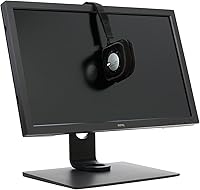
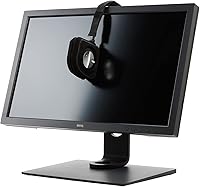
  • Tripod Mount: A built-in tripod mount allows the device to be fixed in a stable position during display measurements for repeatable results.
  • Display Profiling: Supports monitor and projector profiling using the ccStudio software, with an Intelligent Iterative Profiling engine that adapts to each unique display.
  • Ambient Light: The ambient light measurement function reads room lighting conditions and uses that data to set optimum display luminance for accurate print-to-screen comparison.
  • Max Luminance: The device supports illuminant measurement up to 1000 nits, covering standard and high-brightness display panels.
  • Measurement Speed: Measurement speed is rated Standard, which is functional but slower than the faster modes offered by some higher-tier competing devices.
  • Printer Profiling: Compatible with inkjet and laser printers; printer and paper profiling is handled through the ccStudio software application.
  • Scanner Profiling: Flatbed scanner profiling is supported via the ccStudio software, allowing consistent color input from scanned documents or film.
  • Camera Profiling: Camera profiling requires a separate download of the ColorChecker Camera Calibration software and uses the physical ColorChecker Classic Mini target included in the box.
  • Included Target: A ColorChecker Classic Mini physical calibration target is bundled with the device specifically to support the camera profiling workflow.
  • Software: The primary profiling software, ccStudio, is not included on physical media and must be downloaded from Calibrite's website before use.
  • i1Studio Compatibility: This unit is a direct hardware replacement for the X-Rite i1Studio (EOSTUDIO), and existing i1Studio software licenses are recognized by the ccStudio platform.
  • BSR Ranking: The product holds a Best Sellers Rank of #35 in the Photographic Light Meter Color Calibration Charts category on Amazon.
  • Projector Support: Projector profiling is supported in the software, though user-reported documentation for this specific workflow is limited compared to display and print profiling guidance.
  • Device Coverage: A single unit covers five device categories — monitors, projectors, scanners, printers, and cameras — consolidating what typically requires separate calibration hardware.

Related Reviews

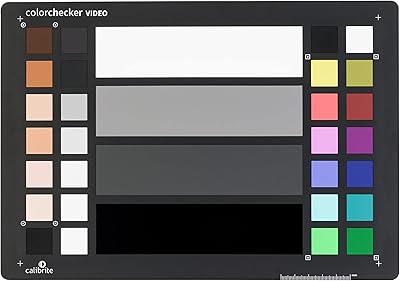
Calibrite ColorChecker Video Color Calibration Chart
78%
93%
Color Accuracy
91%
Gray Scale Precision
89%
White Balance Reliability
67%
Build Quality
84%
Usability On Set
More
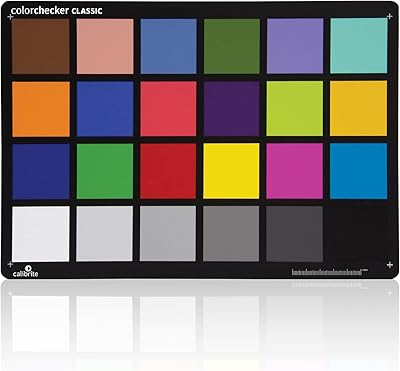
Calibrite ColorChecker Classic Color Calibration Chart
80%
94%
Color Accuracy
83%
Build Quality
78%
Ease of Use
81%
Software Compatibility
74%
Value for Money
More
Calibrite ColorChecker Classic Nano Color Calibration Chart
80%
96%
Target Size Utility
93%
Color Patch Accuracy
88%
Software Compatibility
61%
Value for Money
94%
Portability
More
Calibrite ColorChecker Classic XL Color Calibration Chart
81%
94%
Color Accuracy
92%
Size & Coverage
78%
Portability
71%
Build & Durability
67%
Value for Money
More
Calibrite ColorChecker Digital SG Calibration Chart
72%
94%
Color Accuracy
92%
Patch Range & Variety
78%
Build & Surface Quality
71%
Size & Usability
67%
Software Compatibility
More
Calibrite ColorChecker Display Pro Colorimeter
78%
91%
Calibration Accuracy
88%
Cross-Panel Consistency
67%
Software Experience
84%
Projector Profiling
82%
Ambient Light Measurement
More
Calibrite ColorChecker Passport Video 2 Calibration Chart
80%
94%
Color Accuracy
88%
Build Quality
91%
Portability
67%
Software Usability
82%
Video Target Performance
More
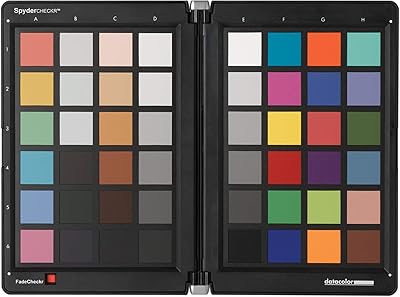
Datacolor Spyder Checkr Color Calibration Tool
86%
93%
Color Accuracy
88%
Ease of Use
90%
Build Quality
85%
Software Integration
92%
Durability
More
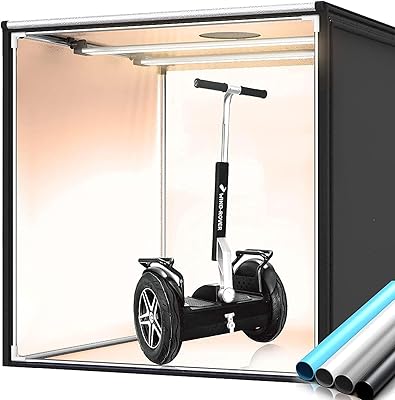
Travor M100A Bi-Color Photo Studio Box 39″
84%
92%
Value for Money
88%
Ease of Setup
89%
Lighting Quality
90%
Size & Versatility
85%
Build Quality
More
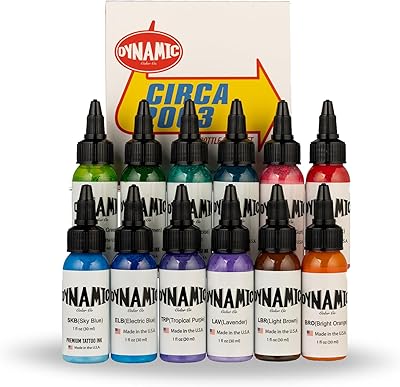
Dynamic Color Co Circa Color Tattoo Ink Set 1oz - 12 Colors
90%
91%
Color Vibrancy
88%
Blendability
94%
Application Smoothness
89%
Longevity of Results
92%
Pigment Intensity
More

FAQ

The hardware ships with a ColorChecker Classic Mini target but no software on disc or USB. You will need to download two separate applications: ccStudio for display, printer, scanner, and projector profiling, and ColorChecker Camera Calibration software for camera work. Both are available from Calibrite's website at no extra charge, but budget time for the downloads and initial setup before your first calibration session.

It is about as smooth as transitions get with professional calibration tools. The Calibrite ColorChecker Studio Color Calibrator is a direct hardware replacement for the i1Studio, and the ccStudio software is essentially the continuation of the i1Studio software under a new name. Existing i1Studio license holders should check Calibrite's site for upgrade paths, but the measurement quality and workflow are effectively identical.
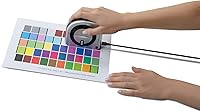
Projector profiling is officially supported in the software, so yes, it works. The honest caveat is that the documentation for projector calibration is noticeably thinner than for monitor and print workflows. Several users have reported needing to supplement the official guidance with community forums or third-party tutorials to get through that process confidently.

The device requires one 12V battery. Whether a battery is pre-installed or included separately can vary, so it is worth checking this immediately after unboxing rather than discovering it is missing mid-calibration. Keep a spare 12V on hand if you do regular calibration sessions.

For professional work, recalibrating every two to four weeks is a reasonable baseline for most LCD monitors. High-end displays that see heavy daily use or age faster may benefit from monthly or even bi-weekly sessions. The iterative profiling engine makes each calibration run adaptive, so there is no significant downside to calibrating more frequently.

Yes, the ccStudio software supports both macOS and Windows. Before installing, it is worth visiting Calibrite's website to check the current system requirements, as supported OS versions are updated periodically and older operating systems may eventually fall outside the supported range.

The device supports illuminant measurements up to 1000 nits and is designed to work with industry-standard display technologies. For super-bright HDR monitors exceeding that luminance ceiling, you may want to verify compatibility with Calibrite directly, as the specifications list that data point without a definitive yes for all HDR panel types.

It is not complicated once you understand the two-step workflow, but it does require a separate software download — the ColorChecker Camera Calibration app — in addition to ccStudio. The physical Classic Mini target that ships in the box is what you photograph to generate the profile, and the software walks you through the rest. First-timers should set aside an hour to get comfortable with the process rather than rushing it before a shoot.

Absolutely — the hardware is not locked to a single display. You can run the profiling workflow on each monitor separately, and the Intelligent Iterative Profiling engine will generate an optimized profile specific to each screen. This is one of the genuine practical advantages of this all-in-one profiler for multi-monitor studio setups.

Honestly, it depends on how seriously you take print accuracy. If you are printing work for clients or exhibitions and need your screen to reliably match your prints, the ambient light measurement and printer profiling features here make a meaningful difference. If you are printing casually for personal use and your expectations are less exacting, a display-only calibrator at a lower price point would likely meet your needs without the added complexity.

Where to Buy