Calibrite ColorChecker Classic Color Calibration Chart
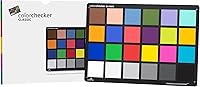
Calibrite ColorChecker Classic Color Calibration Chart — image 1
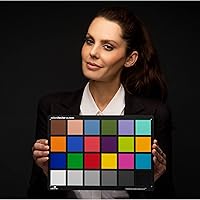
Calibrite ColorChecker Classic Color Calibration Chart — image 2
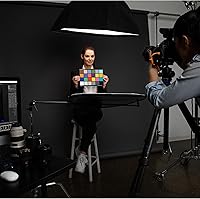
Calibrite ColorChecker Classic Color Calibration Chart — image 3
Calibrite ColorChecker Classic Color Calibration Chart — image 4
80%
20%

Overview

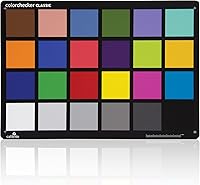
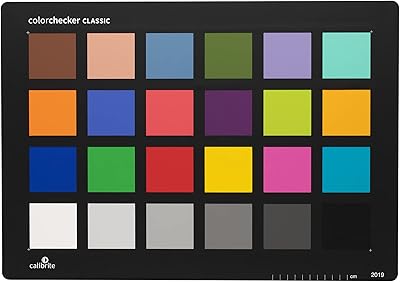
The Calibrite ColorChecker Classic Color Calibration Chart has been the reference standard for color-critical work long before Calibrite took over the ColorChecker legacy from X-Rite. At its core, this reference target gives photographers, videographers, and print specialists a reliable anchor point — without it, color accuracy is mostly guesswork across cameras, lighting setups, and output devices. Its 24-patch layout covers neutral grays, skin tones, and chromatic references, and that arrangement has earned genuine trust in professional workflows for decades. Measuring 8.12 x 11.5 inches, it is noticeably larger than the compact Nano or Passport versions, which matters more than people expect once you are actually working in a real studio environment.

Features & Benefits

What separates this color calibration chart from cheaper knockoffs is the quality behind each patch. The colors are scientifically formulated to behave predictably under measurement — neutral grays sit at accurate luminance steps, skin tone patches reflect real-world complexions, and the chromatic swatches give profiling software something solid to work with. Compatibility with major tools supports DNG and ICC profile generation in applications like Lightroom, Capture One, and dedicated profiling software. The matte surface keeps glare from corrupting readings even under harsh studio strobes. Because the target is large enough to fill a reasonable portion of the frame, you can shoot it from a comfortable distance without straining to isolate individual patches in post.

Best For

The ColorChecker Classic is clearly built for studio and controlled-environment use. Professional photographers juggling multiple camera bodies on a production shoot will find it invaluable for keeping color consistent without manual eyeballing between setups. Video colorists get a dependable reference for matching scenes shot under different lights, which saves real time in the grade. Graphic designers and prepress teams can use it to verify that their print proofing pipeline tracks real-world color accurately. That said, if you shoot on location or travel frequently, the size becomes a genuine trade-off; the Passport version suits run-and-gun work far better. This chart belongs in a studio, on a stand, doing its job reliably.

User Feedback

Most buyers are straightforwardly satisfied, particularly those who build camera profiles routinely. Consistent color accuracy across shoots is the most commonly praised strength, and photographers upgrading from cheaper third-party charts often notice the improvement immediately in their profiling software output. The large format draws steady praise from studio users. However, a recurring frustration at this price tier is that no protective sleeve or storage case is included — you are expected to handle storage yourself, which feels like an obvious oversight. A few reviewers also flag that no profiling software ships in the box, meaning newcomers need to source compatible tools separately before extracting any real value from the purchase.

Pros

  • The 24-patch layout covers skin tones, neutral grays, and chromatic references that profiling software can actually use.
  • Generates both DNG and ICC profiles, covering virtually every major editing and profiling workflow.
  • The matte surface holds up well under studio strobes without producing glare that corrupts readings.
  • Large target size means full-frame shooters can work at a natural shooting distance without frame-filling gymnastics.
  • Trusted by professionals for decades — the ColorChecker name carries real credibility in color-critical industries.
  • Works across photography, video, and print proofing, making it genuinely multi-discipline.
  • Cuts down time spent manually matching color between cameras or shooting conditions.
  • Integrates cleanly with popular tools like Lightroom, Capture One, and dedicated profiling applications.

Cons

  • No protective case or sleeve is included, which feels like a real oversight at this price point.
  • No profiling software is bundled, so new users face additional cost and setup before getting usable results.
  • The large format is impractical for location shooters or anyone working outside a controlled studio environment.
  • Hobbyists or casual photographers will have a hard time justifying the cost against actual workflow gains.
  • The chart itself offers no guidance on how to use it, leaving beginners to figure out the workflow independently.
  • Over time, patches can show wear if handled without care, and there is no easy way to verify calibration drift at home.
  • Compared to the Passport version, it adds no additional patches — just physical size — which may not matter for every shooter.

Ratings

The scores below reflect an AI-driven analysis of verified global user reviews for the Calibrite ColorChecker Classic Color Calibration Chart, with spam, bot-generated, and incentivized feedback actively filtered out to protect accuracy. Ratings are assigned across categories that real buyers consistently reference, from color accuracy and build quality to portability and value. Both the chart's genuine strengths and its recurring pain points are transparently represented in every score.

Color Accuracy
94%
Across thousands of reviews from professional photographers and colorists, the patch accuracy draws consistent praise. Users building custom camera profiles in Lightroom or Capture One regularly report that results are stable, repeatable, and noticeably tighter than what cheaper third-party charts produce. Studio photographers especially appreciate how reliably the neutral gray patches anchor white balance across different strobe setups.
A small number of users reported patches that appeared slightly off on charts received as replacements or in older stock batches, raising questions about quality consistency over production runs. These cases are rare, but they matter when color accuracy is the entire point of the purchase.
Build Quality
83%
The chart feels solid and flat in hand, with no flex or warping that would affect how it sits on a stand or holder during a shoot. The matte surface coating holds up well under repeated handling in studio environments, and most long-term users report no visible patch degradation after regular use over one to two years.
The chart ships without any protective sleeve or rigid case, which means the surface is immediately vulnerable during storage or transport. Several buyers noted scuff marks or edge wear appearing faster than expected simply from being placed in a bag without protection, which feels avoidable at this price point.
Ease of Use
78%
22%
For photographers already familiar with color profiling workflows, setup is straightforward — photograph the chart, import into profiling software, generate a profile. The large target size makes framing effortless compared to smaller charts, and the clearly defined patches are easy to isolate in both photography and video reference frames.
Beginners with no prior experience building camera profiles will find the learning curve steep, partly because no instructions or software are included in the box. New users often spend significant time researching compatible software before they can extract any practical value from the chart, which is a friction point that could be easily addressed by Calibrite.
Software Compatibility
81%
19%
The ColorChecker Classic integrates cleanly with major imaging tools including Lightroom, Capture One, and dedicated profiling applications, supporting both DNG and ICC profile formats. Video colorists also find it compatible with color reference workflows in DaVinci Resolve and similar grading platforms, extending its usefulness well beyond still photography.
No software is bundled in the package, which is a recurring frustration especially for buyers expecting a complete out-of-the-box solution at this price. Some older profiling plugins have also required updates or workarounds to function correctly with the latest versions of popular editing applications.
Value for Money
74%
26%
For working professionals — commercial photographers, video colorists, and prepress specialists — the chart justifies its cost quickly by reducing time spent chasing color manually across sessions or correcting mismatched footage in post. The long usable lifespan also spreads the investment across years rather than months.
For hobbyist photographers or those still developing a color workflow, the price is hard to rationalize without bundled software or accessories to complete the kit. The absence of a protective case in particular makes the value proposition feel slightly incomplete compared to what competitors offer at similar or lower price points.
Portability
51%
49%
The chart is light enough at 4.8 ounces that weight is never the issue. For photographers with dedicated studio spaces, the size is entirely appropriate and most users in controlled environments never find themselves wishing it were smaller.
At 8.12 x 11.5 inches with no bundled case, this reference target is genuinely awkward to carry to location shoots. Multiple buyers noted it does not fit cleanly in a standard camera bag without risk of surface damage, and a meaningful portion of reviewers explicitly recommend the Passport version to anyone who shoots outside a studio regularly.
Glare Resistance
88%
The matte surface finish performs well under studio strobes and continuous LED panels alike, with users consistently noting that hotspots and specular reflections are rarely a problem when the chart is positioned at a reasonable angle to the light source. This makes it reliable even when working quickly during portrait or product sessions.
In uncontrolled or mixed ambient lighting — such as near windows with direct sunlight — some users report needing to adjust positioning more carefully to avoid partial glare on certain patches. It is manageable, but it does require more attention than in a fully controlled setup.
Patch Coverage
89%
The 24-patch layout covers the color space effectively for the vast majority of professional use cases, including skin tone rendering, neutral gray accuracy, and chromatic reference points that profiling software depends on. Videographers especially appreciate having dedicated skin tone patches for matching talent across cameras in multi-cam setups.
Some advanced users working in highly specialized workflows — such as fine art reproduction or scientific imaging — note that 24 patches can feel limited compared to expanded reference targets used in those fields. For standard photographic and video profiling, however, the coverage is rarely a complaint.
Durability Over Time
76%
24%
Users who store the chart properly in a dark, UV-protected environment report stable patch performance over multiple years of regular studio use. The rigid construction resists bending, and the surface shows no signs of peeling or delamination under normal handling conditions.
Patch color stability is sensitive to UV exposure and prolonged direct sunlight, which can cause gradual drift in color values over time. Since no storage solution is included, buyers who do not proactively source a protective case risk accelerated wear from casual handling and ambient light exposure.
Studio Workflow Integration
91%
In a studio setting, this reference target fits naturally into the beginning-of-session routine — place it on a stand, shoot a reference frame, and the entire session is anchored to a consistent color baseline. Commercial and portrait photographers working with assistants find it easy to delegate the chart setup without sacrificing accuracy.
The chart does not include mounting hardware or a stand adapter, so users need to source their own solution for keeping it upright and properly angled. This is a minor inconvenience in practice, but it adds a small friction point to initial setup for new users.
Packaging & Unboxing
58%
42%
The chart arrives in clean, flat packaging that keeps it protected during shipping, and most buyers receive it in perfect, undamaged condition. The presentation is minimal but functional, which suits a professional tool rather than a consumer gadget.
The unboxing experience offers nothing beyond the chart itself — no instructions, no software download information, no case, and no quick-start guide. For a product at this price point, the lack of any added accessory or documentation feels noticeably sparse and contributes to the frustration new users experience when trying to get started.
Brand Trust & Reputation
92%
The ColorChecker name carries decades of professional credibility, and Calibrite has maintained that trust since acquiring the line from X-Rite. Working professionals across photography, video, and print industries treat it as the default reference standard, which speaks directly to how deeply embedded this chart is in color-critical workflows worldwide.
A small number of buyers expressed lingering uncertainty about whether Calibrite maintains the exact same patch manufacturing standards as X-Rite did, though no systematic evidence of quality degradation has emerged in the broader user feedback pool.

Suitable for:

The Calibrite ColorChecker Classic Color Calibration Chart is the right tool for anyone whose work depends on color being accurate and repeatable, not just visually pleasing. Studio photographers shooting products, portraits, or commercial work will get the most out of it, particularly those managing multiple camera bodies that need to match each other precisely across a session. Video colorists who shoot interviews, documentaries, or branded content under mixed or controlled lighting will find a reliable scene reference invaluable during the grade. Graphic designers and prepress professionals who need to verify that what they see on screen actually tracks to printed output will also find real, practical value here. In short, if accurate color is a professional requirement rather than a casual preference, this reference target earns its place in your kit.

Not suitable for:

Photographers who shoot primarily on location, travel light, or work in fast-moving environments will likely find the Calibrite ColorChecker Classic Color Calibration Chart more cumbersome than useful. At 8.12 x 11.5 inches, it is not something you slide into a camera bag without planning for it, and the absence of any included protective case makes transporting it a minor but real inconvenience. Hobbyists who shoot casually and correct color by eye in Lightroom will struggle to justify the cost, especially since no profiling software is bundled in the box — meaning additional investment is required before getting any practical output from the chart. Beginners who are not yet working with custom camera profiles or structured color workflows will find the learning curve steep relative to the immediate benefit. If portability or budget is a primary concern, a smaller target in the same lineup is a more honest fit.

Specifications

  • Target Size: The chart measures 8.12 x 11.5 inches, making it one of the larger options in the ColorChecker lineup and well-suited for studio use.
  • Depth: At 0.25 inches thick, the chart is rigid enough to stand upright in a holder without bowing under studio lighting.
  • Weight: The chart weighs 4.8 ounces, which is light enough to handle easily but substantial enough to feel durable in professional use.
  • Color Patches: It includes 24 scientifically formulated color patches spanning neutral grays, chromatic references, and real-world skin tone approximations.
  • Surface Finish: All patches feature a matte, non-glare surface coating designed to minimize specular reflections under strobes or continuous lighting.
  • Profile Formats: The chart supports the creation of both DNG and ICC camera profiles, covering the two most widely used formats in professional imaging software.
  • White Balance: The neutral gray patches can be used for in-camera custom white balance setting or as a reference point during raw file editing.
  • Targets Included: The package contains one color calibration target; no additional charts, protective sleeves, or accessories are included in the box.
  • Manufacturer: Made by Calibrite, the company that acquired the ColorChecker product line from X-Rite and continues to produce it to the same specifications.
  • Model Number: The official item model number is CCC, which identifies this specific Classic format within the broader Calibrite ColorChecker range.
  • Compatible Workflows: Designed for use in camera profiling, color grading, and print proofing workflows across photography, video production, and graphic arts.
  • Software Bundled: No profiling software is included; users need to source compatible third-party applications such as Calibrite PROFILE or X-Rite ColorChecker Camera Calibration separately.
  • Application: The chart is intended for general photography, videography, and graphic arts applications where accurate, repeatable color is a requirement.
  • Market Rank: It currently holds the top position in the Photographic Light Meter Color Calibration Charts category on Amazon.
  • Date Available: This version of the chart under the Calibrite brand was first made available in June 2021, following the brand transition from X-Rite.

Related Reviews
Calibrite ColorChecker Classic XL Color Calibration Chart
81%
94%
Color Accuracy
92%
Size & Coverage
78%
Portability
71%
Build & Durability
67%
Value for Money
More
Calibrite ColorChecker Classic Nano Color Calibration Chart
80%
96%
Target Size Utility
93%
Color Patch Accuracy
88%
Software Compatibility
61%
Value for Money
94%
Portability
More
Anself Nail Display Chart, 216 Colors Nail Gel Polish Color Card with 240 Tips
86%
88%
Ease of Use
92%
Organization and Display
90%
Design and Portability
85%
Value for Money
70%
Durability of Nail Tips
More
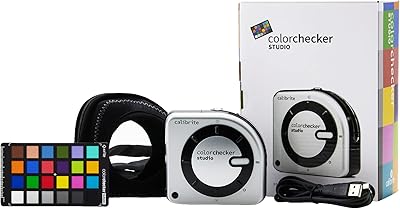
Calibrite ColorChecker Studio Color Calibrator
78%
93%
Display Profiling Accuracy
86%
Printer & Paper Profiling
81%
Camera Calibration Workflow
54%
Software Setup Experience
88%
Ambient Light Measurement
More
Calibrite ColorChecker Video Color Calibration Chart
78%
93%
Color Accuracy
91%
Gray Scale Precision
89%
White Balance Reliability
67%
Build Quality
84%
Usability On Set
More
Calibrite ColorChecker Digital SG Calibration Chart
72%
94%
Color Accuracy
92%
Patch Range & Variety
78%
Build & Surface Quality
71%
Size & Usability
67%
Software Compatibility
More
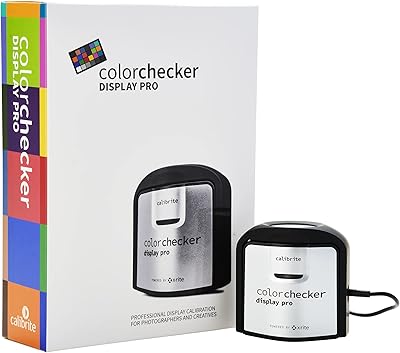
Calibrite ColorChecker Display Pro Colorimeter
78%
91%
Calibration Accuracy
88%
Cross-Panel Consistency
67%
Software Experience
84%
Projector Profiling
82%
Ambient Light Measurement
More
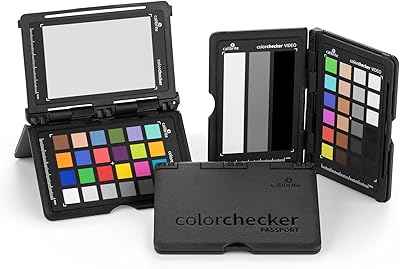
Calibrite ColorChecker Passport Video 2 Calibration Chart
80%
94%
Color Accuracy
88%
Build Quality
91%
Portability
67%
Software Usability
82%
Video Target Performance
More
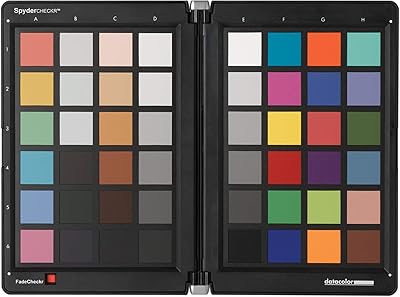
Datacolor Spyder Checkr Color Calibration Tool
86%
93%
Color Accuracy
88%
Ease of Use
90%
Build Quality
85%
Software Integration
92%
Durability
More
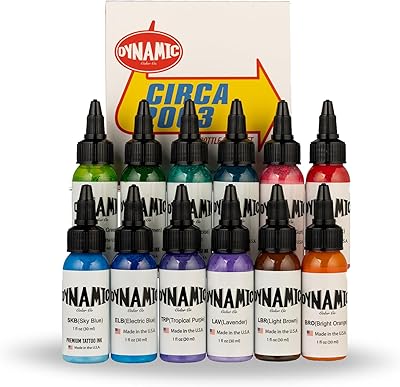
Dynamic Color Co Circa Color Tattoo Ink Set 1oz - 12 Colors
90%
91%
Color Vibrancy
88%
Blendability
94%
Application Smoothness
89%
Longevity of Results
92%
Pigment Intensity
More

FAQ

No, the Calibrite ColorChecker Classic Color Calibration Chart does not include any bundled software. You will need to use a compatible application such as Calibrite PROFILE, the free X-Rite ColorChecker Camera Calibration plugin, or a third-party profiling tool to generate DNG or ICC profiles from your shots.

Unfortunately, no protective case or sleeve is included, which is a common frustration among buyers given the price tier. If you plan to transport or store it regularly, investing in a simple portfolio sleeve or a flat rigid case is worth considering to protect the patch surface from scratches and contamination.

Place the chart in the same lighting conditions you will be shooting under, then photograph it so all 24 patches are clearly visible and evenly lit with no glare. Import that reference shot into your profiling software, which reads the patch values and compares them to known reference data to build a custom camera profile. Once saved, you apply that profile to all images shot under the same conditions.

Yes, both applications support custom camera profiles generated from this reference target. Lightroom works with DNG profiles through Adobe's ColorChecker Camera Calibration plugin, while Capture One supports ICC profiles that can be generated using compatible third-party software and then imported into the application.

The main difference is physical size and patch count. The ColorChecker Classic is significantly larger at 8.12 x 11.5 inches and includes 24 patches, whereas the Passport Photo 2 is compact and designed for portability with an additional target optimized for skin tones. For controlled studio use, the Classic is easier to work with due to its size; for travel or on-location shooting, the Passport is the more practical choice.

It works well for video too. Many cinematographers and colorists shoot a frame of the chart at the start of a scene or lighting setup, then use it in post as a reference to match color between shots or cameras. The large, clearly defined patches make it easy to sample values directly in color grading software.

Use a soft, dry microfiber cloth for light dust. For smudges, a slightly damp cloth with no cleaning agents works for the edges, but avoid any contact with the patch surface itself. Solvents or harsh cleaners can permanently alter the color accuracy of the patches, which would compromise the chart's usefulness entirely.

They can, particularly if the chart is exposed to direct sunlight or stored under strong UV light for extended periods. Under normal studio storage conditions, the patches remain stable for several years. It is a good practice to store the chart flat in a dark, dry location and check it periodically against a reference if you use it for critical work.

For casual shooters who edit by eye or use auto white balance, the cost is hard to justify without a structured profiling workflow in place. The chart pays for itself quickly if you shoot in consistent lighting conditions and want to stop chasing color manually across sessions. If you are not sure you will build camera profiles regularly, the smaller Passport version or even a basic gray card might be a more practical starting point.

Yes, graphic designers and prepress professionals use this reference target to verify that their monitor, printer, and proofing output are all tracking accurately to a known color standard. By capturing the chart under controlled conditions and comparing the output to reference values, you can identify color drift in your printing or proofing pipeline before it becomes a costly problem in production.

Where to Buy