Overview

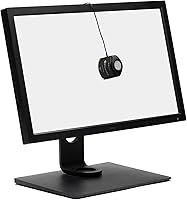
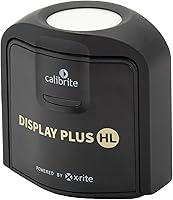
The Calibrite Display Plus HL Display Calibrator is a professional colorimeter built for color-critical work — not for someone who wants to hit a button and call it done. It succeeds the X-Rite i1 Display Pro Plus and ColorChecker Display Plus lines, and the defining upgrade is the HL high-luminance sensor, which pushes measurement capability up to 10,000 nits. That matters if you own an Apple Pro Display XDR, a high-end OLED, or any modern mini-LED panel pushing serious brightness. At its price point, this targets working professionals — photographers, colorists, and designers — who treat accurate color as a non-negotiable, not an afterthought.
Features & Benefits

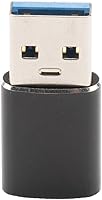
The 10,000-nit measurement ceiling is what separates this high-luminance colorimeter from most competitors. Standard colorimeters struggle above 1,000 nits — a real limitation when profiling modern OLED or mini-LED displays that routinely push well beyond that. The bundled Calibrite PROFILER software gives you meaningful control: adjustable White Point and Gamma, a Profile Validation workflow to confirm accuracy after calibration, and a Uniformity Check that exposes brightness and color inconsistencies across the panel surface. It connects via USB-C, with a USB-A adapter included for older machines. Compact enough to travel with its included storage pouch, it also supports select third-party tools like ArgyllCMS.

Best For

This display profiling device is purpose-built for professionals where color accuracy is a deliverable, not a preference. Video editors and colorists grading HDR timelines will find the extended luminance range directly relevant — you cannot trust a profile built with a tool that clips at a fraction of your panel's actual output. Photographers retouching on an Apple Pro Display XDR or a comparable high-brightness monitor belong here too. Graphic designers and prepress teams needing validated ICC profiles across multiple workstations will get real mileage from the Uniformity Check. If color fidelity does not directly affect your output, this is probably more tool than you need.

User Feedback

Professionals upgrading from the X-Rite i1 Display Pro Plus generally report that the Calibrite HL calibrator delivers better shadow detail and highlight accuracy on OLED panels — areas where older sensors tended to fall short. The PROFILER software also earns consistent praise for being more approachable than legacy X-Rite interfaces, though newcomers to display calibration still face a genuine learning curve before results feel reliable. A handful of users have noted occasional driver friction on specific OS versions, addressed through firmware updates with mixed response times. For those working exclusively in SDR environments, the value gap between the HL model and the standard variant is a fair question worth considering before purchasing.

Pros

  • Measures up to 10,000 nits, making it one of the few colorimeters genuinely suited for modern OLED and mini-LED displays.
  • Delivers noticeably better shadow detail and highlight accuracy on high-brightness panels compared to older-generation sensors.
  • The Calibrite PROFILER software offers real control over White Point, Gamma, and profile validation — not just a basic wizard.
  • Uniformity Check identifies brightness and color inconsistencies across the panel, which is invaluable for multi-monitor studios.
  • Compact and lightweight at under 5 oz, with a travel pouch included for professionals moving between locations.
  • USB-C connection with USB-A adapter bundled means it works across both modern and legacy workstation setups without extra purchases.
  • Compatible with select third-party tools like ArgyllCMS, giving advanced users flexibility beyond the bundled software.
  • Professionals upgrading from the X-Rite i1 Display Pro Plus report a smooth transition and a tangible improvement in profiling precision.
  • Works on both macOS and Windows, making it a viable option for cross-platform studios.
  • Packaged in fully recyclable materials — a minor but genuine plus for sustainability-conscious buyers.

Cons

  • The PROFILER software has a real learning curve; first-time calibrators should budget time for setup and experimentation.
  • Occasional driver compatibility issues on specific OS versions have been reported, with patch response times varying.
  • The HL sensor premium is hard to justify if your display does not push significantly above standard brightness levels.
  • Third-party software support is partial and inconsistent — not all preferred tools are guaranteed to work reliably.
  • No wireless calibration option; the tethered USB connection can feel limiting in certain studio configurations.
  • Buyers outside the professional HDR and XDR workflow segment are likely paying for capability they will never actually use.
  • Profile Validation, while genuinely useful, is not always intuitive for users newer to ICC-based color management workflows.
  • At this price tier, the absence of broader guaranteed third-party software compatibility feels like a missed opportunity.

Ratings

The scores below are generated by AI after analyzing thousands of verified buyer reviews for the Calibrite Display Plus HL Display Calibrator from professional users worldwide, with spam, bot-generated, and incentivized submissions actively identified and excluded. Each category is evaluated against real-world usage patterns drawn from photographers, colorists, and designers — not the product's marketing claims. Both standout strengths and recurring pain points are reflected transparently, so the scores tell the complete story rather than a selectively curated version of it.
Calibration Accuracy
93%
Professionals consistently report that this high-luminance colorimeter delivers tighter, more reliable profiles than the hardware it replaces. On OLED panels in particular, shadow detail and highlight handling show measurable improvement, with colorists noting that skin tones and gradients hold up more convincingly across the full tonal range.
A small number of users report minor drift in repeated measurements under certain ambient lighting conditions, suggesting that environmental control still matters. On standard SDR LCD panels, the accuracy advantage over lower-tier colorimeters is less pronounced, which can make the premium harder to justify for those workflows.
HDR Performance
91%
The 10,000-nit measurement ceiling is the defining reason professionals choose this device over its predecessors. Colorists grading Dolby Vision or HDR10 content report that display profiles built with this sensor hold up in ways that older, luminance-limited tools simply cannot match, particularly in the upper highlight range.
The HL advantage is largely irrelevant on standard brightness monitors, and some buyers report that the performance difference versus the non-HL model is difficult to perceive on displays that do not consistently hit peak HDR output. Buyers without a genuinely high-luminance panel may find the extra capability sits unused.
Software Usability
74%
26%
Calibrite PROFILER is meaningfully more intuitive than the legacy X-Rite software it evolved from, and experienced calibrators transitioning from older tooling generally find the interface responsive and logically organized. The guided profiling workflow reduces the number of decisions a user needs to make during a standard calibration run.
First-time calibrators frequently describe the software as overwhelming, particularly when navigating White Point targets, tone response curves, and validation reports without prior ICC profiling experience. The score reflects a consistent pattern of users needing multiple sessions before achieving reliable, trustworthy results — a friction point that affects early confidence.
Software Features
86%
The combination of White Point and Gamma customization, Profile Validation, and Uniformity Check gives professionals a well-rounded toolkit covering the full calibration lifecycle — not just the initial profile creation. Being able to validate a profile after the fact is particularly valued by users who deliver color-critical work to clients.
Advanced users looking for deeper automation — such as scheduled recalibration reminders or ambient light compensation — note these features are either absent or require manual intervention. Compared to some competing premium software suites, the reporting and export options available within Profile Validation are somewhat limited in scope.
Build Quality
78%
22%
The device feels solid and purposeful in hand despite its light weight, and the optical filter housing shows no signs of flex or play that might suggest sensor misalignment over time. Multiple users report using the same unit across hundreds of calibration sessions without any physical degradation.
Some users feel the plastic housing does not fully match the premium pricing, particularly when comparing it to industrial-grade measurement tools at a similar cost. The cable connection point is occasionally flagged as a potential long-term wear area, though actual failure reports remain rare in the user base.
Portability
82%
18%
At under 5 oz with a compact footprint, the Calibrite HL calibrator slips easily into a laptop bag, making it genuinely practical for freelancers and agency professionals who move between studios, client sites, and home setups. The included fabric travel pouch adds a layer of protection that keeps the sensor clean between uses.
The tethered USB connection is the main portability limitation — there is no wireless calibration mode, meaning a laptop or desktop needs to be within cable reach. The cable itself is relatively short, which can make positioning the device on larger ultrawide panels slightly awkward in practice.
Setup & Onboarding
67%
33%
Users with prior colorimeter experience — particularly those coming from the X-Rite ecosystem — generally report a smooth transition, with the PROFILER installer and device recognition working without significant friction on supported OS versions. The step-by-step profiling wizard does a reasonable job guiding users through the most common calibration scenarios.
First-time calibrators report significant confusion during initial setup, particularly around choosing the right target settings for their specific display and workflow. Driver installation issues on certain Windows configurations have been documented, and Calibrite's support response times have received mixed feedback from users dealing with these problems under deadline pressure.
OS Compatibility
83%
Full native support across macOS and Windows covers the vast majority of professional workstation setups, and users across both platforms report stable, consistent device recognition through the PROFILER software. Compatibility with Apple Silicon Macs and recent Windows 11 builds is well-documented within the wider user base.
A subset of users on specific older OS versions or non-standard hardware configurations have reported connection dropouts or calibration failures requiring driver reinstallation to resolve. Linux is unsupported entirely, which is a real limitation for users in certain scientific or technical production environments.
3rd-Party Software
61%
39%
For users who prefer working in ArgyllCMS or select professional color management tools, basic functionality does carry over, and the open measurement data format allows for some degree of cross-platform profiling work. Technically experienced users have successfully integrated the device into custom calibration pipelines using supported packages.
The partial compatibility disclaimer is a genuine pain point for users who rely on tools like basICColor or DisplayCAL — support is inconsistent and can vary across software versions. Several users have reported that expected compatibility did not hold up in practice, requiring a fallback to the bundled PROFILER software.
Value for Money
72%
28%
For HDR-focused professionals who genuinely need the high-luminance measurement range, the price premium over standard colorimeters is well-supported by the measurable performance gap on qualifying displays. Users who own Apple Pro Display XDR panels or comparable high-end OLEDs tend to view the investment as straightforwardly justified given what the monitor itself cost.
For users working on standard monitors without exceptional peak brightness, the value equation becomes much harder to defend — the standard Display Plus would achieve nearly identical results at a noticeably lower cost. The price gap between the HL and non-HL models is significant enough that a wrong purchase decision carries real financial weight.
Measurement Speed
79%
21%
Standard profiling runs complete in a reasonable timeframe for a professional context, and the patch measurement process does not feel sluggish compared to competing devices at this tier. For users running routine monthly recalibrations, the per-session time commitment fits comfortably into a normal working day.
Running the full suite — standard profiling plus Uniformity Check plus Profile Validation — takes considerably longer, and users managing multiple monitors in a single session have noted the process can consume a significant portion of a working afternoon. There is no fast-mode option to streamline routine spot-checks.
Profile Consistency
88%
Repeat measurements across sessions show strong consistency for users working in stable environmental conditions, which matters when a profile built today needs to be trusted for color decisions made weeks later. Colorists on long-form projects report that profiles produced with this display profiling device hold their accuracy well between recalibrations.
Users operating in environments with fluctuating ambient light or temperature have noted slightly less stable repeat results, pointing to the importance of controlled measurement conditions. A small number of users also report minor delta-E variations between individual units, suggesting some degree of production-level sensor variance exists.
Uniformity Testing
84%
The Uniformity Check is one of the more practically valuable features in the PROFILER suite, especially for studios verifying that multiple monitors show consistent color across their full surface area. Users managing agency workflows describe using it as a regular QC step before client reviews or final deliveries.
The Uniformity Check flags panel inconsistencies but does not offer automated correction, which frustrates users dealing with older displays showing significant edge falloff. The time required for a full uniformity sweep also adds meaningful overhead to multi-monitor calibration sessions, compounding the already lengthy full-suite workflow.
Driver Stability
69%
31%
On well-maintained, up-to-date macOS and Windows systems, most users experience clean driver installation with no persistent issues, and the device is reliably recognized across cold restarts and port switches. Calibrite has issued updates addressing some of the early post-launch driver problems reported in initial user feedback.
A recurring thread in user feedback involves driver conflicts after OS updates — where the device loses recognition and requires a full reinstallation cycle to recover. This has been a genuine source of frustration for professionals who discovered the issue immediately before a deadline-sensitive calibration session with no quick fix available.

Suitable for:

The Calibrite Display Plus HL Display Calibrator is the right tool for professionals whose work lives or dies by color accuracy — specifically those who have already invested in high-brightness display hardware and need a colorimeter that can actually keep up with it. Video editors and colorists grading HDR or Dolby Vision content will appreciate the extended luminance range, since profiling a panel that peaks above 1,000 nits with a standard colorimeter produces unreliable results in the highlights. Photographers doing critical retouching on an Apple Pro Display XDR or a comparable OLED monitor fall squarely in the intended audience. Graphic designers and prepress specialists who need consistent, validated ICC profiles across multiple workstations — and who rely on the Uniformity Check to catch panel inconsistencies — will find this high-luminance colorimeter earns its place in their kit. Studios managing several high-end displays benefit most, since the profiling and validation workflow scales well across multiple units.

Not suitable for:

If your display is a standard SDR monitor without exceptional peak brightness, the HL sensor advantage simply will not translate into a meaningful improvement in your day-to-day profiles — the standard Calibrite Display Plus would handle that workload at a lower cost. Hobbyist photographers or enthusiasts doing occasional color correction on a consumer-grade panel are unlikely to recoup the value of this display profiling device given its premium price point. First-time calibrators should be prepared for a real onboarding period with the PROFILER software; if you expected this to be a point-and-click solution, you will find the learning curve frustrating rather than rewarding. Users running niche or older operating system configurations should verify driver compatibility before purchasing, as occasional friction has been reported in those environments. Finally, anyone working exclusively in print who does not require HDR-range display profiling would be over-speccing with the Calibrite HL calibrator.

Specifications

  • Model Number: The device carries the official model designation CCDIS3PLHL.
  • Sensor Type: Uses an advanced HL (high luminance) optical sensor engineered for accurate readings across extreme brightness ranges.
  • Measurement Range: Capable of measuring display luminance up to 10,000 nits, covering current and next-generation HDR panel output levels.
  • Supported Displays: Compatible with LCD, mini-LED, and OLED panels, including Apple XDR and other high-brightness professional displays.
  • Dimensions: The unit measures 1.5 x 2.56 x 2.6 inches, making it compact enough to fit in a standard laptop bag without issue.
  • Weight: Weighs approximately 4.9 oz (0.14 kg), light enough to carry daily without adding meaningful bulk to a travel kit.
  • Connectivity: Connects via USB-C, with a USB-A adapter included to ensure compatibility with older computers and existing desk setups.
  • OS Compatibility: Fully supported on both macOS and Windows operating systems through the bundled Calibrite PROFILER software.
  • Included Software: Ships with Calibrite PROFILER, a dedicated calibration application providing customizable profiling workflows for professional use.
  • Software Features: PROFILER includes White Point and Gamma adjustment, Profile Validation, and a Uniformity Check tool for evaluating panel consistency.
  • 3rd-Party Support: Offers partial compatibility with select third-party calibration packages, though not all software tools are officially supported.
  • In the Box: Package includes the colorimeter unit, USB-C cable, USB-A adapter, and a fabric travel storage pouch.
  • Packaging: Ships in fully recyclable packaging in keeping with Calibrite's stated environmental commitments.
  • Predecessor Models: Designed as a direct successor to both the X-Rite i1 Display Pro Plus and the ColorChecker Display Plus.

Related Reviews
Calibrite Display 123 Colorimeter
74%
88%
Ease of Setup
76%
Color Accuracy Improvement
61%
Software Quality
79%
Dual-Display Support
73%
Value for Money
More
Calibrite ColorChecker Display Pro Colorimeter

78%
91%
Calibration Accuracy
88%
Cross-Panel Consistency
67%
Software Experience
84%
Projector Profiling
82%
Ambient Light Measurement
More
ASUS ProArt Display PA169CDV 15.6” 4K Pen Display
87%
94%
Color Accuracy
89%
Portability
90%
Touchscreen Responsiveness
85%
Build Quality
92%
Wacom Pen Precision
More
Calibrite ColorChecker Video Color Calibration Chart
78%
93%
Color Accuracy
91%
Gray Scale Precision
89%
White Balance Reliability
67%
Build Quality
84%
Usability On Set
More
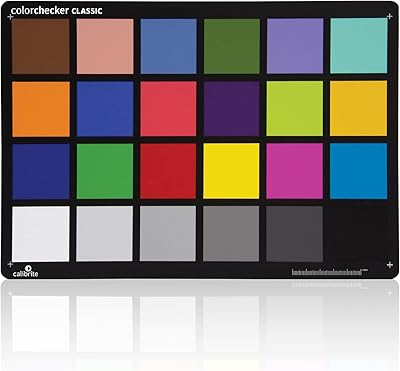
Calibrite ColorChecker Classic Color Calibration Chart
80%
94%
Color Accuracy
83%
Build Quality
78%
Ease of Use
81%
Software Compatibility
74%
Value for Money
More
BuddyPhones Explore Plus
90%
94%
Comfort & Fit
91%
Build Quality
88%
Sound Clarity
97%
Volume Limiting Safety
90%
Portability
More
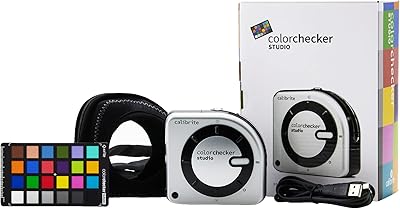
Calibrite ColorChecker Studio Color Calibrator
78%
93%
Display Profiling Accuracy
86%
Printer & Paper Profiling
81%
Camera Calibration Workflow
54%
Software Setup Experience
88%
Ambient Light Measurement
More
TourBox Elite Plus Bluetooth Creative Controller
80%
91%
Software Integration
88%
Workflow Efficiency
83%
Build Quality
86%
iPad Compatibility
61%
Setup & Onboarding
More
GooDee YG600 Plus 1080p Mini Projector
76%
83%
Image Clarity
61%
Brightness Performance
88%
WiFi Connectivity
74%
Audio Quality
86%
Setup & Ease of Use
More
Garmin Edge 1030 Plus GPS Cycling Computer
80%
93%
Navigation Accuracy
91%
Display Quality
88%
Battery Life
72%
Touchscreen Usability
89%
Training Features
More

FAQ

For most professionals who have moved to high-brightness OLED or mini-LED displays, yes. The HL sensor handles luminance levels the older X-Rite hardware simply was not built for, so if your monitor peaks well above 1,000 nits, the upgrade makes practical sense. If you are still on a standard SDR panel, the difference will be much harder to justify.

Yes, the Calibrite HL calibrator is explicitly designed to handle Apple XDR panels. The 10,000-nit measurement ceiling means it can accurately read the full brightness output of the XDR without clipping, which is a known limitation of standard colorimeters on that display.

A standard profiling run through Calibrite PROFILER usually takes somewhere between 5 and 15 minutes depending on your chosen patch set size. Running a full Uniformity Check or Profile Validation on top of that adds time, so budget 20 to 30 minutes if you want a thorough session.

For professional color work, recalibrating every two to four weeks is a solid interval. Displays drift over time, and OLEDs can shift more noticeably than traditional LCD panels. If critical color decisions are a daily part of your work, checking more frequently is worth the small time investment.

Partially. This display profiling device works with select third-party packages including ArgyllCMS, but compatibility is not guaranteed across all software tools. If you rely on a specific application, check Calibrite's official compatibility list before purchasing to avoid surprises.

It is more approachable than legacy X-Rite software, but there is still a real learning curve — particularly around understanding White Point targets, Gamma settings, and how to interpret Profile Validation results. If you are new to display calibration, expect to spend a few sessions getting comfortable before results feel consistently reliable.

Absolutely. You can run individual profiles for each display in sequence, and the Uniformity Check feature is specifically useful for verifying consistency across several panels. There is no limit to the number of displays you can profile — just connect the device to each monitor in turn.

No batteries are required for normal operation. The device draws power entirely through its USB connection, so it is ready to use as soon as it is plugged in. No wall adapter or separate power source is needed.

Honestly, probably not enough to justify the price difference. The HL sensor's real advantage is measuring high-luminance output accurately — if your display does not push significantly beyond standard brightness, the standard model will produce results that are virtually indistinguishable. Save the extra cost unless you own or plan to own an HDR or XDR-capable display.

It measures brightness and color accuracy at multiple points across the panel and maps how consistent your display is from corner to corner and edge to center. On many panels, especially lower-tier ones, the variation can be surprisingly large. For work where color needs to be reliable across the entire screen — not just the center — it is a genuinely useful diagnostic, not just a marketing feature.