Calibrite ColorChecker Classic Nano Color Calibration Chart
Calibrite ColorChecker Classic Nano Color Calibration Chart — image 1
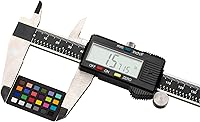
Calibrite ColorChecker Classic Nano Color Calibration Chart — image 2

Calibrite ColorChecker Classic Nano Color Calibration Chart — image 3

Calibrite ColorChecker Classic Nano Color Calibration Chart — image 4

Calibrite ColorChecker Classic Nano Color Calibration Chart — image 5

Calibrite ColorChecker Classic Nano Color Calibration Chart — image 6
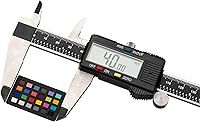
Calibrite ColorChecker Classic Nano Color Calibration Chart — image 7
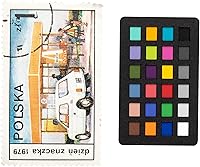
Calibrite ColorChecker Classic Nano Color Calibration Chart — image 8
Calibrite ColorChecker Classic Nano Color Calibration Chart — image 9
80%
20%

Overview

The Calibrite ColorChecker Classic Nano Color Calibration Chart exists for one specific reason: to give macro and close-up photographers a color reference that actually fits inside a tight frame. Most shooters get along fine with the Passport Photo 2 or the standard Classic chart, but once you start photographing a postage stamp or a 20mm coin, those larger targets eat up the entire composition. The Nano chart was built precisely for that problem. It sits at the high end of the price range for what is physically a very small piece of kit, but specialists who depend on color accuracy tend not to hesitate. With a 4.5-star average from over 800 buyers, the market has spoken fairly clearly.

Features & Benefits

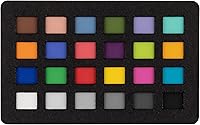
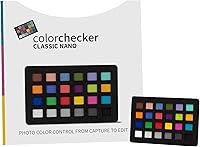
The target face measures just 24 x 40 mm — small enough to sit beside a coin or stamp without dominating the frame, yet large enough to register cleanly in software. All 24 patches follow the industry-standard ColorChecker Classic reference, so the color data going into Lightroom or Capture One is built on scientifically validated values, not approximations. The card itself is thin and weighs almost nothing, which matters when you are clipping it to a macro rail or propping it against a small object on a copy stand. Critically, the matte surface avoids the specular flare that glossy alternatives create under ring lights and close-focus flash setups that macro photographers typically use.

Best For

This tiny calibration target is a genuine specialist tool — and that is not a criticism, it is the whole point. Jewelry photographers who need ring metals to render with accurate warmth, coin collectors documenting patina for auction listings, miniature-figure painters recording true paint colors for reference portfolios — all of these workflows demand a color chart small enough to share the frame with a subject that might be smaller than a thumbnail. Traveling photographers and field researchers also benefit from something this compact. That said, if your work is general studio portraiture or product photography at a normal scale, the Passport Photo 2 covers more bases. Know your workflow before buying.

User Feedback

Among verified buyers, the most consistent praise targets the size — specifically that the ColorChecker Nano slides into macro rigs where competing charts simply cannot go. Patch accuracy and compatibility with Calibrite's software pipeline also come up repeatedly as positives. On the other side, the premium price draws real comment: paying that much for a chart this small genuinely surprises some buyers, and that reaction is understandable. A handful of reviewers also wanted a built-in stand or clip for hands-free placement during a solo close-up session, which is a fair practical point. The occasional disappointed review tends to come from photographers who found, after purchase, that a standard-sized chart would have served their needs perfectly well.

Pros

  • The 24 x 40 mm target face fits inside macro frames where every competing ColorChecker variant is simply too large.
  • All 24 patches follow the established ColorChecker Classic standard, so color data is scientifically validated, not estimated.
  • The matte surface handles ring lights and close-focus flash without producing the specular flare that glossy alternatives create.
  • At under 0.4 oz and 0.25-inch thin, the Nano chart disappears into any camera bag or field kit.
  • Works directly with Calibrite's software and integrates cleanly into Lightroom and Capture One color-managed workflows.
  • Ranked number 2 in its Amazon category, backed by over 800 ratings averaging 4.5 stars — a credible track record for a niche product.
  • Pocketable card dimensions mean it travels easily without a case, useful for location macro shooters and field researchers.
  • For jewelry and coin photographers, the small target enables accurate color profiling without cropping the subject out of frame.

Cons

  • No in-camera white balance reference is included, which limits utility compared to charts like the Passport Photo 2.
  • No stand, clip, or mounting accessory is included, making hands-free placement genuinely awkward in solo macro setups.
  • The premium price is hard to justify if your shooting does not specifically require a chart this small.
  • Buyers expecting a versatile all-purpose chart will likely feel underserved — this is a single-scenario tool by design.
  • The tiny target size, while the core appeal, also means any physical damage to the patches is proportionally more impactful on accuracy.
  • No additional targets are included; you get one chart, with no backup if the surface is scratched or contaminated.
  • Photographers unfamiliar with color-managed post-processing software will not get full value without a learning investment upfront.
  • The card offers no obvious storage sleeve or protective pouch, leaving the patch surface exposed to scratches in a bag.

Ratings

The scores below for the Calibrite ColorChecker Classic Nano Color Calibration Chart were generated by AI after analyzing verified buyer reviews from global markets, with spam, bot activity, and incentivized feedback actively filtered out. The analysis spans macro photographers, jewelry and numismatic specialists, miniature painters, and tabletop product shooters — the core audiences who actually put this chart to work. Both the genuine strengths and the real friction points are reflected honestly in every category score.

Target Size Utility
96%
Among specialist buyers, this is the single most praised aspect of the Nano chart. Macro photographers consistently report that no other ColorChecker variant physically fits inside their frame when shooting a coin, stamp, or small gemstone — the 24 x 40 mm target face solves a real, longstanding problem in close-up color workflows.
At extreme magnification ratios above 2:1, even this tiny target can still be too large to include beside the subject in the same frame, requiring a separate calibration shot. A small minority of buyers found this limitation frustrating given the premium paid specifically for the compact size.
Color Patch Accuracy
93%
Reviewers with professional color management workflows repeatedly confirm that the 24 ColorChecker Classic patches produce reliable, consistent profiles across sessions and lighting conditions. Jewelry photographers in particular note that metal tones and gemstone colors track correctly in post-processing in a way that generic chart alternatives simply do not match.
A handful of buyers reported subtle patch-to-patch inconsistency on individual units, which — at this scale — can have a slightly outsized impact compared to larger targets. These appear to be isolated quality control variations rather than a systemic issue, but they are worth noting.
Software Compatibility
88%
Integration with Lightroom Classic and Capture One is consistently described as smooth, with buyers appreciating that profile creation follows the same familiar workflow as other ColorChecker products. The continuity within Calibrite's software ecosystem is a genuine convenience for photographers already invested in that pipeline.
Users working with less mainstream color calibration software occasionally encounter compatibility friction, as some tools do not natively recognize the Nano target dimensions. No in-camera white balance functionality is included, which means buyers coming from charts that offer both capabilities will need to adjust their workflow.
Value for Money
61%
39%
For macro specialists and commercial close-up photographers whose income depends on color accuracy, the price is consistently described as justifiable — the alternative is delivering inaccurate product colors to clients or spending more time correcting in post. The number 2 bestseller rank suggests a meaningful base of buyers who see the value.
The price-to-physical-size ratio generates more negative commentary than any other aspect of the Nano chart. Buyers who did not fully understand the specialist nature of this tool before purchasing feel the cost is difficult to defend for what amounts to a small laminated card, and that reaction is entirely understandable.
Portability
94%
At 0.352 oz and just 0.25 inches thin, the Nano chart is one of those tools that genuinely disappears into a kit bag. Field photographers, traveling macro shooters, and scientists doing specimen photography in remote locations all mention the card format as a practical advantage over bulkier calibration solutions.
The very lightness that makes it portable also means it can shift or blow around during outdoor macro sessions in even light wind, and without any included stand or weight, keeping it positioned precisely beside a small subject requires improvised solutions.
Build & Durability
74%
26%
The card construction feels solid for its class, and most buyers report that normal handling over extended periods does not cause visible patch degradation. The matte surface holds up well to occasional handling without picking up oil smears as readily as glossy alternatives.
Because the target face is so small, any physical scratch or abrasion affects a proportionally larger share of the usable patch area than it would on a larger card. A few buyers noted edge wear after carrying the card loose in a bag, and the absence of a protective sleeve in the packaging is a miss at this price point.
Surface & Patch Finish
89%
The matte, non-reflective patch surface is well-matched to the close-focus lighting environments this chart is designed for. Ring lights, macro flash setups, and LED panels that would create hotspots on a glossy surface behave predictably with the Nano chart in frame, which is exactly what color-critical close-up work demands.
Under certain raking light angles, a very faint surface texture is visible on some patches, which can occasionally introduce minor inconsistencies when building profiles at extremely high pixel densities. This is a minor issue and unlikely to affect most real-world workflows, but perfectionists may notice it.
Ease of Use
77%
23%
Photographers already familiar with ColorChecker workflows report essentially no learning curve — the Nano integrates into an established process without any meaningful friction. The card size is actually easier to handle than larger targets during the initial photography step, since it can be positioned with one hand.
For users new to color calibration, the absence of any instructional material in the box means the learning curve lands entirely on the software side. Solo macro shooters also repeatedly flag that positioning the chart hands-free without an included stand requires workarounds that interrupt the shooting flow.
Accessory Inclusion
38%
62%
There is little to praise here — the packaging is minimal. For buyers who already own a suitable card stand or have a clamp in their macro rig, the lack of accessories is a non-issue, and those users tend not to comment on it negatively.
The absence of a stand, clip, or even a basic protective sleeve is the most common practical complaint in the review base. At a premium price point, buyers reasonably expect more than a bare card. A simple folded card stand or a resealable protective pouch would address most of the frustration.
Workflow Specificity
71%
29%
For the audience this chart was designed for — macro specialists, jewelry photographers, miniature documentarians — the precise fit to their workflow is exactly right. Users with that specific need consistently rate their purchase positively and describe it as a tool they reach for every session.
The narrow use case is a double-edged consideration. Buyers who purchased without fully confirming their workflow requires this level of specialization represent the majority of disappointed reviews. This is partly a buyer-education issue, but product positioning that better sets expectations upfront could reduce those mismatches.
Consistency Across Sessions
86%
Repeat users report that the Nano chart produces consistent profiles across different shooting sessions when lighting conditions are controlled — an important quality for commercial photographers who need color to match across a catalog shot over multiple days or locations.
Like all physical color reference tools, results drift if the card is stored in direct sunlight or extreme temperatures over time. A small number of long-term users noted subtle profile inconsistencies after extended use, suggesting the patches are not entirely immune to gradual environmental degradation.
Brand Trust
91%
Calibrite's direct lineage from X-Rite carries significant weight among professional photographers, and that reputation transfers clearly to the Nano chart. Buyers frequently cite brand confidence as a deciding factor when comparing against generic or lesser-known alternatives in the same price range.
A few technically minded buyers expressed mild concern that the transition from X-Rite to Calibrite branding introduced uncertainty about long-term software support continuity. These concerns appear largely resolved, but they surface occasionally in longer, more detailed reviews.

Suitable for:

The Calibrite ColorChecker Classic Nano Color Calibration Chart was built for photographers whose subjects are simply too small to share a frame with a standard-sized chart. If you photograph jewelry professionally — rings, pendants, gemstones — and your clients expect metal tones and stone colors to be commercially accurate, this is the tool that makes consistent post-processing possible at that scale. The same applies to numismatists and philatelists who photograph coins or stamps for documentation or auction, where patina, ink color, and surface detail must look exactly right. Miniature painters cataloging their work, field scientists capturing specimens under a macro lens, and tabletop product photographers working in tight copy-stand setups will all find the Nano chart fits naturally into workflows where larger targets are physically impractical. If size has genuinely been the obstacle preventing you from using a reference chart in close-up work, this solves that problem with well-established color science behind it.

Not suitable for:

The Calibrite ColorChecker Classic Nano Color Calibration Chart is not the right purchase for photographers whose work happens at a normal shooting distance, and it is worth being direct about that. If you photograph portraits, architecture, food, or general commercial products at standard tabletop scale, the Passport Photo 2 handles those workflows better and includes additional reference targets for in-camera white balance — a feature the Nano omits entirely. The price point is a genuine consideration: paying a premium for a target this physically small is easy to justify when you need it, but hard to justify when a less expensive, larger chart would do the job. Buyers who are new to color calibration and are not yet sure which chart suits their work should start with a more versatile option rather than committing to a specialist tool upfront. Similarly, photographers who would benefit from a hands-free setup should be aware that the Nano ships without a stand or mounting clip, which can be an awkward limitation in solo macro sessions.

Specifications

  • Brand: Manufactured by Calibrite, the company that acquired and continues the ColorChecker product line originally developed by X-Rite.
  • Model Number: The official model designation is CCC-NANO, as listed on the product packaging and in Calibrite's product documentation.
  • Target Size: The active color reference area measures 24 x 40 mm (approximately 1 x 1.5 inches), making it the smallest target in the ColorChecker Classic family.
  • Card Dimensions: The full physical card measures 3.5 x 5 x 0.25 inches, providing a comfortable handling border around the target face.
  • Weight: The card weighs 0.352 oz (approximately 10 grams), light enough to be propped or clipped without any meaningful impact on a macro setup.
  • Color Patches: The target includes 24 color patches following the ColorChecker Classic standard, each representing a scientifically validated, real-world color reference.
  • Surface Finish: All patches feature a matte, non-reflective surface finish designed to reduce specular highlights and flare under close-focus lighting conditions.
  • White Balance: The Nano chart does not include a dedicated in-camera white balance reference patch; it is intended for post-processing color calibration workflows.
  • Software Support: Compatible with Calibrite's own color calibration software, as well as major third-party applications including Adobe Lightroom Classic and Capture One via profile import.
  • Primary Use: Designed specifically for macro, extreme close-up, and miniature-object photography where larger calibration targets are impractical to include in frame.
  • Targets Included: Each purchase includes one (1) CCC-NANO card; no additional targets, stands, or mounting accessories are included in the box.
  • Availability Date: The product was first made available on Amazon in June 2021, establishing it as a relatively recent addition to the ColorChecker product family.
  • Market Rank: Holds the number 2 Best Sellers Rank in the Photographic Light Meter Color Calibration Charts category on Amazon, based on sales velocity data.
  • Rating: Carries a 4.5-out-of-5-star average rating derived from over 800 verified customer reviews at the time of this analysis.
  • Patch Standard: Patch colors conform to the ColorChecker Classic reference standard, ensuring consistency with industry color science databases used in professional post-processing tools.

Related Reviews
Calibrite ColorChecker Classic Color Calibration Chart
80%
94%
Color Accuracy
83%
Build Quality
78%
Ease of Use
81%
Software Compatibility
74%
Value for Money
More
Calibrite ColorChecker Classic XL Color Calibration Chart
81%
94%
Color Accuracy
92%
Size & Coverage
78%
Portability
71%
Build & Durability
67%
Value for Money
More
Anself Nail Display Chart, 216 Colors Nail Gel Polish Color Card with 240 Tips
86%
88%
Ease of Use
92%
Organization and Display
90%
Design and Portability
85%
Value for Money
70%
Durability of Nail Tips
More
Calibrite ColorChecker Video Color Calibration Chart
78%
93%
Color Accuracy
91%
Gray Scale Precision
89%
White Balance Reliability
67%
Build Quality
84%
Usability On Set
More
Calibrite ColorChecker Studio Color Calibrator
78%
93%
Display Profiling Accuracy
86%
Printer & Paper Profiling
81%
Camera Calibration Workflow
54%
Software Setup Experience
88%
Ambient Light Measurement
More
Calibrite ColorChecker Digital SG Calibration Chart
72%
94%
Color Accuracy
92%
Patch Range & Variety
78%
Build & Surface Quality
71%
Size & Usability
67%
Software Compatibility
More
Calibrite ColorChecker Passport Video 2 Calibration Chart
80%
94%
Color Accuracy
88%
Build Quality
91%
Portability
67%
Software Usability
82%
Video Target Performance
More
Calibrite ColorChecker Display Pro Colorimeter
78%
91%
Calibration Accuracy
88%
Cross-Panel Consistency
67%
Software Experience
84%
Projector Profiling
82%
Ambient Light Measurement
More
Datacolor Spyder Checkr Color Calibration Tool
86%
93%
Color Accuracy
88%
Ease of Use
90%
Build Quality
85%
Software Integration
92%
Durability
More
Dynamic Color Co Circa Color Tattoo Ink Set 1oz - 12 Colors
90%
91%
Color Vibrancy
88%
Blendability
94%
Application Smoothness
89%
Longevity of Results
92%
Pigment Intensity
More

FAQ

The active patch area is just 24 x 40 mm — roughly the size of a large postage stamp. For most macro setups, you can place it in a corner of the frame or immediately beside a small subject like a coin or gemstone without it dominating the composition. That said, if you are working at extreme magnification ratios (2:1 and beyond), you may need to shoot the chart in a separate calibration frame rather than alongside the subject.

You will need color calibration software to build a profile from the chart. Calibrite offers its own application, and the chart is also supported by popular third-party tools including Adobe Lightroom Classic and Capture One. If you are already using one of those applications for post-processing, the workflow integration is fairly straightforward — you photograph the chart under your shooting light, import the image into the software, and generate a camera profile from there.

This chart does not include a neutral gray or white patch optimized for in-camera white balance — that feature is found in other Calibrite models like the Passport Photo 2. The Nano is specifically a post-processing tool. You photograph it under your shooting conditions and use the resulting image to create a color profile, which you then apply to your raw files during editing.

It genuinely can, especially for metal tones and gemstone colors that tend to shift under studio lighting. Jewelry photography is one of the core use cases this chart was designed for. Consistent color profiling means gold reads as the right warmth, silver stays neutral, and colored stones do not drift between sessions or lighting setups. For commercial work where clients expect accurate color across a product catalog, having a calibration reference this small is a real practical advantage.

A soft, lint-free microfiber cloth is the safest option for light dust or fingerprints. Avoid wet cleaning products, solvents, or abrasive materials — the matte patch surface is durable but not indestructible. If the surface does get scratched or contaminated in a way that affects the patch colors, the accuracy of any profiles you build from it will be compromised, so handle it with the same care you would give a filter or optical element.

Probably not as your only chart. For general studio work — portraits, products at normal scale, food — the Passport Photo 2 is more versatile and includes more reference options including an in-camera white balance target. The Nano makes sense as a second chart for macro-specific sessions, or as your primary tool if close-up and miniature work is the bulk of what you shoot. Buying it as a general-purpose chart is likely to leave you underserved.

ColorChecker patches are designed for longevity under normal storage and use conditions. Avoid prolonged exposure to direct sunlight, which can cause patch colors to drift over time. Storing the card in a protective sleeve or a closed bag when not in use is a good habit. There is no published recalibration schedule for this specific card, but if you notice inconsistencies in your profiles over a long period, it is worth comparing against a new card or a known reference to rule out patch degradation.

No — and this is one of the more common complaints from buyers. The Nano ships as a card only, with no stand, clip, or mounting accessory included. For solo macro shooters who need both hands on the camera or focus rail, this means you will need to improvise a holder or purchase a small card stand separately. A basic business card holder from an office supply store works reasonably well as a workaround.

The patch count and color reference standard are the same — both use 24 ColorChecker Classic patches. The difference is purely in scale. The standard Classic has a much larger target face, which makes it easier to use at normal shooting distances but impossible to fit inside a macro frame. If your subjects are larger than a few centimeters and you are not shooting at close focus distances, the standard Classic or the Passport Photo 2 will serve you better.

Generally yes. Because the patches conform to the ColorChecker Classic standard — a well-established industry reference — most professional color calibration applications recognize them regardless of brand. That said, it is worth verifying compatibility with your specific software before purchasing. Applications that only support proprietary targets may not work without a manual color reference entry, so check your software's documentation if you are using something outside the mainstream tools.

Where to Buy