UGREEN 8K DisplayPort KVM Switch
Overview
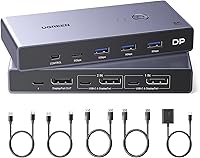
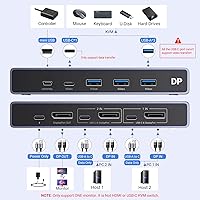
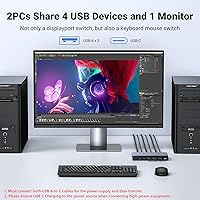
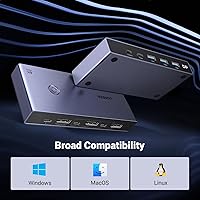
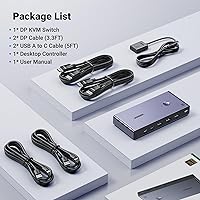
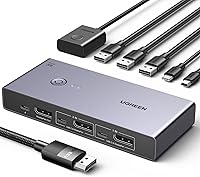
The UGREEN 8K DisplayPort KVM Switch is a capable mid-range solution for anyone juggling two computers on a single high-resolution monitor. Whether you are a developer toggling between a personal rig and a work machine, or a creator who refuses to clutter the desk with duplicate peripherals, this DP KVM switch addresses that specific frustration well. It works with Windows, Mac, and Linux right out of the box — no drivers, no setup headaches. The package includes two DP cables, two USB-A to C cables, and a detachable desktop controller. One critical note before you start: both USB-A to C cables must be connected for the unit to receive adequate power, or switching simply will not work reliably.
Features & Benefits
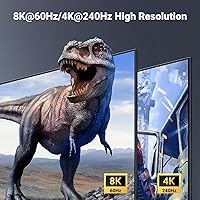
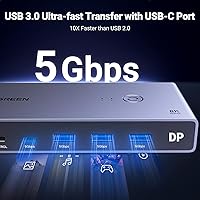
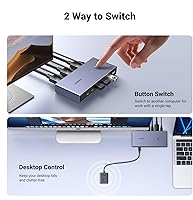
Running on DisplayPort 1.4, the UGREEN KVM pushes resolution up to 8K at 60Hz — though hitting that ceiling requires compatible hardware and certified DP cables no longer than about one meter. More practically useful for most people is the 4K@240Hz support, which is a real draw for high-refresh gaming or color-critical creative work. Beyond the display output, it offers four USB 3.0 ports — three USB-A and one USB-C — capable of 5Gbps transfers, so sharing a fast external drive between two machines is genuinely quick. Switching is handled by the physical button on the unit or the included detachable desktop controller, keeping things accessible without hotkeys. The aluminum-and-ABS build feels solid without being heavy.
Best For
This dual-PC switcher earns its place on the desk of anyone who regularly works across two machines and already owns a DisplayPort monitor. It is a natural fit for developers or sysadmins switching between a personal desktop and a company-issued laptop many times a day. Creators running a dedicated render machine alongside their main workstation will also appreciate the high-resolution headroom. Home office users who want to cut down on redundant keyboards, mice, and USB hubs will find this tidies things up considerably. One audience it does not fully serve: those who rely on hotkey-based switching, since that feature is absent. If your workflow demands rapid hands-free toggling, look elsewhere — but for most desk setups, this DP KVM switch covers the bases cleanly.
User Feedback
Most buyers report that the UGREEN KVM switches reliably between machines and that the included DP cables feel noticeably better than the generic ones bundled with cheaper alternatives. High-resolution output at 4K consistently draws praise. Criticisms tend to cluster around two issues: the mandatory dual USB-C power cable requirement catches people off guard, especially since the power adapter itself is not included, and the absence of hotkey switching frustrates users who jump between computers frequently. A recurring complaint involves USB devices not being recognized immediately after a switch, particularly external drives. Wake-from-sleep behavior can also be inconsistent depending on GPU and monitor pairing. Long-term owners generally report solid day-to-day reliability, though pairing it with a docking station is best avoided.
Pros
- Supports 4K@240Hz output, making it a practical choice for high-refresh gaming and color-sensitive creative work.
- Four USB 3.0 ports with 5Gbps transfer speeds let you share a fast external drive between two machines without bottlenecks.
- Plug-and-play across Windows, macOS, and Linux — no drivers, no terminal commands, no setup overhead.
- The included DP and USB-A to C cables are noticeably better quality than what cheaper competitors bundle in the box.
- A detachable desktop controller lets you switch computers without reaching behind a monitor or under a desk.
- Aluminum-and-ABS construction feels solid and does not slide around on a desk during button presses.
- The UGREEN 8K DisplayPort KVM Switch ships with everything needed to get started, including a desktop controller and two sets of cables.
- Shared USB ports effectively replace a standalone USB hub for most keyboard, mouse, printer, and flash drive combinations.
- Works reliably on mixed-OS setups, which is a genuine advantage for developers running Windows and macOS side by side.
- Long-term users with moderate daily use report stable performance well past the first year of ownership.
Cons
- No hotkey switching support — a meaningful omission that competitors at similar price points have already addressed.
- The USB-C power adapter is not included in the box, creating an avoidable obstacle right out of the gate.
- Both USB-A to C power cables must be connected simultaneously for the unit to operate correctly, which is poorly communicated in the packaging.
- USB peripherals, especially external drives, can take several seconds to re-initialize after switching between computers.
- Wake-from-sleep behavior is inconsistent and depends heavily on the specific GPU and monitor combination in use.
- The included cables are not rated for 8K performance, so reaching the maximum advertised resolution requires additional purchases.
- Incompatibility with docking stations limits setup flexibility for users who rely on them as part of their workstation configuration.
- The USB-C port cannot reliably charge high-power devices, limiting its usefulness as a true peripheral hub.
- Button responsiveness on the physical unit may degrade noticeably with heavy daily use over an extended period.
- Only four USB ports total, which may feel limiting for users with more complex peripheral setups.
Ratings
The UGREEN 8K DisplayPort KVM Switch has been evaluated by our AI rating system after analyzing thousands of verified global buyer reviews, with spam, bot activity, and incentivized feedback actively filtered out. The scores below reflect the honest consensus of real users — capturing what this dual-PC switcher genuinely gets right, alongside the friction points that show up repeatedly in everyday use. Both strengths and shortcomings are represented transparently to help you make a confident decision.
Display Performance
Switching Reliability
USB Port Utility
Setup & Installation
Power Requirements
Build Quality
Hotkey Switching
Cable Quality
Compatibility
Desktop Controller
Multi-OS Performance
Value for Money
Port Layout & Accessibility
Long-Term Reliability
Suitable for:
The UGREEN 8K DisplayPort KVM Switch is a strong fit for anyone who regularly operates two computers and wants them to share a single high-resolution DisplayPort monitor without the complexity of a docking station setup. Developers and sysadmins who toggle between a personal desktop and a work-issued laptop throughout the day will appreciate the clean, driver-free switching and broad OS compatibility — it works reliably across Windows, macOS, and Linux without any configuration ritual. Creative professionals who depend on accurate, high-refresh display output for video editing or design work will find the 4K@240Hz capability genuinely useful in daily practice. Home office workers tired of maintaining two sets of keyboards, mice, and USB hubs will also benefit from the four shared USB 3.0 ports, which consolidate most peripheral needs in one place. Anyone already running a DisplayPort monitor ecosystem and looking for a tidy, mid-range KVM solution that includes its own cables and a desktop controller out of the box will find this dual-PC switcher hits that brief well.
Not suitable for:
The UGREEN 8K DisplayPort KVM Switch will frustrate buyers who rely on hotkey-based switching, as that feature is simply absent — and for developers or power users who switch between machines dozens of times a day, reaching for a physical button every time becomes a genuine workflow disruption. Users who need HDMI connectivity or USB-C video input should look elsewhere entirely, since this is a DisplayPort-only device with no video format flexibility. Anyone expecting a fully complete kit should note that a USB-C power adapter is not included, meaning you will need to source one separately before the unit functions at all — a detail that catches too many buyers off guard. People hoping to use this alongside a docking station should be aware that UGREEN explicitly advises against that combination due to known compatibility conflicts. Finally, buyers who need to regularly connect power-hungry peripherals like portable hard drives via the USB-C port may find it falls short, as charging high-draw devices is not reliably supported through that port.
Specifications
- Video Input: Accepts two DisplayPort 1.4 sources, one from each connected computer.
- Video Output: Outputs to a single DisplayPort 1.4 monitor, supporting the full DP 1.4 bandwidth allocation.
- Max Resolution: Supports up to 8K@60Hz when used with compatible hardware and certified short-length DP 1.4 cables no longer than 1 meter.
- Alt Resolutions: Backward compatible with 4K@240Hz, 4K@120Hz, 4K@60Hz, 2560x1440@60Hz, 1080p, and lower resolutions.
- USB Ports: Provides four USB 3.0 ports in total: three USB-A and one USB-C, all shared between the two connected computers.
- USB Transfer Speed: USB 3.0 ports deliver data transfer rates up to 5Gbps, compared to 480Mbps on USB 2.0 devices.
- Switch Method: Computer switching is performed via a physical button on the unit body or through the included detachable wired desktop controller.
- Hotkey Support: Hotkey switching is not supported; all switching must be performed manually using the button or desktop controller.
- Power Input: Requires 5V power supplied via USB-C; both included USB-A to C cables must be connected simultaneously for correct operation.
- Power Adapter: A USB-C power adapter is not included in the box and must be sourced separately before use.
- Material: Unit body is constructed from a combination of aluminum and ABS plastic for a balance of rigidity and light weight.
- Dimensions: Measures 3.74 x 2.24 x 0.94 inches (L x W x H), making it compact enough for most desktop cable management setups.
- Weight: Weighs 1.63 pounds including the unit body, which keeps it stable on a desk without requiring mounting hardware.
- OS Compatibility: Fully compatible with Windows 11, 10, 8.1, 8, and 7, macOS, and Linux including Ubuntu distributions.
- Driver Requirement: No software or driver installation is required; the unit operates as plug-and-play on all supported operating systems.
- Included Accessories: Package contains two DisplayPort cables, two USB-A to C cables, one detachable desktop controller, and one printed user guide.
- Docking Station Use: Use alongside a docking station is explicitly not recommended by the manufacturer due to known compatibility conflicts.
- USB-C Charging: The USB-C port supports data sharing but is not designed to charge high-power devices such as laptops or large portable drives.
- Mounting Type: Designed for panel or desktop surface placement; no rack-mount or under-desk bracket system is included or officially supported.
- Item Model Number: The manufacturer model reference for this unit is 25962, produced by UGREEN GROUP LIMITED.
Related Reviews
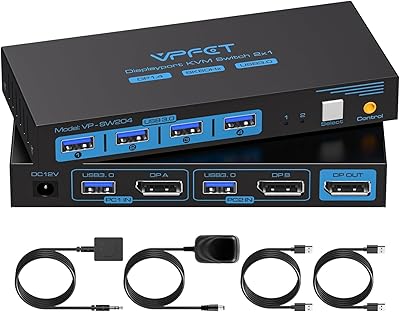
CMSTEDCD SW204N DisplayPort KVM Switch
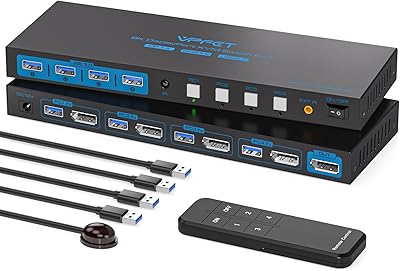
AILVLVNG 8K@60Hz DisplayPort KVM Switch 4-Port
AV Access iDock D23
EVATEK 8K DP 2-Monitor 2-PC KVM Switch
StarTech SV231DPDDUA2 Dual-Monitor DisplayPort KVM Switch
DXchip KVM202U 8K Dual Monitor KVM Switch
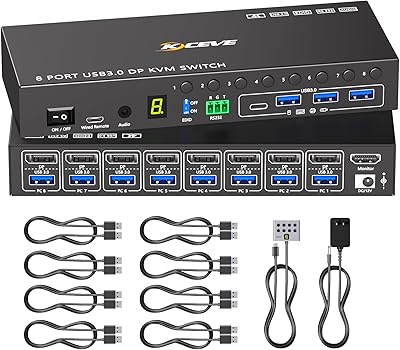
MLEEDA 8-Port DisplayPort KVM Switch
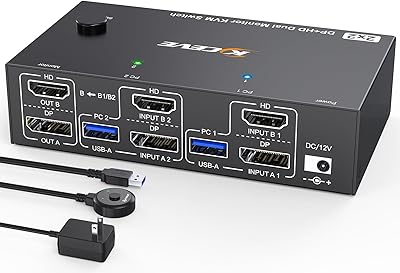
MLEEDA 8K Dual Monitor KVM Switch

DiamondTiger KS304DL 4-Port DisplayPort KVM Switch