

Overview

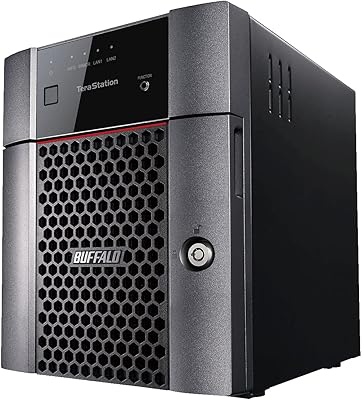
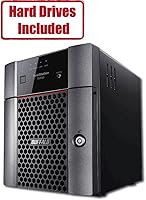
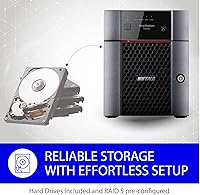
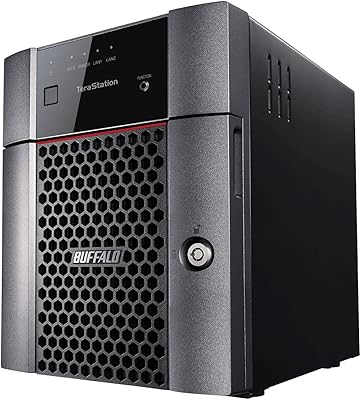
The BUFFALO TeraStation 3420DN 8TB Desktop NAS is a business-focused network storage unit built for small workgroups that need dependable shared storage without complexity. Buffalo has been in the NAS space for decades, and this unit reflects that experience — it ships with four pre-tested drives already installed and pre-configured in RAID 5, so you are not spending half a day sourcing drives or wrestling with initial setup. You get 6TB of usable capacity straight out of the box. Made in Japan and priced at the upper end of the SMB segment, it competes directly with Synology and QNAP offerings but leans harder into plug-and-play simplicity over raw feature depth.

Features & Benefits

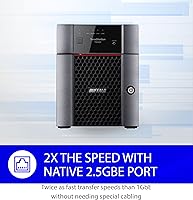
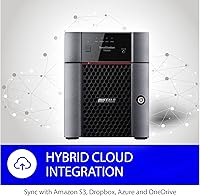
The TeraStation 3420DN comes with two Ethernet ports — one running at 2.5GbE and one at standard gigabit — which helps faster local transfers, though you will need a 2.5GbE-capable switch to realise that speed gain. RAID mode can be switched from the default RAID 5 to RAID 6 for added redundancy, or RAID 0 if you need the full 8TB available. The 256-bit drive encryption and proprietary closed OS reduce exposure to external vulnerabilities, a real advantage in office settings, though they do mean you cannot install third-party apps the way you can on competing platforms. Cloud sync with Azure, OneDrive, S3, and Dropbox is built in, and iSCSI block storage support makes it viable for lightweight server virtualisation without extra hardware.

Best For

This desktop network storage unit fits best in small offices of 10 to 30 users where reliable centralised file sharing matters more than deep customisation. If your team already runs Microsoft 365, Azure, or OneDrive, the native cloud integration removes manual configuration that would otherwise fall on a non-technical admin. It also suits IT-light environments because it arrives ready to deploy — no drive compatibility research, no manual RAID configuration, no surprises on day one. Teams needing iSCSI block storage for a small virtualisation setup get that here without separate hardware. And if long-term vendor support matters to your organisation, the three-year drive warranty backed by round-the-clock US phone support is a meaningful differentiator at this tier.

User Feedback

Across more than a hundred verified ratings, this Buffalo NAS holds a solid 4.3-star average, and the reviews tell a consistent story. Setup earns high marks almost universally — buyers note the unit is operational within minutes, and build quality comes up repeatedly as a standout positive. Where things get more mixed is in ongoing administration. The web interface is functional but noticeably dated compared to what Synology ships, and several users found the firmware update process more involved than expected. A few heavier users also flagged the 1GB of RAM as a practical ceiling under concurrent workloads. The lack of snapshot support is a genuine gap worth knowing before you buy, especially if ransomware recovery factors into your backup strategy.

Pros

  • Ships with four pre-tested NAS-grade drives already installed, so you can skip the drive-sourcing headache entirely.
  • RAID 5 comes pre-configured out of the box, giving you 6TB of protected usable storage from the moment you power it on.
  • The 2.5GbE port enables faster local transfers without needing a costly 10GbE infrastructure upgrade.
  • Built-in cloud sync with Azure, OneDrive, S3, and Dropbox means hybrid backup needs no extra software.
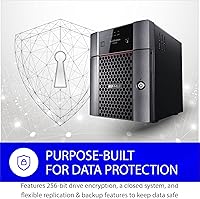
  • 256-bit drive encryption and a closed OS reduce the attack surface in ways that open-source platforms typically cannot match.
  • iSCSI support lets the TeraStation 3420DN double as block storage for lightweight server and virtualisation workloads.
  • The three-year warranty explicitly covers the included hard drives, which is far from standard at this price tier.
  • 24/7 US-based phone support is available, which matters when a storage failure hits outside business hours.
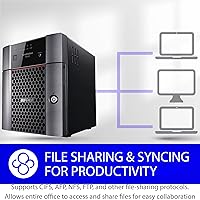
  • Compatible with Windows, macOS, and Linux simultaneously, making mixed-OS offices straightforward to support.
  • Made in Japan, with build quality that buyers consistently single out as noticeably solid and well-finished.

Cons

  • 1GB of RAM is a genuine bottleneck when more than a handful of users are accessing the unit simultaneously.
  • Snapshot support is completely absent, which is a meaningful gap for businesses worried about ransomware recovery.
  • The web management interface feels dated and clunky compared to what Synology and QNAP ship at a similar price.
  • Firmware updates have tripped up multiple users — the process is more involved than it should be for a plug-and-play device.
  • The closed operating system means no third-party app installation, Docker, or community package support whatsoever.
  • Realising the 2.5GbE speed benefit requires a compatible network switch, which many existing office setups do not have.
  • Default RAID 5 usable capacity is 6TB, not 8TB — buyers skimming the listing sometimes expect the full raw figure.
  • The quad-core CPU at 1.4GHz is adequate for file sharing but leaves little headroom for more demanding concurrent tasks.

Ratings

The BUFFALO TeraStation 3420DN 8TB Desktop NAS earns a strong overall standing in our analysis, which draws on verified buyer reviews from multiple global markets — with spam, bot-generated, and incentivized submissions actively filtered out before scoring. Across more than a hundred real-world assessments, this desktop network storage unit consistently impresses on setup simplicity and hardware reliability, while drawing measured criticism around software depth and scalability ceiling. The scores below reflect that honest mix of strengths and genuine pain points, category by category.

Ease of Setup
92%
Buyers repeatedly describe getting this Buffalo NAS online in under an hour with no prior NAS experience — drives are pre-installed, RAID 5 is pre-configured, and the initial wizard walks users through network assignment and share creation without technical jargon. For an office without dedicated IT, that kind of friction-free start is a genuine differentiator.
A small number of users note that the firmware update process, which almost always follows initial setup, introduces unexpected complexity and can stall progress. The update UI does not always communicate progress clearly, which has caused a handful of buyers to assume something went wrong mid-update.
Build Quality
88%
The enclosure feels noticeably sturdy — reviewers frequently compare its heft and finish favourably against plastic-heavy competitors at a similar price. The Japan manufacturing origin shows up in tight tolerances and a drive bay mechanism that feels precise rather than flimsy, which matters when you are swapping drives under pressure.
At 9.7 pounds the unit is heavier than some expect for a desktop form factor, and the ventilation design means it runs audibly under sustained load — not loudly, but enough that a quiet open-plan office may notice it if placed on a desk rather than tucked in a cabinet.
Drive Reliability
86%
Buffalo's decision to include pre-tested NAS-grade drives rather than desktop-class consumer disks pays off in practice — very few reviewers report early drive failures, and the 5400 RPM mechanical drives run cool enough to remain stable over extended operation. Buyers replacing competitor NAS units with failed consumer drives seem especially satisfied.
The 5400 RPM spindle speed, while appropriate for reliability and heat management, does constrain sustained sequential throughput compared to 7200 RPM alternatives. Users migrating large media archives or running intensive backup windows notice the slower transfer ceiling on prolonged tasks.
Network Performance
74%
26%
The inclusion of a 2.5GbE port gives the TeraStation 3420DN a real-world throughput advantage over standard gigabit NAS units for offices that have already upgraded their switching infrastructure. In compatible environments, users report noticeably faster large-file transfers compared to their previous 1GbE-only units.
The 2.5GbE benefit is entirely conditional on having a compatible switch — and most small offices do not yet have one, meaning the majority of buyers are effectively running a 1GbE device at launch. The performance gap versus Synology and QNAP units with similar specs is also closer than the port count suggests once real-world workloads are applied.
Management Interface
58%
42%
The web interface covers the core tasks a small-office admin needs — share creation, user permissions, RAID status monitoring, and cloud sync configuration are all accessible without deep technical knowledge. For teams that set it up once and rarely need to return, the dated UI is largely a non-issue.
Compared to Synology DSM or QNAP QTS, the management console looks and feels like it has not had a meaningful redesign in years. Users who need to make frequent configuration changes find it slow and unintuitive, and the lack of a mobile-friendly layout makes remote administration genuinely frustrating on a phone or tablet.
Data Protection & RAID
83%
RAID 5 out of the box means buyers get drive-failure protection from the first power-on without any manual configuration — a meaningful assurance for offices where nobody has time to research parity modes. The option to switch to RAID 6 for two-drive fault tolerance is a welcome safety net for businesses storing irreplaceable client data.
The absence of snapshot support is the most significant gap in the data protection story — without it, a ransomware event that encrypts files on the NAS before anyone notices leaves no clean recovery point beyond external backups. This is not a hypothetical concern; it is the scenario most IT-aware buyers flag when comparing this unit against higher-tier alternatives.
Security Features
81%
19%
256-bit AES drive encryption provides meaningful protection against physical theft — if a drive is removed from the unit, the data on it is not readable without the encryption credentials. The closed operating system also reduces the attack surface considerably compared to open-source NAS platforms, which require careful patching to stay secure.
The closed OS is a trade-off: it limits extensibility and means Buffalo controls the update cadence, so users are dependent on the vendor's timeline for security patches. There is also no anomalous login or abnormal file activity detection, which means the unit relies entirely on network-level security measures for intrusion awareness.
Cloud Backup Integration
79%
21%
Built-in sync for Amazon S3, Dropbox, Azure, and OneDrive removes the need for a separate backup agent or cloud gateway appliance — a real time and cost saving for small offices already paying for Microsoft 365 or AWS. Scheduling is handled directly from the NAS interface once credentials are entered.
The configuration process for cloud sync targets, particularly AWS S3 with custom bucket policies, is not clearly documented and has tripped up several non-technical users. Sync speed is also constrained by the NAS CPU and upstream internet bandwidth, so large initial cloud backup runs can take considerably longer than buyers expect.
iSCSI & Server Workloads
72%
28%
iSCSI block storage support gives the TeraStation 3420DN a use case that most consumer NAS units simply cannot serve — acting as a storage target for a small Hyper-V or VMware host without requiring a separate SAN appliance. For a budget-conscious small business running virtualisation, this is a meaningful capability at the price.
With only 1GB of RAM and a mid-range quad-core CPU, the unit reaches its limits quickly when iSCSI workloads run alongside active SMB file sharing. Users who treat it primarily as a virtualisation storage back-end rather than a file server report acceptable performance, but those trying to do both simultaneously hit resource ceilings.
Scalability
54%
46%
The unit can have its RAID rebuilt with higher-capacity drives over time — so if 6TB of usable space becomes tight, replacing the 2TB drives with larger ones and expanding the volume is technically possible without buying a new enclosure. Buffalo's tiered TeraStation lineup also means a clear upgrade path exists within the same ecosystem.
All four bays come pre-populated with no empty slots for expansion, and the 1GB of fixed RAM cannot be upgraded. Buyers who anticipate significant data growth within a couple of years will likely outgrow this unit's practical capacity ceiling faster than its hardware lifespan, making the scalability story weaker than the bay count implies.
Value for Money
76%
24%
The all-in pricing — enclosure plus four pre-tested NAS-grade drives plus a three-year warranty that explicitly covers those drives — compares favourably when buyers actually calculate what it would cost to assemble an equivalent Synology or QNAP setup with separately purchased drives and a shorter warranty. The convenience premium is real but justifiable for time-constrained offices.
Head-to-head on raw features and software depth, the TeraStation 3420DN gives up noticeable ground to Synology equivalents at a similar combined cost — particularly around the management UI, snapshot support, and third-party app ecosystem. Buyers who want maximum capability per dollar rather than maximum convenience per dollar will find the value proposition weaker.
Warranty & Support
89%
A three-year warranty that covers the hard drives — not just the enclosure — is genuinely uncommon at this price tier and removes a real anxiety for small businesses that cannot afford extended downtime if a drive fails. The 24/7 US-based phone support is consistently praised by buyers who have needed to use it, both for speed and technical quality.
Some international buyers note that the 24/7 support emphasis skews toward North American time zones and documentation, with less depth in other regions. A small number of users also report that warranty drive replacement required more back-and-forth with the support team than they expected before a replacement unit was dispatched.
Compatibility
84%
Cross-platform support for Windows, macOS, and Linux clients works reliably out of the box — mixed-OS offices report no need for special drivers or configuration adjustments to get all three operating systems accessing the same shares simultaneously. SMB and AFP protocol support covers the full range of typical office devices.
Mobile access is serviceable but not polished — the lack of a dedicated Buffalo mobile app means iOS and Android users connect through third-party file manager apps, which can vary considerably in reliability. Direct integration with mobile workflows is noticeably less developed than what Synology and QNAP offer natively.
Noise & Heat
77%
23%
Under typical office workloads the unit runs quietly enough to sit in an open workspace without becoming a distraction — the 5400 RPM drives and the enclosure's thermal design keep operating temperatures stable without the fan needing to ramp up aggressively during normal file-serving activity.
During sustained heavy transfers or RAID rebuild operations, both fan noise and drive activity noise increase to a level that is noticeable in quieter environments. Users who position it near a workstation rather than in a server closet or cabinet may find the acoustics more intrusive than anticipated during those peak-load periods.

Suitable for:

The BUFFALO TeraStation 3420DN 8TB Desktop NAS is purpose-built for small business teams — typically 10 to 30 people — who need dependable centralised file storage but do not have a dedicated IT administrator to manage it. If your office runs a mix of Windows, Mac, and Linux machines and wants everyone pulling from the same shared drives without complicated configuration, this unit is ready to go right out of the box. Businesses already embedded in the Microsoft ecosystem will find the native Azure and OneDrive sync particularly useful, since it removes the need to set up third-party backup software. Organisations that need iSCSI block storage to extend a small virtualisation environment without buying additional hardware will also find real value here. And for any buyer who has been burned by NAS warranty headaches before, the three-year coverage that explicitly includes the bundled hard drives — with round-the-clock US phone support — is a meaningful practical advantage.

Not suitable for:

The BUFFALO TeraStation 3420DN 8TB Desktop NAS is not the right fit for power users or growing teams who expect to push the unit hard with many simultaneous connections, because 1GB of RAM becomes a real ceiling under heavy concurrent workloads. If your data protection strategy depends on snapshots — a common line of defence against ransomware — you will need to look elsewhere, as this unit does not support them. Technically minded buyers who enjoy customising their NAS with third-party packages, Docker containers, or community apps will find the closed operating system frustrating; it trades extensibility for a tighter security posture. Home users or freelancers who only need personal cloud storage will likely find this overkill in both scale and price. Finally, anyone planning to get full use from the 2.5GbE port needs to make sure their network switch supports that speed — without a compatible switch, that faster port delivers no benefit.

Specifications

  • Raw Capacity: The unit ships with four 2TB NAS-grade mechanical hard drives pre-installed, totalling 8TB of raw storage across the four bays.
  • Usable Capacity: In the default RAID 5 configuration, usable capacity is approximately 6TB, with one drive's worth of space reserved for parity and redundancy.
  • Drive Type: All four included drives are 3.5-inch mechanical hard disks running at 5400 RPM, selected and pre-tested by Buffalo specifically for NAS workloads.
  • Network Ports: The unit provides one 2.5GbE port and one standard 1GbE port, allowing faster local transfers on compatible network infrastructure.
  • Processor: A 1.4GHz quad-core CPU handles file serving, encryption, and network tasks across connected clients.
  • RAM: The system includes 1GB of onboard RAM, which is adequate for standard SMB file sharing but may become a constraint under heavy concurrent access.
  • RAID Support: Supported RAID modes include RAID 0, 1, 5, and 6, giving administrators the option to prioritise speed, redundancy, or a balance of both.
  • Encryption: 256-bit AES drive-level encryption is built in, protecting stored data against unauthorised physical access to the drives.
  • iSCSI Support: The unit supports iSCSI, allowing it to function as a block-storage target for servers and virtualisation environments.
  • Cloud Integration: Native cloud sync is available for Amazon S3, Dropbox, Microsoft Azure, and OneDrive without requiring any third-party software or agents.
  • Snapshot Support: Snapshot functionality is not available on this model, which is a consideration for environments relying on point-in-time recovery as part of their backup strategy.
  • OS Compatibility: The TeraStation 3420DN works across Windows, macOS, and Linux clients simultaneously, making it suitable for mixed-platform office environments.
  • Dimensions: The enclosure measures 9.1 x 6.7 x 6.7 inches, making it compact enough to sit on a desk or shelf without occupying excessive workspace.
  • Weight: With drives installed, the unit weighs 9.7 pounds, reflecting the solid, well-built construction Buffalo is known for at this tier.
  • Warranty: A three-year warranty is included and covers both the enclosure and the bundled hard drives, supported by 24/7 US-based phone assistance.
  • Origin: The TeraStation 3420DN is manufactured in Japan, a distinction Buffalo highlights as part of its quality control commitment.

Related Reviews
BUFFALO TeraStation Essentials 8TB 4-Bay NAS
73%
91%
Ease of Setup
83%
Build Quality & Hardware
76%
Network Performance (2.5GbE)
88%
Data Security & Encryption
82%
RAID Flexibility
More
BUFFALO TeraStation 3420D 16TB 4-Bay NAS
78%
88%
Ease of Setup
82%
Value for Money
86%
Data Security
74%
Transfer Speed
83%
Build Quality
More
BUFFALO LinkStation 710 8TB NAS
85%
91%
Value for Money
88%
Performance and Speed
85%
Ease of Setup
90%
Security Features
78%
Software Experience (NAS Navigator)
More
Buffalo LinkStation SoHo 720 8TB NAS
75%
88%
Ease of Setup
91%
Data Redundancy
67%
Transfer Speed
74%
Value for Money
83%
Security
More
Buffalo DriveStation Axis Velocity 8TB External Hard Drive
74%
83%
Transfer Speed
91%
Storage Capacity
88%
Setup & Ease of Use
58%
Noise Level
62%
Heat Management
More
Buffalo DriveStation Duo 8TB External Hard Drive
79%
91%
Ease of Setup
88%
RAID Reliability
93%
Data Redundancy & Protection
84%
Build Quality & Construction
61%
Drive Noise Level
More
Seagate Expansion 8TB External Hard Drive
73%
94%
Storage Capacity
91%
Ease of Setup
72%
Transfer Speed
88%
Value for Money
83%
Reliability & Longevity
More
BUFFALO LinkStation 220 12TB NAS
84%
90%
Ease of Setup
88%
Reliability
92%
Value for Money
70%
Performance with Large Transfers
94%
RAID 1 Backup Functionality
More
Buffalo LinkStation 720 4TB NAS
72%
82%
Ease of Setup
74%
Transfer Speed
79%
Build Quality
71%
Value for Money
58%
Software & Interface
More
Buffalo LinkStation 210 6TB NAS Storage Device
64%
83%
Ease of Setup
47%
Transfer Speed
76%
Value for Money
54%
Long-Term Reliability
41%
macOS Compatibility
More

FAQ

It is genuinely close to plug-and-play. The four drives come pre-installed and the unit ships already configured in RAID 5, so the initial setup is mostly just connecting it to your network, powering it on, and running a short wizard to name the device and set up user accounts. Most small offices are up and running within 30 to 45 minutes.

In the default RAID 5 configuration, you have roughly 6TB of usable space — one drive's worth is reserved for parity data that protects you if any single drive fails. If you switch to RAID 6, usable space drops further but you can survive two simultaneous drive failures. RAID 0 gives you the full 8TB but with no protection at all, so that mode is rarely a good idea in a business setting.

Yes, to actually transfer data at 2.5Gbps you need a switch that supports 2.5GbE on the relevant port — a standard gigabit switch will cap the connection at 1Gbps regardless of what the NAS offers. The good news is that 2.5GbE switches have come down considerably in price, and you do not need to replace your entire network, just the connection between the NAS and your most active workstations.

The unit has four drive bays and ships fully populated, so there are no empty slots to add drives. If you outgrow 8TB, your options are to replace the existing drives with higher-capacity models one at a time while rebuilding the array, or to look at a larger Buffalo TeraStation model that supports more bays.

The BUFFALO TeraStation 3420DN 8TB Desktop NAS has a meaningful advantage in that it ships fully populated with drives, which simplifies buying and removes compatibility guesswork. Synology generally offers a richer software ecosystem and a more polished web interface, and it supports third-party packages in ways this Buffalo unit does not due to its closed operating system. If your team needs plug-and-play simplicity and values vendor-backed support, Buffalo tends to win; if you want deep customisation and a sleeker admin experience, Synology is the stronger pick.

It is functional and generally straightforward for basic tasks like creating shared folders and managing users, but it does feel dated compared to modern NAS interfaces. Several users note it gets the job done without much training, though power users accustomed to Synology DSM may find it clunky when performing more advanced administration tasks.

In the default RAID 5 setup, losing any single drive does not cause data loss — the array continues operating in a degraded state, and you replace the failed drive to rebuild. If you switch to RAID 6, the unit can survive two simultaneous drive failures, which gives extra peace of mind for critical data. Buffalo also includes a three-year warranty on the drives themselves, which means a failed drive should be covered without out-of-pocket cost.

Yes, built-in cloud sync supports Amazon S3, Dropbox, Microsoft Azure, and OneDrive without needing any additional software installed on your computers. You configure the sync targets directly from the NAS web interface, and it handles scheduling and transfers on its own. This makes it a practical option for teams that want an off-site backup copy running automatically alongside local storage.

Buffalo positions this unit for teams of 10 to 30 users, and for standard file sharing workloads at that scale it generally holds up well. The 1GB of RAM does mean that very heavy concurrent access — many users transferring large files simultaneously — can put a strain on the system. If your team regularly does intensive simultaneous transfers, you may want to evaluate a higher-spec model with more RAM.

No, snapshot support is not available on this model, which is worth knowing before you buy if ransomware recovery is a priority for your organisation. Without snapshots, your recovery options in the event of a ransomware attack depend on whatever external backup copies you have maintained — cloud sync to S3, Azure, or a separate backup device. If snapshots are non-negotiable, Buffalo's higher-tier TeraStation models do offer that feature.

Where to Buy