Overview

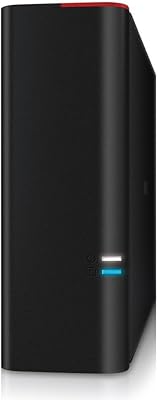
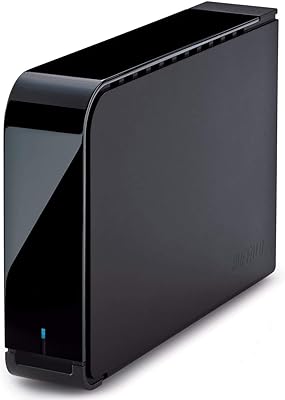
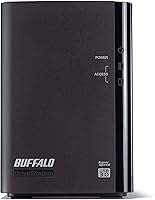
The Buffalo DriveStation Duo 8TB External Hard Drive is a two-bay desktop direct-attached storage unit built around one clear promise: keep a mirrored copy of your data running at all times, with no RAID configuration required on your end. Manufactured in Japan and TAA compliant, this two-bay desktop drive sits above the generic commodity storage crowd. One thing to know upfront — the device ships with two 4TB drives in RAID 1 mode, so usable capacity is 4TB, not 8. What you are actually paying for is pre-tested, NAS-grade hardware with redundancy fully configured out of the box, backed by a product line that has proven itself since 2014.

Features & Benefits

Plug this RAID-ready enclosure into a Windows PC and it simply appears as a drive — no software, no setup required. That plug-and-play behavior extends to Mac as well, though Mac users must reformat before use, a straightforward ten-minute process that Buffalo documents clearly. The USB 3.2 Gen 1 interface delivers consistent throughput for a mechanical HDD setup — not performance-class speed, but dependable for large file transfers and daily backup workloads. Each internal drive was pre-tested by Buffalo to NAS-grade standards before shipping. A 3-year warranty with 24/7 North American phone support rounds things out, which is genuinely uncommon at this storage tier.

Best For

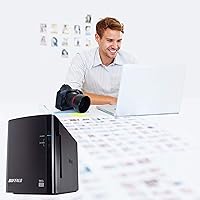
The DriveStation Duo is a natural fit for small business owners who want local backup redundancy without learning RAID or hiring someone to set it up. Video editors and photographers working on desktop rigs will appreciate a dedicated, always-mirrored archive drive sitting right next to their workstation. IT administrators in government or regulated industries will value the TAA compliance, which clears procurement hurdles that disqualify most consumer-grade drives outright. Home power users who want drive redundancy without the complexity of a full network-attached enclosure also land in the target audience. Existing Buffalo users will find the support experience familiar and easy to navigate.

User Feedback

Across several hundred reviews, this two-bay desktop drive holds a solid 4.3-star average, and the feedback is fairly consistent in both directions. Buyers regularly praise quick Windows setup and the reassurance of automatic drive mirroring protecting their files around the clock. The support team earns genuine, specific mentions — not boilerplate nods, but real accounts of knowledgeable staff resolving issues. The most common frustration is capacity confusion: buyers expecting 8TB of usable space are caught off guard by the 4TB reality of RAID 1. A smaller group notes audible mechanical noise during heavy read and write activity, which is expected for 3.5-inch drives but worth factoring in for quiet environments.

Pros

  • Ships fully pre-configured in RAID 1 — no setup knowledge required to get protected storage running.
  • Pre-tested NAS-grade drives reduce the odds of early failure that plagues cheaper enclosures.
  • Three-year warranty with 24/7 North American phone support is genuinely rare at this storage tier.
  • TAA compliance opens the door for government and regulated-industry procurement without extra paperwork.
  • Windows plug-and-play support means zero driver installation on compatible PCs.
  • Long product track record since 2014 gives buyers real multi-year reliability data to evaluate.
  • Japanese manufacturing brings a build consistency that generic-brand enclosures often lack.
  • A single drive failure does not interrupt access — the DriveStation Duo keeps running and flags the issue.
  • USB-A connectivity works with virtually every desktop PC, Mac, and storage server without adapters.

Cons

  • The headline 8TB capacity is misleading for buyers unaware of how RAID 1 halves usable storage.
  • No bundled backup software means users must source and configure their own scheduling solution.
  • Changing RAID modes post-setup requires a full array wipe, making reconfiguration a data-loss risk.
  • Mechanical drive noise under heavy sustained transfers is noticeable in quiet home office environments.
  • Mac users must reformat the drive before they can write any data, adding friction to initial setup.
  • No network connectivity makes it useless as shared storage across multiple computers on the same office network.
  • 5,600 RPM drive speed limits throughput for performance-sensitive tasks like direct video editing.
  • International buyers outside North America get a lesser support experience despite paying the same price.
  • No included backup or RAID management software leaves less experienced users without guidance after setup.

Ratings

The Buffalo DriveStation Duo 8TB External Hard Drive has been put through rigorous analysis using verified buyer reviews from global markets, with AI filtering applied to remove incentivized, duplicate, and bot-generated submissions. What remains is an honest picture: a product that earns genuine loyalty from small offices and creative professionals, while carrying a few friction points that informed buyers should weigh carefully. Both the strengths and the frustrations are reflected transparently in the scores below.
Ease of Setup
91%
Windows users consistently describe the experience as genuinely effortless — plug in the USB cable, power it on, and the drive appears ready to use within seconds. The pre-configured RAID 1 means there is nothing to configure, no software to install, and no decisions to make about mirroring.
Mac users hit an extra step that catches some off guard: the drive requires reformatting before it can be written to, which adds roughly ten minutes and requires basic comfort with Disk Utility. Buffalo documents this, but it is not prominently flagged in the product listing.
RAID Reliability
88%
Long-term owners are the most vocal advocates here. Users who have run the DriveStation Duo for three or more years report that the RAID 1 mirror has caught real drive failures without data loss, which is exactly the scenario the device is designed for.
Switching RAID modes after initial setup is not a casual operation — it requires wiping the array, which means planning ahead or losing data. A small group of users wanted more flexibility, such as JBOD mode, without a full reset.
Data Redundancy & Protection
93%
The core value proposition here holds up well in real-world use. With two independent drives running in mirror mode at all times, a single drive failure does not touch user data — the enclosure keeps operating and alerts the user to swap the failed unit.
It is worth noting that RAID 1 is not a backup — it protects against hardware failure, not against accidental deletion or ransomware. Some users conflate the two and feel over-protected until they realize a deleted file disappears from both drives simultaneously.
Build Quality & Construction
84%
The enclosure feels solid and purposeful — not flashy, but clearly engineered for a desk that sees daily use. Japanese manufacturing shows in the consistency of the unit, and buyers who have owned multiple Buffalo products note that the build quality has remained reliable across years.
The industrial aesthetic is purely functional, which is fine for a server closet but less appealing on a creative professional's open desk. A small number of users also noted that the ventilation grilles collect dust visibly over time.
Drive Noise Level
61%
39%
For typical workloads — background backup jobs, occasional large file transfers — the drive hum is low enough that most users working in a regular office environment barely register it after a few days.
Under sustained heavy read/write activity, the mechanical drives produce a noticeable clicking and spinning noise that several reviewers described as distracting in quiet home office settings. This is standard behavior for 3.5-inch mechanical drives, but buyers expecting silence will be disappointed.
Transfer Speed & Performance
72%
28%
For a mechanical HDD-based enclosure connected over USB 3.2 Gen 1, throughput is consistent and predictable. Large sequential file transfers — think video project folders or full system image backups — move at reasonable speeds that do not bottleneck daily workflows.
The 5,600 RPM drive speed and USB 3.2 Gen 1 ceiling mean this is not a unit for speed-sensitive tasks like editing 4K footage directly off the drive. Users expecting SSD-adjacent performance will find the real-world numbers sobering, though they are in line with what the hardware honestly promises.
Capacity Transparency
47%
53%
The raw 8TB figure does reflect what is physically inside the box — two 4TB drives — and buyers who understand RAID 1 going in have no complaints about what they receive. The configuration itself works exactly as advertised.
The headline 8TB branding is the single largest source of buyer frustration. A significant share of reviewers expressed genuine surprise that only 4TB is usable in the default RAID 1 configuration, feeling that the product listing under-communicates this trade-off. It is accurate but easy to miss.
Software & Driver Experience
83%
On Windows, there is effectively no software experience at all — the drive registers as a standard external volume with no bloatware required. That simplicity is genuinely appreciated by IT administrators who do not want third-party agents running on managed machines.
Buffalo does not include any bundled backup software, which means users need to supply their own solution for scheduled jobs. A few buyers expected at least a basic backup utility given the price tier and were surprised to find none in the box.
Mac Compatibility
74%
26%
Once reformatted, the DriveStation Duo works reliably with macOS across multiple versions. Mac-using photographers and editors who took the ten-minute reformatting step report no ongoing compatibility issues.
The out-of-box Mac experience is read-only until reformatting is complete, which creates a confusing first impression. Buffalo could reduce friction here with clearer in-box instructions or a small setup guide specifically for Mac users.
Warranty & Support Quality
89%
A 3-year warranty with access to a 24/7 North American phone support line is a real differentiator at this storage tier. Reviewers who contacted support describe staff as knowledgeable and willing to spend time troubleshooting rather than defaulting to scripted responses.
International buyers outside North America note that the 24/7 support benefit is largely US and Canada-focused, making the response quality less consistent for European or Asia-Pacific users who need assistance outside standard hours.
TAA Compliance & Procurement Fit
86%
For IT managers in federal agencies, healthcare, or defense-adjacent industries, TAA compliance is a hard procurement requirement — not a nice-to-have. The DriveStation Duo clears that bar cleanly, opening doors that most consumer-grade drives cannot access.
For private-sector buyers with no procurement constraints, TAA compliance adds no practical value and contributes to the overall cost without a tangible benefit they will ever use. It is a feature for a specific audience.
Value for Money
69%
31%
Buyers who factor in pre-tested NAS-grade drives, a 3-year warranty, and RAID pre-configuration tend to feel the price is justified — they are paying for a ready-to-run redundancy solution, not just raw storage capacity.
Buyers comparing on a raw cost-per-terabyte basis will find the DriveStation Duo expensive relative to single-drive alternatives. The value equation only makes sense if drive mirroring and long-term reliability are priorities rather than sheer storage volume.
Thermal Management & Heat
78%
22%
Under typical mixed workloads, the enclosure manages heat reasonably well. Users running the unit as a daily backup target for a small office report no thermal warnings or unexpected shutdowns even after extended operating periods.
During prolonged heavy transfers — multi-hour backup jobs copying hundreds of gigabytes — the enclosure does get warm to the touch. This is within normal operating parameters, but the unit should not be stacked or placed in an enclosed cabinet without airflow.
Long-Term Durability
87%
The product has been on the market since 2014, and a meaningful subset of reviewers are writing from 4- and 5-year ownership perspectives. That body of long-term feedback paints a consistent picture of mechanical durability that backs up the NAS-grade drive claim.
As with any mechanical hard drive array, the question is not if a drive will eventually fail but when. Users who forget to monitor the RAID health indicator and do not replace a failed drive promptly lose the redundancy benefit entirely, which a few long-term owners learned the hard way.

Suitable for:

The Buffalo DriveStation Duo 8TB External Hard Drive is a strong match for anyone who needs local drive redundancy without the overhead of configuring it themselves. Small business owners who want a dependable backup target sitting next to a workstation — without hiring an IT consultant to set it up — will find this two-bay desktop drive hits a practical sweet spot. Creative professionals like photographers and video editors who accumulate large project archives benefit from the always-on mirroring, knowing that a single drive failure will not wipe out months of work. IT administrators in government, healthcare, or defense-adjacent industries will appreciate the TAA compliance, which clears procurement hurdles that knock most consumer drives out of contention. Existing Buffalo users who already trust the brand's support ecosystem will also feel right at home, since the 3-year warranty and 24/7 North American phone support are consistent with what Buffalo delivers across its product line.

Not suitable for:

The Buffalo DriveStation Duo 8TB External Hard Drive is not the right call for buyers primarily shopping on raw storage value. If you are comparing cost per terabyte without factoring in redundancy, the math will not work in this drive's favor — you can get more usable space for less money from a single-drive enclosure. Anyone expecting 8TB of accessible storage will also be frustrated: the default RAID 1 configuration means only 4TB is usable, and changing that after the fact requires wiping the array entirely. This RAID-ready enclosure is also a poor fit for users who need network-accessible storage, since it is strictly a direct-attached device — no Wi-Fi, no Ethernet, no remote access. Speed-focused buyers editing high-bitrate video directly off the drive will find the 5,600 RPM mechanical drives and USB 3.2 Gen 1 interface underwhelming compared to SSD-based alternatives. Finally, buyers in a quiet home office environment sensitive to ambient noise may find the mechanical drive sounds distracting during heavy workloads.
Specifications

  • Raw Capacity: The enclosure houses two 4TB mechanical hard drives for a total raw capacity of 8TB across both bays.
  • Usable Capacity: In the default RAID 1 configuration, usable storage is 4TB, as one drive mirrors the other at all times.
  • Drive Type: Both included drives are 3.5-inch mechanical hard disks rated to NAS-grade standards and pre-tested by Buffalo before shipping.
  • Rotational Speed: Each drive spins at 5,600 RPM, which is suited to sustained backup workloads rather than high-speed random access tasks.
  • Host Interface: The enclosure connects to a host computer via a single USB 3.2 Gen 1 (USB-A) port, supporting transfer rates up to 5 Gbps.
  • Internal Interface: Drives communicate with the enclosure controller over Serial ATA-300 (SATA II), providing a stable internal data path.
  • RAID Configuration: The unit ships pre-configured in RAID 1 mirror mode, requiring no user setup to activate drive redundancy out of the box.
  • Compatibility: The drive is plug-and-play on Windows PCs and compatible with Mac after user reformatting; it also works with storage servers.
  • Dimensions: The enclosure measures 8.03 inches long by 3.39 inches wide by 5 inches tall, sized for a standard desktop footprint.
  • Weight: The fully assembled unit weighs 4.85 pounds, reflecting the dual 3.5-inch drives and sturdy enclosure construction.
  • Warranty: Buffalo covers the DriveStation Duo with a 3-year limited warranty, which is above average for external desktop storage.
  • Support: 24/7 telephone support staffed by North American-based agents is included for the full duration of the warranty period.
  • TAA Compliance: The product is Trade Agreements Act compliant, making it eligible for US federal government and regulated-industry procurement.
  • Country of Origin: The DriveStation Duo is manufactured in Japan, which contributes to its build consistency and quality control standards.
  • Number of Bays: The enclosure contains two internal drive bays, both pre-populated with 4TB drives and not designed for user drive swaps mid-operation.
  • USB Ports: One USB 3.2 Gen 1 Type-A port is available on the rear of the unit for host connectivity; there is no additional USB hub functionality.
  • Form Factor: The DriveStation Duo is a desktop direct-attached storage device intended for stationary use and does not support bus-powered operation.
  • Date Available: The product was first made available in July 2014, giving it over a decade of real-world deployment data from buyers worldwide.

Related Reviews
BUFFALO DriveStation 8TB Desktop External Hard Drive
85%
91%
Performance
88%
Data Security (Encryption)
94%
Ease of Setup
96%
Storage Capacity
85%
Compatibility with PC & Mac
More
BUFFALO DriveStation DDR 3TB External Hard Drive
86%
89%
Performance
91%
Data Transfer Speed
85%
Design & Build Quality
93%
Compatibility with Mac & PC
88%
Storage Capacity
More
Buffalo DriveStation Axis Velocity 4TB Hard Drive

73%
83%
Transfer Speed
81%
Reliability & Longevity
86%
Ease of Setup
74%
Build Quality
62%
Noise Level
More
SanDisk Professional 8TB G-Drive External Desktop Hard Drive
83%
92%
Performance
90%
Build Quality & Durability
89%
Data Transfer Speed
85%
Ease of Use & Setup
87%
Capacity & Storage Value
More
Seagate Expansion 8TB External Hard Drive
71%
91%
Value for Money
93%
Ease of Setup
94%
Storage Capacity
67%
Transfer Speed
72%
Build Quality
More
Glyph BlackBox Pro 8TB
79%
92%
Build Quality
89%
Reliability & Uptime
74%
Transfer Speed
94%
Warranty & Support
61%
Value for Money
More
LaCie 2big RAID 8TB External Hard Drive
86%
92%
Performance
88%
Reliability
90%
Build Quality
85%
Ease of Use
91%
Data Transfer Speed
More
LaCie Rugged RAID Shuttle 8TB External Hard Drive
84%
94%
Build Quality
92%
Durability (Shock, Dust, Water Resistance)
77%
Ease of Setup
88%
Transfer Speed (RAID 0)
69%
Security Features (Password Protection)
More
Seagate One Touch Hub 8TB External Hard Drive
85%
94%
Storage Capacity
86%
Performance/Transfer Speeds
90%
Ease of Use/Setup
92%
Compatibility (Windows/Mac)
87%
Build Quality
More
BUFFALO 1TB MiniStation PGF Portable External Hard Drive

86%
92%
Value for Money
89%
Portability
86%
Build Quality/Durability
83%
Data Transfer Speed
88%
Shock Resistance
More

FAQ

Both figures are technically accurate, which is where the confusion comes from. The enclosure physically contains 8TB of raw drive capacity spread across two 4TB drives. However, the unit ships in RAID 1 mode, meaning one drive constantly mirrors the other for redundancy. The trade-off is that you only get 4TB of usable storage space. Think of the second 4TB as your silent insurance policy against a drive failure, not extra capacity.

On a Windows machine, it is genuinely plug-and-play. Connect the USB cable, power the unit on, and within a few seconds it should appear as an external drive in File Explorer — no drivers, no software, nothing to install. Buffalo does not include backup software in the box, so you will want to set up your own backup schedule using Windows Backup or a third-party tool.

Yes, but there is one extra step. The Buffalo DriveStation Duo 8TB External Hard Drive ships formatted for Windows, so your Mac will be able to read it out of the box but not write to it. To use it normally, you will need to reformat it using macOS Disk Utility, which takes about ten minutes. Just make sure to choose a format your Mac supports, such as exFAT if you also need Windows compatibility, or APFS if the drive will be Mac-only.

Technically yes, but there is a significant catch: switching RAID modes requires wiping the entire array, which means you will lose all data currently on the drive. If you want JBOD or RAID 0 from the start, you need to decide before you put any data on it. Most buyers who go this route do so immediately after unboxing. If you are already using the drive in RAID 1, back everything up first, then reconfigure.

No, this is not a NAS and cannot be accessed over a network. The DriveStation Duo is a direct-attached storage device, meaning it connects directly to one computer via USB and is only visible to that computer. If you need storage that multiple machines can access simultaneously over Wi-Fi or Ethernet, you would need an actual NAS device. This two-bay desktop drive is a great fit for single-workstation backup, not shared network storage.

During light workloads — background backups, occasional file copies — the drive hum is easy to tune out in a typical office environment. Where it becomes more noticeable is during sustained heavy transfers, like a multi-hour backup job. The mechanical clicking and spin noise that 3.5-inch drives produce under load is present here. It is not alarming, but if you work in a very quiet room and are sensitive to ambient noise, you may notice it.

This is exactly the scenario RAID 1 is designed for. If one drive fails, the enclosure continues operating normally using the surviving drive. Your data stays intact and accessible. The unit will signal the failure — typically via an LED indicator — so you know a replacement is needed. You would then contact Buffalo support to arrange a replacement drive under warranty if the failure occurs within the 3-year coverage window.

No, and this is an important distinction. RAID 1 protects you against a physical drive failure, but it does not protect against accidental file deletion, ransomware, or corruption. If you delete a file, that deletion is immediately mirrored to the second drive as well. For real data protection, you still need a separate backup — whether that is cloud storage, a different external drive, or both. Think of RAID 1 as a hardware safety net, not a backup strategy.

The DriveStation Duo is covered by a 3-year limited warranty, which is genuinely above average for external storage at this price tier. During that period, you also have access to 24/7 phone support staffed by North American-based agents — not an overseas call center reading from a script. Reviewers who have used the support line generally describe the experience positively, noting that staff are knowledgeable about the product and willing to spend time working through issues.

Yes, this is one of the few external desktop storage options that meets Trade Agreements Act requirements, making it eligible for US federal government procurement and regulated-industry purchasing programs. If your institution has a policy requiring TAA-compliant hardware, the DriveStation Duo clears that bar. Just verify with your procurement office that the specific model number HD-WH8TU3R1 appears on any required product lists they maintain.

Where to Buy