


Overview

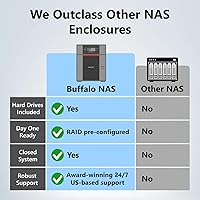
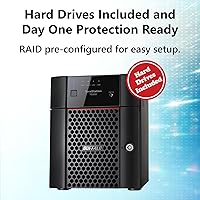
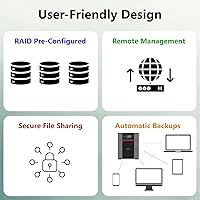
The BUFFALO TeraStation 3420D 16TB 4-Bay NAS sits in a practical corner of the network storage market — aimed squarely at small offices and home power users who need serious, shared storage without a dedicated IT person to manage it. Buffalo ships this unit with four drives pre-installed and RAID 5 already configured, so you are not spending a weekend sourcing compatible disks or setting up arrays from scratch. The brand has a long track record in network storage, and manufacturing in Japan still carries weight among buyers who care about build consistency. The 3-year warranty covering the hard drives is genuinely uncommon at this tier. The 2.5GbE port is a quiet but practical step up from standard gigabit, delivering faster local transfers without needing any special cabling.

Features & Benefits

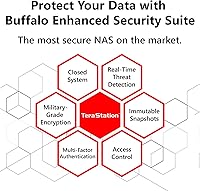
Security is handled through 256-bit drive encryption and a closed-system design — useful for small businesses that cannot rely on a full IT stack to lock down sensitive files. RAID flexibility is real: the TeraStation 3420D ships in RAID 5 with 12TB of usable space, but you can switch to RAID 6 for stronger redundancy or RAID 0 if you need the full 16TB raw. The 2.5GbE port delivers noticeably quicker transfers without requiring network rewiring. Cloud sync with Dropbox, OneDrive, and Amazon S3 functions well as a practical offsite backup layer rather than just a spec-sheet checkbox. The underlying hardware — a 1.4GHz quad-core CPU with 1GB RAM — handles everyday shared storage tasks capably, though it is not built to absorb heavy simultaneous workloads.

Best For

This Buffalo NAS is a strong fit for small offices or home setups where 10 to 30 users need shared network access without the overhead of building a custom storage solution from components. If you have previously dealt with separately purchasing drives, checking compatibility, and configuring RAID by hand, the bundled ready-to-run approach here saves real time and reduces risk. It also serves businesses that need to meet TAA compliance requirements, which matters in government contracting and regulated procurement workflows. Buyers who weigh post-purchase support heavily will appreciate the 24/7 US-based helpline and data recovery service, both included in the standard warranty rather than sold separately. For no-fuss shared storage with solid built-in security, this desktop NAS unit is hard to argue against.

User Feedback

Owners consistently praise how quickly this Buffalo NAS gets onto the network — most report being fully operational within an hour, which is a genuine strength for a device in this category. The management interface draws more mixed reactions; it is functional, but less technically inclined users mention a noticeable learning curve before things feel comfortable. Real-world transfer speeds over 2.5GbE are generally well-received, though a small number of buyers expected higher throughput based on the spec sheet alone. A recurring concern worth noting: the included drives are standard-grade CMR rather than NAS-optimized, which could matter in high-uptime or always-on environments. Feedback on Buffalo support skews positive, with users citing helpful responses and a warranty process that tends to work as advertised.

Pros

  • Arrives with four drives installed and RAID 5 pre-configured — no extra hardware or setup weekend required.
  • The 3-year warranty covers the hard drives, not just the enclosure, which is uncommon at this price tier.
  • 256-bit drive encryption is built in and does not require a separate security appliance or IT configuration.
  • The 2.5GbE port delivers faster local transfers without requiring any network cable upgrades.
  • Cloud sync with Dropbox, OneDrive, Amazon S3, and Azure works as a practical offsite backup layer.
  • TAA compliance and Japan manufacturing make procurement straightforward in regulated or government environments.
  • 24/7 US-based support with a data recovery service is included — not sold as an add-on.
  • RAID mode can be switched to RAID 6 for stronger redundancy or RAID 0 for maximum raw capacity.
  • Compatible with Windows, macOS, and Linux without proprietary client software for basic file access.
  • CMR drive technology supports cleaner RAID rebuild operations compared to SMR alternatives.

Cons

  • The web management interface has a real learning curve for users without prior NAS experience.
  • Standard-grade 5400 RPM drives are not purpose-built for 24/7 continuous operation in busy offices.
  • Only 1GB of RAM limits performance noticeably when multiple users are reading and writing files at the same time.
  • No iSCSI support rules this unit out for virtualization and SAN use cases entirely.
  • No failover capability means a hardware fault could take the whole unit offline with no automatic switchover.
  • Fan noise increases audibly during RAID rebuilds or sustained backup jobs, which can be disruptive in quiet spaces.
  • The third-party app ecosystem is considerably thinner than competing platforms like Synology or QNAP.
  • Switching RAID modes after initial setup requires downtime and careful data migration planning.
  • No expansion enclosure support means four bays is a hard ceiling — not just a starting point.
  • Error messages during cloud sync failures are often vague, making troubleshooting slower than it should be.

Ratings

The BUFFALO TeraStation 3420D 16TB 4-Bay NAS has been evaluated by our AI rating system after processing verified buyer reviews from multiple global markets, with spam, bot activity, and incentivized submissions actively filtered out. Scores reflect the honest distribution of real user sentiment — including the areas where this desktop NAS unit consistently earns praise and the friction points that surface repeatedly among small office buyers. Both strengths and genuine limitations are represented transparently across each category below.

Ease of Setup
88%
The bundled drives and pre-configured RAID 5 make initial deployment unusually straightforward for a business NAS. Most users report getting the unit onto their network and accessible to multiple computers within an hour, with no drive sourcing or manual array configuration required.
Users who want a custom RAID configuration out of the box will need to reconfigure manually, which adds steps for those who prefer RAID 6 from day one. A small number of reviewers found the initial web-based setup wizard less intuitive than expected for complete beginners.
Value for Money
82%
18%
Getting four pre-installed drives, a 3-year warranty that covers the hard drives, and 24/7 US-based support included in the purchase price is genuinely competitive at this tier. Buyers frequently note that comparable units from other brands require separate drive purchases that push the total cost noticeably higher.
Some buyers feel the standard-grade drives included could have been NAS-optimized alternatives given the price point, particularly for always-on office deployments. For users who intend to run the unit continuously, the value calculation shifts slightly when factoring in potential drive longevity differences.
Data Security
86%
256-bit drive encryption provides meaningful protection for small offices handling sensitive client or financial data without requiring a dedicated IT administrator to configure it. The closed-system design limits the attack surface compared to more open NAS platforms, which resonates strongly with regulated-environment buyers.
The lack of iSCSI support is a real limitation for users who need block-level storage access, and the absence of failover capabilities means this unit should not be treated as a single point of protection in mission-critical setups. Buyers requiring those features will need to look at the higher TeraStation tier.
Transfer Speed
74%
26%
The native 2.5GbE port delivers a noticeable real-world improvement over standard gigabit connections for file transfers within a local network, and no special cabling is required to take advantage of it. Users copying large media archives or database backups internally report speeds that feel meaningfully faster than older gigabit NAS units.
Real-world throughput does not always match the theoretical ceiling of 2.5GbE, and some users expecting near-maximum speeds were surprised by more modest results during heavy multi-user access. The 1GB of RAM creates a bottleneck when several users are reading and writing simultaneously, which is worth factoring in for busier offices.
Build Quality
83%
Japan manufacturing brings a level of fit-and-finish consistency that buyers notice when comparing this unit to similarly priced alternatives assembled elsewhere. The chassis feels solid, drives are firmly seated, and the overall construction gives the impression of a device built to run continuously rather than intermittently.
The unit is on the heavier side at over 15 pounds, which can be a consideration for desk or shelf placement in smaller workspaces. A few reviewers noted the exterior plastic panels feel slightly less premium than the internal engineering quality would suggest.
Management Interface
63%
37%
The web-based management dashboard covers the essential administrative tasks — RAID configuration, user access controls, cloud sync setup, and drive health monitoring — without requiring any software installation on client machines. Experienced NAS administrators generally find what they need without much searching.
Less technical users consistently flag the interface as having a steeper learning curve than expected, with some terminology and menu structures that assume prior NAS familiarity. Compared to more consumer-friendly NAS platforms, the UI feels dated and occasionally requires multiple steps to accomplish straightforward tasks.
Cloud Backup Integration
77%
23%
Support for Amazon S3, Dropbox, Microsoft Azure, and OneDrive makes it practical to set up a hybrid backup strategy where a local copy and an offsite cloud copy run automatically. For small offices without a second physical location for backup replication, this cloud layer fills a real gap in data protection.
Cloud sync configuration is functional but not polished — initial setup requires navigating through several settings screens, and error messages when sync fails are not always descriptive enough to diagnose quickly. Users relying heavily on automated cloud workflows may find the tooling less refined than dedicated cloud backup appliances.
RAID Flexibility
79%
21%
Shipping in RAID 5 with 12TB of usable capacity is the right default for most buyers, and the ability to switch to RAID 6 for stronger redundancy or RAID 0 for full raw capacity gives administrators meaningful options without requiring additional hardware. Replication to a secondary NAS adds another layer of flexibility for backup-conscious setups.
Switching RAID modes requires data migration planning and downtime, which is manageable but worth knowing before committing to the default configuration. The absence of RAID 10 as an option may disappoint users who specifically want that balance of speed and mirroring.
Drive Reliability
68%
32%
The four included CMR hard drives are pre-tested by Buffalo before shipping, and early failure rates reported by buyers are low. CMR (conventional magnetic recording) drives are generally considered more compatible with RAID rebuild operations than SMR alternatives, which is a sensible choice for a NAS environment.
Standard-grade 5400 RPM drives are not purpose-built for 24/7 NAS operation the way NAS-rated drives from brands like Seagate IronWolf or WD Red are, and this distinction matters for always-on deployments. Buyers running the unit continuously in a business context may prefer to swap in NAS-optimized drives for longer-term peace of mind.
Warranty & Support
91%
A 3-year warranty that explicitly covers the hard drives — not just the enclosure — is a standout commitment at this price tier and removes a significant risk for small businesses without in-house IT support. Feedback on the 24/7 US-based support team is broadly positive, with users citing knowledgeable responses and a data recovery service that actually gets used when needed.
While the warranty terms are strong, a small number of users report that the RMA process can take longer than expected during peak periods. Additional extended warranty options exist but require a separate purchase, which some buyers only discover after the standard term expires.
Noise & Heat Management
72%
28%
Under normal office loads the TeraStation 3420D operates at a noise level that most users find acceptable for an open office or back-room installation. Thermal management keeps the drives within healthy operating ranges during typical weekday workloads.
Under sustained heavy workloads — particularly during large RAID rebuilds or extended backup jobs — the fan ramps up audibly, which can become noticeable in quieter environments. A small number of users in warmer climates or poorly ventilated equipment closets report higher-than-expected enclosure temperatures.
Scalability
57%
43%
The four-bay design covers a meaningful range of capacity options up to 32TB raw if larger drives are installed over time, and the cloud sync layer adds effectively unlimited overflow storage for archival data. For organizations that grow slowly, this is adequate headroom.
With no option for expansion enclosures and a hard ceiling on both bays and network ports, this Buffalo NAS will eventually hit a wall for fast-growing teams. Organizations that anticipate significant user or data growth within two to three years may find themselves needing a more capable platform sooner than expected.
TAA Compliance & Procurement
89%
Full TAA compliance and Japan manufacturing make this unit a straightforward choice for government contractors, educational institutions, and regulated industries where country-of-origin documentation is required for procurement. Buyers in these contexts frequently cite this as a deciding factor over otherwise comparable alternatives.
TAA compliance is not relevant to the majority of buyers, and those in non-regulated environments are effectively paying for a credential that offers them no practical benefit. There is no meaningful price discount available for buyers who do not require compliance certification.
Compatibility
81%
19%
The TeraStation 3420D works across Windows, macOS, and Linux client environments without requiring proprietary client software for basic file access, which simplifies deployment in mixed-OS offices. Ethernet-based installation keeps the setup process consistent regardless of what devices users connect from.
The absence of iSCSI support rules this unit out for specific virtualization and storage-area-network use cases that some small businesses rely on. Buyers coming from a Synology or QNAP background may also find the Buffalo ecosystem has fewer third-party app integrations available.

Suitable for:

The BUFFALO TeraStation 3420D 16TB 4-Bay NAS is built for small offices and home power users who need dependable shared storage without the overhead of a dedicated IT administrator. If your team of 10 to 30 people needs a central place to store, share, and back up files — and you want that solution ready to go on day one — this desktop NAS unit removes most of the friction that typically comes with building out network storage from scratch. It is a particularly strong fit for businesses that handle sensitive data and need encryption and cloud redundancy without configuring a complex security stack. Government contractors, educational institutions, and regulated-industry buyers will appreciate the TAA compliance and Japan manufacturing documentation that often smooth procurement approvals. And for anyone who has previously dealt with a NAS failure and had to fight for support, the 3-year warranty that covers the drives themselves — paired with 24/7 US-based service and a data recovery option — provides a level of post-purchase assurance that genuinely matters in a business context.

Not suitable for:

The BUFFALO TeraStation 3420D 16TB 4-Bay NAS is not the right tool for every storage scenario, and being honest about that saves a lot of frustration. If your workflow depends on iSCSI block-level storage or you need automatic failover for high-availability setups, this unit does not support either — you would need to step up to a higher-tier TeraStation or a different platform entirely. Power users who run virtualization environments, media transcoding, or containerized applications will find the 1.4GHz quad-core CPU and 1GB of RAM hit their ceiling quickly under sustained load. Buyers who prefer NAS-optimized drives — like Seagate IronWolf or WD Red — in an always-on business environment may also feel underserved by the standard-grade CMR drives included, even though they are pre-tested and function adequately for moderate workloads. Finally, if you are a Synology or QNAP user accustomed to a rich third-party app ecosystem, the Buffalo software environment will feel noticeably more limited and the management interface more dated.

Specifications

  • Drive Bays: The unit houses 4 internal drive bays, all pre-populated with 3.5-inch mechanical hard drives included in the box.
  • Raw Capacity: Total raw storage across all four drives is 16TB, using standard-grade CMR mechanical hard disks spinning at 5400 RPM.
  • Usable Capacity: In the default RAID 5 configuration, usable storage is approximately 12TB after parity overhead is accounted for.
  • Drive Interface: Each drive connects internally via Serial ATA-600 (SATA III), supporting full-speed communication between the drives and the NAS controller.
  • Network Port: A single native 2.5GbE Ethernet port provides the primary network connection, delivering faster local throughput than standard 1GbE without requiring upgraded cabling.
  • Processor: The unit runs a 1.4GHz quad-core CPU designed to handle concurrent file access, encryption, and background backup tasks at a small-office scale.
  • Memory: 1GB of onboard RAM supports everyday NAS workloads, though this ceiling becomes relevant under heavy simultaneous multi-user load.
  • RAID Support: Ships pre-configured in RAID 5 but can be reconfigured to RAID 6 for additional redundancy or RAID 0 for maximum raw capacity access.
  • Encryption: 256-bit drive encryption is supported natively, protecting data at rest without requiring third-party security hardware or complex administrator configuration.
  • Cloud Services: Built-in sync compatibility covers Amazon S3, Dropbox, Microsoft Azure, and OneDrive, enabling hybrid local-plus-cloud backup workflows.
  • Replication: The device supports NAS-to-NAS replication, allowing administrators to mirror data to a secondary unit at an offsite or secondary location.
  • Dimensions: The enclosure measures 14.7 x 14.2 x 12.5 inches and weighs 15.62 pounds fully loaded with the four included drives.
  • Warranty: A 3-year manufacturer warranty is included and explicitly covers the hard drives in addition to the enclosure, with no separate drive warranty required.
  • Support: 24/7 US-based customer support is provided, and a data recovery service is included as part of the standard warranty terms.
  • Compliance: The unit is fully TAA compliant and manufactured in Japan, satisfying country-of-origin requirements for government and regulated-industry procurement.
  • OS Compatibility: The TeraStation 3420D supports client access from Windows, macOS, and Linux environments without requiring proprietary software for basic file sharing.
  • iSCSI Support: iSCSI block-level storage is not supported on this model; users requiring iSCSI should consider the TeraStation 3420DN series instead.
  • Failover: Automatic failover is not available on this unit, meaning a hardware fault will result in downtime without a manual recovery process.

Related Reviews
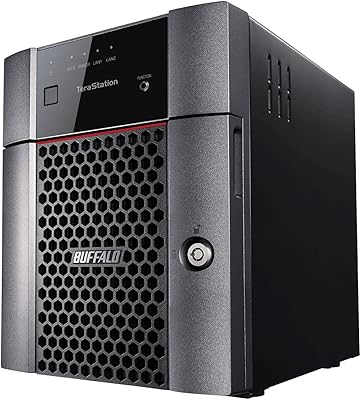
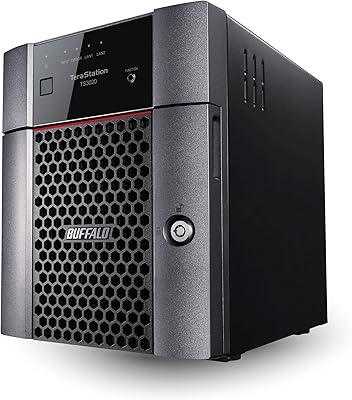
BUFFALO TeraStation Essentials 8TB 4-Bay NAS

73%
91%
Ease of Setup
83%
Build Quality & Hardware
76%
Network Performance (2.5GbE)
88%
Data Security & Encryption
82%
RAID Flexibility
More
Asustor Lockerstor 4 Gen3 AS6804T NAS
78%
93%
Raw Performance
91%
Network Throughput
89%
Memory & Data Integrity
87%
NVMe Cache Flexibility
88%
Build Quality
More
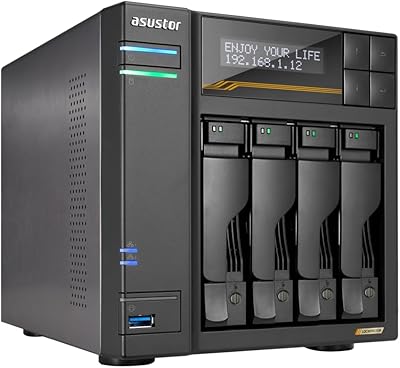
Asustor Drivestor 4 Pro AS3304T 4-Bay NAS
78%
88%
Network Performance
83%
Software & ADM Interface
74%
Media Playback & Transcoding
76%
App Ecosystem
57%
RAM & Multitasking
More
KCMconmey NAS-411 4+1 Bay DIY NAS Case
84%
85%
Ease of Setup
80%
Build Quality
70%
Cooling Performance
90%
Customization Options
88%
Drive Compatibility
More
Asustor AS5404T 4-Bay NAS Enclosure
80%
88%
Build Quality
82%
Processing Performance
93%
NVMe Storage Flexibility
87%
Network Throughput
76%
Software Ecosystem (ADM OS)
More
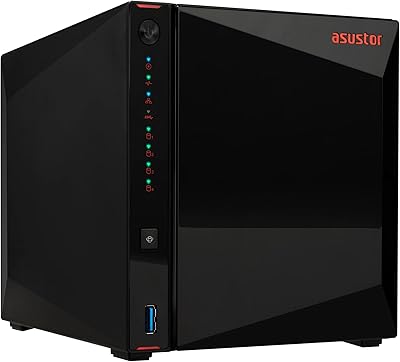
BUFFALO TeraStation 3420DN 8TB Desktop NAS
78%
92%
Ease of Setup
88%
Build Quality
86%
Drive Reliability
74%
Network Performance
58%
Management Interface
More
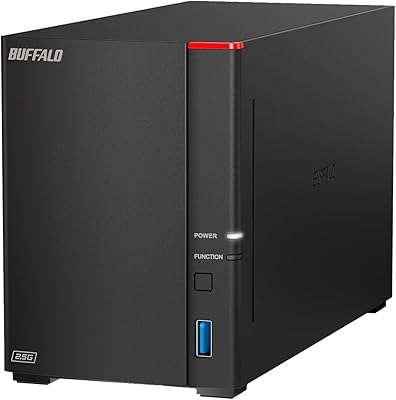
TerraMaster F4-212 4-Bay NAS Enclosure
70%
76%
Value for Money
83%
Setup & Initial Configuration
61%
Software & OS Experience
67%
Performance & Responsiveness
42%
RAM & Expandability
More
BUFFALO LinkStation SoHo 720 16TB NAS
86%
89%
Value for Money
94%
Setup and Installation
85%
Performance
88%
Reliability
65%
Noise Under Load
More
QNAP TS-433-4G 4-Bay NAS
73%
89%
Network Speed
91%
Storage Capacity
77%
Value for Money
62%
Processor Capability
68%
QTS Software
More
Synology DS418 4-Bay NAS Enclosure
84%
93%
Software Experience
81%
Build Quality
88%
Performance for File Sharing
62%
CPU and Processing Power
78%
Value for Money
More

FAQ

The drives come pre-installed and ready to go. All four 3.5-inch CMR hard drives are included in the box, and the unit ships with RAID 5 already configured, so you do not need to source drives or set up the array yourself before first use.

In the default RAID 5 setup, you get approximately 12TB of usable space from the 16TB raw total — one drive's worth of capacity is reserved for parity. If you switch to RAID 6, usable space drops further since two drives are used for redundancy. If you need the full 16TB, RAID 0 is an option, but it offers no protection against drive failure.

No cable changes are required — standard Cat5e or Cat6 cables that most offices already have will support 2.5GbE speeds. You will need a switch or router with a 2.5GbE port on your network side to actually benefit from the faster connection, but the NAS end requires nothing special.

Most users with basic networking knowledge find the setup manageable — the drives are pre-installed and RAID is pre-configured, so the main steps are connecting the unit to your network and running through the web-based setup wizard. That said, the management interface is not as beginner-friendly as some consumer-oriented NAS platforms, and users with no prior NAS experience may need some patience during initial configuration.

Yes. The unit has built-in sync support for Amazon S3, Dropbox, Microsoft Azure, and OneDrive. You can configure it to automatically push copies of your data to one or more of these services, which is a practical way to maintain an offsite backup without a second physical device.

For occasional or moderate use, the included standard-grade CMR drives perform adequately and arrive pre-tested by Buffalo. If you plan to run the unit continuously 24/7 under significant workload — a busy shared office environment, for example — NAS-optimized drives like Seagate IronWolf or WD Red are built with that use case in mind and may offer better long-term reliability. It is a reasonable upgrade to consider, though it adds to your cost.

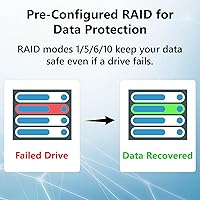
In RAID 5, a single drive failure does not cause data loss — the array stays operational in a degraded state and you can replace the failed drive. Once a replacement is installed, the array rebuilds automatically. However, if a second drive fails before the rebuild completes, all data would be lost, which is why some users prefer RAID 6 for additional protection.

Yes, it supports simultaneous access from Windows, macOS, and Linux clients over the network without requiring any proprietary client software for standard file sharing. Mixed-OS offices can access shared folders from each operating system without special configuration.

The warranty covers both the enclosure and the included hard drives, which is worth noting because many NAS warranties cover only the unit itself and exclude the drives. Buffalo also includes access to a data recovery service as part of the standard warranty, which can be a significant safety net if something goes seriously wrong with the array.

Not really. With a 1.4GHz quad-core CPU and only 1GB of RAM, this desktop NAS unit is designed for file sharing, backup, and basic network storage — not compute-intensive workloads. Running virtual machines, media transcoding, or containerized applications would quickly overwhelm the hardware. For those use cases, you would want a NAS with more RAM, a faster processor, and a platform that supports application add-ons.