Overview

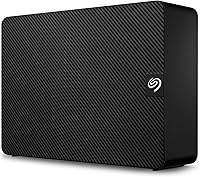
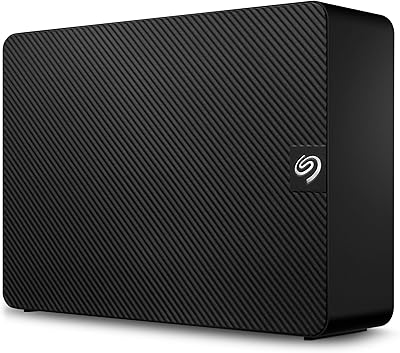
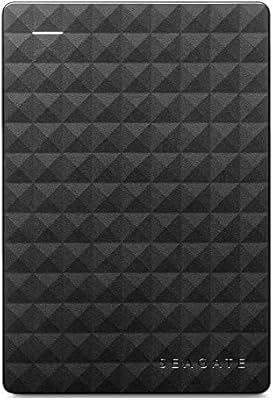
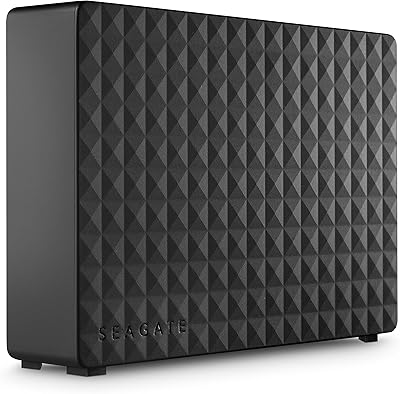
The Seagate Expansion 8TB External Hard Drive is a straightforward, high-capacity desktop backup solution that has built a solid reputation among home users and office workers with growing media libraries. Plug it into a Windows machine and it’s recognized instantly — no drivers, no setup software. Mac users should know upfront that reformatting is required before use, so factor that into your setup time. Unlike bus-powered portable drives, this one uses a 3.5-inch mechanism and ships with an 18-watt power adapter, which means a dedicated desk outlet is part of the deal. It sits comfortably in the mid-range tier — more affordable than NAS setups, yet far more spacious than most portable SSDs at a comparable price.

Features & Benefits

Eight terabytes is genuinely useful headroom — enough to hold a sprawling 4K video project, a full photo archive, and a system backup without juggling files. The drive runs at 7200 RPM, which is faster than the 5400 RPM spindles found in many desktop drives and does make a noticeable difference when moving large batches of files. The USB 3.0 interface handles real-world transfers at roughly 100 to 130 MB/s for large sequential files — solid, though not spectacular — and it’s backward compatible with USB 2.0. One underappreciated inclusion is the Seagate Rescue service, which gives you a recovery option if the drive ever fails — a practical, no-cost safety net that most competitors simply don’t bundle in.

Best For

This desktop drive makes the most sense for people who have genuinely outgrown their current storage and want a simple, low-maintenance fix. It’s a natural fit for photographers and videographers with bulging archives, students keeping a full semester’s work in one place, or remote workers who want a reliable local backup running alongside their cloud sync. Console gamers on PS4 or Xbox will also find it easy to configure as expanded game storage. It’s not the right pick if you need to take your drive on the road — the power adapter keeps it firmly desk-bound. But for anyone who wants a large-capacity backup drive that works without fiddling with settings or software, this external hard drive covers that job well.

User Feedback

With over 16,000 ratings averaging 4.4 out of 5 stars, the Seagate Expansion 8TB carries a broader real-world track record than most drives in its class. The most consistent praise centers on reliable long-term performance — owners regularly report a year or more of trouble-free daily use, and first-time setup consistently draws high marks. That said, two complaints surface often enough to take seriously: the drive can produce noticeable clicking or spinning noise during heavy transfers, and the power brick adds yet another cable to an already crowded desk. The bundled data recovery service draws genuine appreciation from less technical buyers who treat it as a real safety net. Neither gripe is a dealbreaker, but both are worth factoring in before you commit.

Pros

  • Eight terabytes of storage handles photo libraries, 4K video archives, and full system backups without running out of room.
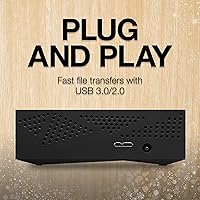
  • Plug-and-play setup on Windows — no software, no drivers, just connect and go.
  • The 7200 RPM spindle moves large files noticeably faster than the 5400 RPM drives common at this price tier.
  • Real-world USB 3.0 throughput of 100–130 MB/s is genuinely workable for bulk transfers.
  • The included Seagate Rescue Data Recovery Service is a meaningful safety net that most competing drives skip entirely.
  • Over 16,000 buyer reviews averaging 4.4 out of 5 stars reflects a track record that’s hard to argue with.
  • Compatible with PS4 and Xbox consoles straight out of the box, making game storage expansion simple.
  • The compact footprint keeps desk clutter manageable despite housing a large-capacity mechanical drive.
  • Long-term owners consistently report reliable daily use stretching one to three years without issues.

Cons

  • Requires reformatting before use on a Mac — not a dealbreaker, but an extra step many buyers don’t expect.
  • The power brick is a fixed part of the setup, adding another cable and requiring a dedicated outlet.
  • Audible clicking and spinning noise under heavy transfers can be distracting in quiet environments.
  • Being a mechanical drive, it is physically more vulnerable to drops and vibration than an SSD alternative.
  • USB connectivity caps practical throughput well below what NAS or Thunderbolt setups can achieve.
  • No included backup software means Windows users rely on built-in tools or third-party options.
  • The drive runs warmer during sustained workloads, which may raise long-term reliability concerns for some buyers.
  • At 2.43 pounds with a mandatory power adapter, it is entirely unsuitable for mobile or travel use.

Ratings

Our ratings for the Seagate Expansion 8TB External Hard Drive are generated by AI after deep analysis of verified global buyer reviews, with automated filtering actively removing spam, bot submissions, and incentivized feedback to ensure every score reflects genuine ownership experience. The resulting scorecard captures both the areas where this desktop drive consistently earns strong praise and the real-world frustrations that surface across thousands of honest user reports. Nothing has been softened or inflated — the lower scores are there for a reason, and they are just as worth reading as the high ones.

Storage Capacity
94%
Eight terabytes is a genuinely practical amount of storage for most home and creative users — enough to consolidate multiple older drives into a single location. Photographers archiving RAW files, videographers managing 4K projects, and anyone running full system backups consistently report that the capacity holds up over years of real use without running short.
The only real limitation is that concentrating 8TB into a single enclosure creates a single point of failure with no built-in redundancy. Users who experience a drive failure without a secondary backup in place quickly find that the capacity advantage counts for very little when the data becomes inaccessible.
Ease of Setup
91%
Windows users genuinely get a plug-and-play experience — connect the cable and power adapter, and the drive appears in File Explorer within seconds without any drivers or installers. This zero-friction setup is one of the most praised aspects across the entire review base, especially among buyers who describe themselves as non-technical.
Mac users hit an unexpected speed bump right away: the drive ships formatted for Windows and needs to be reformatted via Disk Utility before macOS will treat it correctly. It is a five-minute fix, but buyers who are unaware of this step in advance often feel caught off guard, particularly when the drive is purchased as a gift.
Transfer Speed
72%
28%
The 7200 RPM spindle paired with USB 3.0 delivers real-world sequential speeds of roughly 100 to 130 MB/s for large files, which is meaningfully faster than the 5400 RPM budget drives it competes against. Users moving multi-gigabyte video archives or full backup sets report that transfers complete in a reasonable timeframe without feeling painfully slow.
Speed-conscious buyers who compare this drive to external SSDs will find the gap hard to ignore, since solid-state alternatives can transfer at three to five times the rate over the same USB 3.0 connection. Mixed file transfers involving many smaller documents and images also run noticeably slower due to the inherent seek-time overhead of a mechanical spindle.
Value for Money
88%
At its price tier, the Seagate Expansion 8TB offers one of the strongest cost-per-terabyte ratios available in external storage, making it genuinely difficult to match for raw bulk capacity on a budget. Buyers consistently highlight that they get far more usable storage here than they could from portable SSDs or entry-level NAS setups at a comparable spend.
Value perception weakens for users who prioritize speed or long-term durability over raw capacity, since an external SSD offers a fundamentally different ownership experience for a modest premium at smaller sizes. Those who factor in the cost of maintaining a second backup solution alongside this drive may also find the overall proposition less compelling than it initially appears.
Reliability & Longevity
83%
A substantial share of long-term owners report one to three years of consistent daily use without a single failure, which is an encouraging track record for a mechanical drive at this price point. The aggregate 4.4 out of 5 rating across more than 16,000 reviews strongly suggests that early or premature failures represent a minority rather than a widespread pattern.
Like all mechanical hard drives, this one will eventually fail — the question is when, not if. A meaningful subset of buyers report unit failures within the first year, and because there is no onboard redundancy, a failure tends to be total rather than partial, which makes the absence of a secondary backup strategy especially costly.
Noise Level
57%
43%
During light activity such as occasional file browsing or small transfers, the drive produces only a faint background hum that most users in a typical home office or study environment barely register. The 7200 RPM speed that aids performance also keeps idle noise within a range many find perfectly livable during normal workday use.
Under sustained load — running a full overnight backup or copying dozens of gigabytes at once — the drive produces audible clicking and spinning sounds that a meaningful number of users describe as distracting. Those working in quiet recording setups, shared sleeping spaces, or late-night environments consistently flag the noise level as a genuine practical nuisance.
Compatibility
78%
22%
Support for Windows 8, 10, and 11 is complete and requires zero configuration, and the drive also connects directly to PS4 and Xbox consoles for game library expansion, which meaningfully broadens its appeal beyond desktop PC users. USB 3.0 and 2.0 backward compatibility ensures it works with virtually any computer produced in the last decade.
Mac compatibility requires a reformatting step that catches a significant share of buyers off guard and adds friction to the setup process. The drive also cannot connect natively to routers, smart TVs, or network-sharing devices without additional hardware, which limits its usefulness for households hoping to access storage across multiple devices on a local network.
Portability
31%
69%
For a permanently stationed desktop setup, the physical footprint is sensible — the enclosure is compact relative to its capacity and stays stable on a flat surface without any mounting hardware. Users who plan to leave it in one fixed location and never move it report that the size and weight are simply a non-issue.
At 2.43 pounds with a mandatory external power adapter, this drive is fundamentally desk-bound and impractical for any kind of mobile use. Buyers who assumed they could shuttle it between a home desk and an office, or pack it for travel, quickly discover that the power brick alone makes that an exercise in frustration.
Power Setup
62%
38%
The 18-watt power adapter is a reliable approach for a 3.5-inch mechanical drive and keeps the USB port free from any power draw burden. Most users with a power strip nearby find the extra plug quickly becomes invisible as part of their desk setup and never think about it again after the initial install.
The power brick is a persistent and recurring complaint, particularly from users transitioning from compact bus-powered portable drives. It occupies a wall outlet, introduces a second cable to manage, and contributes meaningfully to desk clutter — a real irritant for users with tidy, minimal setups or those who connect the drive only occasionally rather than leaving it permanently plugged in.
Data Recovery Service
86%
The bundled Seagate Rescue service is a standout inclusion that genuinely sets this external hard drive apart from many competitors at a similar price. Non-technical buyers in particular appreciate having a named, professional recovery resource available — it transforms what could otherwise be a catastrophic total loss into a recoverable situation for a surprisingly broad range of failure types.
The service carries coverage limits and exclusions that are not always clearly communicated at the point of purchase, and it should never be treated as a substitute for maintaining an independent backup copy. A subset of users expecting guaranteed full recovery has been disappointed when their specific failure scenario fell outside what the service could address.
Cable & Accessories
76%
24%
The included 18-inch USB 3.0 cable is a workable length for most standard desk configurations, reaching comfortably from a desktop tower or nearby laptop without excess slack. It is a quality inclusion that means most buyers will not need to source a replacement immediately, unlike some competing drives that ship with very short or flimsy cables.
Eighteen inches can feel restrictive if your USB ports are on the rear of a tower positioned under a desk, and no USB-C adapter or alternative cable is included. Users with modern laptops that have only USB-C ports will need to purchase an adapter separately, which is an extra step and cost that is easy to overlook before buying.
Software & Extras
53%
47%
The absence of bundled software keeps the unboxing experience clean and free of bloatware, with no accounts to register and no unwanted applications to dismiss. Users who prefer to manage backups through Windows Backup, Time Machine, or their own chosen third-party tools appreciate that the drive imposes no proprietary workflow on them.
Buyers expecting even a basic backup utility in the box will find nothing included, leaving less experienced users to figure out a backup strategy on their own from scratch. Several competing drives at this price tier bundle at least a lightweight backup tool, which makes this drive feel comparatively thin in terms of out-of-box software value.
Build Quality
74%
26%
The matte black plastic enclosure feels solid enough for a stationary desktop environment, and the drive sits stably on a flat surface without wobbling. Users who treat it as a fixed backup device and handle it with basic care consistently report no issues with the housing over extended periods of ownership.
The all-plastic construction offers little reassurance if the drive is accidentally knocked from a desk — the mechanical internals are significantly more vulnerable to physical shock than any solid-state alternative would be. A handful of owners also note that the casing accumulates dust visibly and develops minor surface scuffs after several months of open-air use.

Suitable for:

The Seagate Expansion 8TB External Hard Drive is a strong match for anyone who needs a large, dependable storage buffer sitting permanently on a desk. Home users with years of accumulated photos, videos, and music will appreciate having a single drive that can absorb everything without forcing them to juggle multiple smaller disks. Creative professionals — photographers, video editors, or musicians — who need affordable overflow or archive storage will find the 8TB capacity genuinely practical rather than overkill. Students and remote workers managing large project files or semester backups benefit from the no-fuss setup, since Windows machines recognize it immediately and Mac users only need a one-time reformat. Console gamers on PS4 or Xbox looking to expand storage without cracking open their hardware will also find it a straightforward, cost-effective solution.

Not suitable for:

Anyone who needs to move their storage between locations regularly should think twice before buying the Seagate Expansion 8TB External Hard Drive, because the 3.5-inch form factor and mandatory power adapter make it a desk-only device. If silence matters — in a recording studio, a quiet bedroom setup, or a noise-sensitive workspace — the mechanical spindle and audible activity under sustained load can become a real irritant. Users who want faster-than-USB transfer speeds, or who are building a multi-drive redundant backup system, would be better served by a NAS enclosure. Those who expect maximum portability from something pocketable and bus-powered will find this drive fundamentally unsuited to that purpose. Mac users who are uncomfortable reformatting a drive before first use may also find the out-of-box experience more involved than expected.

Specifications

  • Storage Capacity: The drive offers 8TB of total storage, providing ample room for large photo libraries, 4K video archives, and full system backups.
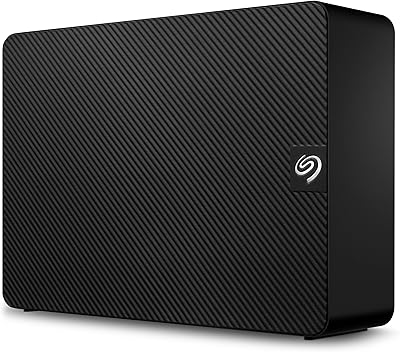
  • Form Factor: It uses a 3.5-inch internal mechanism housed in a compact external enclosure measuring 4.65 x 1.63 x 7.06 inches.
  • Drive Type: This is a traditional mechanical hard disk drive (HDD) with spinning platters, not a solid-state drive.
  • Rotational Speed: The spindle rotates at 7200 RPM, which is faster than the 5400 RPM found in many competing desktop drives.
  • Interface: It connects via USB 3.0 and is fully backward compatible with USB 2.0 ports.
  • Max Transfer Speed: Seagate rates the maximum transfer speed at 160 MB/s, though real-world sequential throughput typically falls between 100 and 130 MB/s.
  • Compatible OS: It works out of the box with Windows 8, 10, and 11; Mac users must reformat the drive to exFAT or HFS+ before use.
  • Device Compatibility: Beyond desktop and laptop computers, the drive is compatible with PlayStation 4 and Xbox consoles as expanded game storage.
  • Weight: The drive weighs 2.43 pounds, making it a stationary desktop unit rather than a practical portable option.
  • Included Cable: An 18-inch USB 3.0 cable is included in the box for connecting the drive to a host computer or console.
  • Power Supply: An 18-watt external power adapter is included and required for operation, as the drive cannot draw power from a USB port alone.
  • Installation Type: Setup is entirely external and requires no software installation; Windows machines recognize the drive automatically upon connection.
  • Data Recovery: The drive includes Seagate Rescue Data Recovery Service, which provides professional recovery assistance in the event of drive failure.
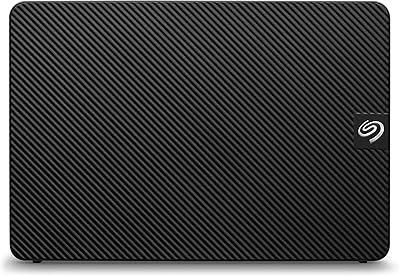
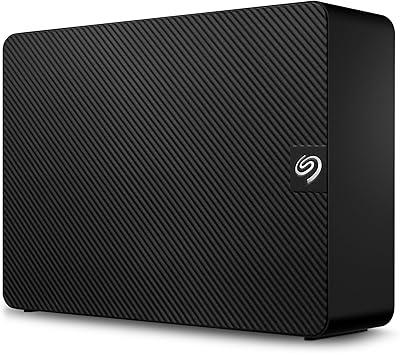
  • Color: The enclosure is finished in matte black.
  • Series: This drive belongs to Seagate’s long-running Expansion lineup, designed specifically for straightforward high-capacity external storage.

Related Reviews

Seagate Expansion 8TB External Hard Drive

71%
91%
Value for Money
93%
Ease of Setup
94%
Storage Capacity
67%
Transfer Speed
72%
Build Quality
More
Seagate Expansion 28TB External Hard Drive
75%
94%
Storage Capacity Value
91%
Ease of Setup
78%
Sequential Transfer Speed
74%
Long-Term Reliability
61%
Noise Level
More
Seagate Expansion 22TB External Hard Drive
81%
94%
Storage Capacity
88%
Performance (Transfer Speed)
91%
Ease of Setup
87%
Reliability (Data Recovery Services)
83%
Compatibility (Windows and Mac)
More
Seagate Expansion 6TB External Hard Drive
73%
93%
Ease of Setup
91%
Storage Value
67%
Transfer Speed
88%
Data Recovery Service
72%
Build Quality
More
Seagate Expansion 10TB External Hard Drive
82%
95%
Capacity & Storage
90%
Transfer Speed
92%
Ease of Setup
85%
Build Quality
78%
Reliability
More
Seagate Expansion 18TB External Hard Drive
74%
88%
Value for Money
93%
Storage Capacity
84%
Setup & Ease of Use
61%
Transfer Speed
71%
Long-term Reliability
More
Seagate Expansion 24TB External Hard Drive
71%
93%
Value for Money
97%
Storage Capacity
91%
Ease of Setup
68%
Transfer Speed
72%
Build Quality
More
Seagate Expansion 4TB Portable External Hard Drive
74%
94%
Ease of Setup
91%
Storage Capacity
66%
Transfer Speed
73%
Build Quality
88%
Portability
More
Seagate Expansion 5TB Desktop External Hard Drive
67%
91%
Storage Value
93%
Ease of Setup
58%
Long-Term Durability
72%
Transfer Speed
63%
Build Quality
More
Seagate Expansion Portable 1TB External Hard Drive
85%
88%
Performance
94%
Setup & Installation
91%
Portability & Size
89%
Compatibility
87%
Value for Money
More
Seagate Expansion Desktop 16TB External Hard Drive
85%
94%
Capacity
92%
Ease of Use
90%
Setup/Installation
87%
Performance Speed
83%
Build Quality
More

FAQ

Not quite. The Seagate Expansion 8TB External Hard Drive ships pre-formatted for Windows, so Mac users need to reformat it before it will work correctly with macOS. The process takes only a few minutes using Disk Utility — just choose exFAT if you want cross-platform compatibility, or APFS and HFS+ if you plan to use it exclusively with Apple devices.
No. On a Windows 8, 10, or 11 machine, just plug it in and the drive shows up in File Explorer automatically. There are no drivers to install and no bundled software to deal with.

The spec sheet lists 160 MB/s as the maximum, but in practice you’ll typically see 100 to 130 MB/s when copying large files over USB 3.0. Smaller files will transfer more slowly due to overhead. It’s solid performance for a mechanical drive at this price point, just not as fast as an external SSD.

Yes. Both the PS4 and Xbox One and newer consoles support this desktop drive for expanded storage. You’ll need to follow the console’s setup steps to format and register the drive, which takes a few minutes, and then you can install games directly to it.

It’s a professional data recovery service that comes bundled with the drive at no extra charge. If the drive fails due to accidental deletion, corruption, or mechanical issues, you can contact Seagate to initiate a recovery attempt. It’s not a substitute for regular backups, but it’s a genuinely useful safety net — especially for people who store irreplaceable files.

It’s not silent. During heavy transfers or sustained read/write activity, you’ll likely hear a faint spinning hum and occasional clicking — that’s normal behavior for a 7200 RPM mechanical drive. In a typical home or office setting it’s not disruptive, but if you’re very sensitive to background noise or working in a quiet studio, it’s worth keeping in mind.

Yes, it’s designed for continuous desktop use. The drive will spin down automatically during periods of inactivity to reduce wear and power consumption. Just make sure it’s in a stable, well-ventilated spot and not at risk of being knocked off a desk, since mechanical drives are more vulnerable to physical shock than SSDs.

It does. The drive is backward compatible with USB 2.0, though transfer speeds will drop significantly compared to USB 3.0 — expect roughly 25 to 40 MB/s at best. If your computer only has USB 2.0 ports, this desktop drive will still function, but large file transfers will take considerably longer.

Yes, and the easiest way to do that is to format it as exFAT, which both Windows and macOS can read and write without any extra software. Just note that exFAT lacks some of the journaling features of NTFS or HFS+, so it’s a minor trade-off for cross-platform use.

No single drive should ever be your only backup, and that applies here too. Mechanical drives can and do fail eventually. A solid strategy is to treat this external hard drive as one layer of a broader backup plan — for example, pairing it with a cloud backup service so your most important files have at least two independent copies.