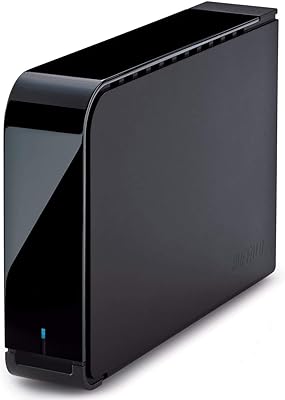
Buffalo DriveStation Axis Velocity 8TB External Hard Drive

Buffalo DriveStation Axis Velocity 8TB External Hard Drive — image 1
Buffalo DriveStation Axis Velocity 8TB External Hard Drive — image 2
Buffalo DriveStation Axis Velocity 8TB External Hard Drive — image 3
Buffalo DriveStation Axis Velocity 8TB External Hard Drive — image 4
Buffalo DriveStation Axis Velocity 8TB External Hard Drive — image 5
74%
26%

Overview

The Buffalo DriveStation Axis Velocity 8TB External Hard Drive is a desktop-class storage unit built for anyone who needs serious capacity and transfer speed without stepping into NAS territory. Eight terabytes paired with a 7200RPM mechanical drive puts it well ahead of the sluggish 5400RPM alternatives that dominate the budget shelf. It has been around since late 2016, yet still ranks competitively in its category — a sign it holds up against newer entrants. Just keep expectations grounded: this Buffalo desktop drive runs on AC power and stays on your desk. It is not a pocket-friendly travel companion, and it was never meant to be.

Features & Benefits

Where this high-RPM external drive earns its keep is in real transfer scenarios. Copying a folder of 4K footage or a batch of large RAW files moves noticeably faster than it would on a 5400RPM unit, and the USB 3.2 Gen 1 connection keeps the interface from becoming the weak link. Optional 256-bit AES hardware encryption protects sensitive files without adding any measurable processing load. PC users get scheduled backup coverage through the included Buffalo Backup Utility, while Mac owners can point Time Machine straight at the drive after a quick reformat. The Eco Manager feature quietly throttles power during idle periods — a small but welcome touch if the drive stays plugged in around the clock.

Best For

The DriveStation Axis Velocity makes the most sense for home and small-office users who want a large, always-available backup destination without the configuration overhead of a NAS setup. Photographers and video editors working from a desktop workstation will appreciate the throughput when moving multi-gigabyte files in bulk. Mac users get a straightforward Time Machine target — just remember that initial formatting is required before macOS will recognize the drive. On the PC side, the bundled backup software removes the need to hunt down a third-party solution. This is not the right choice for anyone who needs portability or ruggedization. If raw storage capacity at a fair price is the priority, though, this Buffalo desktop drive is hard to argue against.

User Feedback

With over 500 reviews and a strong aggregate rating, the DriveStation Axis Velocity has clearly satisfied a wide range of buyers. The most consistent praise covers plug-and-play reliability and transfer speeds that feel quick relative to what the price asks. Where users push back is on acoustics and heat — a 7200RPM drive is inherently louder and warmer than a slower alternative, and that is simply physics rather than a defect. Anyone setting this up in a quiet home office should know what to expect going in. Long-term ownership feedback is more mixed, which is a useful reminder that no single drive should be your only copy of critical data. The two-year warranty is workable but trails the three-year coverage some competitors include.

Pros

  • Seven-thousand two-hundred RPM spindle speed delivers noticeably faster transfers than most consumer external drives.
  • Eight terabytes of capacity handles large media libraries, archival collections, and full system backups without running short.
  • USB 3.2 Gen 1 connectivity keeps the interface from throttling the drive's mechanical throughput.
  • Plug-and-play setup on Windows means most PC users are up and running within minutes of unboxing.
  • Time Machine support makes this Buffalo desktop drive a practical local backup target for Mac users.
  • Included Buffalo Backup Utility handles scheduled PC backups without requiring any additional software purchases.
  • Optional hardware-level AES encryption protects sensitive files without noticeable impact on system performance.
  • Eco Manager reduces idle power draw, which adds up meaningfully for a drive that stays connected around the clock.
  • Strong ratings across hundreds of verified purchases suggest consistent build and performance quality.
  • Mid-range price positioning offers considerably more speed than budget drives without climbing into NAS enclosure territory.

Cons

  • Requires AC power at all times, making it completely impractical for use away from a desk or power outlet.
  • Audible drive noise at 7200RPM is a real daily presence, especially in quiet home or office environments.
  • The drive runs warm during sustained workloads, which may be a concern in tight or poorly ventilated setups.
  • Mac users must reformat the drive before first use — it does not work with macOS straight out of the box.
  • Two-year warranty falls short of the three-year coverage that several competing desktop drives now include as standard.
  • Long-term reliability reviews are inconsistent, reinforcing that this should not serve as a sole backup destination.
  • No RAID support limits redundancy options for users managing particularly critical or irreplaceable data.
  • Single USB port with no hub or additional connectivity means it occupies one port and offers no expansion.
  • Heavier and bulkier than portable alternatives, limiting any flexibility in how and where it can be positioned on a desk.

Ratings

Our AI rating system analyzed verified global buyer reviews for the Buffalo DriveStation Axis Velocity 8TB External Hard Drive, actively filtering out incentivized, bot-generated, and low-signal feedback to surface what real users consistently experienced. Scores reflect both the genuine strengths and the honest frustrations reported across hundreds of ownership accounts. Where this Buffalo desktop drive earns praise and where it falls short are both transparently represented below.

Transfer Speed
83%
Users repeatedly highlight that the 7200RPM mechanism makes a tangible difference when moving large batches of files — RAW photo collections, 4K footage folders, and full system backups complete noticeably faster than on typical 5400RPM alternatives. The USB 3.2 Gen 1 connection keeps the interface from becoming the weak link in the chain.
Sequential speeds are strong for a mechanical drive, but they still lag far behind even budget external SSDs. Users doing real-time video editing with high-bitrate codecs have occasionally reported stuttering or buffering that an SSD would not cause.
Storage Capacity
91%
Eight terabytes is a genuinely practical amount of storage for home and small-office users — enough to hold years of photos, multiple system backups, and large media libraries without constantly managing free space. Buyers consistently report that the capacity meets or exceeds their expectations for the price tier.
The 8TB figure refers to unformatted capacity, so actual usable space after formatting is slightly lower. A small number of users expecting the full 8TB available in their OS were caught off guard by this standard industry practice.
Setup & Ease of Use
88%
On Windows, the experience is genuinely plug-and-play — connect the cable, power on, and the drive appears in File Explorer within seconds. Mac users who know to expect a reformat step report that the process is quick and the drive works smoothly with Time Machine afterward.
Mac buyers who did not read the fine print occasionally left frustrated reviews about the drive not mounting immediately. The requirement to reformat before use on macOS is not prominently communicated in the box, which causes avoidable confusion for first-time external drive owners.
Noise Level
58%
42%
Users who situate the drive under a desk or in a separate room from their workspace generally find the operational noise manageable and report few complaints during regular backup or archival tasks. The sound is consistent and predictable rather than erratic.
In a quiet home office or bedroom setup, the 7200RPM hum is clearly audible and draws repeated mention in critical reviews. Several buyers specifically noted they would have chosen a slower, quieter drive had they realized how noticeable the ambient noise would be during long work sessions.
Heat Management
62%
38%
The enclosure handles moderate workloads without causing concern for most users, and the Eco Manager tool helps reduce heat buildup during idle periods by spinning down the drive when it is not actively in use. This is appreciated by users who keep the drive powered on continuously.
During extended sequential writes — like a full 2TB backup job — the enclosure becomes noticeably warm to the touch. A handful of users in poorly ventilated spaces reported thermal throttling symptoms, and at least a few long-term owners attribute early failure to heat-related wear in enclosed environments.
Build Quality
74%
26%
The matte black plastic enclosure feels solid enough for a desktop unit that rarely moves, and users report no flexing, rattling, or loose ports after extended periods of daily use. The footprint is compact given the internal 3.5-inch mechanism.
The all-plastic shell does not feel premium relative to some metal-enclosure competitors, and a minority of buyers noted scuffs appearing with minimal handling. For a drive that stays put on a desk this is rarely a dealbreaker, but it does affect perceived quality at first touch.
Value for Money
79%
21%
In the context of desktop external drives at this capacity tier, the DriveStation Axis Velocity delivers meaningful performance headroom above budget alternatives without crossing into NAS pricing territory. Most buyers feel the cost-per-terabyte ratio is fair given the 7200RPM mechanism and included software.
As SSDs continue to drop in price, the value proposition of a high-RPM mechanical drive narrows. Some buyers who purchased primarily for speed found that a comparably priced SSD option would have served their workflow better.
Software & Backup Tools
76%
24%
The included Buffalo Backup Utility removes the need to source and configure a third-party backup application on Windows, which home users particularly appreciate. Time Machine support on Mac works reliably once the drive is properly formatted.
The backup software interface feels dated, and more advanced users have reported limited scheduling flexibility compared to modern backup applications. A few users noted that the software occasionally failed to launch correctly after Windows updates, requiring a reinstall.
Compatibility
77%
23%
The drive works across a wide range of Windows versions without any driver installation, and macOS compatibility after reformatting is broadly confirmed across multiple generations of Mac hardware. The USB connection type means virtually any modern computer can use it.
The drive ships pre-formatted for Windows only, creating a friction point for Mac buyers. There is also no native support for Linux out of the box, and the included backup software is Windows and Mac exclusive with no equivalent for other platforms.
Warranty & Support
61%
39%
Buffalo's two-year warranty covers the most statistically likely failure window for a new mechanical hard drive, and users who needed warranty service report that the claims process was functional and responsive. Documentation and firmware support are available on Buffalo's website.
Two years trails the three-year standard now offered by several competing brands at similar price points, which matters when buyers plan to use the drive as a long-term backup solution. Some users felt that customer support response times were slower than expected for a premium-positioned brand.
Longevity & Reliability
66%
34%
Many buyers report the drive functioning without issue well past the two-year warranty window, particularly in low-vibration desktop environments with adequate airflow. Units used primarily for sequential backup tasks rather than constant random read/write activity tend to accumulate more positive long-term reviews.
Multi-year reliability feedback is noticeably more mixed than short-term satisfaction, with a recurring pattern of failures reported in the two-to-four-year range. This is consistent with mechanical HDD failure curves generally, but reinforces that this drive should never be a sole copy of critical data.
Encryption & Security
72%
28%
The optional hardware-level AES encryption works transparently once enabled, with no perceptible impact on everyday transfer speeds. Users who store sensitive client files or personal financial records appreciate having this option available without needing third-party encryption software.
Encryption setup is not especially intuitive, and users who accidentally enable it without recording their passphrase have reported data being permanently inaccessible. There is no built-in recovery mechanism, which is a real risk for less technically experienced buyers.
Energy Efficiency
71%
29%
The Eco Manager utility does meaningfully reduce idle power draw for users who leave the drive connected and powered on during their workday, and the automatic spin-down feature works reliably without requiring manual intervention. Long-term users on tight energy budgets appreciate the passive savings.
Eco Manager is a Windows-only utility, leaving Mac users without official power management software beyond what macOS handles natively. Some users also noted that aggressive spin-down settings caused occasional delays of several seconds when the drive needed to spin back up after an idle period.

Suitable for:

The Buffalo DriveStation Axis Velocity 8TB External Hard Drive is a strong fit for desktop users who need a large, dependable storage volume without the complexity or expense of a NAS enclosure. Photographers and video editors working from a fixed workstation will benefit most — moving batches of RAW files or 4K footage over USB 3.2 Gen 1 at 7200RPM is noticeably quicker than what a typical 5400RPM backup drive can manage. Home office workers who want automated, scheduled PC backups without hunting down third-party software will find the included Buffalo Backup Utility genuinely useful out of the box. Mac households can point Time Machine directly at this drive after a quick reformat, making it one of the simpler ways to establish a reliable local Mac backup. Anyone prioritizing raw storage capacity at a reasonable price point, and who works primarily at a desk, is well-positioned to get real value here.

Not suitable for:

The Buffalo DriveStation Axis Velocity 8TB External Hard Drive is the wrong choice for anyone whose storage needs extend beyond a single desk. It runs on AC power, has a 3.5-inch form factor, and weighs over two pounds — none of which are compatible with travel or field use. Users sensitive to ambient noise should think twice, since 7200RPM mechanical drives produce audible operation sounds that budget 5400RPM units simply do not. Heat is a related concern: the drive runs warmer during extended sessions, which is normal for high-RPM hardware but still worth considering in a compact or poorly ventilated workspace. Buyers who need redundancy through RAID, or who want a drive that doubles as portable cold storage, should look at purpose-built NAS units or ruggedized portable options instead. The two-year warranty also lags behind the three-year coverage available from some rivals, which matters more the longer you plan to rely on a single drive as your primary backup target.

Specifications

  • Storage Capacity: The drive offers 8TB of usable mechanical storage, suitable for large media archives, full system backups, and long-term file retention.
  • Spindle Speed: A 7200RPM rotational speed delivers faster sequential read and write performance compared to the 5400RPM drives commonly found in budget external enclosures.
  • Interface: Connectivity is handled via USB 3.2 Gen 1, which supports data transfer rates up to 5Gbps and is backward compatible with USB 3.0 and USB 2.0 ports.
  • Form Factor: The drive uses a 3.5-inch internal mechanism housed in a desktop enclosure, requiring a stable surface and a nearby power outlet for operation.
  • Dimensions: The enclosure measures 7.44 x 1.52 x 4.83 inches, making it compact enough for a desk corner without taking up significant workspace.
  • Weight: At 2.09 pounds, this is a fixed desktop unit and is not intended for travel or regular transport between locations.
  • Power Source: The drive is powered by a corded AC adapter; it does not draw power from the USB connection and requires a standard wall outlet.
  • OS Compatibility: It works with Windows PCs in a plug-and-play configuration, while Mac users must reformat the drive before it will mount correctly under macOS.
  • Encryption: Optional 256-bit AES hardware encryption is available to protect stored data without placing any additional processing load on the host computer.
  • Backup Software: Buffalo Backup Utility is included for Windows users to configure automatic scheduled backups, and the drive supports Apple Time Machine for Mac backup workflows.
  • Energy Management: The included Eco Manager utility reduces power consumption during idle periods, which is particularly useful for drives that remain connected continuously.
  • Drive Type: This is a traditional mechanical hard disk drive using spinning platters, not a solid-state drive, which affects both speed characteristics and long-term vibration sensitivity.
  • Color: The enclosure is finished in matte black, with a straightforward industrial design that prioritizes function over aesthetics.
  • RAID Support: This is a single-drive unit with no RAID capability; redundancy must be managed externally through additional drives or a separate backup strategy.
  • Cache Acceleration: No cache acceleration is listed for this model, so sustained transfer performance relies entirely on the 7200RPM mechanism and USB 3.2 Gen 1 interface.
  • Warranty: Buffalo covers this drive with a two-year limited warranty, which is standard for the category though some competing models offer three-year terms.
  • Model Number: The official Buffalo model designation is HD-LX8.0TU3, which can be used to identify the correct firmware, drivers, and support documentation.
  • Availability: The product was first made available in late December 2016 and remains an active, non-discontinued item in Buffalo's DriveStation lineup.

Related Reviews
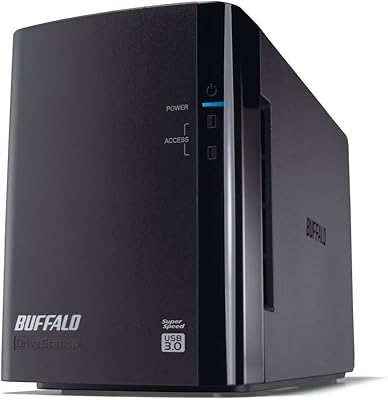
Buffalo DriveStation Duo 8TB External Hard Drive
79%
91%
Ease of Setup
88%
RAID Reliability
93%
Data Redundancy & Protection
84%
Build Quality & Construction
61%
Drive Noise Level
More
BUFFALO DriveStation DDR 3TB External Hard Drive
86%
89%
Performance
91%
Data Transfer Speed
85%
Design & Build Quality
93%
Compatibility with Mac & PC
88%
Storage Capacity
More
Buffalo DriveStation Axis Velocity 4TB Hard Drive

73%
83%
Transfer Speed
81%
Reliability & Longevity
86%
Ease of Setup
74%
Build Quality
62%
Noise Level
More
SanDisk Professional 8TB G-Drive External Hard Drive

68%
83%
Transfer Speed
88%
Build Quality
58%
Reliability
91%
Mac Compatibility
41%
Windows Compatibility
More
Seagate Expansion 8TB External Hard Drive
71%
91%
Value for Money
93%
Ease of Setup
94%
Storage Capacity
67%
Transfer Speed
72%
Build Quality
More
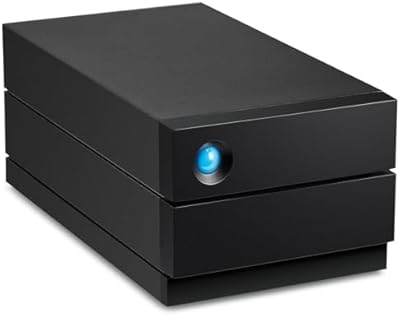
LaCie 2big RAID 8TB External Hard Drive
86%
92%
Performance
88%
Reliability
90%
Build Quality
85%
Ease of Use
91%
Data Transfer Speed
More
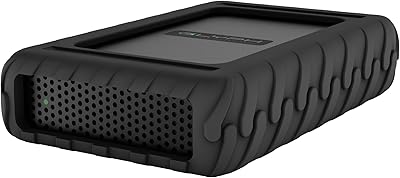
Glyph BlackBox Pro 8TB
79%
92%
Build Quality
89%
Reliability & Uptime
74%
Transfer Speed
94%
Warranty & Support
61%
Value for Money
More
LaCie Rugged RAID Shuttle 8TB Hard Drive
74%
91%
Build Quality
88%
Data Redundancy
52%
Thermal Management
61%
Value for Money
67%
Ease of Setup
More
Western Digital 8TB Elements Desktop External Hard Drive
82%
92%
Value for Money
95%
Setup & Installation
85%
Performance & Speed
88%
Build Quality & Durability
58%
Noise Levels Under Load
More
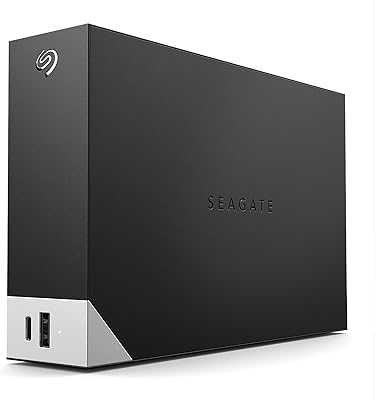
Seagate One Touch Hub 8TB External Hard Drive

72%
91%
Storage Capacity
83%
Built-in USB Hub
71%
Transfer Speed
58%
Noise Level
62%
Software (Seagate Toolkit)
More

FAQ

You will need to reformat it before macOS will use it properly. Out of the box it is formatted for Windows, so a quick erase and reformat in Disk Utility gets it ready for Time Machine or general Mac storage. The process takes only a few minutes, but it is a necessary step and worth knowing before you buy.

It is audible. A 7200RPM mechanical drive produces a noticeable hum and occasional seek noise, which is normal for this class of hardware. If your workspace is very quiet or you are sensitive to background noise, that is worth weighing before committing. Users who keep it tucked under a desk generally find it less intrusive than those who place it directly on the desktop.

It can only be actively formatted for one operating system at a time. You could partition it with a portion formatted for each OS, but that adds complexity and is not officially supported out of the box. Most people simply pick one OS and stick with it for this drive.

For many editing workflows it can handle the job, particularly with compressed 4K or standard HD footage. The 7200RPM speed and USB 3.2 Gen 1 connection provide reasonable throughput for sequential reads. That said, professionals working with uncompressed or high-bitrate RAW video may still find an SSD or a faster dedicated storage solution more reliable for smooth real-time playback.

The 256-bit AES hardware encryption is optional and handled at the drive level, so it does not require any special software on your computer to function. Setup typically involves using Buffalo's included tools to enable it. Once active, data is encrypted automatically without any ongoing effort from you, and there is no noticeable slowdown during normal use.

It runs warmer than a 5400RPM drive, which is simply a side effect of the higher rotational speed. Under sustained workloads like long backup jobs or large file transfers, the enclosure can feel warm to the touch. This is within normal operating range for this type of drive, but you should make sure it has reasonable airflow around it and is not enclosed in a cabinet without ventilation.

On its own, probably not dramatically. The Eco Manager reduces power draw during idle periods, which is most relevant if the drive is connected and powered on for many hours each day. Over months of continuous use it can add up slightly, but the bigger reason to use it is to reduce unnecessary wear during long idle stretches rather than for direct cost savings.

On modern versions of Windows it is genuinely plug-and-play — connect the USB cable, power it on, and Windows recognizes it within seconds. The Buffalo Backup Utility software is an optional add-on for scheduled backups, but you do not need to install anything just to use the drive as basic storage.

It is adequate but not class-leading. Some competing desktop drives in a similar price and capacity range now include three-year warranties as standard. Two years covers most early failure scenarios, but if long-term warranty coverage is a priority for you it is worth comparing before purchasing.

No single drive should ever be your only backup, regardless of brand or price point. Mechanical hard drives can and do fail, sometimes without warning. The smart approach is to keep at least two copies of anything irreplaceable — ideally one on this drive and one stored elsewhere, whether that is a second drive, a cloud service, or both. This Buffalo desktop drive is a solid primary backup destination, but it should not be the last line of defense for critical data.