Overview

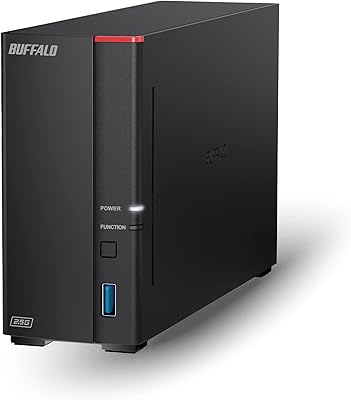
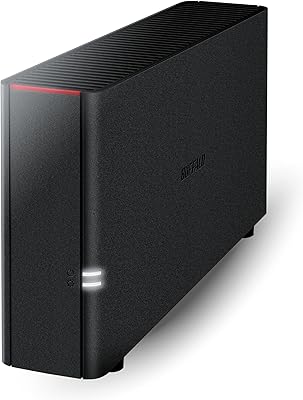
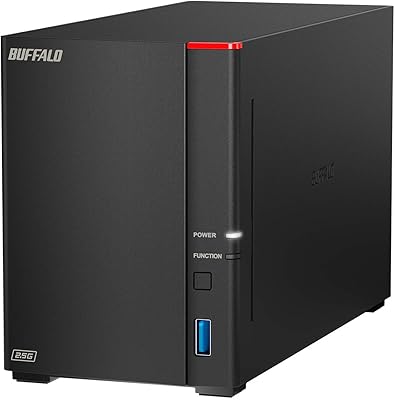
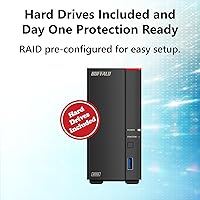
The Buffalo LinkStation 710 4TB NAS Storage sits in a comfortable mid-range spot for home users who are tired of paying monthly fees just to access their own files. Unlike older single-bay units limited to standard gigabit connections, this home NAS ships with 2.5GbE networking built in, which makes a real difference if your router supports the same standard. The drive comes included, so there is nothing extra to order before getting started. Under the hood, a hexa-core processor paired with 2GB of RAM handles concurrent transfers without choking. Physically, it is compact and unobtrusive — easy to tuck beside a router or on a shelf in a home office.
Features & Benefits

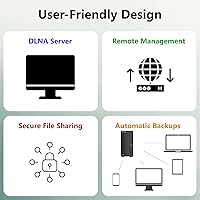
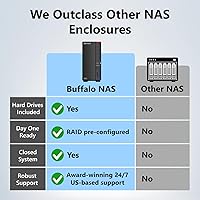
One of the strongest selling points of this home NAS is that remote access costs nothing beyond the hardware itself — no subscription, no annual renewal, just your files available wherever you are. Transfers are protected by SSL encryption, and because the system avoids third-party app integrations by design, the attack surface stays narrow. The included NovaBACKUP software covers five PCs, letting you schedule automatic backups across the whole household without configuring anything complicated. You can also lock down individual folders so guests or family members only see what you want them to see. NAS Navigator handles discovery and management on both Windows and macOS, and Buffalo's US-based support team is reachable around the clock if something goes sideways.

Best For

This single-bay network drive makes the most sense for households that are done paying recurring fees to cloud services for storage they already own. If you have two to five computers in your home or small office all needing regular automated backups, the bundled five-license software alone saves a meaningful setup headache. Media collectors — anyone sitting on a large library of raw photos, home videos, or lossless audio — will appreciate having local storage they can reach quickly over the network. Setup is genuinely plug-and-router simple, making it approachable for non-technical users. Those upgrading from an older, slower NAS will notice the speed bump, provided their networking gear can keep up.

User Feedback

Across more than 3,100 ratings, the LinkStation 710 holds a 3.9-star average — solidly positive but not without valid gripes. Most satisfied owners point to how quickly the unit was up and running, and many note that daily backups just happen quietly in the background once configured. On the downside, a recurring theme is fan noise during heavy sustained use, which some find intrusive in a quiet room. Since this is a single-bay device, there is no RAID redundancy — your data lives on one drive, full stop. A handful of users have also flagged friction around firmware updates and the Buffalo mobile app feeling dated. That said, US-based support gets consistent credit for being actually helpful when problems arise.

Pros

  • No monthly fees — pay once and access your files remotely forever without a subscription.
  • Drive comes pre-installed, so there is nothing extra to buy before getting started.
  • Five-license backup software covers the whole household out of the box.
  • Setup is approachable enough for non-technical users, typically done in under 30 minutes.
  • SSL encryption and a closed-system design keep transfers secure without complex configuration.
  • Folder-level access controls let you share specific files with guests without exposing everything.
  • The home NAS delivers noticeably faster local transfers for households with compatible networking gear.
  • US-based support is available around the clock and consistently rated as knowledgeable by real buyers.
  • Compact footprint means it fits on a shelf or desk without taking over the space.
  • Strong sales rank in its category reflects a broad, tested install base with years of real-world use.

Cons

  • No RAID support means a single drive failure could result in complete data loss.
  • Fan noise ramps up noticeably during sustained backups, which is disruptive in quiet rooms.
  • The mobile app feels outdated and occasionally loses connection without a clear reason.
  • Speed gains are fully dependent on your router — standard gigabit setups see no improvement.
  • Firmware updates have caused temporary unresponsiveness for a subset of users.
  • macOS users get fewer backup customization options compared to the Windows experience.
  • No drive bay expansion means the only upgrade path is swapping out the internal drive entirely.
  • Remote access performance is limited by your home internet upload speed, which catches some buyers off guard.
  • The web interface buries certain useful settings, like power scheduling, making them hard to find initially.

Ratings

The Buffalo LinkStation 710 4TB NAS Storage has been scored by our AI engine after processing thousands of verified global buyer reviews, with spam, bot submissions, and incentivized feedback actively filtered out before any analysis. Scores reflect the full distribution of real-world experiences — not just the loudest voices — so both the genuine strengths and the recurring frustrations are accounted for. The result is an honest snapshot of what everyday users actually encounter once this home NAS is running on their network.
Ease of Setup
83%
Most buyers report having the unit discoverable on their home network within 15 to 20 minutes of unboxing. NAS Navigator does the heavy lifting of finding the device automatically, which is a genuine relief for users who have never configured network storage before.
A small but consistent portion of reviewers hit snags when their router required manual IP assignment or had older firmware. Users running less common network configurations occasionally needed Buffalo support to get through the initial handshake.
Transfer Speed
78%
22%
Households that upgraded their router to support 2.5GbE connections report noticeably quicker file moves — large video folders that previously took several minutes transfer in a fraction of the time. The multi-core processor helps sustain throughput during simultaneous access from multiple devices.
The speed advantage is entirely conditional on your network hardware. Users still running standard gigabit routers see no meaningful improvement over older NAS units, and that represents a significant portion of the buyer base based on feedback patterns.
Reliability & Uptime
81%
19%
Long-term owners frequently mention the LinkStation 710 running continuously for months without a crash or unexpected shutdown. Automated backup jobs complete overnight without user intervention, which is exactly the kind of set-and-forget behavior home users are looking for.
There are scattered reports of units becoming unresponsive after certain firmware updates, requiring a reboot or full reset to recover. These incidents are not widespread but are concerning enough that cautious users recommend noting the firmware version before any update.
Noise Level
58%
42%
At idle and during light use — browsing stored photos or streaming a single file — the unit stays quiet enough that most users forget it is running. Its compact size also means it does not need to sit in a dedicated equipment rack, so placement in a living space is practical.
Under sustained load, such as a full system backup running across multiple computers, the internal fan audibly ramps up. Several reviewers in quiet home office environments specifically called this out as disruptive, and it appears to be the single most common complaint in negative reviews.
Data Security Features
86%
SSL-encrypted transfers and the closed-system architecture give privacy-conscious users real confidence that their files are not passing through third-party servers. Folder-level access controls mean you can share specific directories with family members without exposing the entire drive.
The security model is solid for home use but not designed for business-grade scenarios. Power users who want more granular permission structures or Active Directory integration will quickly find the feature set too basic for their needs.
Software & App Experience
61%
39%
NAS Navigator is straightforward for basic drive management, and the NovaBACKUP software covering five PCs is a practical inclusion that saves a separate software purchase. Initial configuration through the web interface is clean enough for non-technical users.
The mobile app draws consistent criticism for feeling dated and occasionally unreliable when switching between home Wi-Fi and mobile data. Firmware update notifications through the app are vague, and a handful of users report the app losing connection to the drive without an obvious reason.
Backup Functionality
84%
Automated scheduled backups work reliably once configured, and having five NovaBACKUP licenses in the box is a genuine differentiator for multi-computer households. Users running two or three laptops plus a desktop report all machines backing up nightly without conflicts.
The backup software is Windows-centric in its feature depth; macOS users get basic Time Machine compatibility but fewer customization options. Incremental backup scheduling is functional but not as flexible as third-party solutions that power users might expect.
Remote Access
77%
23%
Accessing stored files from outside the home network — on a work trip or at a coffee shop — works without paying any subscription, which is the core promise and one that buyers consistently confirm holds up in practice. Setup for remote access is guided and does not require port-forwarding expertise.
Remote access speed is naturally throttled by your home internet upload bandwidth, which is a hardware-agnostic limitation but one that catches some buyers off guard. A few users also note that the remote access portal feels less polished compared to competitors who have invested more heavily in their cloud interface.
Value for Money
74%
26%
For a unit that ships with a drive already installed, avoids recurring fees, and includes multi-PC backup software, the overall package is competitive in the single-bay NAS segment. Buyers who previously paid monthly for cloud storage often note the unit pays for itself within a year.
At its price point, the absence of any RAID option is a real trade-off — you are trusting your data to a single drive with no built-in redundancy. Buyers who later discover this limitation after a drive failure tend to be the harshest critics in the review pool.
Build Quality & Design
79%
21%
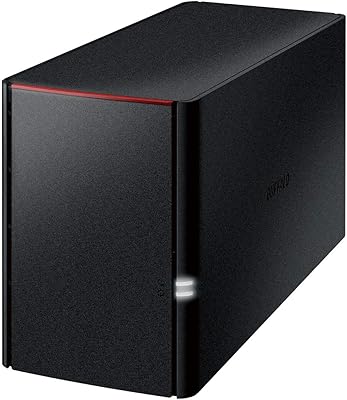
The chassis feels solid for its weight class, and the slim profile makes it easy to position vertically on a shelf or desk without looking out of place. The matte black finish resists fingerprints reasonably well and does not attract dust visibly.
The plastic construction, while adequate, does not inspire the same confidence as metal-chassied competitors at similar price points. A few users reported the drive bay cover feeling slightly loose over time, though no functional issues were attributed to it.
macOS Compatibility
71%
29%
Time Machine integration works out of the box, which is the main requirement for most Mac households. The unit shows up reliably in Finder after initial setup, and file access behaves like any other network volume.
Deeper macOS features are more limited compared to the Windows experience. Users on Apple Silicon machines occasionally reported compatibility quirks with older Buffalo utility software versions, requiring a manual update before full functionality was confirmed.
Customer Support
82%
18%
US-based support with 24/7 availability is a meaningful differentiator in a product category where many competitors offer only ticketing systems or community forums. Reviewers who called in during setup issues consistently describe agents as knowledgeable and patient.
Wait times during peak hours can stretch longer than the 24/7 branding implies. A subset of users who reached support for firmware-related issues felt the resolutions offered were generic rather than tailored to their specific configuration.
Capacity & Scalability
63%
37%
Four terabytes covers the practical storage needs of most home users — large photo libraries, years of video files, and full system backups across multiple machines fit comfortably. The capacity is competitive for the price tier in the single-bay category.
Single-bay means you cannot expand by adding a second drive later; the only upgrade path is replacing the existing drive entirely. For users whose storage needs grow quickly, this architectural ceiling becomes a frustration sooner than they anticipated when purchasing.
Power Consumption & Efficiency
76%
24%
The unit draws modest power during idle periods, and the drive spin-down feature activates when the NAS has been inactive for a set duration. Buyers who leave it running continuously report no notable impact on their electricity bills.
Power scheduling options — setting the unit to fully power off and on at specific times — are present but not prominently documented. A few energy-conscious users had to dig through the web interface to find these settings rather than encountering them during the initial setup wizard.

Suitable for:

The Buffalo LinkStation 710 4TB NAS Storage is a strong fit for households that are paying monthly fees to cloud services and want to own their storage outright without an ongoing bill. If your home has two, three, or even five computers all needing regular automated backups, the bundled multi-PC software makes that a genuinely practical setup rather than a weekend project. Media collectors — people sitting on years of vacation footage, RAW photo libraries, or large music archives — will appreciate having a fast local destination that does not throttle uploads or charge by the gigabyte. It also suits users who are not particularly technical; the NAS Navigator utility and guided setup mean most people are up and running the same evening the box arrives. Those upgrading from an older, slower single-bay NAS will notice a real throughput improvement, provided their router already supports the faster network standard the LinkStation 710 is built around.

Not suitable for:

The Buffalo LinkStation 710 4TB NAS Storage is not the right choice for anyone who needs their data protected against drive failure at the hardware level — this is a single-bay unit with no RAID option, meaning one drive holds everything with no redundancy underneath it. Small business owners or power users who need granular permission systems, Active Directory support, or app-based expandability will hit a ceiling quickly and would be better served by a two-bay or business-class NAS. If your home router is still running on standard gigabit Ethernet, the higher-speed networking built into the LinkStation 710 will not deliver any advantage over cheaper alternatives, so upgrading your whole network setup becomes part of the cost equation. Users who rely heavily on a polished mobile experience will likely find the Buffalo app frustrating — it works, but it feels several years behind competitors in terms of interface quality. Anyone managing truly critical or irreplaceable data should pair this device with an additional off-site backup strategy, since no single-drive NAS, regardless of brand, should be treated as a complete data protection solution on its own.

Specifications

  • Storage Capacity: The unit ships with a single 4TB CMR mechanical hard disk pre-installed, requiring no additional drive purchase.
  • Drive Type: The included hard disk uses Conventional Magnetic Recording (CMR) technology, spinning at 5400 RPM for reliable sequential read and write performance.
  • Drive Interface: The internal drive connects via Serial ATA-600 (SATA III), the current standard for maximizing throughput between the drive and the controller.
  • Network Port: One 2.5 Gigabit Ethernet port provides LAN connectivity, offering up to 2.5x the maximum throughput of a standard gigabit connection when paired with compatible networking hardware.
  • Processor: A 1.3 GHz hexa-core CPU handles file serving, encryption, and simultaneous multi-device access without significant performance degradation under typical home workloads.
  • Memory: 2GB of onboard RAM supports concurrent file operations and helps sustain transfer speeds when multiple devices are accessing the NAS simultaneously.
  • RAID Support: As a single-bay device, no RAID configuration is available; all 4TB of capacity is presented as a single unprotected volume.
  • Dimensions: The chassis measures 8.07″ deep by 1.77″ wide by 5.01″ tall, making it compact enough to sit upright on a desk or shelf without occupying significant space.
  • Weight: The fully assembled unit weighs approximately 3 pounds, including the pre-installed hard drive.
  • OS Compatibility: The NAS is compatible with both Windows and macOS, with Buffalo's NAS Navigator utility available for both platforms to handle discovery and management.
  • Security: File transfers are protected by SSL encryption, and the closed-system architecture limits exposure by preventing installation of third-party applications.
  • Remote Access: Built-in subscription-free personal cloud functionality allows users to access stored files from outside the home network without any recurring fees.
  • Backup Software: NovaBACKUP Buffalo Edition is included with five PC licenses, enabling scheduled and automated backups from multiple Windows computers on the same network.
  • Cloud Backup: The device supports outbound cloud backup to compatible third-party services, providing an additional off-site copy option beyond local network storage.
  • Customer Support: Buffalo provides US-based technical support available 24 hours a day, seven days a week, accessible by phone for setup walkthroughs and troubleshooting.
  • Power Efficiency: The unit includes a drive spin-down feature that reduces power consumption and noise when the NAS has been idle for a configurable period of time.
  • Warranty: Buffalo offers a standard limited warranty on the LinkStation 710 series; buyers should verify current terms directly with Buffalo as warranty periods can vary by region.
  • Market Ranking: The device holds the number two position in the Network Attached Storage category on Amazon, based on sales volume across its active listing period.

Related Reviews

BUFFALO LinkStation 720 4TB NAS
87%
91%
Setup and Installation
87%
Performance and Speed
94%
Data Redundancy and Backup
89%
Compatibility with Windows and MacOS
93%
Cloud Storage Feature (No Subscription)
More
BUFFALO LinkStation 710 8TB NAS
85%
91%
Value for Money
88%
Performance and Speed
85%
Ease of Setup
90%
Security Features
78%
Software Experience (NAS Navigator)
More
BUFFALO LinkStation 220 4TB 2-Bay NAS
68%
86%
Ease of Setup
58%
Transfer Speed
83%
Data Redundancy & RAID
71%
Software & Management
77%
Security Architecture
More
BUFFALO LinkStation 220 12TB NAS
84%
90%
Ease of Setup
88%
Reliability
92%
Value for Money
70%
Performance with Large Transfers
94%
RAID 1 Backup Functionality
More
BUFFALO LinkStation 210 2TB 1-Bay NAS
63%
83%
Ease of Setup
47%
Transfer Speed
71%
Build Quality & Design
78%
Noise & Heat
44%
Software & Firmware
More
BUFFALO LinkStation 210 6TB NAS
83%
89%
Ease of Setup
91%
Data Protection (RAID)
72%
File Transfer Speed
88%
Cross-Platform Compatibility
85%
Build Quality
More
BUFFALO LinkStation SoHo 720 16TB NAS
86%
89%
Value for Money
94%
Setup and Installation
85%
Performance
88%
Reliability
65%
Noise Under Load
More
Buffalo LinkStation SoHo 720 8TB NAS
86%
88%
Performance
93%
Ease of Setup
90%
Data Security
85%
File Transfer Speed
87%
Reliability
More
Gigastone 4TB NAS SSD
88%
94%
Performance for Heavy Workloads
92%
Reliability for 24/7 Operation
88%
Data Transfer Speed
85%
Compatibility with NAS Systems
90%
Ease of Setup
More
BUFFALO TeraStation 3420DN 8TB NAS
85%
87%
Performance
91%
Ease of Setup
90%
Data Protection (RAID 1)
85%
Cloud Integration
88%
Reliability
More

FAQ

The drive comes pre-installed. You open the box, connect the Ethernet cable and power adapter, and you are ready to start the setup process — no shopping for a compatible HDD required.

It will work with any router that has a standard Ethernet port. That said, the 2.5GbE network port on the Buffalo LinkStation 710 4TB NAS Storage only delivers its full speed advantage when your router also supports 2.5GbE. If your router tops out at standard gigabit, transfer speeds will be capped at that level — still functional, just not faster than older NAS units.
No subscription is required. Remote access is built into the device and costs nothing beyond the initial purchase. You connect through Buffalo's personal cloud feature, and your files are accessible from anywhere without paying ongoing fees.

The NovaBACKUP software included in the box covers five PCs, so a household with several laptops and desktops can all be set up for automated scheduled backups without purchasing additional licenses.

Because this is a single-bay NAS with no RAID option, a drive failure means you lose access to everything stored on that drive. There is no hardware redundancy built in. It is strongly recommended to maintain a separate backup copy — whether on an external drive or a cloud service — for anything you cannot afford to lose.

At idle and during light activity like streaming a single file, the unit is quiet enough that most people do not notice it. The fan becomes audible when the device is under sustained load, such as running a full backup across multiple computers at once. In a quiet home office environment, some users find this noticeable enough to mention in their reviews.

It works on both platforms. Time Machine backup compatibility is supported for macOS users, and the drive shows up as a standard network volume in Finder. Windows users get slightly more flexibility with the NovaBACKUP software, but Mac compatibility is solid for everyday use.

Most non-technical users report getting the device discovered and accessible on their network within 15 to 30 minutes. You install the NAS Navigator utility, plug in the Ethernet and power cables, and the software finds the device automatically. Buffalo also offers phone-based setup walkthroughs if you get stuck.

No — this is a single-bay unit, so there is only one drive slot. If you need more capacity down the line, your only option is replacing the internal drive with a higher-capacity one. If expandability matters to you, a two-bay model would be a better starting point.

It works well enough for basic file browsing and retrieval, but the app has a reputation for feeling dated compared to competitor offerings. Some users report occasional disconnections when switching between Wi-Fi and mobile data. For straightforward access to stored files it gets the job done, but do not expect a polished modern interface.