Buffalo LinkStation SoHo 720 8TB NAS
Buffalo LinkStation SoHo 720 8TB NAS — image 1
Buffalo LinkStation SoHo 720 8TB NAS — image 2
Buffalo LinkStation SoHo 720 8TB NAS — image 3
Buffalo LinkStation SoHo 720 8TB NAS — image 4
Buffalo LinkStation SoHo 720 8TB NAS — image 5
Buffalo LinkStation SoHo 720 8TB NAS — image 6

Buffalo LinkStation SoHo 720 8TB NAS — image 7
Buffalo LinkStation SoHo 720 8TB NAS — image 8
Buffalo LinkStation SoHo 720 8TB NAS — image 9
75%
25%

Overview

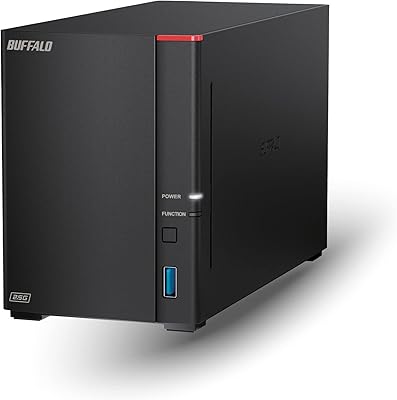
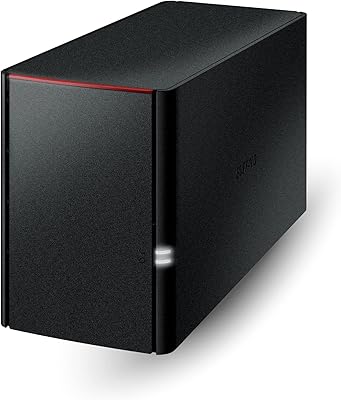
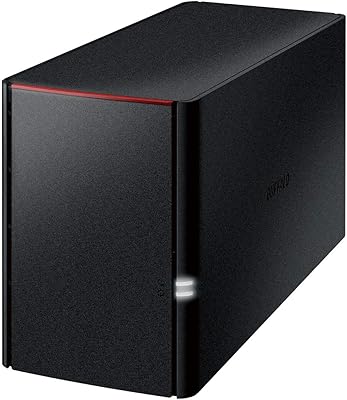
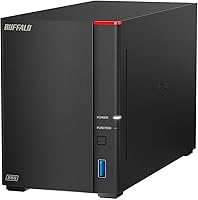
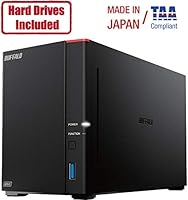
The Buffalo LinkStation SoHo 720 8TB NAS is a 2-bay network storage unit built for small offices and home power users who want reliable shared storage without paying monthly cloud fees. Unlike older single-bay LinkStation models, this 2-bay office NAS brings a meaningful hardware bump: a hexa-core processor, 2GB of RAM, and a 2.5GbE port that older units simply didn't offer. It ships in RAID 1 by default, meaning you get 4TB of mirrored, protected storage straight out of the box — though you can switch to RAID 0 to use the full 8TB. Priced in the mid-range, it sits comfortably between budget single-bay units and the more expensive TeraStation line. Buffalo's US-based 24/7 support is a genuine plus for buyers who aren't NAS veterans.

Features & Benefits

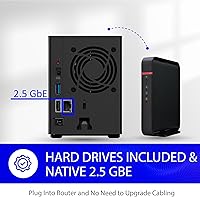
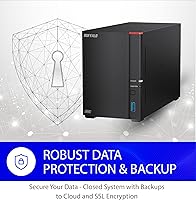
The 2.5GbE Ethernet port is the headline spec here, and it delivers real-world transfer improvements over standard gigabit NAS units — but only if your router or switch also supports 2.5GbE, which is worth confirming before buying. The LinkStation 720 runs a closed operating system, deliberately limiting third-party app installation, which actually works in its favor for security: there's less surface area for vulnerabilities, and SSL encryption covers file transfers end-to-end. The included NAS Navigator 2 software handles multi-device backup scheduling without requiring any paid add-ons. RAID 1 protection is active from day one, so if one drive fails unexpectedly, your data survives. Remote access is built in and, crucially, subscription-free.

Best For

This 2-bay office NAS is a strong fit for small office teams of two to ten people who need centralized file sharing without the overhead of managing a full server. Freelancers handling large video or photo libraries will appreciate having a fast local backup that's also accessible remotely. It also works well as a step-up device for home users who've outgrown a single external hard drive and want automated backups running in the background without lifting a finger. That said, IT professionals or anyone planning to run virtual machines or iSCSI targets should look elsewhere — the LinkStation 720 simply wasn't designed for those advanced workloads. Existing Buffalo users upgrading from a 1GbE model will find the transition almost effortless.

User Feedback

Across roughly 235 reviews, the LinkStation 720 holds a 4.2 out of 5 rating — respectable, but there's nuance worth knowing. The most consistent praise centers on straightforward setup: buyers report having the NAS connected and accessible within 30 minutes, which matters a lot for non-technical users. The speed improvement over 1GbE predecessors also gets regular mentions. On the critical side, the 5400 RPM drives are the main trade-off — sequential transfer speeds hit a ceiling that faster 7200 RPM drives would push through. A handful of reviewers flag that Buffalo's support team, while responsive, occasionally takes longer than expected during peak periods. Noise levels in always-on setups appear largely a non-issue, with quiet operation noted positively.

Pros

  • Ships in RAID 1 out of the box, so drive-failure protection requires zero configuration.
  • The 2.5GbE port delivers noticeably faster transfers compared to standard gigabit NAS units, given compatible networking hardware.
  • NAS Navigator 2 and PC backup software are included — no extra software purchases needed to get automated backups running.
  • Closed OS architecture meaningfully reduces the attack surface compared to app-heavy NAS platforms.
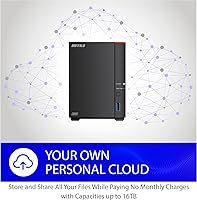
  • Subscription-free remote access means no recurring costs to reach your files from outside the office.
  • Setup is genuinely beginner-friendly; most users report being up and running within 30 minutes.
  • US-based 24/7 phone support is a real safety net for less confident buyers — not just a chatbot.
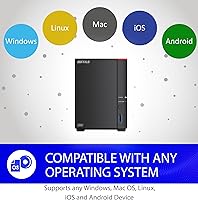
  • Compatible with both Windows and macOS 10.13 and later, covering most mixed office environments.
  • Compact footprint at under 5 inches deep makes it easy to tuck onto a desk or shelf.
  • Switching from RAID 1 to RAID 0 is straightforward if you later decide to prioritize capacity over redundancy.

Cons

  • 5400 RPM drives cap sequential transfer speeds — moving large files regularly will feel sluggish compared to faster-drive alternatives.
  • The 2.5GbE benefit only materializes if you already own a 2.5GbE-capable router or switch, adding a potential hidden cost.
  • No iSCSI support rules out the LinkStation 720 for any business needing block-level storage or virtualization.
  • The closed OS means no Plex, no Docker, no third-party apps — flexibility is genuinely off the table.
  • RAID 1 cuts usable storage to 4TB from the advertised 8TB raw; buyers who miss this detail may feel misled.
  • 2GB of DDR3 RAM is functional but could become a bottleneck if multiple users are transferring files simultaneously.
  • No built-in drive health alerting beyond basic status indicators — proactive monitoring requires external tools.
  • Some users report Buffalo support wait times stretching longer than expected during high-demand periods.
  • No SSD cache slot to compensate for the slower spinning drives if performance becomes a concern down the road.
  • Limited expansion path — with only two bays, storage growth means replacing drives rather than simply adding them.

Ratings

The Buffalo LinkStation SoHo 720 8TB NAS has been scored by our AI after analyzing verified buyer reviews from across the globe, with spam, bot-submitted, and incentivized feedback actively filtered out before any score was calculated. The ratings below reflect both what this 2-bay office NAS genuinely does well and where real users have run into frustration — nothing is glossed over. Strengths and pain points are weighted equally so you get an honest picture before committing to a purchase.

Ease of Setup
88%
A consistent theme across the review pool is how quickly non-technical users get this Buffalo NAS online — many report a fully working shared drive within 30 minutes of unboxing. The NAS Navigator 2 software finds the device on the local network automatically, removing the need to manually configure IP addresses or dig through admin panels.
A smaller but vocal group of users encountered issues when their router's DHCP settings conflicted with initial device discovery, requiring a call to Buffalo support to resolve. The setup experience is smooth on straightforward home networks but can trip up slightly more complex office environments with VLANs or managed switches.
Data Redundancy
91%
Shipping in RAID 1 by default is one of the most practically valuable decisions Buffalo made with the LinkStation 720 — users who have never touched a RAID configuration still get drive-mirroring protection from the first boot. Several reviewers specifically cited surviving a drive failure without losing a single file as the moment that validated their purchase.
The RAID 1 default does cut usable capacity in half, and a meaningful portion of buyers were caught off guard to find only 4TB available on what they understood to be an 8TB device. The manual explanation of this trade-off during setup could be much clearer than it currently is.
Transfer Speed
67%
33%
Users upgrading from a standard 1GbE NAS notice a real difference when their network hardware supports 2.5GbE, with large folder transfers completing meaningfully faster during daily backup windows. For typical office tasks — moving documents, syncing project folders, streaming media to a single user — the speed is more than adequate.
The 5400 RPM mechanical drives are the persistent bottleneck for anyone pushing sustained large-file transfers, and several videographers and photographers flagged this as a limitation when working with raw media. Buyers who did not already own 2.5GbE-capable networking hardware saw no speed improvement at all over cheaper gigabit alternatives.
Value for Money
74%
26%
The fact that drives are pre-installed and RAID 1 is preconfigured out of the box removes two common hidden costs — buying drives separately and paying for setup time. The subscription-free remote access further adds long-term value for buyers who would otherwise spend on cloud storage plans for a team.
At its price point, the LinkStation 720 competes with entry-level Synology units that offer broader app ecosystems and more upgrade flexibility, which makes the value calculus tighter than it first appears. Power users who quickly outgrow the closed OS limitations may feel the purchase was a short-term compromise rather than a lasting investment.
Security
83%
The closed OS approach is a genuine security strength for small offices that cannot afford dedicated IT oversight — without third-party apps to exploit, the attack surface stays narrow. SSL encryption on file transfers provides a solid baseline for protecting data in transit, which several small business reviewers appreciated explicitly.
The same closed architecture that keeps the device secure also means there is no path to adding more advanced security tooling, such as two-factor authentication apps or intrusion detection logging. Reviewers with more sophisticated security requirements noted this as a ceiling they bumped into fairly quickly.
Software & Management
72%
28%
NAS Navigator 2 handles the most common tasks — mapping network drives, monitoring drive health, scheduling backups — without demanding any technical background. The included PC backup utility runs quietly in the background on multiple machines simultaneously, which saves smaller teams from managing separate backup solutions.
The management interface feels dated compared to competitors, and several users found that the backup scheduling options are less granular than they expected — for example, there is no easy way to set file-type filters on automated backup jobs. Users coming from Synology's DSM interface in particular noted a noticeable step down in polish and functionality.
Remote Access
78%
22%
The built-in remote access works reliably for straightforward file retrieval and document editing from outside the office, and the subscription-free model means there are no recurring costs eating into the device's overall value over time. Freelancers who need to pull client files from a job site found this feature genuinely useful in day-to-day work.
Remote access performance is sensitive to the upload speed of the internet connection at the NAS end, and users on slower broadband plans found remote file transfers frustratingly slow for anything beyond lightweight documents. Initial remote access configuration is also less guided than the local setup experience, generating a small but consistent stream of support calls.
Build Quality
81%
19%
The enclosure feels solid and well-constructed for a device in this category, and reviewers running it in always-on office environments report no heat-related issues or unexpected shutdowns even after months of continuous use. The compact footprint — just over 8 inches long — makes it easy to position on a desk without taking up meaningful workspace.
The matte black plastic housing, while functional, does not convey a premium feel at close range, and a few buyers noted minor flex in the drive bay cover during drive swaps. It is perfectly durable for its intended use, but those expecting metal construction at this price point may be mildly disappointed.
Noise & Heat
84%
The 5400 RPM drives contribute to a genuinely quiet operational profile that most office users describe as unobtrusive — it blends into the background alongside other desk equipment without drawing attention. Thermal management appears well-tuned, with the fan ramping up only during sustained heavy transfers and returning to near-silent operation quickly afterward.
During long backup runs — particularly the initial full-system backup of multiple computers — the fan becomes audible in a quiet home office environment, which a handful of reviewers found disruptive during evening work sessions. It is not loud by any objective measure, but buyers particularly sensitive to ambient noise should be aware it is not completely silent.
Compatibility
86%
Working reliably across Windows and macOS in the same network — including current macOS 26 — removes a common pain point for mixed-OS teams, and reviewers confirm that Macs and PCs can share the same folders without special configuration. Both NAS Navigator 2 and the backup client are available for both platforms.
Linux users are effectively unsupported, and the NAS Navigator 2 utility requires macOS 10.13 or later, which means very old Mac hardware may struggle to run the management software even if the network shares are technically accessible. Mobile access apps also receive notably less praise than the desktop experience.
Customer Support
76%
24%
US-based 24/7 telephone support is a meaningful differentiator for less technically confident buyers, and a portion of reviewers specifically called out Buffalo representatives walking them through setup or troubleshooting with genuine patience. Having a real person available outside business hours carries real weight for small offices without in-house IT.
A recurring frustration in the review pool is inconsistent wait times — during busy periods, some users report holding for longer than expected before reaching an agent. A smaller number of reviews also note that the quality of technical guidance varied noticeably between support representatives, suggesting inconsistency in training depth.
Scalability
51%
49%
For buyers whose storage needs are relatively stable and predictable, the two pre-populated drive bays and the option to switch RAID modes provide some flexibility without any additional investment. Upgrading to larger individual drives is technically possible and gives the unit a modest growth path.
With only two drive bays and no expansion port, storage growth beyond the current drive capacities requires a full drive replacement rather than simply adding more bays — a significant limitation for teams whose data volumes grow quickly. The closed OS also means there is no path to adding functionality through software, so what you get on day one is essentially what you have indefinitely.
Advanced Features
43%
57%
For its intended audience — small offices and home users who want reliable shared storage without complexity — the LinkStation 720 covers the essentials competently: RAID, shared folders, automated backup, and remote access without any subscription.
Power users who need iSCSI, virtual machine hosting, Docker containers, or a rich third-party app ecosystem will find this device falls well short of alternatives at similar price points. The absence of these features is by design, but buyers who discover the limitations after purchase consistently express frustration that the trade-offs were not communicated clearly enough upfront.

Suitable for:

The Buffalo LinkStation SoHo 720 8TB NAS is a well-matched solution for small office teams of two to ten people who want centralized file sharing without hiring someone to set it up or maintain it. If your current workflow involves emailing files back and forth, or everyone plugging into their own external drives, this device brings real order to that chaos — and does it without demanding much technical know-how. Freelancers and creative professionals who work with large photo or video libraries will find the local storage speed and subscription-free remote access genuinely useful for accessing project files while on-site with clients. Home users who have outgrown a single USB backup drive and want automated, hands-off protection across multiple computers are also a strong fit. The RAID 1 default means data redundancy is active from the moment you plug it in, which is exactly what a non-technical buyer needs.

Not suitable for:

Power users and IT administrators should look carefully before committing to the Buffalo LinkStation SoHo 720 8TB NAS, because it deliberately keeps its feature set narrow. There is no iSCSI support, no virtual machine hosting, and no third-party application ecosystem — by design, the closed OS trades flexibility for simplicity and security. If you need to run Plex Media Server, host containers, or integrate the NAS into a more complex network architecture, this device will hit a wall fast. The included 5400 RPM mechanical drives also mean sequential transfer speeds are modest; anyone regularly moving multi-gigabyte files at speed will notice the ceiling, especially compared to NAS units equipped with 7200 RPM or SSD caching options. Finally, to actually benefit from the 2.5GbE port, your router or switch also needs to support 2.5GbE — buyers on older networking hardware will see no speed advantage over a standard gigabit unit.

Specifications

  • Total Capacity: The unit ships with 8TB of raw storage across two included 4TB mechanical hard drives.
  • Usable Storage: In the default RAID 1 configuration, usable capacity is 4TB due to mirroring; switching to RAID 0 unlocks the full 8TB.
  • Drive Bays: Two internal 3.5-inch drive bays are included, both populated at the time of purchase.
  • Drive Type: Drives are 3.5-inch CMR mechanical hard disks spinning at 5400 RPM with a SATA 600 interface.
  • Processor: A 1.3 GHz hexa-core processor handles NAS operations, file indexing, and simultaneous user access.
  • Memory: 2GB of DDR3 RAM is installed, supporting multi-user access and background backup tasks.
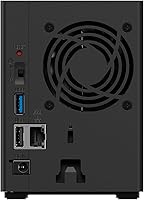
  • Ethernet Port: One 2.5GbE Ethernet port provides faster-than-gigabit throughput when connected to a compatible 2.5GbE switch or router.
  • RAID Modes: Supports RAID 0 for maximum capacity and RAID 1 for drive-failure redundancy; RAID 1 is enabled by default.
  • OS Support: Compatible with Windows and macOS 10.13 or later, including macOS 26; NAS Navigator 2 requires macOS 10.13 minimum.
  • Cloud Backup: Hybrid cloud backup is supported, allowing data to be copied to a compatible cloud destination in addition to local storage.
  • Security: File transfers are protected with SSL encryption, and the closed OS architecture limits exposure to third-party application vulnerabilities.
  • Included Software: NAS Navigator 2 management utility and a PC backup application are included at no additional cost.
  • Remote Access: Subscription-free remote file access is built in, allowing users to reach stored data from outside the local network without recurring fees.
  • iSCSI Support: iSCSI is not supported; this unit is designed for standard file-based SMB and NFS sharing rather than block-level storage.
  • Dimensions: The unit measures 8.1 x 3.6 x 5 inches (L x W x H), making it compact enough for a desk or small shelf.
  • Weight: Fully loaded with both drives installed, the unit weighs 4.75 pounds.
  • Color & Form: The enclosure is finished in matte black and is designed for desktop placement rather than rack mounting.
  • Customer Support: Buffalo provides US-based telephone support available 24 hours a day, 7 days a week, including installation walkthroughs.

Related Reviews
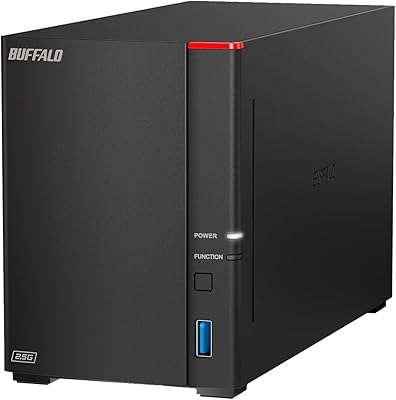
Buffalo LinkStation SoHo 720 16TB NAS
76%
88%
Ease of Setup
81%
Network Transfer Speed
63%
Drive & Storage Performance
89%
Data Protection & Security
44%
Software & App Ecosystem
More
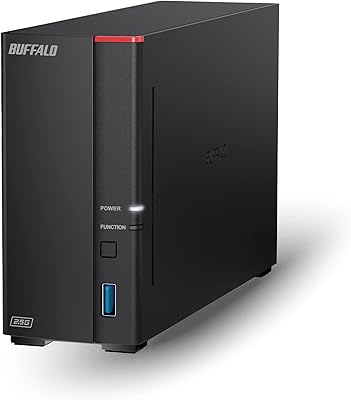
Buffalo LinkStation 720 4TB NAS
72%
82%
Ease of Setup
74%
Transfer Speed
79%
Build Quality
71%
Value for Money
58%
Software & Interface
More
BUFFALO LinkStation 710 8TB NAS
85%
91%
Value for Money
88%
Performance and Speed
85%
Ease of Setup
90%
Security Features
78%
Software Experience (NAS Navigator)
More
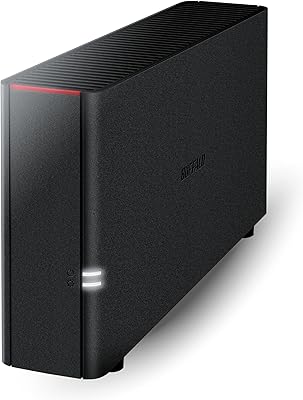
BUFFALO LinkStation 220 4TB 2-Bay NAS
68%
86%
Ease of Setup
58%
Transfer Speed
83%
Data Redundancy & RAID
71%
Software & Management
77%
Security Architecture
More
BUFFALO LinkStation 220 12TB NAS
84%
90%
Ease of Setup
88%
Reliability
92%
Value for Money
70%
Performance with Large Transfers
94%
RAID 1 Backup Functionality
More
Buffalo LinkStation 210 6TB NAS Storage Device
64%
83%
Ease of Setup
47%
Transfer Speed
76%
Value for Money
54%
Long-Term Reliability
41%
macOS Compatibility
More
BUFFALO LinkStation 210 2TB 1-Bay NAS
63%
83%
Ease of Setup
47%
Transfer Speed
71%
Build Quality & Design
78%
Noise & Heat
44%
Software & Firmware
More
Buffalo LinkStation 710 4TB NAS Storage
75%
83%
Ease of Setup
78%
Transfer Speed
81%
Reliability & Uptime
58%
Noise Level
86%
Data Security Features
More
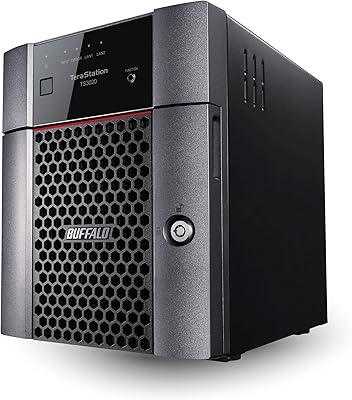
BUFFALO TeraStation 3420DN 8TB Desktop NAS
78%
92%
Ease of Setup
88%
Build Quality
86%
Drive Reliability
74%
Network Performance
58%
Management Interface
More
BUFFALO TeraStation Essentials 8TB 4-Bay NAS
73%
91%
Ease of Setup
83%
Build Quality & Hardware
76%
Network Performance (2.5GbE)
88%
Data Security & Encryption
82%
RAID Flexibility
More

FAQ

Right out of the box, the LinkStation 720 is set to RAID 1, which mirrors your data across both drives for protection — that means you get 4TB of usable space, not 8TB. If you switch it to RAID 0, you can use the full 8TB, but you lose the redundancy. Most small office buyers are better off keeping RAID 1 enabled and accepting the 4TB ceiling in exchange for that drive-failure safety net.

Yes, and this is an important detail many buyers overlook. The 2.5GbE port only delivers faster speeds if the router or network switch it connects to also supports 2.5GbE. If your current networking hardware only has standard gigabit ports, you will not see any speed improvement over a regular 1GbE NAS. A 2.5GbE switch is a relatively modest additional expense, but it is worth factoring into your total cost.

Not at all — this is one of the stronger points of the Buffalo LinkStation SoHo 720 8TB NAS. You connect it to your router with an Ethernet cable, power it on, and the included NAS Navigator 2 software finds it on your network automatically. Most users report being fully set up and running their first backup within 30 minutes. Buffalo also offers 24/7 US-based phone support if you run into any snags during installation.

No, and this is a firm limitation. The LinkStation 720 uses a closed operating system that does not support installing third-party applications like Plex, Emby, or any container-based software. If running a media server is important to you, a platform like Synology or QNAP with an open app ecosystem would be a better fit.

Most users describe it as quiet in normal operation — the kind of low hum that blends into the background of a working office. The 5400 RPM drives are inherently quieter than faster 7200 RPM alternatives. During heavy data transfers, fan activity increases slightly, but it rarely reaches the point of being distracting.

Yes, this 2-bay office NAS is designed for simultaneous multi-user access, which is one of its core purposes. The hexa-core processor and 2GB of RAM handle concurrent connections reasonably well for a small team. Performance can thin out if several users are all transferring large files at exactly the same moment, but for typical mixed office use — document editing, file sharing, occasional large uploads — it holds up fine.

Yes, it is fully compatible with both Windows and macOS 10.13 or later, including macOS 26. Mixed-OS offices can use it without any workarounds — Windows PCs and Macs can all access shared folders simultaneously. The NAS Navigator 2 management app is available for both platforms as well.

If you leave the unit in its default RAID 1 mode, a single drive failure will not result in data loss. The NAS will alert you to the failed drive, and you can replace it without losing any files. Once the new drive is installed, the unit automatically rebuilds the mirror in the background. This is exactly the kind of scenario RAID 1 is designed for, and it is one of the most practical reasons to keep the default RAID setting in place.

No — remote access is built in and completely subscription-free. Once you configure it through the included software, you can reach your files from anywhere without paying a monthly fee. This is a real advantage over cloud storage services that charge ongoing fees for the same functionality.

Yes, the drives are standard 3.5-inch SATA hard disks and can be replaced. If you want to expand capacity down the road, you can swap in larger drives — though you would typically need to replace both drives and reconfigure the RAID to take full advantage of the additional space. It is a straightforward process, but one worth planning for if you anticipate significant storage growth in the next few years.

Where to Buy