Overview

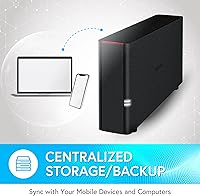
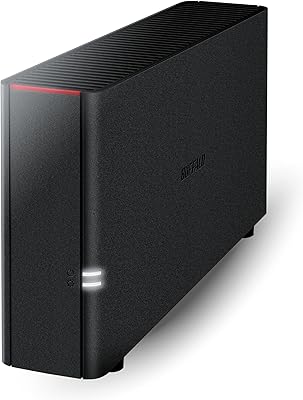
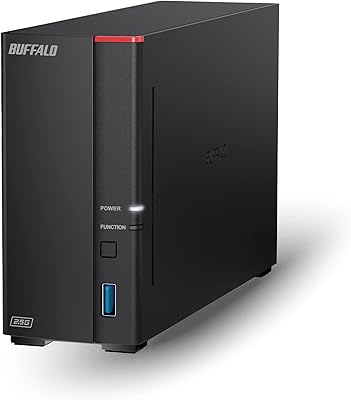
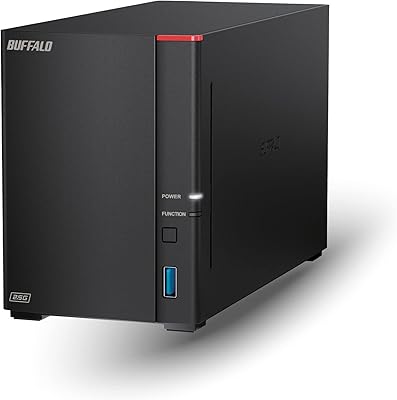
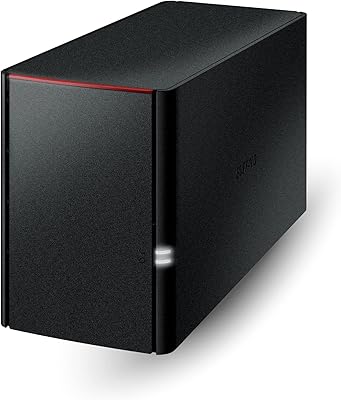
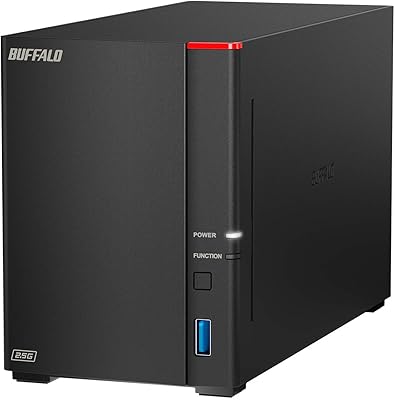
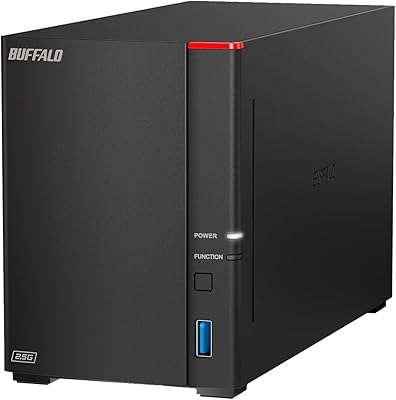
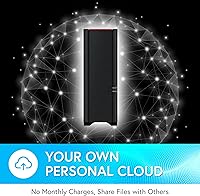
The Buffalo LinkStation 210 6TB NAS Storage Device is a straightforward, no-frills network storage solution built for home users who want centralized file access without the complexity of enterprise gear. Plug it into your router, run a quick setup, and you have 6TB of shared storage accessible across the household. The real draw is the no-subscription private cloud angle — your files stay on your hardware, not a third-party server, making it a practical alternative to paying monthly for Google Drive or Dropbox. That said, keep expectations grounded. This is an entry-level unit, and macOS 26 users should know upfront that this home NAS unit does not support Apple's latest operating system.
Features & Benefits

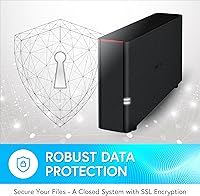
What makes the LinkStation 210 practical for everyday home use is how much it handles quietly in the background. SSL-encrypted file transfers and a closed system — no third-party app integrations — keep your data reasonably locked down without requiring you to actively manage it. The bundled NAS Navigator 2 utility makes setting up automated backups across multiple PCs genuinely simple, and the included NovaBACKUP software covers up to five machines. You can also set individual folder permissions, so sharing a vacation album with relatives does not mean exposing your financial documents. The 800 MHz processor and 256 MB RAM are modest — fine for light file serving, but this network storage drive will show slowdowns under heavy concurrent transfers or any attempt at media transcoding.

Best For

This home NAS unit fits a fairly specific type of buyer — someone who wants private, subscription-free storage and does not need high-performance throughput. If your household has accumulated years of photos, home videos, and music files that you want accessible on the local network without ongoing cloud fees, this delivers that reliably. Families running several Windows machines or Macs on macOS 15 or earlier will find the shared folder setup refreshingly uncomplicated. However, if you need RAID for drive redundancy, fast multi-user transfers, or you have already upgraded to macOS 26, this unit is not the right fit. Power users and Plex enthusiasts should look elsewhere for a more capable device.

User Feedback

Across more than 3,000 ratings, the LinkStation 210 holds a 3.9-star average — decent, though not without caveats. The most consistent praise centers on easy initial setup and reliable performance for basic file sharing across a home network. Buyers also frequently highlight Buffalo's 24/7 US-based support as a genuine plus, particularly for less tech-savvy users navigating installation. On the flip side, transfer speed complaints are common — the 1GbE connection shows its limits when moving large files regularly. There is also a vocal contingent frustrated by slow firmware updates and the narrow macOS compatibility window. A notable share of long-term owners report hardware reliability concerns surfacing after one to two years, which is worth factoring in before committing.

Pros

  • No monthly fees — once you own it, your storage costs are fixed with no cloud subscriptions required.
  • Setup is straightforward enough that non-technical users can get the network drive running in under an hour.
  • 6TB of included storage covers years of photos, videos, and documents for a typical household.
  • Per-folder access controls let you share selectively without exposing your entire drive to family or guests.
  • Bundled NovaBACKUP software covers up to five PCs, adding real value beyond just file storage.
  • SSL-encrypted transfers give a reasonable layer of security without any manual configuration.
  • Buffalo offers 24/7 US-based customer support, which owners consistently flag as genuinely helpful.
  • The closed-system architecture limits exposure to third-party app vulnerabilities, keeping things simple and contained.
  • Compact and light at under 2.5 pounds, it tucks easily into a home office or media cabinet.
  • A two-year warranty provides a decent safety net for an entry-level device in this category.

Cons

  • Single-bay design means there is no RAID option — a drive failure puts all your data at risk.
  • Transfer speeds over 1GbE feel sluggish when moving large file batches, which several long-term owners flag repeatedly.
  • macOS 26 is completely unsupported, making this a short-sighted buy for anyone on Apple's latest OS.
  • Firmware updates are infrequent, leaving some known issues unresolved for extended periods.
  • No cloud backup integration means off-site redundancy requires a separate solution entirely.
  • The app ecosystem is minimal — do not expect plugin support, Docker, or media server capabilities.
  • A subset of owners report hardware failures surfacing within one to two years of regular use.
  • 256 MB of RAM creates noticeable performance degradation when more than a couple of users access the drive simultaneously.
  • No mobile-first remote access features beyond basic setup — competing units at similar prices do more here.
  • Long-term reliability reviews are mixed enough that buying an extended warranty or maintaining an external backup is advisable.

Ratings

The scores below reflect our AI-driven analysis of thousands of verified global reviews for the Buffalo LinkStation 210 6TB NAS Storage Device, with spam, incentivized, and bot-generated feedback actively filtered out before scoring. Each category captures both the genuine strengths and the recurring frustrations real buyers report after weeks or months of daily use. Nothing is glossed over — where this home NAS unit earns praise, it is noted; where it falls short, that is reflected just as plainly.

Ease of Setup
83%
The majority of home users — including those with little to no networking experience — report getting the LinkStation 210 online within 30 to 45 minutes using NAS Navigator. Buffalo's guided installation process and readily available 24/7 US-based phone support make the initial hurdle genuinely low compared to competing devices that assume more technical knowledge.
A small but consistent group of users hit snags when their router's default settings conflict with the NAS discovery process, requiring manual IP configuration that stumps less experienced buyers. Windows 11 users have occasionally reported driver and detection issues that needed a support call to resolve.
Transfer Speed
47%
53%
For basic household tasks — copying a folder of vacation photos, streaming a locally stored audio playlist, or opening a shared document — the 1GbE connection handles things adequately. Users with modest, sequential file-access habits rarely encounter dramatic slowdowns in day-to-day use.
Move anything large — a folder of RAW photos, a batch of home videos, or a system image backup — and the mechanical drive paired with the modest processor starts showing real limitations. Multiple users accessing the drive simultaneously makes things noticeably worse, and this network storage drive is simply not competitive on throughput compared to modern NAS units at similar price points.
Value for Money
76%
24%
The no-subscription model is the core value argument here, and it holds up well for buyers who were previously paying monthly for cloud storage. Getting 6TB of private, household-accessible storage with bundled backup software and a five-PC NovaBACKUP license represents a solid package for the entry-level home user.
As the NAS market has evolved, competing options have closed the gap considerably at comparable price points while offering faster processors, app ecosystems, and two-bay expandability. Buyers who dig into comparisons before purchasing sometimes feel the LinkStation 210 is priced slightly ahead of what its hardware specifications justify in today's market.
Long-Term Reliability
54%
46%
A solid portion of owners report their units running without incident for two-plus years, serving as a quiet, dependable file repository in a home office or living room setup. Those who stick to light workloads — primarily file storage and scheduled backups — tend to have the most stable long-term experiences.
A meaningful share of reviews describe drive or unit failures surfacing within 12 to 24 months, which is concerning for a device holding irreplaceable personal data. The single-bay design means there is no RAID fallback when things go wrong, and several owners learned this lesson the hard way with no warning before data loss occurred.
macOS Compatibility
41%
59%
For Mac users still running macOS 15 (Sequoia) or any earlier version, the LinkStation 210 integrates reasonably well with NAS Navigator 2 providing straightforward drive mounting and access. File sharing across a mixed Mac and Windows household works without requiring extra software or complex workarounds on supported OS versions.
The hard stop at macOS 15 is a serious problem in 2024 and beyond — anyone who upgrades to macOS 26 loses core functionality with no patch or workaround available. This is arguably the single largest purchase risk on this device, and it catches a frustrating number of buyers off guard after the sale.
Build Quality
68%
32%
The enclosure feels sturdy enough for a stationary home device — it is not going to rattle apart on a shelf, and the compact footprint at under 2.5 pounds means it sits unobtrusively wherever you need it. The physical design prioritizes practicality over aesthetics, which suits most home network setups just fine.
The plastic casing does not convey a premium feel, and the ventilation design draws some criticism for allowing the unit to run warmer than users expect during extended operation. A small number of reviews attribute long-term reliability issues at least partly to thermal management in enclosed spaces.
Software & Management
62%
38%
NAS Navigator provides a functional, no-frills interface that covers the basics — drive mounting, user management, folder permissions, and backup scheduling — without overwhelming home users who just want things to work. For the target audience, the utility does its job without demanding any command-line knowledge.
The app ecosystem is essentially non-existent compared to platforms like Synology or QNAP, and the web interface feels dated. Firmware updates arrive infrequently, leaving known bugs unaddressed for long stretches, which is a recurring complaint among users who want a device that improves over time rather than stagnating.
Data Privacy & Security
79%
21%
Keeping files entirely on local hardware rather than a third-party cloud server appeals strongly to privacy-conscious households, and this network storage drive delivers on that promise. SSL-encrypted transfers and the closed-system architecture add a layer of protection without requiring the user to configure anything manually.
The closed-system approach is a double-edged sword — while it limits third-party vulnerabilities, it also means there is no path to add security features or integrations as threats evolve. Without RAID or cloud backup support, the device has a single point of failure that undermines the overall data security story for anyone with truly irreplaceable files.
File Sharing & Access Control
74%
26%
Setting up shared folders with different access levels for different household members is genuinely manageable from the web interface, and most users figure it out without consulting documentation. Families who want one family member to access media files while keeping work documents private find the folder-level permission system adequate for home use.
The access control options are functional but basic — there is no granular auditing, no user activity logging, and remote access outside the home network requires additional configuration that some users find unreliable. Power users accustomed to enterprise-grade permission management will find this thin.
Backup Functionality
71%
29%
Automated PC backups running through NovaBACKUP Buffalo Edition work reliably in the background once configured, and covering five machines with a single included license is a genuine practical benefit for multi-computer households. Scheduled backups running overnight are a set-it-and-forget-it experience for most users.
Mac backup support through NAS Navigator 2 is limited compared to the Windows experience, and Time Machine integration can behave inconsistently depending on network configuration. There is no off-site or cloud backup option built in, so users need a separate strategy to protect against fire, theft, or total unit failure.
Noise & Power Consumption
72%
28%
The unit runs quietly enough for most users to place it in a home office or living space without it becoming a distraction — the mechanical drive spin-up is audible but not intrusive under normal conditions. Power draw is modest for a device that runs continuously, which matters for buyers conscious of always-on devices in the home.
The spin-up noise when the drive wakes from sleep can be jarring in a quiet room, and a handful of users report the fan becoming noticeably louder over time as dust accumulates. Placing the unit in an enclosed cabinet to reduce noise can exacerbate the thermal concerns mentioned by other reviewers.
Customer Support
81%
19%
Buffalo's 24/7 US-based support team receives consistent praise across the review pool, particularly from less experienced users who call during setup. The availability of real phone support — not just chatbots or email tickets — is genuinely unusual at this price tier and makes a meaningful difference for the target audience.
While first-contact support is well-regarded, escalated technical issues or warranty claims draw more mixed feedback, with some users reporting slower resolution timelines for hardware replacement. Support quality for macOS-specific issues has been flagged as less consistent than for Windows-related queries.
Remote Access
49%
51%
Basic remote access to files outside the home network is technically possible through Buffalo's WebAccess feature, giving users a way to retrieve a document or photo when away from home without a VPN. For occasional, low-stakes remote file retrieval, the functionality exists and works adequately.
WebAccess is slow, dated, and not a reliable substitute for dedicated remote access solutions — users expecting a Dropbox-like experience from a browser will be disappointed. The feature has not seen meaningful development in years, and its performance over typical home internet upload speeds makes it impractical for anything beyond small file retrieval.
Expandability
33%
67%
The drive bay accepts standard 3.5-inch SATA hard drives, so swapping in a higher-capacity replacement drive is technically feasible when storage needs grow. This gives the unit a modest upgrade path compared to a fully sealed appliance.
With only one bay, there is no path to expand capacity without replacing the existing drive and migrating all existing data — a process that carries real risk and inconvenience. There is no USB port for direct-attached storage expansion, and no RAID capability means the device cannot grow into a more resilient setup over time.

Suitable for:

The Buffalo LinkStation 210 6TB NAS Storage Device is a strong fit for home users and small families who have outgrown free cloud storage tiers and want a private, self-managed alternative without committing to recurring subscription fees. If your household has years of photos, home videos, and music scattered across multiple computers, this network storage drive gives you one central place to consolidate and access everything over your local network. It works particularly well for families running Windows machines or Macs on macOS 15 or earlier, where the setup process is genuinely approachable — no networking background required. People who care about keeping personal files off third-party servers will appreciate the closed-system approach and SSL-encrypted transfers. It also suits small households that want automated PC backups running quietly in the background, especially with the five-machine NovaBACKUP license included out of the box.
Not suitable for:

The Buffalo LinkStation 210 6TB NAS Storage Device is not the right call for anyone who has already moved to macOS 26, as compatibility stops at macOS 15 — a real gotcha that catches buyers off guard. Power users who need RAID redundancy for drive-failure protection will also hit a hard wall here, since a single-bay unit offers no such option; if the drive fails, your data goes with it unless you maintain separate backups. The 800 MHz processor and 256 MB of RAM make this home NAS unit genuinely unsuitable for media server use cases like running Plex or transcoding video on the fly, and anyone with multiple users transferring large files simultaneously will find the 1GbE connection a bottleneck. Enthusiasts who want an active app ecosystem, Docker support, or remote cloud backup integration should step up to a more capable platform — this network storage drive was not designed for that level of use.

Specifications

  • Storage Capacity: The unit ships with a single 6TB mechanical hard drive pre-installed, providing 6TB of usable network storage out of the box.
  • Drive Bays: This is a 1-bay enclosure, meaning it holds exactly one internal drive with no option to add a second for expansion or redundancy.
  • Hard Drive Type: The included drive is a Serial ATA-300 mechanical HDD, which prioritizes capacity over speed relative to solid-state alternatives.
  • Processor: An 800 MHz dual-issue CPU handles all file serving and network management tasks, suitable for light, sequential home workloads.
  • RAM: 256 MB of onboard RAM supports basic concurrent file access but limits performance under heavier multi-user or multi-task conditions.
  • Ethernet Speed: The unit connects to your router via a single 1GbE (Gigabit Ethernet) port, with no Wi-Fi connectivity built in.
  • RAID Support: No RAID configurations are available on this single-bay model; drive redundancy must be managed through external backup strategies.
  • Encryption: File transfers are protected with SSL encryption, reducing the risk of data interception during network communication.
  • OS Compatibility: The LinkStation 210 is compatible with Windows operating systems and macOS through version 15 (Sequoia); macOS 26 and later are not supported.
  • Backup Software: The package includes NAS Navigator 2 for device management and NovaBACKUP Buffalo Edition covering up to 5 PC licenses for automated backups.
  • Cloud Backup: Native cloud backup to third-party services is not supported; all storage and backup functions are handled locally on your network.
  • Dimensions: The unit measures 5.9″ long by 6.88″ wide by 1.77″ tall, making it compact enough for a desk shelf or media cabinet.
  • Weight: At 2.43 pounds, the device is lightweight and easy to position without requiring dedicated mounting hardware.
  • Access Controls: Administrators can configure individual folder-level permissions, allowing selective sharing with specific users without exposing the entire drive.
  • Warranty: Buffalo covers this unit with a 2-year limited warranty from the date of purchase.
  • Customer Support: Buffalo provides 24/7 US-based telephone and online support, including guided installation walkthroughs for new users.
  • Release Date: The product was first made available on July 30, 2020, and remains an active entry in Buffalo's LinkStation lineup.
  • Power Connection: The unit uses an included AC power adapter and requires a continuous wired Ethernet connection to your home router for operation.

Related Reviews

BUFFALO LinkStation 210 2TB 1-Bay NAS
63%
83%
Ease of Setup
47%
Transfer Speed
71%
Build Quality & Design
78%
Noise & Heat
44%
Software & Firmware
More
BUFFALO LinkStation 710 8TB NAS
85%
91%
Value for Money
88%
Performance and Speed
85%
Ease of Setup
90%
Security Features
78%
Software Experience (NAS Navigator)
More
Buffalo LinkStation 720 4TB NAS
72%
82%
Ease of Setup
74%
Transfer Speed
79%
Build Quality
71%
Value for Money
58%
Software & Interface
More
BUFFALO LinkStation 220 12TB NAS
84%
90%
Ease of Setup
88%
Reliability
92%
Value for Money
70%
Performance with Large Transfers
94%
RAID 1 Backup Functionality
More
Buffalo LinkStation 710 4TB NAS Storage
75%
83%
Ease of Setup
78%
Transfer Speed
81%
Reliability & Uptime
58%
Noise Level
86%
Data Security Features
More
BUFFALO LinkStation SoHo 720 16TB NAS
86%
89%
Value for Money
94%
Setup and Installation
85%
Performance
88%
Reliability
65%
Noise Under Load
More
Buffalo LinkStation SoHo 720 8TB NAS
86%
88%
Performance
93%
Ease of Setup
90%
Data Security
85%
File Transfer Speed
87%
Reliability
More
BUFFALO LinkStation 220 4TB 2-Bay NAS
68%
86%
Ease of Setup
58%
Transfer Speed
83%
Data Redundancy & RAID
71%
Software & Management
77%
Security Architecture
More
BUFFALO TeraStation 3420DN 8TB Desktop NAS
78%
92%
Ease of Setup
88%
Build Quality
86%
Drive Reliability
74%
Network Performance
58%
Management Interface
More
BUFFALO TeraStation 3420D 16TB 4-Bay NAS
78%
88%
Ease of Setup
82%
Value for Money
86%
Data Security
74%
Transfer Speed
83%
Build Quality
More

FAQ

No, and this is genuinely important to check before buying. The LinkStation 210 supports macOS through version 15 (Sequoia) only. If you have already updated to macOS 26, the management software and some core functions will not work correctly. Buffalo has a newer LS700 series designed for macOS 26 compatibility if that is your situation.

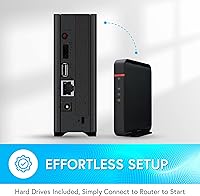
A hard drive is already installed — a 6TB mechanical HDD comes pre-fitted in the enclosure. You do not need to purchase or install anything to get started with storage; just connect it to your router and run the setup utility.

Technically you can point Plex at it, but the experience will likely disappoint you. The 800 MHz processor and 256 MB of RAM are not built for transcoding video on the fly, and you will hit performance walls quickly with anything beyond the most basic direct-play scenarios. If media serving is your main goal, look at a NAS with a more capable Intel or AMD processor.

No recurring fees are required. The Buffalo LinkStation 210 6TB NAS Storage Device operates entirely on your local network without a subscription. Remote access options exist but are basic, and the core value proposition is local, private storage you own outright.
The bundled NovaBACKUP Buffalo Edition license covers up to five PCs, which is genuinely useful for households with multiple computers. Mac backup is handled through NAS Navigator 2, though again only on macOS 15 and earlier.

There is no built-in redundancy on a single-bay unit — if the drive fails, the data on it is at risk. Your best protection is maintaining a separate backup, whether that is an external drive connected to one of your computers or a secondary cloud backup solution. This is a real limitation worth planning around before committing to this device.

It requires a physical Ethernet cable connection to your router or network switch. There is no built-in Wi-Fi adapter, so placement near your networking equipment is necessary. Once connected, every device on your Wi-Fi network can still access the drive wirelessly through your router.

Most users find setup surprisingly manageable. You plug it in, install the NAS Navigator utility on your computer, and the software walks you through the rest. Buffalo also offers 24/7 US-based phone support if you get stuck, which a number of owners specifically mention as helpful during first-time configuration.

Yes, the drive bay is accessible and the unit accepts standard 3.5-inch SATA hard drives, so you can swap in a larger drive if needed. Keep in mind that Buffalo recommends using drives from their tested compatibility list to avoid issues, and replacing the drive means your existing data will need to be migrated or backed up first.

Your files are stored on hardware in your home and do not pass through Buffalo's servers during normal operation. The closed-system design means there are no third-party app integrations that could introduce additional exposure points. SSL encryption covers data in transit over your network, so this home NAS unit offers a meaningfully more private setup compared to storing files on Google Drive or similar services.