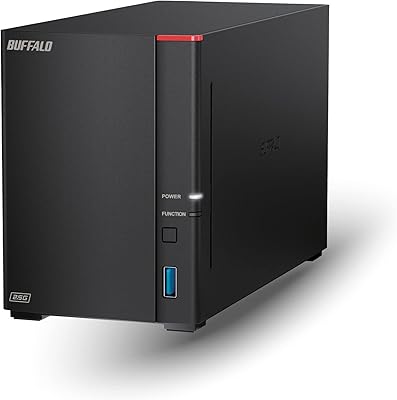

Overview

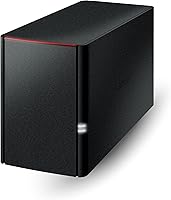
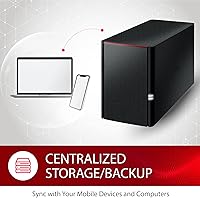
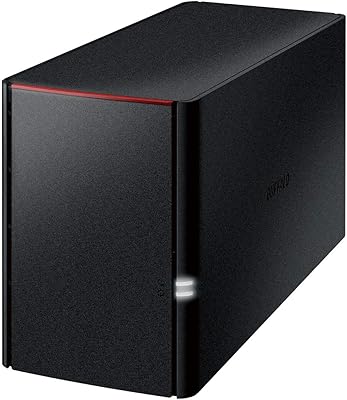
The BUFFALO LinkStation 220 4TB 2-Bay NAS is Buffalo's answer to a straightforward question: how do you give a home or small office reliable shared storage without paying monthly cloud fees? This 2-bay home NAS ships preconfigured with RAID 1 enabled, which means the two included 2TB drives mirror each other — so your usable capacity out of the box is 2TB, not 4TB. Worth knowing before you buy. Security-wise, Buffalo takes a closed-system approach, locking out third-party apps to shrink the attack surface. One hard limit to flag upfront: macOS 26 is not supported. If your household runs newer Apple machines, this NAS is simply not the right fit.

Features & Benefits

The LinkStation 220 ships with two RAID modes: RAID 1, which mirrors both drives for redundancy at the cost of half your raw capacity, and RAID 0, which pools them for the full 4TB at the expense of any built-in backup. The single 1GbE Ethernet port is fine for everyday file access on a typical home network but will feel slow when transferring large video libraries. The processor — an 800 MHz dual-issue chip with 256MB of RAM — handles basic file serving adequately, though don't expect it to transcode media or manage several simultaneous heavy users. SSL-encrypted transfers and the included NAS Navigator software keep setup accessible, and 24/7 US-based support is genuinely useful for buyers who aren't network veterans.

Best For

This Buffalo NAS makes the most sense for Windows-centric households or small offices that want a shared drive running quietly in the background — no subscription, no complicated setup, no cloud dependency. If you're backing up several PCs on a local network, the included software handles that without much fuss. Buyers who prioritize data redundancy over raw storage will appreciate the RAID 1 default, accepting the 2TB usable trade-off willingly. That said, this 2-bay home NAS is a poor match for Apple users on macOS 26 and beyond, anyone hoping to run a media server, or IT-minded buyers who need iSCSI or integrated cloud backup. Know what it's built for, and it delivers.

User Feedback

With a 4.2-star average across 235 ratings, the LinkStation 220 sits in comfortable but not outstanding territory. Recurring buyer themes are encouraging: setup is straightforward even for non-technical users, and the device has a reputation for steady, reliable file sharing day to day. Where complaints cluster is predictable — transfer speeds feel dated against newer 2.5GbE NAS options, and the hardware ceiling becomes obvious quickly under any real load. The macOS compatibility wall comes up frequently from Apple-heavy households, and rightly so. On the brighter side, Buffalo's customer support draws consistent praise across reviews, which carries real weight for buyers who want a safety net after purchase.

Pros

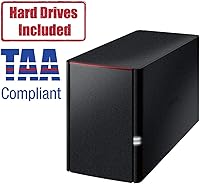
  • Ships with drives pre-installed and RAID 1 already configured — no assembly or complex setup required.
  • Automated PC backup software makes scheduled, hands-off backups genuinely straightforward for everyday users.
  • RAID 1 mirroring protects against a single drive failure without requiring any manual intervention.
  • US-based phone support is available around the clock, which is rare and valuable in this product category.
  • The closed-system architecture keeps the attack surface small without requiring users to manage third-party firmware updates.
  • SSL-encrypted transfers mean files moving across your local network are not exposed in plain text.
  • Quiet operation under normal loads makes it comfortable to keep in a home office or living space.
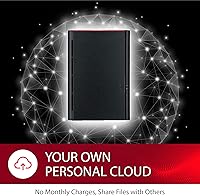
  • No monthly fees — pay once and own your storage outright, with no ongoing subscription costs.
  • Ranked among the top NAS devices on Amazon with a solid average from a meaningful number of verified buyers.

Cons

  • Usable capacity defaults to 2TB out of the box in RAID 1, despite the device being marketed as 4TB total.
  • The 1GbE network port creates a real-world speed ceiling that feels dated against newer 2.5GbE competitors.
  • macOS 26 is entirely unsupported, with no firmware update planned to address this for the current model.
  • The management interface lacks the polish and depth that rivals at a similar price point now offer.
  • No cloud backup integration means offsite redundancy requires a completely separate solution.
  • The aging processor struggles noticeably when more than one or two users access large files simultaneously.
  • Two drive bays with no USB expansion port means storage capacity is permanently fixed at purchase.
  • Warm operating temperatures under sustained workloads raise some long-term concerns about drive health in poorly ventilated spaces.
  • The RAID 0 option sacrifices all redundancy for full capacity — a trade-off that catches some buyers off guard.
  • Remote access functionality is functional but noticeably behind what cloud-integrated NAS platforms deliver.
  • Active Directory support exists on paper but lacks the depth small businesses with multiple users actually need.

Ratings

The BUFFALO LinkStation 220 4TB 2-Bay NAS earns a measured recommendation from buyers who know exactly what they need — and a few frustrated reviews from those who didn't. These scores were generated by AI after analyzing verified global user reviews, with spam, bot activity, and incentivized feedback actively filtered out. Both the genuine strengths and the recurring pain points are reflected honestly here, so you can make a confident call before buying.

Ease of Setup
86%
Most buyers — including those with little networking experience — report having the device on their home network and accessible within 20 to 30 minutes of unboxing. The NAS Navigator utility does the heavy lifting, and Buffalo's included quick-start documentation is clear enough that calling support is rarely necessary on day one.
A small but consistent group of users hit friction when integrating the device into networks with non-standard router configurations or VLANs. The setup experience is optimized for straightforward home setups, and anything beyond that can require a support call to untangle.
Transfer Speed
58%
42%
For light everyday use — moving documents, syncing a photo library, or streaming a single 1080p video to one device — the 1GbE connection is adequate. Users backing up office documents across a few PCs report acceptable daily performance without noticeable lag.
Anyone moving large files regularly will feel the ceiling quickly. The 1GbE port and the aging 800 MHz processor combine to make bulk transfers noticeably slower than what newer 2.5GbE NAS alternatives deliver, and this comes up repeatedly in negative reviews from users who expected more throughput.
Data Redundancy & RAID
83%
The default RAID 1 configuration is a genuine selling point for buyers whose primary concern is not losing data. Having two drives mirroring each other automatically means a single drive failure does not cost you anything — a meaningful peace of mind for home offices storing years of irreplaceable files.
The capacity trade-off catches buyers off guard consistently. Advertised as 4TB, the out-of-box RAID 1 setup leaves only 2TB usable, and that disconnect frustrates buyers who didn't read the fine print. Switching to RAID 0 for full capacity means giving up all redundancy, which is a real compromise.
Software & Management
71%
29%
NAS Navigator 2 keeps things simple for Windows users and handles automated PC backups without requiring any command-line knowledge. For the target buyer — someone who just wants backups to run quietly in the background — the software does its job without getting in the way.
The management interface feels dated compared to what Synology and QNAP offer at similar price points. Advanced users quickly hit walls: there is no app ecosystem, no Docker support, and limited scheduling flexibility, which makes the LinkStation 220 feel restrictive for anyone who grows into wanting more control.
Security Architecture
77%
23%
The closed-system design genuinely reduces the attack surface. Without third-party app support, there are fewer entry points for vulnerabilities, and SSL-encrypted transfers mean data moving across your network is not traveling in plain text. For users who don't want to think about firmware patching third-party packages, this approach offers quiet confidence.
The same closed architecture that improves baseline security also limits flexibility. Power users who want to run custom scripts, integrate with external security tools, or configure granular access policies will find the options thin. It is a deliberate trade-off, but not everyone finds it acceptable.
macOS Compatibility
41%
59%
For users still running macOS 15 Sequoia or earlier, the LinkStation 220 works as advertised. NAS Navigator 2 supports these systems, and file sharing operates without major issues on supported Mac versions within that range.
macOS 26 compatibility is simply absent, and this is one of the most recurring complaints in recent reviews. Apple households that have upgraded — or plan to — are effectively locked out of full functionality. Buffalo has acknowledged this with a newer product line, but buyers of the LinkStation 220 have no firmware path forward on this issue.
Build Quality
74%
26%
The enclosure feels solid for an entry-level NAS — not premium, but not flimsy either. The unit runs quietly under normal loads, which matters for buyers who plan to keep it in a home office or living space rather than a dedicated server closet.
The plastic chassis shows its budget-tier positioning up close, and a few buyers note the unit runs warmer than expected under sustained workloads. Ventilation is minimal for a dual-drive device, and there are occasional mentions of drive noise increasing over time in warmer environments.
Value for Money
67%
33%
For buyers who specifically need a no-subscription, set-it-and-forget-it local backup device, the included drives and bundled software represent reasonable value. Avoiding monthly cloud storage fees can recover the cost fairly quickly for a household storing a few terabytes of data.
Relative to competitors launching with 2.5GbE ports and faster processors at comparable prices, the LinkStation 220 is starting to look long in the tooth for its price point. Buyers comparing specs sheet-to-sheet will find newer options that offer more headroom for similar money.
Customer Support
82%
18%
Buffalo's US-based support team is one of the most consistently praised aspects across reviews. Phone support being available around the clock is a real differentiator in a category where most competitors offer only community forums or email queues with multi-day response times.
A portion of users report that support quality varies depending on the representative reached, with some interactions resolving quickly and others requiring multiple callbacks. Complex network configurations sometimes push the support team beyond their comfort zone, leading to escalation delays.
Remote Access
55%
45%
Basic remote access is possible through Buffalo's WebAccess feature, allowing users to reach their files from outside the home network without a VPN. For occasional access to a document or photo while traveling, this works adequately for simple use cases.
There is no native cloud backup integration, and the remote access experience is noticeably less polished than what cloud-connected NAS platforms from competitors offer. Users who regularly need fast, reliable remote access — especially on mobile — tend to find the experience frustrating compared to modern alternatives.
Noise & Heat Management
69%
31%
Under light loads, this 2-bay home NAS is quiet enough to sit on a desk without becoming a distraction. The 5400 RPM drives contribute to a relatively low noise floor during idle or low-activity periods, which is appreciated in home office environments.
Sustained read/write operations — like an initial large backup — push the device noticeably harder, and both noise and surface temperature increase accordingly. The enclosure's passive cooling design offers limited thermal headroom, and a small number of buyers in warmer climates report concern about long-term drive health.
Windows Integration
81%
19%
On a Windows-centric network, the LinkStation 220 integrates cleanly. It shows up in File Explorer as a network location, automated PC backup scheduling works reliably through the included software, and most users report the day-to-day experience on Windows requires essentially zero ongoing maintenance.
Active Directory support is listed as a feature but is functionally limited compared to what small business buyers might expect from even a mid-range NAS. Environments with more than a handful of users or complex permission requirements will find the Windows integration less capable than it initially appears.
Expandability
37%
63%
For buyers whose storage needs are fixed and modest, the 2-bay configuration with two included drives means they can start using the device immediately without sourcing any additional hardware. There are no upfront expansion decisions required.
Two bays with no USB expansion support for adding external drives, no iSCSI capability, and no cloud tier backup mean the LinkStation 220 has a hard ceiling. Buyers whose data grows over time will find themselves looking at a full replacement rather than a simple upgrade, which is a meaningful long-term cost consideration.

Suitable for:

The BUFFALO LinkStation 220 4TB 2-Bay NAS is a strong fit for Windows-centric households and small offices that want a dedicated local backup solution without committing to a monthly cloud storage bill. If your primary goal is keeping copies of important files safe across two or three PCs on the same network, this device handles that job reliably and with minimal fuss. It ships ready to go with drives already installed and RAID 1 pre-enabled, meaning data is automatically mirrored across both drives from the moment you plug it in — a real advantage for buyers who don't want to configure anything from scratch. The included NAS Navigator software and around-the-clock US-based phone support make it genuinely accessible to non-technical users who just want something that works without needing to consult forums or watch setup videos. For a small business owner keeping financial records, a freelancer backing up project archives, or a family wanting a central photo and document store, this 2-bay home NAS covers the basics competently and quietly.

Not suitable for:

The BUFFALO LinkStation 220 4TB 2-Bay NAS has clear and honest limitations that make it a poor choice for a significant portion of buyers who might otherwise consider it. Anyone who has upgraded to macOS 26 — or plans to in the near future — should stop here: this device has no compatibility path for Apple's latest operating system, and Buffalo's own product line points newer Mac users toward a different model entirely. The hardware also sets a firm ceiling on ambition: with an 800 MHz processor and 256MB of RAM, the LinkStation 220 is not built for running a Plex media server, handling multiple simultaneous users pushing large files, or doing anything that requires real computational headroom. Power users looking for features like iSCSI support, integrated cloud backup, Docker containers, or a rich app ecosystem will find this device frustratingly bare. If your storage needs are likely to grow beyond 4TB in the next couple of years, the non-expandable two-bay design means you'll be replacing the whole unit rather than simply adding drives or capacity.

Specifications

  • Total Capacity: The unit ships with two 2TB mechanical hard drives installed, giving a raw total of 4TB across both bays.
  • Usable Capacity: In the default RAID 1 configuration, usable storage is 2TB; switching to RAID 0 makes the full 4TB available but removes all redundancy.
  • Drive Type: Both included drives are 3.5-inch mechanical hard disks running at 5400 RPM over a SATA-300 interface.
  • Processor: The device runs an 800 MHz dual-issue CPU, suited for basic file serving but not for processor-intensive tasks like media transcoding.
  • Memory: 256MB of RAM is onboard, which is adequate for low-concurrency file sharing but limits multitasking under heavier network loads.
  • Network Port: A single 1GbE Ethernet port handles all network connectivity, with no option for link aggregation or a faster 2.5GbE connection.
  • RAID Modes: RAID 0 and RAID 1 are both supported; RAID 1 is enabled by default out of the box for immediate drive mirroring.
  • Security: File transfers are protected with SSL encryption, and the closed-system architecture prevents installation of third-party applications.
  • OS Support: Fully compatible with Windows and with macOS versions up to and including macOS 15 Sequoia; macOS 26 is not supported.
  • Included Software: NAS Navigator 2 and a PC backup utility are bundled in the box, covering network management and automated computer backups.
  • Dimensions: The enclosure measures 8.1 x 3.4 x 5 inches (L x W x H), making it compact enough for a desk or shelf in a home office.
  • Weight: The fully loaded unit weighs 5.7 pounds, reflecting the inclusion of two 3.5-inch mechanical drives inside the chassis.
  • Drive Interface: Internal drives connect via Serial ATA-300 (SATA II), a standard interface for 3.5-inch desktop hard drives.
  • Customer Support: Buffalo provides US-based phone support available 24 hours a day, 7 days a week, including installation walkthroughs for new users.
  • Drive Form Factor: Both installed drives use the standard 3.5-inch form factor, the most common size for desktop NAS enclosures.
  • Network Connection: The device connects to your local network via a standard RJ-45 Ethernet cable plugged directly into your router or network switch.
  • Amazon Ranking: The LinkStation 220 holds a top-25 position in the Network Attached Storage category on Amazon at the time of this review.
  • Model Number: The specific model identifier for this 4TB dual-drive configuration is LS220D0402B, as listed by Buffalo officially.

Related Reviews
BUFFALO LinkStation 720 4TB NAS
87%
91%
Setup and Installation
87%
Performance and Speed
94%
Data Redundancy and Backup
89%
Compatibility with Windows and MacOS
93%
Cloud Storage Feature (No Subscription)
More
Buffalo LinkStation 710 4TB NAS Storage
75%
83%
Ease of Setup
78%
Transfer Speed
81%
Reliability & Uptime
58%
Noise Level
86%
Data Security Features
More
BUFFALO LinkStation 220 12TB NAS
84%
90%
Ease of Setup
88%
Reliability
92%
Value for Money
70%
Performance with Large Transfers
94%
RAID 1 Backup Functionality
More
Asustor Drivestor 2 Lite AS1102TL NAS
76%
88%
Ease of Setup
83%
Build Quality
74%
Performance for Everyday Use
71%
Software (ADM OS) Usability
69%
4K Media Streaming
More
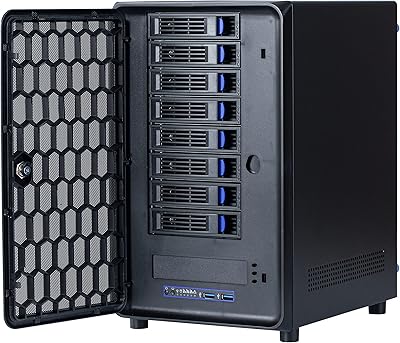
KCMconmey NAS-812 8+2 Bay DIY NAS Case
84%
86%
Build Quality
62%
Cooling Performance
88%
Ease of Use
90%
Compatibility with PSU Types
91%
Customization Options
More
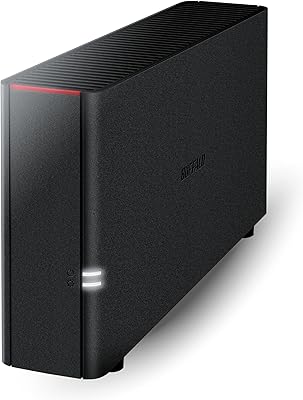
Asustor Drivestor 2 Pro Gen2 2-Bay NAS
76%
83%
Setup & Initial Configuration
89%
Network Performance (2.5GbE)
71%
4K Transcoding Performance
67%
Software & ADM Ecosystem
86%
Build Quality & Physical Design
More
BUFFALO LinkStation 210 6TB NAS
83%
89%
Ease of Setup
91%
Data Protection (RAID)
72%
File Transfer Speed
88%
Cross-Platform Compatibility
85%
Build Quality
More
BUFFALO LinkStation 710 8TB NAS
85%
91%
Value for Money
88%
Performance and Speed
85%
Ease of Setup
90%
Security Features
78%
Software Experience (NAS Navigator)
More
Asustor AS5402T 2-Bay NAS Enclosure
78%
88%
Hardware Value
82%
Processing Performance
86%
Network Throughput
84%
Thermal Management
63%
Software & OS Experience
More
BUFFALO LinkStation 210 2TB 1-Bay NAS
63%
83%
Ease of Setup
47%
Transfer Speed
71%
Build Quality & Design
78%
Noise & Heat
44%
Software & Firmware
More

FAQ

This catches a lot of buyers off guard. The device ships with RAID 1 enabled by default, which mirrors all data across both drives for redundancy. That means one drive is essentially a live backup of the other, so you only get 2TB of usable space. If you switch to RAID 0, both drives pool together for the full 4TB — but you lose all redundancy, so a single drive failure would mean losing everything. Most buyers stick with RAID 1 and accept the 2TB capacity in exchange for the peace of mind.

It depends on which macOS version you're running. The BUFFALO LinkStation 220 4TB 2-Bay NAS supports macOS 15 Sequoia and earlier, but it does not support macOS 26. If your Mac has already updated to macOS 26, the NAS Navigator 2 software will not function correctly, and full compatibility cannot be guaranteed. Buffalo has acknowledged this and directs users on newer Apple operating systems toward their SoHo 720 series instead.

Technically you can point Plex at it as a storage location, but this NAS was not designed for that role. The 800 MHz processor does not have the power to transcode video on the fly, so you would be limited to direct play — meaning your player device has to handle all the decoding itself. For a light setup with one or two compatible devices, it might work. For anything more demanding, you will likely run into buffering or stalling.

It's genuinely one of the easier setups in this category. You plug the unit into your router with an Ethernet cable, power it on, and run the NAS Navigator 2 software from a Windows or Mac computer. The software finds the device on your network and walks you through the rest. Most users with no prior NAS experience report being up and running within 30 minutes. If anything goes wrong, Buffalo's 24/7 US phone support can guide you through it in real time.

Unfortunately, no. The LinkStation 220 has two bays and both are already occupied by the included drives. There is no USB expansion port for adding external drives, and the enclosure does not support adding more bays. If you outgrow 2TB in RAID 1 (or 4TB in RAID 0), you would need to replace one or both drives with higher-capacity models, or move to a different device entirely. It is worth factoring this into your decision upfront.

Yes — as long as you keep the default RAID 1 configuration in place. If one drive dies, the second drive has a complete mirror copy of everything, and you can keep accessing your files while you source a replacement. Once you swap in a new drive, the NAS rebuilds the mirror automatically. This does not protect against accidental deletion or both drives failing at the same time, so pairing RAID 1 with an occasional offsite backup is still a good habit.

No, it does not. This Buffalo NAS operates entirely on your local network — it plugs into your router and your devices access it directly without going through the internet or any cloud service. There are no monthly fees and no account required. Remote access over the internet is possible through Buffalo's WebAccess feature if you want it, but it is completely optional and the device works fine without any internet connectivity at all.

Under normal loads it is fairly quiet — the 5400 RPM drives spin slower and more quietly than 7200 RPM alternatives, which helps. You will notice a low hum when drives are actively reading or writing, but at idle it fades into the background. During an initial large backup it can get louder and slightly warm, but for day-to-day use most home office users find it unobtrusive sitting on a shelf or desk.

Yes, multiple devices can connect simultaneously, but there are practical limits. The 1GbE network port and the modest processor mean that if two or three people are all pulling large files at the same time, speeds will drop noticeably. For light concurrent use — someone streaming a photo album while another person accesses documents — it handles things fine. It is not the right choice for a busy office with many users doing heavy transfers in parallel.

The main differences come down to software depth and hardware headroom. Synology's DSM operating system offers a far richer app ecosystem, a more modern interface, and better remote access tools. The LinkStation 220 trades all of that for simplicity and Buffalo's hands-on US phone support, which Synology does not match at this level. If you are comfortable with technology and want flexibility to grow, Synology is often the stronger long-term choice. If you want something preconfigured and supported by a real person on the phone, this 2-bay home NAS has a genuine edge.

Where to Buy