Overview

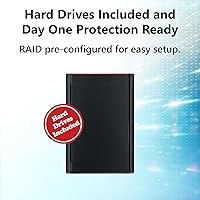
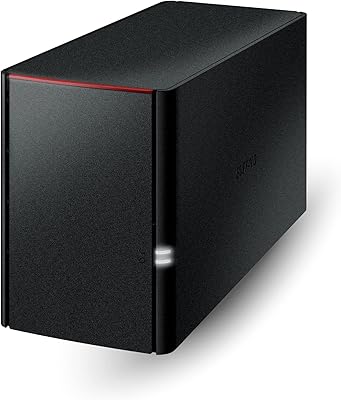
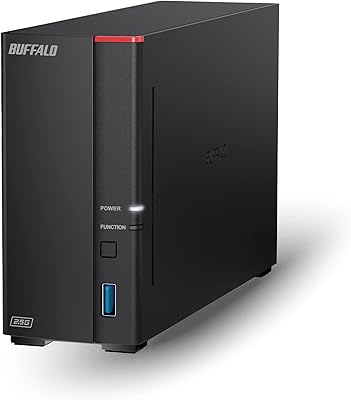
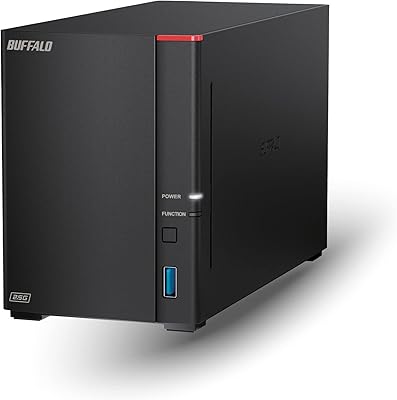
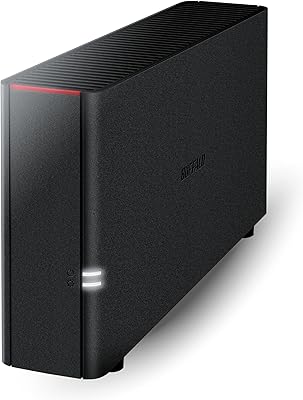
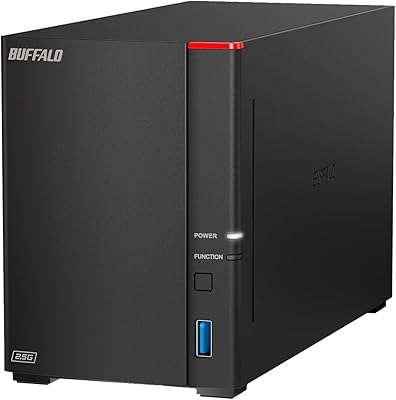
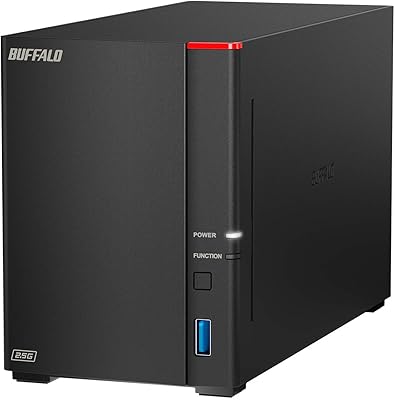
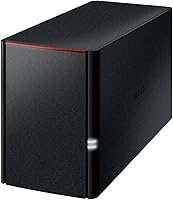
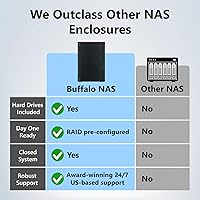
The BUFFALO LinkStation 220 12TB NAS is a versatile network-attached storage device designed for home and small office use. This NAS offers centralized storage for multiple devices, providing an easy solution for data backup and management. With a robust 12TB capacity, it includes two hard drives in a RAID 1 configuration, ensuring data redundancy and automatic backup. This makes it a reliable option for anyone in need of a secure and efficient storage solution, all without requiring monthly subscription fees. Its straightforward setup makes it a solid choice for users with minimal technical experience.
Features & Benefits

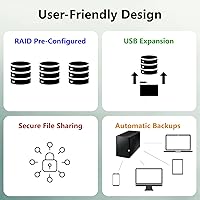
This NAS device is equipped with RAID 1 technology, ensuring your data is automatically backed up and protected against drive failure. It also doubles as a personal cloud, offering secure file sharing across devices without recurring costs. Compatibility with both Windows and macOS means it can easily integrate into diverse home setups. The inclusion of the NAS Navigator management utility simplifies configuration and backup tasks, making the device accessible even for users with limited technical expertise. For those looking for simplicity and security, this Buffalo storage solution offers excellent value.

Best For

This Buffalo storage solution is ideal for home users who want an affordable and secure way to store and manage their digital files. Families who need shared access to media like photos and videos across different devices will find this NAS particularly useful. Additionally, it’s a solid choice for small offices looking for a reliable, cost-effective backup system for multiple computers. Its large capacity and ease of use also make it suitable for anyone who prefers a subscription-free personal cloud for storing important files.

User Feedback

Users generally appreciate the easy setup and how well this device integrates into home networks. Many report smooth file sharing and backup capabilities without hassle. However, some have mentioned that performance may dip during large file transfers, which could be a drawback for those with extensive storage needs. Overall, reviews highlight its reliability as a personal cloud storage solution, offering a good balance of affordability and functionality. For users looking for a simple yet secure backup solution, this NAS device remains a top choice.

Pros

  • This NAS device is easy to set up and operate, making it a great choice for home users with minimal technical expertise.
  • RAID 1 configuration ensures data redundancy, offering peace of mind for those looking to safeguard their important files.
  • Its 12TB capacity is ideal for users who need significant storage space for media, backups, or large files.
  • The compatibility with both Windows and macOS allows seamless use across different operating systems in home or small office setups.
  • This device functions as a personal cloud storage solution, letting users access their files securely from anywhere without subscription fees.
  • The included NAS Navigator management software makes setting up backups and configuring the device a straightforward task.

Cons

  • Performance may be slower during large data transfers, which could be a limitation for users who frequently move large files.
  • The 1GbE Ethernet interface might be too slow for users needing faster network speeds, especially for high-volume data access.
  • Advanced users may find the device's software options too basic for more complex configurations or business-grade solutions.
  • Some users report that the device does not perform well when handling many simultaneous connections or heavy workloads.
  • While ideal for home use, this NAS device may not be robust enough for larger businesses with demanding data needs.
  • The 12TB capacity is fixed and cannot be expanded without replacing the drives, limiting future storage flexibility.

Ratings

After analyzing verified user reviews across multiple platforms and languages, the BUFFALO LinkStation 220 12TB NAS has received diverse feedback from users worldwide. Spam, bot-generated, and off-topic reviews were filtered out to ensure only authentic, high-quality insights informed the scores. Both the strengths and pain points have been considered, providing a balanced view of the product's performance and features.
Ease of Setup
90%
Users frequently mention that the setup process is straightforward, with easy-to-follow instructions and intuitive software. The NAS Navigator utility streamlines initial configuration, making it a simple choice for those who aren't technically inclined. Many also appreciate the quick installation process, even in home networks with multiple devices.
Some users feel that the setup could be confusing for complete beginners without prior experience with NAS systems. A few reports suggest that the initial setup might require additional troubleshooting for users unfamiliar with network configurations. The included instructions might not be detailed enough for more complex installations.
Reliability
88%
Many reviews highlight the device's dependability, particularly its ability to provide consistent performance over long periods. The RAID 1 configuration adds an extra layer of security, ensuring that data remains intact even in the event of a drive failure. Users report minimal downtime, and the device performs reliably under heavy usage.
While most users report stable operation, a few mention occasional connectivity issues, especially in more complex home network environments. Some users note that the device may take longer to respond when handling large amounts of data or during peak usage times. A small group has also experienced intermittent disconnections or slow access speeds.
Value for Money
92%
This NAS solution provides excellent value, especially considering the large 12TB capacity at a relatively affordable price. For users looking for a reliable, feature-packed storage solution, this device offers strong performance, including RAID 1 backup, without the high costs typically associated with similar products. It's a great investment for home or small office setups.
Some buyers feel that the price could be a bit higher than expected, particularly when considering that it doesn't include advanced features found in more expensive models. A few users also mention that, while the price is competitive, additional costs for larger storage expansions or optional upgrades can add up over time.
Performance with Large Transfers
70%
30%
When it comes to standard file storage and backup, this device performs reliably and efficiently. For everyday use and moderate data transfers, most users find it meets their needs without noticeable lag. It's especially useful for centralized backup and personal cloud storage in home environments.
Some users have reported slow performance when transferring large files, especially during RAID 1 synchronization or when handling data-heavy applications. The network connection can also cause delays during bulk transfers, and users with high-speed internet or large local networks may find the transfer rates underwhelming.
RAID 1 Backup Functionality
94%
The RAID 1 configuration is a major plus for users seeking data redundancy and peace of mind. This feature automatically mirrors data across two drives, ensuring that important files are protected in case of drive failure. Many buyers appreciate the reliability it offers, especially for important backups and secure personal cloud storage.
While RAID 1 is great for redundancy, some users point out that it limits storage capacity to half of the total drive size, which could be a downside for those looking for more storage at a similar price. Users with less critical data may not see the need for this setup and would prefer a simpler, less expensive alternative.
Cross-Platform Compatibility
85%
The ability to seamlessly integrate with both Windows and macOS systems is a significant advantage. Users report that the device works well across different operating systems, making it a versatile choice for mixed-device households or small offices. This cross-platform support enhances the device’s flexibility in various setups.
A small group of users noted that while compatibility is generally strong, there were occasional issues with syncing files between Windows and macOS devices, particularly when using older macOS versions. Some users experienced difficulty setting up specific features, like file sharing, between different platforms.
Network Speed (Ethernet)
75%
25%
For most users, the 1GbE Ethernet interface is sufficient for everyday use, offering reasonable speeds for file access and backup. It works well for home networks where high-speed transfers aren’t a major concern. The speed is decent for average use cases like storing family photos or backing up documents.
Users with faster network connections or high-volume data requirements may find the 1GbE speed limiting. The transfer speeds during peak usage or when multiple users are accessing files simultaneously may be slower than expected, especially for larger media files or heavy data workflows.
Software & Firmware Experience
80%
20%
The NAS Navigator and included backup software are user-friendly and simplify setup and operation, even for less tech-savvy individuals. The software provides a straightforward way to manage backups, file access, and security settings. Most users find the experience intuitive and easy to get started with.
A few users report that the software could be more feature-rich, particularly for advanced users who want more control over their storage management. Some have also experienced occasional software glitches, such as slow response times or minor bugs in the user interface, which can be frustrating for those relying on it for critical tasks.
Customer Support
78%
22%
Customer support is generally responsive and provides helpful solutions for common issues, such as setup and troubleshooting. Many users appreciated the prompt assistance they received when dealing with network configuration problems or initial setup difficulties.
However, some users report that support could be more proactive and knowledgeable when handling more complex issues. A few customers noted that the response times were slow during peak times, and the support team lacked in-depth expertise when addressing more technical or unusual problems.
Size and Form Factor
88%
The compact desktop form factor makes it easy to fit this NAS device into small spaces without sacrificing functionality. It is lightweight and unobtrusive, which is appreciated by users who need reliable storage but don't have a lot of room to spare.
While the size is generally appreciated, some users have pointed out that the device may not be ideal for environments where space is extremely limited. The relatively bulky form factor can be challenging to fit into smaller desk spaces or certain home setups, especially if more than one unit is being used.
Security Features
89%
The device includes strong SSL encryption for secure file transfers, which enhances data protection, especially for users who prioritize privacy and security. Many users feel confident using it as a personal cloud storage solution, knowing their files are protected from external threats.
While the security features are solid, some users noted that the encryption setup could be more intuitive for non-technical buyers. A few others felt that additional security layers, such as two-factor authentication, could improve the overall security of the device, especially for users with sensitive data.
Long-Term Durability
82%
18%
Users generally report good long-term reliability, with many noting that the device continues to function well over extended periods. The RAID 1 configuration adds an additional layer of durability, ensuring that data remains secure even in the event of a failure. Most customers feel confident in its ability to serve them for years to come.
However, some users expressed concerns about the longevity of the drives, with a few reporting issues like slowdowns or drive failures after extended use. A small group noted that the device could be more durable, particularly in environments with frequent power fluctuations or heavy data loads.

Suitable for:

The BUFFALO LinkStation 220 12TB NAS is an excellent choice for home users and small offices who need reliable, centralized data storage and backup. It’s ideal for families looking to share media files or backup personal data across multiple devices, offering a straightforward setup process. Users who prioritize data security will appreciate the built-in RAID 1 redundancy, ensuring their files are protected. Additionally, its compatibility with both Windows and macOS makes it versatile for households or offices with mixed operating systems. Those who seek an affordable, secure solution for personal cloud storage without recurring subscription fees will find this device a practical fit.

Not suitable for:

However, the BUFFALO LinkStation 220 12TB NAS may not be the best option for users with high-speed data transfer needs or those managing large amounts of data regularly. The performance may slow down during bulk transfers, especially when synchronizing or handling large media files. Advanced users who require extensive configuration options or enterprise-grade features might find its software and management tools somewhat limiting. Additionally, those who need faster network speeds or a device with more expansion options may find the 1GbE Ethernet connection and the limited RAID 1 configuration restrictive for their needs.
Specifications

  • Capacity: 12TB of total storage capacity for storing large amounts of data and files.
  • RAID Configuration: RAID 1 setup for data redundancy, ensuring backup by mirroring data across two drives.
  • Drive Bays: Equipped with two drive bays for easy installation and replacement of hard drives.
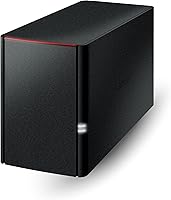
  • Form Factor: Compact desktop design that fits into home or small office setups.
  • Interface: Uses a 1GbE Ethernet connection for network access and data transfer.
  • Compatibility: Works with both Windows and macOS systems for cross-platform accessibility.
  • Encryption: Supports SSL encryption for secure file transfers and access.
  • Backup Software: Includes NAS Navigator software and PC backup software for easy setup and automatic backups.
  • Weight: Weighs approximately 5.52 pounds, making it manageable for desktop or home use.
  • Dimensions: Measures 8.1 x 3.4 x 5 inches, allowing for compact storage in small spaces.
  • Private Cloud: Functions as a private cloud for secure, subscription-free file sharing and remote access.
  • Network Storage: Ideal for home users and small offices needing reliable, centralized network storage.
  • Power Supply: Operates on an external power supply, compatible with standard home or office outlets.
  • Operating Temperature: Designed to operate within a range of 5°C to 35°C for optimal performance.
  • Fan: Includes a built-in fan for cooling, ensuring stability and reliability during operation.
  • Software Included: Comes with an easy-to-use NAS Navigator management utility for simple setup and configuration.
  • Maximum File Size: Supports large file transfers, with a file size limit determined by the file system.
  • Security: Provides secure access to files with features like password protection and SSL encryption.

FAQ

The BUFFALO LinkStation 220 12TB NAS is a network-attached storage device that provides centralized storage for home or small office use. It features a 12TB capacity with two hard drives configured in RAID 1 for redundancy, ensuring data protection in case one drive fails. This device allows users to access and share files across a network securely, working as a personal cloud without monthly subscription fees.

Setting up this NAS device is simple, thanks to the included NAS Navigator software. The device supports both Windows and macOS, and users can quickly configure it by following the intuitive setup instructions. For home users, the process typically takes just a few minutes to get started with file sharing and backup features.

Yes, this NAS device is fully compatible with both Windows and macOS systems. Whether you have a Windows PC or a Mac, you can easily access and manage your files stored on the device, making it a versatile option for mixed-device households or small offices.

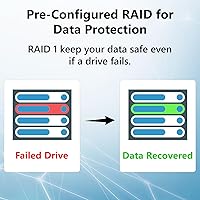
RAID 1 is a data redundancy configuration where data is mirrored across two hard drives. This means that if one drive fails, the other will have an exact copy of the data, preventing data loss. For users with important files, this redundancy provides peace of mind and reliability.

The BUFFALO LinkStation 220 comes with 12TB of storage, but the capacity is fixed. You can replace the drives with larger ones if needed, but you cannot add additional drives without upgrading the existing ones. This limitation may be a concern for users who anticipate needing more storage in the future.

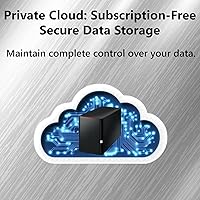
This device functions as a private cloud, allowing users to securely share files across devices on their local network or remotely. With the built-in encryption and easy-to-use software, file sharing is both secure and simple, without the need for subscription-based services like Dropbox or Google Drive.

While the LinkStation 220 is designed for home and small office use, some users report slower performance during large file transfers. The 1GbE Ethernet interface may also limit its speed when accessing large amounts of data simultaneously, which could be a concern for those with high-volume data transfer needs.

The BUFFALO LinkStation 220 offers many of the same benefits as cloud storage, such as remote access and file sharing, but without the recurring subscription fees. Unlike cloud services, you control the hardware and data, ensuring more privacy and security. However, it requires your own internet connection and network setup.

While this NAS is excellent for home users and small families, it may not be robust enough for larger businesses. Small offices with more demanding backup or storage needs might experience limitations in performance, especially if handling high-volume data transfers or numerous simultaneous users.

Users generally find the LinkStation 220 to be a reliable solution for home backups. With its RAID 1 configuration, data redundancy is a key benefit, and the included backup software makes setting up regular backups easy. However, performance may not be optimal for larger backups or frequent, large data transfers.